What Is Interactive Learning and How It Works
Interactive learning is technology-enabled teaching that shifts learners from passive reception to active participation through prompt-response feedback loops like simulations, games and adaptive tools. In the UK, 44.68% of people have attended an online training course for work, while 34% have attended a virtual seminar or lecture for education, showing how digital participation has become part of everyday learning (UK Department for Education statistics). A familiar training session makes the difference clear. A presenter speaks for an hour while learners watch slides, take scattered notes and promise themselves they'll revisit the recording. By the next day, the content feels distant because nobody had to make a decision, explain an idea or test an assumption. Now change the design. The presenter introduces a workplace scenario, asks each learner to choose a response, displays the group's answers and addresses the most common misunderstanding. Learners discuss the consequences, try again and apply the principle to a new situation. The screen may still be present, but the learning comes from the thinking, responding and adjusting that happens around it. That's the practical answer to what is interactive learning. It isn't just a quiz, animation or digital platform. It's a learning experience in which learners do something meaningful and receive information that helps them improve.
Introduction to Interactive Learning That Actually Engages
Many educators and managers search for an explanation of interactive learning after seeing the same problem repeatedly. Attendance is high, the presentation is polished and the learning platform records completion, yet learners struggle to apply the material when the task arrives. A passive lesson often follows a predictable pattern. The tutor delivers information, learners listen, and an assessment appears at the end. The structure can be useful for introducing a new concept, but it gives learners few opportunities to reveal what they understand before the final test. An interactive session changes the learner's role. A science class might ask groups to predict what will happen in a simulation before revealing the result. A compliance course might present a difficult conversation and ask employees to select a response, explain their reasoning and compare alternatives. A university seminar might use live polling to surface competing interpretations, then let students challenge one another's conclusions.
The difference between activity and learning
Interactivity only matters when it supports the learning goal. Clicking through decorative hotspots may keep a learner busy without requiring meaningful thought. A branching scenario becomes more valuable when each decision exposes a misconception and gives the learner a chance to correct it. The same principle applies to education and workplace development:
- •In classrooms, learners can debate, build, simulate, annotate, practise and receive feedback.
- •In professional training, employees can make decisions in realistic situations rather than merely recognise policy statements.
- •In remote learning, tutors can use response data to change the pace, explanation or next task.
- •In public-facing experiences, visitors can explore complex ideas through interactive stories, games, animation and augmented reality.
The UK's digital-learning journey helps explain why these approaches now feel familiar. By 1998, state schools were using about 820,000 computers, although only a small number were connected to the internet and most still relied on CD-ROMs. The wider shift accelerated after the UK government invested around £1.8 billion in e-learning initiatives between 1998 and 2004, followed by the launch of the UK e-Universities programme in 2000 with £62 million of public funding and £5.6 million from Sun Microsystems (Education and Skills Funding Agency history of UK e-learning). This guide moves from definition to design. You'll see how feedback loops work, which formats suit different goals, how to measure participation without mistaking clicks for progress, and how to build an inclusive first pilot.
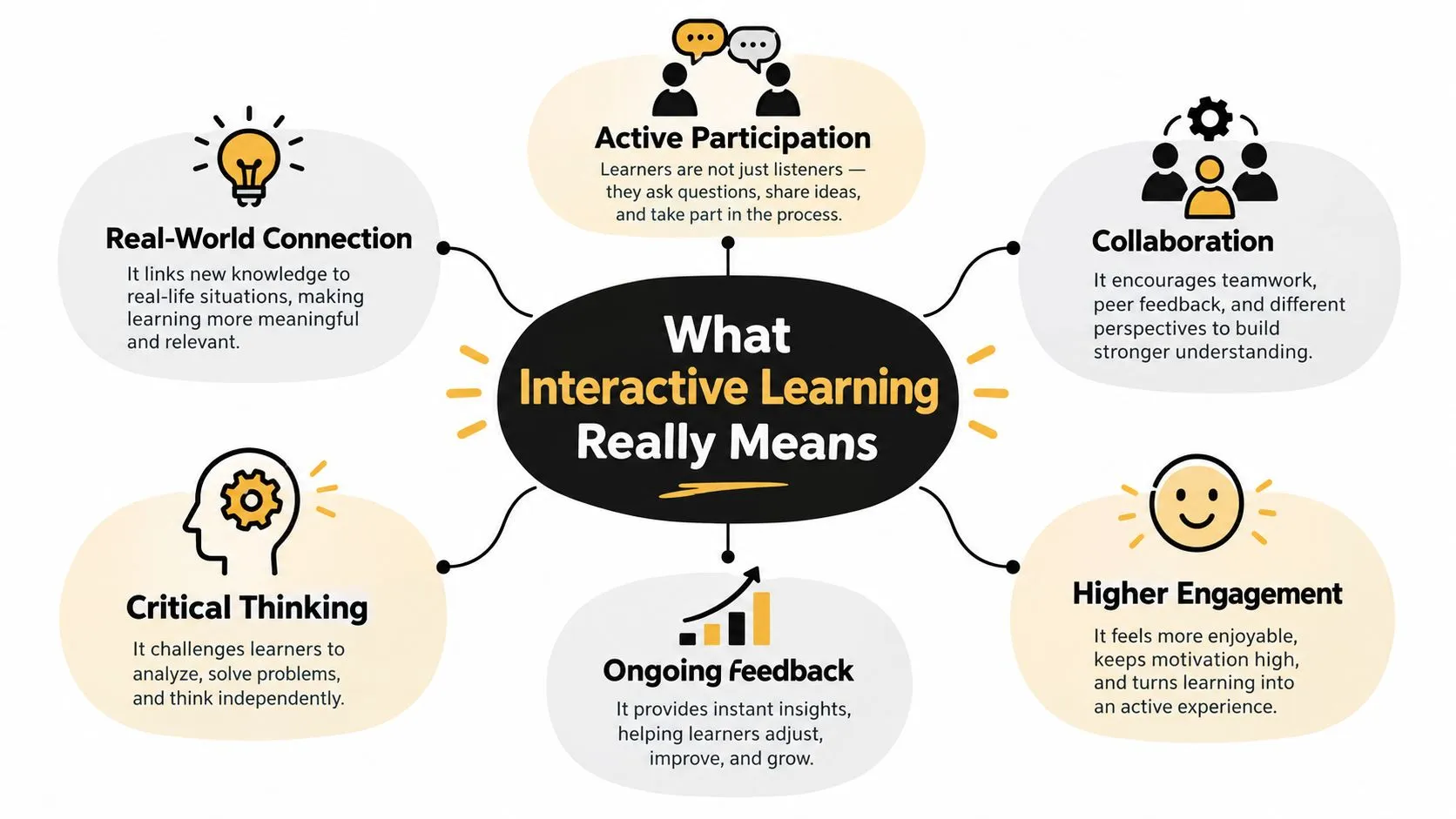
What Interactive Learning Really Means
A useful way to understand interactive learning is to compare a broadcast with a conversation. A broadcast sends information in one direction. A conversation creates a response, and that response changes what happens next. Interactive learning follows the second pattern. The learner receives a prompt, gives a response, sees feedback or the consequences of that response, and then receives a revised prompt or explanation. The teacher, system or facilitator uses the evidence to guide the next step.
The feedback loop in four moves
- Prompt: Present a question, problem, scenario or task that requires a decision.
- Response: Ask learners to select, create, explain, manipulate or perform something.
- Immediate visibility: Display the answer, consequence, peer contribution or tutor interpretation.
- Adjustment: Change the explanation, difficulty, grouping or next activity according to what learners have shown.
What counts as genuine interaction
A live tutor who pauses to collect responses and changes the explanation is using interactive learning, even without advanced software. A collaborative document can also be interactive when learners work towards a shared outcome and respond to one another's contributions. By contrast, an attractive interface doesn't guarantee participation. Ask three questions before approving an activity:- •What must the learner think or do?
- •What evidence will show their current understanding?
- •What changes after the learner responds?
Interactivity becomes especially important when synchronous classroom contact is reduced. The UK EdTech survey notes that digital learning demand peaked during the COVID school closures, when teachers had to maintain engagement without normal face-to-face contact. In that setting, a feedback loop can provide structure, presence and direction where a one-way recording cannot.
How Interactive Learning Works in Practice
Effective interactive learning depends less on the novelty of the tool than on the quality of the exchange. A tutor asks a question that exposes reasoning, learners respond individually or collectively, and the tutor uses those responses to decide whether to clarify, challenge or extend the task. Electronic voting systems offer a clear example. A lecturer can ask students to choose an answer, show the distribution of responses and invite them to discuss the reasoning behind different choices. Students then vote again or defend a revised position. The value lies in the dialogue and peer comparison, not in the voting device itself.
Three forms of useful interaction
Tutor-learner dialogue helps a teacher identify misconceptions while there's still time to address them. A wrong answer can become a diagnostic signal rather than a final mark. Peer interaction makes learners articulate their thinking. When a student explains why a solution works, classmates hear a reasoning path that may be easier to understand than a polished model answer. Iterative adjustment connects feedback to action. Learners need another attempt, a changed scenario or a more demanding application, otherwise feedback remains information rather than improvement.
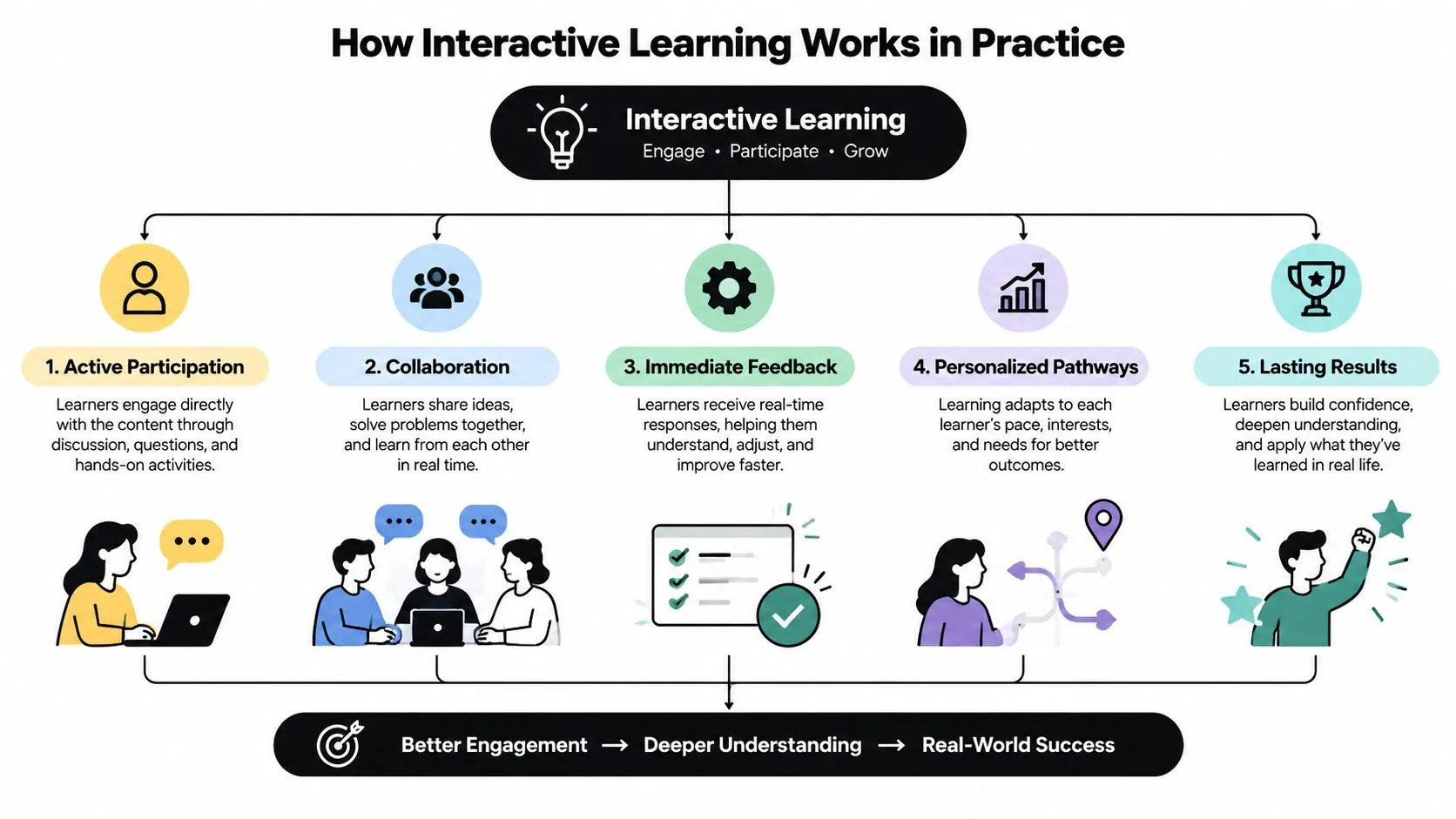
A simple workplace example might involve a new manager handling a performance conversation. The first prompt asks the manager to choose an opening statement. The system reveals how that choice might affect the conversation, then introduces an employee response. The learner has to adapt rather than memorise a fixed script.
Design principle: A response should change the learning experience. If every learner receives the same next screen regardless of their answer, the activity may be interactive in appearance but static in structure.
Spaced study can extend the loop beyond a single session. A resource such as MasteryMind's interleaved practice feature can help learners revisit related material in varied sequences, giving them repeated opportunities to retrieve and apply ideas rather than just reread them. The UK's infrastructure supports this approach at scale. The Department for Education publishes Further Education and Skills data through an interactive dashboard that lets users explore information by level, subject, provider, learner characteristics and geography (DfE Further Education and Skills statistics). The wider lesson is important: digital systems can make learning activity visible, but educators still need to decide which responses matter and how those responses should shape instruction.
Key Formats and Technologies Behind Interactive Experiences
The right format depends on the learner's task, not the impressive appearance of the technology. A short branching video may be more effective than a headset simulation when learners need to practise judgement quickly. A three-dimensional environment earns its complexity when spatial awareness, physical sequence or emotional presence forms part of the learning objective.
| Format | Best For | Immersion and Tech | Consideration |
|---|---|---|---|
| Polls and quizzes | Checking understanding and surfacing misconceptions | Low immersion, browser or presentation tools | Questions must test reasoning, not recall alone |
| Branching scenarios | Decisions, communication and policy application | Moderate immersion, interactive video or web content | Each branch needs a meaningful consequence |
| 2D animation | Explaining processes, systems and abstract ideas | Visual clarity with efficient production | Strong storyboarding matters more than visual complexity |
| 3D animation | Spatial products, environments and technical demonstrations | Detailed visualisation and camera movement | Production requires careful modelling, lighting and rendering |
| AR experiences | Exhibitions, product exploration and place-based learning | Mobile camera, tracked digital content | Hardware, lighting and physical context affect usability |
| VR simulations | Safety practice, embodied skills and immersive scenarios | Headset-based, high immersion | Optimisation, access, comfort and facilitation need planning |
| Location-based XR | Events, visitor attractions and collaborative play | Shared physical venue with tracked experiences | Throughput, staffing and safety shape the design |
Choosing between 2D, 3D and XR
2D animation works well when the learner must follow a process, understand a system or remember a narrative sequence. It can simplify complex information through diagrams, characters, labels and visual metaphors. 3D animation becomes useful when form, scale, movement or spatial relationships carry the explanation. Technical training may benefit from showing how components fit together, while product education can reveal internal structures that learners can't see directly. XR adds value when the learner needs to inhabit a place, handle a simulated object or make decisions under realistic conditions. It also adds delivery requirements, including devices, technical support, accessibility planning and a suitable physical environment. A production partner may combine 3D and 2D animation, Unity and Unreal development, XR design, games and AI-enhanced production within one learning or communications pipeline. Studio Liddell is one example of a creative digital production company working across these formats, with services that include animation, apps, games, TV content and immersive experiences. For a practical view of how interactive video moves from concept to delivery, explore this guide to creating interactive video and mastering the workflow. The useful question isn't “Which technology should we buy?” It's “Which learner action must the experience make possible?”
Benefits and Measurable Outcomes You Can Expect
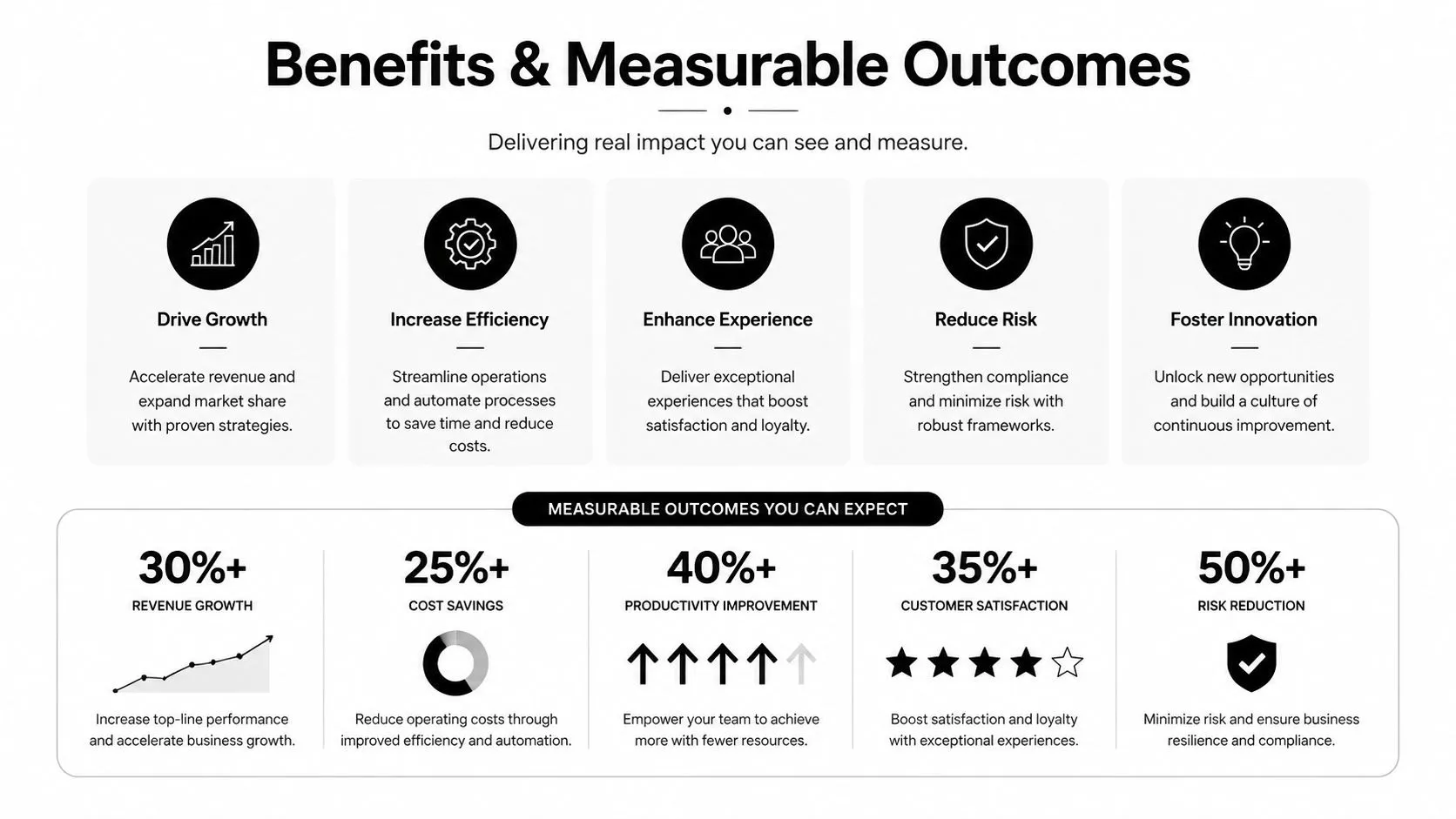
A manager may first judge an interactive course by completion rates or a dashboard full of activity. Those measures can be useful, but they don't prove that learners understood or can apply the content. A stronger evaluation plan follows the learning loop. Track whether learners respond, how much they participate, where they struggle, whether they return to practise and how confidently they perform the target task afterwards.
Measure interaction at the right level
The 2026 UK assessment of the education technology market shows that school-use data can be analysed by active contracts, tool categories, session duration and total time per pupil across the period from February 2025 to February 2026 (Assessment of the education technology market in England). These measures help teams distinguish sustained engagement from a brief burst of novelty. Useful questions include:
- •Participation depth: Did learners make decisions, explain choices or create responses?
- •Time on task: Did they spend enough time practising the target skill?
- •Feedback use: Did learners change their approach after receiving feedback?
- •Transfer: Can they use the idea in a new scenario or workplace context?
- •Equity: Are some learners unable to participate fully because of devices, confidence or support needs?
The same assessment estimates that England's EdTech market includes 1,123 companies, 29,660 to 39,100 employees, about £6.5 billion in annual turnover and £782 million in annual investment (England EdTech market assessment). This scale means interactive learning now sits within a mature digital ecosystem, but scale doesn't remove the need for sound instructional design.
Why interactivity alone isn't enough
Interactive whiteboard research in UK schools found significant changes in teachers' technology use and classroom interaction, but the effect on pupils' attainment in national tests was very small and short-lived (UK interactive whiteboard research). That finding is a useful warning. More touching, clicking or moving content may change classroom behaviour without improving what learners know. A worthwhile outcome might be stronger decision-making, better explanation, safer practice or more reliable transfer. Measure those outcomes directly instead of treating device use as evidence of learning.
Real World Examples That Bring Interactive Learning to Life
A technical subject can become more approachable when learners can see a process unfold, test a decision and revisit the explanation. Animation, games and XR each create different routes into that experience. A technical animation might begin with an unfamiliar product or infrastructure system. Instead of presenting a dense diagram, the experience can reveal one layer at a time, use colour and movement to show relationships, and ask learners to identify the next stage. The learner's response tells the facilitator whether to continue, explain a component or offer a different visual representation.
Three patterns from creative production
Mixed reality games show how interaction can be designed around a complete loop. In an event experience such as Dance! Dance! Dance!, the audience doesn't watch animation. Players follow mechanics, respond to the environment and receive immediate cues that help them continue. For learning, the same pattern can support repeated practice, provided the game action maps clearly to the skill being taught. Narrative VR can place learners inside a situation where atmosphere, performance and spatial sound influence attention. A VR short such as Aurora demonstrates how script, direction, performance capture and post-production can work together to create a coherent spatial story. In training, that approach can help learners explore perspective, communication or consequence, although the scenario still needs clear learning objectives. Technical visual storytelling can reduce the cognitive burden of complex explanations. GeoEnergy NI represents the kind of technical communication where visual strategy, iteration and stakeholder review matter as much as the final animation. A learning designer can use the same discipline to turn specialist knowledge into a sequence of visible decisions and evidence. For educators considering mobile spatial content, this practical guide to augmented reality in the classroom offers a useful way to think about place, device and learner action together. The common thread is not spectacle. Each example gives the learner a role, a reason to respond and a consequence that makes the next action meaningful.
Implementing Interactive Learning in Your Organisation
Start with the learning problem, not the platform. Write down what learners currently fail to do, then identify the decision, explanation or practical action that would show improvement.
A practical rollout sequence
- Define the target behaviour. Describe what a learner should be able to do in a realistic situation. “Understand safeguarding” is too broad. “Choose an appropriate response to a disclosure and explain the escalation route” gives the designer something observable.
- Map the feedback loop. Decide what prompt learners receive, what response they make, what feedback appears and how the next activity changes.
- Check participation conditions. Ask which devices learners have, how confident they feel using them and whether they can study with reliable support. Don't assume digital presence means equal digital capability.
- Prototype one critical moment. Build a short scenario, question sequence or simulation around the highest-risk misconception. Test the interaction before commissioning a large content library.
- Measure sustained use. Review session duration, total time on task, response quality and return practice. Compare meaningful participation with short novelty-driven visits.
- Improve with learner evidence. Interview learners, review errors and adjust wording, pacing, accessibility and difficulty.