Augmented Reality Classroom a Practical Guide
You can spot the moment a lesson is losing the room. The topic is sound, the slides are polished, but the class has drifted into passive watching, and the most common questions are still stuck at the level of a flat diagram. That's where an augmented reality classroom starts to make sense, not as a gimmick, but as a way to turn abstract content into something pupils can inspect, move around, and come back to later. For school leaders and curriculum designers, the useful question isn't whether AR looks impressive. It's whether it can be deployed in a way that survives real timetables, mixed devices, filtered networks, and the everyday pressure of teaching. In practice, the answer depends less on spectacle and more on design choices, classroom orchestration, and accessibility from day one.
Beyond the Whiteboard Introducing Immersive Learning
A Year 7 science class is working through the parts of a cell, and the teacher can see the usual signs of strain. A few pupils are following the worksheet, some are copying labels, and others have already disconnected from the idea that a textbook image can tell them enough. An augmented reality classroom changes that moment by letting the class bring the model off the page and into the room, so the structure feels less like a memorised diagram and more like something they can explore.
Why this shift matters in real classrooms
The appeal is not novelty for its own sake. AR is useful because it makes learning feel more concrete, especially when the subject is hard to picture in a static image. Education-focused AR literature notes that the strongest lessons use guided overlays and stepwise prompts to reduce extraneous cognitive load, rather than adding visual noise for attention's sake education-focused AR literature. That distinction matters for schools. If the technology adds more things to look at, teachers inherit a new distraction. If the overlay clarifies what a pupil should notice next, the lesson becomes easier to sequence and easier to revisit.
Practical rule: if the AR layer doesn't help a pupil understand the subject faster or more clearly, it's decoration, not teaching.
A useful way to think about AR is as a magic lens for existing materials. A printed worksheet, a wall map, or a lab bench becomes the starting point, then the digital layer adds movement, labels, narration, or a model pupils can manipulate. That's why AR is often strongest when it's tied to a specific curriculum object rather than dropped into a lesson as a free-form experience. Schools also need to think about continuity. A good AR lesson should feel like a normal part of teaching, not a special event that only works when everything is perfect. The more the experience fits the room, the timetable, and the classroom routine, the more likely it is to be used again.
What Exactly Is an Augmented Reality Classroom
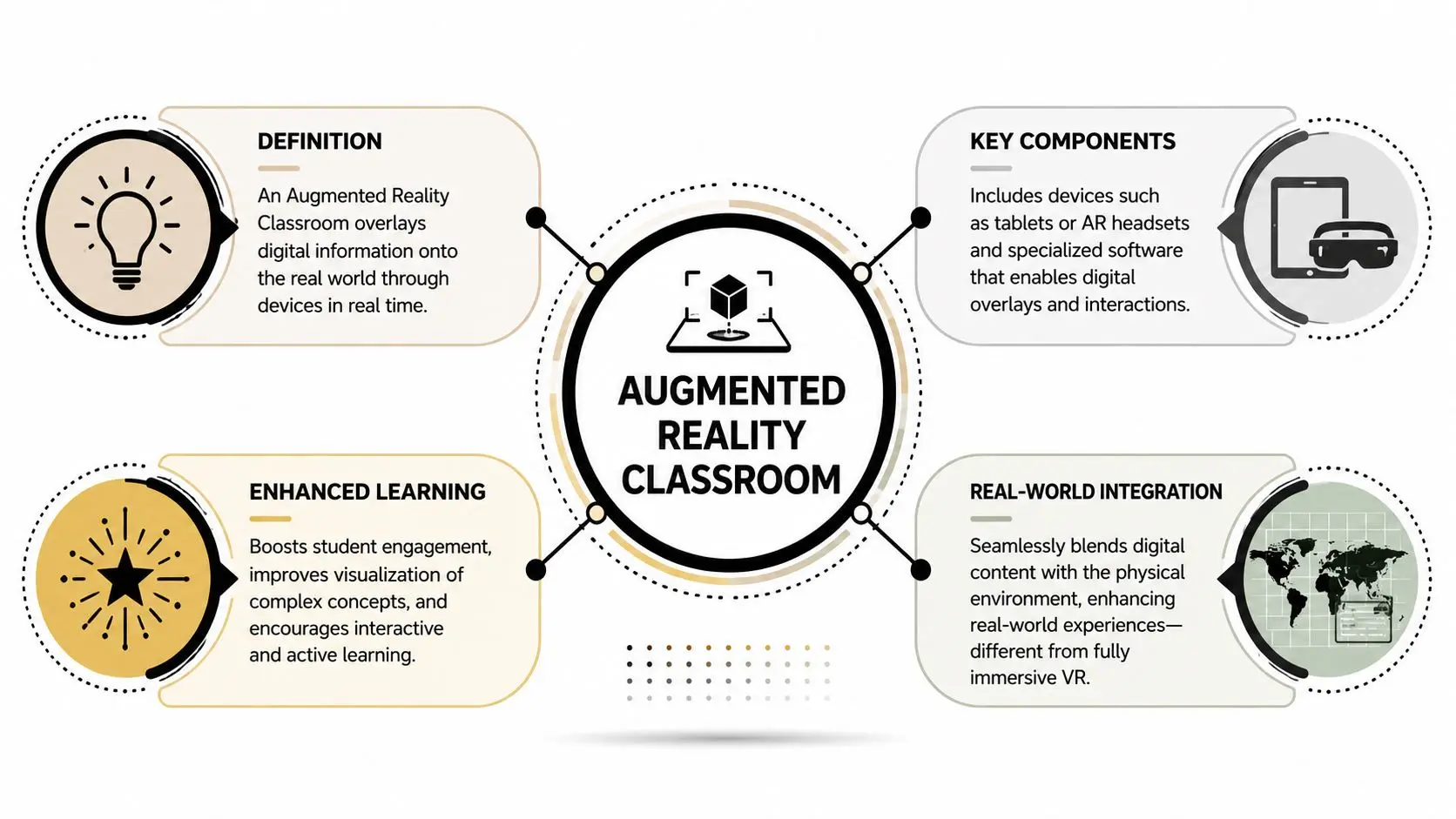
An augmented reality classroom is a teaching environment where digital content is layered onto the physical environment through a phone, tablet, or other supported device. The desk, the textbook, the poster, or the lab table stays real, while the device acts like a window that adds a model, annotation, animation, or instruction on top. The key difference from virtual reality is simple, the classroom stays visible and central, rather than being replaced.
The three AR patterns that matter in schools
Marker-based AR starts when a pupil scans a printed image, icon, or QR-style trigger. A textbook diagram can reveal a rotating model, a short clip, or a labelled overlay. This works well when you want a lesson anchored to a page the class already uses. Markerless AR places digital content onto a surface without needing a printed trigger. A pupil can set a solar system model on a desk, move around it, and inspect it from different angles. This is often the most intuitive format for exploration because it behaves more like a shared object in the room. Location-based AR responds to where the learner is standing or moving. In schools, this can support scavenger-hunt style tasks, wayfinding, or campus-based activities. It is less about a single object and more about linking content to a physical context. If you need a clear definition to share with non-specialists, use this one. AR overlays digital information onto a physical setting, while keeping the learner rooted in the physical space. That's also why resources like delivering operational value via AR are useful reading for teams thinking about how spatial content behaves in practical contexts, not just in a pitch deck.
What the classroom actually needs
The technology stack is usually lighter than people expect. For many schools, the lesson lives on a managed tablet, with software handling the overlay and the interaction. In other words, the classroom doesn't need to become a lab full of headsets before AR becomes useful. That said, the software matters as much as the device. The app has to recognise the surface, load quickly, and recover cleanly if a pupil moves between rooms or rejoins the activity. Without that stability, the experience feels fragile, and fragile classroom tech tends not to last. For a wider production perspective, see this guide to crafting interactive learning experiences. The main point is that a good AR lesson isn't just visual content, it's an interaction design problem.
The Pedagogical Benefits of Immersive Learning
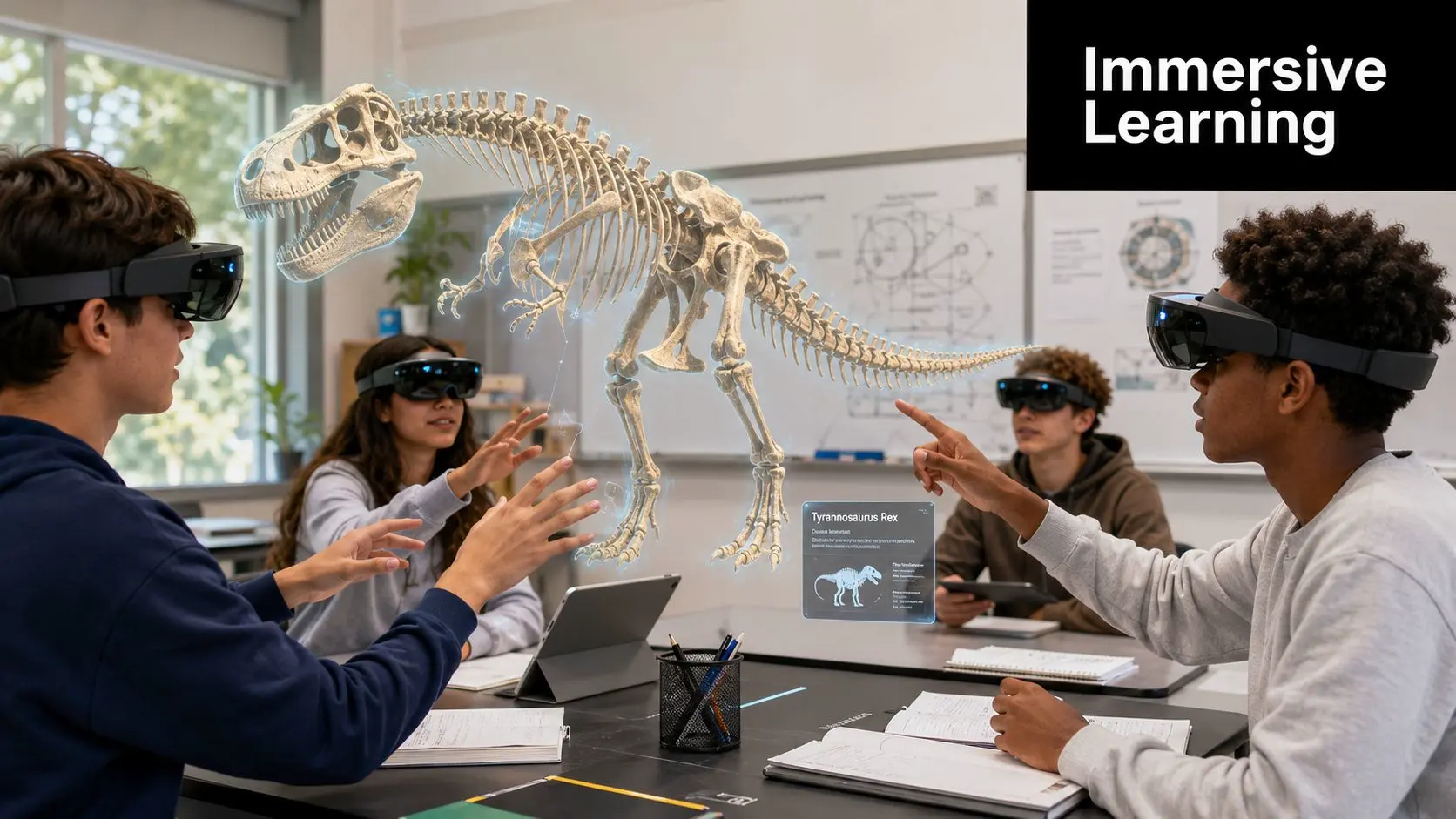
The primary value of AR in education isn't that it looks modern. It's that it helps pupils understand things they can't easily see, touch, or compare in a static format. A 3D view of a molecule, a heart, or a historical object gives a learner more ways to inspect the same concept, and that can make the idea stick.
From abstract to inspectable
AR is especially useful when pupils are asked to learn things that are either too small, too large, or too complex for a flat page to handle properly. The education literature on AR notes that it works best when it helps learners with guided overlays and stepwise prompts, because those features reduce distraction and focus attention on the learning task education-focused AR literature. That's a strong clue for curriculum teams, the medium should make the subject clearer, not busier. A well-built AR activity supports comprehension because it gives pupils a structured way to explore. They can rotate, reveal, compare, and label. Those actions force attention onto relationships, and relationships are where understanding tends to deepen. For broader ideas on lesson design and interactivity, the article on crafting engaging interactive learning experiences is a useful companion read. The principle is the same whether the subject is science, geography, or design technology, pupils learn more when the interaction matches the concept.
Why memory and participation improve together
AR also helps because pupils aren't just receiving information, they're acting on it. That shift matters in subjects where students often disengage when the material feels remote. When a learner has to inspect a model, follow a prompt, and make a judgement, the content becomes active rather than decorative.
Useful lens for planning: if the lesson can be completed without the AR interaction, the interaction probably isn't pulling its weight.
The strongest school use cases usually combine visual clarity with a clear task. A history class can examine a reconstructed space, then answer questions about function and layout. A chemistry group can move through a molecular model, then explain what changes when an element is altered. The learning payoff comes from the task, not from the novelty of the medium. For one practical example of how studios frame these kinds of experiences, see 10 examples of augmented reality you should know. The best examples don't just show AR, they show AR used to explain something more precisely than a flat resource can.
Technical and Operational Requirements for Schools
The biggest mistake schools make is treating AR as a content question first and an operations question second. In practice, deployment succeeds or fails on devices, network conditions, support, and how well the lesson can survive when something changes mid-class. UK school settings are especially constrained because sessions often have to work within shared-device policies and filtered networks AR education literature.
What to buy, and what to avoid assuming
A practical rollout usually starts with managed tablets or lightweight native AR on devices schools already control, rather than always-on headsets. The verified education literature is clear that WebAR or lightweight native AR on managed tablets is the more reliable pattern in classroom conditions, because classroom latency and device fragmentation affect tracking stability and teacher orchestration AR education literature. That doesn't mean headsets never have a place, it means they're rarely the first thing a school should standardise on. Software choice should follow the classroom, not the other way around. If the lesson depends on rapid startup, consistent tracking, and simple handoff between pupils, the platform has to be resilient under shared use. Mixed estates create friction, so IT teams need to know which operating systems, device generations, and browser environments will be supported. The other issue is maintenance. A brilliant AR resource becomes a burden if staff can't rejoin a session quickly after a device is moved, charged, or swapped. The school's success criteria should include whether the activity can start fast, track surfaces consistently, and recover gracefully when devices are reintroduced.
AR Classroom Readiness Checklist
| Category | Minimum Requirement | Ideal Setup |
|---|---|---|
| Devices | A small set of managed tablets or phones that can run the lesson reliably | A consistent estate with a common OS and centrally managed updates |
| Network | Filtered Wi-Fi that supports lesson traffic without blocking the experience | Stable coverage across the teaching space with predictable performance |
| Support | A named staff member or technician who can troubleshoot access issues | In-house confidence, documented setup steps, and repeatable classroom handover |
| Content | One curriculum-aligned AR lesson with clear teacher prompts | A reusable content set mapped to multiple topics and year groups |
| Classroom flow | A simple start, pause, and regroup routine | A lesson structure that works even when devices are reassigned |
Procurement questions worth asking
A school can save itself time by asking blunt operational questions early. Will this work on shared devices? Can a pupil restart the activity without teacher intervention? What happens if the Wi-Fi drops and then returns? Those answers matter more than a glossy demo. If you're managing student access across classes, their student management feature is the kind of admin layer that can reduce friction when devices, groups, and permissions need to stay organised. The point isn't the brand, it's the workflow. AR runs better when the people and device side of the classroom is just as well designed as the content. For teams mapping the build itself, this guide to AR app development is a helpful reference point. It's especially relevant when a school wants something custom, because the key question is whether the experience can be maintained, not just whether it can be launched.
Operational reality: if a teacher needs three extra steps to open the lesson, it's already too fragile for a busy day.
A Phased Roadmap to Your First AR Lesson
A good first deployment is small, visible, and easy to evaluate. Trying to launch across several subjects at once usually creates more noise than learning, especially when staff are still getting used to the interaction model. A phased approach gives the school room to learn what works before the lesson becomes routine.
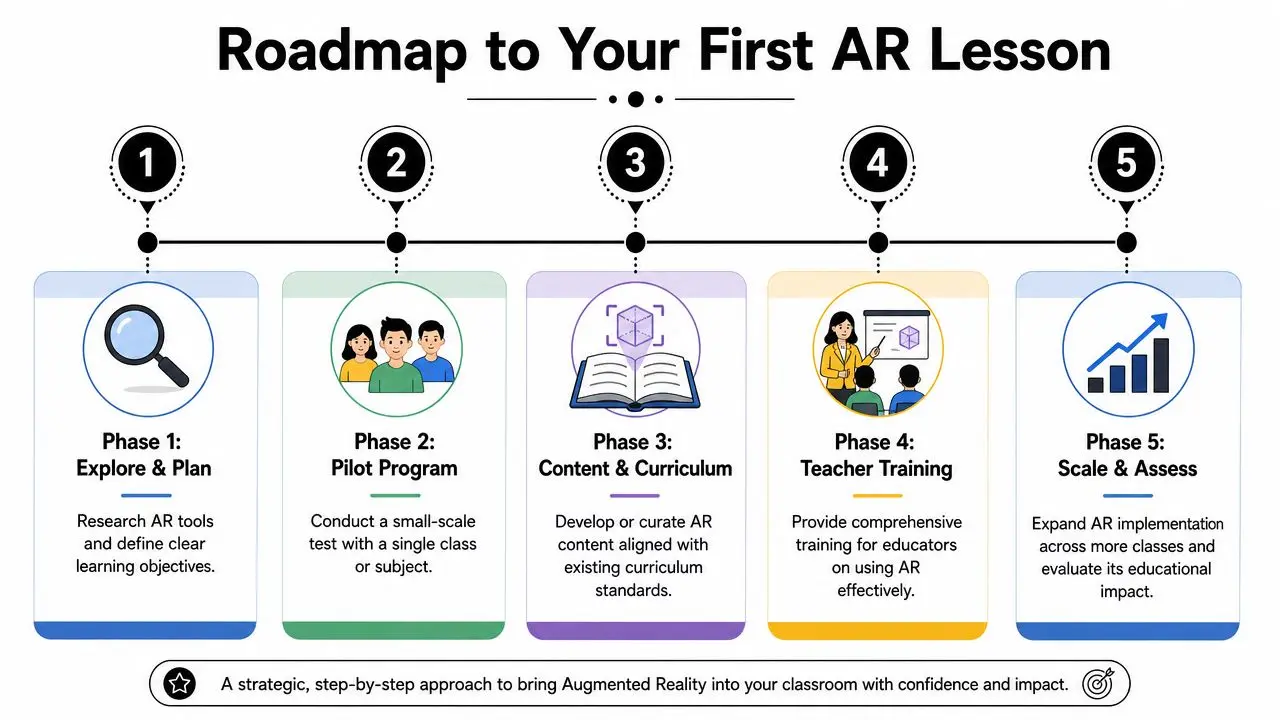
Phase 1 Explore and plan
Start with a single curriculum objective, not a technology wish list. The strongest AR use cases solve a specific teaching problem, such as helping pupils visualise a concept that's difficult to explain with static media. If the outcome isn't clear, the project needs more definition before anything gets built.
Phase 2 Pilot program
Run the first lesson with one class or a small group, and treat the session as a learning exercise for staff as much as for pupils. The aim is to see whether the interaction works in a real room, with real device handling, real time pressure, and ordinary levels of distraction. A pilot can reveal whether the prompt order is too complex, whether the surface recognition is stable, or whether the lesson needs a simpler start.
Phase 3 Content and curriculum
Once the format is proven, match the content to existing schemes of work. The most effective AR lessons feel like part of the curriculum rather than an optional add-on. That means teacher notes, assessment prompts, and subject vocabulary all need to be built into the experience itself.
Phase 4 Teacher training
Staff confidence changes everything. Teachers need to know how to launch the lesson, reset it, manage group movement, and bring the class back together without losing momentum. Training doesn't have to be long, but it does need to be practical and tied to the actual classroom routine.
Phase 5 Scale and assess
Only scale once the pilot has shown that the experience is reliable and worth repeating. The measurement should stay close to the learning goal, so staff can judge whether the AR activity improved understanding, participation, or recall in ways that matter for the subject. If the evidence is weak, refine the lesson rather than forcing a wider rollout.
AR in Action Inspiring Classroom Examples
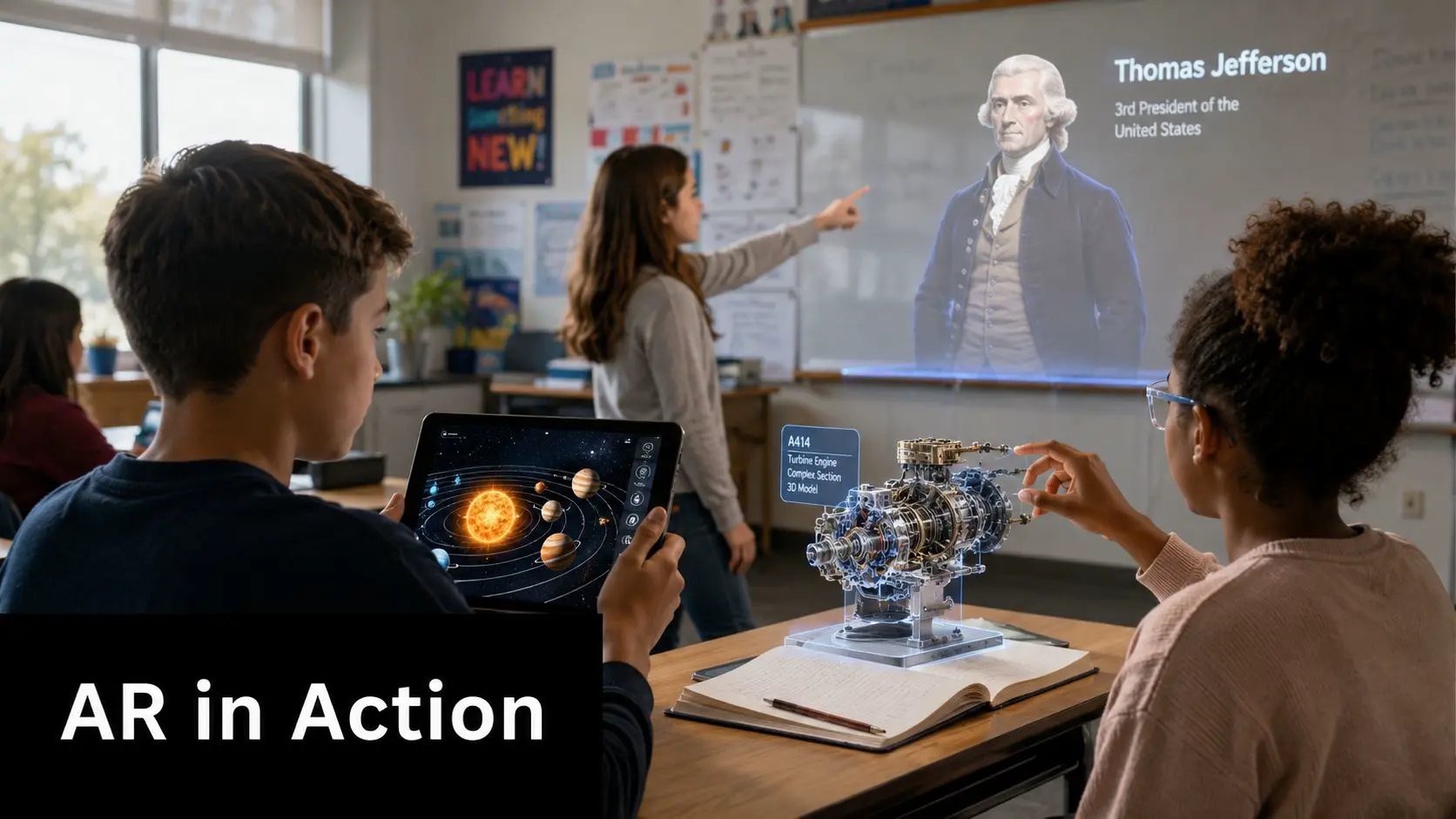
A Year 9 history class gathers around a table, and instead of staring at a textbook reconstruction, pupils inspect a layered model of an ancient building, comparing the structure, artefacts, and circulation routes. In science, a teacher uses AR to help pupils inspect the parts of a model in 3D, then asks them to explain how the pieces relate to the process they're studying. In design technology, the class overlays instructions onto a physical object, so the learning happens in context rather than in isolation.
What good AR lessons have in common
The subject changes, but the structure tends to stay similar. There's a clear prompt, a visible object or scene, and a task that asks pupils to observe something specific. That's why AR works especially well when the content is tied to a curriculum target instead of being treated as a standalone spectacle. A creative production studio can help here by translating the teaching aim into a usable interaction. Studio Liddell is one example of a producer that builds immersive content across animation, apps, games, and XR, so a school brief can be shaped into an experience that matches the classroom reality rather than a generic demo. The useful part is not the studio label, it's the ability to connect learning outcomes with motion, interaction, and deployment constraints. For more examples of how this format can be used, 10 examples of augmented reality you should know is worth reviewing. It helps curriculum teams see how a single medium can support different subjects without forcing every lesson to look the same.
A strong AR lesson gives the teacher one job, guide the observation, then get out of the way.
The best classroom examples don't ask pupils to admire the tech. They ask them to use it to reason more clearly. That is a very different standard, and it's the one that schools should hold to when they evaluate providers and content.
Ensuring Accessibility Safety and Measuring Impact
AR can help learners who struggle with conventional presentation, but only if the design starts from access rather than retrofit. A systematic review of AR in education found that it can be highly effective for inclusive education, improving understanding for students with intellectual disabilities and reducing hearing barriers, but it also warns that AR must be designed for accessibility from the outset, not as an afterthought systematic review of AR in educational inclusion.
Designing for inclusion, not decoration
That finding should shape procurement and content review. If a lesson depends on tiny interface targets, fast reading, or audio-only instructions, it may fail the pupils it was meant to support. Accessibility in AR should cover contrast, readable labels, simple navigation, predictable interaction patterns, and support for assistive adaptations where they're needed. The same principle applies to cognitive load. Some pupils need a cleaner visual field, slower prompts, and fewer simultaneous choices. When AR is built with that in mind, it can support differentiated learning instead of introducing a new barrier. Safety matters too, especially when pupils are moving around a room, sharing devices, or shifting attention between the overlay and the physical environment. Teachers need clear routines for where pupils stand, when they pause, and how they hand devices over safely. The physical classroom remains the priority, and the digital layer should never make that harder to manage.
Measuring whether it was worth it
Schools should measure AR against the same kind of outcomes they would use for any other curriculum resource. Look for evidence in pupil understanding, task completion, quality of discussion, and teacher observation notes. If the lesson is only judged on excitement, it can look successful while contributing very little to learning. A sensible review process asks three questions. Did the AR layer improve comprehension of the target concept? Did it help particular learners participate more confidently? Did it fit the classroom without creating extra workload for staff? Those questions are more useful than broad claims about innovation. For teams comparing suppliers, the clearest sign of maturity is whether the provider talks about accessibility, support, and lesson evidence with the same seriousness as the visuals. A polished demo is easy. A resource that stays usable across different learners, devices, and school settings is the harder, more valuable outcome.
Partnering for Success in Immersive Education
An augmented reality classroom works when it's built around teaching reality, not technology fantasy. Schools need lessons that start quickly, remain stable on managed devices, support different learners, and fit the curriculum without creating a maintenance burden for staff. That means the right partner isn't just a content vendor, it's a team that can shape the idea, test it against classroom constraints, and design the experience so it holds up in use. Studio Liddell sits in that space as a creative production studio that works across XR, interactive content, animation, and app development. For schools, that kind of collaboration is useful when a project needs curriculum alignment, bespoke interaction design, and a production process that respects accessibility and deployment realities. The value lies in turning a teaching goal into something pupils can use, not just admire in a presentation. If your school is considering AR for a pilot, a subject-specific resource, or a wider immersive learning plan, start with the curriculum problem you want to solve, then check the devices, the network, the accessibility needs, and the teacher workflow around it. A short scoping conversation can save a lot of rework later. --- A CTA for Studio Liddell.