What Is an Animatic? Timing Before You Animate
An animatic is a timed sequence of storyboard panels edited as video, with temporary dialogue, sound and music, used to test timing and story before final animation. If the drawings look convincing but the scene drags when played aloud, what exactly should a client approve? That's the gap an animatic helps close. It gives directors, editors and commissioners something they can watch together, so decisions about rhythm, clarity and action don't depend on everyone imagining the same finished film.
What an Animatic Is in Plain Terms
How do you judge the rhythm of a scene before a single frame is animated? A storyboard works like a comic strip: you can see the planned pictures, but you choose how quickly to read them. An animatic removes that choice. It plays the strip to a set rhythm, holding each image until the next visual beat should happen. Say you're planning a hypothetical 30-second advert. The storyboard includes a product close-up that looks strong on the page. Once the editor adds the voiceover, however, its two-second hold feels empty: the speaker has finished, nothing changes visually, and the viewer is waiting. That is useful information for the next draft. The team can judge whether to shorten the hold, introduce an action or move the next line, and the decision costs a replaced drawing rather than a re-animated shot.
An attractive panel tells you whether a composition works. Playback tells you whether you've given it the right amount of time.
From drawings to editorial decisions
The method has a long history: storyboarding became central to planning at Walt Disney Productions as animated features grew more ambitious, and cutting boards to recorded sound let directors hear a sequence before paying to animate it. For UK production teams, the practical connection runs between early visual development and the timing demands of broadcast, advertising, games and immersive media. A broadcaster needs a sequence they can follow; attractive drawings alone cannot prove one works. When someone asks what is an animatic, the useful answer treats it as a decision tool rather than a rough preview. Shot order, pacing, screen direction, staging and narrative clarity get checked and approved here, while performance detail, colour and finish stay deliberately open. Anything left vague at this stage becomes an expensive guess once detailed animation, filming or visual effects begin.
The Building Blocks of a Typical Animatic
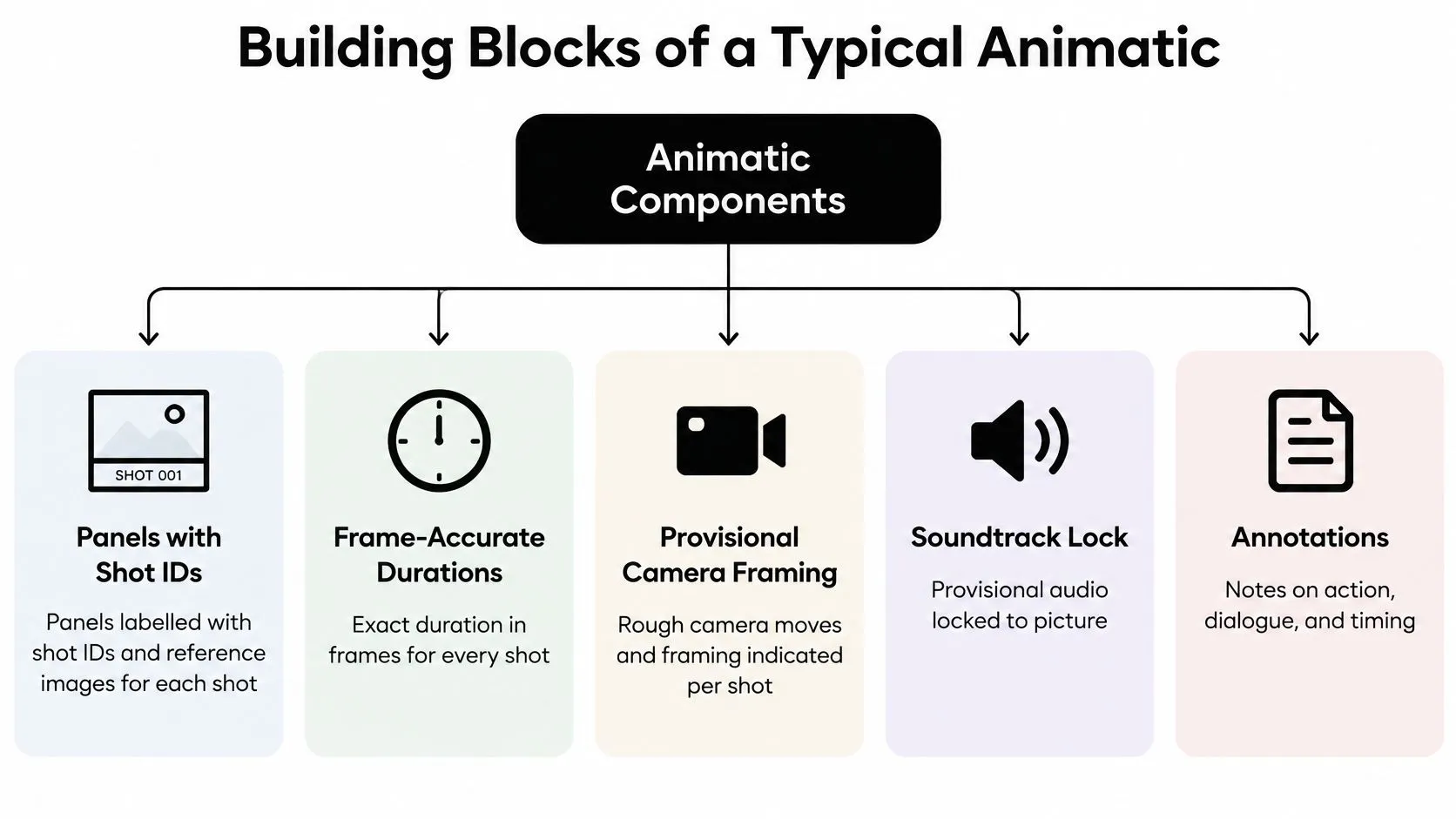
A useful animatic gives reviewers enough information to approve or reject specific decisions, without pretending to be finished. OCR's guide to storyboards describes sequencing still images into a moving-image product resembling the intended CGI or stop-motion structure. Some of those decisions get locked here. Others stay deliberately open. Six components carry the weight in a review. Check them in the order you'll encounter them:
- •Panels and shot IDs: Label each shot and its panel references, so feedback identifies a specific moment rather than the bit near the beginning.
- •Frame-accurate durations: Set shot lengths in the editing timeline at the intended delivery frame rate.
- •Camera framing: Indicate a static hold, pan or push-in, including where the move starts and finishes.
- •Transitions and movement: Specify cuts, dissolves or wipes. Use simple slides, holds or repositioned drawings to suggest action.
- •Provisional sound: Add scratch dialogue, effects and music, then keep that audio arrangement stable during the review.
- •Review annotations: Include timecode, a version number and unresolved assumptions, such as an unconfirmed line or camera move.
Notice the split. Shot IDs, durations and framing exist to be agreed and locked: once a reviewer signs them off, they stop being questions. The annotations column works the other way, marking what stays provisional on purpose, so nobody mistakes a scratch line for a final script.
Enough movement to explain the action
Each panel represents a selected visual beat, not every finished frame. In a hypothetical 15-second sequence, nine panels could each remain onscreen for between 1.2 and 2.5 seconds, with their individual holds adjusted to total the intended runtime. The drawing quality stays rough throughout. What matters is that a reviewer can follow who is where, doing what, for how long. A 2D animatic can establish action for hand-drawn or stop-motion production. 3D previs uses rough spatial assets to test cameras and blocking more precisely. If movement terminology is unfamiliar, TFA Tactics Board's resource lets you compare movement animation options before describing the intended action. In the review itself, the meeting should settle staging, timing and whether the dialogue matches the picture. Shots that outstay their purpose get flagged. Unfinished textures do not, because roughness is the point: the animatic is there so the team commits to editorial decisions before anyone pays to render them.
Timing a 30-Second Advert Shot by Shot
Shot timing for a hypothetical 30-second advert animatic
| Shot | Content | Review check |
|---|---|---|
| 1 | Opening wide, static hold, 4.0 seconds | Voiceover cue lands here |
| 2 | Product close-up, slow push-in, 2.0 seconds | Dead air once voiceover is laid in |
| 3 | Two characters in dialogue, 6.5 seconds | Dialogue fits the hold |
| 4 | Product in use, pan across, 5.0 seconds | Pan direction matches shot 3 sightline |
| 5 | Logo reveal with music hit, 4.5 seconds | Music hit lands on the reveal |
| 6 | Tagline and end card, 8.0 seconds | Long enough to read |
| Total | Six shots, 30.0 seconds | Matches the target runtime |
These are illustrative editorial choices, not recommended durations for every advert. Each numbered shot represents a visual beat, with its precise duration set in the edit. Play the opening against the voiceover rather than reviewing it without sound. In shot 2, the empty hold becomes obvious once the line finishes. Try trimming it, then deliberately reassign the released time elsewhere if the advert must retain its target length.
Check relationships between shots
Shot 3 needs enough room for a natural performance, including pauses and reactions. Shot 4 needs a pan that agrees with the established sightline, so the product demonstration doesn't feel spatially disconnected. For shot 5, listen and watch together: the music hit should meet the logo reveal, not arrive after it. For shot 6, ask someone unfamiliar with the copy to read the tagline and any required information without prompting. An eight-second hold isn't automatically readable if the card contains too much text. Mark each row pass, trim or swap, then export the revised edit with timecode and a version number.
Review rule: Approve whether the intended action lands at the intended moment, not whether the product already looks finished.
Where Animatics Fit in the Production Pipeline
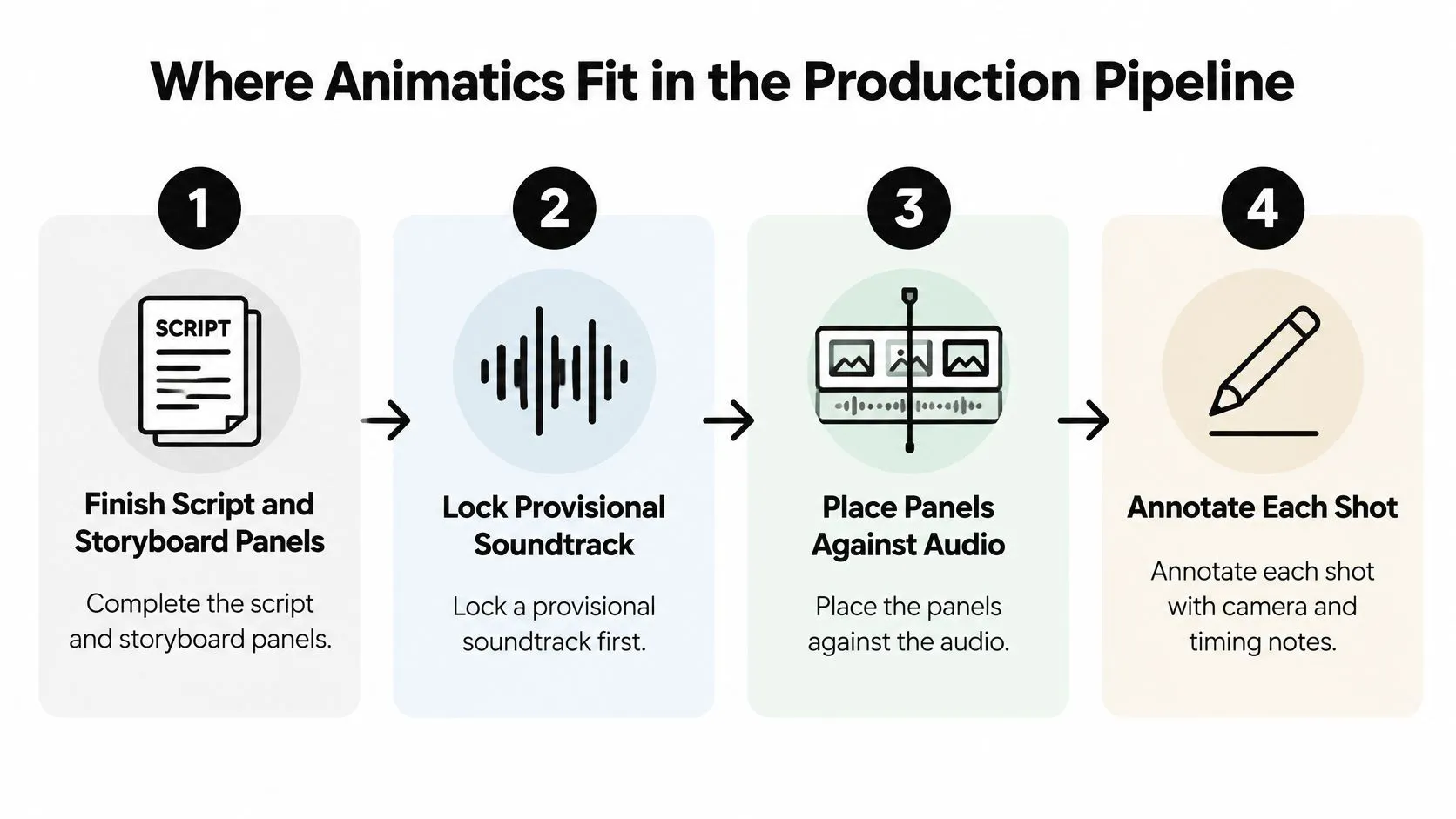
The animatic belongs after the initial script and storyboard work, but before detailed production. The BFI Film Hub's animation production guide describes it as key to staying on budget and meeting timings. Use a workflow with clear handovers:
- Finish the script and storyboard panels. Resolve missing actions and unclear scene objectives before building the edit.
- Lock a provisional soundtrack. Record readable scratch dialogue and place essential sound cues. Locking means creating a stable review reference, not declaring the recording final.
- Place the panels against that audio. Listen for rushed explanations, unwanted gaps and reactions that need breathing room.
- Annotate each shot with its duration, intended movement and camera notes.
- Export review copies with visible timecode and version numbers. Keep feedback attached to the correct export.
- Approve timing and intent. Record decisions and identify anything still provisional.
- Begin detailed modelling, rigging, animation, lighting and compositing, followed by the final sound mix as the production progresses.
Why the handover matters
Consider a hypothetical five-second pacing problem. During animatic editing, the remedy might be a different panel or revised hold; after animation, the same change may require reblocked performance, revised layouts, new renders and re-edited sound. That's the cost logic behind the checkpoint. It doesn't guarantee that nothing will change, but it gives the team a shared timing reference before specialist work begins. For CGI, games and XR, that reference can guide camera blocking, gameplay beats, interactive triggers and Unity or Unreal previs. The complete animation production pipeline guide places these handovers in the wider production process. Asset readiness remains a separate technical task. If AI-generated geometry forms part of the plan, Sculpty's guide to prep AI-generated meshes for animation is a useful companion when moving towards character setup. Animatic approval confirms timing and intent. It isn't approval of final visual quality or proof that an asset is ready to rig.Animatic, Storyboard or Finished Animation Compared
These deliverables answer different questions. Read the table by row to see what changes between stages, rather than treating each column as a competing product. Animatic, storyboard and finished animation compared| Aspect | Storyboard | Animatic | Finished animation |
|---|---|---|---|
| Main purpose | Plan individual shots and composition | Test timing, shot order and pacing | Deliver the final picture |
| Format | Static panels, often with notes | Panels edited into timed video | Fully rendered or drawn motion |
| Timing | Implied only | Set to frames and dialogue | Set by the final animation and edit |
| Sound | Usually absent or annotated | Scratch dialogue, music and effects | Final sound mix |
| Motion | None | Simple camera moves and rough movement | Full character and object animation |
| Cost of a change | Low, panels can be redrawn | Low, shots can be re-edited | High, shots may need re-animation and re-rendering |
| Main approvers | Director and art department | Director, client and editor | Client, broadcaster or platform |
A common agency misunderstanding
Say an agency approves storyboard panels for a broadcast advert. Everyone likes the compositions, but the animatic reveals that the opening delays the main message. The editor removes a redundant beat before character animation begins. That doesn't mean storyboard approval was pointless. It means composition approval and timing approval answered different questions. A brief requesting storyboards with timing is usually describing an animatic. Clarify whether the expected delivery is annotated panels or an actual playable edit, and who has authority to approve it. The guide to animation storyboarding for UK productions gives more context for the static planning stage.The storyboard shows what. The animatic shows when. Finished animation shows how it looks.
How Animatics Change for Interactive and XR Work
A linear animatic answers one question: does the story land inside its runtime? An interactive one answers several, because the viewer now steers. The piece becomes a prototype of an experience, combining clickable branches, placeholder interface elements, rough spatial blocking and prompts that tell the user what to do next.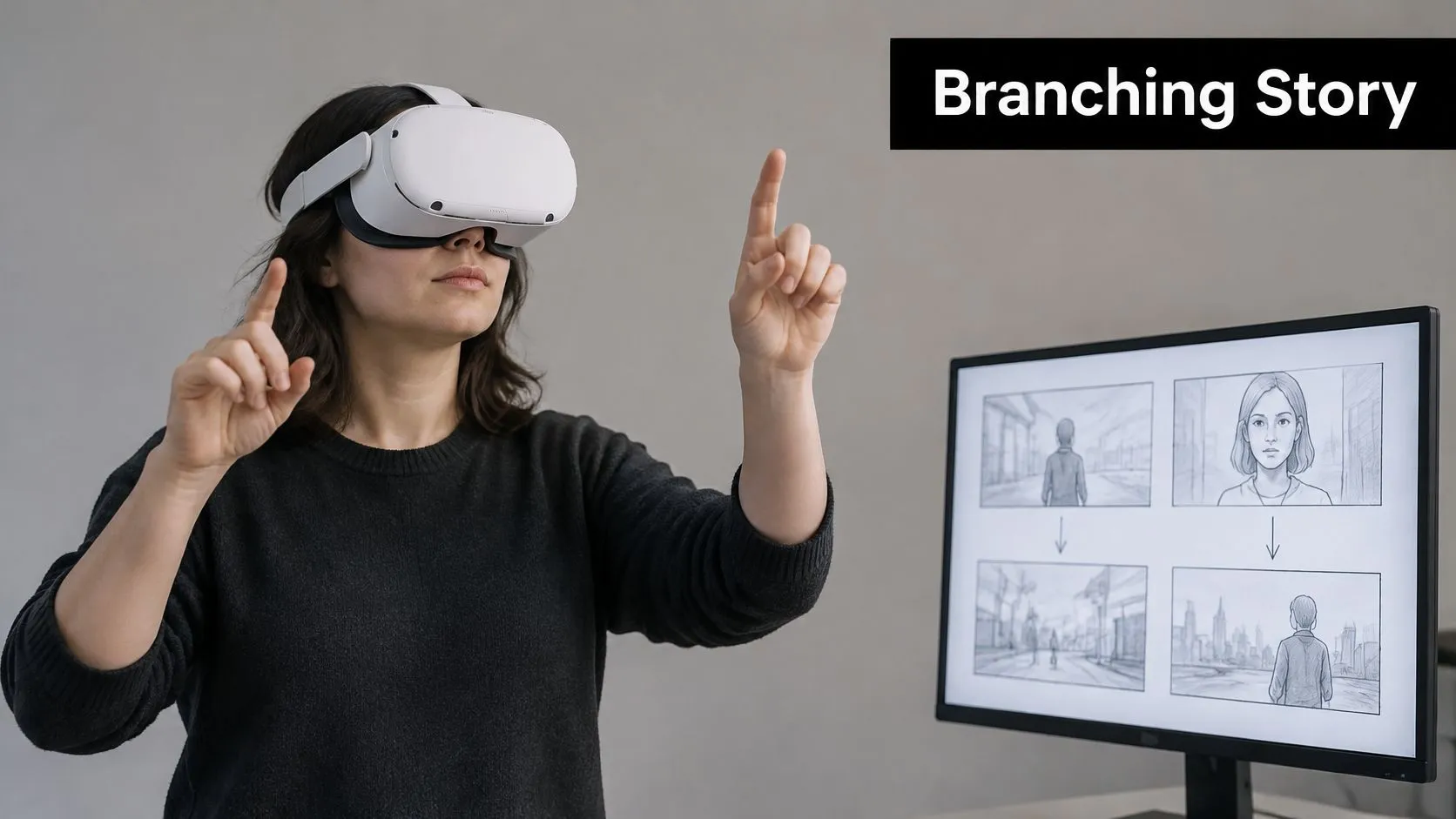 The approval changes shape too. The team signs off rules rather than a fixed sequence: what starts each branch, what pauses it, what ends it. Visual finish stays open, as it does in any animatic, but the logic underneath gets decided here.
Can an animatic include branching choices?
Yes. Map each branch as a short sequence, then test the shared route before refining alternatives. If the core path confuses people, polishing a side branch is wasted effort. For educational content, ask learners to use the prototype without coaching. Can they read the prompt, understand the choice and recognise the result? The same questions sit behind ordinary usability work. A UX research and interface testing process applies comparable checks to interfaces generally: whether someone can find a control, make sense of it and act on it.How do you test interaction and headset comfort?
A grey-box build works like blocking a stage with chairs and tape: the shapes are wrong, but the distances are right. Block rough scale and sightlines before detailed modelling, then test in the intended headset. Can users find the next action, reach the interaction and follow events without an imposed camera move? Rough blocking earns those early answers; the developed experience still needs its own test. For games, label gameplay beats and interactive triggers rather than assuming the player follows an editor's pace. The UK studio guide to interactive content creation explores that broader production context. The skills involved span disciplines: ScreenSkills' 2025 workforce study reported more than 190,000 workers across the UK screen industries, alongside skills needs covering animation, VFX, post-production, digital applications and AI. AI tools can accelerate thumbnails, temporary voices, layout variations and previs. People still decide story logic, accessibility, copyright, cultural context and user experience. Whatever the medium, the animatic's job stays the same: settle the decisions that shape everything downstream.What to Lock, Approve and Ask For Next
Lock story and timing while leaving identified visual and technical decisions open. Roughness isn't evidence of a poor deliverable when the drawings communicate exactly what the reviewer needs to judge. Sign-off should confirm the story and running order, each shot's timing against the target runtime, and the staging, screen direction and camera intent. Record those decisions separately from comments about appearance. What to lock and what can still change at the animatic stage| Element | Lock at animatic stage | Can still change |
|---|---|---|
| Story and running order | Yes | Minor dialogue polish |
| Shot durations | Yes, set to target runtime | Fine trimming in the final edit |
| Staging and screen direction | Yes | Character poses and performance |
| Camera moves | Intended moves locked | Exact speed and easing |
| Dialogue and voice timing | Scratch track locked | Final voice recording and lip sync |
| Music and sound cues | Placement locked | Mix levels and final sound design |
| Character and environment design | Rough shapes only | Full design and modelling |
| Lighting, texture and colour | Not locked | Everything, at the finish stage |
Make the approval specific
Suppose a client treats a placeholder character as approved artwork, then requests a longer reaction after production has begun. Extending the hold may require re-animation; changing the character's construction may also require rig revisions. Neither request should be hidden inside a general approval of the preview. To prepare an animatic, gather:- •Creative inputs: The script, storyboard panels with shot IDs, target runtime and provisional soundtrack.
- •Review requirements: Frame-accurate durations, timecoded exports and version numbers.
- •Open decisions: A written list of assumptions and deferred visual choices.
We're based in the UK and work with clients worldwide, so a shared, clearly labelled review copy helps everyone respond to the same material. This week, arrange a timing review of your script and panels, with one question on the agenda: what should be locked in the animatic, and what can still change? --- Studio Liddell offers 2D and 3D animation, animated explainer videos, motion graphics and whiteboard animation. Visit Studio Liddell to discuss testing your script through an animatic before committing to detailed production, and book a production scoping call with your script, target runtime and available storyboard panels.