The Animation Production Pipeline a Complete Guide
You're probably here because you have a clear idea of what you want animation to achieve, but the route from brief to final file still feels opaque. Maybe it's a TV commercial, a kids' brand extension, a product explainer, a game trailer, or an XR experience. You know the outcome you need. What's less obvious is how that outcome is built, who touches it, where decisions get locked, and why some projects stay smooth while others drift into expensive revision loops. That's what the animation production pipeline is for. It isn't studio jargon. It's the working system that turns a creative ambition into a finished piece that can be approved, delivered, versioned, and reused. At a UK studio level, this matters because animation isn't one craft performed by one person. It's a chain of specialist handoffs. Scripts move to boards. Boards move to layouts. Designs move to modelling or rigging. Animation moves to lighting, compositing, sound, QC, and delivery. If those handoffs aren't organised, quality slips and schedules start fighting each other.
Why a Production Pipeline is Your Project's Best Friend
Most clients don't come in asking for a pipeline. They come in asking for a film, a series package, a launch asset, or a visual world for an IP. The pipeline becomes relevant the moment practical questions appear. Can the style be delivered on the budget available? Do we need voice before boards, or can we board from the script? Should this scene be built in full 3D, handled as 2.5D, or solved in comp? What needs stakeholder approval now, so nobody is changing camera logic after assets are already built? That's why the pipeline is your project's best friend. It gives the team a sequence for decision-making. It stops expensive choices being made too late.
It removes the black-box feeling
When a project goes wrong, it's rarely because the idea was weak. More often, the approvals came too late, the brief wasn't translated into concrete production steps, or too many creative decisions were left unresolved until artists were already deep into execution. A good pipeline makes the work visible. Clients can see where value is being created:
- •In planning: locking tone, audience, message, and delivery requirements
- •In making: building assets and shots in the right order
- •In finishing: checking that the final work is both polished and technically usable
For teams managing digital work in any medium, the logic is similar to essential project management for websites. The deliverable may differ, but the discipline is the same. Define scope early, set approval gates, control revisions, and keep everyone working from the same version of the truth.
Practical rule: The earlier a change is made, the cheaper it is to absorb. A script note is easy. A note that arrives after rigging, animation, lighting, and comp is not.
It protects both quality and schedule
The strongest pipelines don't feel bureaucratic. They feel calm. Artists know what they're waiting on. Producers know what's approved. Clients know when input matters most. That's especially important on work that has multiple outputs. A campaign film may need a hero version, cut-downs, social aspect ratios, alternate end cards, platform-safe exports, and archive-ready masters. Without a pipeline, that's where chaos starts.
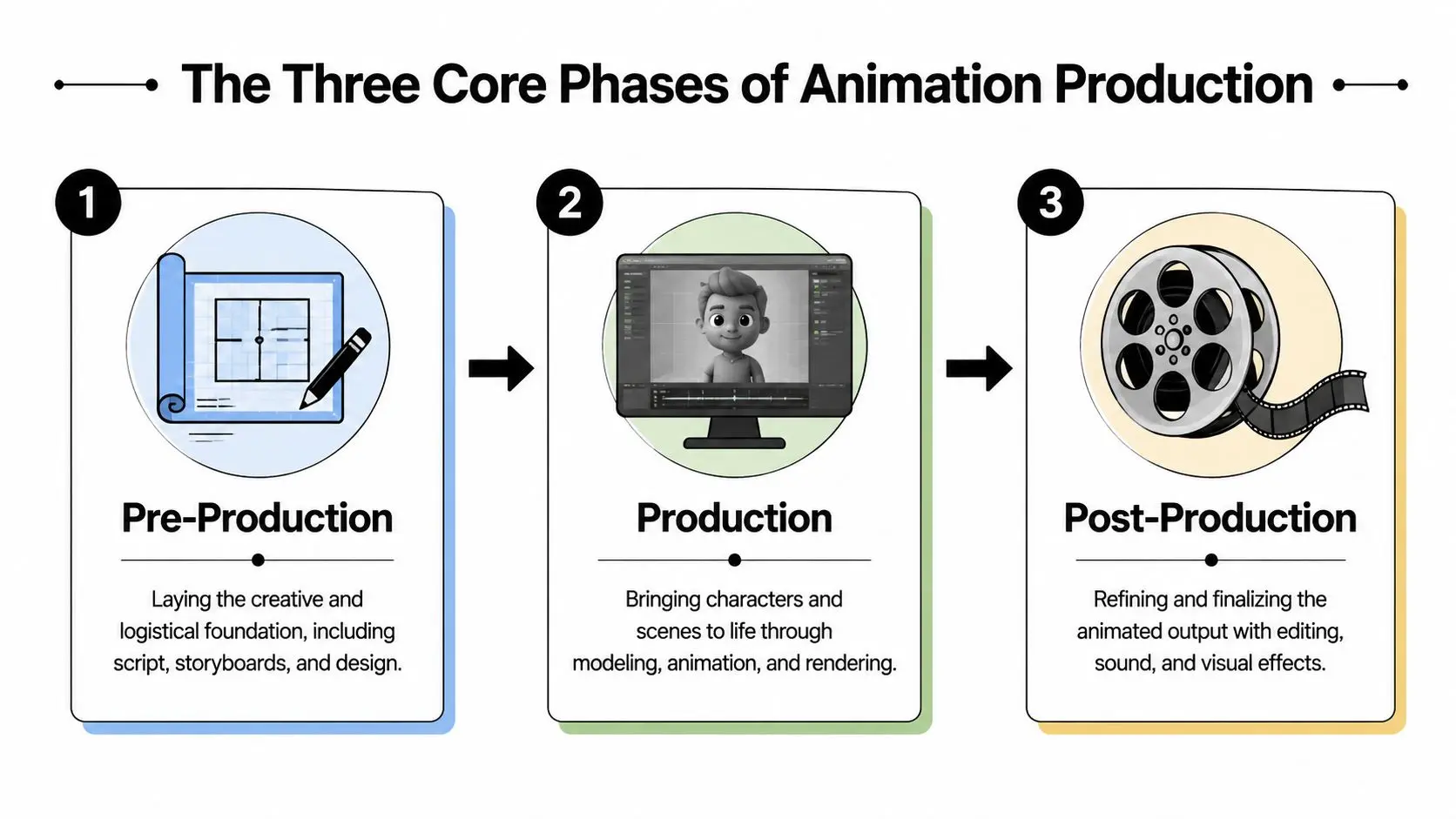
The Three Core Phases of Animation Production
Every animation production pipeline has its own tooling and quirks, but the core structure stays consistent. Pre-production plans the work. Production creates the assets and motion. Post-production turns that material into a finished, compliant deliverable.
Pre-production sets the logic
Before manufacturing, the project is designed. The script is refined, the style is tested, the boards establish the visual storytelling, and the animatic gives timing to the whole thing. If this phase is thin, production becomes a guessing game. Teams end up making aesthetic and narrative decisions while also trying to hit deadlines.
Production builds the material
This is the stage commonly associated with the term “animation”. In practice, it's a chain of dependent craft tasks. In 3D, that often means modelling, texturing, rigging, layout, animation, lighting, effects, and rendering. In 2D, the order shifts, but the principle stays the same. One department's output becomes the next department's input. That dependency is one reason the UK pipeline has to be treated as an operational system, not just a creative one. The British Film Institute's 2024 UK Screen Sector Employment Survey recorded 86,220 full-time equivalent jobs feeding screen-industry roles such as design, post-production, VFX, and technical craft, which shows the scale of specialist coordination involved in UK production work according to this overview of the UK animation labour pipeline.
Post-production finishes and validates
Shots are assembled, corrected, polished, and prepared for final use. It includes compositing, sound, colour, titles, graphics, mastering, and delivery checks. A simple way to think about the whole structure is a house build:
| Phase | What happens | What goes wrong if rushed |
|---|---|---|
| Pre-production | Blueprint, design, timing, planning | Costly changes later |
| Production | Asset creation and animation | Rework across departments |
| Post-production | Assembly, polish, compliance | Delivery failures and version confusion |
A healthy pipeline doesn't remove creativity. It gives creativity a dependable place to happen.
Pre-Production The Blueprint for Success
If you want to know where projects are won or lost, it's here. Pre-production decides what you're making, how you're making it, and what must be approved before the expensive stages begin. Clients sometimes assume this phase is mostly paperwork. It isn't. It's where budget discipline and creative clarity meet.
The key approvals that save money later
A solid pre-production run usually moves through a sequence like this:
- Brief and objectives
- Script or treatment
- Visual development
- Storyboards
- Voice record and temp sound
- Animatic
Why pre-production is also a finance phase
In UK practice, production planning isn't separate from commercial planning. It sits inside it. A major historical shift came with the 2013 introduction of UK animation tax relief, which provided 25% relief on UK core expenditure for qualifying productions, reinforcing the business case for keeping more pipeline work in-country as noted in this animation tax relief overview. That matters because a proper pipeline commits resources early. Software, hardware, specialist staff, and production scheduling all need to be lined up before final output exists.What clients should focus on here
The most useful client input in pre-production is specific, not broad. Broad notes create ambiguity. Specific notes create decisions. Good input sounds like this:- •Audience-focused: “This needs to land for primary-school children and their parents.”
- •Priority-led: “Keep the product explanation clear, even if the world-building becomes simpler.”
- •Constraint-aware: “We need this design system to extend into shorts and social edits later.”
Poor input usually arrives as late-stage taste changes that really belong in earlier approvals. For commissioners working through how to structure a brief and approval path, Studio Liddell's guide to commissioning animation work in London is useful because it frames the discussion around production choices rather than vague creative aspiration.
The animatic is where many expensive disagreements should happen. If they happen later, they cost more and take longer to unwind.
Production Where Ideas Become Pixels
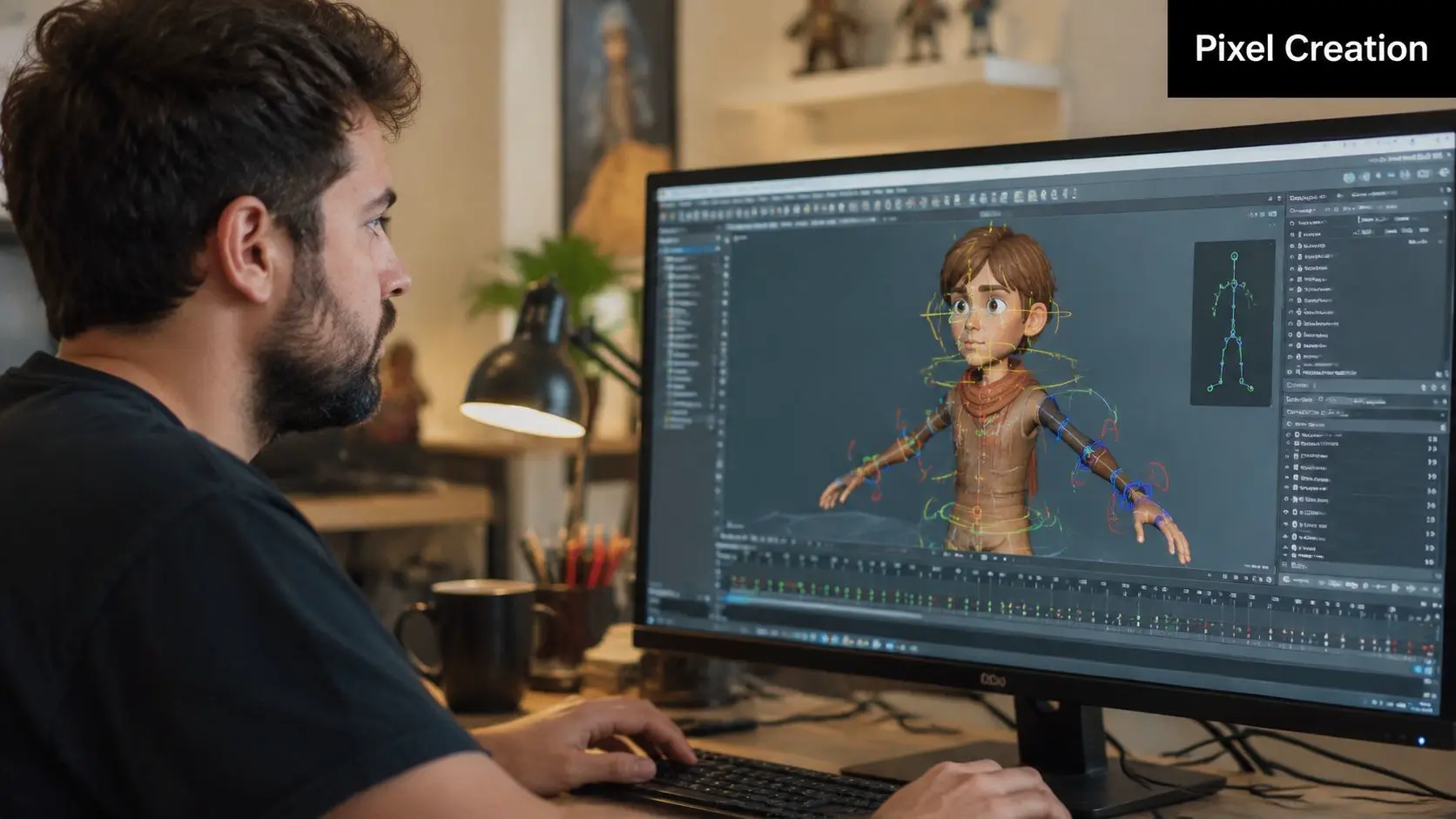
Once the blueprint is approved, the pipeline stops being speculative. It becomes manufacturing. Designs turn into usable assets and shots begin to take shape. For clients, the important thing to understand is that production isn't one action called “animate it”. It's a staged build.
The asset chain in 3D
A typical 3D workflow often follows this order:
- •Modelling creates the digital object. Characters, props, vehicles, sets, and environment pieces are built as geometry.
- •Texturing and shading define surface response. Is it glossy, worn, soft, metallic, toy-like, realistic, flat?
- •Rigging gives the asset controls so it can move. For a character, that means body controls, facial systems, deformation behaviour, and animator-friendly handles.
- •Layout places assets in scene space and establishes camera blocking.
- •Animation adds performance, weight, timing, expression, and intent.
- •FX and simulation handle things like cloth, particles, smoke, water, debris, or secondary motion where needed.
- •Lighting and rendering shape the final image and generate the passes needed for finishing.
The order matters because each step relies on the previous one being stable enough to proceed.
Why rigging and animation are separate jobs
Clients often merge these together mentally, but they're different disciplines. Rigging is engineering for movement. Animation is performance. If the rig is awkward, animators fight the tool instead of shaping the acting. If the rig is too complicated for the project's needs, the team loses time servicing controls no one needs. Good production means building the right rig for the brief, not the most elaborate rig possible. Here's a useful shorthand:
| Task | What it does | Why it matters to a client |
|---|---|---|
| Modelling | Builds the object | Defines form and production readiness |
| Rigging | Makes the object controllable | Affects performance quality and speed |
| Animation | Creates movement and acting | Delivers the emotional and narrative result |
What tends to work well
Projects move well in production when three things are already settled:
- •The style is locked enough that artists aren't redesigning while they build
- •The shot list is stable enough that layouts aren't being replaced mid-stream
- •The approval chain is short enough that notes arrive while work is still live
Where clients are considering performance capture as part of the workflow, this motion capture animation client guide is a practical reference point because capture can be highly effective for the right character work, but it changes prep, cleanup, and shot planning.
What doesn't work
The biggest production drag usually isn't software. It's uncertainty. A character redesign after modelling has started affects surfacing and rigging. A late script change can invalidate boards, layout, and animation. A new platform requirement can alter frame design or asset optimisation. None of that is unusual. It's just expensive if it happens after downstream departments have committed. That's why experienced producers push hard for approval discipline. They're not protecting process for its own sake. They're protecting momentum.
Post-Production and Final Delivery
A lot of buyers think the job is almost done once shots are rendered. In reality, that's often when the final layer of judgement begins. Post-production is where separate craft outputs become one coherent piece of communication. Lighting may already have shaped the image, but post is where contrast, depth, graphics, sound, and visual continuity start working together as one finished experience.
Where polish is actually built
In post, teams typically handle a combination of:
- •Compositing to combine render layers, adjust balance, add atmosphere, and integrate effects
- •2D visual fixes where small issues are faster to solve in comp than by re-rendering
- •Edit refinement to tighten pacing, transitions, supers, and end frames
- •Sound design and mix for impact, clarity, and emotional finish
- •Colour finishing to unify shots and support the intended tone
This is also where versioning strategy matters. A single master may need alternate text, language versions, social reframes, or platform-specific cut-downs.
Delivery is not just export
For UK-facing delivery, a rigorous benchmark is that output should be checked against export specifications and archiving requirements before handoff. The final publish and approve stage should verify frame size, codec or container, audio sync, naming and version control, so the assets remain usable for broadcasters, platforms, and future re-versioning, as outlined in this UK delivery and QC benchmark reference. That sounds administrative. It isn't. It's what stops a finished film from becoming awkward to use a month later.
A render can be visually complete and still not be deliverable.
The final handoff clients should expect
A disciplined handoff usually includes:
- •Approved masters in the required output formats
- •Named version sets so nobody is guessing which file is current
- •Archive-safe organisation for future edits or localisation
- •Clear notes on any dependencies such as fonts, captions, or linked deliverables
The practical difference between “looks finished” and “is finished” lives here. If the handoff is sloppy, the client inherits the production mess.
Pipeline Variants for 2D 3D and XR
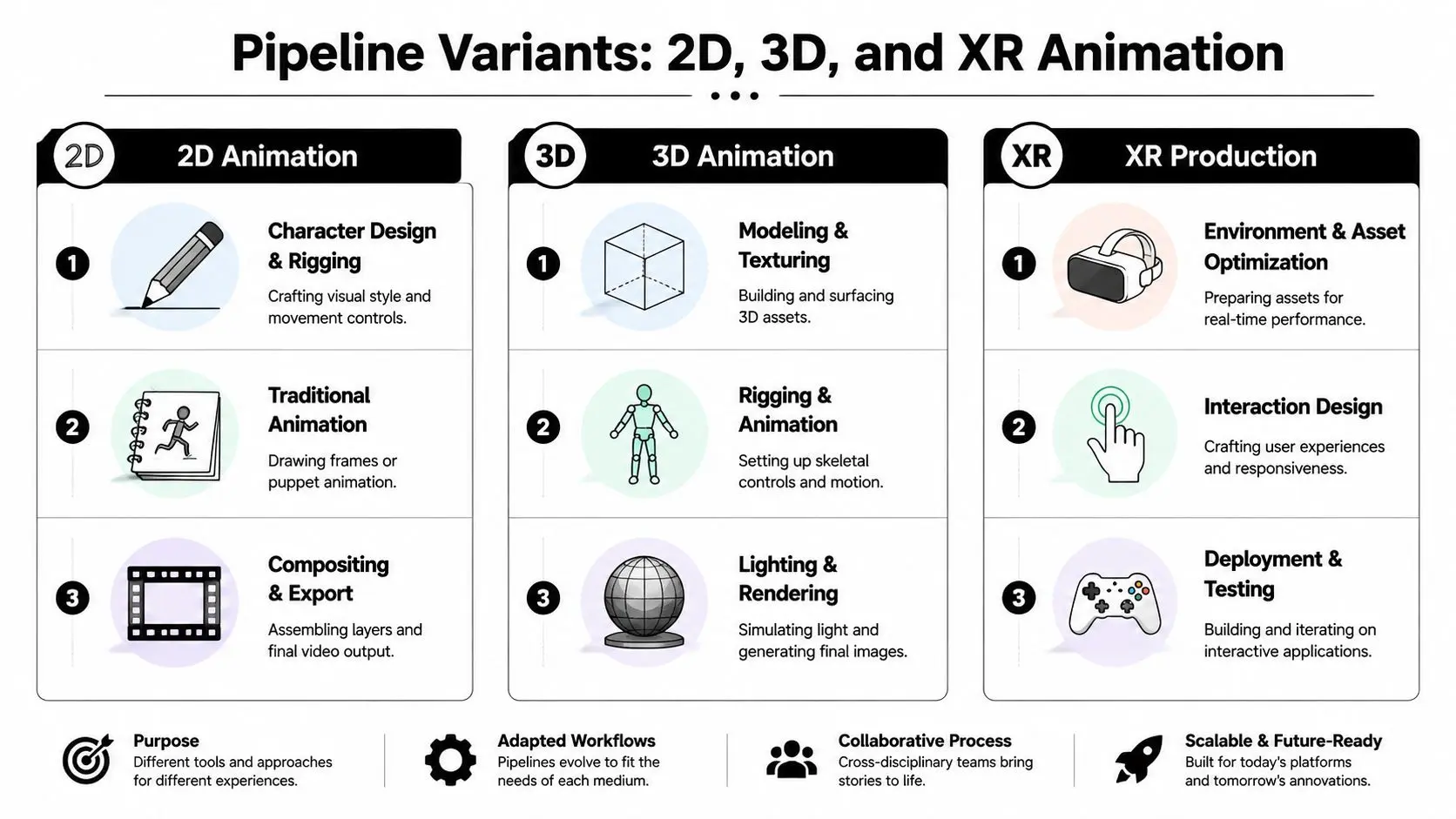
The phrase animation production pipeline suggests one standard route. In practice, the route changes with the medium. A 2D explainer, a 3D trailer, and an XR activation may begin with similar strategic questions, but the build logic diverges quite quickly.
2D pipelines prioritise graphic clarity
In 2D work, the emphasis is often on design language, boards, timing, and compositing structure. Depending on style, characters may be frame-by-frame, cut-out rigged, or a hybrid of both. The client-facing benefit is often speed of visual iteration in early stages. You can explore style, composition, and messaging without committing to full 3D asset builds. The trade-off is that some kinds of camera movement, volume, and asset reuse are less straightforward than in 3D.
3D pipelines prioritise reusable assets
3D asks for more up-front build. Characters, environments, props, surfacing, rigs, and lighting systems take time to establish. Once they're working, though, they can support a broader range of shots, camera angles, and future reuse. That's one reason 3D is attractive for series work, game trailers, technical visualisation, and brand worlds that need longevity. You're not just making pictures. You're building a controlled digital space.
XR pipelines prioritise performance and interactivity
XR shifts the centre of gravity again. Instead of rendering a fixed sequence for passive viewing, the team is preparing assets and logic for real-time playback in engines such as Unity or Unreal Engine. That changes the production questions:
- •Optimisation: Can the asset run smoothly on the target hardware?
- •Interaction design: What can the user do, and what feedback do they get?
- •Testing: Does it behave reliably in real use, not just in an editor view?
- •Deployment: Is the build intended for headset, kiosk, event install, app store, or location-based setup?
The biggest difference in XR isn't visual style. It's that the user can break your assumptions, so the pipeline has to account for behaviour, not just image-making.
A strong producer will treat these pipelines as related but not interchangeable. Asking a 2D workflow to solve an XR problem usually creates friction. So does forcing a real-time engine onto a job that really only needed a well-managed linear film pipeline.
AI Efficiencies and Common Bottlenecks
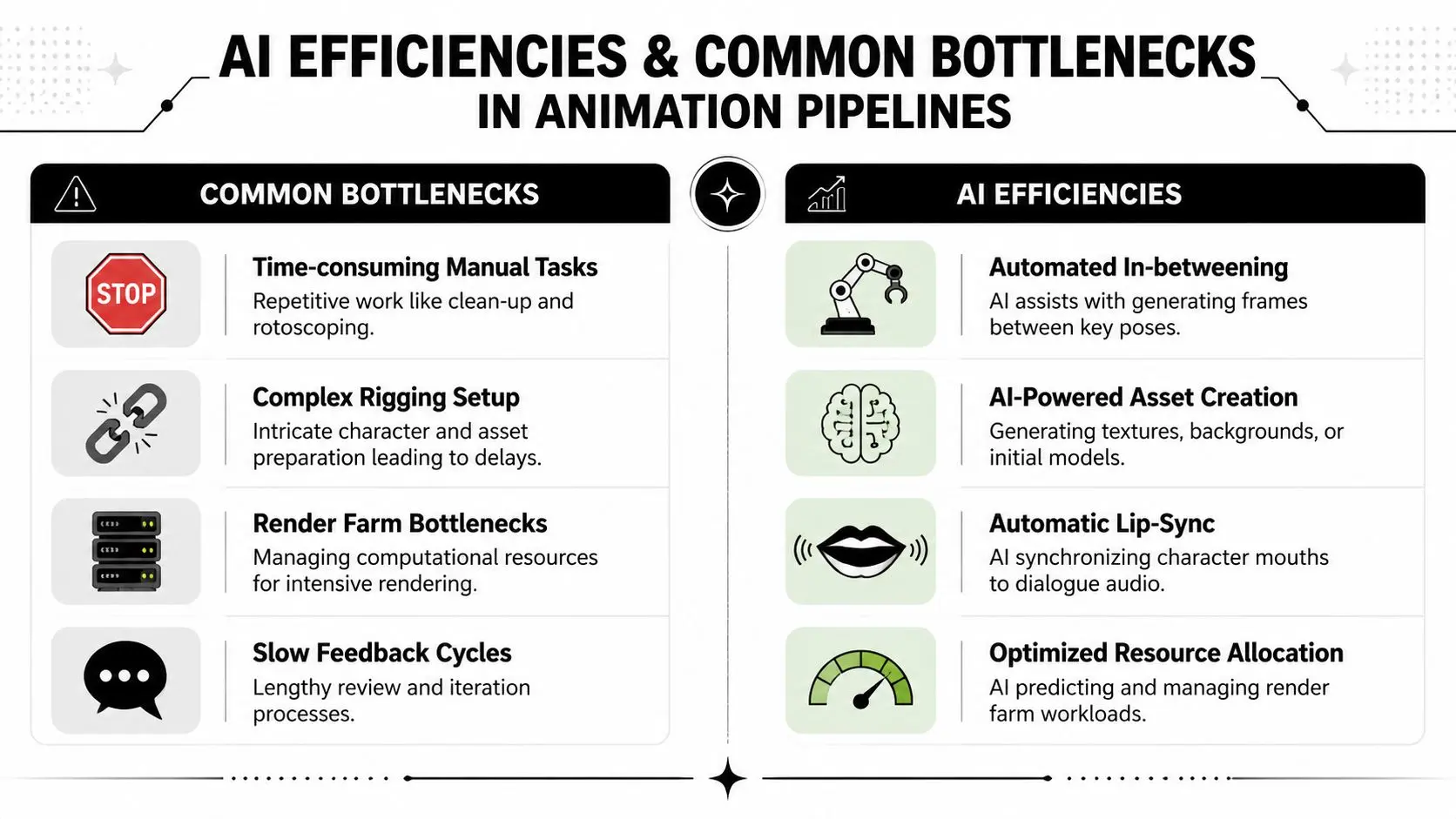
The traditional picture of the animation production pipeline is neat and linear. Real jobs rarely are. Files arrive late. Approvals bunch up. A shot that looked simple in boards turns out to be technically awkward. A specialist freelancer becomes unavailable halfway through a phase. That's normal production, not failure. What matters is whether the pipeline can absorb those shocks without losing quality.
The bottlenecks that cause the most pain
Most recurring slowdowns fall into a handful of categories:
- •Feedback lag
Work pauses while teams wait for consolidated notes, or receives conflicting notes from multiple stakeholders.
- •Version confusion
Files are approved in one place, revised in another, and delivered under inconsistent naming.
- •Asset handoff friction
Models, rigs, textures, or scenes arrive in a state that technically passes on, but practically creates cleanup for the next department.
- •Render and publish pressure
Near the end of a schedule, simple mistakes become expensive because everything downstream is time-sensitive.
Where AI is actually useful
AI is most useful when it reduces repetitive effort in early ideation or low-level support work. It can help teams explore concept variations, rough storyboard possibilities, early visualisation, and other tasks where speed matters more than polish. It's less useful when buyers expect it to replace judgement. It doesn't understand narrative intent the way a director does. It doesn't take responsibility for style consistency, rights management, or platform suitability. Human supervision still has to sit above it. That's why the sensible question isn't “Can AI make the animation?” It's “Which parts of the pipeline become faster without weakening control?”
What stays human-led
Some parts of production should remain decisively human-led:
| Pipeline area | AI can assist with | Human team should still own |
|---|---|---|
| Concepting | Variations and rough visual prompts | Brand fit, taste, narrative direction |
| Previs | Fast exploration of options | Shot judgement and storytelling |
| Asset support | Cleanup or draft generation | Final art quality and technical approval |
| Delivery prep | Repetitive admin support | QC, compliance, sign-off |
Planning for uncertainty
Modern UK production also has to deal with changing capacity, hybrid teams, and specialist scarcity across adjacent disciplines. That's why a practical pipeline now includes decisions about what stays in-house, what can be remote, and which stages need the tightest review gates. A resilient setup usually includes:
- •Shorter approval loops for anything that affects multiple departments
- •Defined ownership for file naming, publishing, and latest-version control
- •Clear outsourcing boundaries so external work lands into the main pipeline cleanly
- •Fallback tooling when one route becomes too slow or too expensive for the schedule
For teams evaluating these choices in more detail, Studio Liddell's OpenArt AI producer's guide is one useful reference because it treats AI as a production variable to manage, not a magic shortcut.
A Great Pipeline Liberates Creativity
The phrase “pipeline” can sound restrictive if you haven't worked inside one. In practice, the opposite is usually true. The stronger the production structure, the more room the creative team has to focus on ideas, performance, image-making, and storytelling. That's because good pipelines remove avoidable noise.
What clients gain from understanding the process
When clients understand how the animation production pipeline works, they make better decisions at the right moment. They know why the script and animatic matter so much. They know why late structural changes ripple outward. They know why delivery specs should be discussed before the final week. That makes collaboration sharper. Notes become clearer. Schedules become more realistic. The final result usually improves because fewer resources are being burned on preventable rework.
What studios gain from a disciplined workflow
From the studio side, the pipeline creates consistency. It helps producers forecast effort, helps artists inherit cleaner work, and helps technical teams maintain standards across multiple outputs. It also supports adaptation. The same underlying discipline can accommodate 2D, 3D, motion graphics, broadcast packages, real-time builds, and XR experiences, as long as the pipeline is configured properly for the medium.
Creative freedom works best when the team isn't constantly solving avoidable production problems.
That's the main point. A pipeline isn't there to flatten the work. It's there to support better work. If you're commissioning animation, you don't need to become a rigger, compositor, or engine specialist. You do need a partner who can turn your brief into a process that protects quality from first treatment to final delivery.
If you're planning a series, campaign film, explainer, trailer, or immersive piece, Studio Liddell can help scope the right production path from the start. Book a production scoping call and we'll map the brief, likely pipeline, approval stages, and delivery requirements before the work begins.