Unreal Engine Game Development: A Practical Guide for Producers and Creatives
Think of Unreal Engine as the ultimate digital workshop for creating anything from blockbuster games to immersive brand experiences. It’s a complete toolkit that provides the underlying structure, rendering power, and creative tools needed to build interactive worlds and jaw-dropping visuals. For developers, producers, and creatives, this makes unreal engine game development faster, more efficient, and creatively liberating.
What Is Unreal Engine and Why It Powers Next-Gen Content
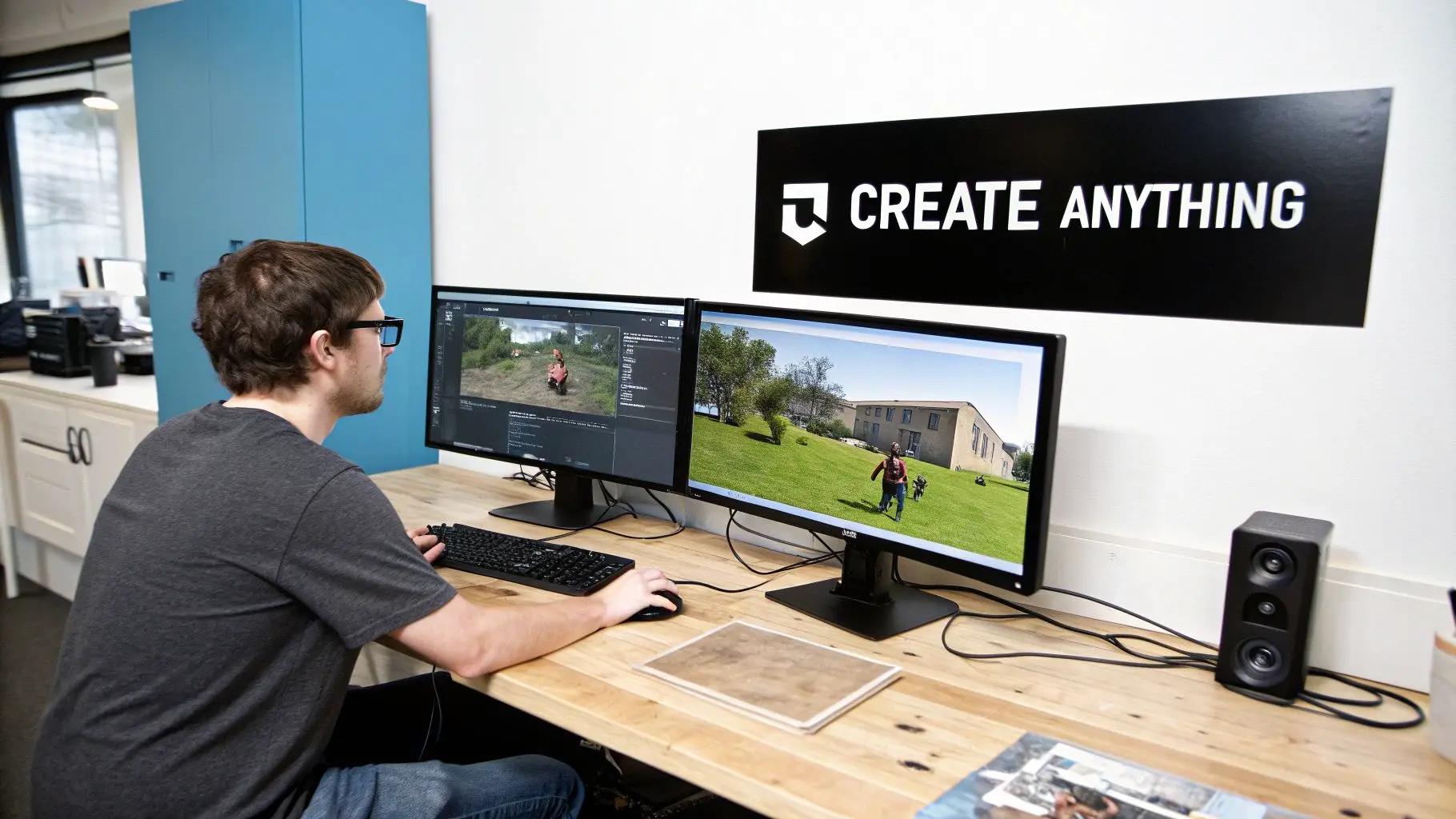
A game engine is the foundation of any digital construction project. Just as a builder needs blueprints, cranes, and raw materials to put up a skyscraper, a development team needs an engine to build an interactive experience. It provides all the core systems that make things work, from physics and graphics to sound and user controls. Without an engine, every new project would mean building these complex systems from scratch. That’s a monumental and incredibly expensive task. Unreal Engine, developed by Epic Games, hands you this entire pre-built framework, freeing up your team to focus on what really matters: creativity, innovation, and delivering on the project brief.
A Complete Ecosystem for Creation
Unreal Engine isn't just a piece of software; it's a whole ecosystem built for high-end production. It comes with a full suite of integrated tools designed to handle the entire creative pipeline, from the first prototype all the way to final delivery. This all-in-one approach helps teams collaborate seamlessly and bring ambitious ideas to life with incredible speed and quality. The engine's value for producers lies in three key strengths:
- •Photorealistic Graphics: It’s famous for producing stunningly realistic visuals, making it the top choice for projects that need that cinematic, broadcast-quality look.
- •Real-Time Rendering: What you see is literally what you get. Any change to lighting, materials, or models shows up instantly. This allows for rapid iteration and creative experimentation without the agonising wait times for renders to finish.
- •Accessible Tools: The Blueprints visual scripting system is a game-changer. It lets artists and designers build complex game logic and interactivity without needing to write a single line of traditional code, closing the gap between the technical and creative sides of a production.
This powerful mix of performance and accessibility is exactly why Unreal Engine has become a cornerstone of modern digital production and a strategic asset for any creative studio.
At its heart, Unreal Engine is a problem-solver. It tackles the immense technical challenges of real-time 3D rendering so that storytellers, designers, and developers can concentrate on what they do best: creating captivating experiences.
From Games to Immersive Experiences
While its reputation was forged in the world of video games, Unreal Engine's reach now extends far beyond entertainment. Its ability to create detailed, interactive "digital twins" of the real world has made it an essential tool across countless industries. Today, businesses are using it for architectural visualisation, automotive design, advanced training simulations, and virtual production for film and TV. If your project demands stunning visuals and real-time interaction, Unreal Engine has the power and flexibility to deliver next-generation results, making it a strategic asset for any company looking to produce groundbreaking digital content.
What Makes Unreal Engine Tick?
To fully grasp why Unreal Engine game development is such a powerful choice for modern production, we need to look at the core technology driving it. These aren't just flashy buzzwords; they're powerful tools that directly lead to better-looking visuals, quicker production cycles, and experiences that truly pull people in. Let's break down a few of the most important features.
Nanite Virtualised Geometry
Imagine a digital artist sculpting a statue with breathtaking detail, right down to the tiniest imperfection. In the past, dropping an asset that complex into a game would bring even the most powerful hardware to its knees. That's the exact problem Nanite was built to solve. Think of Nanite as a smart geometry system. It lets artists bring in film-quality 3D models, we're talking millions or even billions of polygons, without having to spend ages simplifying them first. The engine then intelligently renders only the detail you can actually see, giving you staggering visual quality without killing the frame rate. For any production, this is a game-changer:
- •Massively Faster Asset Creation: Artists can skip the tedious process of making multiple, lower-detail versions (LODs) of every single object.
- •Mind-Blowing Detail: Worlds can be packed with incredibly complex objects, making them feel far more real and immersive.
- •Smarter Performance: The system handles all the heavy lifting, ensuring everything runs smoothly without constant manual tweaking.
Lumen Global Illumination and Reflections
Lighting is everything. It sets the mood, creates realism, and guides the eye. Lumen is Unreal Engine’s answer to dynamic, real-time lighting and reflections. You can think of it as having an expert lighting director working inside your project, 24/7. Lumen works out how light bounces around a scene in real-time, just like it does in the real world. If a character walks past a window or you blow a hole in a wall, the light and reflections update instantly to match.
With Lumen, creators can finally build worlds that feel properly alive. Changes in the time of day, destructible environments, and player-controlled torches all react realistically without needing to pre-calculate lighting, which saves a phenomenal amount of time.
This instant feedback means artists can experiment and perfect the lighting design much more freely. For a deeper dive into setting up advanced lighting, check out our guide on setting up megalights in Unreal Engine. Below is a table that summarises these core features and connects their technical function to a clear business benefit.
Core Unreal Engine Features and Their Business Impact
This table breaks down key Unreal Engine technologies and what they mean for production efficiency and the quality of your final product.
| Feature | Technical Function | Business Benefit |
|---|---|---|
| Nanite | Intelligently streams and renders billions of polygons in real-time, showing only the detail the camera can see. | Reduces asset creation time, allows for unprecedented visual detail, and optimises performance automatically. |
| Lumen | Provides real-time global illumination and reflections that react instantly to changes in geometry and light sources. | Dramatically speeds up lighting workflows, enables fully dynamic environments, and achieves cinematic realism. |
| Blueprints | A node-based visual scripting system for creating game logic and functionality without writing code. | Empowers designers and artists to prototype and build features, fostering faster iteration and collaboration. |
Each of these systems works together to create a production environment where creative vision isn't held back by technical limitations.
Blueprints Visual Scripting
One of Unreal's most powerful and accessible tools is the Blueprints visual scripting system. It’s a system designed to let artists, designers, and other non-coders build complex interactivity and game logic without having to write a single line of C++. Instead of typing out code, you connect nodes together in a visual, flowchart-style editor to create behaviours. This approach is incredibly intuitive, making it perfect for rapidly prototyping ideas. A designer could mock up a complex inventory system or an interactive menu in an afternoon, testing it on the fly. What’s brilliant is that Blueprints and traditional C++ code work together perfectly. Programmers can build powerful, optimised functions in code, and then expose them as simple nodes for designers to use in Blueprints. This workflow creates a fantastic bridge between the technical and creative sides of a team, making the whole development process faster and more collaborative.
How to Build an Efficient Unreal Engine Production Pipeline
Having powerful tools is one thing, but organising them into a workflow that actually works is another challenge entirely. A successful Unreal Engine game development project hinges on a well-defined production pipeline, making sure every stage flows smoothly into the next. This structure gives you predictability, makes collaboration much simpler, and keeps the project on track from the first sketch to the final release. The journey starts long before you even open the engine. It begins with a solid foundation built on clear concepts and meticulous pre-production. This is the creative crucible where ideas are thrashed out, stories are outlined, and the core visual style is locked down. Once that vision is clear, we move into asset creation. This is the domain of 3D artists, character modellers, and environment designers, who work their magic in external software like Blender, Maya, or ZBrush. They craft the individual building blocks of your world, characters, props, buildings, and landscapes, always keeping an eye on optimising them for real-time performance before they ever touch Unreal Engine.
Assembling the Digital World
With a library of high-quality assets ready to go, the scene assembly phase kicks off. Here, level designers and environment artists take those raw components and begin constructing the interactive world inside Unreal. They place objects, sculpt terrain, and build the physical spaces where the experience will unfold. This is where the engine’s real-time rendering becomes a game-changer. Unlike traditional pipelines where artists had to sit through lengthy renders just to see their work, Unreal gives instant visual feedback. This allows for incredibly fast iteration, as designers can immediately see how lighting, materials, and object placement affect the look and feel of a scene.
An efficient pipeline is not a rigid assembly line but a flexible framework. It allows different specialists, artists, designers, and programmers, to work in parallel, with clear dependencies and hand-off points that prevent bottlenecks and keep momentum high.
The flow chart below shows how core Unreal Engine features support this modern, iterative way of working.
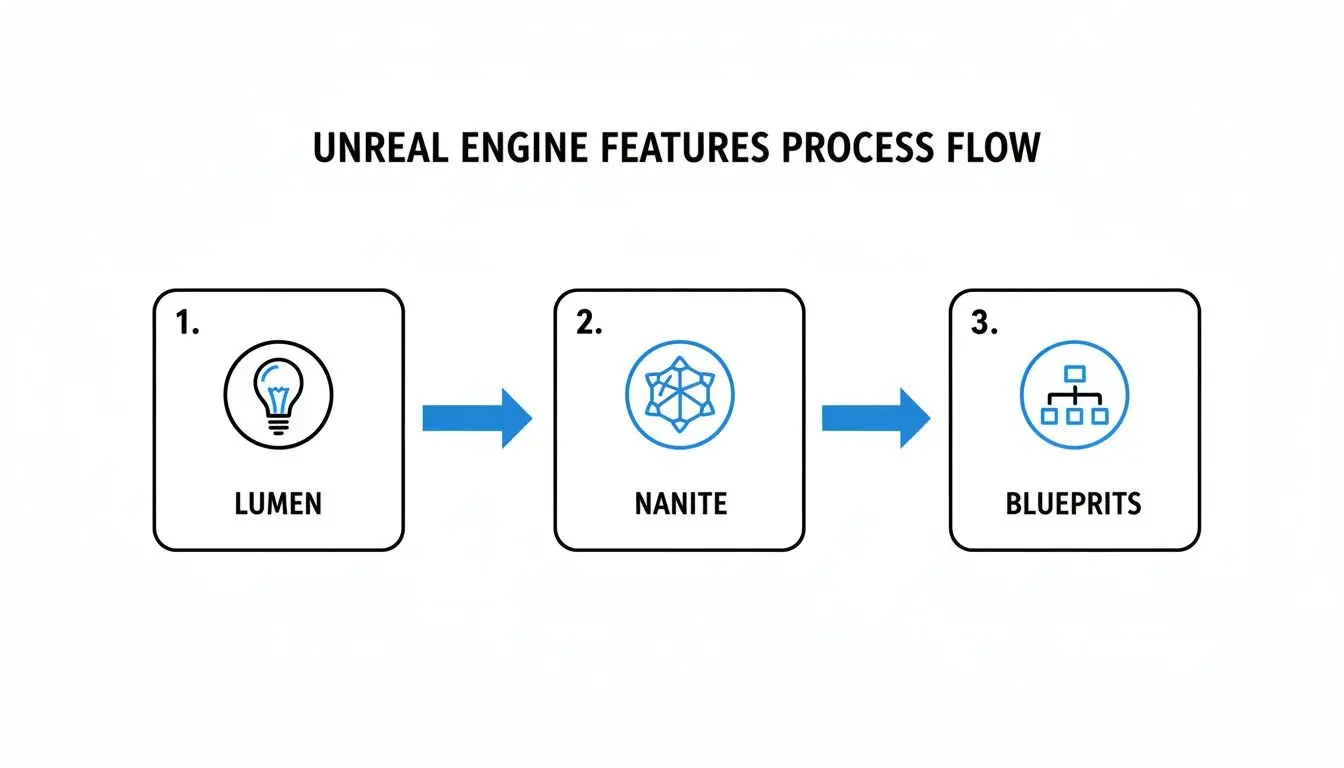
As you can see, features like Lumen and Nanite feed directly into the creative process. This empowers designers using Blueprints to build gameplay with cinematic-quality assets and lighting right from day one.
Iteration and Optimisation
As the world takes shape, the focus shifts to bringing it alive with gameplay mechanics and interactivity. Programmers build the core systems, while designers use the Blueprints system to script events, AI behaviours, and user interfaces. Because the engine is real-time, these interactive elements can be tested and tweaked on the fly, dramatically shortening review cycles. A cornerstone of any truly efficient Unreal pipeline is a commitment to solid Continuous Integration practices. Automating builds and testing is a technical discipline that ensures changes from different team members are regularly merged, catching issues early and keeping the project stable at all times. The final, crucial stage is optimisation. This is a deep dive into profiling and refining the project to guarantee it runs smoothly on all your target platforms, from high-end PCs to standalone VR headsets. This stage always involves:
- •Draw Call Reduction: Minimising the number of instructions sent to the graphics card to improve rendering speed.
- •Shader Complexity Analysis: Optimising material shaders to ensure they aren’t needlessly taxing on performance.
- •Memory Profiling: Checking that the project’s memory footprint stays within the limits of the target hardware.
- •Level of Detail (LOD) Tuning: Ensuring distant objects use simpler models to save precious processing power.
This relentless focus on performance is what delivers a polished, high-quality final product. By combining a structured workflow with the engine's real-time tools, teams can build complex, visually stunning experiences both efficiently and predictably. It's an agile approach that doesn't just save time and money, it fosters a more creative and responsive development process.
What Can You Do With Unreal Engine Besides Making Games?
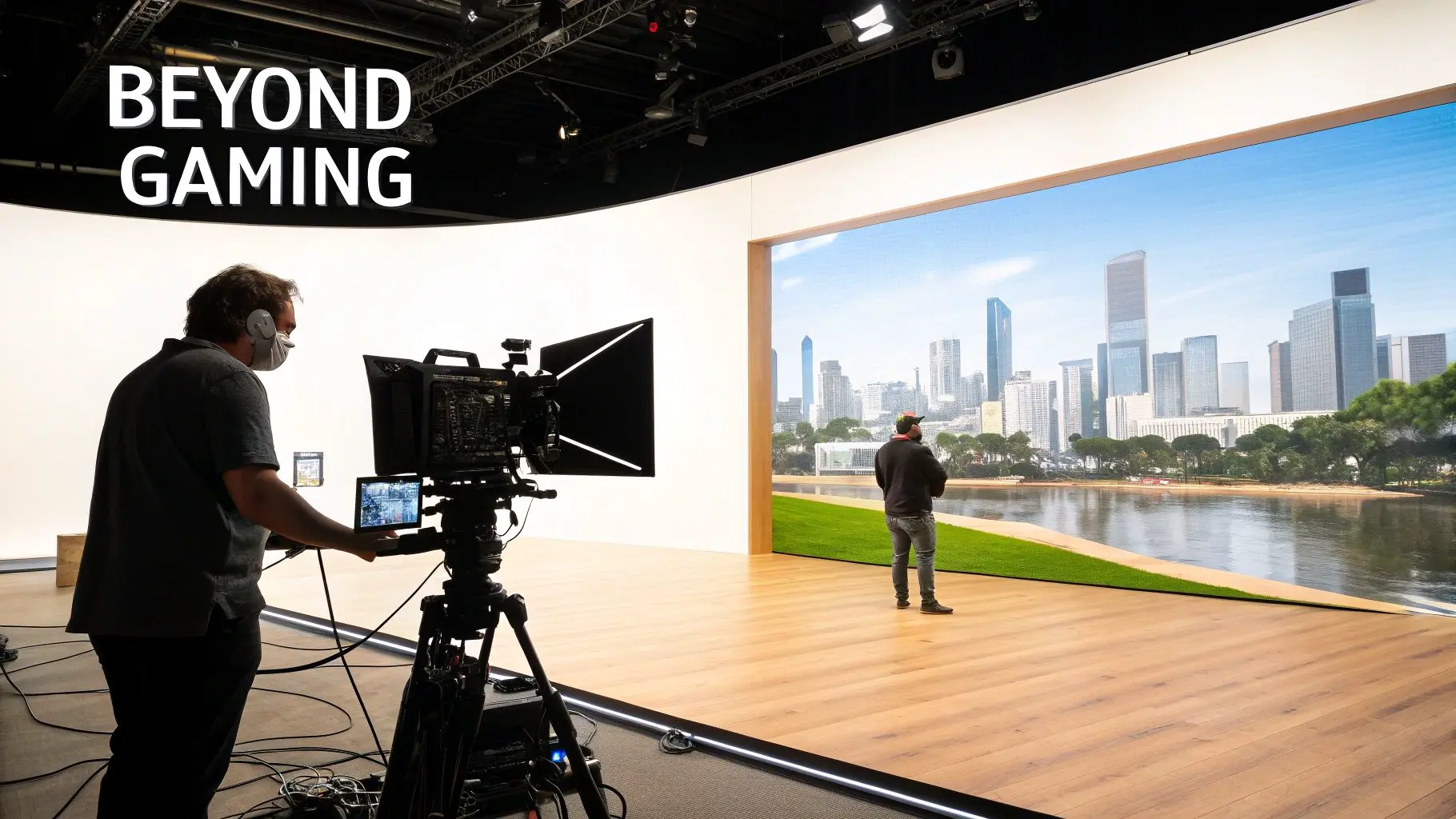
While Unreal Engine game development is what put it on the map, its real-time rendering power has sparked a revolution across countless other industries. The engine’s knack for building photorealistic, interactive worlds isn’t just for entertainment anymore; it’s become an indispensable tool for tackling complex visual problems in almost any field you can think of. This shift is completely changing how content gets made, from Hollywood blockbusters to critical industrial training. Being able to build and interact with a digital environment in real time is a game-changer, slashing production timelines and opening doors to creative ideas that were pure science fiction just a few years ago.
Virtual Production for Film and Television
One of the biggest waves is being made in virtual production for film and TV. For years, filmmakers have relied on green screens. Actors would perform in a sterile, empty space, with visual effects painstakingly added months later in post-production. Unreal Engine flips that entire process on its head. Now, productions use enormous LED walls to display dynamic, photorealistic sets created in Unreal, live on stage. Actors can actually see and react to their surroundings, and the camera operators can frame shots with the final background already there. This approach has some serious advantages:
- •Realistic Lighting: The LED screens throw off natural light and reflections onto the actors and physical props, blurring the line between the real and the virtual. It just looks right.
- •In-Camera VFX: A huge chunk of the visual effects are captured "in-camera" on the day of the shoot. This drastically cuts down the time and money spent fixing things in post.
- •Creative Freedom: Directors can change the environment on a whim. Fancy a different time of day or an entirely new location? It’s just a few clicks away, giving them unprecedented creative control on set.
Architectural Visualisation and Digital Twins
In the world of architecture and property, Unreal Engine is being used to create incredibly realistic and interactive building tours. Instead of just looking at static images or watching a pre-recorded video, potential clients can literally walk through a detailed virtual model of a building before a single brick is laid. This allows them to get a real feel for the space, try out different materials, and properly understand the design's flow and scale. But it goes beyond marketing. These "digital twins" are also used for construction planning, managing facilities, and even simulating city-wide changes, acting as a persistent, data-rich virtual copy of a physical asset.
The core benefit is moving from passive viewing to active participation. Whether it’s a client personalising their future home or an engineer testing a building’s systems, interactivity provides deeper understanding and better decision-making.
The numbers certainly back this up. The UK game engines market is expected to hit USD 437.3 million by 2030, growing at a compound annual growth rate of 16.6%. Unreal's push for photorealism is a massive part of that. This growth is a key piece of the UK games industry, which already contributes £12 billion in GVA and supports over 73,000 jobs, explaining why studios are diversifying their skills. You can dig into the full market research on game engine growth for more detail.
Advanced Training and Simulation
The engine's ability to create lifelike scenarios makes it a perfect tool for complex training simulations. Industries from healthcare to manufacturing are using Unreal to build safe, repeatable, and data-driven training environments. For instance, surgeons can practice tricky procedures on virtual patients, and factory workers can learn how to operate heavy machinery without any real-world risk. These XR simulations offer a level of realism and interaction that traditional training methods simply can't compete with. If you’re curious about how this works in practice, you might find our deep dive on VR game development with Unreal Engine interesting.
How to Choose the Right Unreal Engine Development Partner
Picking the right studio for your Unreal Engine game development project is easily one of the most important calls you'll make. A good partner becomes a natural extension of your own team, bringing not just technical chops but creative vision and serious production discipline. The wrong one? That path leads to missed deadlines, blown budgets, and a final product that just doesn't hit the mark. Moving past a flashy showreel is key. You're looking for a partner with a deep, proven understanding of the engine and a solid history of delivering complex projects without a hitch. This means you need to get your hands dirty: dig into their portfolio, scrutinise their process, and ask the tough questions that reveal what they're really capable of.
Assessing Technical and Creative Expertise
A strong portfolio is just the price of entry; real expertise is much deeper. Look for a studio whose work shows off both artistic talent and technical mastery. Are they demonstrating a sophisticated use of lighting, materials, and character animation? And, crucially, do they have experience across different platforms? A studio that has shipped projects on everything from high-end PCs to standalone VR headsets like the Meta Quest really understands the art of optimisation. This isn't a "nice-to-have" skill; it's essential. Ask them point-blank about their process for managing performance and making sure the user experience is smooth, no matter the hardware.
A great Unreal Engine partner doesn't just build what you ask for; they anticipate challenges you haven't thought of. Their experience is your project's best insurance policy against the unknown technical hurdles that inevitably arise during development.
Evaluating Production Pipelines and Communication
A reliable production pipeline is the absolute backbone of any successful project. It’s what gives you structure, predictability, and transparency. When you’re talking to potential partners, ask them to walk you through their entire workflow, from the first concept sketch to the final delivery. Here are a few key questions to get you started:
- •How do you handle project management and client communication? You're looking for clear, regular updates and a dedicated point of contact.
- •What is your process for feedback and iteration? An agile, responsive approach is vital for keeping the project aligned with your vision.
- •How do you manage quality assurance and testing? A thorough QA process is non-negotiable for delivering a polished, bug-free product.
When you're searching for outside help, knowing the different kinds of development agencies available can make all the difference. The UK's video games industry is a perfect example of a sector where this kind of specialised knowledge is everything. In this thriving ecosystem, Unreal Engine has become a true powerhouse for creating world-class content. In fact, research from the University of Portsmouth shows the UK games sector generates a staggering £12 billion in Gross Value Added (GVA) and supports over 73,000 jobs. You can read more about the UK games industry's economic impact here. Picking a partner who has a history of succeeding in this competitive space means they have the battle-tested experience to deliver outstanding results. A studio with a long track record of successful projects, like Studio Liddell's work since 2019, shows the kind of reliability and adaptability you need to bring an ambitious vision to life.
Your Unreal Engine Questions, Answered
Diving into Unreal Engine game development can feel a bit daunting, and it's natural for questions to pop up, especially if you're new to the engine. We get asked a lot of great questions by potential clients and partners, so we’ve gathered some of the most common ones here to give you a head start. This is all about giving you clear, straightforward information so you can get a better handle on what the engine can do and make the right calls for your next project.
Is Unreal Engine Only for AAA Video Games?
Not at all. While it's famous for being the powerhouse behind some of the biggest blockbuster games, Unreal Engine's flexibility makes it a fantastic tool for a huge range of projects. We regularly use it to build everything from immersive VR training simulations and photorealistic architectural visualisations to real-time animated series and interactive brand experiences. At its core, if a project needs high-fidelity, real-time 3D graphics, Unreal's powerful rendering and scripting tools are more than up to the task.
What Is the Difference Between Unreal Engine and Unity?
Both are top-tier, industry-leading engines, but they have different personalities and strengths. Unreal Engine is famous for its incredible graphical power right out of the box, making it the go-to choice for projects chasing photorealism. Its Blueprints system is also a game-changer for getting ideas up and running quickly. Unity, on the other hand, is often praised for its incredible flexibility, a massive asset store, and rock-solid support for mobile devices. The right choice really boils down to your project’s specific goals, where it needs to run, and the visual style you're aiming for. For a deeper dive, have a look at our article with more Unreal Engine questions and answers.
The decision between Unreal and Unity isn't about which engine is "better" overall, but which is the better tool for the specific job at hand. A good development partner helps you evaluate this based on creative ambition, technical requirements, and production realities.
How Long Does It Take to Develop a Project in Unreal Engine?
This is the classic "how long is a piece of string?" question. Project timelines can vary massively depending on the scope and complexity of what you want to build. A simple interactive product model might only take a few weeks, whereas a full-blown game or a complex XR application could easily take many months, or even years. A few key things will always influence the schedule:
- •Asset Creation: How many custom 3D models, characters, and environments do you need, and how detailed do they have to be?
- •Interactive Complexity: How deep are the gameplay mechanics, AI behaviours, and user interface systems?
- •Target Platforms: Is this just for PC, or does it need to be optimised for consoles, VR headsets, and other devices?
We always start with a thorough scoping process to map out a realistic timeline and budget tailored to your specific needs. It's all about creating clarity and getting everyone on the same page from day one to set the project up for success.
Ready to explore how Unreal Engine can bring your vision to life? Studio Liddell has been delivering high-quality digital productions since 2019. Contact us today to discuss your project.