A Guide to Unity Game Development for Businesses
Unity game development provides a versatile and powerful engine to create all sorts of interactive experiences, from mobile games to complex industrial simulations. It’s a real-time development platform that lets creators build a project once and roll it out across a huge range of operating systems , mobile phones, computers, games consoles, and even VR headsets. This approach saves a massive amount of time and resources.
What Is Unity and Why Is It a Go-To Platform?
Imagine a single digital toolkit capable of building almost anything you can dream up. It could be a whimsical children's game, a photorealistic architectural visualisation, or a high-stakes training simulation for surgeons. That’s Unity in a nutshell. It's more than just a ‘game engine’; it's a complete ecosystem designed for crafting rich, interactive 2D, 3D, VR, and AR content. Its intuitive interface and component-based system make it approachable for small teams, yet it has all the depth needed for massive enterprise projects.
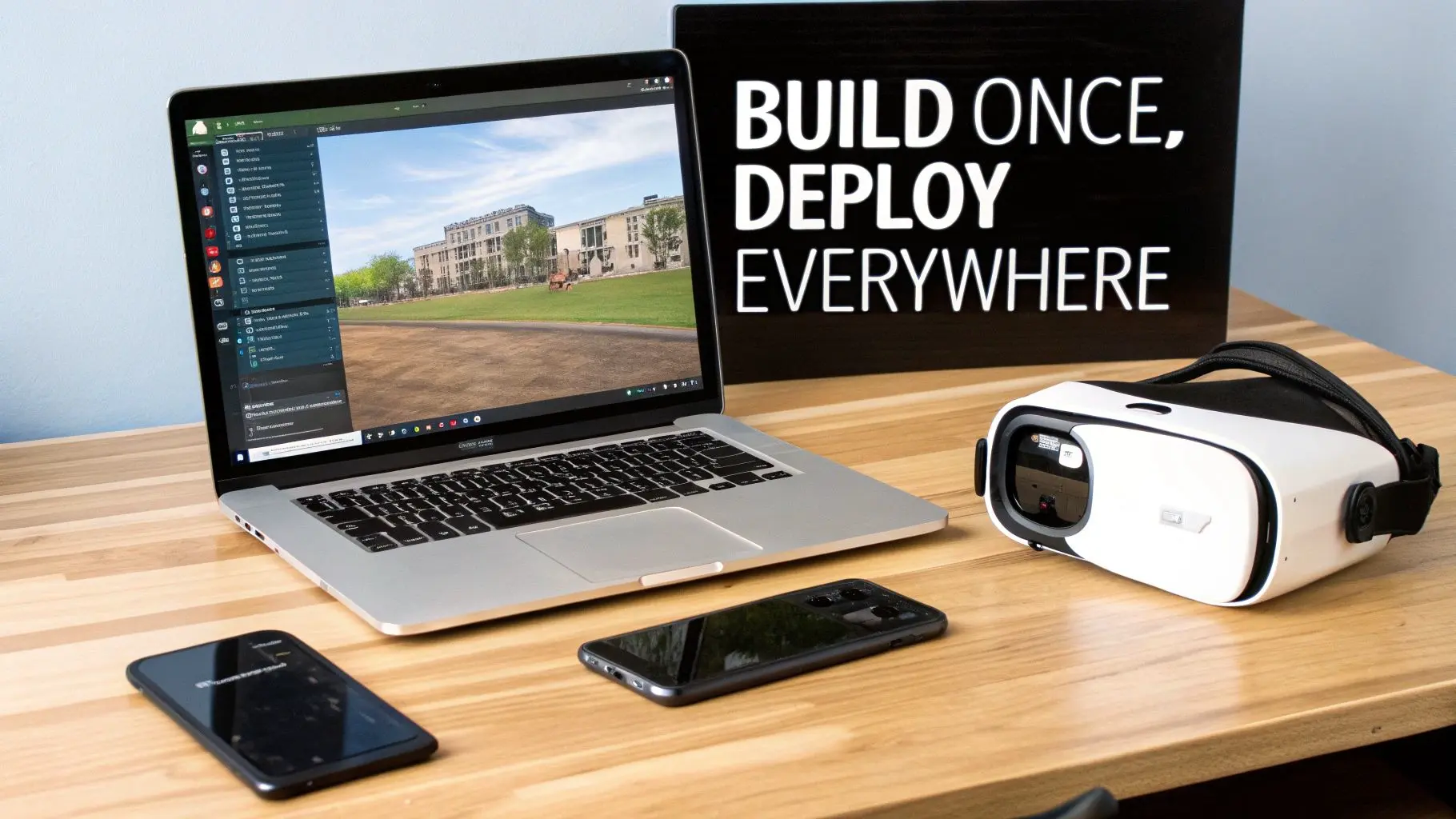
This "build once, deploy everywhere" philosophy is Unity's killer feature for businesses. Instead of developing separate versions of an application for iOS, Android, Windows, and various VR headsets, a single Unity project can be configured to run smoothly on all of them. This cross-platform power dramatically cuts down development costs and gets products to market far quicker, making ambitious interactive projects a realistic and financially viable option.
A Robust Ecosystem for Development
Unity isn't just a piece of software you download; it’s supported by a huge, active global community. This network of developers creates an incredible support system through forums, tutorials, and shared knowledge, meaning a solution to a tricky technical challenge is nearly always out there. The platform is also supercharged by the Unity Asset Store, a massive marketplace offering hundreds of thousands of pre-built assets, tools, and extensions. This allows development teams to drop high-quality characters, environments, and functional systems directly into their projects, sidestepping the need to build absolutely everything from the ground up.
Proven Market Leadership
You only need to look at the mobile and indie game scenes to see Unity's dominance. The platform powers over 60% of all AR/VR content and is the engine behind a staggering 50% of games across all platforms. These aren't just small projects, either; major hits like Pokémon GO, Among Us, and Genshin Impact were all built with Unity. With project costs typically ranging from £20,000 to £120,000 depending on the complexity, Unity offers a scalable and cost-effective solution for a wide range of commercial needs. You can dig into more detailed data on Unity's market position and average project costs here. For a production studio like ours, this accessibility and proven track record make it an essential tool for delivering high-impact interactive experiences.
By blending a user-friendly editor with powerful scripting capabilities and unbeatable platform support, Unity gives creators the power to turn ambitious ideas into polished, market-ready applications, whether for entertainment, education, or enterprise. It truly opens the door for businesses of all sizes to create high-end interactive content.
Exploring Unity's Core Capabilities for Business
To understand what makes Unity a powerhouse for modern business, you need to look at its core features. The platform's capabilities go way beyond simple unity game development, letting you create almost any interactive experience you can dream up. These features work together, forming a flexible and solid foundation for diverse projects. At its heart, Unity excels at rendering both 2D and 3D graphics in real time. This dual strength is a massive advantage. The 2D toolset is perfect for crafting charming animated TV series, snappy mobile apps, or crystal-clear explainer videos for complex tech. Meanwhile, the 3D engine can produce stunningly photorealistic product visualisations and complex architectural walkthroughs. This flexibility means one platform can handle a huge range of creative and commercial needs.
Powering Immersive XR Experiences
Unity has cemented its place as the top platform for Extended Reality (XR) development, covering both Virtual Reality (VR) and Augmented Reality (AR). A staggering 60% of all XR content is built with Unity, which speaks volumes about its specialised tools and optimised performance for immersive hardware like the Meta Quest. This leadership position makes it the first choice for businesses wanting to create experiences that deliver real impact:
- •Immersive Training Simulations: In high-stakes fields like medicine or energy, Unity can build realistic virtual environments for enterprise. This lets employees practise complex procedures in a setting that’s safe and infinitely repeatable.
- •Location-Based VR (LBVR): From interactive museum exhibits to high-throughput VR arcade games, Unity provides the framework to create public attractions that are safe, engaging, and commercially viable.
- •AR for Exhibitions and Retail: Brands can use Unity to develop AR apps that let customers see how a new sofa looks in their living room or virtually try on a jacket. It's a powerful way to increase stand dwell time and close the gap between online browsing and physical buying.
The engine’s knack for handling the unique demands of XR, like maintaining high frame rates to avoid motion sickness and managing complex spatial interactions, makes it an essential tool in this booming field.
Building Connected and Optimised Worlds
Today's interactive experiences are rarely a solo activity. Unity comes with powerful built-in tools and supports a massive ecosystem of add-ons for creating multiplayer and online experiences. This is what lets us build collaborative training platforms, sprawling multiplayer games, and shared social VR spaces that connect people from all over the world. Of course, none of these flashy features would mean a thing if the final product ran like a slideshow. Performance optimisation is another of Unity’s core strengths. The platform gives developers precise control over every little detail, from how graphics are rendered to how much memory is being used. This ensures the final experience is smooth, responsive, and works beautifully across a whole range of devices, from beefy gaming PCs to the smartphone in your pocket. For a deeper dive into the nuts and bolts, you can learn more about what the Unity development language is in our detailed guide.
Unity isn't just one tool; it's a complete workshop. It combines high-fidelity 2D and 3D rendering with best-in-class XR support and rock-solid networking, giving businesses a complete solution for pretty much any interactive content strategy.
As businesses use these capabilities to create more sophisticated applications, having a solid go-to-market plan becomes vital. Building effective B2B tech marketing strategies is key to making sure these incredible interactive tools actually reach and resonate with their intended enterprise audience. It’s this strategic thinking that turns a brilliant technical creation into a genuine commercial success. Ultimately, Unity's core features provide the power and flexibility needed to bring ambitious digital visions to life.
The Unity Production Pipeline: From Concept to Launch
Turning a brilliant idea into a polished, interactive application isn't magic; it's a structured journey. For anyone commissioning a project, understanding this process demystifies Unity development, turning it from a black box into a transparent and manageable investment. The production pipeline is a detailed roadmap, guiding a project from concept to a fully functional product, ensuring every stage builds logically on the last. This is a team effort, bringing together specialists who each play a crucial part. Producers act as the project's architects, overseeing the scope, timeline, and budget. Artists are the world-builders, creating the visuals, while developers write the code that brings it all to life. Finally, QA testers rigorously hunt for bugs to ensure a flawless user experience. The diagram below shows how Unity's core capabilities are put to work throughout this pipeline, starting with foundational 2D/3D development and branching out into more specialised applications like XR and multiplayer experiences.
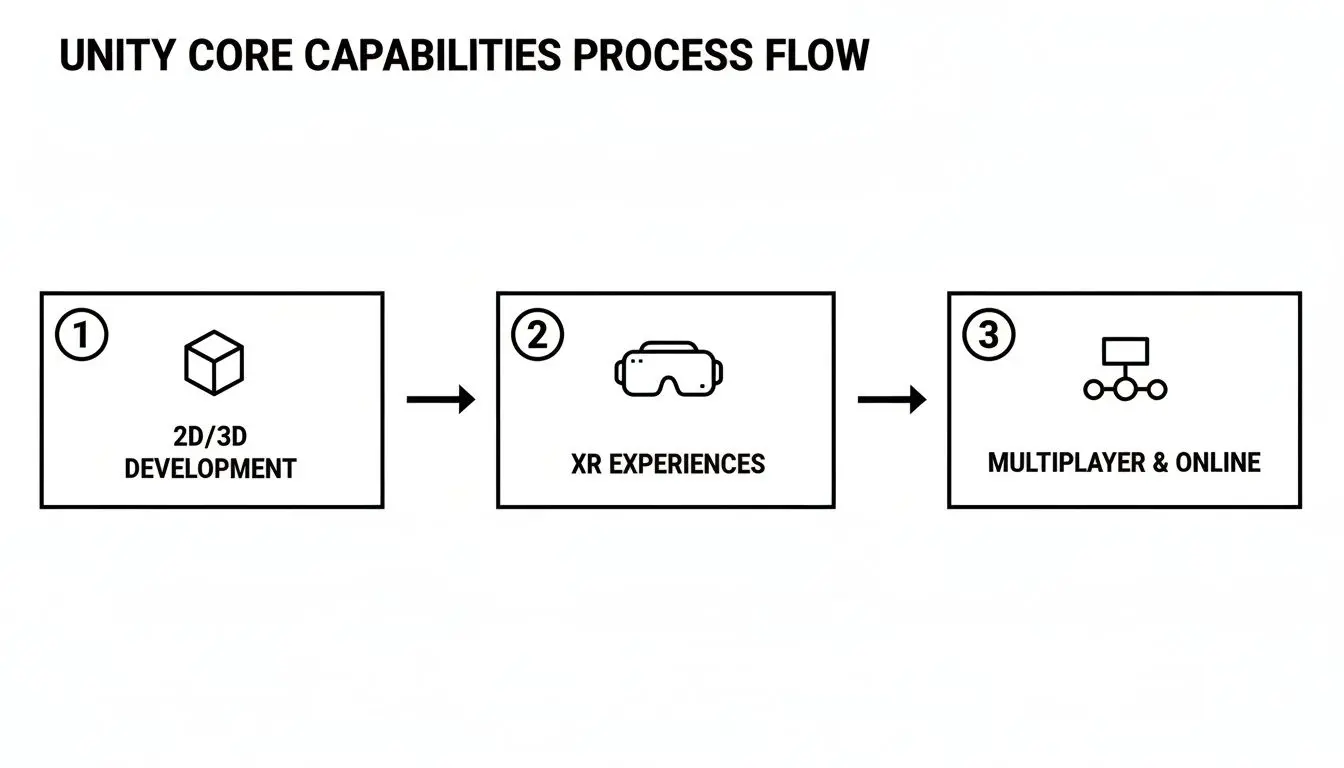
This flow shows how everything starts with Unity's core 2D and 3D tools, which then serve as the launchpad for more complex applications like immersive XR and connected online services.
H3: The Key Stages of a Unity Project
To give you a clearer picture, here’s a simplified breakdown of how a typical Unity project moves from one phase to the next. Each stage has its own distinct focus and set of deliverables, ensuring nothing is left to chance.
| Phase | Key Activities | Primary Outcome |
|---|---|---|
| Pre-Production | Concept development, design sprints, storyboarding, prototyping, technical planning. | A comprehensive Game Design Document (GDD) and a playable prototype. |
| Production | Asset creation (3D models, 2D art), coding, level design, UI/UX implementation, system building. | A feature-complete application with all core content and mechanics in place. |
| Post-Production | Quality Assurance (QA) testing, performance optimisation, bug fixing, platform deployment. | A polished, stable, and market-ready final product. |
This structured approach is what allows our team to tackle complex challenges efficiently, ensuring the final product not only meets but exceeds expectations.
Pre-Production: Laying the Foundation
Before a single line of code is written, a solid foundation must be laid. This is the pre-production phase, where creativity meets strategy to define the project's vision, scope, and technical requirements. Get this stage right, and the rest of the project flows smoothly; rush it, and you're building on shaky ground. Key activities during this vital phase include:
- •Concept & Design Sprint: The initial idea gets fleshed out. We work together to define the core mechanics, target audience, and key business goals.
- •Storyboarding & Visual Development: Our artists get to work creating concept art and storyboards. This establishes the all-important look and feel, ensuring the visual style aligns perfectly with your brand or IP.
- •Prototyping: We build a rough, interactive version of the core concept. This "grey-box" prototype lets us test ideas quickly and cheaply, confirming the experience is engaging before we commit to full-scale production.
For anyone new to this world, getting a handle on the bigger picture is key. Understanding the overarching process of how to make a game app, from that first spark of an idea to launch day, is invaluable.
Production: Bringing the Vision to Life
With a clear blueprint from pre-production, the team moves into the main production phase. This is where the bulk of the work happens, turning plans and prototypes into a functional, feature-rich application. It's an iterative process that requires constant communication between different disciplines to bring all the moving parts together seamlessly. This stage runs on several parallel tracks:
- •Asset Creation: Our 3D modellers, 2D artists, and animators build all the visual components, characters, environments, menus, and icons.
- •Coding & Systems Development: The developers write the C# scripts that control everything, from character movement and game logic to backend server communication.
- •Level Design & Assembly: Designers use the newly created assets and code to build out the actual levels, scenarios, or user environments right inside the Unity editor.
Throughout production, we work in "sprints", short, focused development cycles that allow the team to build and review new features incrementally. This agile approach keeps the project on track and gives us the flexibility to make adjustments based on ongoing testing and feedback.
Post-Production: The Final Polish
Once all the features are in and the content is complete, the project enters post-production. The focus shifts from creation to refinement. This is all about ensuring the final product is stable, polished, and ready for its audience. This final leg of the journey includes:
- •Quality Assurance (QA) Testing: A dedicated QA team puts the application through its paces, hunting for bugs, performance issues, and usability problems.
- •Optimisation: Our developers dive back in to fine-tune the application, making sure it runs smoothly on all target devices, from high-end PCs to the most common mobile phones.
- •Deployment: The polished, finished application is submitted to app stores, deployed on-site for an event, or delivered directly to you for internal use.
This tried-and-tested pipeline ensures a predictable and efficient development process. To see a more detailed breakdown of how these stages come together, you can explore our complete guide to game development using Unity from start to finish.
Real-World Unity Applications Beyond Gaming
When you hear Unity game development, your mind probably jumps straight to games. But its true strength lies in its versatility. The same tools that build blockbuster games are being used across industries to tackle complex challenges, delivering real-world results far beyond entertainment. Think of Unity as a powerful problem-solving platform.
From upskilling engineers to creating unforgettable brand moments, Unity’s real-time 3D engine is changing how businesses operate, train their teams, and talk to their customers. At its core, it’s all about making complicated information intuitive and interactive.
Interactive Training and Technical Simulation
In high-stakes sectors like energy, medicine, or manufacturing, mistakes can be costly or dangerous. Unity provides a safe virtual space where teams can train and rehearse without real-world consequences. These are fully interactive simulations mirroring real-world conditions with stunning accuracy. Take our work on the GeoEnergy NI project, for instance. We were tasked with explaining complex geothermal energy concepts to win over stakeholders. Instead of dense reports, we built a clear, interactive visualisation in Unity. It broke down the technical jargon and made the entire process accessible and engaging for stakeholders, demonstrating our pedigree in technical communications. With these kinds of simulations, users can:
- •Practise complex procedures without risk, building the muscle memory they need to perform under pressure.
- •Explore intricate machinery or biological systems from impossible angles, deepening their understanding.
- •Get instant, data-driven feedback on their performance to speed up the learning process.
It’s an approach that blows traditional training methods out of the water when it comes to knowledge retention and achieving compliance.
Boosting Engagement with AR and VR Experiences
Augmented and Virtual Reality have moved beyond the gimmick phase. They are now serious tools for customer engagement, and Unity is the engine of choice for building these immersive experiences. Its rock-solid support for hardware like the Meta Quest makes it the perfect foundation for creating apps that leave a lasting impression. In retail, a Unity-powered AR app can let a customer see how a new sofa looks in their living room, bridging the gap between online browsing and a confident purchase. At a trade show, AR can turn a simple booth into an interactive discovery zone, keeping visitors engaged for longer and creating a genuine buzz.
Virtual Reality pushes this even further, offering total immersion for brand events. Our Dance! Dance! Dance! mixed-reality game, for example, was built to handle high throughput at busy events. It’s a fun, high-energy experience that gets people talking and sharing on social media long after they’ve left.
These XR applications aren't just for show. They're designed to hit specific business goals, whether that’s driving sales, capturing leads, or simply making a brand unforgettable. You can dive deeper into our thinking on Unity VR development for high-performance experiences to see how we tackle these kinds of projects.
Extending Beloved Brands into Interactive Worlds
For media companies and creative agencies with valuable intellectual property, Unity is the key to unlocking new dimensions of storytelling. A beloved character from a kids' TV show can find a new life in an interactive mobile game or an educational app, creating a much deeper connection with the audience. Our collaboration with Sky Kids on the BooSnoo IP is a perfect illustration of this. We helped take the world from a successful TV series and expand it into a collection of interactive digital shorts and apps. This transmedia IP development strategy allows children to play and engage with their favourite characters in new ways, building powerful brand loyalty and opening up new commercial avenues. Unity's cross-platform muscle is vital here. It allows us to build an experience once and then deploy it everywhere, from the App Store to Google Play, reaching the biggest audience possible. It’s how you turn passive viewers into active, engaged fans, ensuring a brand stays relevant and loved.
Budgeting Your Unity Project for Success
It’s the big question when planning a Unity game development project: what’s it going to cost, and how long will it take? While pinning down a precise figure without a detailed brief is impossible, understanding the key cost drivers will help you scope your project realistically from the get-go. Think of a project’s budget not as a single number, but as a direct reflection of the time, talent, and resources needed to bring an idea into reality. A few core factors directly influence that final investment, and each one adds its own layer of complexity to the production.
Key Factors That Shape Your Budget
Every decision you make during planning has a knock-on effect on the budget. The big variables are usually the project's overall complexity, its visual style, the number of platforms you need it on, and any advanced features you want to include. Here are the main things we look at when scoping a Unity project:
- •Project Complexity: A simple AR filter for a social media campaign is a completely different beast to a multi-level VR training simulation packed with complex logic and assessment tools. The more features, interactions, and systems you need, the more development time it takes.
- •Art Style (2D vs 3D): The choice between 2D and 3D animation has a huge impact on the budget. A stylised 2D project with simple animations is generally less resource-heavy than crafting a fully realised 3D world with detailed models, textures, and sophisticated lighting.
- •Target Platforms: Unity's "build once, deploy everywhere" philosophy is a massive advantage. Still, every platform, whether it's iOS, Android, PC, or Meta Quest, has its own quirks for optimisation, testing, and UI. Supporting more platforms means spending more time ironing out the kinks.
- •Specialised Features: Things like multiplayer functionality, backend server integration, or advanced physics simulations bring serious technical challenges. They require specialist expertise and naturally extend the development timeline.
Understanding Budget Ranges
To help set some expectations, we can group Unity projects into broad budget bands. These are just ballpark figures, of course, but they provide a useful starting point for your planning.
For a simple interactive experience, like a branded AR filter or a basic mobile app, you might be looking at a budget in the £10,000 - £25,000 range. A more complex project, such as a multi-level 2D game or a sophisticated product configurator, could land in the £30,000 - £75,000 bracket. For large-scale projects, like an enterprise-grade VR training simulation or a polished 3D game, costs often start at £80,000 and can go much higher.
How Experience and Efficiency Drive Value
Choosing an experienced development partner brings more to the table than just technical skill. It gives you access to proven workflows and efficiencies that directly benefit your budget and timeline. An established studio with a library of reusable code, optimised art pipelines, and a deep understanding of platform oddities can solve problems far more quickly than a team starting from scratch. This kind of efficiency is becoming more important than ever. The development world is adapting fast, with 96% of studios now using AI tools in their workflows to speed up production. With 77% of developers expecting the industry to grow, the demand for specialised, outsourced expertise is booming. You can find more insights on these trends in the evolving gaming industry here. By partnering with a studio that has already built these efficiencies into its process, you gain a real competitive advantage, ensuring your project is delivered on time and on budget, without cutting corners on quality.
Finding the Right Unity Development Partner
Choosing who to work with on your Unity game development project is the most important decision you'll make. A brilliant idea is one thing, but bringing it to life needs a team with the perfect mix of creative vision and deep technical know-how. It's not about finding a supplier; it's about finding a strategic partner who is invested in your project's success. The best partners offer more than just coding chops. You should be looking for a studio with a real heritage in storytelling and a proven track record of delivering complex projects, from broadcast-quality kids' entertainment to demanding enterprise XR solutions. That kind of breadth shows they can handle the entire production pipeline, from the first concept sprint right through to final delivery and ongoing support.
What Defines a Great Studio
You can spot a top-tier studio by its well-oiled, efficient workflows. Proven production pipelines, often boosted with AI-powered tools for creating and optimising assets, can seriously cut down timelines and costs without ever compromising on quality. This kind of operational maturity is a huge green flag, showing the studio knows how to de-risk a project and deliver high-quality results, predictably. On top of that, a strong partner will have expertise across multiple platforms and engines, not just Unity. This wider perspective is crucial. It means they can give you unbiased advice on the best tech for your specific needs, making sure the final solution is a perfect fit for your commercial goals.
A truly capable Unity development partner doesn't just build what you ask for; they help you define what’s possible. They combine creative problem-solving with rigorous technical execution to turn your vision into a polished, market-ready interactive experience that delivers tangible business outcomes.
Investing in UK Expertise
The UK's interactive content sector is booming, making it a hotspot for world-class development talent. The UK game engines market, which recently generated USD 177.0 million, is set to rocket to USD 437.3 million by 2030. This incredible growth is being fuelled by studios with deep expertise in Unity and Unreal, meeting a huge demand for sophisticated interactive content. If you want to dive deeper into the numbers, you can read the full research on the UK's game engine landscape. Opting for a UK-based partner means you're tapping directly into this thriving ecosystem of talent and innovation. It ensures your project is in the hands of a team at the forefront of the industry, one that can deliver a final product that truly stands out in a competitive global market. Whether you’re building an immersive training tool or a captivating game, the right UK partner will guide your project to a successful launch.
Your Unity Development Questions, Answered
If you’re thinking about a Unity project, you’ve probably got a few questions. We get it. Here are some of the most common queries we hear from businesses, with straight answers to help you weigh your options.
What's the Real Difference Between Unity and Unreal Engine?
This is the big one. Both are phenomenal engines, but they excel in different areas. For producers, the choice impacts render quality, tooling, team skills required, and ultimately, the total cost and timeline. Unity is often the go-to for flexibility. Its real strength lies in its ability to deploy to a massive range of platforms with less hassle, especially for mobile, AR, and VR projects. The C# programming language is also a huge plus, as it’s one of the most widely known languages out there, making it easier to find skilled developers. Unreal Engine, on the other hand, is famous for its jaw-dropping, high-fidelity graphics right out of the box. Its visual scripting system, Blueprint, is also a massive draw for artists and designers who want to build complex interactions without writing code. So, which is best? It completely depends on your project. What’s the art style? What devices are you targeting? What kind of experience are you trying to create? That’s what will decide the winner.
Can We Use Unity for Something Other Than Games?
Absolutely. In fact, some of the most innovative Unity projects we've seen have nothing to do with gaming. At its heart, Unity is a real-time 3D development platform, which makes it perfect for a huge range of business applications. We're talking interactive product configurators for retail, photorealistic architectural visualisations, and complex training simulations for industries like medicine and manufacturing. It's even a popular choice for creating immersive marketing experiences for events and product launches. Its versatility is what makes it such a powerful tool for any industry that needs to bring 3D content to life.
The core of Unity game development is a flexible, component-based architecture. This same foundation makes it ideal for building modular, scalable business tools that solve specific commercial challenges, from improving safety training to boosting sales conversions.
How Long Does a Simple Unity Application Take to Build?
This is a classic "how long is a piece of string?" question, but we can give you some ballpark figures. The timeline really hinges on the complexity of what you want to build. A very simple mobile game or a straightforward AR experience might take somewhere between 2-4 months. If you're looking at something more involved, like an interactive simulation with lots of features or a game with multiple levels, you’re more likely looking at 6-12 months, or potentially longer. The main things that influence the timeline are the number of unique assets needed, how complex the features are, and how many different platforms you need it to run on. The best way to get a solid estimate is to sit down for a discovery workshop, where we can map out your idea and give you a much more accurate timeline. Ready to see what Studio Liddell can create for you with Unity? Let's talk specifics. Schedule a discovery workshop with our team to get started.