A Guide to Game Development Using Unity From Start to Finish
Developing a game in Unity is all about creating interactive 2D, 3D, and XR experiences using its powerful real-time engine. It’s a complete ecosystem of tools that lets developers build a game just once and then ship it across a huge range of platforms, mobile, PC, and virtual reality included. This makes it an incredibly efficient choice for studios of any size.
Why Unity Is a Powerhouse for Modern Game Development
Unity has cemented its place as one of the most versatile and powerful engines for creating interactive experiences, from blockbuster games to immersive XR training simulations. Its massive popularity isn't an accident; it's a strategic choice for countless UK studios, from small indie startups to established production houses like ours. It simply offers a unique blend of flexibility, a rich feature set, and a workflow that developers can get to grips with quickly. The engine's real magic lies in its cross-platform capabilities. You can write your code and design your game worlds once, then deploy them across more than 15 different platforms. This "build once, deploy anywhere" philosophy is a massive time and resource saver, making it possible for smaller teams to punch well above their weight on a global scale. Unity's reach is broad, providing a solid foundation for modern game development and even powering a significant part of the landscape of mobile app development.
A Self-Contained Ecosystem
Unity is much more than just a piece of software; it's a whole ecosystem designed to get projects off the ground and over the finish line faster. Some of the key components include:
- •The Unity Asset Store: This is an enormous marketplace packed with ready-made 3D models, audio files, tools, and scripts. It allows our teams to rapidly prototype ideas and pull in high-quality assets without having to build every single thing from scratch.
- •A Massive Community: There’s a global network of developers, artists, and creators who are constantly sharing knowledge, tutorials, and clever solutions. This collaborative spirit provides a priceless support system when you're trying to troubleshoot a tricky problem or learn a new technique.
- •Integrated Services: Unity comes with built-in tools for things like monetisation, analytics, and multiplayer support. This helps teams manage the entire lifecycle of their project without having to juggle a dozen different services.
Driving the UK's Creative Economy
Here in the United Kingdom, Unity is a cornerstone of the games industry, especially for small and mid-sized studios. In 2024, games built with Unity made up a staggering 51% of new titles released on Steam globally. We see this pattern right here in the UK, where indie and mobile teams consistently choose Unity for its efficiency. The national game-engines market, which generated around USD 177.0 million in 2024, is set to grow significantly, and Unity is a huge part of that expansion. You can explore the latest game market analysis to see these trends for yourself. The data is clear: while it might not power all of the highest-grossing AAA blockbusters, Unity is absolutely fundamental to the UK's vibrant and creative production pipeline.
The Professional Unity Production Pipeline Explained
To really get your head around a professional game development project, it helps to think of it like building a house. You wouldn’t just start laying bricks without architectural plans, and you certainly wouldn't hand over the keys before the final fixtures are installed. Creating a game or XR experience in Unity follows a similarly structured, milestone-driven path that makes sure every stage builds logically on the last. This production pipeline acts as a clear roadmap, turning a simple idea into a fully functional and polished product. Each phase has its own distinct goals, processes, and outputs, which keeps the project on track and the entire team aligned. From the initial concept scribbled on a napkin to a public release, this organised workflow is the backbone of successful development. This visual flow shows how Unity's core strengths, its cross-platform nature, robust ecosystem, and active community, support developers at every single stage of this pipeline.
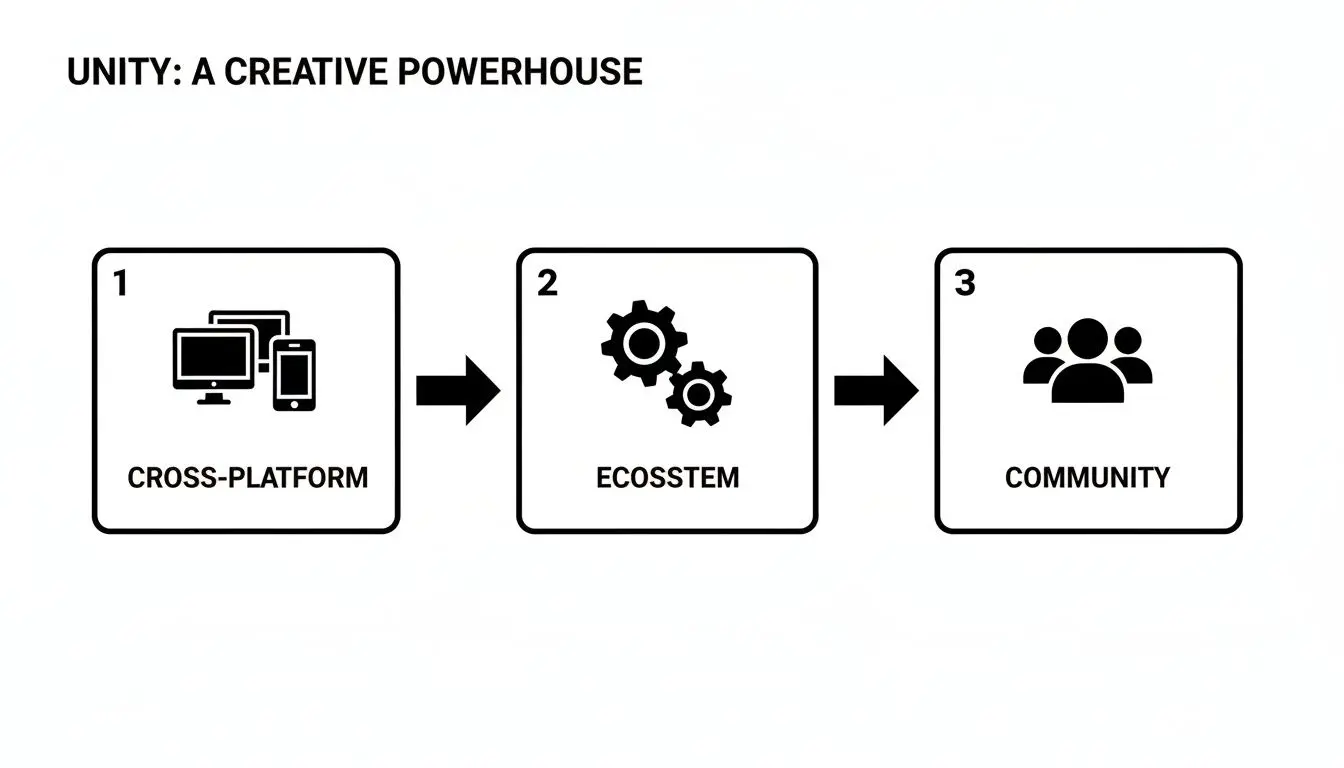
As you can see, these three pillars work together to create an environment that's both efficient and incredibly powerful.
Phase 1: Pre-production
Think of this as the architectural planning stage. Before anyone writes a single line of code, the team gets together to define exactly what the project is, who it's for, and how it will all work. The main goal here is to create a solid blueprint that will guide the entire development process, which helps minimise costly changes and U-turns later on. Key activities during pre-production include:
- •Game Design Document (GDD): This is the project's bible. It details everything from the core concept and story to game mechanics, art style, and target audience.
- •Concept Art and Storyboarding: This is where we start visualising the look and feel of the game, defining characters, environments, and key cinematic moments.
- •Technical Specifications: We identify the target platforms (like PC, Meta Quest, or mobile) and outline the technical requirements and potential challenges ahead.
Phase 2: Prototyping
With the blueprint in hand, it’s time to lay the foundation. The prototyping phase is all about experimentation and validation. Here, the team builds simple, functional versions of the core gameplay mechanics to answer one crucial question: Is this idea actually fun and engaging? This stage is incredibly iterative. Developers will quickly build and test out different concepts, often just using basic shapes and placeholder assets. The focus isn't on fancy visuals but on proving that the core gameplay loop, the main actions the player will repeat over and over, is compelling. Successful prototypes form the solid bedrock for full-scale production.
Phase 3: Production
This is the main construction phase where the house is actually built. It's almost always the longest and most resource-intensive stage of the entire pipeline. All the individual components of the project, art, code, sound, and design, are created and assembled within the Unity engine. The production phase involves several workflows running in parallel:
- Asset Integration: This is where 3D models, 2D sprites, animations, and audio files are imported into the Unity project.
- Level and Environment Design: The game's worlds, levels, and user interfaces are built from the ground up and populated with all the new assets.
- Core Feature Development: Programmers get to work writing the C# scripts that bring the game to life, implementing everything from player movement and AI behaviour to inventory systems and game logic.
A well-managed production phase relies on clear milestones and regular 'sprints', short, focused periods of development. This agile approach lets the team adapt to challenges as they come up and consistently deliver tangible progress.
Phase 4: Polish
Once all the features are in and working, the project enters the polishing phase. This is where the finishing touches are applied, transforming a functional game into a truly great experience. The team zeroes in on refining gameplay, hunting down bugs, and optimising performance to ensure a smooth and enjoyable final product. Activities include intensive quality assurance (QA) testing to identify and squash bugs, performance profiling to make sure the game runs well on its target hardware, and adding all those subtle visual effects and audio cues that really enhance player feedback and immersion.Phase 5: Deployment
This is the final stage: handing over the keys. Deployment involves preparing the game for release and submitting it to the relevant platforms, whether that's the Apple App Store, Google Play, Steam, or console marketplaces. This includes compiling the final build of the game, creating all the marketing materials like store descriptions and trailers, and navigating each platform's unique submission and review process. Once approved, the project goes live, and the team shifts into providing post-launch support, which often includes updates and bug fixes. To give a clearer picture of how these stages connect, here's a table outlining the entire flow.Unity Production Pipeline Stages and Key Deliverables
This table outlines the distinct phases of a professional Unity project, their primary objectives, and the key outputs produced at each stage.| Pipeline Stage | Primary Objective | Key Deliverables |
|---|---|---|
| Pre-production | Define the project's vision, scope, and feasibility. | Game Design Document (GDD), concept art, technical specification document. |
| Prototyping | Validate core gameplay mechanics and test for 'fun factor'. | Playable prototypes demonstrating core loops, proof-of-concept builds. |
| Production | Build all game assets, features, and content. | Fully integrated art and sound assets, completed levels, all programmed features. |
| Polish | Refine the user experience, fix bugs, and optimise performance. | A feature-complete, bug-tested, and performance-optimised game build (Alpha/Beta). |
| Deployment | Release the final product to the public and provide support. | Final release build, store page assets (screenshots, trailers), post-launch updates. |
Creating Stunning Art and Animation in Unity
 The first thing that grabs a player is what they see. In game development using Unity, transforming a creative spark into beautiful art and believable animation is where the magic really happens. It’s a delicate dance between artistic flair and technical know-how, where concepts get modelled, textured, and brought to life, ready for a player to interact with them. Interestingly, this whole creative process kicks off outside of Unity, in specialised software like Blender, Maya, or ZBrush. This is the digital workshop where artists forge the building blocks of the game world. For 3D projects, it all starts with sculpting digital models, a bit like working with digital clay to shape characters, props, and entire environments from scratch. Once a model has its shape, it needs its soul. That comes from texturing. This step involves creating 2D images (textures) that wrap around the 3D model, giving it colour, fine details, and the illusion of materials like worn leather, gleaming metal, or rough stone. Great texturing is what convinces your eyes that an object truly belongs in its world.
 From Static Models to Living Characters
A 3D model on its own is just a lifeless digital statue. To give it movement, it needs a skeleton. This is called rigging, and it’s where artists build an internal structure of bones and joints. They then 'skin' the model by binding its outer mesh to this skeleton, which defines exactly how the surface should bend and stretch when the bones move. A solid, well-thought-out rig is the absolute foundation for any character animation. It’s the framework that lets animators pose characters and create motion sequences that feel fluid and full of personality. For a closer look at the finer points, check out our guide on the 10 hidden secrets to bring your 3D characters to life, which is packed with professional techniques. With a character fully rigged, animators have two main paths to bring it to life:- •Keyframe Animation: This is the classic, hands-on method. Animators set specific 'key' poses at different points in time, and the software cleverly fills in the gaps. It gives complete artistic control, perfect for stylised action or exaggerated, cartoonish movements.
- •Motion Capture (MoCap): This approach captures the movement of real actors wearing sensors. That data is then mapped onto the character’s rig, resulting in incredibly realistic and subtle animations. MoCap is the go-to for lifelike performances and cinematic storytelling.
Bringing It All Together in Unity
With all these artistic assets prepared, they’re finally imported into Unity. This is where the engine’s own powerful animation toolset takes over, with Mecanim at its heart. Mecanim is Unity’s framework for managing character animation. It uses a visual 'state machine' where you can map out all of a character's states (like idle, walk, run, or jump) and define the rules for transitioning between them. It’s an incredibly intuitive system for blending animations smoothly. For instance, you can make a character transition seamlessly from a walk to a sprint based on controller input, and Mecanim handles all the complex blending work for you.
Mecanim is much more than just a tool for playing animations; it's a complete system for managing character behaviour. It empowers developers to build complex characters that react dynamically to what’s happening in the game, making them feel truly alive.
Throughout this stage, optimisation is always front of mind. An asset built for a film might have millions of polygons, which would bring a real-time game engine to its knees. A huge part of the production pipeline is carefully optimising these assets, reducing polygon counts and texture sizes, to ensure the game runs like a dream without compromising too much on the visuals. This constant balancing act between art and performance is the hallmark of professional game development.
Building Immersive XR Experiences in Unity
Moving beyond traditional screens, Unity has firmly established itself as the engine of choice for the next frontier of interactive content: Extended Reality (XR). This umbrella term covers both Virtual Reality (VR) and Augmented Reality (AR). It isn't just about sticking a screen closer to your eyes; it's about building entirely new worlds that feel tangible and real, fundamentally changing how we interact with digital information. Unity gives developers a powerful, accessible foundation for XR, offering specialised tools that wrestle with the complexities of spatial computing behind the scenes. This frees up creators to focus less on the low-level technical headaches and more on designing incredible experiences, whether they’re high-stakes training simulations or captivating event activations. At the heart of any great XR experience is a sense of presence, that genuine, gut feeling of actually being inside a digital environment. This is where Unity’s real-time rendering and physics systems truly shine, making it possible to build worlds that react to a user's every move.
Core Principles of XR Development
Developing for XR brings a whole new set of challenges to the table, and the design thinking is miles away from traditional game development. The goal is to make the digital world feel as intuitive and believable as the real one. A few key concepts that developers must get right include:
- •Spatial Tracking: This is the tech that translates a user's physical movements into the virtual world. It includes headset tracking (where you look) and controller tracking (where your hands are), allowing you to physically walk around and interact with your surroundings.
- •User Interaction: In XR, a simple mouse click is replaced by a physical gesture. That means designing intuitive actions like grabbing an object with your hands, pointing at menus, or using virtual tools. Hand tracking, supported by headsets like the Meta Quest, is pushing these interactions even further.
- •Performance Optimisation: This is non-negotiable in XR. To stop users from feeling motion sick, a VR experience must maintain a high and rock-solid frame rate, typically 90 frames per second or higher. This demands meticulous optimisation of models, textures, and code, especially for standalone headsets.
Optimising for Standalone VR Headsets
The explosion of standalone VR headsets like the Meta Quest series has made immersive experiences more accessible than ever. But there’s a catch: these devices run on mobile hardware. Unlike PC VR, which can lean on powerful graphics cards, every single asset and line of code for a standalone headset has to be incredibly efficient.
Optimisation for standalone VR isn't just a final "polish" step; it's a core discipline that must be integrated throughout the entire production pipeline. Every decision, from model complexity to lighting techniques, is made with the performance budget in mind.
Studios pull this off using a range of clever techniques. We’re talking simplified 3D models (low-poly assets), baking lighting information directly into textures to cut down on real-time calculations, and carefully managing how many objects are on screen at once. To see how these professional workflows come together, you can explore our deep dive into Unity VR development for high-performance experiences.
Practical Applications That Drive Real Impact
While gaming is a massive driver for XR, the technology’s potential stretches far beyond entertainment. Unity is the engine behind serious, impactful experiences for businesses and organisations across countless sectors. Just think about these real-world examples:
- •Corporate and Medical Training: Immersive simulations allow employees to practise complex or dangerous tasks in a safe, repeatable virtual environment. This is being used for everything from training surgeons on new procedures to teaching engineers how to operate heavy machinery.
- •Architectural Visualisation: Clients can walk through a photorealistic model of a building before a single brick has been laid. This allows for far better feedback and faster design iterations.
- •AR for Events and Retail: Augmented reality can overlay digital information onto the real world, creating engaging product demos at exhibitions or interactive experiences in shops that grab a customer’s attention.
How AI and Automation Supercharge Unity Workflows
These days, modern game development is as much about working smart as it is about raw creativity. A perfect example of this shift is how Artificial Intelligence (AI) and automation are being woven directly into the Unity pipeline. These tools aren't here to replace talented artists or developers. Far from it. They act as force multipliers, handling the repetitive graft and speeding up creative tasks so teams can focus on what really matters: innovation and quality. This isn't just a niche trend anymore; it's rapidly becoming standard practice. We're seeing creative production companies across the UK embedding AI right alongside Unity and XR in their core workflows. Unity’s own 2025 reporting confirmed this, showing that a staggering 96% of surveyed studios were already using AI tools, with 79% of developers feeling positive about generative AI's impact. For anyone looking to truly get the most out of Unity, a solid understanding of AI automation is no longer optional, it's essential.
Generative AI for Rapid Prototyping
In the early, make-or-break stages of pre-production, speed and iteration are everything. This is where generative AI has become an absolute game-changer for rapid concepting. Instead of an artist spending days painstakingly creating mood boards or initial character sketches, they can now fire off a few text prompts and get dozens of visual ideas back in minutes. This opens the door to a much wider exploration of art styles and designs right from the project’s outset. It’s a workflow that dramatically shortens the feedback loop, allowing directors and clients to see a whole range of possibilities almost instantly and lock down a visual identity faster than ever before.
Building Vast Worlds with Procedural Content Generation
Crafting expansive, detailed game worlds is a monumental task. This is where Procedural Content Generation (PCG), often guided by AI, comes in. It’s a technique that uses algorithms to create data automatically rather than by hand. In Unity, this can be used for everything from generating sprawling landscapes and complex dungeons to placing every last tree, rock, and blade of grass. PCG gives small teams the power to build worlds on a scale that would have once required a massive workforce. It ensures every player's experience can feel fresh and unique while still following the core design rules laid down by the developers. The system handles the heavy lifting, freeing up designers to focus on hand-crafting those key landmarks and unforgettable gameplay moments that make a world special.
AI isn’t just a tool for generating content; it's becoming a core part of the development process itself. By automating the mundane and accelerating the creative, it allows studios to be more ambitious, efficient, and innovative in their game development using Unity. You can dive deeper into how artificial intelligence and game development are becoming increasingly intertwined.
AI-Driven Testing for Higher Quality
One of the most gruelling, time-sucking parts of the polish phase is hunting down bugs. AI-driven testing is transforming this critical process. Essentially, you can train AI agents to play through the game, exploring its mechanics and environments in ways a human tester might never think of. These AI agents can run thousands of tests overnight, systematically searching for crashes, glitches, and game-breaking bugs. This approach doesn't just find more bugs; it finds them faster. By catching issues early and consistently, AI testing helps to massively improve the stability and quality of the final product, ensuring a much smoother launch-day experience for players.
How to Commission Your First Unity Project
Stepping into the world of interactive content can feel like a big leap, but commissioning your first Unity project is more straightforward than you might think. It’s all about partnership. Whether you’re a business building a training simulation, a marketing agency launching an AR campaign, or an educator designing an interactive learning tool, the process starts with a clear idea and the right development studio to bring it to life. Your first move? Create a detailed project brief. This document is the absolute foundation of your project, and a good one makes all the difference. It doesn’t need to be stuffed with technical jargon. Instead, it should clearly lay out your vision, goals, target audience, and any must-have features you’ve dreamed up. Think of it as answering the ‘what’ and the ‘why’, what are we building, and why will it matter to your audience?
Finding the Right Development Partner
With your brief in hand, you can start the search for a studio that just gets your vision. Look for a team with a proven track record, not just in game development using Unity, but specifically in the kind of project you’re commissioning. A studio that shines in broadcast-quality animation will have a totally different skill set from one that specialises in enterprise-level VR training. When you’re weighing up potential partners, here’s what to look for:
- •Portfolio Review: Do their past projects, like our work on the BooSnoo TV series or the Daleks! animated series, show the quality and style you're aiming for?
- •Team Expertise: Does the studio have the right mix of developers, artists, and project managers to tackle your project's specific challenges?
- •Collaborative Process: How do they handle communication and feedback? A transparent, collaborative process is non-negotiable for a successful outcome.
Navigating Budgets and Timelines
Money talk can be the most intimidating part, but it really doesn't have to be. An experienced studio will work with you to understand your budget constraints and help you scope the project realistically. They can often suggest clever ways to hit your main goals more efficiently, maybe by phasing the development or making smart use of existing assets. The UK’s creative sector is a powerhouse, and Unity is a core tool for a huge number of roles, especially in studios working on mobile, XR, and service-led production. The UK games engine market generated USD 177.0 million in 2024, which points to massive commercial activity. On top of that, recent research shows Unity’s adoption has grown to 53% among developers. This signals a strong demand for skills that keeps UK hiring for Unity roles in development, art, and XR incredibly healthy. You can read the full research on game engine adoption to get a better sense of the industry trends. This vibrant ecosystem means you have access to a deep pool of professional talent.
By focusing on a clear brief and choosing a partner with a proven track record, you can start your development journey with confidence. It's about building a collaborative relationship to create something truly impactful.
Got Questions About Unity? We’ve Got Answers.
When you’re exploring the world of interactive media or thinking about a new project, a few questions always seem to pop up. Here are some straightforward answers to the queries we hear most often about what professional Unity development looks like in the real world.
How Long Does It Take to Build a Game or App in Unity?
This is the classic "how long is a piece of string?" question. The truth is, development timelines in Unity can swing wildly depending on the project's scope and complexity. A simple hyper-casual mobile game might be wrapped up in 2-4 months, but a detailed 3D title with loads of levels and online multiplayer could easily take 1-3 years or even longer. For the kind of commercial projects we specialise in, like XR training simulations or branded marketing games, you’re typically looking at a timeframe of 4 to 9 months. That window covers everything from initial discovery and prototyping right through to the final polish and deployment. The biggest factors influencing the schedule are the complexity of the art assets, the number of features you need, and the platforms you're targeting. A professional studio will always map this out with a clear project roadmap and defined milestones.
Is Unity a Good Choice for Both 2D and 3D?
Absolutely. Unity’s versatility is one of its greatest strengths, and it comes packed with robust, dedicated tools for both 2D and 3D development. It’s a huge part of why so many studios, including us, rely on it.
- •For 2D projects, you have fantastic features like the Sprite Editor, a dedicated 2D physics engine, and the Tilemap system, which are perfect for building platformers, puzzle games, and classic RPGs.
- •For 3D projects, its powerful rendering pipeline, physics engine, and sophisticated lighting systems make it the go-to for everything from stylised indie games to high-fidelity architectural visualisations and deeply immersive VR experiences.
Having both toolsets under one roof means our creative teams can tackle an incredibly diverse range of projects without ever having to leave the familiar Unity ecosystem.
What Kind of Team Do You Need for a Unity Project?
A successful Unity project isn't a one-person show; it’s a symphony of highly specialised creative and technical talent working in perfect harmony. These roles aren't interchangeable, and they all need to click.
A full-service studio brings all these different disciplines together under one roof. That integration is the secret sauce for a seamless workflow, taking a project from a rough concept to a polished final product, all while staying on time and on budget.
Your core team will almost always include:
- •Unity Developers who are fluent in C# programming.
- •2D/3D Artists to model and texture all the characters, props, and environments.
- •Animators to breathe life and believable movement into those assets.
- •Technical Artists, the vital bridge between the art and code, who make sure everything looks great and runs smoothly.
- •UI/UX Designers to craft intuitive menus and a player experience that just feels right.
- •A Producer or Project Manager to steer the ship and oversee the entire process.
And if you're building an XR project, you'll need specialists with a deep understanding of spatial design and the unique performance challenges of VR and AR hardware. At Studio Liddell, we bring together all the expertise needed to turn your vision into a stunning reality. Ready to discuss your project? Get in touch with our team.