Motion Capture Animation: A Client's Guide
You're usually looking at motion capture animation when one of two things is true. Either you need believable character movement fast, or you need a lot of movement and can't justify building every second by hand. That might be a branded character for an advert, a trainer avatar for an XR module, a digital presenter for a live event, or a game cinematic that needs grounded body language rather than generic stock motion. The mistake many buyers make is treating mocap as a prestige add-on. It isn't. It's a production method. Used well, it saves time in the right parts of the pipeline, preserves real performance, and gets you to reviewable animation sooner. Used badly, it creates cleanup work, retakes, and budget waste. The decision isn't “should we use advanced technology?” It's “what level of motion fidelity do we need, and what capture method gets us there without slowing the project down?”
What Is Motion Capture Animation
Motion capture animation is the process of recording a performer's movement and turning that movement into data that drives a digital character. The value isn't just that it captures motion. It captures performance. That distinction matters. A person doesn't just lift an arm. They hesitate, shift weight, overcommit, recover, glance, and react. Those small timing cues are what make animation feel human. For some work, especially dialogue scenes, physical acting, demonstrations, and grounded interaction, that's hard to fake efficiently with keyframes alone. A client usually feels the difference before they can describe it. One version looks animated. The other looks inhabited.
Performance first, software second
The cleanest way to understand motion capture animation is to think of it as a translation layer between actor and asset. A performer gives you intent, rhythm, and body mechanics. The capture system records that. The animation team then solves, cleans, and retargets the data onto the final rig. That doesn't mean mocap replaces animators. It gives them a strong base. Animators still fix foot contact, silhouette, timing, arcs, hand detail, facial nuance, and engine-ready behaviour. If the project is stylised, they may push the captured motion quite far from the original performance. But starting from a real performance often gets you to believable motion faster than building everything from zero.
Practical rule: Use mocap when the brief depends on realism, repeatable performance, or volume. Use keyframe when the brief depends on exaggeration, graphic design timing, or movement no human can perform convincingly.
It isn't a new idea
The idea behind motion capture animation is older than is commonly realized. The Science and Media Museum's history of motion capture points to rotoscoping, invented in 1915, as a foundational milestone. Animators traced live-action footage frame by frame to preserve real movement for screen realism. That principle still sits underneath modern pipelines. The tools changed. The production logic didn't.
What clients should care about
From a client perspective, motion capture animation is rarely an all-or-nothing choice. It's one of several ways to generate character motion, and it works best when matched to the output. A few common fit signals:
- •You need believable human motion for a digital presenter, hero character, or training simulation.
- •You need lots of animation across multiple scenes, modules, or cutscenes.
- •You need faster iteration because stakeholders want to review performance early.
- •You need consistency across a set of actions, not one handcrafted hero shot.
If none of those apply, hand-key animation may be the better investment.
The Three Main Types of Motion Capture
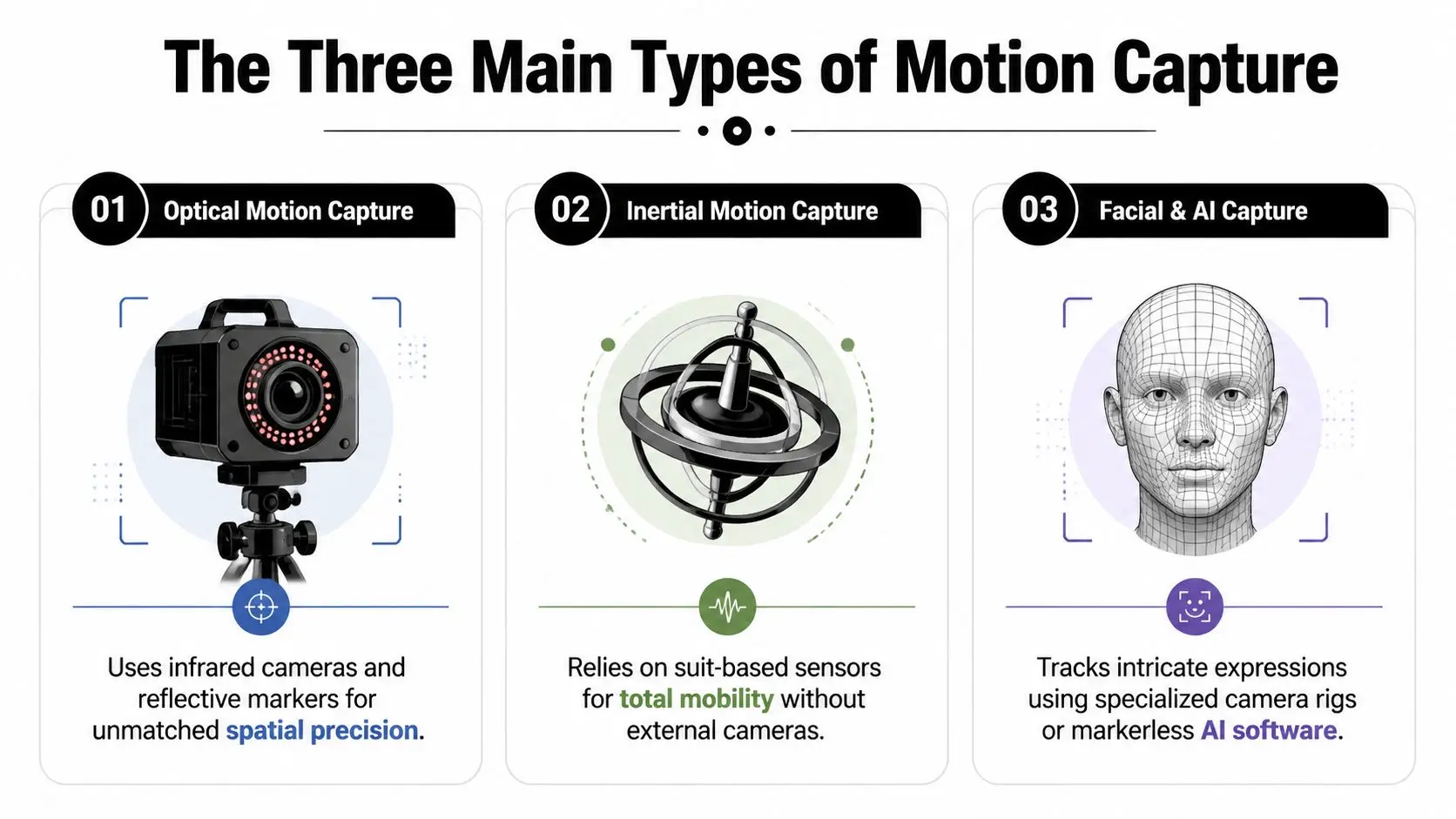
There are three practical categories most clients will encounter. Optical, inertial, and markerless or AI-led facial and video capture. Each solves a different production problem.
Optical capture
Optical systems use infrared cameras and reflective markers to track a performer in a controlled volume. This is still the reference standard for high-end body capture. A published mocap lab specification shows a setup with 24 Motion Analysis Raptor-4 cameras, running up to 200 fps at full resolution and using passive reflective markers to reconstruct 3D positions before solving them into skeleton motion, as described in the AUT Motion Capture Lab Guidelines. The same source notes that optical infrared pipelines are typically used for high-end character work because they deliver sub-millimetre spatial precision. That matters when your project can't tolerate sloppy contact points, noisy motion, or unstable retargeting. #### Choose optical if
- •You need high-fidelity character work for film, premium broadcast, games, or polished XR
- •You're capturing fast actions where frame stability matters
- •You want cleaner downstream retargeting into tools and engines
- •You can work in a controlled studio setup
#### Watch-outs Optical capture needs preparation. Camera layout, calibration, marker placement, costume choices, and stage discipline all affect results. If the session is rushed, the cleanup bill arrives later.
Inertial capture
Inertial systems use sensors worn on the body rather than a room full of cameras. They're useful when mobility matters more than absolute precision. These systems can be a good fit for previs, blocking, location work, rapid prototyping, and projects that don't justify a fully controlled capture volume. They're often more practical than optical when you need quick access and lighter logistics. The trade-off is data stability. Inertial workflows can drift, and they tend to generate more correction work later, especially if your final output needs polished foot locks, exact contact timing, or tight interaction with props and environment.
If your project has a tight production window, don't ask only how easy the capture day is. Ask how hard the edit week becomes.
Markerless and AI-led capture
Markerless systems use standard video or specialised camera setups to infer body or facial motion without reflective markers. These tools are attractive because they lower the barrier to entry, but they're sensitive to framing, visibility, and how the subject is shot. That's why camera choices matter more than many buyers expect. The subject can look cinematic and still be difficult to track cleanly if the framing hides limbs, the angle reduces readable silhouettes, or the camera move introduces avoidable ambiguity. Studio teams assessing markerless motion capture in practical production usually care less about headline novelty and more about whether the footage will survive solving and cleanup. #### Best fit for markerless
- •Proof of concept work
- •Lower-budget explainers
- •Fast iteration and internal review
- •Facial capture or social-first content where convenience matters more than pristine body data
Side-by-side comparison
| Type | Best for | Main strength | Main limitation |
|---|---|---|---|
| Optical | Premium character animation | Precision and stable solves | Controlled space and setup overhead |
| Inertial | Flexible capture and rapid sessions | Mobility and lighter logistics | More cleanup and possible drift |
| Markerless / AI | Accessible capture and quick tests | Lower barrier to entry | Highly dependent on camera setup and visibility |
The best system isn't the most expensive one. It's the one that matches the deliverable.
A Typical Mocap Production Pipeline
Most clients see the capture day and assume that's the job. It isn't. The capture day is one part of a larger animation pipeline, and the quality of the final result depends on what happens before and after it.
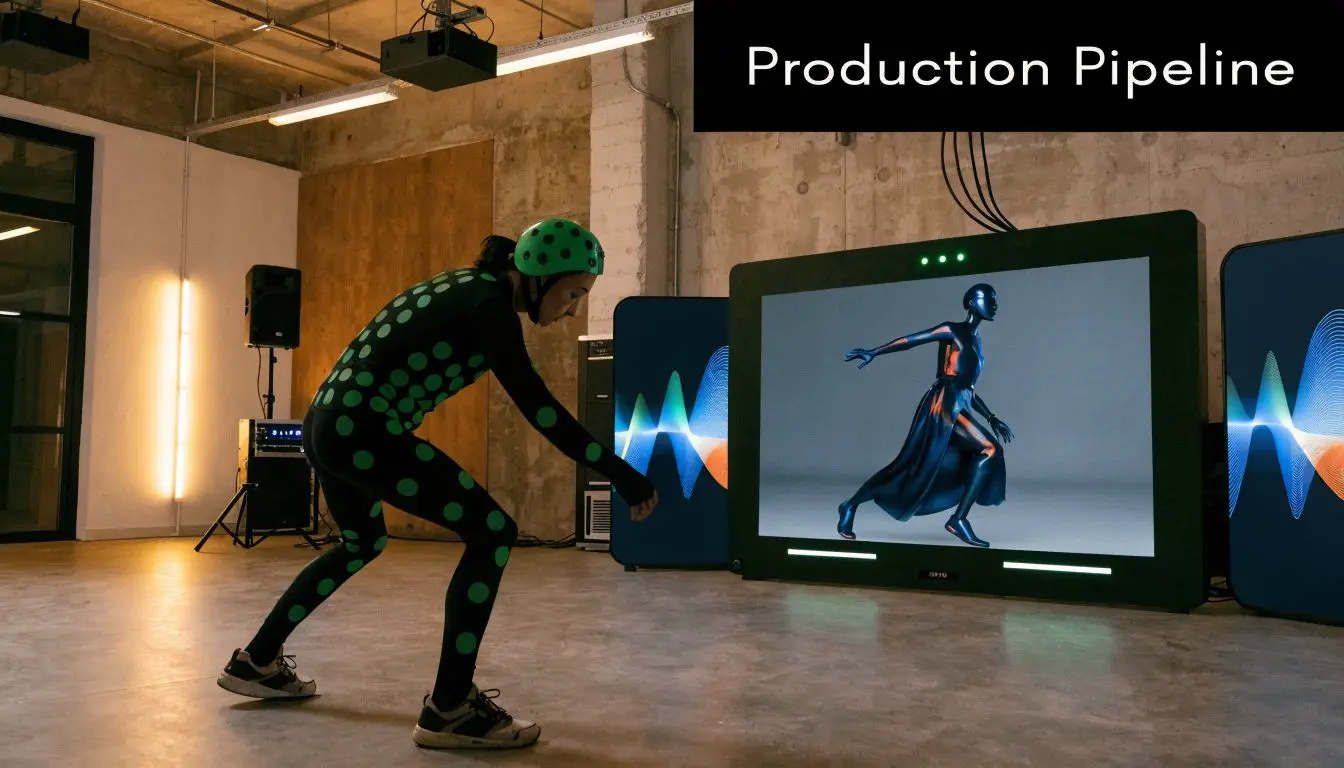
Before anyone steps into the volume
Good mocap starts with a production plan, not a suit. The team needs to know what's being captured, what rig it will drive, what the final camera language looks like, and what the output is. A strong pre-production pass usually covers:
- Shot and action list
- Rig and retargeting checks
- Performance planning
- Session design
The capture session itself
On the day, the technical team calibrates the system, checks volume health, validates markers or sensors, and records test takes before moving into principal performance capture. Direction matters as much as hardware. If you want confidence, fatigue, friendliness, urgency, or caution, those notes need to be given during performance, not hoped for later in cleanup. Common production issues show up fast:- •Occlusion when limbs or markers are hidden
- •Bad prop interaction if scale or hand contact isn't rehearsed
- •Unclear action boundaries that make editing harder
- •Over-energetic camera references that are great for mood but poor for reliable tracking
Solving and retargeting
Raw capture data doesn't go straight to screen. It has to be solved into a usable skeleton motion, then retargeted onto the project rig. That stage answers practical questions:
- •Does the character preserve weight shifts correctly?
- •Are contacts holding?
- •Is the root motion usable for engine integration?
- •Do proportions break the action when applied to the final rig?
If the destination character is stylised, short-limbed, oversized, or non-human, retargeting becomes a creative technical task, not just a button press.
Clean retargeting depends less on marketing language and more on rig compatibility, skeleton discipline, and whether the team planned for the destination asset from the start.
Cleanup is where budgets are won or lost
This is the part clients often underestimate. Cleanup includes fixing foot sliding, reducing noise, correcting penetrations, smoothing transitions, trimming clips, and making the motion production-ready. According to the MocapOnline motion capture animation guide, high-quality optical mocap typically needs about 1 to 2 hours of cleanup per animation for trained technical animators, while inertial capture often requires 2 to 4 hours. The same source ties that difference to data stability. Better optical data shortens post-processing. That doesn't mean optical is always cheaper overall. It means clients should stop evaluating capture in isolation. The cheaper session isn't always the cheaper project.
Final delivery
Final delivery varies by brief. Some clients need cleaned FBX files. Others need fully retargeted clips in a character rig, or engine-ready implementation in Unity or Unreal. Typical delivery options include:
- •Raw capture data for internal pipelines
- •Cleaned clips ready for further animation work
- •Fully retargeted animation on the approved character
- •Integrated engine assets with state-ready naming and organisation
Agree this early. “Animation delivery” can mean very different things to different teams.
Integrating Mocap with Unity Unreal and AI
Motion capture animation used to be discussed mainly as an offline film pipeline. That view is out of date. For many commercial projects, the primary advantage comes when mocap sits inside a real-time workflow.
What real-time changes for clients
When mocap data moves cleanly into Unity or Unreal, clients can review performance in context rather than imagining the final shot from a playblast or static render. That changes feedback quality. A director can assess whether a character feels right in the final lighting setup. A brand team can see if the movement suits the environment, camera placement, and pacing of the experience. A training stakeholder can judge readability inside the actual interaction flow. That's a production advantage, not just a technical one.
Unity and Unreal are not interchangeable decisions
Both engines can handle animation pipelines well, but their surrounding production assumptions differ. The right choice often depends on what the project needs after animation is delivered. If you're building an XR application, an interactive training tool, or a live-event system, engine choice affects implementation, optimisation, iteration speed, and who can maintain the project after handover. Teams comparing Unreal and Unity for real-time animation workflows usually aren't deciding which logo they prefer. They're deciding how animation, rendering, tools, and deployment fit together.
Where AI actually helps
AI in motion capture animation gets talked about too loosely. In practice, its useful roles are narrower and more production-minded. It can help with:
- •Markerless extraction from video when convenience matters
- •Assisted cleanup for noisy motion data
- •Motion synthesis and variation when building broader animation sets
- •Rapid prototyping before a polished capture session
It doesn't remove the need for animation judgement. It shifts where that judgement gets applied. For example, AI-assisted markerless capture may get you a fast body motion pass for an explainer or previs. But if the final asset is a premium character in a branded XR experience, an animator still needs to review balance, contact, transitions, and performance readability in the final scene.
The strongest pipelines are hybrid
Most commercial productions don't use one pure method. They combine them. A sensible pipeline might capture body motion optically, refine hands and facial work separately, retarget into Unreal, then add hand-key polish for hero beats. Another project might use markerless video capture for fast approvals, then replace only the critical clips with a higher-control session later. That's the level where a studio's technical direction matters. Studio Liddell, for example, works across animation and XR production, so a mocap decision can be evaluated against Unity or Unreal delivery rather than treated as an isolated capture task. That's often the difference between a smooth pipeline and a stack of files nobody can implement cleanly.
Calculating the Cost and ROI of Motion Capture
Clients often ask for a motion capture price before they've decided what they need. That's understandable, but it leads to bad comparisons. The useful question isn't “how much does mocap cost?” It's “what level of capture is justified by the deliverable?”
What drives the budget
A motion capture animation budget usually moves according to a handful of variables:
| Cost driver | What changes the price |
|---|---|
| Capture method | Optical, inertial, or markerless all create different setup and cleanup demands |
| Volume of animation | More clips, more actions, more review cycles |
| Performance complexity | Stunts, prop work, interaction, and nuanced acting all increase supervision |
| Rig and retargeting needs | Simple humanoids are easier than stylised or unusual character proportions |
| Delivery format | Raw data is cheaper than cleaned, retargeted, engine-ready animation |
The trap is assuming the cheapest capture method produces the lowest total cost. It often doesn't.
Accuracy should be bought, not admired
A useful framing comes from Remocapp's discussion of motion capture accuracy for practical buyers, which argues that the key question for many UK buyers is not which system is best, but what accuracy is sufficient for the deliverable. That's the right commercial lens. A corporate training avatar does not always need the same precision as a hero digital character. A one-off classroom module, social content piece, or branded explainer may benefit more from speed and simplicity than from the highest-end setup available. That doesn't mean “cheap and rough” is good enough. It means fidelity should be intentional.
Buy precision where the audience will notice it. Don't buy it for internal comfort.
A practical ROI test
Instead of asking for a single quote, test the project against three questions.
- Will mocap reduce animator build time?
- Will faster review cycles change the schedule?
- Will better motion improve the outcome enough to justify the workflow?
When mocap is a poor investment
Motion capture animation isn't always the smart choice. It can be the wrong call when:- •The style is highly graphic or exaggerated
- •The character is non-human in ways that break direct performance transfer
- •The project only needs a few simple loops
- •The client hasn't locked the brief enough to make capture efficient
In those cases, keyframe animation may deliver better control with less pipeline overhead.
Where clients usually get the value
The strongest return tends to come from one of two patterns. The first is volume. You need many clips, repeated across scenes, modules, or interaction states. The second is believability under deadline. You need movement that feels performed, and you need it on a realistic production schedule. If your project fits neither pattern, mocap may still work, but it shouldn't be the default answer.
Mocap Use Cases Beyond Blockbuster Films
A lot of buyers still associate motion capture animation with big VFX films and AAA games. That's old framing. The technology moved into mainstream production much earlier than many people realise. Britannica's overview of motion capture notes that the technique became a commercial production tool in the late 1980s and early 1990s, and points to film milestones such as Batman Forever in 1995 and Star Wars Episode I in 1999 as signs of that shift into wider public view. The significance today is practical. Once motion capture became a scalable production method, it stopped belonging only to blockbuster pipelines.
Advertising and branded characters
For advertising, mocap is useful when a character has to feel present quickly. A mascot, presenter avatar, or branded digital human often lives or dies on timing rather than rendering alone. A hand-keyed performance can absolutely work. But if the brief depends on natural gesture, conversational body language, or live-action-like rhythm, capture gives the team a strong base to shape. That's particularly helpful when campaign timelines are tight and review cycles involve multiple stakeholders.
Training and simulation
This is one of the most commercially sensible use cases. Training content benefits from recognisable human motion, especially when demonstrating procedures, safe behaviour, physical tasks, or interpersonal scenarios. The audience doesn't need awards-grade acting. They need clarity, credibility, and repeatability. That same logic extends into event activations and immersive installs. If you're exploring related virtual reality simulator options for activations or audience-facing experiences, it's worth thinking about where prebuilt simulation ends and where custom character animation starts. Mocap becomes relevant when the experience needs bespoke human performance, not just a headset and a scene.
XR and live experiences
In XR, body motion affects presence. If an avatar moves badly, users notice it immediately. Even in stylised experiences, grounded body timing helps interactions feel less artificial. Live events are a different but related case. Real-time animated hosts, mascots, or reactive characters benefit from capture because the performance can be driven by a human operator rather than a long list of pre-authored clips. That creates flexibility on the day, which matters in venues and experiential work where timing changes constantly.
A polished mocap pipeline isn't just about realism. It's about making character-driven content practical in formats that don't allow long animation schedules.
Education and internal communications
Many buyers are underserved in this area. Schools, museums, training providers, and internal comms teams often need characters that move better than slideware, but don't need feature-film standards. For these projects, motion capture animation is often less about spectacle and more about efficiency. If the character needs to demonstrate, guide, reassure, point, react, or repeat actions consistently across a content set, a capture-led workflow can make sense even at modest scope.
How to Choose the Right Mocap Studio
The right studio won't just offer capture. It will help you decide whether capture is the right answer in the first place. That distinction matters because many mocap problems are really planning problems. The wrong studio says yes to the brief exactly as written. The right one asks whether the intended output, engine, performance style, and budget all line up.
Ask about deliverables first
A surprisingly large amount of confusion comes from clients assuming “animation” means the same thing to every supplier. Ask exactly what you'll receive:
- •Raw data only
- •Cleaned motion clips
- •Retargeted animation on your rig
- •Engine-ready files for Unity or Unreal
- •Final shot animation with polish and integration
If this isn't clear in the proposal, comparisons between vendors are meaningless.
Test their cleanup thinking
A mocap studio should be able to explain where cleanup time goes and how capture choices affect it. If they talk only about hardware, that's incomplete. Useful questions include:
- How do you handle cleanup and QA?
- What usually creates retakes on projects like ours?
- How do you approach foot contact, props, and transitions?
- What changes if we choose optical rather than inertial or markerless?
Check whether they understand your destination pipeline
A studio can capture decent movement and still fail the project if they don't understand where that motion is going next. If the output is for a real-time application, ask:- •Do you deliver for Unity, Unreal, or both?
- •Can you retarget to an existing production rig?
- •Do you handle naming, clip organisation, and implementation requirements?
- •Can your team work with technical animators, developers, and XR producers?
That's especially important for buyers reviewing partners with broader production capability, and it's one reason many clients use a more general buyer's guide to choosing an animation studio before narrowing to mocap-specific vendors.
Look for commercial judgement, not just technical enthusiasm
The best mocap partner will sometimes recommend less capture, not more. That might mean using motion libraries for background actions, keyframing stylised shots, reserving optical capture for hero scenes, or using markerless methods only for previs. If every answer points to the most complex option, be careful.
Good studios don't sell capture volume. They design a pipeline that fits the brief.
A short selection checklist
| What to check | What a strong answer sounds like |
|---|---|
| Relevant experience | They've handled similar outputs, not just generic reels |
| Pipeline clarity | They can explain capture, cleanup, retargeting, and delivery without hand-waving |
| Tool fit | They understand your engine, rig, and implementation constraints |
| Creative direction | They talk about performers and acting, not just data |
| Commercial honesty | They can explain when mocap is the wrong choice |
The right studio should make the project simpler to run, not more complicated to understand.
If you're weighing up motion capture animation for advertising, XR, training, or character-led content, Studio Liddell can scope the pipeline around the actual deliverable, whether that means capture, hybrid animation, or a real-time production workflow in Unity or Unreal.