Open Art AI: A Producer's Guide
A lot of producers are in the same position right now. A client wants fresh concept frames by Friday, the animation team needs cleaner previs inputs, the XR team is already deep in Unity or Unreal, and someone has sent around three different AI tools with the claim that each one will “change the pipeline”. Most of that noise isn’t useful. What matters is whether open art ai can help a studio move faster without creating new problems in consistency, licensing, approvals, or delivery. For working teams, that’s the core question. Not whether the images look impressive in a demo, but whether the tool can survive contact with a production schedule, a brand review, and a client contract.
The New Creative Partner in Your Studio
The pattern usually starts in a familiar way. A creative director wants more routes early. A producer wants faster iterations without adding headcount. Artists want tools that don’t force them to jump between disconnected apps just to get from rough idea to presentable frame. That pressure explains why platforms like OpenArt have become impossible to ignore. In March 2026, openart.ai recorded 15.22M global visits, with an average session duration of 10:12 minutes, according to Similarweb traffic data for openart.ai. That level of engagement tells you people aren’t just bouncing in for curiosity. They’re working inside it.
Why this matters to producers
The wider market context matters too. The UK’s digital creative economy contributes £117 billion annually to GDP, as noted in the same Similarweb overview. When a market that large starts adopting AI-assisted image workflows, producers can’t treat these tools as a side experiment. They become part of commercial reality. For a studio, open art ai isn’t one single thing. It’s a production category. It covers concept generation, look development, image editing, style exploration, previz support, and in some cases parts of asset refinement. The best use is rarely “press button, get final art”. The useful use is “reduce friction between brief and reviewable output”.
Practical rule: If a tool saves time in exploration but creates uncertainty at approval, it hasn’t saved time. It’s just moved the delay further down the pipeline.
Where the hype usually breaks
The weakest adoption pattern is still common. A team tests AI in isolation, gets some striking images, then tries to bolt that into a live project after the fact. That almost always causes friction. Three issues show up quickly:
- •Continuity breaks: Character, environment, and camera consistency drift between frames.
- •Ownership questions appear: Nobody can clearly explain training provenance, commercial permissions, or client disclosure.
- •Pipeline gaps widen: Artists export stills, but nobody defines how those outputs feed into boards, textures, pitch decks, or real-time scenes.
Open art ai becomes valuable when it sits inside the production system, not beside it. Producers need to decide where it belongs, who can use it, what outputs are acceptable, and when human review becomes mandatory. That’s the shift. The tool is no longer just a curiosity for individual artists. It’s becoming a creative partner in the studio. Useful, fast, and capable, but only when it’s managed with the same discipline as any other production resource.
Defining Open Art AI for Creative Production
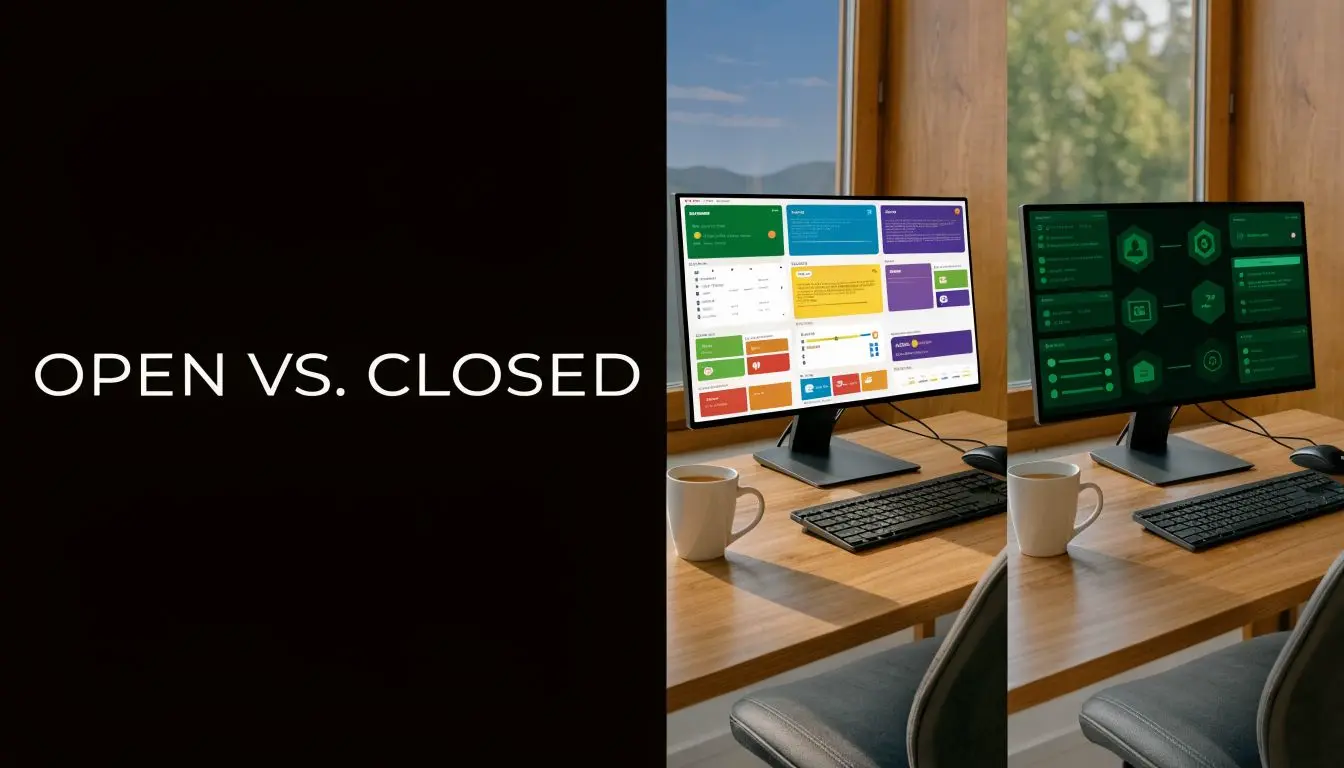
Open art ai gets lumped together with every other image generator, but that’s a mistake. For a producer, the important distinction isn’t just “AI image tool versus another AI image tool”. It’s open ecosystem versus closed ecosystem.
Open versus closed in practice
A closed system behaves like a high-end restaurant. You choose from the menu, the kitchen decides how the dish is made, and you get a polished result. That can be excellent for speed, but you don’t get much say over the ingredients or process. An open system is closer to a shared professional kitchen. You still need skill and process, but you get more flexibility in how you combine ingredients, adapt recipes, and shape the final result. For creative production, that difference affects real decisions:
| Factor | Open approach | Closed approach |
|---|---|---|
| Model choice | Access to multiple model types and variants | Limited to the provider’s own stack |
| Workflow control | Greater scope for prompt, image-to-image, and reproducible variations | Usually simpler, but more constrained |
| Customisation | Better suited to style-specific or pipeline-specific adaptation | Often strong for generic output, weaker for bespoke production needs |
| Integration mindset | Easier to treat as part of a broader toolchain | Easier to treat as a standalone destination |
That doesn’t mean open is automatically better. It means open gives producers more levers to pull, and more responsibility to manage them.
What OpenArt represents
OpenArt sits in the space many studios need. It gives teams access to a broad model ecosystem rather than locking them into one visual behaviour. According to an SEMrush overview of openart.ai, the platform supports 100+ fine-tuned models for tasks including sketch-to-image, upscaling, and face replacement. For production, that matters because different project stages need different output behaviours. You don’t want one visual engine doing everything. You might need one setup for broad concepting, another for image-to-image refinement, and another for cleanup or stylised look exploration. OpenArt’s value is that it centralises more of that work inside one environment. A more detailed breakdown of how UK creative businesses can think about this sits in this related guide on AI art generator usage for UK creative businesses.
What “open” does not mean
Producers need to stay disciplined. Open does not mean risk-free. It doesn’t mean every model is suitable for commercial client work. It doesn’t mean every output is safe to use. And it certainly doesn’t mean a team should let style experimentation run ahead of legal review.
Open systems give you more control. They also give you more ways to make a bad production decision if nobody owns governance.
The strongest reason to use open art ai is not ideology. It’s operational fit. If your team needs rigid simplicity and very few variables, a closed platform may be easier. If your studio needs repeatable experimentation, model variety, and stronger alignment with a wider animation or XR workflow, open systems are often more useful. That’s the definition from a production standpoint. Open art ai is not just “AI that makes images”. It’s a controllable visual development layer that can support a studio pipeline, provided the studio is prepared to manage it properly.
Strategic Production Benefits of Open Art AI Tools
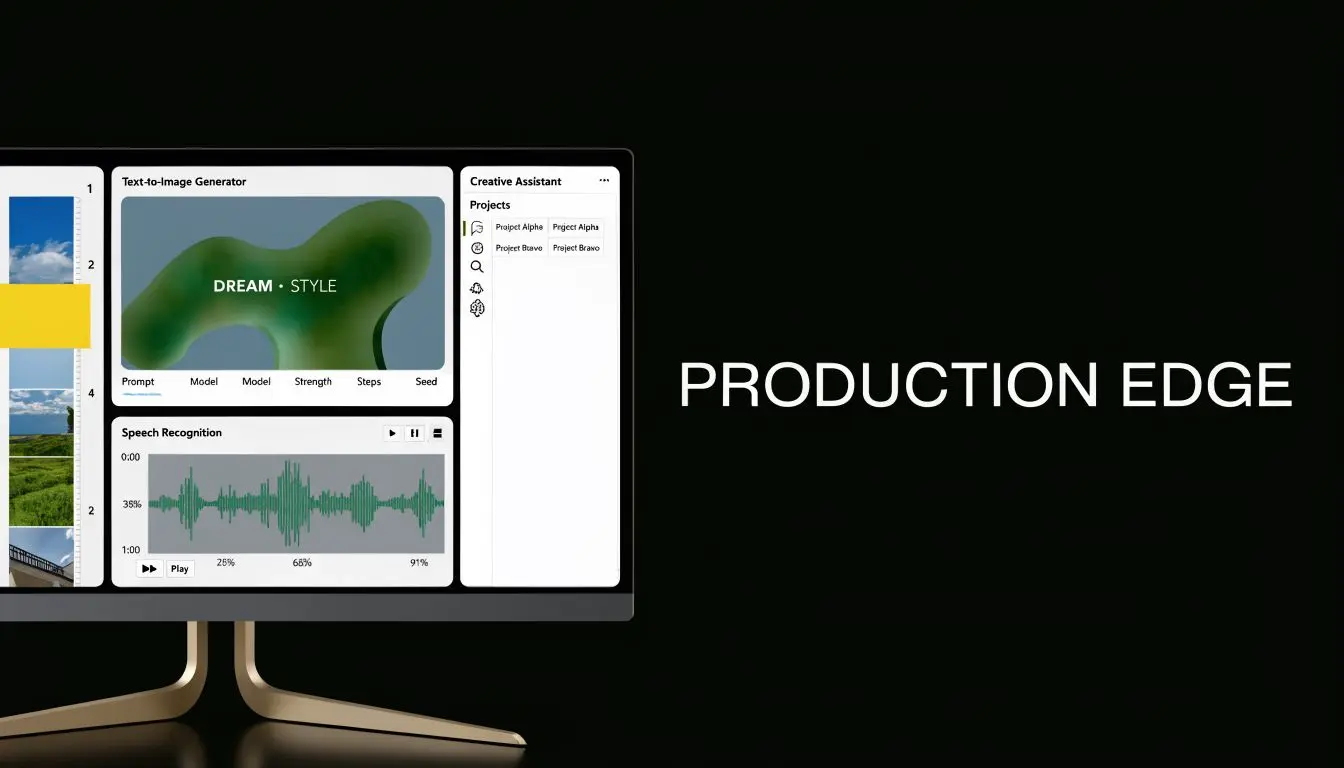
A producer gets the brief on Monday, needs three visual routes by Wednesday, and still has no approved styleframes. That is the kind of pressure open art AI can reduce, not by finishing the job for the team, but by shortening the slowest part of pre-production: getting from vague intent to a set of options people can review. The business value shows up in throughput, review efficiency, and better use of specialist time. Finished hero images are a poor benchmark. The stronger measure is whether the team reaches alignment earlier, with fewer wasted rounds and fewer dead ends.
Faster output matters because review cycles are expensive
Studios rarely lose time on a single render. They lose it in approval loops, version drift, and late clarification. Open art AI helps when it gives creative directors, clients, and producers something concrete to react to earlier in the process. That changes scheduling. A quicker first pass means senior artists spend more time refining an approved direction and less time producing exploratory work that never survives review. For a studio running pitches, treatment development, or parallel campaigns, that can protect margin as much as it improves speed.
Where teams actually see the gain
The strongest gains usually appear in a few repeatable production scenarios:
- •Pitch and treatment development: teams can present a wider range of visual territory before committing design hours to one route
- •Early design exploration: character shapes, environment moods, shot references, and colour scripts can be tested before full asset build
- •Campaign adaptation: marketing teams can generate format variations and rough creative options without sending every request back through a fragmented tool stack
- •Internal reviews: producers can get rough agreement on tone and direction before assigning expensive specialist work
The practical benefit is creating more options. That matters because good art direction depends on comparison. Route A, route B, and a safer route C often save time in the room, especially when multiple stakeholders need to sign off. Open art AI can produce those branches quickly, but only if the brief is already controlled. Weak references, unclear audience goals, or fuzzy brand constraints still create noise, just faster.
Better exploration, not automatic finaling
The best return from open art AI is in reducing dead-end exploration, not replacing the creative team. That trade-off is worth stating plainly. Teams gain speed at the start, but they also create a new curation burden. Somebody still has to judge consistency, filter out unusable outputs, and keep the visual direction tied to the brief. In production, that usually means the tool shifts labour rather than removing it.
| Strong use case | Weak use case |
|---|---|
| Generating multiple look-dev directions from a defined brief | Asking the tool to invent the whole creative strategy |
| Image-to-image refinement of approved sketches | Treating raw generations as final broadcast assets |
| Campaign variation and adaptation | Expecting one-click brand consistency |
| Internal review support | Skipping design QA because the output arrived quickly |
Studios comparing platforms should assess them by workflow fit, approval control, export behaviour, and how easily artists can carry work downstream. This roundup of best AI design tools is useful because it looks at how different products fit real design workflows rather than treating every tool as interchangeable. For teams working toward motion, real-time, or interactive delivery, the same principle applies. Static image speed only has business value if the output can feed later stages without creating cleanup debt. That is why producers should assess open art AI alongside their broader real-time VFX production workflow. For SMEs, that strategic value is straightforward. Open art AI increases the number of viable creative routes a studio can test before budget and schedule close down the conversation.
Practical Pipeline Integration for Animation and XR
A producer gets value from open art ai when it removes friction between approval and build. If the output creates cleanup, rework, or unclear ownership, it slows the pipeline down. For animation and XR teams, the useful question is simple. Where can generated imagery shorten decision time without creating downstream debt?
Start where visual direction is still cheap to change
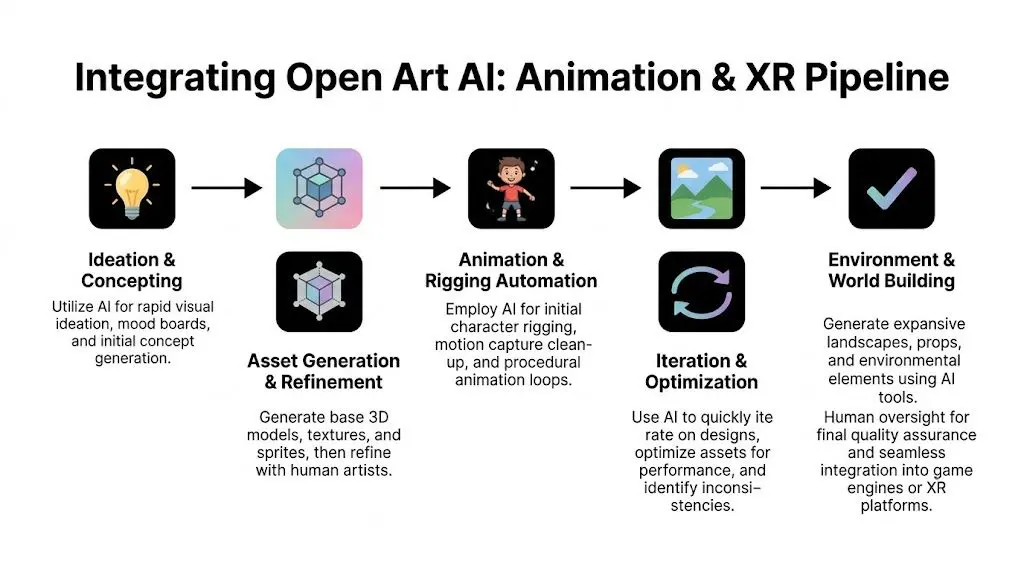
The safest insertion point is early pre-production, especially concepting, boards, shot exploration, and environment look development. At that stage, the studio is still testing intent rather than manufacturing approved assets. Open art AI helps teams compare options faster, but the outputs still need to be translated into design files, 3D layouts, shader references, or production boards that the rest of the pipeline can trust. That distinction matters because animation and XR are cumulative workflows. A weak image at concept stage wastes an hour. A weak image that gets treated like approved source material can waste days across layout, modelling, rigging, lighting, and engine setup. A workable pattern looks like this:
- Start from controlled inputs such as rough sketches, frame references, lens references, or mood boards.
- Use image-to-image passes to test composition, lighting, silhouette, and surface direction.
- Select one route early so the team stops generating options and starts building against an approved brief.
- Hand over curated outputs to artists for paintovers, callout sheets, blockouts, or 3D interpretation.
Use AI where previs and spatial planning stall
A lot of teams can produce striking stills. The harder production task is converting those stills into shot logic, camera intent, and spatial decisions that hold up in Unity or Unreal. That is a practical integration point for OpenArt’s camera and framing controls, as demonstrated in this workflow discussion on YouTube. The studio benefit is not automatic animation. The benefit is faster iteration during previs, pitch frames, and spatial look-dev before layout and technical implementation become expensive. For producer teams, the useful applications are specific:- •Previz angle testing before layout commits to blocking
- •Shot planning for pitch animatics and early editorial discussions
- •XR environment reviews to test how a scene reads from different user viewpoints
- •Continuity references for recurring locations, framing patterns, and scene tone
If a generated frame cannot be mapped to a shot choice, an environment note, or a layout action, it belongs in reference boards, not in the pipeline. For teams building toward engine delivery, this guide to development in Unity for XR and animation is a practical companion because it shows where visual development decisions start affecting implementation, interaction, and technical scope.
Keep generated outputs upstream
The most reliable operating model is to treat AI imagery as pre-asset material. It supports decisions before the approved asset exists.
| Pipeline stage | Useful OpenArt role |
|---|---|
| Pitch | Mood boards, keyframe routes, visual hooks |
| Pre-production | Storyboards, concept passes, environment direction |
| Asset prep | Texture ideas, material references, surface variation concepts |
| Real-time planning | Camera angle exploration, scene framing, interface mock visuals |
| Marketing support | Early campaign stills, key art exploration, social variants |
That approach protects the build team. It also protects the budget, because it is cheaper to revise reference material than to rebuild assets that were approved from unstable source imagery. There are adjacent tools worth comparing when the brief calls for photographic plausibility instead of stylised concept art. A realistic AI photo generator can help during reference gathering when the team needs believable lighting, surface cues, or compositing discussion material.
Common failure points in live production
Studios usually run into trouble for predictable reasons. They ask the tool to carry stages it was never set up to support, or they drop outputs into production without standards for review, versioning, and rebuild. The weak patterns show up quickly:
- •Using AI output as final client-facing brand art without a review protocol
- •Expecting character consistency without fixed references and repeatable generation settings
- •Sending generated imagery into Unreal or Unity without rebuild rules
- •Skipping paintovers, design cleanup, and technical art checks
Open art ai can shorten the path to a clear visual decision. It can also create false confidence if teams mistake fast images for production-ready material. That distinction is critical in animation and XR. Open art ai adds value when it sits in a defined slot, with named owners, approval gates, and a clear handoff into the rest of the studio pipeline.
Navigating Legal and Ethical Minefields
A producer gets client approval on a generated concept frame on Tuesday. By Friday, legal is asking where the model came from, whether any protected IP was used in prompts, and who signed off on the output before it reached the client. That is how open art ai risk usually appears in a studio. Not at ideation. At approval, contracting, and delivery. The business case for open art ai is real. So is the exposure. Commercial production carries a different risk profile than hobby use. Once client IP, broadcast delivery, educational use, or branded environments are involved, the question shifts from image quality to process defensibility.
Provenance is the first operational test
Studios can work around a lot of model limitations. They cannot work around unclear provenance once procurement, legal, or client governance teams get involved. If a vendor cannot explain training sources, usage terms, and content controls in a way your producer can document, the tool is already creating friction in the pipeline. That matters most in education, entertainment, and branded work, where the studio may need to show how visual decisions were made and what systems were used to make them. The UK government’s guidance on AI and intellectual property makes the wider policy pressure clear, especially around copyright, transparency, and responsible commercial use (UK government overview of AI and intellectual property). The immediate issue is practical. If provenance is fuzzy, approval gets slower, warranties get harder to draft, and clients start asking for exceptions.
Separate the risks before you try to control them
Producers get better outcomes when they split legal and ethical concerns into distinct review tracks instead of treating “AI risk” as one vague category. #### Copyright exposure A generated image can look original at first glance and still create trouble if it lands too close to protected material. Franchise development, licensed worlds, and brand campaigns are where this shows up fastest. Similarity review needs to happen before downstream teams spend time rebuilding, comping, or animating from the output. #### Training data uncertainty An output may be usable in creative terms and still fail internal approval because nobody can explain what the underlying model was trained on. That is often enough to stop procurement, trigger client questions, or block public-sector work. #### Style mimicry Prompting for a living artist’s signature look, a known franchise aesthetic, or a recognisable brand language creates a separate class of risk. The legal answer may be unclear. The reputational answer is often clearer. Studios that ignore that distinction usually end up discussing it late, under pressure, and with a client already in the loop. #### Client liability Studios create avoidable exposure when AI-assisted visuals are presented as fully cleared without qualifying how they were produced. That affects contracts, approval language, and indemnity discussions. It also affects trust if a client learns about AI involvement after creative sign-off.
The legal issue is not only “can the image be made?” but “can the studio defend the process that made it?”
UK producers need an audit trail, not just a policy
For UK teams, this is not theoretical. It affects educational procurement, public commissions, entertainment development, and commercial brand work. The useful test is simple. Can the studio answer these questions quickly, in writing, and without searching through chat logs?
- •Which model or service generated the asset
- •What source material the team uploaded or referenced
- •Whether client IP appeared in prompts, fine-tuning, or reference sets
- •Who reviewed the outputs before they entered the production stream
- •Whether the result was checked for similarity to protected assets or recognisable styles
- •What was disclosed to the client, and when
If those answers only exist in Slack, the process is weak. If they live in the project record, the studio has something legal, production, and account teams can all work from.
Where studios usually create avoidable risk
The first failure is vague disclosure. A team says AI was used “for inspiration” even though the generated output shaped composition, design language, or client-facing pitch material. That creates a paper trail problem later. The second failure is false confidence. Commercial availability does not equal production safety. A popular tool can still create procurement friction, rights questions, or a client-specific conflict. A workable approach is less dramatic and more useful. Limit AI use to approved stages. Keep records of tools, prompts, uploads, and reviewers. Separate exploratory material from delivery assets. Get legal or client review involved before the imagery becomes structurally important to the project. That will not remove uncertainty. It will stop uncertainty from spreading through the schedule, the contract, and the asset library without anyone noticing.
A Governance Blueprint for Studio Adoption
A producer gets the client note at 6:40 p.m. The team needs three close variants of a selected concept by morning, plus a clear answer on whether any client IP was used to generate the route. If the studio cannot reproduce the image path or show who approved the method, the schedule problem becomes a governance problem. Studios need an operating model for open art ai that fits production reality. It has to work under deadline pressure, across multiple teams, and inside client review cycles. Studios already apply this kind of control to render farms, plugins, cloud storage, and licensed libraries. AI belongs in the same category, with one extra requirement. The controls have to cover creative decisions as well as technical settings. A policy only works if artists will follow it and producers can enforce it without slowing every project.
Start with a use-case policy
Start with approved use cases tied to production stages. For many studios, that means allowing AI for internal concept exploration, storyboard support, texture ideation, mood boards, and previs support. Client-facing final artwork can sit in a different category with extra review, sign-off, and documentation. That structure gives teams a usable rule set instead of broad permission that means something different on every show. A simple matrix usually works better than a long policy document:
| Use case | Default position |
|---|---|
| Internal ideation | Usually acceptable with standard review |
| Pitch support | Acceptable with producer oversight |
| Client IP input | Restricted unless specifically approved |
| Final deliverable artwork | Escalated review required |
| Model training on proprietary assets | Controlled and documented approval only |
Use technical controls, not memory
The strongest governance is embedded within the workflow. In practice, that means choosing tools and handoff methods that support repeatability, asset versioning, and review history. Seed tracking, saved generation settings, model/version logging, and controlled upscaling matter because they let teams recreate a direction instead of approximating it later from screenshots. Reproducibility is more than a convenience. It affects client communication, change requests, and internal QA. If an art director wants a variation that stays close to an approved route, the team needs more than visual similarity. They need the generation context, the selected model, the reference inputs, and the point in the pipeline where a human artist took over. This is also where pipeline teams earn their keep. If AI outputs enter the studio through ad hoc browser downloads and chat threads, auditability disappears fast. If they enter through named folders, versioned records, and approved review states, producers can trace decisions without chasing people across Slack.
Build governance around five studio habits
Policy alone is weak. Daily habits carry the system.
- •Assign ownership: Give one producer, pipeline lead, or technical art lead responsibility for approved tool use and exceptions.
- •Log model use: Record which model, model version, or service generated any asset that reaches client review or downstream production.
- •Separate source inputs: Keep internal references, licensed references, public references, and client-supplied material clearly distinct.
- •Mark production state: Label outputs as exploratory, pitch-ready, approved reference, or cleared for downstream execution.
- •Set disclosure rules: Define when AI use must be disclosed to clients, procurement, or legal, based on how materially it shaped the work.
Good AI governance is a production habit first, and a legal document second.
Protect artists while protecting the studio
Studios sometimes frame governance as a brake on experimentation. In a working pipeline, it does the opposite. It gives artists room to explore inside known boundaries, and it gives producers a basis for scheduling, review, and client commitments. The trade-off is real. More control means a little more admin. Fewer controls mean faster experimentation at the start, then slower approvals, harder rework, and more risk once the material becomes structurally important to the project. Production teams feel that cost first. A measured rollout works best. Start with narrow use cases. Require traceability on anything that leaves internal exploration. Review the exceptions after a few projects, then expand only where the workflow, client expectations, and legal posture are stable. That is how open art ai becomes a managed studio capability instead of a recurring source of schedule and approval risk.
Your Next Steps with Open Art AI
The practical question isn’t whether open art ai will affect studio production. It already is. The better question is whether your team is using it intentionally or letting it creep into projects without standards. The difference shows up quickly. Teams that use it well place it in specific parts of the pipeline. They use it to widen exploration, tighten iteration, and strengthen previs or concept development. They don’t confuse speed with readiness, and they don’t skip the controls that client work demands.
A sensible adoption path
If you’re bringing open art ai into a production environment, keep the first phase narrow. Start with areas where the upside is obvious and the legal exposure is lower:
- •Internal concepting
- •Mood boards and route exploration
- •Storyboard support
- •Visual development for pitches
- •Previs and camera exploration for real-time scenes
Then test what happens after generation. That’s where the key judgment lies. Can the outputs be versioned cleanly? Can the team reproduce a chosen direction? Can artists translate the material into proper design, 3D, or engine work without fighting inconsistencies?
What to watch next
The most important shift won't be “better pictures”. It'll be better integration. The next wave is likely to make model selection, real-time visual iteration, and AI-assisted 3D support feel less separate from daily production tools. That’s useful only if producers get the fundamentals right now. Clear ownership, narrow use cases, documented review, and honest client communication. If those basics are missing, more capable tools will just create faster confusion. Open art ai is already useful. For the right team, it can shorten exploration, support consistency, and give smaller studios more visual capacity than they used to have. But the win doesn’t come from adopting the tool. It comes from designing the workflow around it. That's still the producer's job. It just now includes a new kind of creative system.
If your team is exploring AI-assisted animation, XR, or real-time production workflows and needs a partner that understands both creative ambition and production control, Studio Liddell can help scope the right approach. From concept development through delivery, they build studio-grade pipelines for animation, immersive content, and AI-enhanced production.