2D Animation Techniques Compared: Pick the Right Method
The file lands on Monday. There's a script, a logo, and a note that the hero might change after the first cut. You need movement that reads clearly, and you need a method that won't collapse when the next round of notes arrives on a Friday. Many studios pick a look first. A better order is to name the project type, be honest about the revision rounds, then shortlist two methods. That shortlist is how 2D animation techniques stay affordable instead of turning into a redraw factory. Five methods cover almost every brief you'll see this year: frame-by-frame, cut-out, rigged puppet animation, tweening for motion graphics, and hybrid work that puts a few hand-drawn moments on a rigged body. Judge each one by revision cost, how a team keeps it consistent, and what can fail at delivery.
Which 2D Animation Technique Fits Your Project
How often will the characters change, and how many revision rounds will the client ask for? Those two questions pick a method faster than a moodboard.
| Technique | Best for | Revision cost | Setup effort | Typical output |
|---|---|---|---|---|
| Frame-by-frame | Expressive, irregular action and short hero shots | High | Low | Baked video |
| Cut-out | Explainers and lively characters with limited poses | Low | Medium | Video, sometimes interactive |
| Rigged (puppet) | Recurring characters across many episodes or modules | Low once rigged | High | Video and real-time |
| Tweening (motion) | Logo stings, title sequences and motion graphics | Low | Low | Video and web |
| Hybrid (hand-drawn plus rig) | Series that need a few expressive moments on top of rigged bodies | Medium | High | Video |
Treat the table as a starting point. A 20-second hand-drawn sequence can beat a rig on quality, because you're only paying for a short burst of drawings. A 40-episode series rarely can on cost, because every design note multiplies across hundreds of shots. The visually quickest route is not always the commercially cheapest one.
Three signals that move a brief
Recurring characters. One mascot in a single film can be drawn. The same mascot across twelve episodes should be built once and posed many times. Revision rounds. Two rounds can still favour frame-by-frame. Ten rounds favour a rig or a cut-out set, because a note changes a pose instead of a stack of drawings. Delivery formats. A 16:9 master, a square cut-down and a localised version punish baked art. Layers, rigs and tweens let you reframe or retime without starting again. Staffing sits under those signals. A UK creative industries briefing estimates the screen workforce at 183,000, 194,000 people, and 65% of freelancers reported difficulty finding work in the previous year, with skills gaps especially common in mid-to-senior roles. It also found that 30% of screen employers reported workforce skills gaps, while 32% of employers with shortages identified digital-skill deficiencies. A pipeline only stays maintainable if the people you can hire already know it.
Where common briefs land
A children's TV series usually lands on rigged or hybrid work. The main risk is model drift between episodes, when a hand or a face wanders off the model sheet. A 15 to 30 second brand advert fits tweening or cut-out when the turnaround is tight. The risk is a generic look when the same templates get reused. If you want to see what a still pack shot can do before you commission a character, tools that animate product photos with Nim are a useful check on photography alone. An explainer for complex technology fits cut-out, or a rig plus motion graphics. The metaphor has to clarify the product, not decorate it. An entertainment short or a title sequence fits frame-by-frame or hybrid, at a high cost per finished second. An interactive or XR build fits a rig with sprite sheets, limited by what the engine will play in real time.
Leave the meeting with two techniques on a shortlist, not five. If both survive the revision count and the format list, then talk about style.
How Keyframes, In-Betweens and Timing Fit Together
Motion is a river crossing. Keyframes are the stepping stones the character must reach. In-betweens are the drawings that fill the gaps. Timing decides whether the crossing feels like a sprint or a careful step.
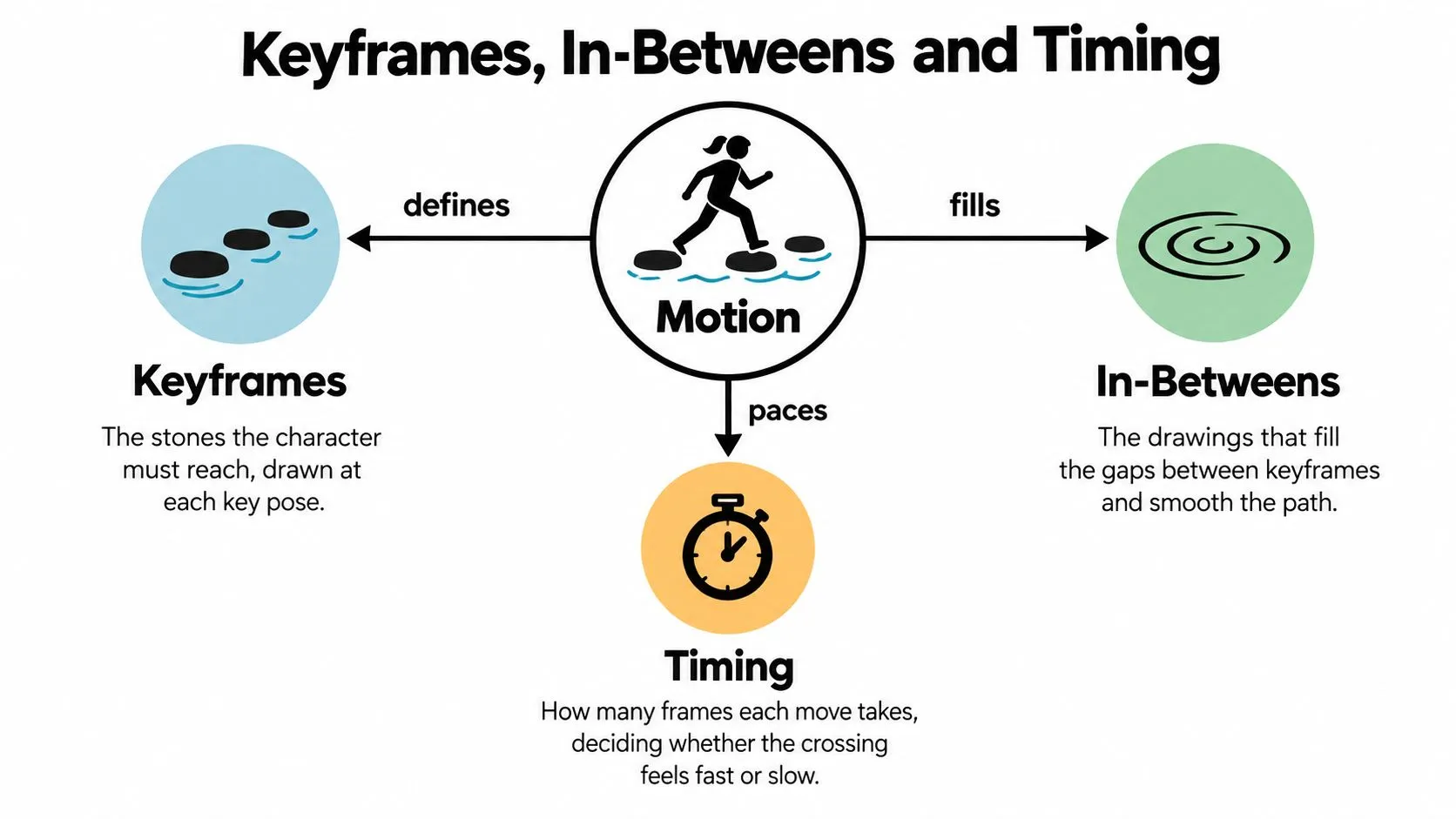
The key animator sets the major poses and the timing. The in-betweener draws the path between those poses. A University of Leeds animation programme specification sets out the UK occupational expectation that animators produce accurate key frames and in-betweens, and manage frame count, field size, aspect ratio, format, software, schedules and continuity. Design the timing before anyone draws detail. Approve a storyboard and a low-resolution animatic first. Then mark the poses that carry the action or the dialogue. Wider spacing produces faster movement. Compressed spacing produces a slowdown, a hold, or a beat of emphasis. The same timing can later be adapted to another format without rebuilding the acting.
Spacing you can count
At 24 frames per second, drawing on twos means 12 unique drawings per second, each held for two frames. On ones, you draw every frame. A blink, an impact or a very fast action often needs ones. A walk or a talking head usually holds up on twos. The exposure sheet is the shared page where frame numbers meet drawing numbers. A director, an animator and an editor can all read the same timing without opening the scene file. A longer walk-through of how those poses are built sits in this keyframe animation guide. Two habits keep the motion readable while the drawing is still rough. Slow in and slow out. Cluster drawings near the key pose so the move eases in and eases out, instead of travelling at one flat speed. Anticipation. A small move in the opposite direction comes before a large action, so the viewer is ready for the hit, the jump or the turn.
Play only the key poses. If the story still reads, the timing will carry the in-betweens. If it doesn't, more drawings won't save the shot.
Frame-by-Frame and Cel-Style Animation for Hero Moments
Frame-by-frame suits short, expressive hero moments that are unlikely to be revised. You draw or paint each frame, on paper or in software, and you keep the moving parts on their own layers.
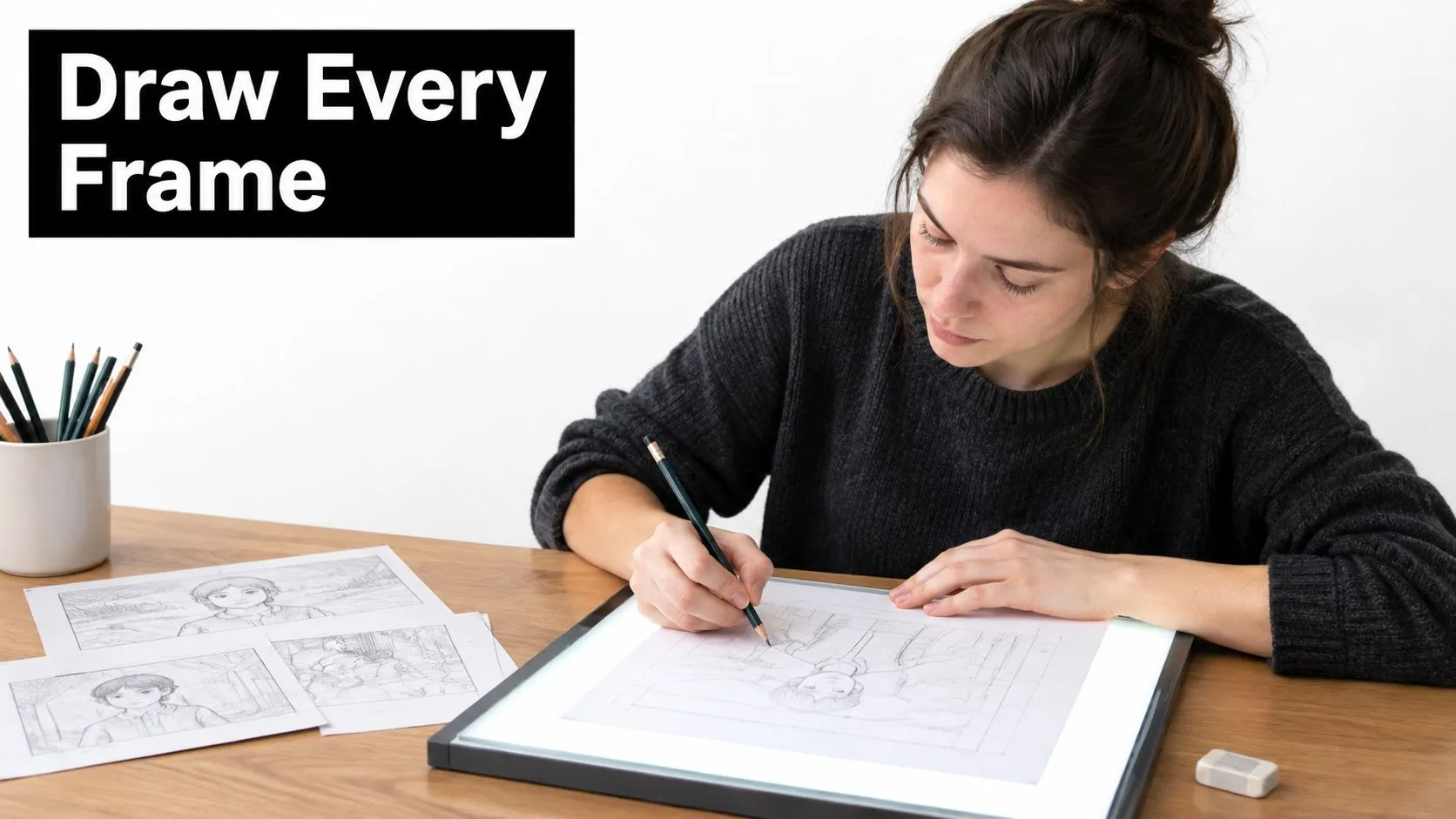
Cel animation drew those moving parts on transparent sheets over a reused background, so only the changed parts needed redrawing. The British Film Institute's history of British animation describes the years before 1940 as a formative stage, when sound and colour were added to early experiments and cel work increasingly displaced artisanal cut-out and stop-motion. The BFI National Archive documents animated shorts made between 1909 and 1993. From the 1950s through the 1970s, studios such as Halas & Batchelor, and artists including Bob Godfrey and George Dunning, helped make hand-drawn animation a recognised art form. Digital pipelines still separate layers, approve poses first, and limit what gets redrawn.
A sneeze the rig can't fake
Say a character sneezes, falls, or takes a fight beat. Mass and weight change inside a few frames. A rig can squash a little, but it struggles when the whole silhouette has to melt and reform. Drawing those frames is the honest method.
What five seconds actually costs
A five-second shot at 24 frames per second needs 120 drawings on ones or 60 on twos. That's the bill before cleanup and colour. The usual failures are model drift between drawings, uneven line weight, and volume that swells or shrinks for no reason. A model sheet with turnarounds keeps the face from wandering. Front, side and three-quarter views sit beside the animator. Limited redraws change only the affected area. The background layer stays put. Pose-to-pose approval signs off the key poses before cleanup, so you don't polish acting that is still wrong.
Practical rule: If that hero moment will be revised more than twice, don't draw the whole thing frame by frame. Rough the acting in a cheaper method, then draw only the frames that must change shape.
Cut-Out and Rigged Animation for Repeated Characters
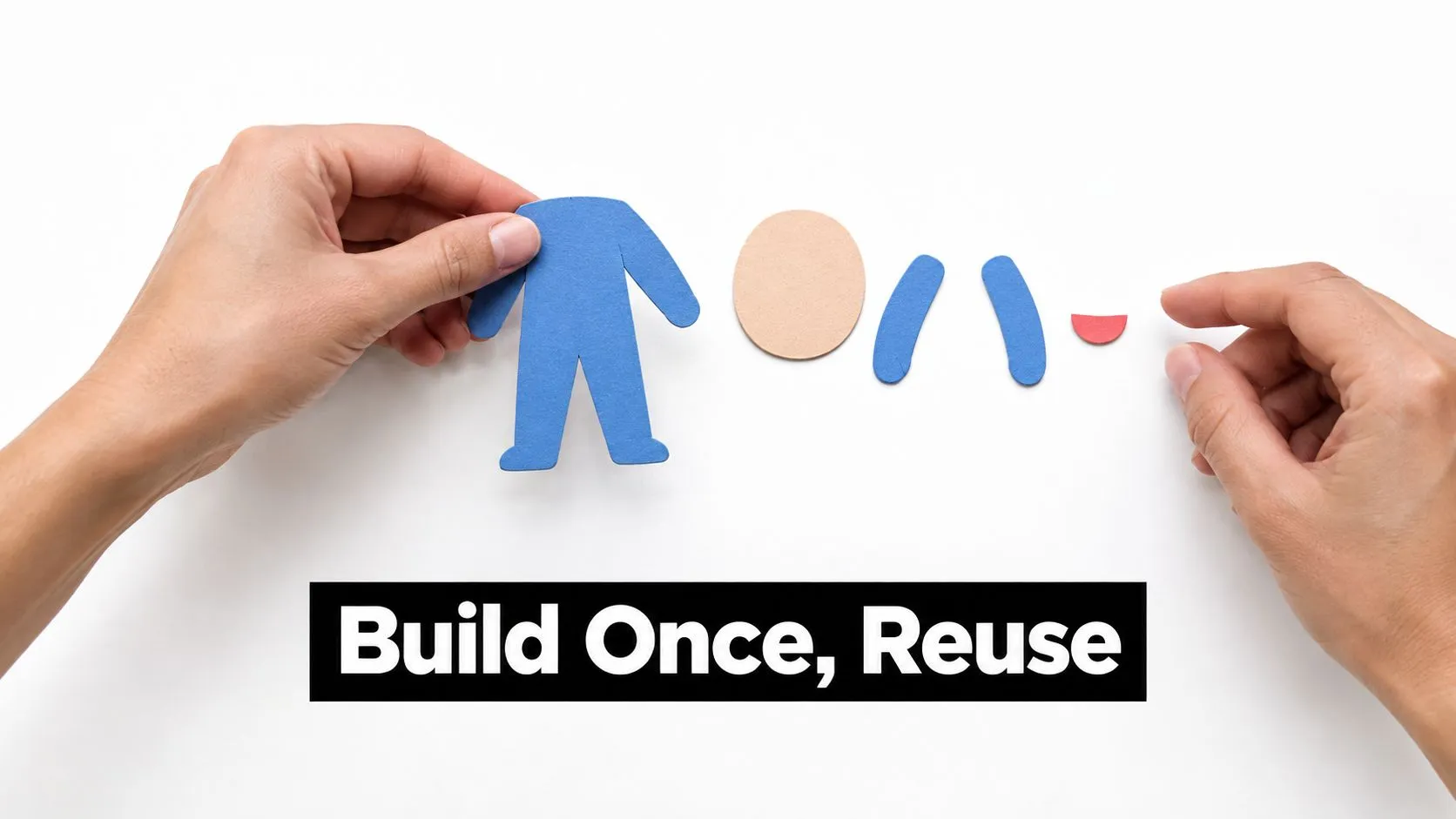
Cut-out builds a character from separate pieces: head, torso, arms, and a stack of mouth shapes. Those pieces move as units. You don't redraw the body for every frame. A presenter in an explainer might carry six to ten mouth shapes and a handful of gesture poses. Swap the mouth, rotate the arm, and the line still matches, because it's the same artwork every time.
From pieces to a puppet
Rigging adds bones, joints, pivots and controllers so those pieces bend instead of only sliding. Scotland's national animation curriculum specification treats frame rates, iteration, motion and shape tweening, deformation, sprite sheets, and inverse and forward kinematics as production variables, alongside squash and stretch, anticipation, follow-through, arcs and timing. Forward kinematics (FK) rotates each joint in turn. It suits swings and arcs, such as a wave or a thrown arm, because you draw the curve yourself. Inverse kinematics (IK) places a hand or a foot, and the joints solve backwards. It suits planted feet and a reach toward a prop, because the contact stays put while the body adjusts. Sprite sheets store prepared poses so a game or a learning module can reuse them at runtime instead of playing a long video. That reuse is where the saving shows up, not in the first build.
Rigs look mechanical when the software ignores weight. Squash and stretch keeps perceived volume during a fast move or an impact. Follow-through lets a coat hem or an antenna arrive after the body stops. Arcs stop limbs travelling in straight lines. Set deformation limits in a timing test, or an elbow will balloon and a face will shear. Be honest about the calendar. Rig setup can take days to weeks before the first approved shot. After that, repeated scenes become cheap, because an arm note is a controller change, not a new stack of drawings. Hair, loose cloth and flying debris still fail on a simple rig. Draw those, or keep them as separate cycles.
A character who appears across many shots or episodes usually repays a rig. A character in a single short rarely does.
From Brief to Delivery in Seven Steps
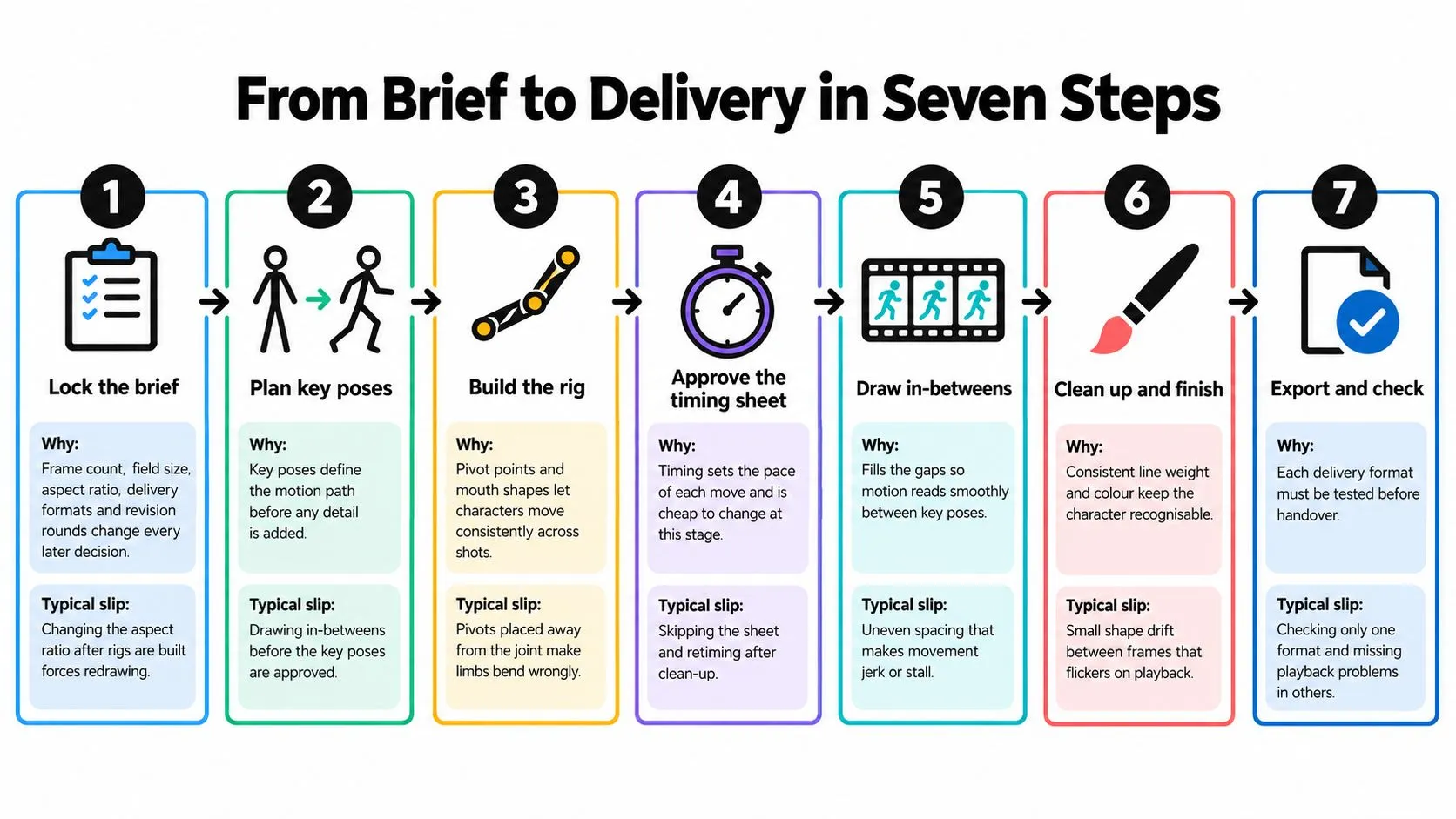
Lock the work in this order. Each gate exists because the next step gets expensive if you skip it.
- Lock the brief. Write down frame count, field size, aspect ratio, every delivery format and the revision rounds. These numbers change every later decision. The slip is a new format added after colour, which forces a fresh layout on finished art.
- Approve the storyboard and the animatic before any finished motion. Frames are still cheap to move. The slip is signing off performance while the edit is still sliding. If any board frame is AI-assisted, log the tool, the source, the approver and the human decision it supported.
- Draw the key poses and fill the exposure sheet. The slip is drawing in-betweens before those poses are signed off. You'll polish the wrong acting.
- Produce the in-betweens, or animate the rig, matching the method you shortlisted. The slip is model drift from shot to shot. Use the same provenance log for any AI-assisted asset here, so creative control stays auditable. The British Film Institute's AI recommendations for the screen industry identify a shortfall in formal AI training, with freelancers especially short of resources, and call for stronger licensing, audience disclosure when AI is used, and training that independent creators can actually reach.
- Clean up and colour against one colour script. The slip is line weight that changes between frames and flickers on playback.
- Composite and mix sound with the layers kept apart. A revision should touch one layer. The slip is merged layers that can't be opened again.
- Run QA against the delivery specification and export each format. The slip is a frame-rate mismatch, where the master plays cleanly and the social cut-down stutters.
 The path from first note to master is set out in this animation production pipeline guide. For the calendar around those gates, scheduling client projects on free plans lets a small team see which approval is blocking the next drawing day. Settle changes on the animatic. The same note after clean-up costs far more, and every extra round after colour is paid twice, once in the picture and once in the composite.
Software Choices Matched to Each Technique
Pick the package after the method, not from a feature list. A wider survey of current tools is in this guide to 2D animation software. If you're choosing a first package, you can explore animation programs with Nereo before you pay for a licence.| Software | Strongest for | Watch out for | Typical user |
|---|---|---|---|
| Toon Boom Harmony | Rigged and frame-by-frame series for broadcast | Steep learning curve and licence cost | Studio pipelines |
| Adobe Animate | Vector frame-by-frame and interactive web content | Less suited to long rigged series | Small studios and educators |
| Clip Studio Paint | Hand-drawn frames, cleanup and timeline animation | Limited rigging for large casts | Solo artists and illustrators |
| Spine | Skeletal 2D rigs for games and interactive apps | Not a video editor; output must be exported | Game and app teams |
| Live2D Cubism | Puppet rigging of flat character art | Built mainly for face and upper-body motion | VTubers and mobile game teams |
| Procreate Dreams | Tablet-based motion and tweening | iPad only; limited for large pipelines | Freelancers and quick social content |
| After Effects | Tweening, motion graphics and compositing | Cut-out rigs need plugins or careful setup; not for frame drawing | Motion designers and agencies |