What Is Keyframe Animation: Your Definitive Guide
You're usually not asking “what is keyframe animation” in the abstract. You're asking because a project is in motion. A producer needs to know whether an idea is feasible. A marketing manager wants to understand why one animation style feels polished and another feels stiff. A client has asked for “something cinematic”, and someone in the room needs to translate that into a practical production method. Keyframe animation sits underneath a huge amount of the motion people see every day, from character acting to logo reveals, interface motion, camera moves, product fly-throughs, title cards, explainers, and real-time content. It isn't a niche trick. It's one of the core ways animation gets made.
The Unseen Engine of Modern Animation
A smooth animated shot can look effortless. A character turns, pauses, shifts weight, and lands on an expression that feels intentional. A product rotates into frame with exactly the right pace. A camera glides through a scene and stops where the message is clearest. That polish usually comes from decisions made at specific moments in time. That's keyframe animation. An animator sets the important poses or states of an object, character, or camera, and the software generates the movement between those points. The “keys” are the anchor moments that define what matters. Everything else supports them.
Why the method still matters
This isn't just a digital-era concept. A documented historical milestone places keyframing in 1914, when Gertie the Dinosaur was created and described as the first animation to use keyframe animation, showing that the technique predates modern computer graphics by more than a century (history of animation overview). That matters in production terms. Keyframing wasn't invented to serve software. Software was built around an animation logic that already worked. The core principle has stayed the same: define the critical moments, then shape how motion travels between them.
Production reality: Keyframes don't create quality by themselves. They create control points. Quality comes from where those points are placed, how they're timed, and how the motion is refined between them.
What buyers usually miss
Most quick definitions stop at “start point, end point, computer fills the gaps”. That's useful, but incomplete. The value of keyframing lies in its ability to give a team a way to direct motion with precision. You can push character performance, tighten brand timing, align movement to music, adjust camera rhythm, or revise a message late in the schedule without rebuilding every frame from scratch. That's why keyframing stays central across 2D, 3D, motion graphics, and interactive work. If you commission animation regularly, understanding this method helps you ask better questions. Not “can you animate this?” but “what needs to be keyed, what can be automated, and where do we need animator judgement?”
The Core Concepts of Keyframe Animation
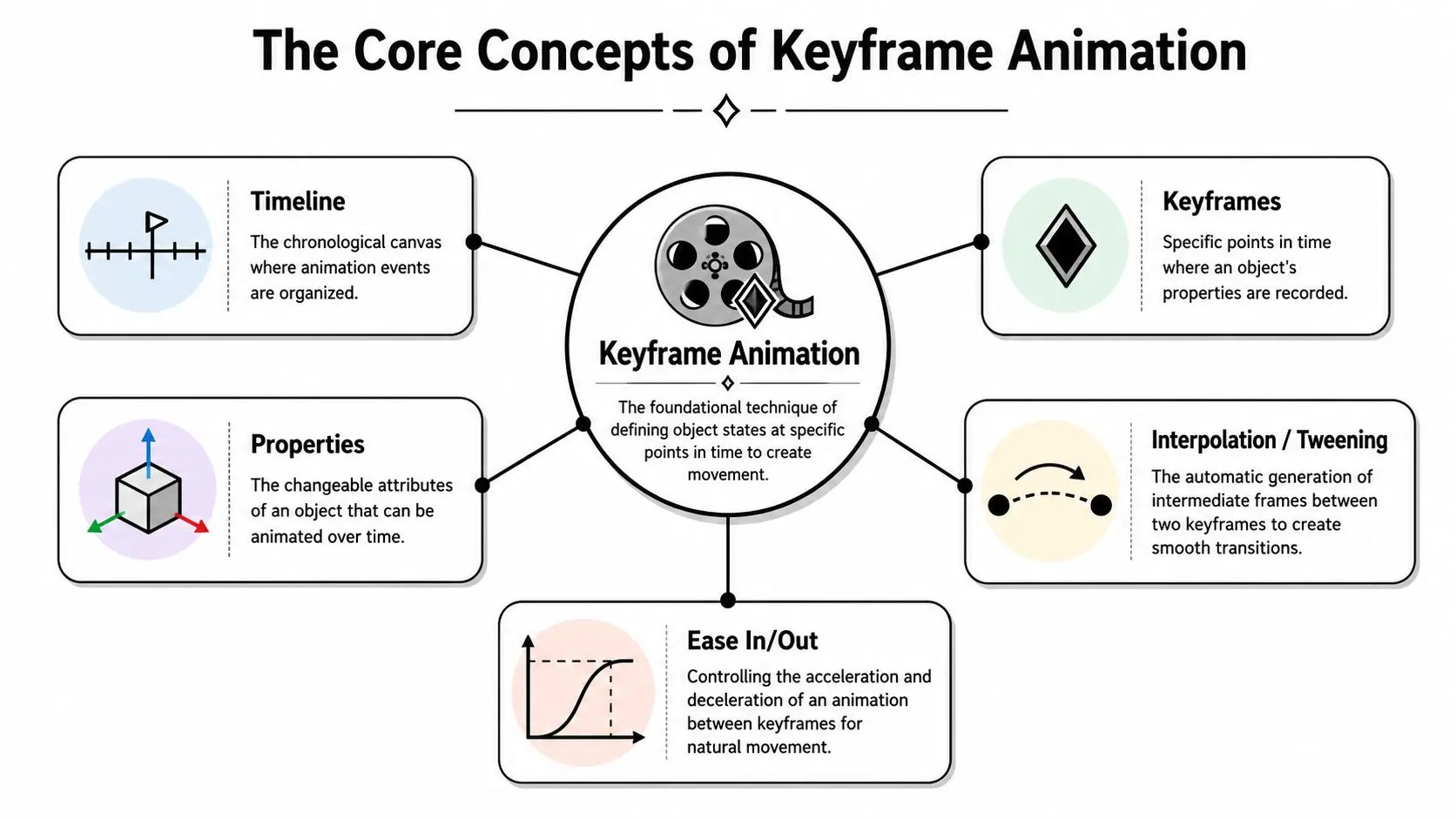
At a practical level, keyframing is built on a handful of concepts. If you understand these, you can speak to an animator, a director, or a motion designer without the usual confusion.
Timeline, keys, and properties
The timeline is where motion is organised. Think of it as the schedule of a shot. It shows when an action starts, when it changes direction, when it settles, and how long each beat lasts. A keyframe is a recorded state on that timeline. At that point, the software stores the values for a property. Those properties commonly include position, scale, rotation, and opacity, and software interpolates the movement between those values (keyframe animation fundamentals). In plain terms:
- •Position: where the object is
- •Scale: how large or small it appears
- •Rotation: how it turns
- •Opacity: how visible it is
In many workflows, animators are also keying camera settings, rig controls, deformers, materials, or effect values.
Interpolation and why bad motion happens
Interpolation is the software generating the in-between frames between two keyframes. If one key says an object starts on the left and the next says it ends on the right, interpolation creates the travel between those states. That automation is where efficiency comes from, but it's also where weak animation often shows up. Default interpolation can be mathematically correct and still feel dead. Real motion rarely moves at a constant speed, stops abruptly, or changes direction without weight. A useful analogy is a car in traffic. It doesn't teleport from parked to full speed, and it doesn't stop without deceleration. It accelerates, cruises, brakes, and settles. Animation needs the same sense of force and release.
Good keyframing often means editing the motion curve, not adding more movement.
Ease in, ease out, and rigs
That's where ease in and ease out matter. Ease in controls how an action starts. Ease out controls how it comes to rest. These timing changes are what make motion feel deliberate instead of robotic. For character work, keyframes rarely act directly on a mesh. They act on a rig, which is the control system an animator uses to pose the character. A strong rig gives clean controls for limbs, torso, face, and secondary elements. A poor rig slows everything down because the animator spends more time fighting controls than shaping performance. Two practical ideas matter here:
- •Blocking first: set strong storytelling poses before polishing movement.
- •Onion-skinning or ghosting: use visual overlays of nearby poses to check arcs, spacing, and silhouette clarity.
These are the basics that separate “it moves” from “it performs”.
A Typical Keyframe Animation Production Workflow
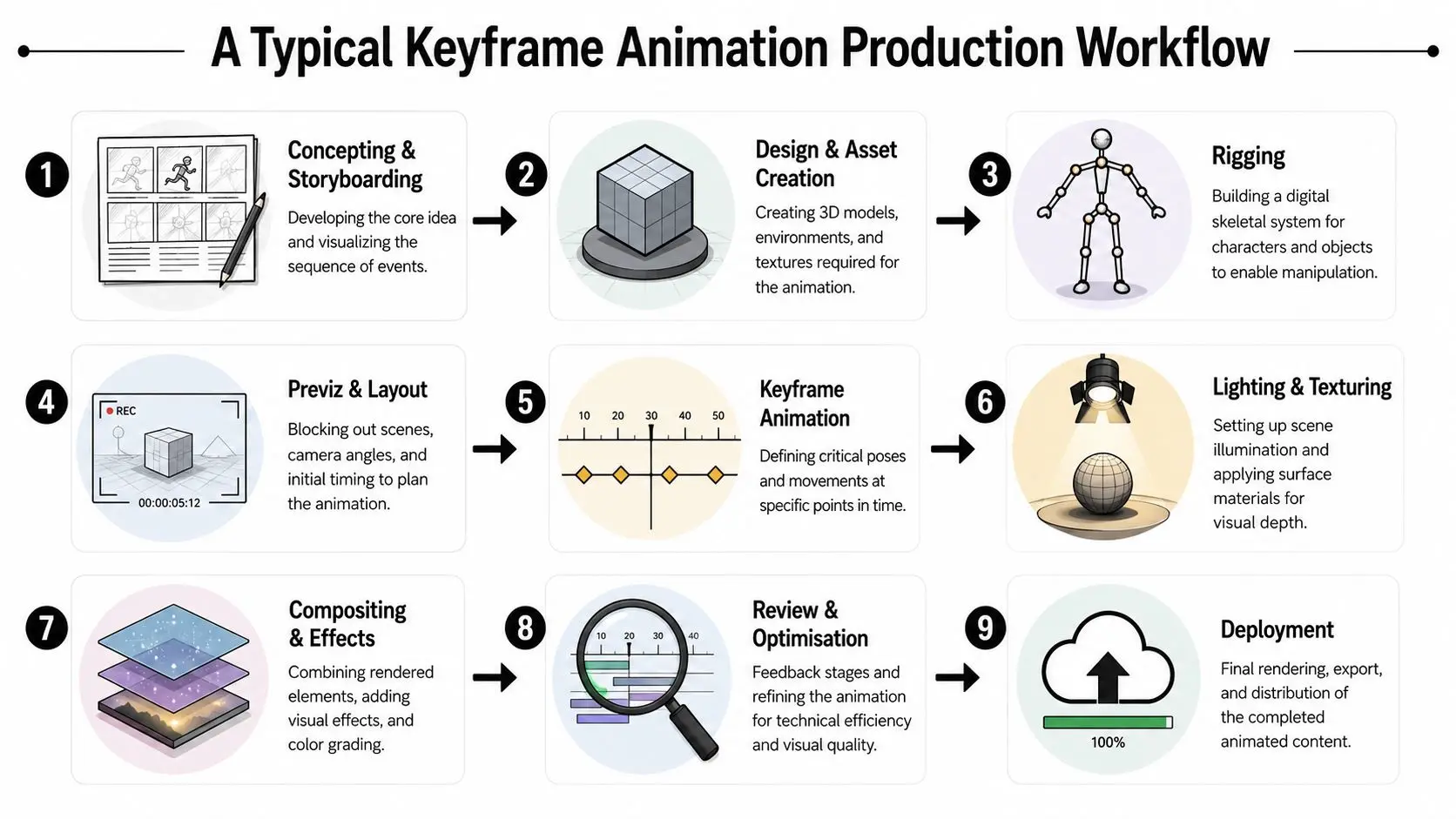
Keyframing happens inside a broader pipeline. Buyers often focus on the animation pass, but the quality of the result usually depends on what happened before the first key was set.
From brief to approved motion
A standard workflow usually looks like this:
- Concepting and storyboarding
- Design and asset creation
- Rigging
- Previs and layout
The animation passes that matter
Animators then move through distinct passes, and each one has a different purpose. #### Blocking Here, the major poses go in. Timing is still rough. The objective is clarity. If the shot doesn't read in blocking, polish won't save it. #### Splining or curve refinement The team converts rough stepped poses into flowing motion and starts shaping interpolation. During this stage, arcs, overlaps, weight shifts, and speed changes get refined. #### Polish Small issues get corrected. Hands stop drifting. Eye lines sharpen. Contacts feel firmer. Secondary action starts supporting the main beat instead of distracting from it.Practical rule: Ask for review points at blocking and refinement, not only at final polish. Late notes on performance are far more expensive than early notes on intent.
Tools and where they fit
Different productions use different toolsets. A 2D motion graphics job may live in After Effects. A character-heavy 3D project may use Maya or Blender. Real-time sequences may be staged or deployed through Unreal Engine or Unity. Editorial, compositing, and finishing can involve Premiere Pro, Nuke, or similar tools depending on the pipeline. If you need a broad view of common tool choices, this roundup of animation software for beginners is a useful starting point because it shows how software options map to different skill levels and project types. One practical point often gets overlooked. The software doesn't determine the animation method. The same production may use keyframing across multiple tools, with each package handling a different stage of the job. Studio Liddell, for example, works across animation and real-time production pipelines where keyframing can sit alongside rigging, lighting, compositing, and engine integration.Comparing Different Animation Techniques
Keyframing isn't always the right answer. It's often the right foundation, but not the only option. Adobe's guidance gets to the heart of the decision: the producer question isn't just what a keyframe is, but when to use keyframing instead of frame-by-frame, motion capture, or procedural animation. Adobe also notes that keyframing can save weeks or months compared with hand-drawing every frame, while still depending on deliberate pose choices and interpolation settings to work well (Adobe keyframing guide).The decision is about control, realism, and revision pressure
If you're choosing a method, these are the factors that usually matter most:- •Stylisation needs: exaggerated, graphic, non-natural motion usually favours keyframing.
- •Performance realism: subtle human movement may favour motion capture, especially when natural body language is critical.
- •Shot complexity: effects-driven or system-heavy motion may be better handled procedurally.
- •Revision frequency: branded work with changing copy, timings, or layouts often benefits from keyframing because motion remains editable.
| Technique | Best For | Primary Advantage | Primary Limitation |
|---|---|---|---|
| Keyframe animation | Branded motion, stylised character work, product shots, camera choreography | Direct artistic control over pose, timing, and emphasis | Labour rises quickly on complex realistic motion |
| Frame-by-frame animation | Handmade 2D performance, highly bespoke movement, expressive line work | Maximum control over every image | Slow to revise and demanding to produce |
| Motion capture | Natural human movement, grounded performances, body realism | Captures believable physical nuance quickly | Needs cleanup and doesn't naturally suit exaggerated stylisation |
| Procedural animation | Simulations, system-driven movement, repeated behaviours, technical effects | Efficient for motion generated by rules or physics | Harder to art direct shot-by-shot with fine emotional intent |
Where keyframing wins, and where it doesn't
Keyframing is usually strongest when the animation needs to communicate intent, not just motion. Brand films, explainers, title sequences, creature work, impossible physics, and stylised acting all benefit from hand-authored choices. It's weaker when a team expects it to behave like a shortcut for realism. If the shot depends on tiny human subtleties, keyframing can absolutely do it, but it demands a skilled animator and enough review time. If a project includes fluids, crowds, cloth, or heavily reactive systems, procedural approaches often make more sense for the base layer. For motion-led brand work, it also helps to look beyond movement alone and study how effects, transitions, and texture are layered. This breakdown of modern video effects for designers is useful because it shows how motion treatment and finishing choices can support the animation rather than compete with it. If your project sits closer to animated branding than character performance, this guide to what motion graphics is for UK brands is a good companion read. It helps clarify when the job is really about graphic communication rather than full character animation.
Choose the technique shot by shot, not by habit. The best pipelines are usually selective.
Keyframing in Action Use Cases and Examples
The easiest way to understand keyframing is to look at where it shows up in actual production.
Character performance
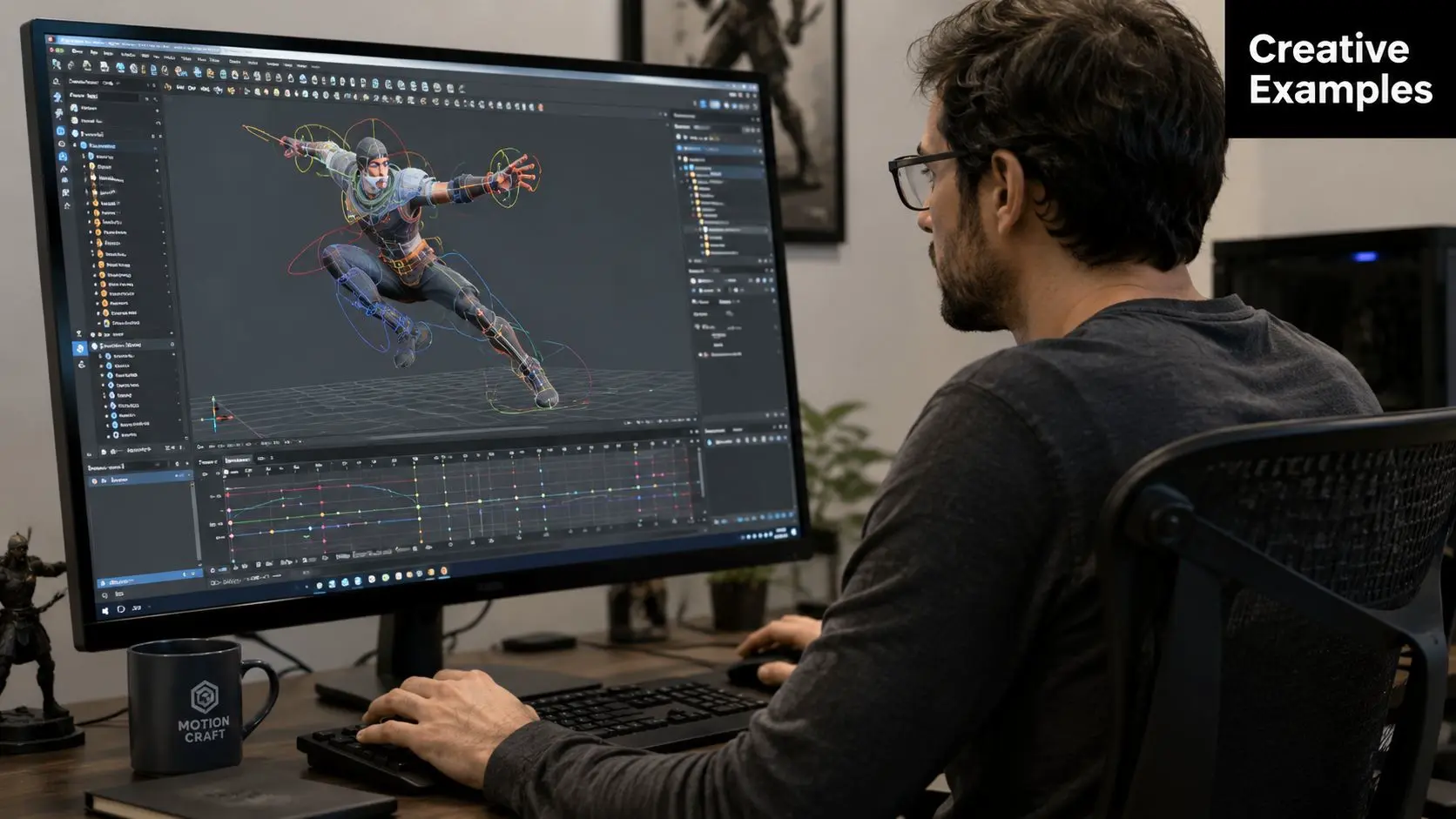
In character animation, keyframing controls intent. A head turn can read as curious, suspicious, delighted, or bored depending on spacing, anticipation, hold length, and settle. The same rig can produce very different performances based on those choices. That matters in broadcast and entertainment work. If you're animating children's characters, creatures, or stylised casts, the audience won't judge the motion by whether it looks physically raw. They'll judge whether it feels alive and readable.
Motion graphics and title work
Keyframing also drives a huge amount of design-led motion. Logo reveals, typography, lower thirds, title cards, and campaign assets all depend on carefully timed keys. Here the craft isn't only about movement. It's about hierarchy, pacing, and making information land in the right order. For teams working on text animation specifically, this tutorial on mastering dynamic video titles is a practical reference because title motion often relies on the same keyframing principles used in larger branded sequences.
Products, technical explainers, and XR
Some of the clearest commercial uses of keyframing sit outside character work. A product film might use keyframes to rotate a device, reveal internal components, and choreograph camera moves around features. A technical explainer can use the same approach to stage diagrams, callouts, and process visualisations in a controlled, legible way. In XR and real-time content, keyframes often shape environmental cues, object behaviours, transitions, and cinematic moments layered over interactive systems. A few common use cases include:
- •Explainer films: clear step-by-step reveals, camera moves, and emphasis on product benefits.
- •Advertising assets: polished movement for brand systems across social, web, and campaign edits.
- •Game and XR content: authored loops, environmental animations, UI motion, and cutscene beats.
- •Broadcast packages: title sequences, idents, transitions, and supporting on-screen graphics.
When keyframing is doing its job, the viewer notices the idea first and the animation craft second.
When to Hire an Animation Studio for Your Project
You can understand what keyframe animation is and still underestimate what it takes to deliver it well. Professional keyframing isn't just placing keys on a timeline. It involves story sense, design judgement, rig quality, camera language, lighting, compositing, version control, review structure, and technical handoff. If any of those are weak, the animation can feel cheap even when the core idea is strong.
The tipping point
A studio becomes the right choice when your project needs any of the following:
- •Multiple disciplines at once: design, modelling, rigging, animation, lighting, and finishing
- •Reliable review stages: structured approvals so late changes don't break the schedule
- •Cross-platform delivery: one asset set adapted for campaign edits, social cut-downs, or interactive outputs
- •Creative accountability: a team that can interpret a brief and make production decisions without constant rescue from the client side
A freelancer can be ideal for a contained motion task. A studio is usually the better fit when the work has moving parts, stakeholder reviews, or a delivery standard that has to hold up in public. If you're at the buying stage, this buyer's guide to choosing an animation studio is worth reading before you commission anything. It helps frame the practical questions that affect quality, schedule, and revision control. Keyframing is one of the most flexible tools in animation. That flexibility is exactly why experience matters. Used well, it gives you control, efficiency, and style. Used badly, it produces motion that technically works but says very little.
If you're planning animated content and need help deciding whether keyframing, motion capture, motion graphics, or a hybrid workflow is the right fit, talk to Studio Liddell. A production scoping conversation can usually clarify the right technique, the likely pipeline, and the review structure before the project heads into expensive revisions.