Mastering Unity Development for Business and XR Experiences
Unity development isn't just about making the next blockbuster video game, far from it. At its heart, it's the craft of building interactive worlds in 2D, 3D, virtual reality (VR), and augmented reality (AR) using the powerful Unity engine. For businesses, its real power lies in creating everything from immersive training simulations to interactive marketing applications.
What Is Unity and Why Is It More Than a Game Engine?
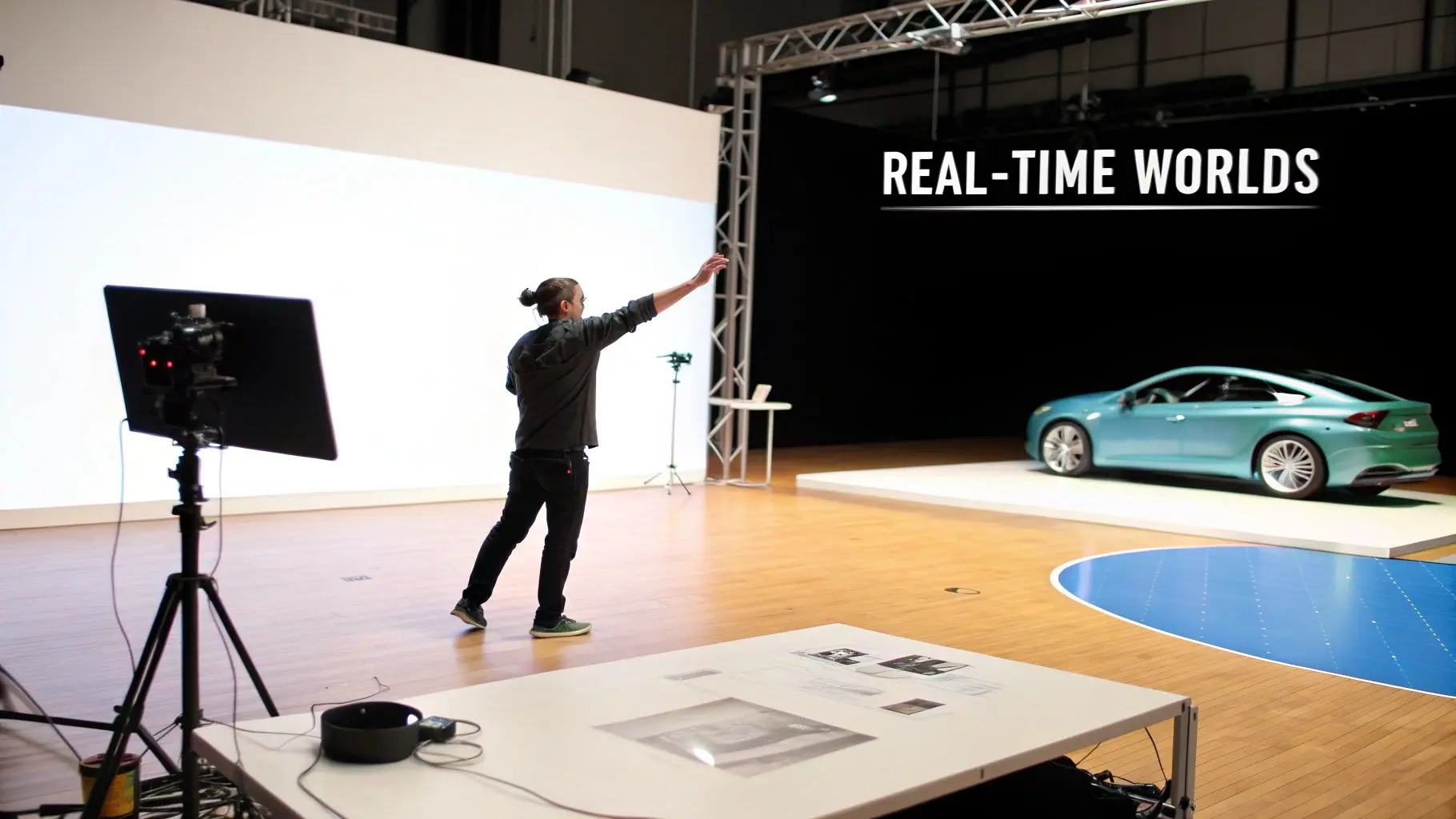
It’s tempting to label Unity as a game engine and move on, but that misses the bigger picture. Think of it less as a factory for games and more as a versatile digital stage where any interactive experience can be built and brought to life. For business leaders, this distinction is everything. The very same technology that powers compelling gameplay mechanics can be repurposed to design a risk-free surgical training module, or an AR product visualiser that lets a customer place a new sofa right in their living room before buying. The magic that makes this possible is real-time rendering. To get your head around it, just picture the difference between a pre-recorded film and a live theatrical play.
- •Traditional Animation (The Film): Like a movie, traditional 3D animation is rendered frame-by-frame, a process that can take hours or even days. The final output is beautiful, but it's fixed and non-interactive. You're just a passive observer.
- •Unity Development (The Live Play): Unity is the live play. The "actors" (3D models) and "scenery" (the environment) are rendered instantly, dozens of times every second. This allows the audience, the user, to walk right onto the stage, interact with the props, and directly influence what happens next.
This immediate feedback loop is what shifts someone from a passive viewer to an active participant. That shift is the secret sauce for truly effective training, memorable marketing, and engaging educational tools. Before we dive deeper, here's a quick look at what Unity brings to the table for businesses.
Unity's Core Capabilities for Business
| Capability | Business Application | Example |
|---|---|---|
| Real-Time 3D Visualisation | Create interactive product demos and architectural walkthroughs. | An automotive firm lets customers configure a car's colour and interior in real-time 3D. |
| Augmented Reality (AR) | Overlay digital information or objects onto the real world. | A furniture brand's app lets you see how a new table looks in your dining room. |
| Virtual Reality (VR) | Build fully immersive, simulated environments for training or sales. | A manufacturer trains engineers on complex machinery in a safe, repeatable virtual space. |
| Cross-Platform Deployment | Develop once and deploy to mobile, web, PC, and XR headsets. | A corporate e-learning module is built once but is accessible on employee laptops and iPads. |
This table just scratches the surface, but it shows how the engine's features translate directly into solving real-world business challenges.
A Powerhouse for Cross-Platform Reach
One of Unity’s most celebrated strengths is its "write-once, deploy-everywhere" philosophy. A single project can be configured to run on over 25 different platforms. This is a game-changer. It means a corporate training app built for desktop PCs can be seamlessly adapted for mobile phones, VR headsets like the Meta Quest, or even web browsers. This cross-platform muscle drastically cuts down development costs and timelines when compared to the old way of building separate, native apps for every single device. The sheer power of this approach is reflected in market trends. The UK video game market, for example, hit a massive USD 14,000.9 million in revenue in 2024 and is projected to grow by 11.8% CAGR through 2030. Mobile gaming, a core strength for Unity, dominated this space with a 54.2% share. While these are gaming stats, the lesson for business is clear: Unity can reach huge audiences on the devices they already use. For a closer look, you can explore the complete UK video game market research.
Unity development bridges the gap between static content and interactive experience. It empowers businesses to move beyond telling customers about a product and instead allows them to experience it virtually, leading to deeper engagement and understanding.
This fundamental shift is precisely why Unity has become an essential tool for sectors far beyond gaming, including healthcare, architecture, automotive, and retail. It offers a common language and a powerful set of tools for creating the next generation of digital interaction.
Putting Unity to Work Beyond Entertainment
While Unity first made its name in the entertainment world, its real power for business lies far beyond gaming. The same engine that builds breathtaking virtual worlds can be turned to solve tough organisational challenges, delivering real results in training, sales, and day-to-day operations. It’s flexible enough to become a cornerstone of corporate innovation. Thinking of Unity development as just for games is like seeing a smartphone as only a tool for making calls; you'd be missing the entire ecosystem of apps that add genuine value. For businesses, this means creating interactive solutions that connect with people on a much deeper level than old-school media ever could. We see its impact most clearly across four key areas, each delivering a clear return on investment.
Immersive XR Training and Safety Drills
Imagine training your team on high-stakes procedures without any of the real-world risk. Unity makes that happen by creating hyper-realistic virtual reality (VR) and augmented reality (AR) training simulations. Employees can practise complex surgical techniques, handle hazardous materials, or run through emergency evacuations in a completely safe, repeatable digital space. This isn’t just about playing it safe; it’s about making training stick. Studies show that learning by doing, even in a virtual setting, can boost knowledge retention by up to 75% compared to just listening to a lecture. For any organisation, that translates directly into a more skilled workforce, fewer expensive mistakes, and a much stronger safety culture. From operating intricate machinery to practising customer service skills, Unity provides a platform for people to master their roles through practice.
Interactive Education and Corporate Onboarding
Let's be honest, the "death by PowerPoint" approach to corporate training is famously dull and ineffective. Unity offers a fantastic alternative, transforming dry learning materials into engaging, interactive modules. A new hire could take a virtual tour of the office, interact with a 3D model of a flagship product, or compete in gamified quizzes that actually make information memorable.
By turning passive listeners into active participants, Unity-based educational tools can seriously speed up the onboarding process and improve long-term understanding. The whole experience becomes enjoyable and memorable, not just something to get through.
These modules can be rolled out across laptops, tablets, and headsets, making sure every team member gets the same high-quality training, whether they're at head office or working from home. That consistency is key to maintaining standards and getting everyone aligned with company values from day one.
Branded Experiences and Digital Marketing
In a marketplace overflowing with noise, grabbing, and holding, customer attention is everything. Unity lets brands build unforgettable interactive experiences that truly cut through. Think of an AR app that lets a customer place a new sofa right in their living room, changing the colour and fabric in real time. It stops being marketing and starts being a genuinely helpful sales tool. Other powerful examples we’ve seen work wonders include:
- •Interactive Kiosks: A fun, Unity-powered game at a trade show can draw massive crowds to your stand, creating great brand moments and generating valuable leads.
- •Virtual Product Configurators: For high-value items like cars or industrial machinery, customers can explore every feature in stunning 3D detail, understanding the benefits in a way static images could never achieve.
- •Web-Based AR Promotions: Brands can bring their packaging to life with AR, offering customers exclusive content or games straight from their smartphone to build loyalty and drive repeat business.
If you’re curious about how a studio brings these ideas to life, you can learn more about our process for Unity VR development for immersive, high-performance experiences.
Digital Twins and Industrial Simulations
For architects, engineers, and city planners, Unity is a game-changer. It allows for the creation of digital twins, perfectly accurate, real-time 3D replicas of physical things like a factory, a building, or even an entire city. This means stakeholders can walk through a virtual factory floor to perfect a production line before a single brick has been laid. Engineers can run simulations of different scenarios to spot potential bottlenecks or safety hazards, saving millions in costly real-world mistakes. These digital models provide priceless, data-driven insights that lead to smarter decisions, predictive maintenance, and smoother operations long before a project even breaks ground.
Navigating the Unity Production Pipeline
Taking a brilliant idea and turning it into a polished, interactive Unity application can seem like a complex beast from the outside. But it doesn't have to be. A well-structured production pipeline transforms the process into a clear, collaborative journey, making sure your vision is realised on time, on budget, and to the highest possible standard. At Studio Liddell, we break our Unity development process down into four distinct, logical phases. This isn’t just about ticking boxes; it’s about demystifying the entire creative cycle. It gives you clear checkpoints for feedback and guarantees the final product does exactly what your business needs it to do.
Stage 1: Discovery and Strategy
This is the foundation. It’s all about getting perfectly aligned. Before a single line of code is written or a 3D model is built, we sit down with you and get to the heart of your objectives. What problem are we solving? Who are we building this for? And crucially, what does success actually look like? During this discovery phase, we define the core mechanics, map out the user's journey, and nail down the technical requirements. Think of it as creating the strategic blueprint for the entire project. It's essential because it ensures every decision we make from this point on is laser-focused on your primary goals, saving a lot of headaches and costly changes down the line.
Stage 2: Pre-production
With a solid strategy in our hands, we move into the blueprinting phase. Pre-production is where the creative vision truly starts to take shape. Our team gets to work developing scripts, sketching out storyboards, and creating concept art that establishes the unique look and feel of the experience. This is also where we get technical, planning the application's architecture and listing every single asset we'll need. As you move through the design phase of your Unity project, getting to grips with user experience and user interface design is critical; for a deeper dive, check out a practical guide to UX vs UI. By meticulously planning everything from the button layouts to the design of entire 3D worlds, we create a comprehensive roadmap for the production team to follow. The infographic below shows a high-level view of how Unity’s power can be channelled across different business functions.

This flow really highlights how one powerful engine can be adapted to serve a huge range of critical business needs, from upskilling your workforce to creating unforgettable marketing tools.
Stage 3: Production
Now for the build phase. This is where all the planning from pre-production springs to life. It’s a dynamic process where our artists and developers work side-by-side, in tandem.
- •Artists are busy creating the visual world. They build the detailed 3D models, craft the immersive environments, and design the fluid animations that make the whole experience feel believable and engaging.
- •Developers are writing the C# code that acts as the brains of the operation. They implement the core logic, physics, user interface, and all the unique features that make your application work flawlessly.
This collaborative workflow is key to making sure the artistic vision and technical execution are perfectly in sync throughout the build. The pool of talent for this work is growing at an incredible rate. In the UK, the video games industry directly employs 26,000 people as of January 2025, a number that dwarfs the European average of just 2,000 per country. This workforce boom, which saw nearly 5% growth in the 12 months to May 2024, is deeply connected to Unity development, providing a rich source of expertise for complex projects.
Stage 4: Post-production and Deployment
Once the main build is complete, we enter the final and arguably most critical phase: polish and optimisation. This is where we conduct rigorous Quality Assurance (QA) testing to hunt down and squash any bugs, ensuring the user has a smooth, stable experience. Performance is everything. We meticulously optimise the application to run like a dream on your target platforms, whether that’s a Meta Quest headset, a high-end PC, or a standard smartphone. This means refining code, compressing assets, and making sure frame rates stay consistently high. The final touches, sound design, visual effects, and that last layer of polish, are added before we deploy the application for your audience to enjoy.
Choosing Between Unity and Unreal Engine
Picking the right real-time engine is one of the first, and most important, calls you'll make on any 3D project. The two heavyweights are, of course, Unity and Unreal Engine. Both are phenomenal pieces of technology, but they were built with different goals in mind and, as a result, they shine in different areas. The right choice isn't about which engine is technically "better," but which one is the perfect fit for your specific project, budget, and business goals. Let's use an analogy. Think of Unity as a brilliantly adaptable and versatile workshop. It's packed with a huge range of tools that you can set up to build almost anything you can imagine. This makes it the go-to choice for mobile AR/VR apps, interactive training tools, and games that need to run smoothly on everything from a high-end PC to a standard smartphone. Its real magic lies in its flexibility and its incredible cross-platform support. Unreal Engine, on the other hand, is more like a specialised Hollywood film set. It’s been meticulously engineered from the ground up to achieve breathtaking visual fidelity. Its tools are fine-tuned for creating photorealistic architectural visualisations, cinematic sequences, and high-end console games where graphical muscle is the number one priority. Visual spectacle is its forte.
Understanding the Key Trade-Offs
For any producer or business leader, this decision comes down to a few key factors that have a direct impact on your timeline and budget. This isn't just about the final look; it's about the entire journey of getting there.
- •Visual Style and Fidelity: Unreal often has the edge for photorealism straight out of the box, largely thanks to its world-class lighting and rendering systems. Unity is a visual powerhouse too, but hitting that same level of hyper-realism can sometimes require more custom development. For stylised or non-photorealistic projects, however, Unity’s flexibility often gives it the upper hand.
- •Team Skills and Development: Unity uses C#, a widely-known and very accessible programming language. This opens up a much larger talent pool to recruit from. Unreal uses C++ and its own visual scripting system, Blueprints. Finding highly skilled Unreal developers, especially here in the UK, can sometimes be trickier and more costly.
- •Target Platforms: If your main audience is using mobile phones, tablets, or a wide mix of hardware, Unity development is almost always the more practical route. Its optimisation and deployment tools for lower-powered devices are second to none.
The core question isn't "Which engine looks better?" It's "Which engine gives us the most efficient path to achieving our specific project's goals on our target platforms?" The answer to that question dictates everything from staffing to the final budget.
Unity vs Unreal: A Producer's Decision Matrix
To make this choice a little clearer, we've put together a simple matrix. It helps connect your business needs directly to the technology, showing how each engine stacks up against common project requirements.
| Factor | Unity Strengths | Unreal Engine Strengths | Best For |
|---|---|---|---|
| Primary Goal | Broad reach, interactivity, and rapid deployment. | Maximum visual impact and photorealism. | Unity: Mobile AR, VR training, interactive B2B apps. Unreal: Architectural visualisation, cinematic shorts, high-end PC/console games. |
| Timeline | Generally faster prototyping and development cycles. | Can require more time for complex visual setups. | Unity: Projects with tight deadlines or iterative development. Unreal: Projects where visual perfection justifies a longer timeline. |
| Budget | Larger talent pool can lead to more competitive development costs. | Specialised talent may command higher rates. | Unity: Cost-sensitive projects or those needing a wide team. Unreal: High-budget projects where visual fidelity is paramount. |
At the end of the day, both engines are exceptional tools. The secret is to understand these practical trade-offs in visual style, development timelines, and team availability. For a much deeper dive into what producers need to know in 2025, we've written a detailed comparison of Unreal vs Unity for real-time animation. By aligning the engine's strengths with your strategic goals, you can confidently choose the platform that will bring your vision to life, both efficiently and effectively.
How to Scope Your Unity Project for Success
Planning a Unity development project without a clear scope is like setting off on a road trip with no map. You might get somewhere eventually, but it probably won't be where you intended, and you'll have wasted a lot of time and money along the way. To make sure your project hits its destination on schedule and within budget, you first need to understand the key factors that shape its complexity. This isn’t just about ticking boxes; it’s about planning with confidence and building a solid business case from the very beginning. Three main things will determine the scale of any Unity project: the complexity of your assets, the depth of interactivity, and the platforms you're targeting. Getting specific on these points is the first step to a great result.
Defining Your Project’s Core Components
The first big driver of cost is asset complexity. This really just means the detail and quality of all the visual stuff, your 3D models, environments, and animations. A project with simple, low-polygon models for a basic product viewer is worlds away from one needing photorealistic digital humans with intricate facial rigging for a VR training simulation. The difference is massive, often measured in hundreds, if not thousands, of artist-hours. Next up is the level of interactivity. This is all about what users can actually do inside the application. An architectural walkthrough where you’re just following a set path has very limited interactivity. Contrast that with a multi-user VR collaboration tool where people can pick up, manipulate, and discuss complex 3D data together. The more intricate the user interactions, physics, and underlying logic, the more development time it’s going to need. Finally, you need to think about your target platforms. Pushing an AR app to the latest iPhones presents a completely different set of challenges than optimising a VR experience for a standalone headset like the Meta Quest. Every platform has its own unique performance limits and submission hoops to jump through, and all of that needs to be factored into your timeline.
Scoping isn’t just about guessing the cost; it's about making sure your ambition lines up with reality. A detailed scope ensures your creative vision is actually achievable within the real-world constraints of your budget and deadline, saving you from expensive changes down the line.
Connecting Investment to Measurable ROI
A well-defined scope helps you predict costs, but its real value is in connecting that investment to a tangible return. The aim here is to build a compelling business case that justifies the spend with real-world outcomes. A Unity project shouldn't be seen as just a cost; it's a strategic investment designed to solve a problem or create new value for your business. So, how do you measure the return on your Unity application? Here are a few common ways:
- •Reduced Onboarding Time: If you're building a training simulation, track how much faster new hires get up to speed compared to your old methods. A 25% reduction in training time across a large team is a huge cost saving.
- •Higher Sales Conversions: For an interactive product demo or an AR configurator, measure its direct impact on your sales funnel. Bumping conversion rates from 2% to 4% can deliver a massive return on its own.
- •Increased Brand Engagement: Using an experience for an event or trade show? Track metrics like how long people stick around, how many leads you capture, and social media mentions. More engagement leads directly to better brand recall and a stronger sales pipeline.
By setting these key performance indicators (KPIs) right at the start, you shift your Unity project from being a purely creative exercise to a strategic tool with a clear, defensible ROI. That clarity makes it much easier to get buy-in from stakeholders and gives you a concrete way to measure success once the project is complete.
Finding the Right Unity Development Partner

Choosing a studio is probably the single most important decision you'll make for your project. A great partner does far more than just write code; they become a strategic guide, helping you sidestep technical traps and ensuring the final product actually delivers real business value. Getting this choice wrong can be painful. It often leads to missed deadlines, blown budgets, and an end result that just doesn't live up to what you had in mind. The UK's interactive scene is absolutely buzzing right now. With 10.84 million online gamers in 2023, a number expected to hit 11.56 million by 2027, the appetite for high-quality Unity development has never been higher. This boom is driving growth across the board, from immersive XR experiences to must-have branded apps. Of course, a bigger market means more studios to choose from, making a solid vetting process more crucial than ever.
Your Vetting Checklist
When you're sizing up potential studios, you need to focus on hard evidence of their skills and their process. Look for a partner who can confidently tick every box on this list:
- •A Relevant and Robust Portfolio: Look past the shiny visuals. Can they show you a solid history of delivering Unity projects like yours, whether it's in XR, B2B apps, or games? Our work with clients like Sky Kids and Merck, for example, shows the breadth of what's possible.
- •In-House, Blended Talent: The best work happens when artists and coders are in the same room. A top-tier studio will have talented 3D artists and expert C# developers working together, which makes the whole process smoother and more creative.
- •A Transparent Production Pipeline: Ask them to walk you through how they work. A partner you can trust will have a clear, structured plan, from discovery and strategy right through to deployment and ongoing support, that keeps you in the loop every step of the way.
- •Deep Platform Expertise: If your project is aimed at a specific platform, like the Meta Quest or mobile, your partner absolutely must have proven experience optimising for that hardware's unique quirks and demands.
Look for a Strategic Guide, Not Just a Builder
Ultimately, you're not just hiring someone to build an app. You're looking for a studio that will guide you strategically toward a successful launch and beyond. This means they should be asking the right questions, challenging your assumptions when needed, and always keeping your core business goals in focus. For business owners weighing this decision, there's a helpful external resource that offers a guide on when to outsource. A long and proven track record is also a huge green flag. With a broadcast pedigree stretching back to 2019, we've watched the industry change and have refined our methods to deliver consistently excellent digital content. When choosing a partner, especially for something as complex as a VR game, it really pays to do your homework. For more specific advice on this front, take a look at our guide on how to choose the right VR game development company.
Frequently Asked Questions About Unity Development
When you're considering a Unity project for the first time, it's completely normal to have a few questions. We've put together some straightforward answers to the queries we hear most often from our clients, helping you clear up any uncertainties and feel confident about the next steps.
Timelines and Asset Integration
How long does a typical Unity development project take? This really depends on the complexity of what we're building. A simple interactive 3D product viewer might be up and running in four to six weeks. On the other hand, a full-blown VR training simulation with several learning modules and complex interactions could take anywhere from six to twelve months. A detailed scoping phase at the very beginning is absolutely essential to map out a realistic timeline for your specific goals. Can we use our existing 3D models and brand assets? Absolutely. One of Unity's great strengths is its ability to play nicely with a huge range of standard file formats. This means we can usually bring in your existing 3D models (like FBX files) and 2D assets (like PNGs) without any fuss. Our team will take a look at your assets first to make sure they're optimised for real-time performance. Getting this right from the start can be a massive time and money saver.
The magic of a Unity project happens at the intersection of art and code. Think of the 3D artist as the sculptor, shaping the visual world, and the developer as the engineer, bringing that world to life with interactivity and logic.
Hardware and Team Roles
What hardware is needed to run a Unity application? The hardware you'll need is dictated entirely by the audience and platform you're aiming for. Unity is incredibly flexible. An application can be built to run smoothly on the smartphone in your pocket, or it can be designed to push the limits of a high-end gaming PC for a truly breathtaking virtual reality experience. We'll work with you to pinpoint the ideal hardware to guarantee a flawless experience for your users. What is the difference between a Unity developer and a 3D artist? They're two distinct, specialised roles that are both vital to any project's success. They need to work hand-in-glove.
- •The 3D Artist: This is your creative visionary, the digital sculptor and painter. They build all the visual components, the characters, the environments, the props, that make up the world of your application.
- •The Unity Developer: This is your engineer and technical director. They write the C# code that governs the application’s logic, physics, user interface, and every interactive element. They're the ones who make the artist's static creations move, react, and serve a purpose.
It's the seamless partnership between these two disciplines that transforms a folder of digital assets into a living, breathing interactive experience. Ready to turn your interactive vision into a reality? At Studio Liddell, we bring together years of creative flair and technical mastery in Unity to build experiences that get real results. Book a production scoping call