How to Reduce Production Costs: Animation & XR Producers
A producer gets the same brief over and over. Cut the budget. Keep the ambition. Don't lose the polish. Don't slip the deadline. In animation and XR, that's where projects start to wobble. The easiest cuts usually land in the wrong place. Fewer review rounds. A thinner asset list. Cheaper hands. Less testing. Then the hidden costs arrive later as rework, missed approvals, engine optimisation issues, or renders that need rescuing in comp. That's why knowing how to reduce production costs matters more than knowing how to spend less. High-end work doesn't get cheaper because a team lowers the bar. It gets cheaper when the production system wastes less effort. In practice, the best savings come from decisions made before anyone builds a hero asset, rigs a character, or opens Unreal. The strongest studios reduce cost through scope discipline, sharper pre-production, better handoffs, modular asset thinking, and selective automation. They protect the parts clients pay for: storytelling, craft, reliability, and delivery confidence.
The Producer's Dilemma Balancing Budgets and Brilliance
A familiar meeting goes like this. Finance wants the estimate tightened. Creative wants the brief to feel bigger, richer, and more original. The client wants everything to look premium because the work has to sit beside broadcast content, paid media, game visuals, or an exhibition experience that can't feel second-rate. That tension is real. It's also where poor cost decisions usually begin. Teams panic and cut visible line items rather than hidden inefficiencies. They trim polish passes instead of fixing approval logic. They reduce artist time while leaving a messy file structure untouched. They chase a lower day rate and inherit more supervision, more mistakes, and more rounds.
The expensive part of production usually isn't quality. It's uncertainty.
A lot of producers now borrow discipline from software and finance operations, especially when they need a tighter grip on estimate drift and approval creep. A useful way to frame it is through financial control for SaaS companies, where budget-versus-actual thinking helps teams spot where a project is genuinely over-consuming effort and where the original scope was simply under-defined.
What cost pressure looks like in practice
In animation, cost pressure often shows up as:
- •Late creative changes that force new boards, revised rigs, or re-lit sequences
- •Pipeline friction between design, 3D, engine, edit, and comp
- •Asset duplication because every platform version gets rebuilt instead of adapted
- •False automation wins where AI outputs still need heavy human correction
In XR, the pattern shifts slightly:
- •Prototype debt from concepting in-engine too early
- •Performance issues discovered after environments and interactions are already built
- •Hardware fragmentation across Quest, exhibition setups, LBEs, or kiosk deployments
The answer isn't austerity. It's smarter production design. That's how budget cuts stop being blunt-force damage and start becoming a useful constraint.
Front-Load Savings with Strategic Pre-Production
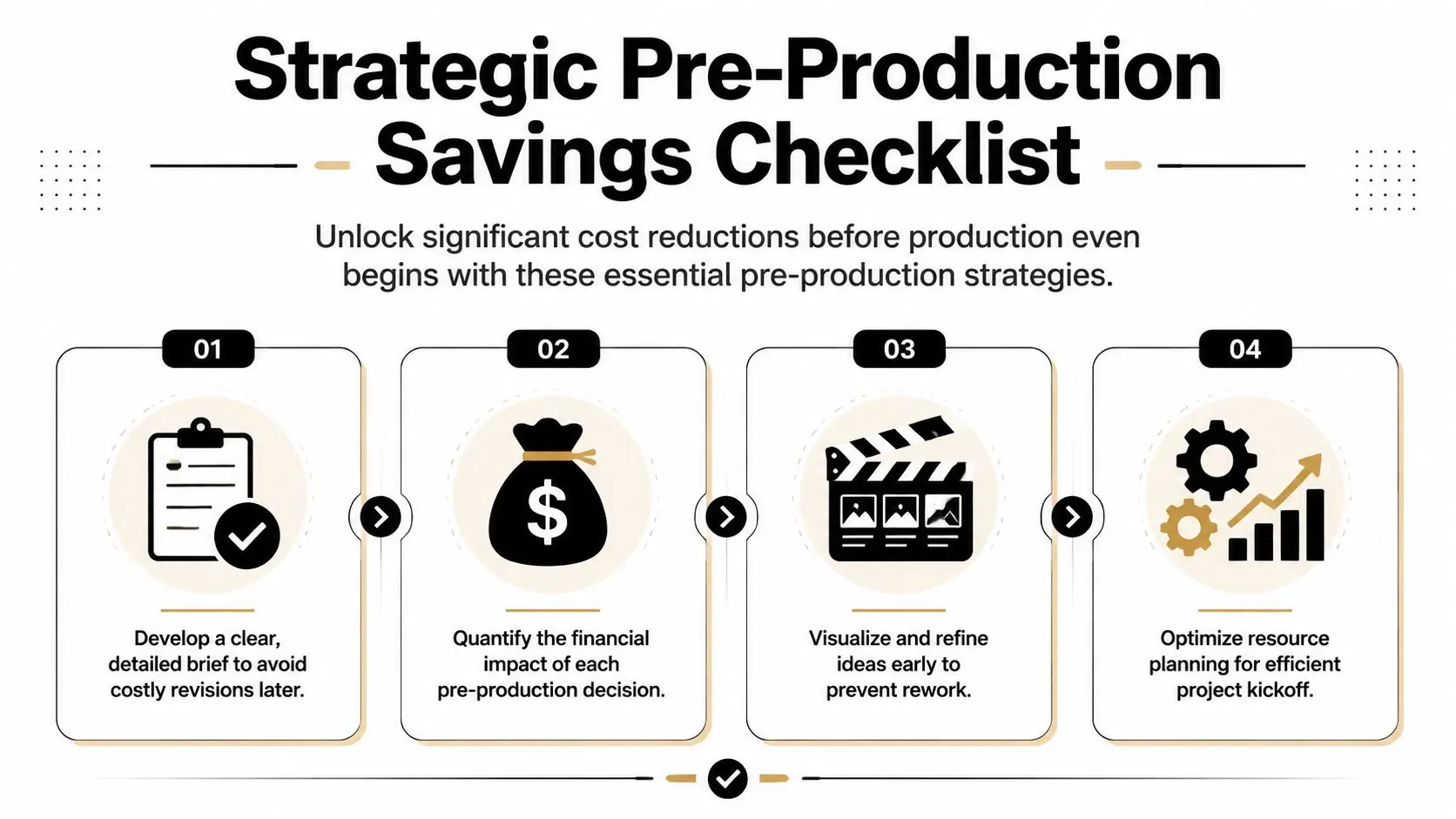
Most meaningful savings are won before production begins. Once boards are approved, assets are underway, and the schedule is committed, every correction costs more. In broadcast animation and immersive work, pre-production is where budgets become manageable or fragile. A strong start needs four things: a brief that removes ambiguity, visual planning that exposes weak ideas early, scope that reflects the actual delivery burden, and a tax-credit check if the project qualifies in the UK.
Write the brief like a production document
A good brief doesn't stop at tone references and campaign goals. It names the actual deliverables, review stages, technical outputs, platform variants, rights constraints, and approval owners. If the work involves character animation, state whether performance is stylised or naturalistic. If it's XR, define target hardware, frame-rate expectations, interaction complexity, and whether deployment includes an event environment or public app release. The fastest way to create overruns is to leave one of those questions open. A practical brief should lock these points early:
- •Primary deliverables such as series content, trailers, social cut-downs, app assets, or real-time builds
- •Quality thresholds including realism, accuracy, continuity, and approval criteria
- •Decision-makers so feedback arrives from named stakeholders, not a roaming group
- •Format spread so aspect ratios and platform requirements are costed upfront
Previz saves money because it makes arguments cheap
Previz, animatics, mock interaction flows, and greybox scene planning aren't admin. They're insurance. It's far cheaper to challenge a sequence at storyboard stage than after modelling, rigging, simulation, lighting, and compositing. We've found that teams who resist previs usually think they're saving time. They aren't. They're moving uncertainty downstream into the most expensive part of the pipeline.
Practical rule: If a client can't approve the idea in rough form, they won't approve it faster once it's beautifully rendered.
For XR, the equivalent is interaction previs. Basic flow diagrams, click-through prototypes, and greybox navigation often reveal problems with pacing, comfort, throughput, or wayfinding before any costly art pass begins.
Use UK reliefs before you set the final budget
For eligible UK productions, the Audio-Visual Expenditure Credit changes the commercial picture substantially. UK animation producers can legally reduce effective production costs by up to 39.75% net (53% gross rebate) through AVEC, provided they meet criteria such as a minimum 10% of core spending in the UK and qualification as British via the Cultural Test, as outlined by Animation UK's AVEC guidance. That matters because producers often treat tax relief as a finance detail to check later. It should shape the production plan from day one. It can influence where work is done, how the production entity is structured, and which costs are worth keeping in the UK. A simple pre-production review table helps:
| Decision area | Cheap-looking option | Better cost-saving option |
|---|---|---|
| Creative brief | Keep it broad | Specify deliverables, approvals, and formats |
| Visual planning | Skip previs | Test story and interaction before asset build |
| Scope | Cost a hero version only | Cost all required outputs and variants |
| Financial setup | Check reliefs later | Assess AVEC eligibility before production starts |
Build an Efficient Digital Production Pipeline
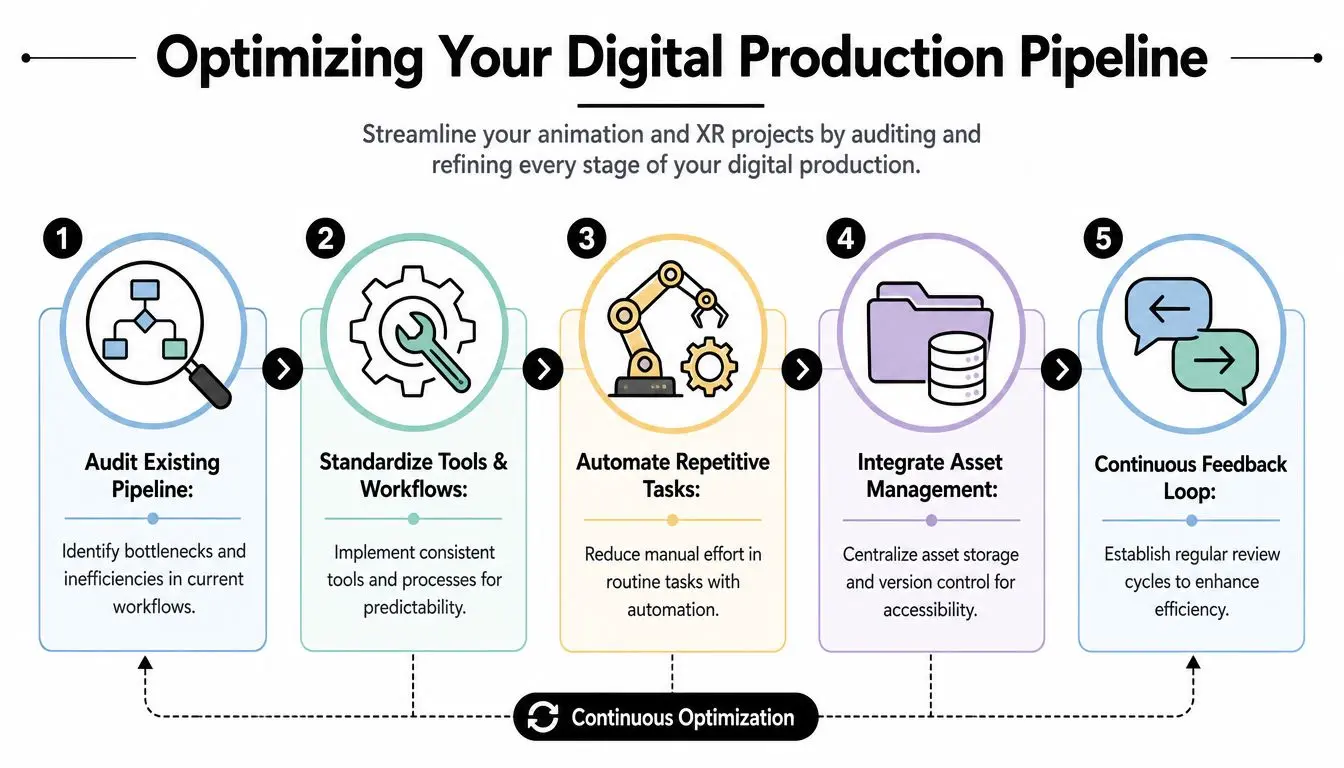
If you want to reduce production costs in a studio environment, start with the pipeline before you start cutting people. In the UK, labour is the dominant pressure point. 73% of companies cite labour as their primary cost challenge, ahead of energy or taxes, which makes workforce efficiency the most direct cost lever for creative businesses according to the British Chambers of Commerce reporting referenced here. That's why mature studios obsess over handoffs. Not because pipelines are glamorous, but because every broken handoff burns paid hours.
Audit the gaps artists feel every day
Pipeline waste rarely appears as a dramatic failure. It appears as minutes and hours leaking away. An animator waits for an updated rig. A lighter receives the wrong texture pack. A Unity build breaks because naming conventions changed. Someone exports the right asset in the wrong version. Then a producer spends part of the day untangling status rather than moving the work forward. An effective audit looks at where time disappears:
- •File movement between DCC tools, edit, comp, and engine
- •Naming and versioning that cause duplicate work or approval confusion
- •Review cadence that creates stop-start momentum
- •Manual exports for repeatable tasks that should be automated
For teams that need a clear baseline, this animation production pipeline guide is a useful reference point for mapping where work should move cleanly from brief through delivery.
Standardise where it helps and customise where it matters
Not every project needs the same software stack, but every project needs consistency. If the team uses Maya, Blender, Houdini, After Effects, Unity, or Unreal, the waste usually doesn't come from the tool choice alone. It comes from inconsistent setups around them. Different folder logic. Different export presets. Different review naming. Different scene assembly habits. That's where standard operating rules pay off. Keep template scenes. Lock publishing conventions. Define which department owns final source of truth for each asset type. Decide how notes are logged and who closes them. A short comparison helps:
| Pipeline choice | What goes wrong | Better approach |
|---|---|---|
| Flexible file naming | Assets vanish in plain sight | Enforce one naming convention |
| Department-specific exports | Constant conversion errors | Use shared export presets |
| Informal review notes | Feedback gets lost | Centralise notes and sign-off |
| Ad hoc asset storage | Wrong files get reused | Maintain structured asset libraries |
Automate repetition, not judgement
Automation works best on repeatable production chores. Batch conversions, proxy generation, scene validation, texture relinking, render submission, and engine import routines are all good candidates. Creative judgement isn't. Sound is a good example. Teams often focus heavily on picture pipeline and then lose time on patchy audio planning late in the project. For practical production discipline around capture, cleanup, and delivery, Isolate Audio's guide to professional video is worth reviewing alongside your visual pipeline standards.
A pipeline is efficient when artists spend their time making decisions only humans should make.
That's the test. If a senior artist is doing repetitive admin inside a premium-budget project, the system is too expensive.
Use AI as a Co-Pilot Not an Autopilot
AI discussions around production costs often swing between hype and fear. One camp says it will replace large parts of the creative process. The other rejects it entirely. In practice, neither position helps a producer trying to deliver polished work on time. The key question isn't whether AI belongs in production. It's where it belongs.
Where the hype breaks
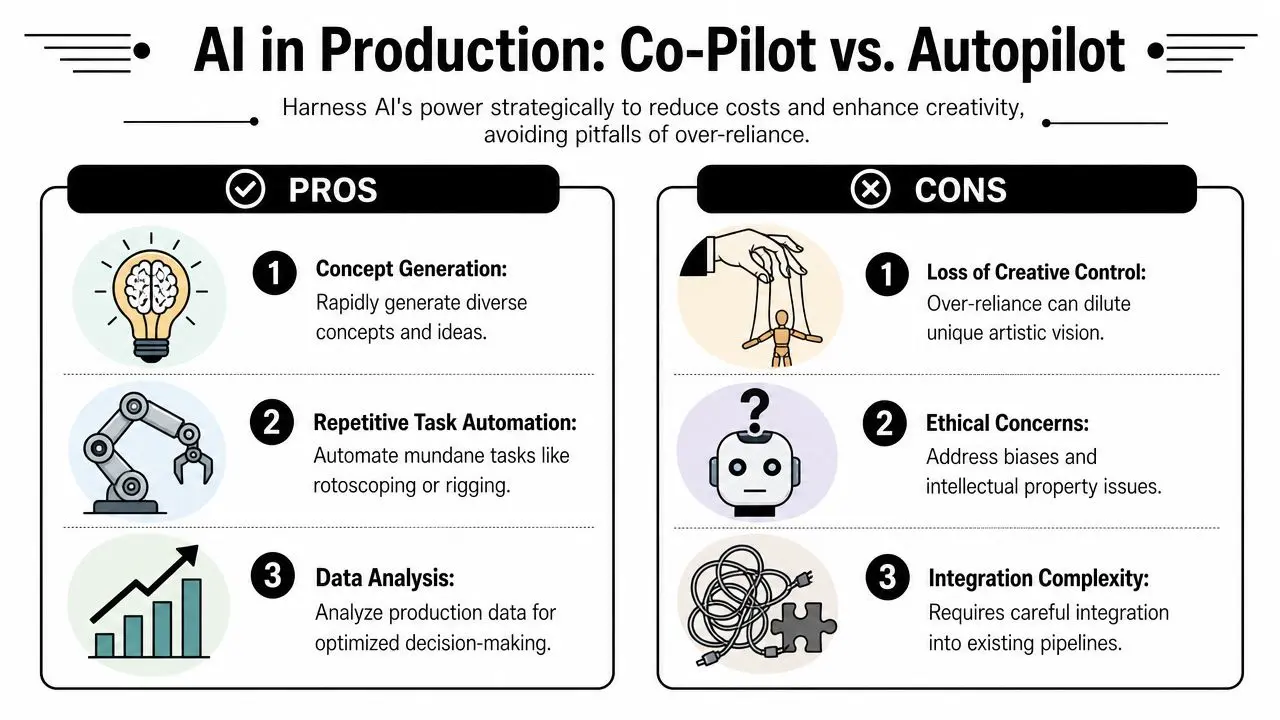
There are loud claims that AI can slash animation costs almost beyond recognition. Those claims collapse when the work has to meet brand, editorial, legal, and craft standards. According to Advisable's UK creative industry analysis, purely AI-generated content often fails brand standards in complex visual storytelling, while a more realistic hybrid workflow typically reduces costs by 25% to 35% without sacrificing the quality expected by clients such as the BBC or Sky Kids. That range feels credible because it reflects where AI helps. It can accelerate ideation, create rough options, assist with tedious setup work, and support internal exploration. It usually can't replace final artistic control on high-end jobs.
Where AI does earn its place
The strongest use cases sit around support tasks, not final authorship. Think of AI as a fast assistant inside a supervised pipeline. Useful applications include:
- •Concept expansion when a team needs multiple visual directions quickly before design lock
- •Asset prep support for naming, tagging, sorting, and variant generation
- •Pre-production acceleration for early story beats, reference clustering, and mood exploration
- •Technical assistance on repetitive rigging or cleanup tasks that still need human checking
For producers comparing tools and risks, this producer's guide to Open Art AI offers a grounded view of where these systems fit into a professional workflow.
Protect the parts clients can see
The mistake is using AI where taste, continuity, and precision matter most. Character performance, broadcast-safe continuity, exact brand world-building, and emotionally coherent storytelling still rely on human craft. The more visible the output, the less tolerance there is for drift. That's especially true in 3D and XR, where one weak element can infect the whole experience. A texture style mismatch, inconsistent facial performance, unstable visual language, or unclear interaction feedback all signal cost-cutting immediately.
Use AI to widen options and speed setup. Don't use it to hide unresolved creative decisions.
A co-pilot model works because it keeps the production lead, art director, and senior artists in control. They decide what gets used, what gets rebuilt, and what never reaches the client. That's how AI reduces cost without lowering trust.
Implement Modular Design and Asset Intelligence
A lot of teams still budget as though the master deliverable is the project. It isn't. The project is the system that has to generate many deliverables cleanly. That distinction matters because multi-platform output is now one of the biggest silent budget inflators in content production. For many UK businesses, producing bespoke creative assets for five or more platforms accounts for 40% of total production budget, and a template-based customisation approach can reduce repurposing costs by up to 30%, according to Spin Creative Group's analysis of multi-platform production costs.
Build assets to travel
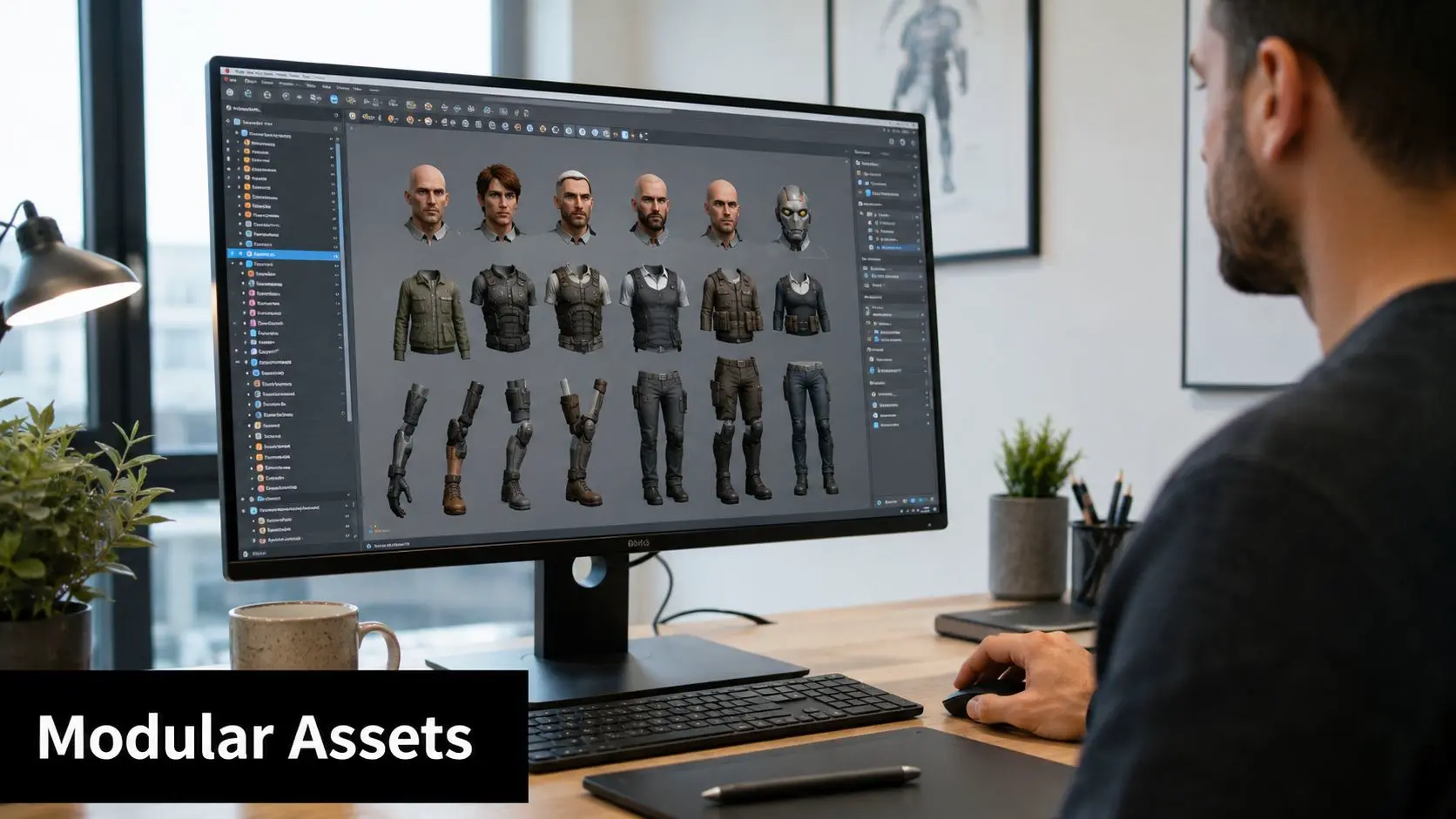
Asset intelligence starts at design stage. Characters, environments, graphics packages, UI systems, and motion behaviours should be created with adaptation in mind. That means rigs that can support different framing needs, environments that can be redressed without rebuilding, and graphic systems that scale across aspect ratios. In practical terms:
- •Modular characters let teams swap wardrobe, props, expressions, or accessories without rebuilding the base
- •Reusable scene kits help one environment support trailers, social edits, explainers, and interactive demos
- •Template motion systems allow titles, supers, and product callouts to adapt across platforms quickly
Separate the fixed core from the variable layer
The smartest production setups distinguish between assets that should remain stable and outputs that should stay flexible. The stable core might be the character model, rig, key shaders, brand world, and animation language. The variable layer includes framing, overlays, language versions, aspect ratios, platform graphics, and edit structures. That split prevents teams from touching expensive foundation assets every time a new channel appears. A simple planning model works well here:
| Asset type | Keep fixed | Keep variable |
|---|---|---|
| Character system | Model, rig, shaders | Costumes, props, expressions |
| Environment | Main geometry, lighting logic | Set dressing, signage, camera paths |
| Motion graphics | Core style frames | Format, duration, text versions |
| XR interface | Core interaction model | Event branding, content modules |
This is one of the most reliable answers to how to reduce production costs without eroding visible quality. You're not making less. You're making assets work harder.
Leverage Smart Sourcing and Vendor Negotiation
Cheap resourcing often creates premium-cost problems. A low day rate can disappear fast if the freelancer needs heavy supervision, can't slot into the pipeline, or hands over files that another team has to rebuild. The same applies to outsourcing. If a vendor can't match the project's technical and aesthetic standard, the actual price includes correction time, communication drag, and delayed approvals. The better question is whether a resource reduces load or adds management.
Choose sourcing models by risk, not by rate card
Different work suits different staffing models. Core creative direction, look development, and senior technical ownership often belong close to the lead team. Specialist tasks can work well with trusted freelancers. Volume work can be externalised if the handoff rules are mature and quality control is tight. When assessing partners, look for:
- •Pipeline compatibility with your file formats, engine requirements, and naming standards
- •Review reliability so notes are understood and closed accurately
- •Quality predictability across the whole assignment, not just the sample reel
- •Communication discipline because unclear status updates always cost money
The cheapest supplier is only cheaper if the work arrives usable.
Negotiate the infrastructure too
Production cost doesn't sit only in people. Software seats, cloud storage, render capacity, mocap access, audio facilities, and device testing all affect margin. Producers who negotiate only talent costs leave savings on the table. A sensible approach is to negotiate around commitment, timing, and bundle value. Multi-project software arrangements, planned render usage, and scheduled access windows often produce better commercial terms than last-minute bookings. If you want a broader operational perspective, these strategies to cut costs in 2026 are useful as a management lens, especially when you're balancing flexibility against fixed overhead. The principle is simple. Buy stability where instability gets expensive. Stay flexible where demand is hard to predict.
Making Your Budget a Creative Asset
The best budgets don't constrain creative work. They clarify it. They force better questions earlier, expose weak assumptions, and reward teams that build repeatable systems instead of heroic rescue plans. This is the core lesson behind how to reduce production costs in animation and XR. Savings come from pre-production discipline, clean digital pipelines, hybrid AI workflows, modular asset design, and smarter sourcing decisions. None of those methods asks you to lower the standard. They ask you to remove waste before waste reaches the screen or headset. For buyers comparing formats and planning scope, this 2D vs 3D animation cost guide is a helpful next step because it frames cost decisions in relation to output, complexity, and production fit. A well-managed budget is a production tool. It protects quality by telling the team where precision matters, where reuse is possible, and where experimentation is safe. That's when budget stops being the enemy of ambitious work and starts acting like part of the craft. --- If you're planning a film, series, branded animation, or XR experience and want a team that understands how to cut waste without cutting quality, Studio Liddell is a strong place to start. They bring broadcast and immersive production experience, technology-led workflows, and a practical understanding of how ambitious ideas get delivered efficiently.