Best AI Video Generator: Compare Top Tools
Your client wants “AI video”. That sounds simple until you ask the questions that actually matter. Do they want fast concept frames for a pitch, multilingual presenter videos for internal training, or footage that can survive a proper post pipeline without falling apart in revision three? That's the problem with most best AI video generator roundups. They treat every tool as if it solves the same job. It doesn't. A studio choosing software for previs, branded content, or corporate rollout has very different priorities from a solo creator making short social clips. The useful filters are production-readiness, editability, output predictability, and whether the pricing model stays sane once a client starts asking for alternatives. The market is also moving quickly. Fortune Business Insights identifies Veed Limited, Synthesia Limited, and Colossyan as UK-linked companies active in the global AI video generator market, and projects the market to grow from USD 847 million in 2026 to USD 3,350 million by 2034 at an 18.8% CAGR. For UK buyers, that means there's now a serious commercial ecosystem, not just a scatter of novelty tools. If you're weighing AI against a conventional demo or explainer workflow, it's also worth looking at this Smooth Capture product demo guide, because in many cases the right answer isn't fully generative video at all. I've grouped the field the way production teams tend to think about it: cinematic and creative generators, avatar and presenter platforms, and self-hosted options for teams that need tighter control.
1. Runway
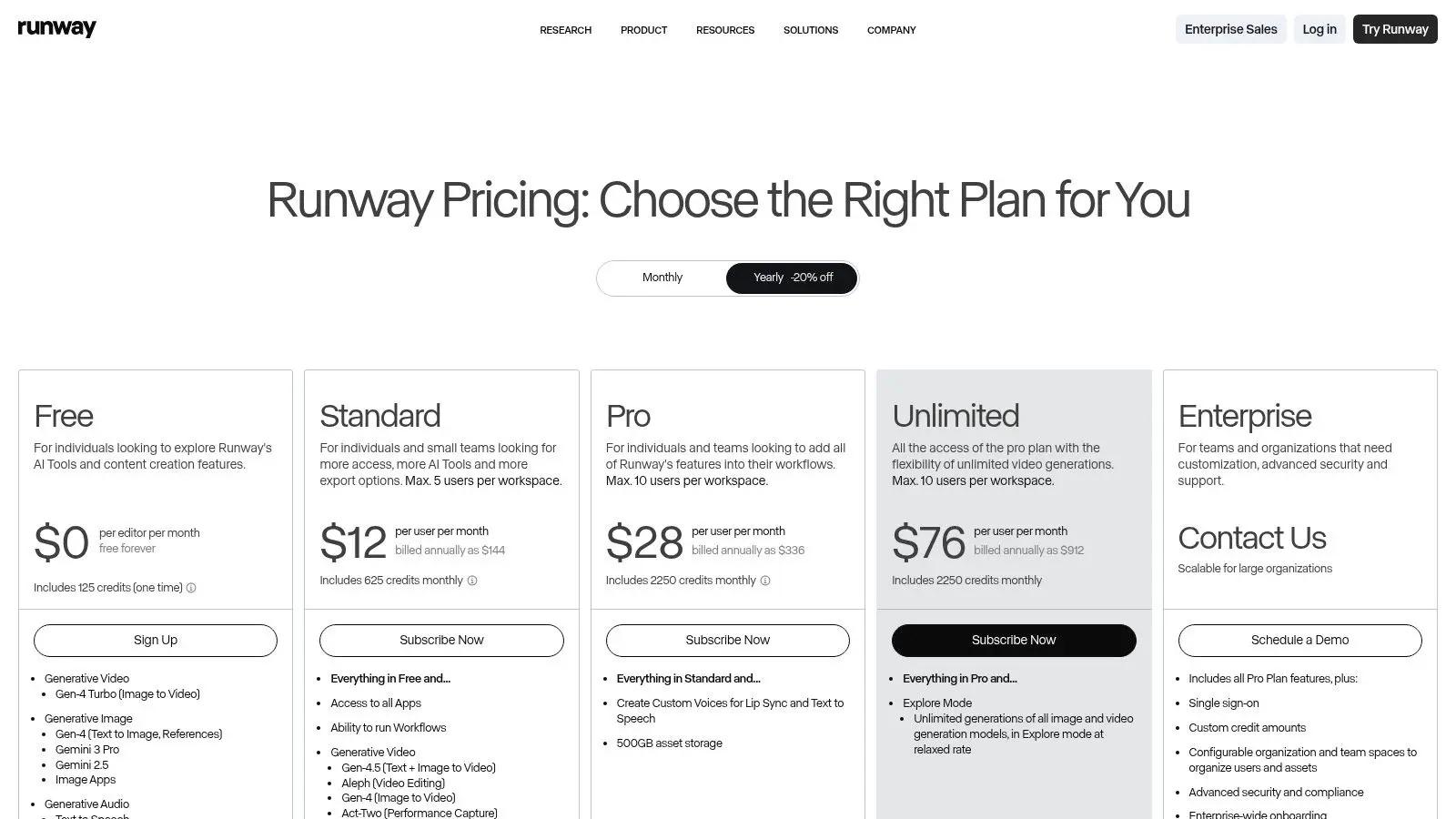
Runway is the tool I'd put in front of a creative team when the brief starts with mood, movement, and visual possibility rather than locked corporate messaging. It's strong at generating shots that feel directed, not merely produced. That distinction matters when you're trying to sell an idea before a full shoot or build a visual route for a treatment deck. Its real value is control. Text-to-video is only part of the story. Image-to-video, motion brushes, camera direction, and keyframing make it more useful inside an actual studio process than many prompt-only tools.
Where it earns its keep
Runway suits concept development, pitch films, style exploration, and stylised inserts that will later be finished in edit, grade, or comp. I wouldn't treat it as a full replacement for disciplined shot production, but I would treat it as a strong R&D tool.
- •Best use case: Previs, look development, short cinematic inserts
- •What works: Motion direction feels more intentional than most rivals
- •What doesn't: Credit budgeting gets murky once a client starts asking for multiple versions
A lot of teams coming from real-time production will recognise the logic here. The overlap with virtual production is less about identical tooling and more about iterative shot-building. Studio teams already thinking that way should also read this practical guide to virtual production for modern creatives.
Practical rule: If you need the AI to behave like a director's sketchbook, Runway is a strong choice. If you need rigid cost predictability, it's less comfortable.
There's also a broader workflow point. Industry summaries suggest real-time AI video generation latency is projected to fall below 5 seconds, but speed only helps if the output remains controllable and reviewable. Runway is one of the better options when revision speed matters as much as spectacle. Runway website: Runway
2. Pika

Pika is useful when the team needs momentum more than finesse. It's fast to pick up, easy to hand to non-specialists, and good at turning flat assets into something with movement and energy. That makes it practical for social variants, rough internal mock-ups, and quick-turn campaign experimentation. It isn't the best AI video generator for precision filmmaking. It is one of the easier ones to operationalise across a marketing team without a long learning curve.
Best for short-form volume
Pika's strengths show up when you already have design assets, product stills, or character art and want motion without a full animation pass. Lip sync, region edits, and canvas expansion are useful features, especially when you're adapting existing campaign material rather than generating everything from scratch. A few caveats matter in production. Motion coherence can drift, and camera language is far less nuanced than what you get in stronger cinematic tools. That means Pika is better for “good enough, fast” than “client-approved hero shot”.
- •Good fit: Paid social, teaser edits, internal first passes
- •Less suited to: Broadcast-adjacent finishing or detailed cinematic blocking
- •Team reality: Easier for account and marketing teams to use without producer oversight
If I were running a studio pipeline, I'd use Pika near the front of the process, not at the delivery end. It's a spark tool. It helps you test whether an idea has legs. Pika website: Pika
3. Luma AI Dream Machine
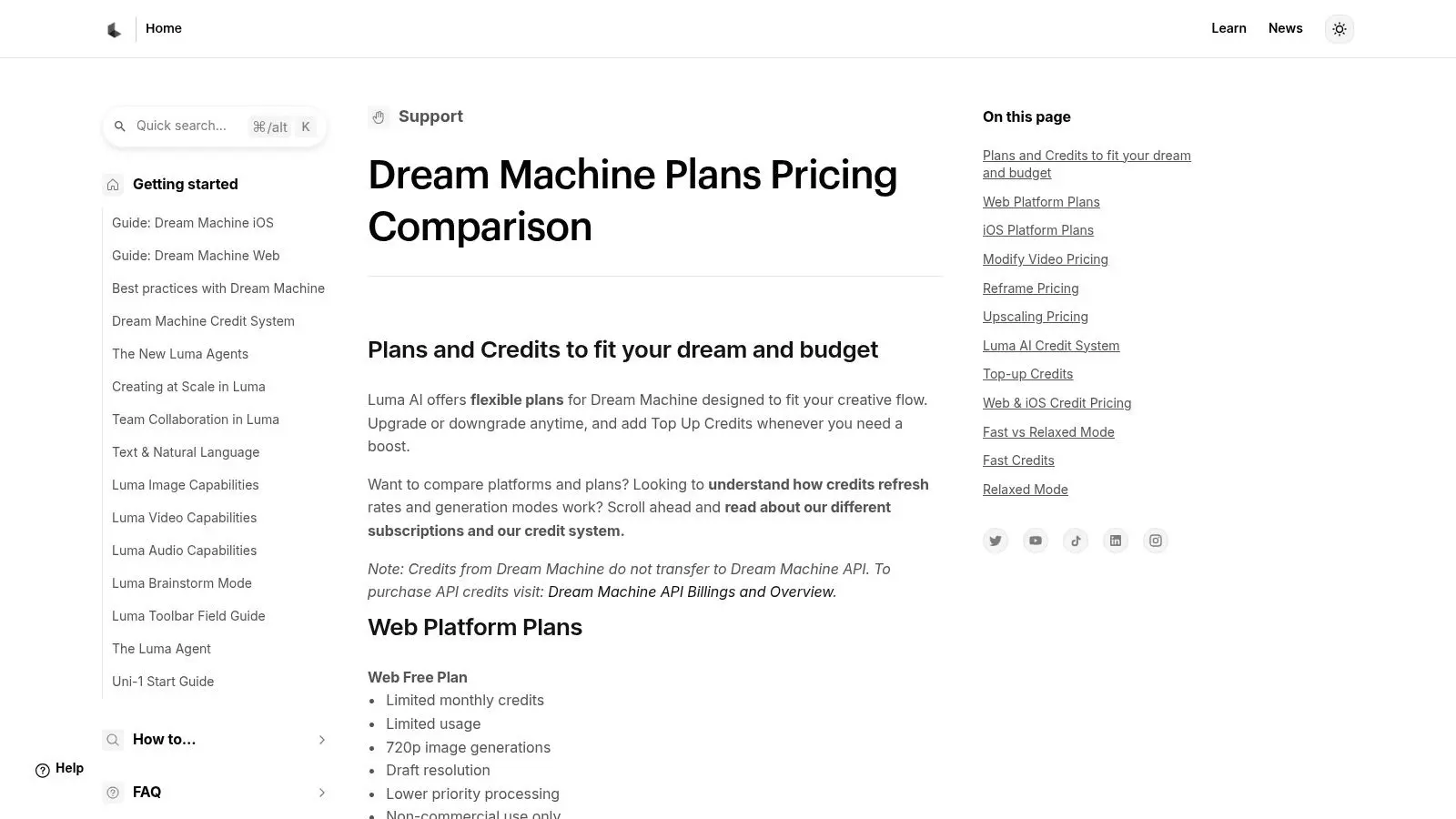
Luma AI Dream Machine is one of the cleaner options for quick cinematic ideation. It tends to produce visually appealing clips with relatively little setup, which is exactly why creative teams keep it in rotation for boards, early mood development, and scene experiments. The limitation is obvious. Short clips are useful until you need sequence continuity, editorial structure, or repeatable control.
Why studios still use it
For storyboard alternatives, visual references, and short concept moments, Luma can be very effective. Character consistency and plausible motion are often better than expected for such a lightweight workflow. If the job is to show tone rather than lock coverage, that's enough.
It's often better as a shot sketch than as a finished asset. Used that way, it saves time.
The issue is stitching. Once a client asks for a longer narrative beat, more exact camera instruction, or a reliable second pass that matches the first, you start to feel the boundaries. That doesn't make it weak. It just places it firmly in the ideation category. I'd recommend Luma to teams that need:
- •Fast visual exploration: Prompt in, clip out, review quickly
- •Director references: Useful for showing lighting, mood, and scene attitude
- •Pitch support: Strong when paired with boards and conventional edit mock-ups
Luma Dream Machine website: Luma AI Dream Machine
4. Synthesia
Synthesia sits in a different category from the cinematic generators, and that's exactly why it's useful. If your output is training, onboarding, internal comms, or product education, presenter-led video often beats generative spectacle. It's more predictable, easier to localise, and easier to govern. This is one of the UK-linked suppliers identified by Fortune Business Insights, which matters for buyers looking at enterprise maturity rather than experimentation alone. In practice, Synthesia is less about visual novelty and more about systematised production.
Strong for enterprise rollouts
Its core strengths are stock avatars, custom avatars, localisation, and LMS-friendly workflows. For L&D teams, that's more relevant than cinematic quality. SCORM export matters. Consistency matters. Approval loops matter. The platform also handles scale well in the specific sense corporate teams care about. One script can be adapted across multiple regions and functions without rebuilding the entire production process.
- •Use it for: Training, HR comms, compliance, multilingual explainers
- •Avoid it for: Brand films, dramatic storytelling, visual concept work
- •Production upside: Easier sign-off because the format is consistent and bounded
For teams blending presenter-led content with branded design systems, there's a useful overlap with motion graphics workflows. This guide to motion graphics for UK brands is a sensible companion read. Synthesia website: Synthesia
5. HeyGen
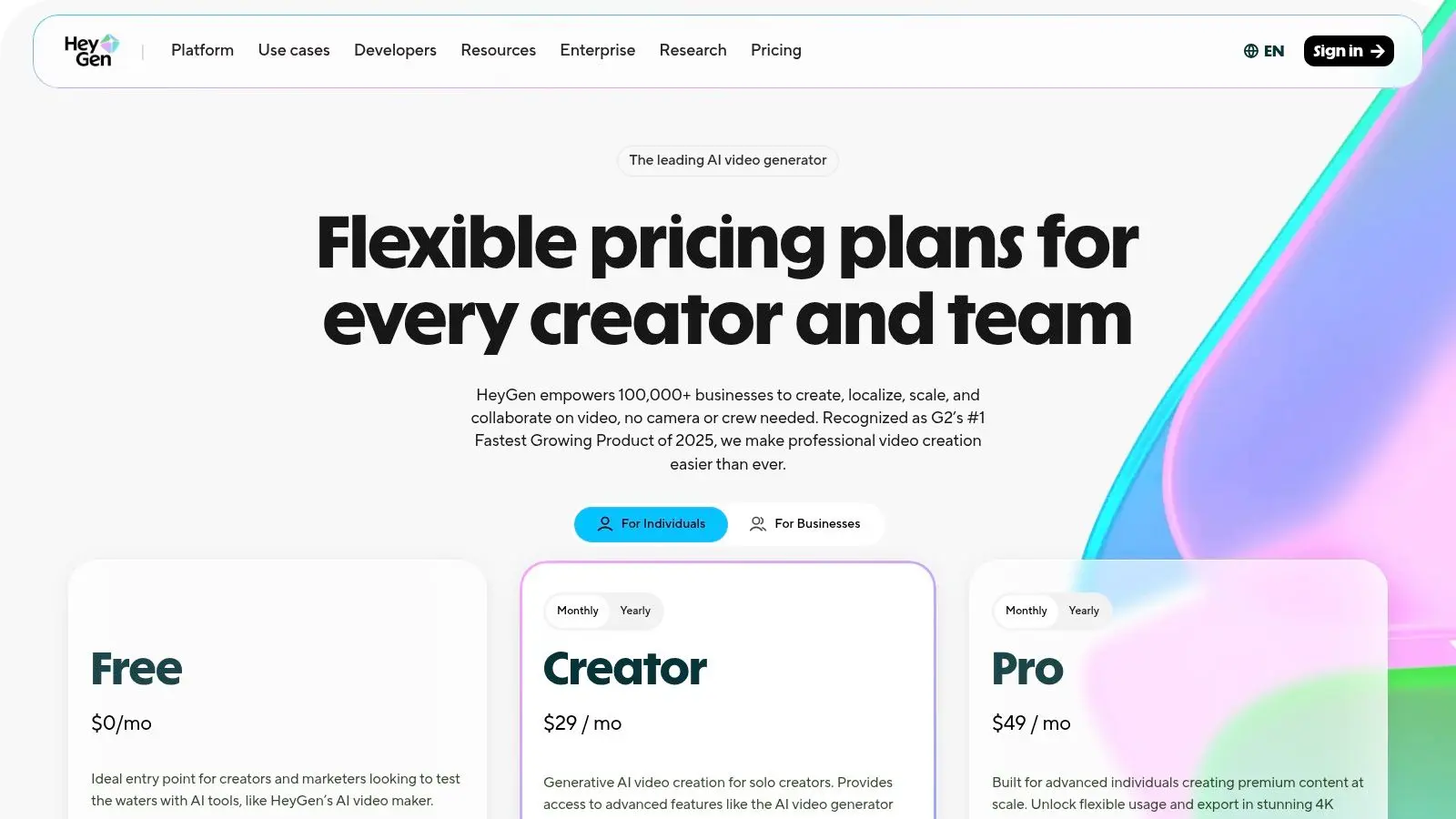
HeyGen is the avatar platform I'd look at first for marketing localisation and sales enablement. It's especially practical when one approved piece of content needs to become many language or market variants without rebooking talent. That isn't a niche problem. It's a common one.
Best when localisation is the brief
Its translation and lip sync features are the reason to use it. If the business is producing founder messages, campaign variants, customer education, or personalised outreach, HeyGen has a clear operational advantage. It turns one source asset into multiple outputs quickly, and that changes the economics of small regional adaptations. The trade-off is creative range. This isn't a broad cinematic generator, and it shouldn't be judged as one. It's a production system for face-led communication.
Use HeyGen when the performance anchor is already defined and the challenge is scale, language coverage, and repeatability.
There's also a procurement angle that many teams miss. Recent reviews note that pricing mechanics vary widely across the category, with some tools using monthly credit tiers and others using plan-based credits or varying generation costs by mode and duration. Zapier's comparison is useful because it highlights how fragmented this has become, especially for buyers trying to assess actual output cost rather than the advertised monthly fee in its best AI video generator review. That's where HeyGen needs scrutiny. Credit systems can make straightforward budgeting harder than they first appear. HeyGen website: HeyGen
6. Colossyan Creator
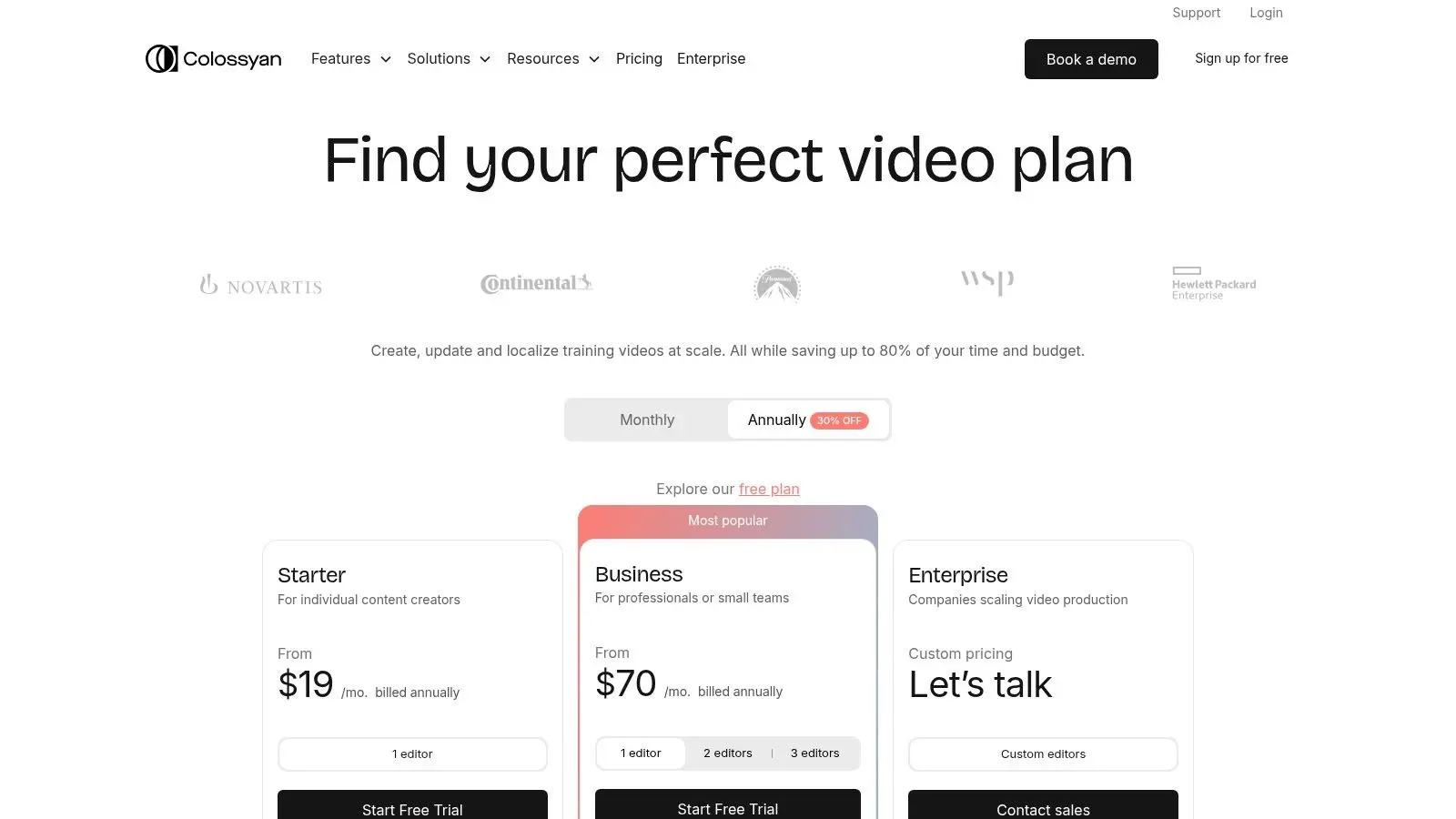
Colossyan Creator makes sense for organisations building structured learning content, not just video as a communications extra. That distinction matters. A lot of avatar platforms can present information. Fewer are clearly shaped around workplace learning workflows. It's also one of the UK-linked names identified in the market space, which may matter for buyers who prefer tools with stronger relevance to UK and EMEA enterprise buying patterns.
Better for training than for showreels
The useful features here are the practical ones. Interactive branches, quizzes, SCORM and xAPI support, plus easy conversion from documents and presentation material into video projects. That's not glamorous, but it's exactly what L&D teams need when they're trying to ship modules, track usage, and keep formats consistent. For a studio or agency, Colossyan isn't where you go to make something visually ambitious. It's where you go when a client says, “We need this rolled out properly across the business.”
- •Strongest fit: Internal learning, onboarding, process training
- •Operational benefit: Easier connection to LMS environments
- •Weak point: Avatar realism isn't the main selling point
I'd put Colossyan ahead of flashier tools whenever training outcomes matter more than visual polish. In that context, it's one of the more grounded options on the list. Colossyan Creator website: Colossyan Creator
7. D-ID Creative Reality Studio
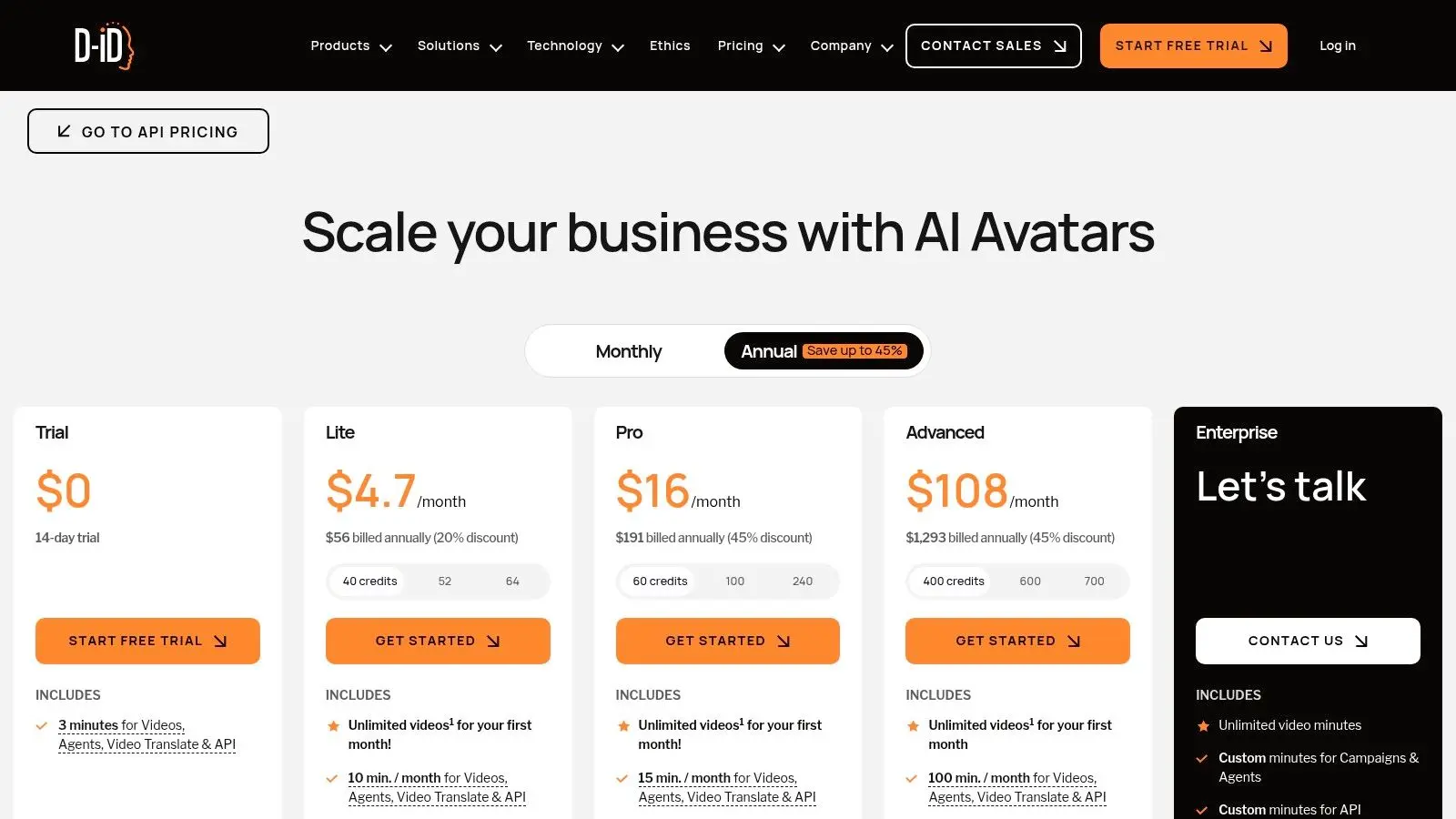
D-ID is narrower than many tools here, but that focus is also its value. It animates still portraits into talking-head video quickly, which makes it useful for face-led explainers, knowledge assistants, museum or heritage interpretation, and simple avatar experiences where full-body realism doesn't matter. If your asset starts as a photo rather than a scene, D-ID becomes more relevant.
The specialist option
This isn't a cinematic engine. It's a talking-head system with useful API support. For developers and product teams, that matters more than broad creative flexibility. It's one of the cleaner routes into interactive or semi-automated face-led experiences. The main production limitation is obvious. You're not getting body performance or rich scene work. But if the brief only needs a credible face speaking to camera, that limitation may not matter.
- •Best use: Knowledge interfaces, explainers, historic image animation
- •Useful for teams with developers: API access is a real advantage
- •Less useful for: Anything that depends on staging, blocking, or shot language
I wouldn't use D-ID for brand storytelling unless the format itself is intentionally portrait-led. I would use it for functional communication where speed and simplicity beat visual ambition. D-ID website: D-ID Creative Reality Studio
8. Stability AI Stable Video
If the biggest issue in your workflow is data control, not convenience, Stable Video deserves serious attention. This is the route for technical teams that want local or private-cloud deployment, deeper integration, and a model they can shape around an existing CG, VFX, or real-time stack. It's not the easiest option here. It may be the most strategic one for the right buyer.
Control over convenience
Self-hosted or tightly controlled deployment changes the conversation completely. You're no longer just evaluating prompt quality. You're evaluating security posture, infrastructure effort, engineering bandwidth, and how much customisation your team is able to support. That makes Stable Video attractive to studios and enterprise environments with stricter governance needs. It also aligns with a broader trend in AI creativity where owning the pipeline matters as much as using the model. This guide to AI art generators for UK creative businesses touches the same operational logic from the image side.
Procurement reality: Self-hosting only pays off if your team can maintain it. Otherwise you've swapped subscription pain for engineering pain.
The category's technical direction also matters here. A major benchmark shift came with Meta's Make-A-Video in September 2022, later evolving into Movie Gen in October 2024. Movie Gen reportedly uses 30 billion parameters for video and 13 billion for audio, generating 16-second clips at 16 frames per second in 1080p with audio up to 45 seconds. That milestone matters because it marked a broader move from novelty demos toward production-relevant capability. Stable Video sits in that same conversation, but from the control-first side. Stable Video website: Stability AI Stable Video
9. DeepBrain AI AI Studios

DeepBrain AI AI Studios is built for organisations that want a managed, enterprise-facing system for repeatable video production. It's less interesting as a creative toy and more interesting as an operational platform. That means templated output, collaboration, internal workflows, and consistency across a large content estate.
When governance matters more than style
If you're producing training, service information, scripted customer support content, or repeated communications across business units, DeepBrain has a sensible place. Prompt-to-video drafting, team collaboration, and enterprise deployment options all point in the same direction. This is software for scale and administration. The challenge is that public pricing isn't front and centre, which makes early qualification harder. For procurement teams, that means a sales process arrives before a clear self-serve evaluation of cost efficiency.
- •Useful for: Enterprise comms, templated internal content, service-led information
- •Less attractive for: Agencies wanting to test and move quickly
- •Main concern: Harder to benchmark value before a vendor conversation
I'd shortlist DeepBrain if the client is large, compliance-conscious, and already knows they want an enterprise relationship rather than a creative sandbox. DeepBrain AI website: DeepBrain AI AI Studios
10. Elai.io
Elai.io sits in a practical middle ground. It covers familiar avatar-video territory for training and marketing, but the on-premise deployment option gives it a different profile from many rivals. For some buyers, that alone moves it onto the shortlist. That's particularly relevant in sectors where security review can kill adoption long before creative quality becomes the issue.
A sensible option for controlled environments
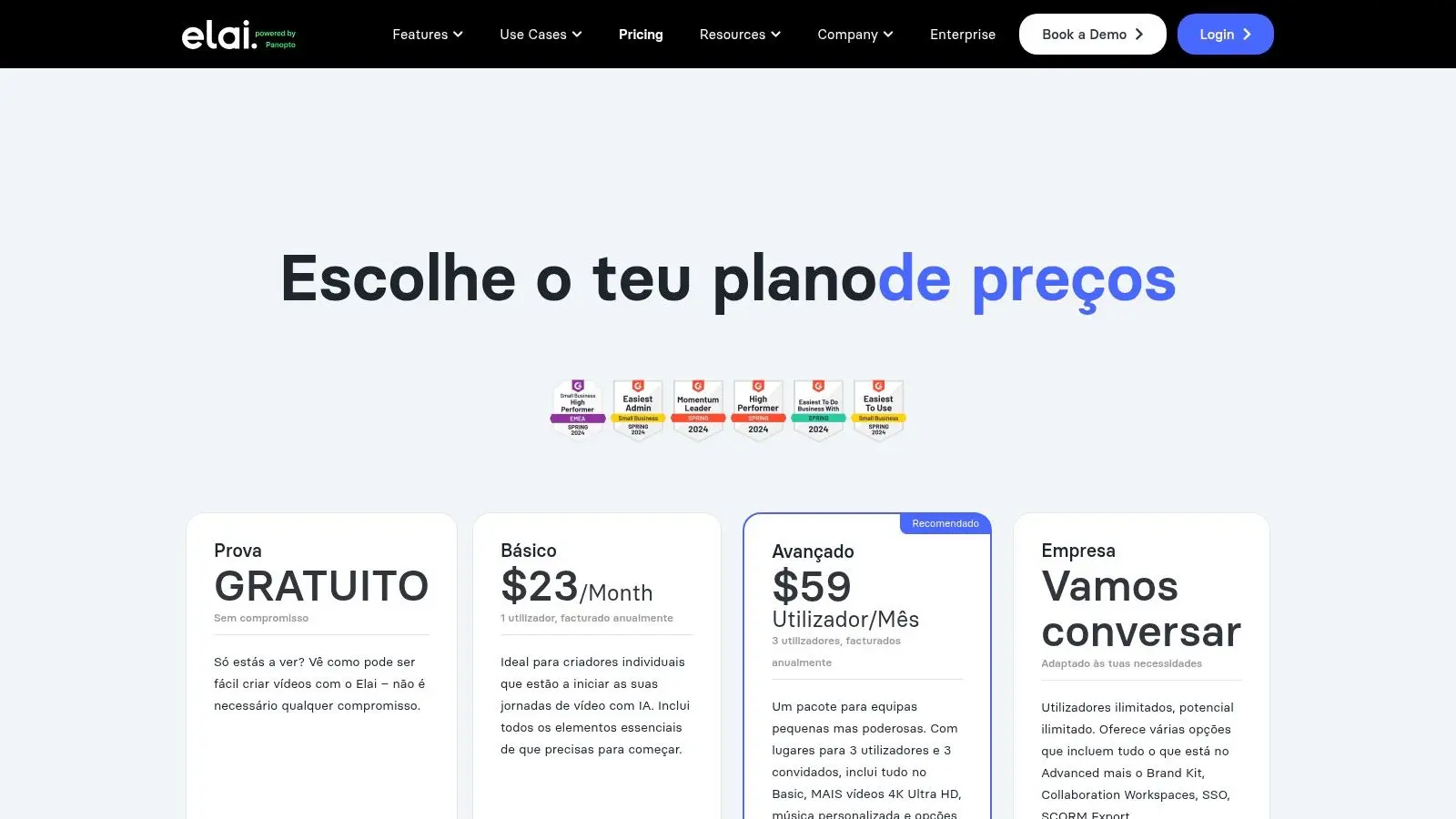
The platform offers custom avatars, SCORM support, API access, and a pricing structure that's easier to reason about than some credit-heavy competitors. That doesn't make it glamorous. It makes it usable. The visual output is functional rather than cinematic, and that's fine if your business case is information delivery. The bigger concern is planning usage carefully, because non-rolling minutes can punish teams that buy loosely and produce unevenly.
Elai works best when procurement, IT, and content owners all need a seat at the table.
For security-conscious organisations that still want a straightforward presenter-video workflow, Elai is a credible option. I wouldn't pick it for a campaign film. I would pick it for controlled, repeatable communication where governance and deployment options are part of the buying decision. Elai.io website: Elai.io
Top 10 AI Video Generators, Feature & Capability Comparison
| Product | Core Features ✨ | Quality / UX ★ | Best For 👥 | USP 🏆/✨ | Pricing 💰 |
|---|---|---|---|---|---|
| Runway (Gen-3 / Gen-4.5 Family) | Text/image→video; advanced camera & motion brushes; keyframing ✨ | ★★★★☆, cinematic, fast iteration | Creative directors, VFX & pre-vis teams 👥 | Unparalleled camera & motion control; pro cinematic outputs 🏆✨ | Credit-based; priority tiers; variable cost 💰 |
| Pika (1.0) | Text/image→video; lip‑sync; expand/modify region; SFX ✨ | ★★★☆, very user-friendly | Social creators, rapid marketing clips 👥 | Super simple UX for quick short-form content ✨ | Generous free tier; simple credits 💰 |
| Luma AI , Dream Machine | High‑fidelity 5s text/image→video; strong physics & character consistency ✨ | ★★★★☆, excellent motion & realism | Storyboarders, concept artists, short cinematic clips 👥 | Physical accuracy & character consistency 🏆✨ | Daily free credits; 5‑sec clip limit 💰 |
| Synthesia | 160+ stock avatars; custom avatars; 130+ language translation; SCORM ✨ | ★★★★☆, enterprise‑grade, reliable | Corporate L&D, internal comms teams 👥 | Scalable localisation & enterprise security 🏆 | Enterprise annual plans; quote-based 💰 |
| HeyGen | Video translation; voice cloning & lip‑sync; instant & studio avatars; API ✨ | ★★★★, natural avatars & translation | Global marketing, personalised sales outreach 👥 | Best‑in‑class translation + scalable avatars 🏆✨ | Flexible plans; feature credit complexity 💰 |
| Colossyan Creator | Interactive videos, branches & quizzes; SCORM/xAPI; PPT→video ✨ | ★★★★, L&D‑focused UX | Workplace learning teams & LMS owners 👥 | Interactive training features & transparent minutes pricing ✨ | Minutes‑based pricing; starter limits 💰 |
| D-ID Creative Reality Studio | Animate stills → talking heads; TTS/audio upload; Live Portrait & API ✨ | ★★★★, fast studio & dev API | Explainers, historical/photo projects, chatbots 👥 | Mature API for realistic head animation 🏆✨ | Studio vs API plans; watermarks on low tiers 💰 |
| Stability AI , Stable Video | Open diffusion models; weights for local deploy; pipeline integration ✨ | ★★★, flexible but DIY | ML teams, studios needing privacy & integration 👥 | Full model control, privacy & no per‑render fees 🏆✨ | Open/self‑hosted; infra costs instead of per‑render fees 💰 |
| DeepBrain AI , AI Studios | Prompt→video drafts; AI human chatbots; collaboration & security ✨ | ★★★★, enterprise collaboration | Large enterprises, regulated industries (L&D & CS) 👥 | Enterprise workflow depth for scale & compliance 🏆 | Enterprise quotes; custom pricing 💰 |
| Elai.io | On‑premise option; custom avatars; SCORM; minutes top‑ups ✨ | ★★★, functional, secure option | Security‑conscious orgs for marketing & L&D 👥 | On‑prem deployment for strict compliance 🏆✨ | Minutes‑based; no rollover; top‑ups available 💰 |
From Prompt to Pipeline Making the Right AI Choice
A rushed tool choice usually fails in post, not in the demo. The first draft looks usable, then the team hits subtitle corrections, aspect-ratio versions, client feedback, legal review, archive requirements, and another five language variants. At that point, the question is no longer which platform generates the nicest sample. The question is which one survives real production without blowing up cost or turnaround. Studio buyers should filter these tools by studio-readiness. That means export reliability, revision handling, predictable pricing, rights and governance clarity, and how well the output drops into an existing edit, review, and delivery process. Runway and Luma AI Dream Machine are strongest earlier in the chain. They help teams develop motion ideas, test visual directions, and build pitch assets fast. They still need hands-on post supervision if the end product has to meet client delivery standards. Synthesia, HeyGen, Colossyan, DeepBrain, and Elai are built for a different job. They suit repeatable formats where scripts, localisation, and update cycles matter more than shot-level originality. For training, internal comms, onboarding, sales enablement, and presenter-led explainers, consistency often delivers better ROI than broader generative range. Stable Video is a control decision as much as a creative one. Teams with in-house technical support can configure it around privacy, custom workflows, and ownership requirements. Teams without that support usually take on setup, maintenance, and QA overhead that can cancel out the savings. I use four checks before any shortlist gets approved:
- •Delivery fit: Does the output still hold up after edits, revisions, subtitles, and final platform compression?
- •Budget predictability: Can producers estimate finished-asset cost without guessing how many credits, rerenders, or usage limits the project will trigger?
- •Pipeline compatibility: Do exports, audio tracks, captions, and review steps fit the tools the team already uses?
- •Data and approvals: Will legal, IT, procurement, or client-side compliance block rollout later?
Poor choices usually fail on one of those points. A tool can look impressive in isolation and still create avoidable work through messy exports, inconsistent batches, weak version control, or unclear data handling. Buy for the bottleneck. If the bottleneck is concept development, generative motion tools can save serious time. If the bottleneck is scale, versioning, localisation, or presenter-led updates, avatar platforms with cleaner admin controls usually make more commercial sense. If privacy and ownership are the deciding factors, self-hosted or open-model routes deserve proper evaluation, but only with the production engineering support to run them well. AI video earns its place when it removes a specific production constraint. It does not remove the need for creative direction, editorial judgement, QC, or client management. Teams getting repeatable value are treating these tools as parts of a working production system. For teams also assessing adjacent workflows around fast-turn social variants, this piece on AI social media content generators is a useful follow-on read. Studio Liddell is one production partner operating in this area for organisations combining animation, XR, and AI-assisted production into one workflow.