Augmented Reality Types and How to Choose
The most popular advice about augmented reality is to choose the most immersive experience your budget can support. That's often the wrong starting point. A convincing digital character is little use if it slides across the floor, and an impressive headset demonstration won't help customers who never put the headset on. Choose augmented reality types by environment and activation cost before spectacle. The right format keeps content aligned for the whole task, runs on a suitable device and gives the audience a reason to start. For a producer, those are practical commissioning decisions, not finishing touches.
Six Augmented Reality Types Explained
Think of an AR marker as a named coat hook on a wall. Digital content hangs where that hook is, rather than wherever the viewer happens to look. Markerless AR works differently: the device interprets the surroundings and establishes where content can sit without a prepared hook. Augmented reality adds digital content to the physical world, rather than replacing it with a virtual environment. The confusing part is that AR classifications mix tracking methods, display hardware and combinations of both. These six categories are useful production choices, but they aren't mutually exclusive.
Start with what holds the content in place
Marker-based AR recognises a prepared image, printed code or known object. A museum label might support an animated reconstruction, while a classroom card might hold a rotating model. Staff can inspect and replace those targets, making this approach useful in controlled settings. A QR code can also open a web address. That doesn't automatically make the resulting experience marker-based: the code might launch a browser experience that subsequently places content using spatial tracking. Markerless spatial AR uses simultaneous localisation and mapping, usually shortened to SLAM, alongside camera features and motion sensing. Plane detection identifies surfaces such as floors and tables; depth sensing can improve understanding of surrounding geometry. A customer can then place a virtual chair without printing a target. For an outdoor planning example, OutdoorBrite's Best landscape design apps is a useful starting point for exploring design tools. When assessing any visualisation feature, distinguish placing an object in a camera view from producing an accurately measured garden plan. Location-based AR connects content to geographic position using GPS, compass information and geographic boundaries called geofences. It suits a heritage trail or site-scale story, but GPS alone shouldn't be treated as precise alignment with a doorway or machine component. Augmented reality types by anchor, hardware and main risk
| Type | What anchors it | Typical hardware | Main risk |
|---|---|---|---|
| Marker-based | Printed image, QR code or known object | Phone or tablet camera | Damaged marker or poor light breaks the lock |
| Markerless SLAM | Planes, depth sensing and motion sensors | Phone, tablet or depth-capable headset | Drift on blank or glossy surfaces |
| Location-based | GPS, compass and geofences | Phone used outdoors | Several metres of GPS error, and poor indoor use |
| Projection-based | Projector light on a physical surface | Fixed installation, no personal device | Bright ambient light washes the image out |
| Wearable and heads-up | See-through display or HUD, with underlying tracking where required | Smart glasses or vehicle HUD | Fit, battery, privacy and unit cost limit scale |
| Hybrid | Spatial map, persistent anchors and optional marker | Phone or headset with fallback target | More build time and more QA paths |
Separate the display from the tracking
Projection-based AR casts light onto a physical surface. Visitors can share the view without holding a screen, although the installation needs calibration and controlled lighting. It's projected imagery on real material, not a free-floating hologram. Wearable and heads-up AR describes how people see information, rather than a distinct tracking method. Smart glasses may use spatial mapping or visual targets; a vehicle head-up display may present information without anchoring every graphic to a physical object. Check field of view, input method and readability, not just whether the display is transparent. Hybrid AR combines techniques. Spatial mapping can establish placement, a persistent anchor can support a return visit, and a visual target can help recover alignment. Persistence still needs testing: saving an anchor doesn't guarantee that every device will recognise a changed room. A Teesside University BIM visualisation study found that reference-based superimposition can be inaccurate and examined automated alignment approaches. Recognising a marker and correctly aligning a building model are separate achievements. The Cambridge Centre for Digital Built Britain's 2018 study found that 52.9% of surveyed built-environment companies had tested AR or developed a basic implementation, but none reported full implementation. That's a historical sector baseline, not a current adoption estimate.
Practical rule: Read the anchor column first. Then check whether the audience has the hardware and whether you can control the listed failure.
Production Specs That Decide the Build
Write the technical acceptance criteria before approving character designs or detailed environments. A tracking prototype with plain geometry can reveal a commissioning mistake that polished animation would merely disguise. The specification should describe what must work, where it must work and what happens when it stops working. “Looks stable” isn't an acceptance test.
Define the operating conditions
Begin with the tracking environment. A staffed exhibition stand can maintain a printed target; an unrestricted public route needs a different recovery strategy. Record whether objects, furniture and signage will move between sessions. Specify the lighting range using actual operating conditions. Test glare across packaging, shadows over labels and daylight entering an exhibition space. Projection needs a surface and light level that preserve contrast, not just sufficient projector brightness in a dark demonstration room. Occlusion means real objects correctly hiding virtual ones. If a visitor walks between the camera and a virtual machine, decide whether the machine should disappear behind them. Achieving that requires suitable scene understanding, depth estimation or another deliberate masking method. Specs that change the AR type
| Specification | Why it changes the type | Failure if ignored |
|---|---|---|
| Tracking environment | Staffed print can use a marker; uncontrolled public sites need another anchor strategy | Lock lost when the target moves or disappears |
| Lighting range | Markers and projectors need predictable visibility | Content jumps, flares or disappears |
| Occlusion | Real objects must hide virtual ones | Model appears through furniture or machinery |
| Device depth | Demanding placement may need LiDAR or stereo depth beyond camera-based estimation | Overlay sits at the wrong scale or depth |
| Registration error | Safety and training need a stated positional tolerance | Guidance points at the wrong part |
| Session length | Extended tasks may need saved anchors and recovery | Drift accumulates and the model moves out of alignment |
Turn requirements into production decisions
Device depth deserves more care than a yes-or-no hardware check. Camera-only systems can estimate planes and support scaled placement; LiDAR or stereo depth isn't mandatory for every furniture preview or try-on. Choose depth capability according to the geometry, accuracy and occlusion the task requires. Define registration error, the permitted mismatch between the digital model and its physical counterpart. For a training scenario, agree a tolerance in centimetres with the subject specialist, then test against known reference points. If tracking confidence falls, hide precise guidance rather than displaying a misleading arrow. Finally, test session length through the complete task, including interruptions and return visits. Someone lowering their phone, locking the screen or leaving the room creates a different challenge from continuous camera movement. Real-time production may use Unity or Unreal, simplified meshes, controlled texture sizes and baked lighting. Browser delivery needs its own feature and device checks, not an assumption that an app can be exported unchanged. Our guide to augmented reality app costs for UK businesses helps connect these scope decisions to budgeting.
Test the least capable supported device in the actual venue before locking the art budget.
Where UK AR Demand Clusters
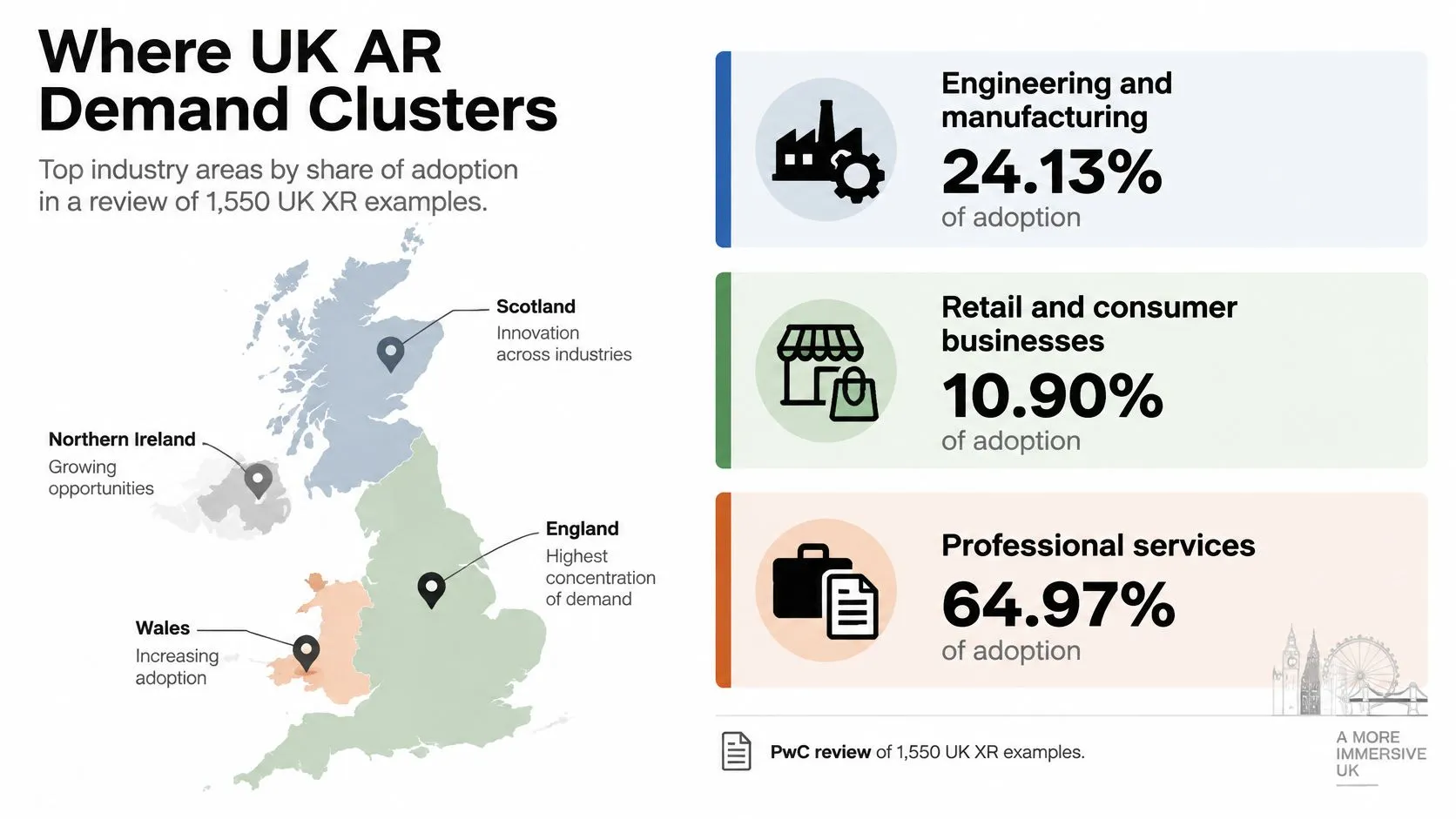
Engineering and manufacturing represented 24.13% of adoption, retail and consumer businesses 10.90%, and professional services 10.65% in PwC's review of 1,550 UK organisational XR examples; by application, consumer engagement accounted for 37.9% and learning and development for 21.7%. These are XR findings, covering a wider category than AR alone, rather than market shares for individual AR tracking types. The useful commercial distinction is between the jobs buyers need completed. A consumer experience supports a purchase or brand interaction; an enterprise application supports work; an educational experience helps someone understand or practise.
Match the scene to the organisational job
For consumer engagement, say a furniture retailer lets shoppers compare a chair's silhouette with their existing dining table. The useful outcome is a resolved question about the product, not just an animated object appearing. An exhibition team might instead project an exploded product view onto a display model. A queue can watch together while a presenter explains the mechanism. Shared visibility matters more than individual interaction. For enterprise learning, consider a maintenance rehearsal where a trainee identifies a component and follows an approved sequence. The production needs technical review, deliberate error states and an assessment method. Visual drama should never obscure the part being taught. A heritage or educational experience might attach an animated explanation to a museum card or reveal a reconstruction along an outdoor route. Those are different access conditions serving a similar purpose: helping visitors connect information to something physically present.
- •Consumer teams should define the uncertainty the experience resolves.
- •Operational teams should specify who approves technical accuracy.
- •Learning teams should decide what users must demonstrate afterwards.
Read market size without confusing it with fit
The UK AR market was valued at $2,512.5 million in 2024, with head-mounted and head-up displays identified as device categories, according to Market Research Future. Separately, Limelight Digital estimated the UK mobile AR market at $549.15 million in 2024. These estimates describe differently scoped markets and shouldn't be combined to calculate a device share. They do, however, give buyers a reason to consider mobile delivery seriously rather than treating it as an inferior substitute for a headset. Engagement and learning are useful starting points for a brief, not instructions to commission one universal format. The environment, audience and required action still determine the build.
The AR Format Schools Can Actually Run
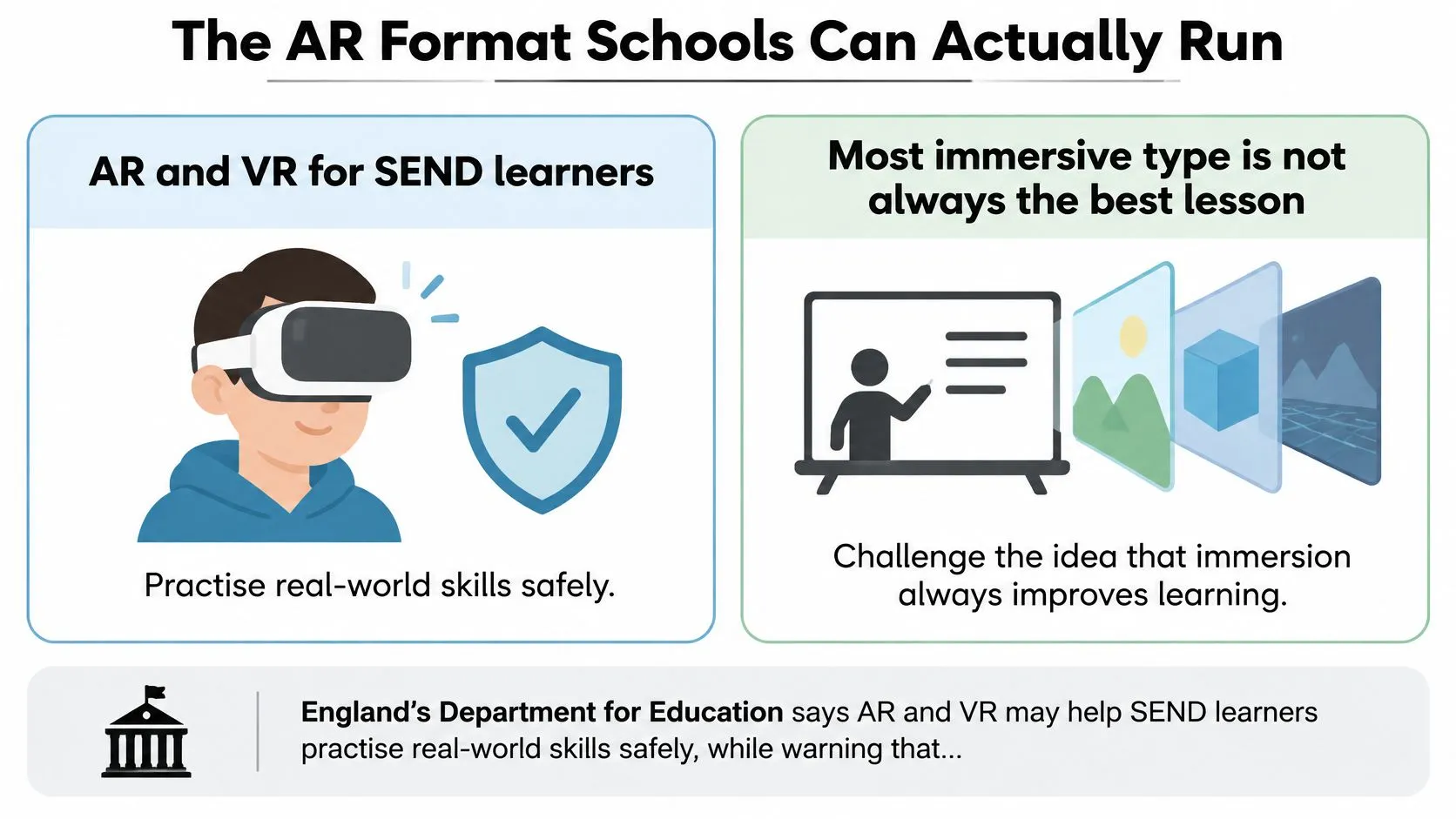
England's Department for Education assessment of the education technology market says AR and VR may help learners with special educational needs and disabilities practise real-world skills safely, while warning that evidence of impact is still developing and high upfront costs restrict adoption. That combination argues for careful selection, not the assumption that greater immersion produces a better lesson. A school needs a format teachers can start, supervise and adapt. The relevant comparison is phone or tablet AR versus headset-based spatial AR, judged by access rather than spectacle.
Compare participation rather than immersion
Phone and tablet AR can use a worksheet target or place an object on a desk. Where schools already have compatible devices, this avoids introducing an entirely separate hardware fleet. Teachers can also see what a learner is viewing without relying on a separate headset feed. Designers should provide adjustable text, captions, spoken explanation and alternatives to precise gestures. Don't assume that adding audio automatically makes a visual model accessible. A learner may need a structured description or a non-AR version of the same task. Headsets need assessment for fit, visual and hearing access, motion discomfort and supervision. They may suit a supervised station for a specific spatial skill, but they shouldn't become a condition for joining the lesson.
Teaching test: Keep the overlay only if it helps the learner do something a still image, physical model or ordinary video cannot explain adequately.
Make the lesson manageable
A model earns its place when learners need to inspect hidden structures, compare scale or rehearse a procedure safely. If the learning point is a sentence or a simple relationship, a labelled diagram may be clearer and cheaper. Before classroom use, check the practical workload:
- •Prepare access so logins, permissions and downloads don't consume the lesson.
- •Protect materials by testing printed targets after handling, storage and cleaning.
- •Provide alternatives for learners who can't comfortably use the camera or headset.
- •Assess understanding with a question or task that doesn't reward device confidence alone.
A browser link can simplify distribution, but school filtering, connectivity and browser support still need testing. The practical guide to augmented reality in the classroom offers a useful planning companion. The least immersive option may be the most inclusive and manageable. Reserve headsets for a clearly defined skill that justifies the extra access and supervision requirements.
Low Friction AR for High Consideration Buys
Only 15% of respondents had used AR for online shopping and 11% in physical stores in GetApp's survey of more than 1,000 UK consumers, yet 53% of non-users were willing to try it online and 51% in-store; 60% valued its ability to help visualise a product or place it correctly in their environment. Willingness isn't the same as starting, and starting isn't the same as completing a useful action. The delivery route helps determine whether customers cross those gaps. WebAR is a distribution choice, not another tracking category: a browser experience can use different tracking approaches.
Remove unnecessary steps before adding features
Browser-based try-on or placement avoids a store download, although camera permission, loading and device compatibility remain. An app introduces installation and storage decisions, but can be justified when customers expect repeated use or need capabilities the browser route can't reliably deliver. A headset requires an unfamiliar shopper to accept hardware, setup, and a new interaction method before receiving value. That's a substantial commitment for someone who only wants to compare a finish or judge a product's appearance. For appearance-led purchases, Robosize's guide to trying new looks provides context for exploring digital previews. Keep the buying promise precise: a convincing visual impression isn't proof of physical fit, material feel or colour under every light.
| Customer moment | Useful approach | Trust question to answer |
|---|---|---|
| Exploring a purchased pack | Marker-triggered explanation | Is this the correct product version? |
| Considering furniture | Markerless placement | Is the model scaled correctly? |
| Arriving at a store | Location-aware content | Why does the experience need location access? |
| Watching a shop window | Shared projection | Can viewers understand it without instructions? |
| Staff assisting a customer | Wearable guidance where justified | What can the device record? |
Measure the resolved buying question
Choose the moment of uncertainty before choosing the effect. A customer configuring a costly product needs a clear comparison and an obvious route back to the product page. They don't need an unrelated game blocking that decision. Track completed configurations, saved choices or added items, alongside starts and abandonment. Separate customers who launch the experience from those who successfully place or inspect the product. Otherwise, a busy launch can conceal an unusable tool. The practical guide to augmented reality in ecommerce helps turn that journey into a retail brief. A beautiful demonstration still fails its commercial purpose if customers never begin it.
Match the Brief to One AR Type
Commission the simplest approach that can complete the task under real operating conditions. Start with a primary AR type, then add complexity only where a tested requirement justifies it. If the audience already holds a designed object and the interaction is brief, choose marker-based AR. If content must sit on a physical surface without reliable print, choose markerless SLAM and document the supported surroundings. For an outdoor story tied to a place, choose location-based AR and avoid promising component-level alignment. For a shared queue without personal devices, consider projection and take responsibility for the installation conditions.
Turn the choice into an acceptance measure
| Brief | AR type | Success measure |
|---|---|---|
| Designed object, short session | Marker-based | Scan-to-view completion rate |
| Content on a real surface, no reliable print | Markerless SLAM | Completed placement or configuration |
| Story tied to a place outdoors | Location-based | Site visits and dwell time |
| Shared queue, no phones | Projection-based | Dwell time at the projected view |
| Both hands on a task | Wearable or heads-up | Correct task completion without errors |
| Long or safety-critical visit | Hybrid with fallback marker | Correct procedure with recovered tracking events |
When both hands must remain available, assess wearable or heads-up delivery alongside device management and safe working procedures. For a long visit or demanding alignment task, consider hybrid tracking with a recovery target. Hybrid tracking alone doesn't make an application safety-critical-ready: specialist validation and a safe response to tracking loss remain necessary. Agree the success measure before production, including how it will be observed. Dwell time is useful for an exhibition, but it can also reflect confusion. Pair the chosen measure with a task-specific check rather than treating longer use as automatic success.
Bring an actionable brief
We offer virtual and augmented reality production alongside animation and app development. We've completed an AR and VR project for Merck Pharmaceutical, and our founding team has more than twenty years of experience across animation, interactive media and immersive storytelling. A scoping conversation should establish the site, the audience's available device and the action they must finish. Bring photographs of the environment, access constraints and any technical accuracy requirements. Those details support a useful tracking test before anyone commits to finished artwork. --- Studio Liddell offers AR and VR production, animation and app development to turn a defined task into a suitable experience. Visit Studio Liddell to book a production scoping call, bringing your site details, target devices and the action your audience needs to complete.