AR App Development: A Guide to Building Immersive Experiences
At its heart, augmented reality (AR) app development is the process of creating applications that blend digital information, like 3D models, data, and interactive overlays, with a user's view of the real world. It’s the art of layering computer-generated content over a live environment, usually through a smartphone, tablet, or headset. This process makes static objects interactive and everyday spaces dynamic, turning passive viewing into active participation.
Demystifying Augmented Reality for Business
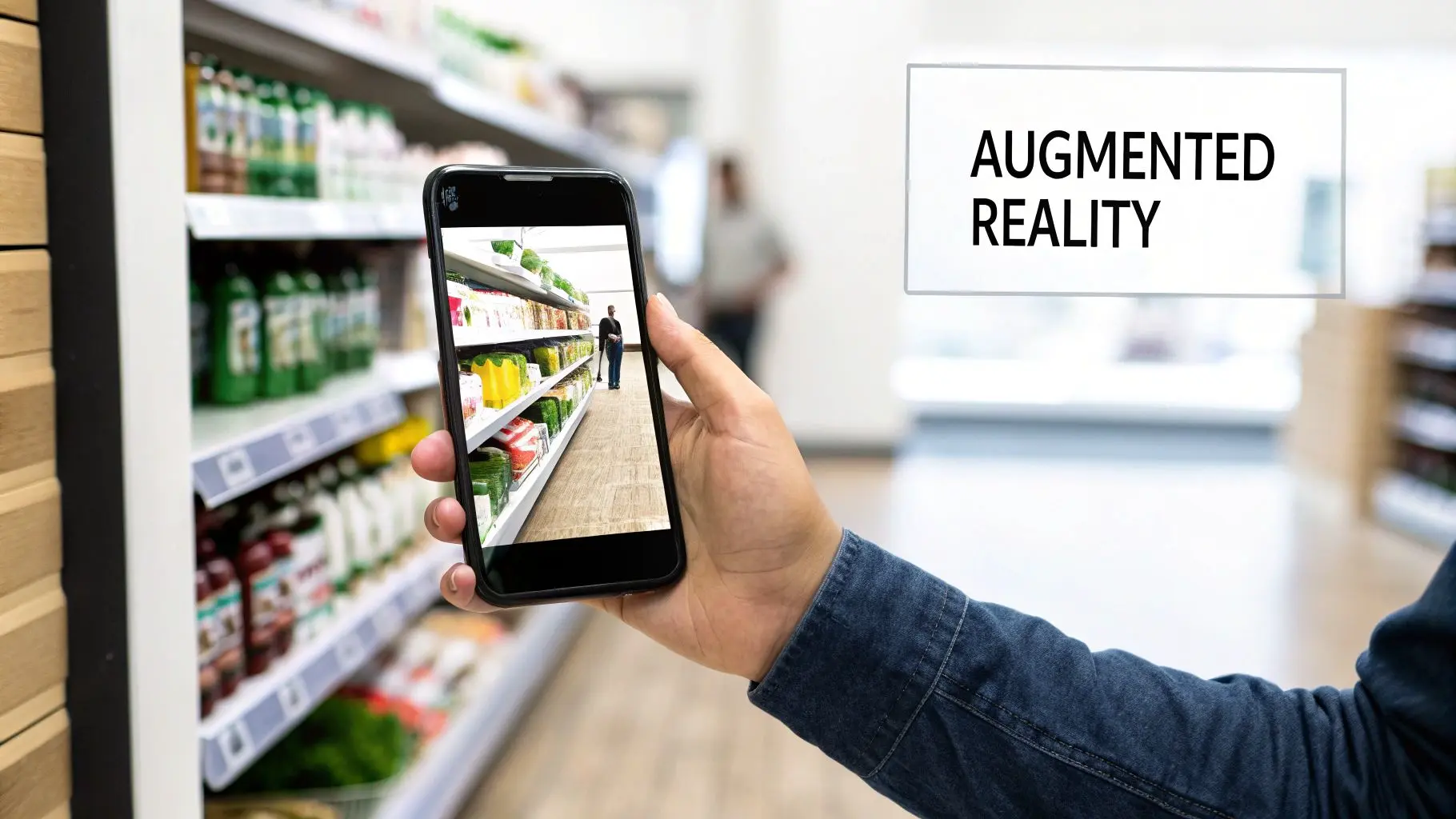
Think about how a live sports broadcast overlays scores and player stats onto the game you’re watching. AR technology does something very similar, but the canvas could be your factory floor, your product packaging, or your customer's living room. It's a genuine shift from passive consumption to active engagement. This isn't just a flashy gimmick; it's a practical tool that can solve real-world problems and drive tangible business results. The goal is to add a genuinely useful digital layer to physical objects and environments, creating real value where none existed before. This can play out in several powerful ways:
- •Deeper Customer Engagement: Imagine turning a simple product package into an interactive story, revealing ingredients, step-by-step instructions, or your brand’s origin story with a simple scan.
- •Effective Employee Training: You could guide new technicians through complex machinery repairs with 3D instructions overlaid directly onto the equipment they're working on, reducing errors and downtime.
- •Powerful Sales Tools: Let customers place a virtual sofa in their home to see exactly how it fits and looks before they even think about buying, bridging the imagination gap that hinders online sales.
Understanding the Main Types of AR
While the applications are incredibly diverse, most AR experiences fall into three main categories. Each serves a different purpose and relies on distinct technology to anchor digital content in the real world.
Marker-Based AR: This is the classic approach. It uses a specific, pre-defined image, like a QR code, a logo, or a product label, as a trigger. When the app's camera recognises the marker, it overlays the digital content right on top of it. It’s incredibly reliable and perfect for bringing print media, packaging, or exhibition stands to life.
A great example of AR in action can be seen in e-commerce, where Virtual Clothing Try-On Apps let shoppers see how different garments might look on them in real-time. Markerless AR: This is more advanced as it doesn't need a specific trigger image. Instead, it uses clever algorithms and sensor data (like SLAM - Simultaneous Localisation and Mapping) to detect surfaces in the user's environment, like floors, walls, and tables. This allows users to place virtual objects anywhere they like, making it ideal for furniture placement, architectural visualisation, or interactive gaming. Location-Based AR: This type uses a device's GPS, accelerometer, and compass data to place digital content at specific geographical coordinates. Think of an app that guides visitors through a historical site with virtual reconstructions of old buildings, or a game that populates a city park with digital creatures to find. Getting to grips with these foundational types is the first step towards figuring out how AR can solve your unique business challenges. You can explore more real-world applications in our guide covering 10 examples of augmented reality you should know.
How AR Is Solving Real Business Problems
For a while, augmented reality was seen as a bit of a gimmick, a fun "wow" moment but not much else. That’s changing. Today, smart businesses are using AR app development as a serious tool to solve genuine, long-standing operational headaches. This is where AR stops being a novelty and starts proving its worth, fixing tangible problems and delivering a real financial impact. The magic of AR is its ability to lay precise, useful digital information over the real world, right when and where it’s needed. This simple idea unlocks incredible efficiencies and opens up new ways to connect with customers, whether they're on the shop floor or in an operating theatre. Let's look at how.
Reinventing the Retail Experience
One of the biggest hurdles for e-commerce has always been bridging the "imagination gap." Customers find it tough to properly visualise how a sofa will look in their living room or how a pair of trainers will actually look on their feet. This doubt leads to hesitation, abandoned shopping carts, and a mountain of costly returns. AR is the perfect solution. Virtual try-on features let customers use their phone's camera to see how products fit into their lives before they ever click "buy."
- •Business Challenge: High return rates and customer indecision because people can't accurately picture items in their own space.
- •AR Solution: An AR feature built into a retail app, letting users place true-to-scale 3D models of products right in their homes.
- •Tangible Impact: It works. Companies using this tech have seen conversion rates jump by up to 90% for shoppers who use an AR feature. It also directly tackles the returns problem, saving retailers a fortune. To get a better feel for this, check out our complete augmented reality in retail guide for UK businesses.
Streamlining Complex Manufacturing
On a factory floor, every second and every millimetre counts. Small mistakes during assembly or maintenance can snowball into huge delays and costs. The old way of learning, poring over dense paper manuals or watching static videos, is often slow and doesn't quite click for complex, hands-on jobs. AR changes the game by feeding interactive, step-by-step instructions directly into a technician’s line of sight. Using a headset or tablet, a worker sees digital guides, animations, and instructions projected right onto the machinery they’re working on.
By providing real-time, in-situ guidance, AR reduces the cognitive load on technicians. They no longer need to look away from their work to consult a manual, which dramatically cuts down on errors and speeds up task completion.
This approach turns a complicated procedure into a simple, guided process. It ensures every step is done correctly, in the right order, boosting both quality and productivity. It's particularly powerful for getting new staff trained up, helping them learn faster and with more confidence.
Advancing Healthcare and Medical Training
In healthcare, there is simply no room for error. Training surgeons and medical students for intricate procedures has always relied on expensive physical models or rare opportunities in real-world scenarios. AR offers a safe, repeatable, and incredibly realistic alternative. AR apps can overlay detailed 3D anatomical models onto a training mannequin, or even onto a patient during pre-op planning. This gives surgeons a way to visualise complex organ systems and practise tricky manoeuvres in a simulated environment, sharpening their skills before they ever make an incision.
- •Business Challenge: Finding a way to provide realistic, risk-free, and accessible training for complex surgeries and medical education.
- •AR Solution: AR training simulations that project 3D anatomical data and procedural guides onto a physical space or mannequin.
- •Tangible Impact: The results speak for themselves. Studies show that surgeons trained with AR-assisted methods are more accurate and complete procedures faster. It also helps scale up expertise, allowing a top surgeon to guide a colleague in another hospital through an AR-assisted operation.
The AR App Development Process From Start to Finish
Building a professional augmented reality app is a carefully planned journey, not a blind leap into the unknown. The entire AR app development lifecycle follows a methodical process, designed to take a creative vision and shape it into a polished, functional, and reliable final product. By breaking the project down into distinct, manageable phases, we create a predictable path from your initial idea right through to a successful launch. This process gives us a clear roadmap, building confidence by showing exactly what happens at each stage of production. It's a truly collaborative effort that starts with understanding your business goals and ends with an app that delivers real value to your users and your organisation.
Phase 1: Discovery and Strategy
Before anyone writes a single line of code, every successful project kicks off with a deep dive into strategy. This foundational phase is all about getting on the same page, working together to define precisely what the app needs to achieve. We ask the hard questions upfront to set a clear direction and establish measurable goals. Key activities during this crucial first step include:
- •Defining Business Objectives: What specific problem will this AR app solve? Are you looking to boost sales, slash training time, or create a truly memorable brand engagement?
- •Identifying Key Performance Indicators (KPIs): How will we actually measure success? This could be anything from conversion rates and user session times to employee adoption rates.
- •Audience and Device Analysis: Who are we building this for, and what devices are they using? This analysis drives critical decisions about platforms (iOS vs. Android) and technology (a native app vs. WebAR).
This strategic groundwork ensures that every decision that follows is made with the end goal in mind, preventing costly U-turns later in the development cycle.
Phase 2: Design and Prototyping
With a solid strategy locked in, we shift our focus to the user experience (UX) and user interface (UI). Designing for AR is a different beast entirely compared to traditional 2D apps; it demands a deep understanding of spatial interaction, environmental awareness, and intuitive controls. This phase is highly visual and iterative, turning abstract ideas into something you can see and feel. We start by creating wireframes and user flow diagrams to map out the entire user journey. From there, we move into creating the 3D assets, animations, and other visual elements that will bring your augmented world to life. Prototyping is absolutely essential here, as it lets us test core interactions and get a real sense of the experience long before we commit to full-scale development. The timeline below shows just how far AR solutions have come, evolving from retail novelties to tackling complex challenges in healthcare and manufacturing. This progression shows that as the technology matures, AR's application moves from customer-facing engagement to solving complex, mission-critical operational challenges.
Phase 3: Development
This is where the magic happens. Our development team takes the blueprint from the design phase and starts building the application. This involves firing up the chosen technology stack, whether that’s Unity or Unreal Engine, and implementing the core AR functionalities using powerful SDKs like ARKit or ARCore. It’s the most intensive part of the process, involving coding, engine integration, and connecting the app to any necessary backend systems or databases.
We typically manage the development phase using agile methodologies. This just means the project is broken down into smaller "sprints," which allows for regular progress reviews and gives us the flexibility to adapt as the project evolves.
We produce regular builds throughout this stage, so the project team can see and interact with the app as it takes shape, making sure it stays true to the original vision.
Phase 4: Testing and Quality Assurance
For a flawless user experience, rigorous testing is completely non-negotiable. Our Quality Assurance (QA) team meticulously tests the application across a wide range of target devices and in all sorts of environmental conditions. This goes way beyond simple bug hunting; we are stress-testing the app's performance, tracking accuracy, and usability in real-world scenarios. Our testing covers several key areas:
- Functional Testing: Making sure every single feature works exactly as it should.
- Performance Testing: Checking the app's impact on device battery life, memory usage, and processing power.
- Usability Testing: Getting feedback from real users to iron out any points of friction or confusion in the interface.
Phase 5: Deployment and Maintenance
Once the application has passed our stringent QA process with flying colours, it's ready for launch. We handle the entire deployment process for you, from preparing all the necessary assets to submitting the app to the Apple App Store or Google Play Store, ensuring it meets every platform-specific guideline. But our job doesn't stop at launch. We provide ongoing support and maintenance to ensure the app stays compatible with new devices and operating system updates. This final phase guarantees the long-term health and success of your AR application, making sure it continues to deliver value long after its initial release. A typical AR project has a clear structure and timeline. Here's a look at what you can expect at each stage of the development process.AR App Development Timeline and Key Milestones
| Phase | Typical Duration | Key Activities & Deliverables |
|---|---|---|
| 1. Discovery & Strategy | 2, 4 Weeks | Project brief, competitor analysis, KPI definition, technical feasibility report, project roadmap, and initial cost estimates. |
| 2. Design & Prototyping | 3, 6 Weeks | User flow diagrams, wireframes, UI/UX design concepts, 3D asset style guides, and an interactive prototype of core features. |
| 3. Development | 8, 16 Weeks | Alpha/Beta builds, integration with backend systems, core functionality implementation, and regular sprint demos. |
| 4. Testing & QA | 2, 4 Weeks | Comprehensive test plan, bug reports, performance benchmarks, user feedback sessions, and final release candidate build. |
| 5. Deployment & Maintenance | 1, 2 Weeks (Launch) | App store submission packages, promotional assets, and launch support. Ongoing maintenance plan. |
Choosing the Right Technology for Your AR App
Picking the right tech stack is one of the first, and most important, decisions you'll make on your AR app development journey. This choice will ripple through the entire project, affecting everything from performance and visual quality to your timeline and budget. Think of it like choosing the engine for a car; the one you pick depends entirely on whether you're building a reliable family runaround or a high-performance racing machine. This section is a straightforward guide to the core technologies you’ll encounter. We’ll cut through the jargon to help you understand your options, ensuring your project gets started on the right foot and stays perfectly aligned with your business goals.The Powerhouse Engines: Unity vs Unreal
At the heart of most AR apps, you’ll find a powerful game engine doing all the heavy lifting , rendering 3D graphics, handling physics, and managing user interactions. The two biggest names on the block are Unity and Unreal Engine, and they each bring something different to the table. Unity: This is the versatile workhorse of the AR world. Known for its incredible flexibility and a massive developer community, Unity is the go-to for many mobile AR apps on both iOS and Android. Its asset store is a huge plus, offering a treasure trove of pre-made models and tools that can seriously speed up development. Unreal Engine: If your project demands jaw-dropping, photorealistic visuals, Unreal is the undisputed champion. It’s a graphical powerhouse, perfect for high-fidelity product visualisations, architectural walkthroughs, and cinematic AR experiences. While it once had a steeper learning curve, its tools are becoming much more accessible for AR development. The choice often boils down to this: Unity offers brilliant mobile versatility and a faster path to market, while Unreal delivers unparalleled visual fidelity.Native SDKs: ARKit and ARCore
Software Development Kits (SDKs) are the toolkits that let developers build AR experiences for specific platforms. They handle all the complicated stuff, like figuring out where the floor is and tracking a device's movement, so developers can focus on the creative side of things.- •ARKit (Apple): This is Apple’s native AR framework for all iOS devices. It’s famous for its rock-solid performance, seamless hardware integration, and advanced features. The LiDAR scanner on newer iPhones and iPads, for example, gives it an incredibly accurate sense of depth.
- •ARCore (Google): This is Google's answer for the Android ecosystem. ARCore is built to work across a huge range of devices from countless manufacturers, making it the perfect choice if you need to reach the widest possible audience. It also has powerful features for understanding environments and estimating lighting.
A key consideration here is your target audience. If your user base is mostly on Apple devices, ARKit offers a polished, high-performance experience. If you need to reach the wider Android market, ARCore is your essential tool.
WebAR: The App-Less Alternative
What if your users could jump into an AR experience without having to download a single app? That’s the magic of WebAR. This game-changing tech delivers augmented reality content directly through a smartphone’s web browser. The biggest advantage is accessibility. By removing the friction of visiting an app store and downloading something, you can get your experience in front of a much larger audience, instantly. This makes it ideal for marketing campaigns, product demos, and quick, engaging brand interactions. Of course, that convenience comes with a trade-off. WebAR experiences are generally less complex and graphically intense than native apps because of browser limitations. You can dive deeper into this topic in our article on the future of augmented reality with WebAR. Recent industry surveys show a clear trend in the UK app market. While only around 14% of apps have direct AR/VR features, the integration of related tech is soaring, with 65% of teams now incorporating AI/ML. This tells us there’s a growing demand for AR projects that connect with other advanced systems, meaning development studios need a much broader set of technical skills.
Understanding AR App Development Costs and ROI
Kicking off an AR app development project is a major strategic move, so getting a handle on the financial side of things is absolutely essential. When you can budget properly and know exactly how to measure your return on investment (ROI), AR stops being a speculative experiment and becomes a smart business investment that pays real dividends. The cost of building an AR app isn’t one single number. Think of it more like a spectrum, influenced by a few key decisions that shape the project's size and complexity. Nailing down these variables is the first step to creating a budget that makes sense and a project plan you can stick to.
What Really Drives the Cost?
The final price for your AR app comes down to three big things. Every choice you make in these areas directly impacts the resources, time, and talent needed to bring your idea to life.
- •Project Complexity: This is the biggest factor, without a doubt. A simple social media filter or a marker-based marketing gimmick with a couple of 3D models will sit at the lower end of the scale. On the other hand, a sophisticated enterprise training simulation with multiple interactive scenes and backend system integration is a much bigger undertaking, requiring a far greater investment.
- •Platform Choice: Do you go native or web? A native app built with ARKit for iOS and ARCore for Android will usually cost more, but it gives you the best performance and access to all the advanced features of a device. A WebAR solution, which runs straight from a browser with no download needed, can be a more budget-friendly way to get wider reach, but you might have to compromise on performance and complexity.
- •Custom 3D Content: The amount and quality of your 3D assets are massive. An app that uses a handful of simple, optimised models is a world away from one that needs photorealistic, custom-designed assets with intricate animations. Creating these digital assets is a highly specialised skill and will always be a major part of the budget.
From Cost Centre to Investment Centre
It’s crucial to shift the conversation from cost to ROI. An AR app shouldn't be seen as just an expense; it’s an asset designed to generate a return. That means you need to define what success looks like from day one and track the right metrics to prove its worth. The UK mobile app economy is projected to hit £28.3 billion, which shows the huge market potential for AR features. With downloads expected to soar past 8.5 billion, AR projects are stepping into a booming ecosystem with clear routes to customers and revenue. You can discover insights into the UK's mobile app market on Netguru.com to get a better sense of the landscape.
An AR project's true value isn't measured by its features, but by its impact on your key business objectives. The goal is to move beyond the "wow" factor and focus on tangible, quantifiable outcomes.
To figure out your ROI, you have to track specific metrics that tie directly back to your original goals. This is how you turn abstract benefits into hard data that justifies the initial spend.
- •Increased Sales Conversion: For retail apps, this is a big one. Track how often users who engage with an AR feature go on to make a purchase, compared to those who don’t.
- •Reduced Training Time: In a corporate setting, measure how much you cut down onboarding time or employee error rates when using AR training versus traditional methods.
- •Enhanced Brand Engagement: Keep an eye on metrics like how long users spend in the app, how often they come back, and how many social media shares your AR experience generates.
When you focus on these kinds of outcomes, AR development stops being a cost and starts being a strategic tool for growth, efficiency, and getting ahead of the competition.
How to Choose the Right AR Development Partner
Your AR app development project is a huge investment, and its success often hangs on the partner you choose to build it with. Picking the right studio isn't just about hiring skilled coders. It's about finding a team that feels like an extension of your own, one that gets your vision and has the expertise to handle the unique twists and turns of creating immersive experiences. A great partner brings a mix of technical chops, creative flair, and a battle-tested process to the table. This means you need to look past the slick sales pitch and get into their actual track record. A studio's portfolio is your first and most important piece of evidence. Don't just get wowed by pretty visuals; look for projects that actually line up with your business goals. If you're building a retail app, have they launched similar e-commerce solutions? If it's a complex training tool, do they have experience with large-scale enterprise projects?
Key Evaluation Criteria
When you're sizing up potential partners, focus on a few key areas. A strong candidate should be able to give you clear, confident answers and show you the proof for each of these points.
- •Proven AR Portfolio: Ask to see specific case studies of AR projects they’ve delivered. Look for real-world results and experiences that show they have a deep understanding of spatial design and how users will interact with it.
- •Technical Expertise: A top-tier studio needs in-house mastery of the core technologies, like Unity and Unreal Engine, plus the main SDKs, ARKit and ARCore. Their ability to confidently recommend the right tech stack for your specific goals is a huge green flag.
- •End-to-End Capabilities: The dream partner can take you through the entire journey, from the initial strategy and design all the way to development, launch, and ongoing support. Trying to stitch together a project with multiple vendors is a recipe for miscommunication and delays.
- •Transparent Processes: How do they actually run things? Ask about their project management style, their quality assurance steps, and how they handle communication and feedback. A clear, structured process is what keeps a project on track and on budget.
Crucial Questions to Ask
Before you sign on the dotted line, have a list of sharp questions ready. Their answers will tell you a lot about their experience and how they work. When you're looking to bring in an outside team, it's worth getting guidance on choosing the right app development agency to make sure you find a perfect fit.
A partnership is a two-way street. The right studio will be just as interested in understanding your business goals as they are in showing off their technical skills. They should act as a strategic advisor, not just a hired hand.
Here are a few questions to get the conversation started:
- Can you walk me through a past AR project that hit some unexpected snags and explain how you solved them?
- How do you approach user testing for an AR application?
- What kind of post-launch support and maintenance do you offer?
- Who will be my main point of contact, and how often can I expect updates?
Frequently Asked Questions About AR Development
Dipping your toes into the world of AR app development always sparks a few questions. To help clear things up, we've gathered some of the most common queries we hear from businesses just starting to explore what's possible with augmented reality. Getting a handle on these basics is all about setting realistic expectations and building a solid foundation for your project. It's about knowing the timelines, the tech, and the strategic choices you have right from the get-go.How Long Does It Take to Develop an AR App?
This is usually the first question on everyone's mind, and the honest answer is: it really depends on how complex your idea is. There's no one-size-fits-all timeline, but we can group projects into a few general bands to give you a clearer picture.- •Simple Projects (3, 4 Months): This timeframe is typical for more straightforward apps. Think of a marker-based marketing app that pops up a simple 3D model, or a basic social media filter with a few interactive touches. These projects have a tight, focused scope and don't need to be hooked into complex backend systems.
- •Mid-Range Projects (5, 8 Months): This is the sweet spot for most commercial apps. We're talking about a retail app with a virtual try-on feature for a curated product line, or an interactive product visualiser for a new furniture collection. These projects involve creating more custom 3D content, a polished user experience, and often need to pull data from existing systems.
- •Complex Enterprise Solutions (9, 12+ Months): For the big, ambitious stuff, like a comprehensive training simulation for manufacturing staff or a detailed architectural visualisation tool, you’ll want to plan for a longer development cycle. These projects demand extensive 3D asset creation, deep integration with business systems, and rigorous testing across multiple platforms.
Which Devices Support AR?
The great news is that augmented reality is no longer a niche technology. It’s now widely accessible, thanks to powerful frameworks built right into the operating systems of most modern smartphones. This means you can reach a massive audience without them needing any special headsets or gear. The two main players in this space are:
- •ARKit for iOS:Apple’s powerful framework ensures that almost every recent iPhone and iPad is AR-ready straight out of the box. It’s known for delivering a consistently smooth and high-quality experience.
- •ARCore for Android:Google’s equivalent brings AR capabilities to a huge range of Android devices from countless manufacturers, giving you incredible market reach.
And if you want to cast the net even wider, WebAR lets you run AR experiences directly in a mobile web browser. This completely removes the need for users to download an app, making it incredibly frictionless.
Can AR Be Added to My Existing App?
Absolutely. You don't always need to build a brand-new app from the ground up. In fact, integrating AR functionality into your current mobile app can be a brilliant and cost-effective way to enhance your user experience.
This approach lets you roll out powerful new features to an audience that's already engaged and has your app on their phone. An AR module can be developed and then slotted into your existing application, working seamlessly alongside all your current features.
It's a fantastic strategy for adding value and staying ahead of the curve, without the time and expense of launching a completely separate, standalone app. Ready to explore how an AR experience could solve your business challenges? The team at Studio Liddell has been delivering high-quality digital productions since 2019. Book a production scoping call with our experts to discuss your vision.