Animation Walk Cycles Masterclass: Build Studio-Quality
Your character takes three steps across the shot, but the feet skate, the hips barely move and the loop snaps when it restarts. You adjust the legs, add more keys and render again. The result still feels wrong because a convincing walk isn't a collection of leg positions. It's a coordinated transfer of weight through the feet, hips, spine, shoulders and head. Animation walk cycles are where viewers decide whether a character feels alive. They also reveal whether an animator understands timing, spacing, reference and production discipline. A clean cycle can be reused in a film shot, a children's series, a game controller or an XR experience. A weak one creates rework everywhere downstream.
Why Walk Cycles Are the Foundation of All Character Animation
A walk cycle looks ordinary, which makes it a severe test. Audiences may not analyse the mechanics consciously, but they notice when a character has no weight, travels without effort or changes direction without physical preparation. A dramatic pose can hide a weak understanding of movement. A walk cannot. The technique is powerful because a character's movement can be built from a small set of repeated frames. That reduces labour while preserving the illusion of continuous motion, a principle with roots in early motion-study traditions. Animation history often places Émile Cohl's Fantasmagorie in 1908 as an early European milestone, while Windsor McCay's later shorts demonstrate increasingly recognisable repeated walking motion. The historical lesson is still relevant: animators create convincing movement by identifying the essential beats, not by drawing every possible moment.
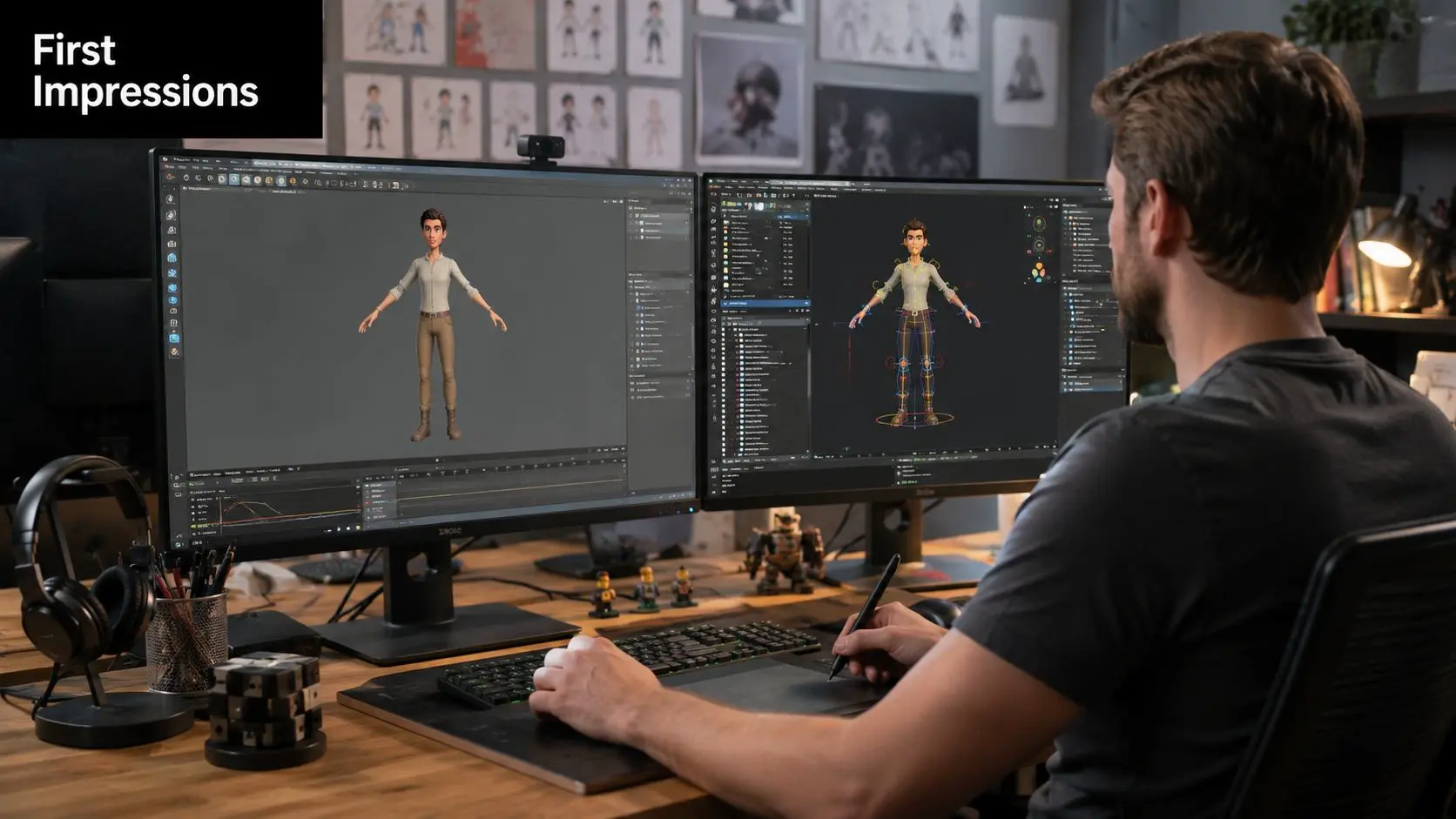
Locomotion exposes character
A walk does more than move a body from one place to another. It establishes personality, age, confidence, injury, urgency and social status. A child may lead with the chest and let the arms swing freely. An exhausted adult may shorten the stride, delay the head and let the pelvis carry more of the action. A creature with an oversized torso might keep the feet simple while making the spine and shoulders do the expressive work. That's why a walk cycle belongs near the beginning of character development. If the rig, proportions or silhouette can't support a readable walk, later acting shots become harder, not easier. Solve the movement language while the character is still simple enough to adjust.
Practical rule: If the walk doesn't communicate who the character is in a grey-shaded viewport, extra detail won't rescue it.
Efficiency is an artistic advantage
Repeated animation assets support consistent production. A reusable loop can be adapted for forward travel, in-place playback, background action, interactive control or a blend between idle and run. The efficiency comes from planning the cycle around clear contacts and weight shifts, then allowing secondary motion to enrich the result without rebuilding the body mechanics each time. That logic sits inside a substantial UK animation economy. The BFI's 2024 research into animation activity across the UK mapped the scale of the sector, showing that walk-cycle knowledge belongs to a nationally significant production base rather than a niche classroom exercise. The UK government also records 645 programmes with Animation Tax Relief claims since the relief began in 2013, with £199 million paid by the time of its August 2025 commentary, including 120 claims and £33 million for the 2023 to 2024 financial year (UK Creative Industries Statistics). For a broader explanation of how pose-based movement fits into animation practice, see this guide to keyframe animation. The practical takeaway is simple: master locomotion early, and every later performance benefits from clearer weight, timing and control.
Complete Walk Cycle Production Workflow From Reference to Final Loop
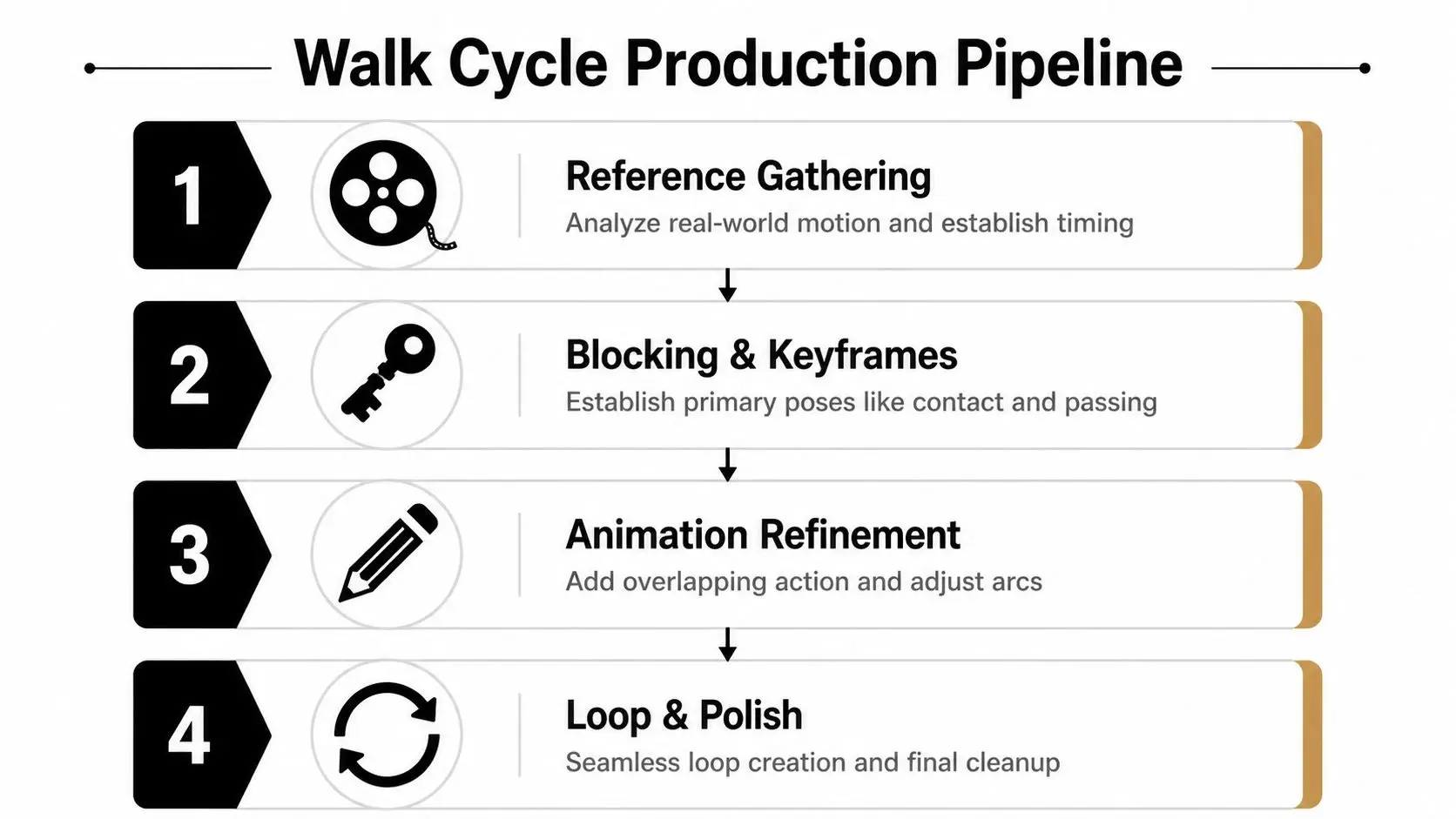
A reliable cycle starts before the first keyframe. Reference prevents you from animating an idea of walking rather than the mechanics of walking. Gather footage of different body types and ages, then watch it slowly enough to identify what leads and what follows. The torso leads, the arms follow, and the hips transfer weight between the planted feet. If you animate only the legs, the result usually looks like a machine carrying a human-shaped prop.
Block the major gait beats
Use a simple rig or a reduced drawing model first. The UK workflow described by Ulster University recommends establishing the contact poses, adding the passing position midway, then placing the down and push-off beats (walk and run cycle preparation). For the stated 24-frame preview loop, use this layout:
| Frame | Pose | Purpose |
|---|---|---|
| 1 | Contact | One foot reaches forward while the opposite foot trails |
| 4 | Down | The body settles over the supporting leg |
| 10 | Push-off | The rear foot drives the body forward |
| 12 | Passing | The moving leg passes beneath the body |
| 13 | Contact | The opposite foot takes the lead |
| 16 | Down | Weight settles on the new support |
| 22 | Push-off | The trailing foot releases the floor |
| 25 | Contact repeat | Matches the opening pose for continuity |
Frame 12 is the exact midpoint passing position. Contacts sit at frames 1, 13 and 25, down beats at 4 and 16, and push-off beats at 10 and 22. The repeat contact at frame 25 exists to close the loop, so don't count it as an additional unique pose when judging the cycle.
Keep the loop honest
The first and last pose must match. Check the planted foot, pelvis position, torso angle, arm swing and head orientation, not just the overall silhouette. A mismatch of a small control value can create a visible pop when the player or viewer sees the cycle repeat. After blocking, refine in this order:
- Lock the foot plants and remove unwanted translation from the supporting foot.
- Adjust the hips so the body clearly drops, supports weight and rises into the next step.
- Add the spine, shoulders and head with restrained overlap.
- Tune the arms against the torso movement rather than keying them as an unrelated pendulum.
- Polish arcs, then test the loop in motion at the intended playback speed.
Timing Charts and Gait Beat Analysis for Natural Locomotion
A walk cycle feels heavy when the timing gives the body time to settle over a supporting foot. It feels weightless when every pose receives equal treatment and the character appears to float between contacts. Timing charts make that difference visible by mapping the relationship between contact, down, passing and up. Contact establishes the extremes of the stride. Down shows the body accepting weight. Passing transfers the moving leg beneath the body, while up marks the lift before the next contact. These beats don't need identical spacing. In fact, perfectly regular spacing often produces the mechanical quality beginners are trying to remove.Read spacing as force
Use the hips as your first diagnostic. The pelvis should dip into the down position, travel through the support and rise into the next step. The path can be smooth, but it shouldn't look like a perfectly flat line. The spine, ribcage and head should absorb that movement at different rates, otherwise the entire character bobs as one rigid object. Foot spacing deserves equal attention. If a planted foot moves noticeably across the floor, either the foot needs to stay locked or the body needs to travel farther relative to it. If the foot remains planted but the pelvis doesn't shift over it, the character appears to slide in place. Both errors come from treating pose drawings or keyframes as isolated images instead of parts of one physical event.Play the cycle forward, then backward. The reversal often exposes a broken arc or a missing weight shift faster than another forward preview.
Use a cheap test before a costly polish
AccessArt demonstrates a classroom-friendly method using eight drawn poses, tracing paper and stop-motion capture (AccessArt's animated walk cycle guide). That approach is useful for concept testing because it forces you to solve the essential gait without spending time on a fully detailed rig or render. Keep a template beneath each redraw so the head, hips and feet maintain consistent alignment. The same discipline applies in digital production. Make a rough playblast, inspect the loop at normal speed, then freeze on each contact and down beat. If the motion stutters, check spacing before adding frames. If the feet slide, fix the relationship between body travel and foot plant. If the character seems to bounce, reduce the shared vertical motion and let the pelvis, spine and head respond separately. For short-form delivery, file size can affect how you preview and share animated tests. A practical reference on GIF file size limits on Twitter can help when a lightweight review file is more useful than a full render. The visual test remains the same: the loop must read cleanly at a glance.2D Versus 3D Walk Cycles Choosing Your Production Path
The right method depends on what the walk must do after it's finished. A hand-drawn cycle can deliver a distinct line, squash and stretch, while a 3D keyframe cycle gives you a reusable body, camera flexibility and easier variation. Motion capture can provide convincing performance quickly, but raw capture rarely arrives ready for broadcast or real-time use.Choose the method against the brief
2D hand-drawn animation suits expressive storytelling, graphic characters and projects where line quality carries as much meaning as body mechanics. The eight-pose traced method from AccessArt can outperform a fully keyed digital approach during early concept testing, especially when the objective is to compare attitude and rhythm rather than produce a final asset. It doesn't replace a polished production pipeline, but it can reveal whether the walk works before the team commits to detail. 3D keyframe animation is a strong choice when the character must appear across multiple shots, angles or environments. The rig lets you adjust stride length, body proportions and acting choices without redrawing every pose. It also supports downstream requirements for games and XR, provided the skeleton, root motion and export settings are planned from the start. Motion capture helps when performance nuance and natural body mechanics matter, particularly for human characters. It isn't a shortcut around animation skill. Cleanup still has to remove foot drift, solve occlusion, match the captured movement to the character's proportions and preserve the intended style.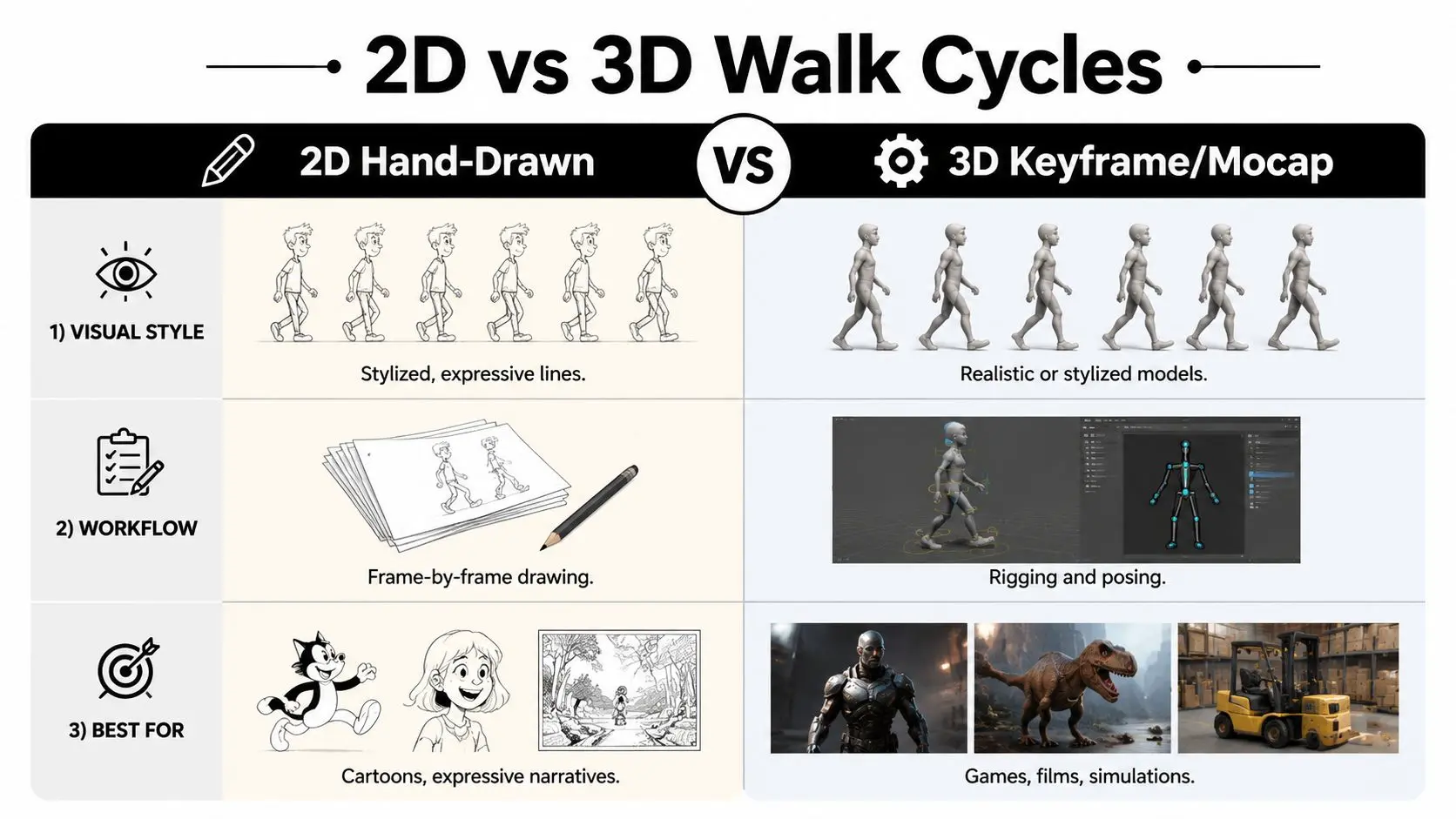
Match production path to use case
A BBC drama may need a restrained, character-specific walk that supports dialogue and emotional subtext. Keyframe work gives the animator control over the performance, while reference informs believable weight. A mobile game may need many variations, directions and state transitions, making a clean 3D base cycle more adaptable than a series of unique drawings. An XR experience needs the cycle to respond convincingly to player movement, which makes engine integration a deciding factor rather than a final technical detail.| Decision factor | 2D hand-drawn | 3D keyframe | Motion capture |
|---|---|---|---|
| Art direction | Graphic and expressive | Stylised or realistic | Performance-led realism |
| Reuse | Requires redraw or careful asset reuse | Strong reuse through rigs | Reuse depends on cleanup and retargeting |
| Control | Direct control of every drawing | Direct control of poses and curves | Indirect until edited |
| Real-time use | Possible with prepared sprites | Well suited to engine workflows | Useful after retargeting and cleanup |
Engine Integration for Unity Unreal and XR Pipelines
A polished playblast can still fail in production. A BBC drama may need a restrained loop that supports performance, while a Unity XR experience needs predictable movement, responsive transitions and acceptable runtime cost. Set the engine requirements before animation polish, not after delivery. Start with the rig. Name bones consistently, keep the hierarchy predictable and decide whether the asset uses in-place motion or root motion. In-place cycles let the controller set travel speed, which suits player movement and blend trees. Root motion preserves the relationship between stride and distance, but animation and movement code must stay closely aligned.
Set up the runtime asset
In Unity, import the clip with looping enabled, confirm the root-transform settings and place the walk in an Animator Controller. A blend tree can combine idle, walk and run by speed, provided the cycles share compatible foot contacts and body orientation. Test slow movement as well as normal travel. A loop that looks stable at one speed may reveal foot skating as the blend value changes. In Unreal Engine, place the animation asset in an Animation Blueprint and connect it to a state machine or blend space. Check the loop boundary, pelvis behaviour and retargeting result before adding additive layers. An upper-body layer can support gestures or tool use while the lower body continues locomotion, but masks and reference poses must match. The Unreal Engine animation production guide helps producers connect creative decisions with the wider real-time pipeline. Teams building interactive products can also review how to build AR VR apps with React Native, while preparing the walk asset still requires engine-specific testing.Optimise for XR without flattening the performance
UK skills research identifies games engines, AI, software engineering, graphics and coding among core capabilities for animation and VFX work (WorldSkills UK screen industries report). That combination reflects the production reality: animators who can configure state machines, retarget assets, export clips and profile runtime behaviour can reduce handoff friction when trained talent is difficult to recruit. For Quest or mobile deployment, keep the skeleton purposeful, remove controls that do not affect the silhouette and test the complete application rather than judging the animation alone. Profile on the target hardware, because editor playback can hide costs from extra joints, layers or update frequency. Preserve the foot plant, stride readability and character identity while removing work the player will not see.Troubleshooting Common Walk Cycle Mistakes in Production
Most expensive walk-cycle problems begin as small review notes. A foot drifts a little, a hip rises too evenly or the loop contact doesn't match. If the team ignores those issues until lighting or delivery, every correction touches more files and more approvals.Five failures that create rework
Foot sliding usually means the planted foot and the body travel aren't sharing a coherent relationship. Lock the support foot during its contact window, then adjust the root or hips around that constraint. Don't compensate by scaling the foot or hiding it in motion blur. Flat hips make the character look suspended. Revisit the down and push-off beats, then let the pelvis carry the weight before distributing smaller movement through the spine and head. Rigid upper body appears when the animator keys the legs first and treats the torso as a static passenger. Use reference to add delayed shoulder, arm and head responses, but keep those offsets subordinate to the main weight transfer. A popping loop comes from mismatched first and last poses, inconsistent root values or a curve that changes abruptly at the boundary. Compare the two contact frames side by side and verify every relevant control, not only the visible feet. Over-polishing too early wastes time. If the stride, spacing and personality aren't working in a grey-box pass, hair, cloth and facial detail will only make the wrong motion more expensive to change.Before handoff: preview the loop at delivery speed, inspect both contact poses, check foot plants, review hip height, verify root behaviour and test the cycle in its target engine or shot layout.Broadcast delivery adds a technical layer that must be agreed before production. One UK technical specification states that HD transmission material should be 1920 by 1080, 16:9, at 25 frames per second interlaced, or 1080i/25, with 4:2:2 colour subsampling (UK HD technical specification). A Channel 4 delivery specification also says the frame rate must be agreed with the broadcaster before shooting begins, that 1080i/25 isn't acceptable when a film-motion effect has been added in post, and that motion-compensated standards conversion should normally be used when changing frame rates (Channel 4 delivery specification). That affects walk cycles because timing decisions belong to the approved delivery environment. Confirm the frame-rate path, preview the loop through the intended editorial and finishing workflow, and hand lighting or compositing a technically stable asset rather than asking downstream departments to diagnose animation problems. --- Studio Liddell provides 3D and 2D animation, rigging and animation support for television, advertising, trailers, games and XR experiences. If your project needs a broadcast-ready walk cycle or an engine-ready locomotion system, visit Studio Liddell to discuss the character, pipeline and delivery requirements.