AI Animation Production: A Practical Guide for UK Studios
Only 17% of UK producers had used generative AI in production by 2023, while 40% planned to adopt it. AI is already present in UK animation, but its use remains uneven rather than universal. That distinction matters. In a real production pipeline, AI isn't a replacement for directors, animators, editors, designers or producers. It's a supervised assist layer that can accelerate exploration, variation and repetitive preparation while people retain control over performance, continuity, visual identity, rights and delivery. The practical question has moved beyond whether AI can generate an animated image. UK studios now need to decide where generation belongs, what evidence is required before an output enters a project, and how to document the process for clients, commissioners and rights holders. This guide treats AI animation production as a production-management problem as much as a technical one.
Understanding AI Animation Production in the UK
The adoption figures tell a useful story. The BFI and CoSTAR analysis of AI in the screen sector found that 17% of UK film and TV producers had already used generative AI, while 40% planned to use it in the 2023 survey. The same analysis later found that only 8% of more than 3,000 UK BFI fund applicants reported using AI in submissions between August/September 2023 and March 2025, and fewer than 2% said they intended to use AI in project outputs. That gap separates experimentation from production commitment. A producer may use an image model to test a mood, camera angle or creature silhouette, then commission the final design through an established process. The tool has influenced the work, but it hasn't necessarily generated a final shot, character asset or broadcast deliverable.
What the production term means
In practice, AI animation production covers a collection of supervised activities:
- •Concept exploration, including visual references, mood boards and alternative compositions.
- •Pre-visualisation, where teams test staging, camera movement and rough shot ideas.
- •Asset support, such as background variations, texture exploration or design references.
- •Animation assistance, including motion studies, clean-up experiments and shot variation.
- •Delivery preparation, including denoising, tracking support, upscaling or format checks.
The value sits in reducing the time required to answer creative questions. A director can compare several approaches to a sequence before committing the team to modelling, rigging, layout or lighting. That doesn't remove the need for craft. It makes early decisions more informed, provided the generated material remains clearly labelled as exploratory or approved production content. A useful practical guide to 3D animation production for UK buyers still starts with the fundamentals, including brief, storyboard, previs, asset creation, animation and post-production. AI can sit inside those stages, but it doesn't replace the editorial logic that connects them.
Why uneven adoption is rational
The UK government's Creative Industries AI Adoption Plan reports that 51% of creative businesses used AI, compared with 33% of all UK businesses, while 44% of film, TV, video and photography businesses reported using it. The same source found that 10.1% of creative businesses cited lack of trust in AI product safety or transparency as a reason for delaying adoption, compared with 5.7% of all businesses. Those concerns are practical. A studio needs to know whether a tool stores prompts, whether client material enters a training process, what provenance information accompanies an output and whether the result can be used commercially. It also needs a repeatable way to reject material that looks attractive but fails continuity, character integrity or rights review.
Practical rule: Treat every generated frame as a proposal until a named creative and production lead approves its purpose, provenance and quality.
That approach gives AI a useful role without confusing access to a tool with readiness for production.
How AI Integrates Into Modern Animation Pipelines
The strongest workflows don't bolt an image generator onto the end of a project. They assign AI to specific questions within an existing pipeline, then define where human approval is mandatory.
Pre-visualisation
Previs is often the safest starting point because the work is exploratory by definition. A team can use AI to test environment mood, lighting direction, prop arrangements or broad camera ideas before building a final scene. The producer should keep those outputs in a clearly marked development folder, alongside the prompt, reference images, date and responsible operator. AI can suggest variation, but it can't determine whether a shot supports the story. A director still decides where the audience looks, how a performance develops and whether the rhythm serves the edit. Generated images also tend to flatten design decisions if the team accepts the first attractive result rather than comparing it with the approved brief. For teams working with music-led content, pro tips for AI music video production can help frame the relationship between rhythm, visual variation and shot planning. The same principle applies to animation. Treat the tool as a way to explore timing and visual options, not as an automatic substitute for a storyboard.
Asset creation
AI can assist with reference gathering, background variations, surface ideas and early prop exploration. It can also help a designer identify a direction before the team invests in modelling, texturing or compositing. The risks rise when a generated asset becomes a hero character or a reusable production element. The design may shift between angles, hands may change shape, logos may distort and costume details may disappear. A human artist must convert an approved direction into a controllable asset with clear proportions, naming, versioning and reuse rules.
Animation and shot testing
Video generation can produce motion studies, but narrative animation depends on deliberate performance. A rough Maya blocking pass, a TVPaint test or a hand-drawn pose sequence gives the director control over timing, spacing, staging and acting. AI may then help explore a surface treatment or a limited variation. Supervised workflows outperform text-only prompting. A producer can compare the generated result against the approved blocking and identify exactly what changed. If the tool alters a character's silhouette, gaze or screen direction, the shot goes back for correction rather than entering editorial as a shortcut.
Rendering and delivery preparation
AI-assisted denoising, roto, tracking support and upscaling can reduce manual effort in post. These uses are most defensible when the target is technical consistency rather than the invention of story content. The operator still needs to inspect edges, hair, transparency, motion blur and fine detail at delivery resolution. An apparently clean frame can contain crawling textures, unstable grain or altered text. Technical checks should happen against the original render and the delivery specification, not against the preview window alone. A detailed AI animation software production guide is useful when mapping tools to existing stages. The important decision isn't which application has the longest feature list. It's whether the tool can sit inside the studio's naming, review, storage and approval process.
Quality control
Quality control needs a checklist that covers both craft and governance:
- •Continuity: Does the character, prop, environment and lighting match the approved sequence?
- •Performance: Has the motion preserved the intended acting, timing and eyelines?
- •Image integrity: Are edges, textures, hands, typography and facial details stable?
- •Rights record: Can the team document the source material, tool, operator and approval status?
- •Client clarity: Does the contract or delivery note accurately describe the AI-assisted work?
AI can shorten the route to a promising result. It can't decide whether that result is acceptable.
Benefits and Risks of AI-Driven Animation Workflows
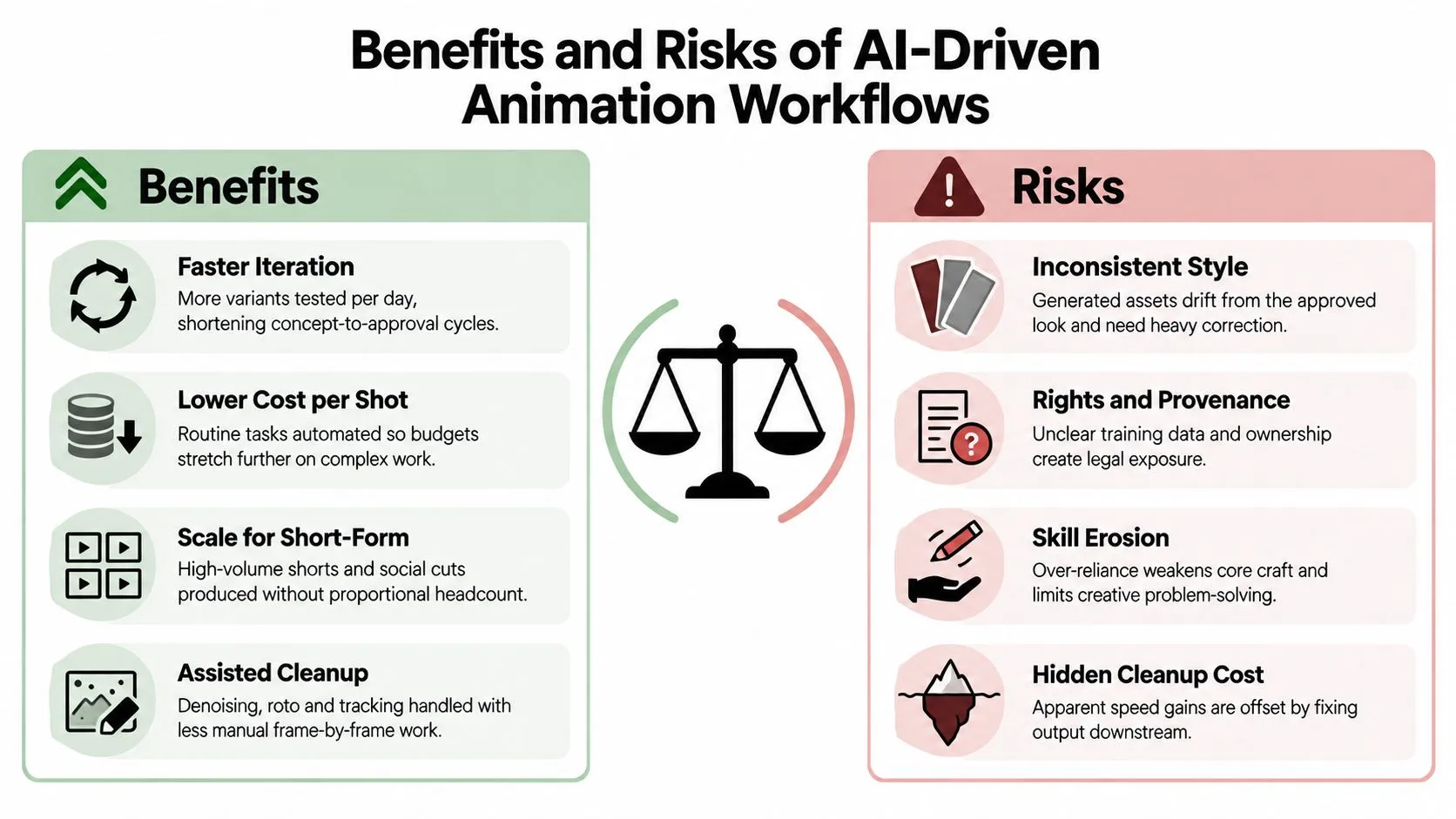
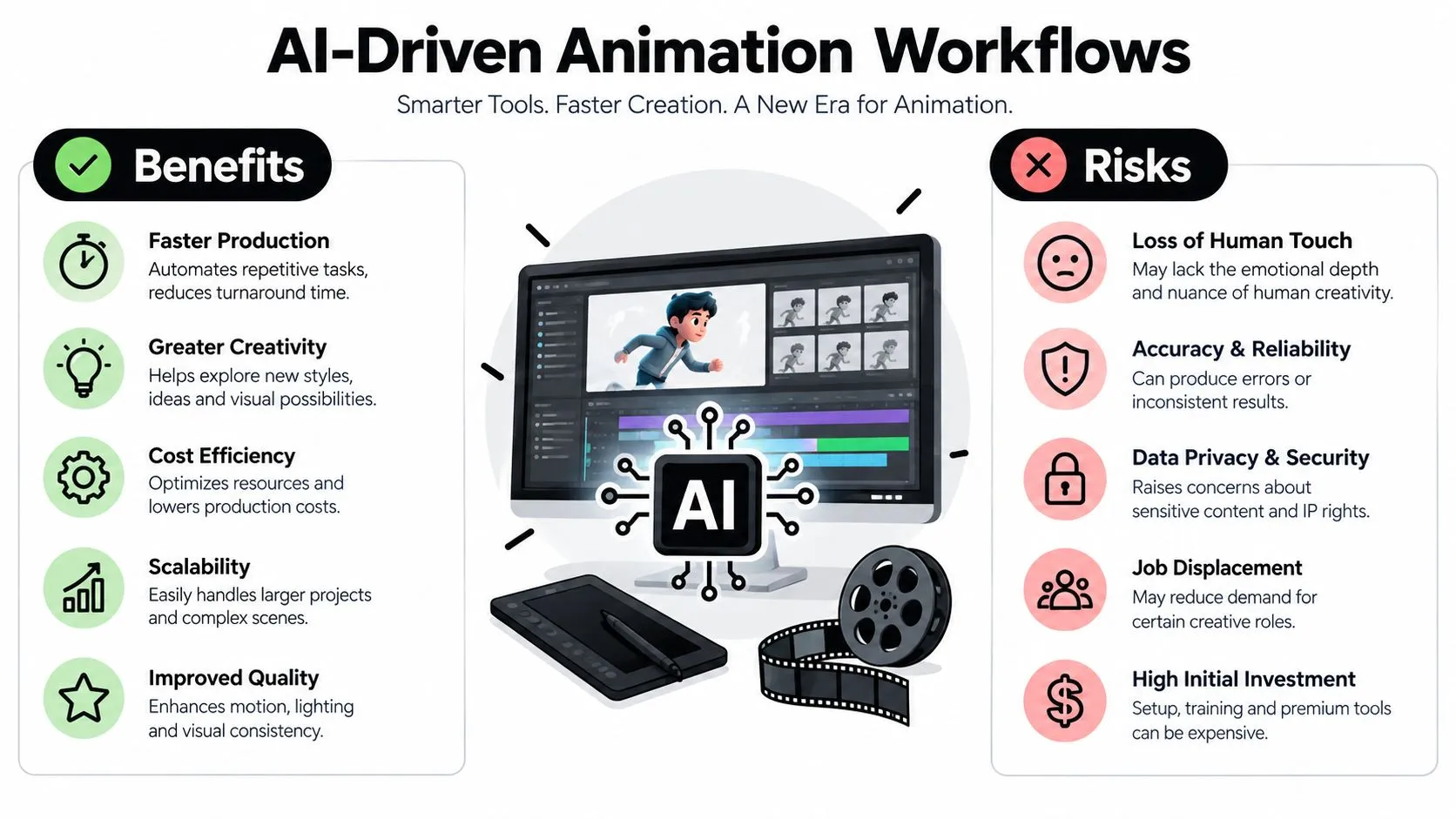
The benefit is not only speed. AI gives a production team a faster way to explore alternatives, which can improve decision-making when the team has a clear brief and enough creative discipline to reject weak options. A director might use generated references to compare the emotional temperature of a scene. A producer might test whether a demanding visual idea can be communicated within a short-form treatment. An animator might use a rough AI-assisted variation to identify a movement problem before the team spends more time refining the shot.
The visible benefits
AI is most useful where the team needs breadth before commitment. It can support:
- •Faster exploration: More visual directions can be reviewed before a concept is locked.
- •Reduced repetition: Certain cleanup, tracking or preparation tasks may require less manual intervention.
- •Short-form adaptation: Approved creative systems can inform social cut-downs and alternative formats.
- •Early problem detection: Shot tests can expose staging or continuity issues before final production.
Those benefits depend on a strong source of truth. Without approved character sheets, colour references, storyboards and shot criteria, generating more material only creates more material to sort.
The cost beneath the preview
BBC Research & Development reports that a 5.4-second AI-generated video at 720p can carry a lifecycle carbon impact of around 50 to 100 g CO2e, depending on model design, training and settings. Its report also describes a GenFX workflow that required thousands of outputs to obtain an acceptable 53-second finished result, with total impacts estimated at 2 to 13.5 tonnes of CO2e. These figures are documented in BBC R&D's analysis of AI video production sustainability. That finding changes the production conversation. A cheap-looking generation step may become wasteful if every shot requires extensive brute-force regeneration. Studios can reduce that waste by defining shot specifications early, generating within a narrow scope, saving acceptable intermediates and choosing efficient models where they meet the brief. Copyright and provenance create a second risk. The BFI discussion of generative AI in the screen industries notes that relatively few public examples of generative AI use in the UK screen sector are identifiable. It documents AI-assisted animation in Where the Robots Grow and reports that Blue Zoo limits AI to brainstorming and mood boards rather than final deliverables made with unauthorised training data. That boundary is sensible for many commissions. A studio can use AI to develop a visual direction while ensuring that the final character design, animation and compositing come through a documented human-led process. The right limit depends on the brief, contract, tool and rights position, but no team should leave it undefined.
A faster first pass isn't a saving if the downstream team has to rebuild the shot.
Style consistency creates a third problem. Generative systems may introduce small changes in proportions, texture, movement or lighting that become obvious across a sequence. The correction burden often arrives after the apparent time saving, when a senior artist must repair the result under deadline pressure.
Studio Liddell Approach to AI-Assisted Production
A responsible studio workflow begins with the creative brief, not the model. The team defines the story, audience, format, visual language and delivery constraints before deciding whether AI can assist a particular stage. Studio Liddell has operated since 2019, with production across 3D CGI film and television, 2D and 3D animation, multi-episode content, games and XR experiences. Its AI-enhanced production work sits alongside established capabilities in concepting, previs, asset support and delivery preparation, rather than replacing the wider production pipeline.
Keep ideation open and final work controlled
AI is well suited to early visual exploration. A producer can ask for alternative environments, a range of graphic treatments or a rough visual route for a pitch. The creative team then selects, redraws, combines or discards those ideas. Final deliverables require a different standard. Character acting, shot continuity, editorial timing, typography, brand details and technical compliance need accountable decisions. A generated frame can inform the result, but the approved production asset should have an owner, a version and a reason for being in the cut. The distinction also protects communication with clients. A treatment can identify AI-assisted reference material as exploratory. A delivery package should record where AI was used, what was created by artists and which elements were reviewed for rights and consistency.
Build gates into the workflow
A practical governance layer can be simple:
- Tool approval: Record which tools are permitted, what data they accept and how outputs may be used.
- Reference control: Use approved client material and studio-owned references only where the rights position allows it.
- Shot-level labelling: Mark generated tests, approved intermediates and final assets separately.
- Creative review: Require director or lead artist approval for design, motion and continuity.
- Rights review: Escalate unclear provenance before an output reaches a client-facing or broadcast deliverable.
- Delivery inspection: Check the final result at the required resolution and against the agreed specification.
Why public examples remain limited
The BFI and CoSTAR findings suggest that identifiable public examples of generative AI use in UK screen production remain relatively few. That doesn't prove studios aren't experimenting. It indicates that much of the work happens behind the scenes, where teams can test tools without presenting unfinished or legally uncertain material as a public case study. For a producer, discretion is useful. Not every experiment belongs in a press release, and not every promising test belongs in a final deliverable. A mature workflow earns trust by showing where human judgement remains visible.Choosing Your AI Adoption Path
There isn't one correct level of adoption. A short branded piece with a tight delivery window has different needs from a character-led series, a broadcast commercial or an interactive XR experience. The right choice depends on project complexity, client expectations, team capability, rights tolerance and the cost of rework. A studio with strong art direction and reliable review gates may gain value from assisted workflows. A team without those controls may create more uncertainty by adopting tools too quickly.Path one for ideation only
This is the lowest-risk route. AI supports mood boards, visual research, pitch exploration and rough variations, while all production assets come through conventional design and animation methods. It suits teams that are still establishing policy, projects with strict rights requirements and clients who want transparent human-led craft. The trade-off is that the studio captures less efficiency after the concept stage.Path two for supervised assistance
Here, AI supports selected pipeline tasks such as concept iteration, previs, background exploration, shot testing, cleanup or delivery preparation. Each use has a defined owner and an approval gate. This is usually the most practical route for a working UK studio. It allows the team to learn where a tool performs reliably without committing an entire production to unstable outputs. The team can also measure rework, review time and acceptance rates without pretending that every generation equals finished work.Path three for broad integration
A more integrated approach connects AI assistance across several stages, supported by an organised asset library, technical direction, documented permissions and staff who understand both craft and systems. It can make sense for high-volume content or a studio building reusable visual frameworks. It carries the greatest governance burden. If a model changes, a licence changes or a visual system drifts, the team needs a way to identify affected assets and revise the process. ScreenSkills' Powering Production survey found demand for technical skills linked to AI-enabled tools and emerging workflows. It also identified communication, organisation, resilience and feedback skills among difficult-to-find capabilities, while animation-specific gaps included animation artists and animation directors. That evidence challenges the idea that adoption mainly requires software access. A studio needs people who can brief a tool, assess an output, explain a limitation, organise versions and give useful feedback. Senior creative judgement becomes more important when a pipeline produces more alternatives.Decision test: Choose the most advanced workflow your team can govern consistently, not the most advanced workflow a tool can demonstrate.Before changing the pipeline, assess whether the team has approved references, review capacity, rights guidance, technical support and enough time to correct failures. If any of those are missing, start with ideation or a narrow pilot.