2D Animation Production Process from Brief to Delivery
A client asks to trim a line of dialogue by a few words. The change sounds minor, until the line has been timed to finished drawings, mouth shapes and camera movement. If the shot is already animated, an edit to the dialogue can mean revising keys, in-betweens, compositing and the final sound sync. The practical purpose of a 2D animation production process is to make those decisions early, while changes are still inexpensive. For UK clients and production teams, the safest approach is a gated workflow. Each gate gives the next group of people approved material to work from, with clear ownership, timing and version control. That's what protects a schedule and budget, rather than just moving through a list of creative stages.
Why the 2D Animation Production Process Exists
A background can serve many shots, but a character's movement must be drawn and checked frame by frame. Separating reusable artwork from moving elements saves repeated work. It also creates handoffs: each department needs approved materials from the one before it, and a late change can send work back through those gates.
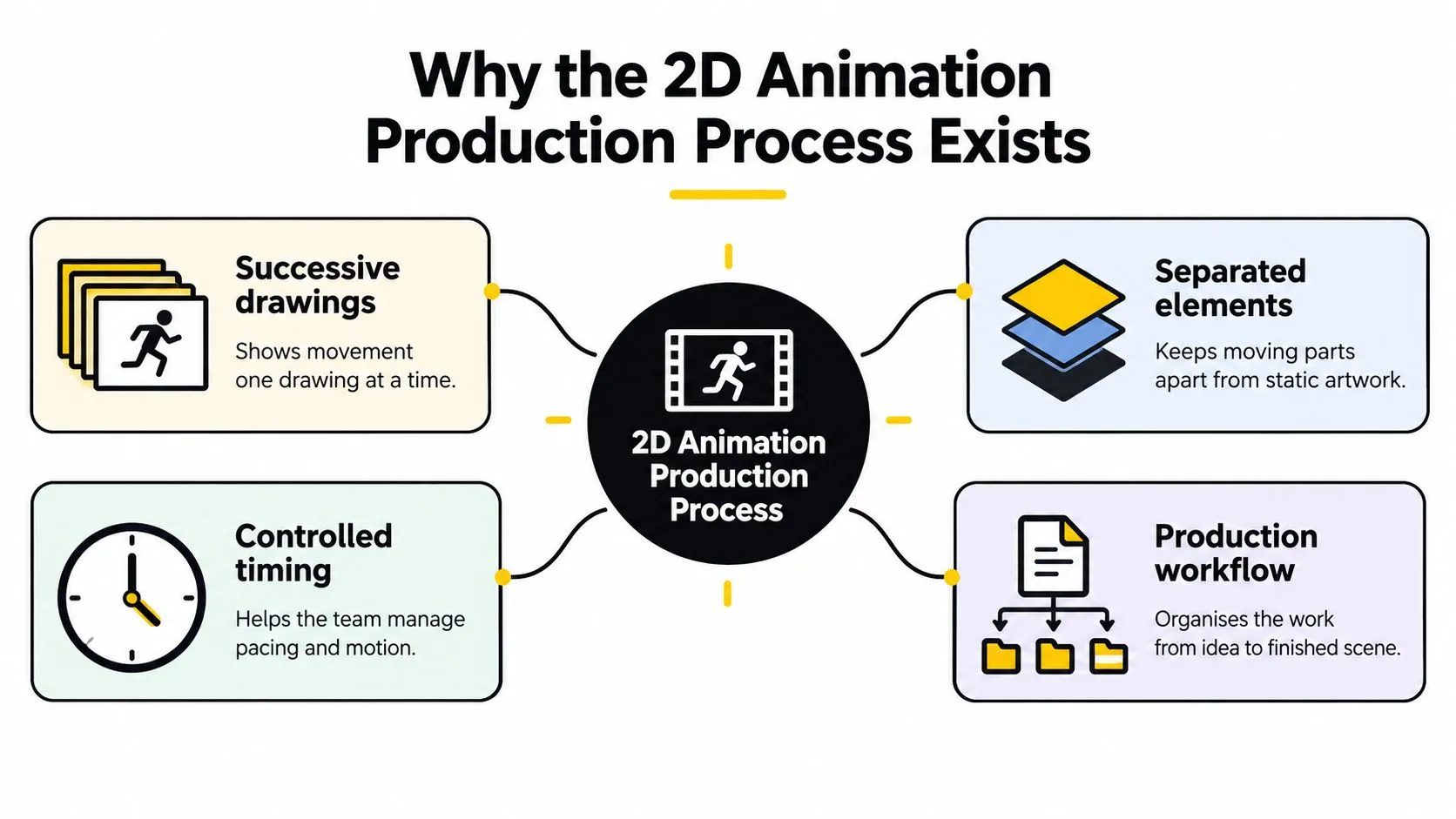
Traditional 2D animation creates motion through successive drawings. Artists separate moving elements from static backgrounds, then photograph or scan the images in sequence. Storyboards and layouts establish what appears in each scene; character animation creates movement, background art supplies the setting, and compositing assembles the layers. The history of cartoon production describes how production methods developed around these distinct tasks. The divisions are practical: they help teams coordinate specialist work and reuse assets. Separating moving figures from backgrounds reduced the need to redraw an entire image for every frame. That principle still shapes production, whether artwork is drawn by hand or prepared digitally. Reuse has a trade-off: a background or character asset can serve multiple shots only if its design, scale and placement remain consistent. A small change to an approved design may mean revising several assets and checking every shot that uses them. Feature production shows why those handoffs matter. Halas & Batchelor's Animal Farm, made in London and Stroud with predominantly British creative talent, demonstrates the scale of the work involved in traditional animation. Cel animation required tracing and hand-colouring each distinct frame. At that scale, planning, reusable artwork and clear responsibility between roles help control workload. A sign-off is therefore more than approval of the look: it lets the next specialist team work from material that should not need redoing. Sound and picture also depend on coordination. A change to timing can affect both the animated action and the soundtrack, so teams need to agree how those elements fit together. Isolate Audio's video production tips provide further context on production choices around the moving image.
Lock the Brief Storyboard and Animatic
Before anyone commits to full animation, the team needs to agree what the film says, what appears on screen and how long each shot lasts. The script-to-animatic gate is where creative decisions become production information. A reliable schedule, and therefore a reliable budget, depends on having timings the team can plan against.
Build a brief that can be approved
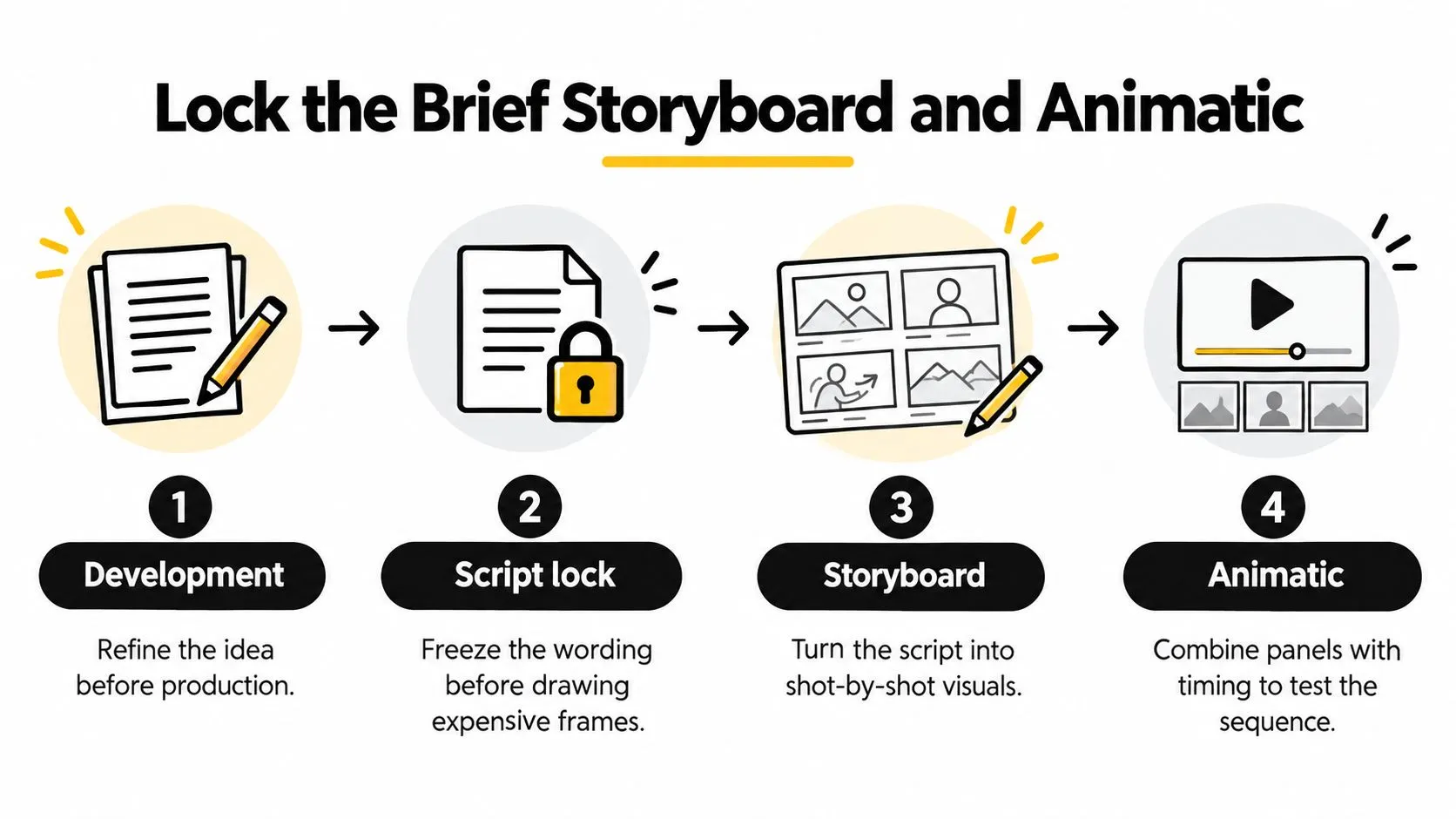
Start with the project's audience, purpose, key message, intended platform and existing materials. Develop the idea into a script, then lock the wording before the production team draws expensive frames. If the project needs voice recording, establish how dialogue timing will be reviewed and approved as part of the same editorial process. Convert the script into a shot list. For each shot, record the duration, dialogue, characters and other assets, plus practical notes such as camera movement or background requirements. A consistent shot ID lets the team connect each decision to its storyboard panel, later animation files and edit.
Treat the animatic as the schedule gate
The storyboard turns the script into shot-by-shot visuals. The animatic adds timing, so the director and client can judge the rhythm and whether the story reads before full animation starts. The BFI Network guide to animation production describes the practical value of building a shot list and locking the animatic before estimating the work and schedule. Agree shot duration, dialogue timing, frame rate, aspect ratio and delivery specifications at this gate. A dialogue trim in an explainer might appear to be a quick script edit. After the team has animated the performance, that edit could require new keys, in-betweens and compositing to restore the intended rhythm. The change is cheapest before those dependent tasks begin. A gate isn't complete just because a review meeting happened. Keep the approved script, storyboard, animatic, design bible and asset list together, with dated sign-off and a record of who can approve changes. Once timing is locked, the team can plan the work that follows against the same agreed version.
Plan Layout Keys Clean-up and Colour
Approval authorises production. It doesn't mean every shot takes the same effort, or that a runtime alone can tell you how much labour to schedule. A dialogue close-up, a limited-animation medium shot, an effects shot and a crowd scene each put different demands on layout, drawing and compositing.
Estimate work by shot
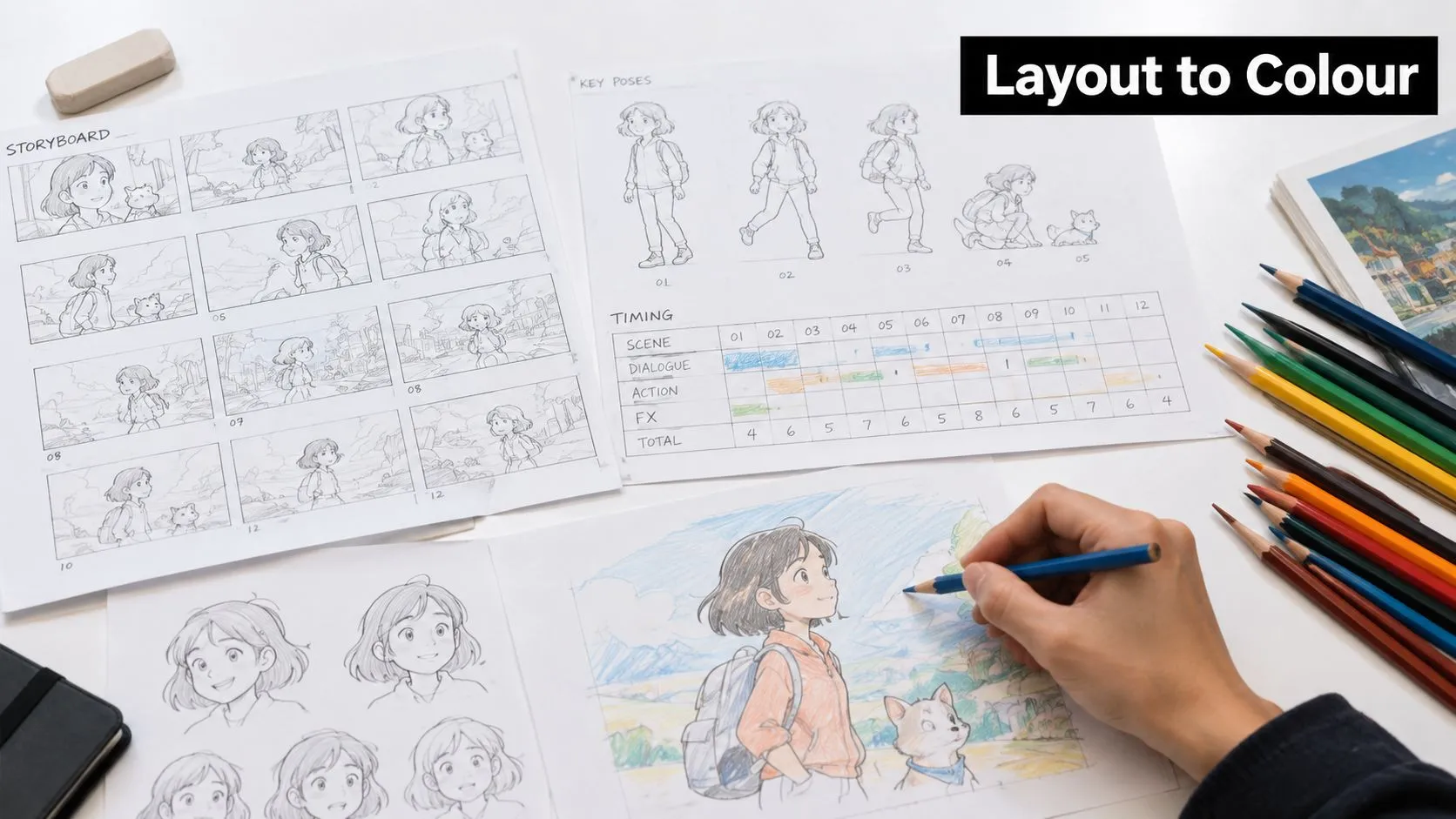
For every shot, estimate artist-days for layout, key animation, in-betweening, clean-up, colour and compositing. A close-up with dialogue may need carefully drawn poses and facial detail. A medium shot with limited movement may reuse parts of a background or character design. Effects and multi-character shots can need more coordination and additional drawing. Build in time for approvals, retakes and export checks. If a schedule allows only for first-pass animation, it isn't a realistic delivery plan. Track the same shot ID from storyboard through exposure sheets, animation files and edit decisions, so production can see which version is current and what remains to be approved.
Keep the handoffs clean
Layout artists establish the scene's composition and character placement. Key animators define the main poses and action; in-between artists create the movement between those poses. Clean-up artists bring drawings into the approved line style, then colour artists apply the palette and prepare the artwork for compositing. Don't start clean-up while the animatic is still awaiting approval. A timing or staging change at that point can make polished drawings unusable. A change-order log should distinguish creative revisions, such as a new action or rewritten line, from technical fixes, such as a broken file or incorrect export setting. That distinction helps the producer assess what has changed without treating every issue as the same kind of work. Two common planning errors are double-counting shared assets and booking the same specialist across overlapping episodes. Check which backgrounds, props and character elements are reused, then assign an owner and a realistic availability window to each specialist. Decide whether the production master will use 24, 25 or 30 fps before the work is underway; leaving that choice open can force changes to timing and delivery preparation later.
Finish Compositing Sound and Delivery QC
A shot can pass animation review and still fail delivery. Compositing brings character, background and effects layers together, while sound, captions and file checks prepare the finished master for its destination. Each handoff needs a clear approval gate: a late visual change can affect both compositing and the sound mix, adding work after earlier stages have been signed off.
Check the destination before picture lock
Confirm the broadcaster's or platform's delivery requirements at kickoff. Check audio, captioning, safe areas and file format. A correct animation can still fail QC if text sits outside the safe area or the export uses the wrong format. The guide to animation compositing explains how separate visual elements become a finished frame. Plan required versions before picture lock. A social cut-down and a streaming master may need different aspect ratios, resolutions and file limits, so agree which versions are in scope before the final edit. The table below gives examples from a UK TV advertising delivery specification for commercial spots. These are clearing-house requirements, not universal rules for Stories, Reels or streaming services.
| UK TV advertising delivery example | Resolution | Aspect | Container and codec | Limit |
|---|---|---|---|---|
| Stories and Reels | 1080 × 1920 | 9:16 | MP4 or MOV, H.264 | 250 MB maximum |
| TV advertising spots | 1920 × 1080 | 16:9 | H.264, MPEG-2 or MPEG-4 video | Up to 500 MB; 15- or 30-second durations |
The UK advertising technical specification sets out requirements for advertising deliveries, including the listed file limits and a five-business-day delivery window. Apply those details to the relevant ad-spot workflow, not to general streaming or social masters. For other destinations, confirm the current requirements with the commissioning platform or broadcaster. Agree codecs, frame rates and cut-downs early, since changing the delivery scope after picture lock can mean new exports and further approvals.
Track approval through delivery
Use weekly shot-status reporting to show what is planned, in layout, animated, in clean-up, composited, approved or in retake. Compare the rate of approved shots with the pace needed to meet the delivery date. If approvals fall behind, raise the issue early so the producer can rebalance work or unblock a decision before it disrupts later handoffs. Picture and sound need separate approvals, with both included in the same delivery plan. Check the final mix, captions, file name, duration and playback, then confirm each requested version against its own specification. A final QC pass catches the difference between an animation that looks finished and a master the intended recipient can accept.
Map Roles Handoffs and Studio Fit
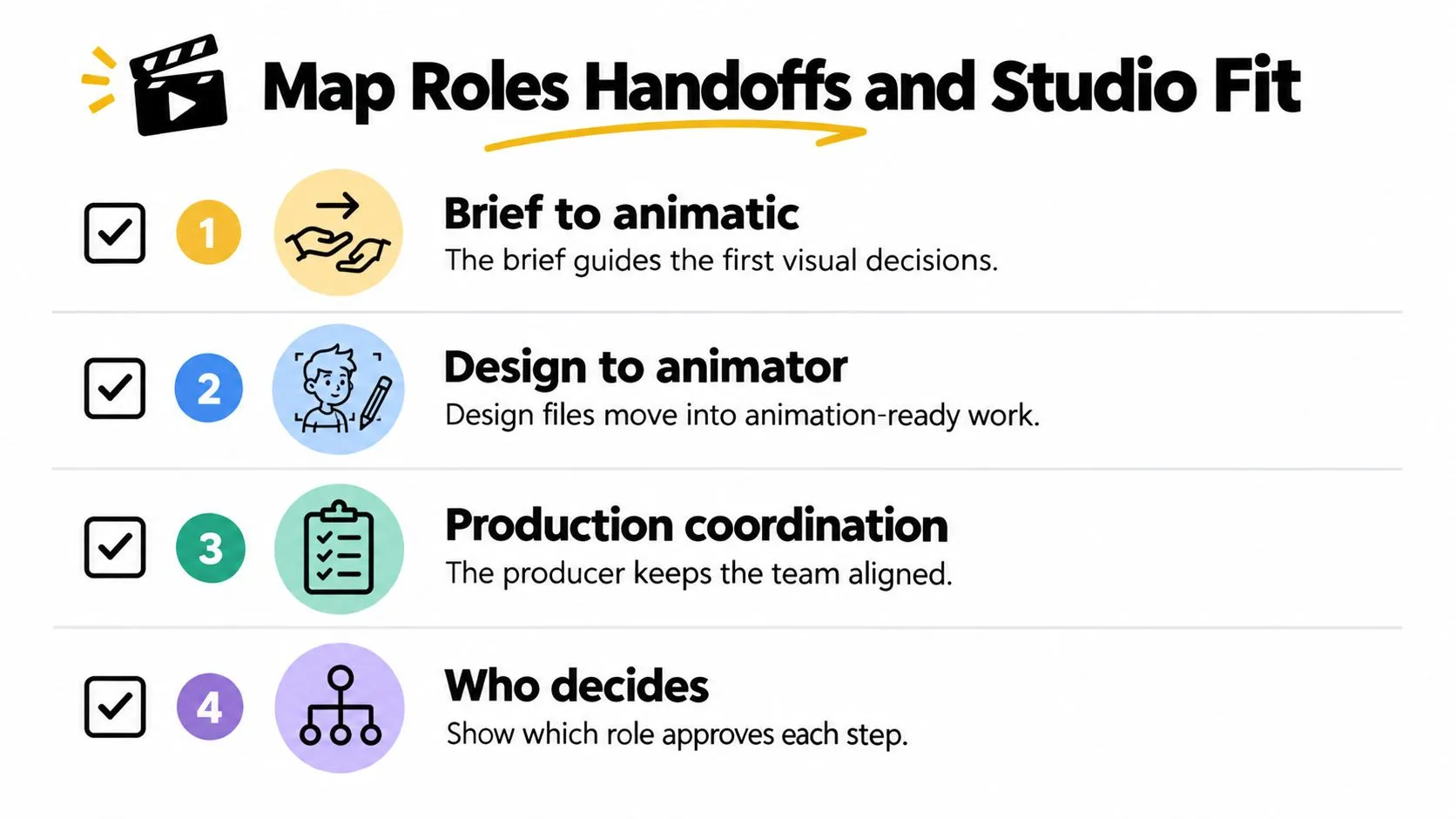
A storyboard can be approved on time and the production can still stall if no one owns the next handoff. The 2D animation production process depends on people passing usable assets and clear decisions between roles. A late dialogue change, for example, may affect boards, timing, animation and sound. If the change reaches the team without an authorised decision-maker, work can pause or be repeated. Animation UK's research and reports provides a general research hub, not a named report that supports specific claims about skills shortages. The practical point is clear without attributing a particular finding: agree responsibilities, handoffs and approval authority before production begins. Those agreements protect schedule and budget because a small change is cheaper to assess while affected work is still at an approval gate.
Put an owner on each handoff
The brief owner gives the director and producer the objective, audience and constraints. The director and storyboard artist shape these into a visual sequence, then the client or commissioning lead approves the animatic. Design supplies approved characters, turnarounds, expressions, palettes and reusable assets. Animators need those materials in an agreed format, with clear naming and enough guidance to keep the work consistent. The production manager tracks dates, versions and dependencies. Name the person authorised to approve creative changes, and set out how the team submits them. Agree revision limits and file conventions at kickoff. For each requested change, record what changes, who approves it, which shots are affected and whether the schedule needs to move. Reusing approved assets saves work only when the team knows which version is current. A useful discussion before appointing a partner is choosing a 2D animation studio. Ask how the studio handles approvals, asset handoffs, version control and retakes. Software matters, but it does not tell you who resolves a blocked decision.
Match the partner to the work
| Production option | Useful when | Check before committing |
|---|---|---|
| In-house team | Your organisation has ongoing work and can maintain the roles and tools it needs. | Confirm capacity and ownership when projects overlap. |
| Specialist 2D vendor | You need a defined animation or artwork package within an established production. | Agree which assets, approvals and technical preparation the client supplies. |
| Full-service studio | You want one partner to coordinate animation with related formats or interactive work. | Check which stages the studio owns and where client sign-off remains. |
Studio Liddell is a UK creative digital studio working across 2D and 3D animation, television series and advertising, games and immersive production. Its Unity and Unreal capability may suit a project that could later extend into real-time production. Assess any studio against your actual pipeline: who owns each handoff, what your team must provide, and where approval sits. A partner with broader capabilities may coordinate more stages, while a specialist may offer a closer fit for a defined package.
Keep the Schedule Honest and Book the Next Step
Good production control depends on habits that survive busy weeks: dated approval gates, shared shot IDs, a change-order log and a weekly status report that runs from planned work through approved shots and retakes. Escalate when approved-shot output falls below the rate needed for delivery, rather than waiting until the episode or campaign is visibly late. Protect the schedule from predictable trouble. Don't start clean-up before the animatic is approved. Allow for retakes, schedule sound and picture lock early enough to complete delivery checks, and don't assign one specialist to overlapping episodes without confirming capacity. These controls make decisions visible while the production still has room to respond.
Connect finance to milestones
The BFI National Lottery Short Form Animation Fund offers a useful planning benchmark for standalone narrative short-form work. Eligible projects can request £30,000 to £120,000, with an intended running time of no more than 15 minutes. Final-stage applicants must provide a production schedule, script, budget, finance plan, preparation start and wrap dates, and delivery date. That application structure makes a useful production principle visible: finance and milestones belong in the same plan. Series and commercials have different commercial structures, so those fund limits aren't a universal price guide. They do show why a schedule, budget and delivery date need to be considered together. For more on planning UK budgets, the guide to animated video production costs provides additional context. For a production scoping call, bring your script or outline, intended runtime, frame rate and delivery platforms. Ask for a treatment that sets out the approval gates, team responsibilities and timeline before animation spend begins. That conversation should identify what's ready, what still needs a decision and which changes would affect the plan. --- Studio Liddell offers 2D animation production support from early development and animatics through animation, compositing and delivery. Visit Studio Liddell to discuss your project and book a production scoping call with the materials your team already has.