Web Augmented Reality A UK Business Guide
You’ve probably had this conversation already. The campaign concept is strong, the 3D assets look sharp, the media team is ready, and then one question stalls the room: “Will people really download an app for this?” Most won’t. That’s the friction point that kills a lot of otherwise smart AR ideas. Web augmented reality changes that equation. Instead of asking a customer, visitor, delegate, or trainee to install something first, you send them to a browser experience through a link, QR code, product page, email, or on-site display. The value isn’t just technical convenience. It’s lower drop-off, faster access, and a much cleaner path from curiosity to action. For UK businesses, that matters more now than it did a few years ago. Teams are under pressure to prove engagement, connect immersive content to revenue, and avoid expensive digital experiments that sit outside the main customer journey. WebAR fits because it behaves like the rest of modern digital marketing. It’s fast to access, measurable, and easier to slot into existing campaigns than a standalone app. If you're weighing browser delivery against native build routes, this comparison of progressive web apps vs native is a useful starting point.
The End of the App Store Barrier
The old AR pitch often broke down at the same place. The creative was exciting, but the user journey wasn’t. A shopper had to install an app to place a sofa in their living room. A visitor had to download an app to access content at an exhibition stand. A fan had to commit storage space just to try a branded mini experience. That’s too much to ask for most audiences, especially when they’re still deciding whether they care. Web augmented reality removes that barrier. If someone can open a browser on their phone, they can access the experience. That sounds simple, but commercially it’s a major shift. It means AR can sit inside the actual conversion path instead of beside it.
Practical rule: If the goal is reach, campaign responsiveness, or quick interaction, every extra tap matters.
This is why WebAR tends to work well for marketing directors. It behaves less like a speculative innovation project and more like a high-impact digital format. You can attach it to paid media, retail PDPs, event signage, packaging, CRM, and social traffic without asking your audience to change their habits. The app store used to be the gatekeeper for immersive work. For many brand and product use cases, that gate is now open.
What Is Web Augmented Reality and Why It Matters Now
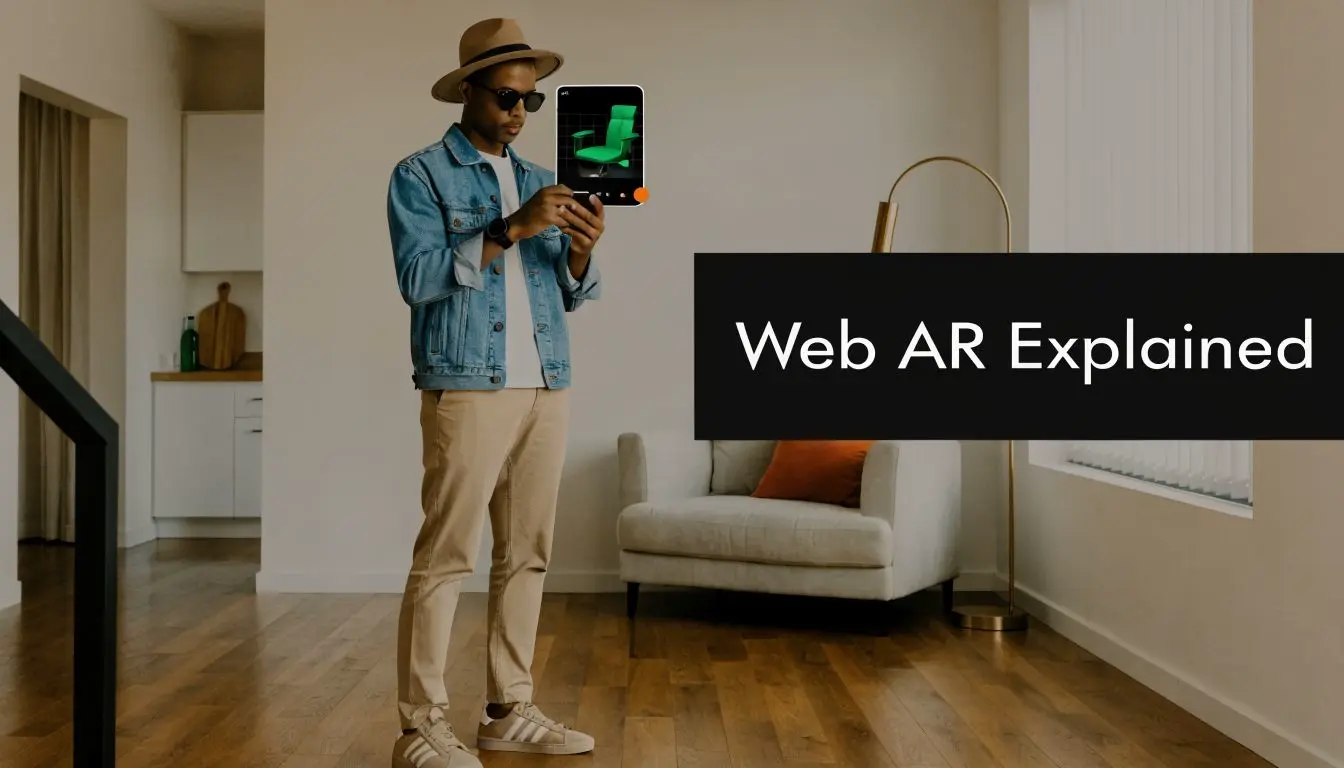
A UK shopper scans a QR code on product packaging, opens a browser page, and sees the item in their own space within seconds. No download request interrupts the moment. That difference sounds small, but in production it changes the economics of AR. More people reach the experience, fewer drop out early, and campaign traffic has a clearer path to conversion. Web augmented reality is AR delivered through a web browser on a compatible phone or tablet. In practical terms, it gives brands a way to publish immersive content with the same distribution logic they already use for landing pages, paid social, email, retail QR codes, and event signage. Native AR apps still have a place. They are often the right choice for persistent features, account-based experiences, or heavier 3D interactions. WebAR matters now because many marketing use cases do not need that overhead. For campaign work, product visualisation, and short-form branded experiences, browser delivery is often the faster commercial route from concept to live launch.
Why the timing matters in the UK
Adoption is no longer speculative. According to Imagine.io's 2025 AR trends report, 28% of online shoppers used AR tools for product visualisation in 2022, rising to 41% by mid-2025, and WebAR accounted for 65% of those interactions. The same report states that the UK AR market was valued at £2.1 billion in 2024 and is projected to reach £4.8 billion by 2028. For UK businesses, that matters for a simple reason. Audience behaviour is catching up with the format, and the browser is becoming a practical distribution channel for AR rather than an experimental one. From a producer's perspective, this also affects planning. A few years ago, WebAR often sat in the "innovation test" bucket. Now it belongs in channel planning, campaign budgeting, and conversion discussions. That shift changes how brands should assess cost, timeline, and expected return.
What marketing teams actually gain
The main benefit is not novelty. It is operational fit. Marketing teams usually get value from WebAR in four areas:
- •Shorter path to interaction: Fewer steps between ad click, QR scan, or product page visit and the AR experience.
- •Broader usable reach: Browser-based delivery is easier to distribute across paid, owned, and physical channels.
- •Faster iteration: Teams can update content, messaging, and supporting assets without waiting on an app release process.
- •Stronger commercial alignment: WebAR can sit closer to product discovery, consideration, and purchase intent.
I have seen this make the biggest difference when a campaign has a narrow response window. Seasonal retail, event activations, packaging promotions, and sales enablement tools all benefit when the experience can be launched quickly, tested early, and revised without rebuilding a native product pipeline.
Where it matters most
WebAR works best when attention is short and intent is already present. That includes retail product visualisation, exhibition stand experiences, property marketing, visitor attractions, education, tourism, and fan engagement. The important point is not that WebAR suits every AR brief. It does not. The point is that it gives UK brands a more commercially realistic way to use AR where speed, access, and measurable response matter as much as the creative itself.
How WebAR Technology Actually Works
At a non-technical level, WebAR works because the browser can securely access parts of the device needed for AR. It uses the camera to understand the scene, motion sensors to track movement, and rendering technology to place digital content into the live view. The browser is effectively borrowing the phone’s senses. It can see the room, detect movement, and place a digital object where it appears to belong.
The standards underneath it
The important standard here is WebXR. In practical terms, WebXR is the bridge between the browser and AR-capable device features. It allows a web experience to enter an immersive-ar mode and interpret the environment in a way that supports object placement and tracking. According to the W3C WebXR Augmented Reality Module Level 1, WebAR uses hit-test sources to raycast against real-world geometry detected by device sensors. That enables sub-centimetre anchoring accuracy and 6DoF tracking, which means the content can respond to position and orientation in a much more convincing way than older marker-only approaches.
What that means in plain English
When a user points their phone at a floor, table, wall, or printed target, the system tries to answer a few practical questions:
- Where is a stable surface?
- How is the device moving?
- Where should the 3D asset stay anchored?
- How should scale, lighting, and perspective feel believable enough?
Two common approaches
Not every WebAR build works the same way. Most projects fall into one of these categories:- •Marker-based experiences: These use an image, QR-linked target, or printed visual reference to trigger and stabilise content. They’re often simpler, faster to control, and useful for packaging, posters, menus, and exhibition graphics.
- •World-tracked experiences: These detect surfaces and place content into the user’s environment more freely. They’re better for product placement, room visualisation, character animation, and interactive storytelling.
The clever part of WebAR isn’t the code the user sees. It’s how quietly the browser solves positioning, movement, and rendering in the background.
What works and what doesn’t
Good lighting helps. Clear surfaces help. Clean onboarding helps. A short instruction like “scan the floor” is often more useful than over-designed tutorial screens. What doesn’t work is overcomplicating the first five seconds. If a user doesn’t understand how to start placing content, they leave. The technical stack can be solid and still fail if the setup moment feels awkward. That’s why the strongest WebAR experiences are usually the ones with a simple interaction model and a very clear reason to exist.
Creative and Commercial Use Cases in the UK
A marketing director usually sees the value of WebAR at the moment a campaign loses people to friction. The user scans a code on packaging, an event graphic, or a product page, and the experience opens in the browser instead of sending them to an app store. That small production choice can change response rates, dwell time, and how much of the audience reaches the creative.
Retail and e-commerce
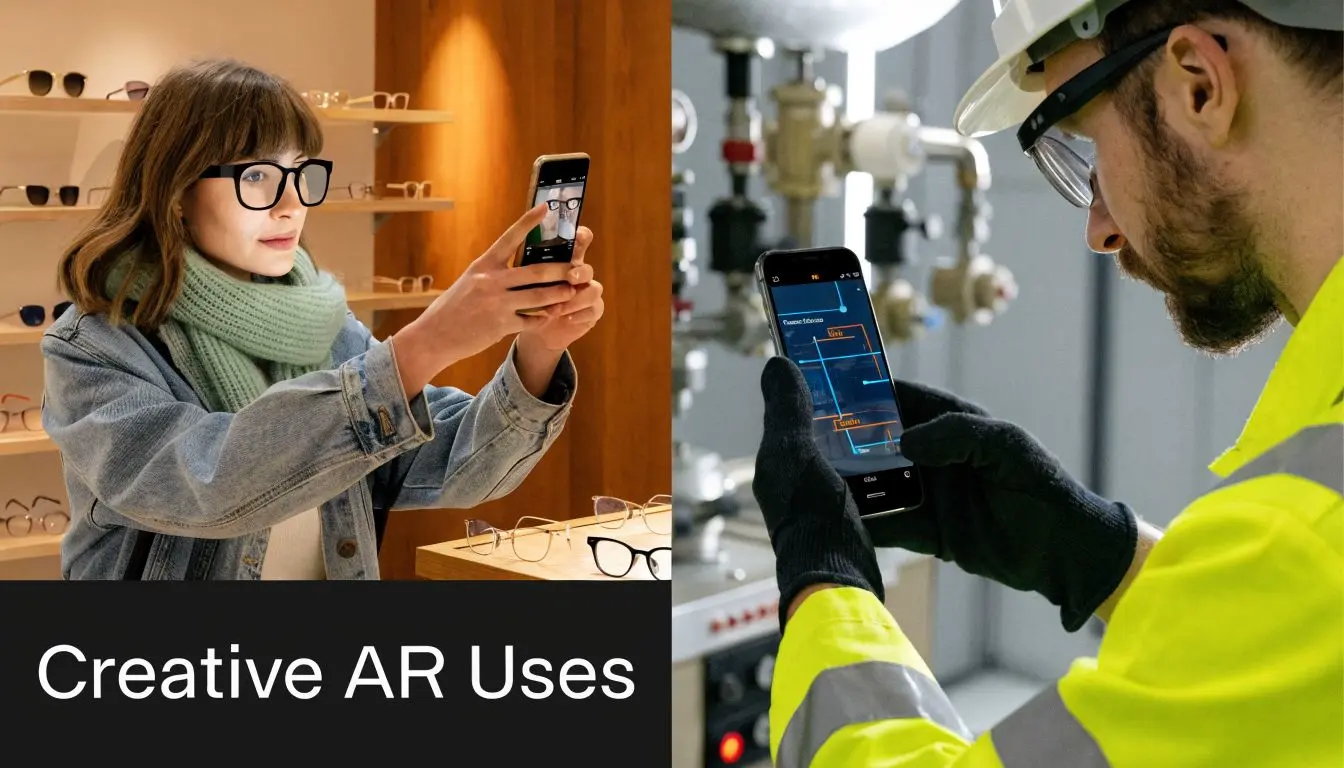
Retail is often the clearest commercial fit because WebAR sits close to purchase intent. Furniture, homewares, and DIY brands use it to show size and placement in the customer’s home. Beauty, eyewear, and accessories brands use lighter try-on flows to reduce hesitation before checkout. The commercial trade-off is straightforward. A polished visualiser for a small set of best-selling SKUs usually outperforms a wide rollout with inconsistent 3D assets, slow load times, and weak lighting calibration. In production, it is often better to prove conversion impact on a focused product range, then expand. If your team is planning retail applications, this guide to augmented reality in ecommerce goes deeper on buying journey design and rollout decisions.
Exhibitions and live events
At exhibitions, WebAR helps stands work harder without adding more staff or specialist hardware. A visitor scans a QR code on a wall graphic or product plinth and gets an animated product reveal, a layered technical demo, or a short branded interaction on their own phone. That matters in the UK events market, where floor space is expensive and attention is brief. The strongest activations are usually built around one simple action: place the product, reveal the story, or trigger the shareable moment. Teams planning these activations often refer to broader VAA experience marketing insights because the same rule applies here. Entry has to be easy, the value has to be obvious, and the payoff has to arrive quickly.
Training and healthcare
Healthcare and training teams use browser-based AR for a different reason. They need access, consistency, and low setup overhead across mixed devices and locations. That makes WebAR useful for onboarding, procedure visualisation, equipment familiarisation, and remote learning support. I would still treat this as a controlled-use-case medium rather than a catch-all training platform. In regulated environments, the browser format works best for guided learning layers and repeatable visual instruction, not for replacing every part of formal simulation or assessment.
Entertainment and branded storytelling
Entertainment campaigns, sports promotions, and brand launches benefit from WebAR when the goal is reach rather than long session time. A character appearing on a kitchen table, a portal scene tied to a release, or a face effect linked from social and OOH can generate strong engagement because the barrier to entry is low. The creative mistake is overbuilding. Browser AR is usually at its best as a short-form experience with a clear hook, one interaction model, and a defined campaign objective. For UK brands, that often means using WebAR as the high-impact front end of a wider campaign. It drives attention, captures first-party engagement signals, and gives the audience a reason to continue into video, product, ticketing, or retail channels.
Key Production and Technical Considerations
A WebAR project is usually won or lost before design sign-off. Scope, asset budgets, browser support, and analytics decisions shape the result far more than late-stage polish. I tell marketing teams to treat WebAR like a campaign product, not a novelty format. It needs a clear job, a realistic device target, and production constraints agreed early.
The main trade-off is quality versus responsiveness
Mobile browsers can deliver impressive AR, but they impose harder limits than native apps. Banuba’s WebAR performance overview reports browser sandboxing can lead to 15 to 20% FPS drops compared with native builds. The same overview also points to improving network conditions in the UK, stronger face tracking performance, and faster prototyping with lower production costs for some WebAR projects. In practice, that means every creative decision carries a performance cost. A detailed hero model, high-resolution textures, real-time shadows, and layered animations can all look strong in review, then drag on mid-range phones. For UK campaigns, where audience devices often span newer iPhones, several generations of Samsung handsets, and budget Android models, that gap matters.
Decisions that need to happen early
The first production conversation should answer four questions.
| Decision area | What to decide | Why it matters |
|---|---|---|
| Tracking model | Marker-based, face-based, or world-tracked | This affects UX, QA effort, environment requirements, and what the creative can realistically do |
| Asset approach | Photoreal hero asset or lighter stylised content | This drives load speed, frame rate, and how polished the experience feels on older phones |
| Entry point | QR code, product page, paid social, email, packaging, or event signage | This shapes launch rate and often has more impact on performance than the AR scene itself |
| Measurement plan | Which in-experience actions count as success | This determines what gets tagged, reported, and defended when results are reviewed |
This is also the point where timelines become more predictable. A straightforward product visualiser or face filter can move quickly if assets already exist and approvals are tight. A multi-scene launch with custom 3D, animation, localisation, and CRM integration will take longer and cost more. That sounds obvious, but many teams still budget WebAR as if it were a landing page with one extra feature.
What usually works
- •Short sessions with one primary interaction: place the object, trigger the animation, try the product, or reveal a content layer.
- •Disciplined asset optimisation: polygon count, texture sizes, lighting, and animation need to be planned for mobile browser delivery from the start.
- •Testing against the actual audience device mix: not only the newest handsets in the office or agency test kit.
- •Fallback behaviour: if advanced AR support drops out, the user should still get useful 3D, video, or interactive product content.
What usually goes wrong
- •Scenes built for pitch decks, not phones: what runs well in a desktop preview can struggle badly on live devices.
- •Analytics added late: event tracking needs to be scoped into the build, especially if the campaign is tied to paid media or lead capture.
- •Weak onboarding: if the first screen does not explain what to do in a few seconds, drop-off climbs fast.
- •Assuming browser consistency: Safari, Chrome, and in-app browsers do not behave the same way, and QA needs to reflect that.
A polished WebAR experience often comes from subtraction. Fewer assets, fewer steps, fewer chances for the browser to fail. For teams managing broader digital delivery, these tools for efficient web workflows can help frame the operational side of browser-based production. For a more AR-specific planning view, this guide to augmented reality application development is useful when comparing scope, platform choices, and integration requirements. One option in this space is Studio Liddell, which produces browser-based AR experiences alongside animation, app, and XR work, including WebAR delivered through links or QR-based access.
Measuring ROI to Prove Business Value
A marketing director signs off a WebAR campaign, launch numbers look healthy, and the first question from finance is simple. Did it change anything that mattered? If the answer is vague, the work gets filed under innovation spend instead of repeatable marketing activity. That is why ROI planning needs to start before production, not after launch. In practice, WebAR should be measured against the job it was hired to do. A product visualiser needs one model. A retail try-on needs another. A visitor experience at a heritage site sits closer to engagement, dwell, and secondary spend than straight ecommerce conversion.
Metrics that matter
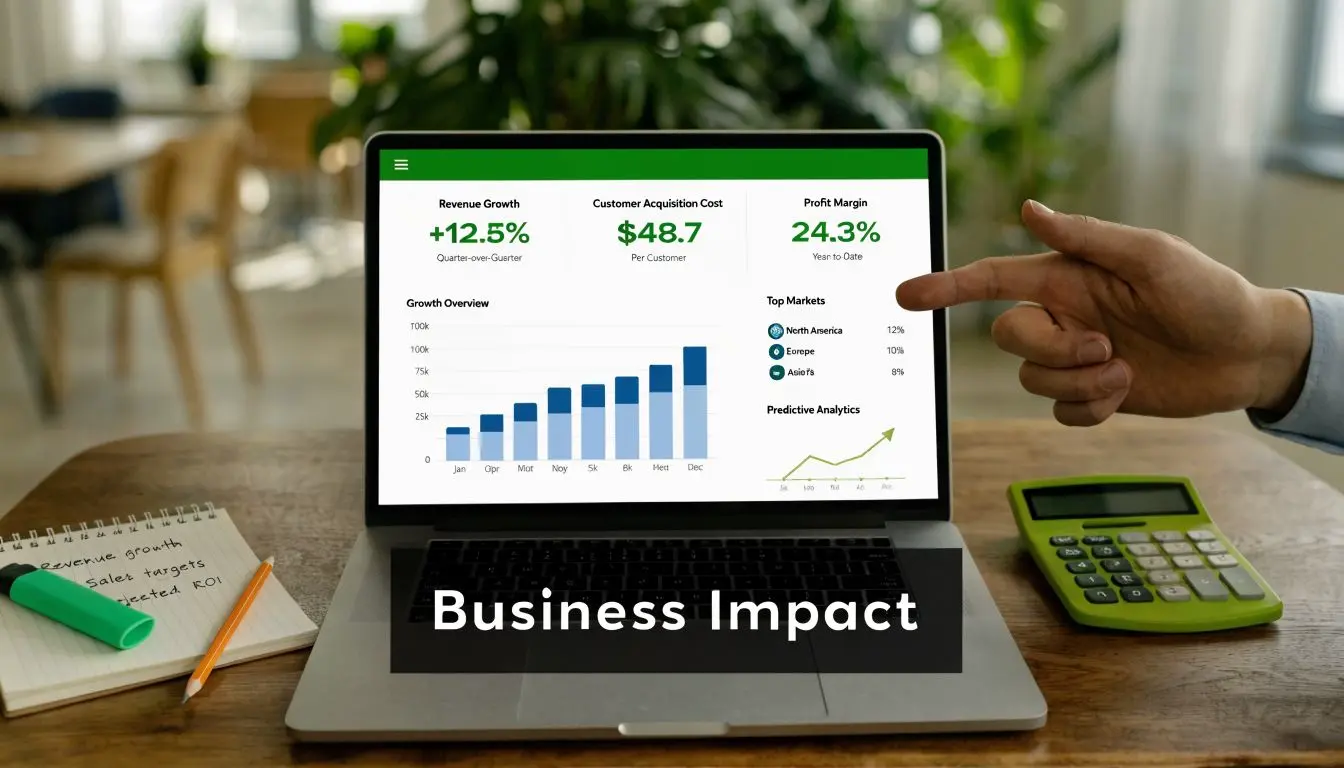
The strongest reporting frameworks stay tied to a short list of actions with commercial meaning:
- •Entry rate: how many people who saw the QR code, paid ad, product page, or event prompt launched the experience
- •Interaction quality: whether users placed the object, triggered key content, switched variants, or completed the intended journey
- •Dwell time: whether attention held longer than a standard landing page, printed panel, or static product gallery
- •Assisted conversion: whether exposed users were more likely to enquire, book, buy, or visit another high-value page afterwards
- •Return and sharing: whether people came back, sent the link on, or reopened it later in the decision cycle
The trade-off is straightforward. Track too little and the result is hard to defend. Track too much and teams end up with noisy dashboards that do not help budget decisions.
A good example from heritage and place-based content
Heritage, tourism, and place-based marketing are good fits for WebAR because the phone is already in the visitor’s hand and the physical setting does part of the storytelling. For UK organisations, the commercial case is usually less about novelty and more about increasing engagement on site without the cost and drop-off that often come with app downloads. The earlier reference to a 40% uplift in engagement and 15% adoption across UK heritage sites should not be used here because the source trail is incomplete. A more defensible point is that museum and heritage professionals have discussed browser-based AR as a lower-friction route to adoption in this article on frictionless AR adoption challenges. The opportunity for UK sites remains clear. Many organisations still hesitate because of perceived technical and connectivity constraints, which leaves room for well-scoped projects to stand out. I have seen this play out in production. A simple on-site WebAR layer that adds context to an exhibit or location often performs better than a more ambitious build with too many interaction steps, because visitors understand it fast and complete it in the moment.
How to make the numbers credible
Start with a baseline. If the goal is product consideration, compare WebAR users against standard page visitors. If the goal is lead generation at an event, compare scans, opens, qualified leads, and follow-up actions against previous activations. If the goal is visitor engagement, define the interaction milestones before the build begins so analytics can be added properly. Good ROI reporting also needs a realistic attribution model. WebAR rarely works as the only touchpoint. It usually supports paid media, packaging, retail POS, outdoor, email, PR, or live events. That does not weaken the case. It means the reporting should show contribution, not claim total credit. For teams that need a broader framework for evaluating channel performance, Miles Marketing's investment insights are a useful reference. The same discipline applies to WebAR. Set the objective, define the baseline, decide what counts as success, and measure the behaviour that supports revenue, leads, or visitor value. That is how WebAR moves from a clever demo to a line item the business will fund again.
Your WebAR Production Roadmap with Studio Liddell
Most buyers don’t need a lecture on immersive tech. They need a realistic view of scope, timeline, dependencies, and the level of investment required to get something effective live. That’s where a production roadmap matters. Good WebAR work isn’t just about code or 3D craft. It’s about getting the right level of ambition for the audience, the channel, and the business goal.
What a project usually involves
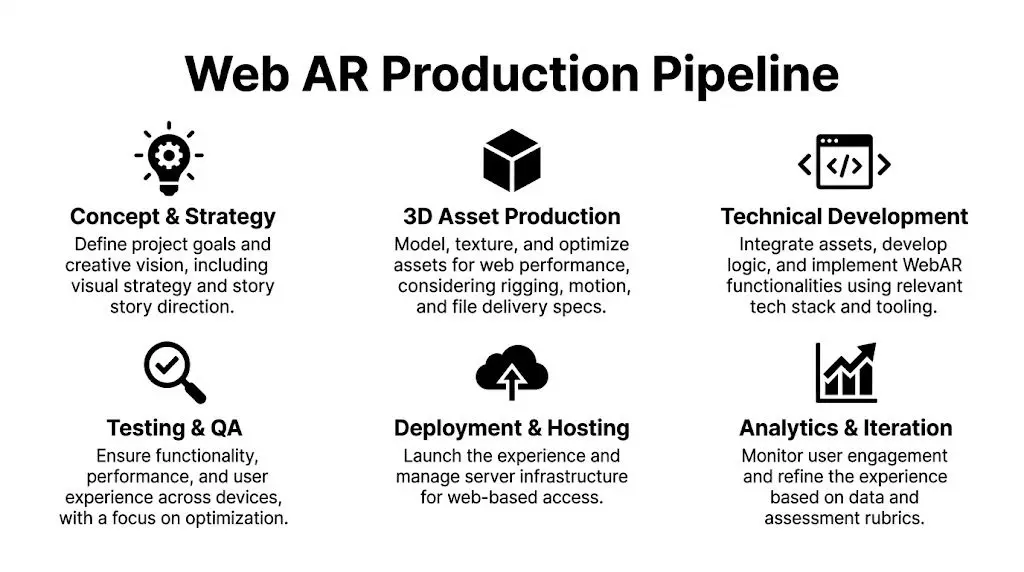
A typical WebAR production cycle looks like this:
- Discovery and scoping
- Concept and UX design
- Asset production and development
- Testing, launch, and iteration
What changes the budget and timeline
WebAR budgets aren’t fixed because the format covers everything from a single product viewer to a fully branded interactive activation. The variables that usually move cost are:- •Asset complexity
A simple product visualiser is a different job from a character-led mini-game or a multi-scene heritage experience.
- •Tracking requirements
Marker-based activations can be simpler to control. World-tracked builds need more environmental testing and UX consideration.
- •Content volume
One hero SKU is manageable. Large product ranges need a scalable asset and publishing plan.
- •Integration needs
Embedding into an existing site, campaign stack, or analytics environment adds coordination work.
What smart clients ask early
The strongest briefs usually ask practical questions such as:
- •How quickly does the experience load on a normal mobile connection?
- •What happens on devices with limited support?
- •Can the experience live inside our campaign page rather than on a separate microsite?
- •What will we be able to report back to stakeholders after launch?
- •Do we need one hero build or a repeatable format?
That's the right mindset. It keeps the project tied to outcomes. Studio Liddell's background across animation, XR, branded content, and browser-delivered experiences is relevant here because WebAR projects rarely sit in one discipline. They need creative direction, production structure, technical oversight, and content that still feels premium once it's optimised for mobile delivery. That blend matters whether the end result is a product visualiser, exhibition activation, educational layer, or branded character experience. A good first step is a scoping conversation that defines the format before anyone overcommits to features. In most cases, the winning version is not the most complicated version. It's the one that users can access instantly, understand immediately, and remember afterwards.
If you're weighing up a WebAR campaign, product visualiser, branded activation, or training experience, Studio Liddell can help you scope the right format, production approach, and rollout plan. Book a production scoping call to turn the idea into a realistic brief with clear deliverables, technical boundaries, and measurable business goals.