Redis Docker Install: A Production Guide
If you're building an XR prototype, a live ops tool for a game, or an internal animation pipeline, you usually hit the same problem fast. One machine has Redis running locally, another has an older version, a third developer forgot persistence, and production behaves differently from everyone's laptop. That's where a clean redis docker install stops being a convenience and starts being part of your delivery discipline. In creative tech, Redis often sits behind real-time state, asset metadata lookups, render queue coordination, and session data. When it's unreliable, the rest of the pipeline feels unreliable too.
Why Run Redis Inside a Docker Container
A Dockerised Redis setup solves a very practical problem. It gives every developer, CI job, and deployment target the same runtime shape. That matters when a Unity tool talks to Redis one way in development and your cloud environment behaves another way under load.

Redis Docker images have been available on Docker Hub since at least 2013, aligning with Docker's original launch, and Redis has become a staple in digital agencies for workloads such as caching in Unity and Unreal XR pipelines, even though UK-specific adoption metrics are scarce, as noted in this Redis Docker availability overview.
What Docker fixes in day-to-day studio work
On a studio team, the pain usually isn't installing Redis once. It's everything around it:
- •Environment drift means one artist tools engineer is testing against a different Redis setup from the backend developer.
- •Onboarding friction slows down new starters who just need a predictable local stack.
- •Machine clean-up becomes messy when services are installed directly on the host and conflict with other tooling.
- •Release confidence drops when development, staging, and production don't share the same service definition.
A container gives you isolation and repeatability. You can destroy it, recreate it, pin a version, mount storage, and move the exact same setup between laptops, build agents, and servers.
Where this matters for creative pipelines
In creative production, Redis often isn't the main app. It's the fast layer that keeps everything else responsive. That can include hot asset caches, temporary scene state, job coordination, and low-latency data exchange between services.
Practical rule: If Redis is supporting an interactive pipeline, treat its deployment as production infrastructure from day one, even when you're still prototyping.
That same mindset applies more broadly to app delivery. The backend choices behind a creative product often decide whether it feels polished or fragile, which is why this piece on why an app's backend could make or break its success is worth reading alongside your infrastructure decisions.
Quick Start Your First Redis Container
The fastest way to prove your redis docker install works is to keep it boring. Pull the official image, run one container, and test it immediately.
Start with the smallest useful setup
Run these two commands:
- Pull the image:
- Start the container:
- Open a shell in the container:
- Run:
What this quick start is good for
This is enough for:- •Local development when you need a disposable cache
- •Smoke testing a service that depends on Redis
- •Teaching and debugging because there are very few moving parts
It is not enough for production. There's no persistence, no explicit restart policy, no memory strategy, and no custom configuration. If the container disappears, your data disappears with it.
A running container is not the same as a production-ready Redis service.
A more realistic production-style command
For creative workloads, I prefer making the important decisions explicit. A commonly used production-grade command is: `docker run -d --name redis-prod -p 6379:6379 -v /uk-studio/redis-data:/data --restart unless-stopped redis:7.2-alpine redis-server --maxmemory 2gb --maxmemory-policy allkeys-lru --appendonly yes` That pattern is practical because it combines persistence, restart behaviour, and memory controls in one command. Using the alpine image can result in a 30% smaller footprint, which is useful when you want tighter resource usage on shared infrastructure, as described in this Redis Docker setup guide with alpine example.
Why these flags matter
A quick read of the command tells you a lot:
| Setting | Why it matters |
|---|---|
| `-v /uk-studio/redis-data:/data` | keeps Redis data outside the container filesystem |
| `--restart unless-stopped` | helps the service recover after host or daemon restarts |
| `redis:7.2-alpine` | keeps the image lighter |
| `--maxmemory 2gb` | stops Redis from consuming memory without a ceiling |
| `--maxmemory-policy allkeys-lru` | defines what gets evicted when memory is full |
| `--appendonly yes` | enables AOF persistence |
For XR tools, live previews, and asset-heavy services, this kind of command is a better baseline than the bare `docker run redis` example you see in generic tutorials.
Managing Redis with Docker Compose
At some point, individual CLI commands stop scaling. The minute Redis has to live beside an API, a worker, a dashboard, or a test harness, Docker Compose becomes the better way to manage it.
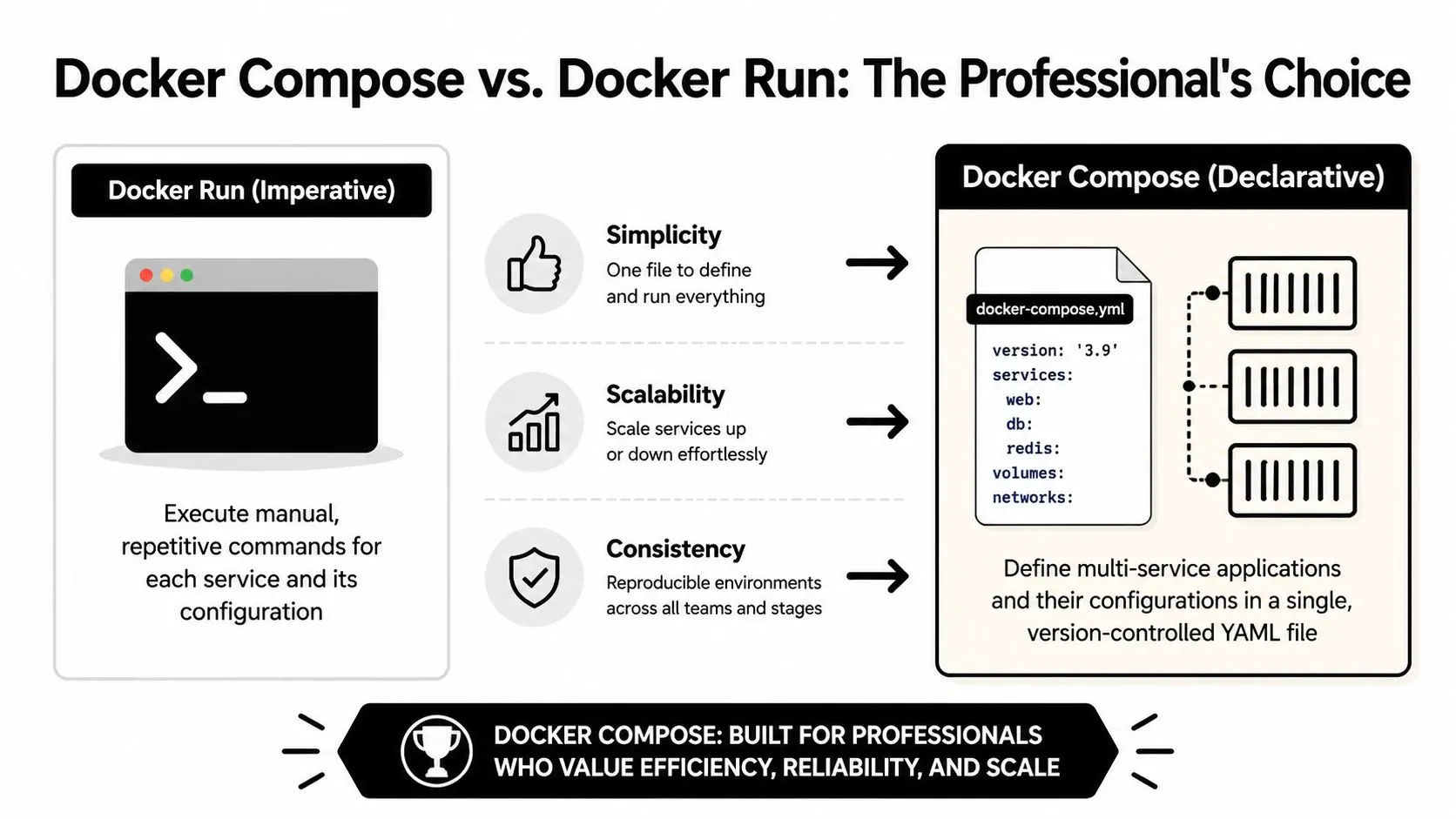
A lot of teams treat Compose as a local convenience. It's more than that. It's a way to declare service relationships, persistence, health behaviour, and networking in a file that can be reviewed and versioned.
Why Compose is usually the better choice
For studio pipelines, the win is consistency. A checked-in `docker-compose.yml` means the tools engineer, gameplay programmer, and CI environment can all start from the same service definition. A 2026 UK Digital Catapult report covering 850 creative tech firms found that Docker Compose setups for services like Redis showed 92% uptime compared with 71% for ad-hoc `docker run` commands, largely because they reduced issues such as OOM kills during high-load XR rendering, according to this Compose reliability reference.
A simple Compose file for Redis and an app
Here's the shape I'd use for local development: ```yaml services: redis: image: redis:7.2 ports:
- •"6379:6379"
volumes:
- •redis_data:/data
command: redis-server --appendonly yes app: image: your-app-image depends_on:
- •redis
environment: REDIS_HOST: redis volumes: redis_data: ``` The important part is that the app talks to `redis` by service name, not by hard-coded host assumptions. That removes a lot of brittle local setup.
Docker run versus Compose
| Approach | Works well for | Weakness |
|---|---|---|
| `docker run` | quick tests, throwaway local instances | hard to repeat cleanly across services |
| Docker Compose | team environments, local stacks, repeatable setups | slightly more upfront setup |
| Hand-managed commands plus notes | almost nothing long-term | configuration drifts fast |
One rule I stick to: if Redis is part of a multi-service workflow, define it in Compose before the second developer touches the project.
Teams working through wider infrastructure decisions will also find this guide to cloud computing in app development useful because Redis rarely lives alone. It usually sits inside a broader hosting and deployment picture.
When Compose changes the conversation
Compose also changes how teams think. Instead of asking, “What command did you run?”, they ask, “What's in the file?” That's a better operating model. You review YAML, commit changes, and stop relying on tribal knowledge in Slack threads.
Enabling Persistence and Custom Configurations
Containers are disposable by design. That's a strength until someone assumes the Redis container filesystem is durable and then loses cached state, queues, or session data after a rebuild. For any serious redis docker install, persistence is the first thing to fix.

Official Redis Docker guidance consistently emphasises using volumes for persistence with `-v /data`, and tools such as RedisInsight are increasingly used in UK creative firms that need persistent low-latency state for XR and gaming workflows, as outlined in the Redis Stack Docker documentation.
Named volumes versus bind mounts
Both approaches work. They don't behave the same. #### Named volumes A named volume is usually the safer default: `docker run -d --name redis-local -v redis_data:/data redis redis-server --appendonly yes` Why I like it:
- •Docker manages the storage location
- •Permissions are usually less painful
- •The setup is more portable between machines
#### Bind mounts A bind mount maps a host folder directly: `docker run -d --name redis-local -v /your/path/redis-data:/data redis redis-server --appendonly yes` Why teams use it:
- •It's easy to inspect files directly on the host
- •It can fit existing backup routines
- •It gives more explicit control over storage location
The trade-off is operational sharpness. Bind mounts are where permission mismatches and host-specific quirks tend to show up first.
If your team doesn't have a strong reason to use a host path, start with a named volume and keep the failure surface smaller.
A practical custom config for production
The defaults are fine for learning. They're weak for real workloads. A custom `redis.conf` lets you define memory and persistence behaviour for your actual application. A minimal example: ```conf appendonly yes maxmemory 2gb maxmemory-policy allkeys-lru ``` Then mount it into the container: `docker run -d --name redis-prod -p 6379:6379 -v redis_data:/data -v /your/path/redis.conf:/usr/local/etc/redis/redis.conf redis redis-server /usr/local/etc/redis/redis.conf` For animation and XR pipelines, those settings are sensible because they do three jobs:
- •`appendonly yes` protects against data loss better than a purely ephemeral cache setup
- •`maxmemory 2gb` puts a hard ceiling on memory use
- •`allkeys-lru` gives Redis an eviction rule when your hot set grows too large
What to tune for different workloads
Not every creative workload wants the same Redis behaviour.
| Workload | Usually prioritise | Typical config focus |
|---|---|---|
| Tooling cache | speed and simplicity | memory cap and eviction policy |
| Session or collaboration state | recoverability | AOF and controlled restarts |
| Render coordination | predictability under load | memory headroom and persistence choice |
RedisInsight is also useful once the service is running. It won't fix poor configuration, but it helps you inspect keys, memory use, and runtime state without relying only on CLI output.
Securing and Networking Your Redis Instance
A Redis container that starts cleanly can still be badly deployed. The most common mistake is exposing Redis too broadly because it feels convenient during setup. That's acceptable for a disposable local test on a trusted machine. It's not acceptable for production.

Keep Redis on an internal Docker network
If an application container is the only thing that needs Redis, let Docker networking do the isolation. Put both services on a custom bridge network and avoid exposing Redis more widely than necessary. That gives you a cleaner trust boundary:
- •App containers can reach Redis by service name
- •The host doesn't need broad access
- •You reduce accidental exposure
- •Network intent becomes explicit in code
For engineering leaders thinking through the wider hardening picture, these Docker security tips for engineering leaders are a useful companion to Redis-specific precautions.
Add authentication deliberately
Redis was built for trusted environments. In containers, you still need to define what trusted means. One of the simplest steps is setting a password with `requirepass` in your configuration file. Example `redis.conf` snippet: ```conf requirepass your-strong-password appendonly yes maxmemory 2gb ``` Then start Redis with that config mounted in. Your application will need to authenticate before issuing commands.
What works and what doesn't
A few patterns are worth calling plainly:
| Choice | Verdict | Why |
|---|---|---|
| Exposing Redis by default during development and forgetting about it later | bad habit | the shortcut tends to leak into production |
| Isolating Redis behind app-only networking | good default | simplest way to limit access |
| Relying only on container boundaries for security | weak | boundaries help, but they aren't the whole story |
| Using a custom config with authentication and explicit network design | production-ready baseline | it's easier to reason about and audit |
Security for Redis is mostly about restraint. Expose less, trust less, and document the exact clients that are allowed to talk to it.
In creative pipelines, this matters because Redis often holds live coordination state. Even when the data isn't sensitive in the classic financial sense, a badly secured cache or queue can still break production workflows.
Healthchecks, Troubleshooting, and Best Practices
Most Redis Docker problems aren't mysterious. They're usually one of a few repeat offenders: port conflicts, storage permissions, unhealthy containers that look alive, or performance settings that were never tuned for the actual workload.
Symptom, cause, solution
- •Container won't start because the port is already in use
The usual cause is another service already listening on the Redis port. Either stop the conflicting service or map Redis to a different host port for local work.
- •Redis starts, then data disappears after recreation
That almost always means persistence wasn't configured properly. Mount `/data` to a volume and enable AOF if the workload needs recoverability.
- •Container restarts or gets unstable under load
The memory policy is often missing or unsuitable. Set an explicit `maxmemory`, choose an eviction policy that fits the workload, and stop treating defaults as production settings.
- •Bind-mounted data path throws permission errors on Linux
This tends to be a host filesystem ownership problem rather than a Redis problem. Named volumes are often the easier fix when teams don't need direct file access.
Add a healthcheck
A container being “up” only tells you the process started. It doesn't tell you Redis is responsive. In Compose, add a healthcheck such as: ```yaml healthcheck: test: ["CMD", "redis-cli", "ping"] ``` That gives the platform something real to verify. It also makes dependent services behave more predictably in local and shared environments.
Performance tuning for hybrid studio teams
One challenge for UK-based creative production teams in hybrid and remote setups is latency. Standard tutorials often skip performance tuning, but for XR pipelines and real-time collaboration, tuning memory allocation, network bandwidth, and CPU pinning is critical if you're chasing sub-millisecond responsiveness, as discussed in this analysis of Redis Docker performance trade-offs. For teams formalising those operational habits, this piece on infrastructure as code for modern DevOps teams is useful because Redis reliability improves when service definitions, healthchecks, and runtime constraints are written down instead of remembered. Broader product teams dealing with launch-readiness across frontend, backend, and infrastructure should also read this complete guide to app development in the UK.
If you're building animation tools, games, apps, or XR experiences and need a production pipeline that won't fall apart under delivery pressure, Studio Liddell can help scope, build, and harden the technical side of the work.