Meta Quest 3 vs 3s: A Clear Guide for UK XR Developers
When you get down to it, the Meta Quest 3 vs 3s debate boils down to one simple trade-off: premium visuals versus cost-effective power. The Quest 3 offers a noticeably superior visual experience thanks to its advanced pancake lenses, while the Quest 3s delivers nearly identical processing muscle at a much friendlier price. Ultimately, your decision will hinge on what your project demands most. Is it top-tier visual fidelity for client-facing demos, or is it scalable deployment for a large team or training programme?
Choosing the Right Headset for Your XR Project
Picking between the Meta Quest 3 and Quest 3s is more than just a hardware choice; it's a strategic decision that needs to align with your project's commercial and technical goals. For creative studios, the headset you choose impacts everything from internal asset reviews and client presentations to the final user experience in a location-based VR attraction. This guide is designed to cut through the noise with a direct comparison focused squarely on professional use cases. We'll help you match the hardware's capabilities to your objectives, whether that’s immersive corporate training, high-fidelity architectural visualisation, or developing the next big mixed-reality game. Of course, the hardware is just one piece of the puzzle. Your choice of headset will also influence which leading prototyping tools for augmented reality and virtual reality projects are the most effective for your workflow, shaping how your project comes to life.
To kick things off, the table below gives you a quick snapshot of the most critical differences between the two headsets. It’s the perfect starting point to see where the key trade-offs lie.
Quick Look Meta Quest 3 vs Meta Quest 3s
| Feature | Meta Quest 3 | Meta Quest 3s |
|---|---|---|
| Target User | Professionals needing premium visual fidelity | Organisations prioritising cost & scalability |
| Optics | Pancake Lenses (Superior edge-to-edge clarity) | Fresnel Lenses (Cost-effective, similar to Quest 2) |
| Processor | Snapdragon XR2 Gen 2 | Snapdragon XR2 Gen 2 |
| RAM | 12 GB | 8 GB |
| Mixed Reality | High-Res Colour Passthrough with Depth Sensor | High-Res Colour Passthrough |
| Controllers | Ringless Touch Plus Controllers | Ringed Touch Controllers |
As you can see, while they share the same powerful processor, the differences in optics, RAM, and controller design create two very distinct value propositions. Let’s dive deeper into what these specs mean for real-world development and deployment.
Core Hardware and Performance for Professional Workflows
Under the hood, both the Meta Quest 3 and Quest 3s run on the same engine: the Snapdragon XR2 Gen 2 chipset. This processor is a huge step up, delivering more than double the GPU performance of the old Quest 2. For professional studios, that power bump means you can finally build and run far more complex, high-fidelity experiences without being chained to a PC. Because they share this core, both headsets are fundamentally ready for demanding professional work. Whether you're building detailed training simulations in Unity, reviewing complex 3D models for broadcast animation, or creating immersive client presentations with Unreal Engine, the raw processing power is identical. The real differences show up not in horsepower, but in how each headset juggles its resources during heavy use.
The Real-World Impact of RAM
The single biggest hardware difference is the RAM: 12 GB in the Quest 3 versus 8 GB in the Quest 3s. While both are respectable figures, that 4 GB gap can make a world of difference in a professional production setting. More RAM allows the Quest 3 to handle larger, unoptimised assets more gracefully, a common situation during iterative development. For developers, this means smoother multitasking. You’ll find yourself switching between your development environment and the running app more fluidly on the Quest 3. It also cuts down on the chances of memory-related crashes when you’re loading particularly heavy scenes or high-resolution textures, which saves valuable time and a lot of frustration.
In practice, the Quest 3's extra RAM acts as a crucial buffer during complex development. It gives you the headroom needed to work with bigger assets and more demanding scenes directly on the headset, streamlining the review process long before final optimisation is done.
For a deeper dive into the specifics of on-device development, our guide to Oculus VR development offers practical tips for optimising performance across different hardware.
Processing Power and Production Pipelines
Both headsets benefit from the Snapdragon XR2 Gen 2's muscle, which opens the door to AI-enhanced production pipelines for projects like multi-episode CGI or virtual gaming at a much lower entry cost. Despite the RAM difference, both devices can run the exact same applications and games. The 3s, however, is a great fit for newcomers or for short, focused sessions. A notable advantage for the 3s is its superior low-light tracking; it uses IR illuminators to perform well where the Quest 3 can falter by 20-30% in the dimly lit environments often found in UK homes. You can find more detail about how these headsets perform in various consumer tests in a recent analysis of VR sales trends. This performance parity ensures that experiences developed on a Quest 3s will run flawlessly on a Quest 3. This makes the 3s an excellent, budget-friendly option for building out a fleet of development or testing units.
Storage and Connectivity Considerations
When picking a headset for professional use, storage capacity is a key practical detail. Both models come with different storage tiers, and your choice should align with your specific workflow.
- •128 GB Model: This is often plenty for teams that primarily use their headsets for testing builds pushed from a development PC. It's a cost-effective choice for quality assurance (QA) teams or for single-application deployments in location-based experiences.
- •512 GB Model (Quest 3 only): If you're a creative director, artist, or developer who needs to store multiple large projects, high-resolution video captures for reviews, or a library of reference apps, this larger capacity is non-negotiable. It simply removes the headache of constantly managing storage space.
Both headsets feature Wi-Fi 6E for fast, low-latency wireless streaming from a PC, a critical feature for workflows that still rely on PC VR for maximum visual fidelity. They also both use USB-C for charging and data transfer, ensuring they work with standard development tools and accessories. This parity in connectivity means you won't sacrifice core functionality by choosing the more affordable Quest 3s. The decision truly boils down to your needs for RAM and on-device storage.
Display Technology and Visual Fidelity
In professional XR, visual clarity isn’t a nice-to-have; it’s everything. The difference between spotting a tiny flaw in a 3D model and having it slip through to a client can come down to the quality of the display. This is where the Meta Quest 3 vs 3s comparison gets really interesting, showing a clear split in optical tech that has a massive impact on professional work. The Meta Quest 3 uses modern pancake lenses, a newer system that delivers incredible edge-to-edge sharpness. For a developer or artist, this is a game-changer. It means the entire field of view is crisp and in focus. When you're poring over a detailed architectural model or checking the finer points of a character rig, you can just glance around the scene. No more having to turn your whole head just to bring things into that tiny "sweet spot" in the centre. It makes the whole review process feel much more natural and efficient.
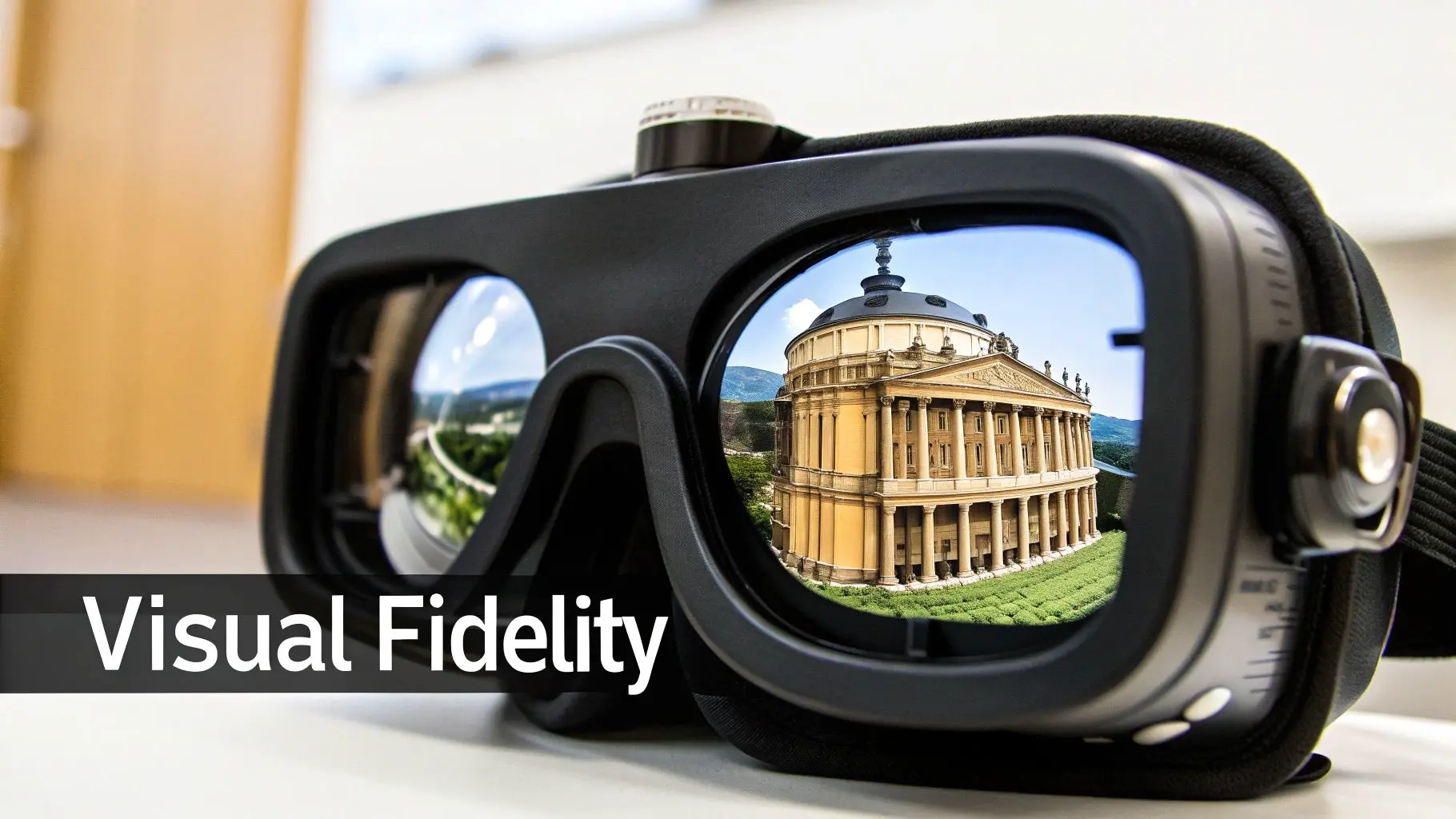
On the flip side, the Quest 3s sticks with traditional Fresnel lenses , the same technology found in the Quest 2. While they’re proven and help keep costs down, Fresnel lenses are known for annoying visual artefacts like "god rays" (streaks of light in high-contrast scenes). They also have a much smaller area of perfect focus. This can be a real headache for detailed creative work, as you're constantly having to move your head to properly scrutinise different parts of an image.
Resolution and Sharpness in Practice
It's not just the lenses where the Quest 3 pulls ahead. It also packs a higher resolution per eye at 2064 x 2208, compared to the 1832 x 1920 of the Quest 3s. When you combine that resolution boost with the superior pancake lenses, you get a noticeably sharper and more detailed picture. Think about these real-world scenarios:
- •Broadcast Animation Review: Trying to spot subtle texture mapping errors or animation clipping on a character? The Quest 3’s clarity makes these issues pop. On the Quest 3s, those same details might look a bit soft or get lost in the peripheral blur of the lens.
- •Client Presentations: When you’re showing off a high-end product visualisation to a stakeholder, you need the best image quality possible. The Quest 3’s crisp display ensures your work is seen in its best light, without distracting visual hiccups.
- •Training Simulations: For modules where trainees need to read text or identify small parts on complex machinery, the superior text legibility and overall sharpness of the Quest 3 are critical for effective learning.
The core optical trade-off is simple: the Quest 3 is built for visual precision, making it the superior tool for creative review and client-facing demonstrations. The Quest 3s is built for accessibility, offering a "good enough" visual experience for deployments where cost is the primary driver.
The Quest 3, available for around £470 in the UK, uses its pancake lenses to produce visuals that are roughly 30% sharper than the older Fresnel lens design. Meanwhile, the Quest 3s, at a more budget-friendly £290, keeps the cost down with Fresnel lenses but crucially gets the same Snapdragon XR2 Gen 2 processor, allowing it to match the Quest 3's impressive mixed-reality passthrough. If you're curious about how these devices are being adopted, you can explore more data on recent VR usage trends.
Field of View and User Comfort
A convincing sense of immersion and long-term comfort often come down to two key factors: Field of View (FOV) and Inter-Pupillary Distance (IPD) adjustment.
- •Field of View (FOV): The Quest 3 provides a wider FOV (110 degrees horizontal) than the Quest 3s. This wider view fills more of your peripheral vision, which deepens the sense of presence and cuts down on that "looking through binoculars" feeling.
- •IPD Adjustment: For adjusting the distance between the lenses, the Quest 3 has a smooth, stepless wheel. This allows for very precise tuning to fit a wide range of users comfortably. The Quest 3s is expected to use a simpler, stepped adjustment, which might not be a perfect fit for everyone.
For long development sessions or public demos where lots of different people will be using the headset, the Quest 3’s better adjustability and wider FOV deliver a more comfortable and immersive experience for a much broader audience.
Mixed Reality and Tracking Capabilities
When we get down to brass tacks, the quality of mixed reality (MR) and the reliability of spatial tracking are where the real-world differences between the Meta Quest 3 vs 3s really start to show. This isn't just about specs on a page; a headset's ability to convincingly blend the physical and digital worlds dictates its usefulness for everything from interactive retail displays to intricate industrial training. This is where the Quest 3's dedicated hardware gives it a clear lead for high-end development work. The Meta Quest 3 was built from the ground up with high-fidelity MR in mind. It pulls this off with a sophisticated sensor array, featuring dual RGB cameras and a dedicated depth sensor. This combo allows it to generate a full-colour, high-resolution passthrough that also genuinely understands the geometry of your room. For developers, this is massive. It means you can build experiences where virtual objects interact realistically with the physical environment, they can bounce off actual walls, disappear behind your sofa, and feel properly grounded in the user's space.
The Quest 3S, on the other hand, is rumoured to skip the dedicated depth sensor to hit that lower price point, even while offering a similar high-res colour passthrough. While its passthrough will likely be great for general use, the absence of a depth sensor means it will lean more heavily on software to figure out spatial data. This could lead to less accurate depth perception and object occlusion, which is a deal-breaker for any AR application needing precise interaction between virtual content and the real world. If you want to see just what this tech can do, checking out some mixed reality games on the Quest 3 offers a great window into its potential.
Controller Design and Interaction
The controllers are another major fork in the road, with big implications for interaction design and usability in a professional context. The Quest 3 comes with the sleek, ringless Touch Plus controllers. These clever bits of kit use a combination of their own cameras and smart tracking algorithms to nail down their position. The design is more compact and ergonomic, and crucially, it massively cuts down on the chances of clashing the controllers together during complex, two-handed movements. In contrast, the Quest 3S is expected to ship with controllers much closer to the old Quest 2 design, complete with the famous tracking rings. These rings are studded with infrared LEDs that the headset's cameras track. It’s a proven, rock-solid tracking method, no doubt. But the rings add bulk and can sometimes get in the way, especially in training sims that mimic fiddly manual tasks.
For professional use, the Quest 3's ringless controllers provide a more polished user experience, removing physical barriers for complex interactions. That said, the Quest 3S's ringed controllers might be more robust for high-traffic environments like location-based entertainment, where they're likely to take a few knocks.
Hand Tracking and Direct Interaction
Both headsets support controller-free hand tracking, letting users interact with virtual content with just their hands. This is a brilliant feature for creating intuitive experiences, particularly for newcomers who might find controllers a bit daunting. Yet again, the Quest 3’s advanced sensor suite, especially its depth sensor, gives it the upper hand. The depth sensor feeds the system more accurate data on hand positions and gestures, resulting in more reliable and nuanced hand tracking. This is absolutely critical for applications that demand precision, such as:
- •Virtual Training: Simulating the operation of delicate machinery or performing medical procedures where every slight hand movement counts.
- •Creative Tools: Building 3D modelling or design apps where artists need fluid, intuitive control over virtual objects.
- •Client Demos: Making sure that first-time user experience in an interactive presentation is seamless and impressive.
While the Quest 3S will still offer perfectly capable hand tracking, the Quest 3's superior hardware delivers the accuracy and reliability needed for the most demanding professional workflows. The choice boils down to whether your project needs the absolute best in spatial awareness and interaction fidelity, or if a very good, more budget-friendly option will do the job.
Market Adoption and Developer Impact
For any production studio weighing the Meta Quest 3 vs 3s decision, the choice goes far deeper than just hardware specs. The potential return on your XR project is directly linked to market adoption. Getting a handle on sales velocity, user engagement, and UK market trends is essential for making a commercially sound decision, whether you're developing transmedia IP or a new VR training module. The core question boils down to reach versus fidelity. If you develop exclusively for the premium Quest 3, you’re targeting a user base that demands the highest visual quality, but it's a smaller, more niche audience. On the other hand, designing your experiences to be fully compatible with the more affordable Quest 3s massively broadens your potential user base. A larger audience translates directly into greater potential for revenue, user feedback, and brand engagement.
Sizing the UK Market
Gauging the size of your addressable market is a crucial first step. While exact sales figures can be hard to pin down, strong indicators point to healthy adoption for Meta's latest hardware here in the UK. The Meta Quest 3 has already hit a major milestone, with over one million users completing its 'First Encounters' introductory experience. This tutorial is designed to showcase the headset's advanced 3D scene meshing, and its completion rate strongly suggests a global user base well past the one-million-unit mark, with the UK market making up a substantial slice of that. You can read more about this adoption milestone to get a sense of the early momentum. This data is vital for studios. It confirms a growing and engaged audience exists for high-quality mixed reality content. For those looking at the developer impact of XR technology, it's also worth it to explore relevant applications and see how they are shaping the ecosystem.
The Commercial Case for the Quest 3s
From a market adoption perspective, the lower price of the Quest 3s is its killer feature. History has shown that in consumer electronics, accessibility is what drives scale. By making high-quality, standalone VR more affordable, Meta is clearly trying to replicate the enormous success of the Quest 2, creating a huge potential audience for developers. For studios, this presents a clear strategic path:
- •Maximised Reach: Targeting the Quest 3s user base means your application, game, or training module can get in front of far more people.
- •Lower Barrier to Entry for Clients: When you're pitching enterprise solutions, the lower per-unit cost of the Quest 3s makes large-scale deployments a much easier conversation to have with clients about their budgets.
- •A Future-Proof Foundation: Because both headsets share the same core processor and run the same software, developing for the Quest 3s as your baseline ensures your content will also perform brilliantly on the Quest 3.
Developing with a "Quest 3s-first" mindset is a commercially smart strategy. It forces you to optimise properly and ensures your project is accessible to the widest possible audience, while still letting you add graphical enhancements that can really make the experience shine on the more powerful Quest 3.
Ultimately, while the Quest 3 gives creators a superior visual experience, the Quest 3s represents the path to mass-market adoption. For many projects, the strategic advantage of reaching a larger, more diverse audience will outweigh the benefits of developing for a smaller, premium segment. This makes the Quest 3s a compelling choice not just for its price, but for its potential to deliver a much greater return on your development investment.
Making the Right Choice for Your Business
After breaking down the hardware, displays, and potential market reach, the choice between the Meta Quest 3 vs 3S really boils down to your strategic goals. There’s no single ‘best’ headset here. Instead, you have the _right_ headset for a specific business need, budget, and how many units you plan to deploy. The decision you land on will shape everything from your project’s visual impact to its commercial viability. When you boil it all down, the recommendation becomes pretty clear once you define your main objective. Are you aiming for the absolute best visual quality for creative reviews and jaw-dropping client showcases? Or is your goal to get as many headsets as possible out there for training or entertainment, keeping costs firmly in check?
The Creative Director’s Choice: The Quest 3
For creative directors, 3D artists, and development leads, anyone whose work lives and dies by its visual quality, the Meta Quest 3 is the only real contender. Its advanced pancake lenses and higher-resolution display provide that critical edge-to-edge clarity you need to spot tiny imperfections in animations, walk through complex architectural models, or present your work to clients in the best possible light. The beefed-up mixed reality, driven by its dedicated depth sensor, also makes it the go-to device for developing sophisticated AR experiences where virtual objects feel genuinely present in the real world. If the final visual polish is something you can’t compromise on, the Quest 3 is a necessary investment.
The Scalability Champion: The Quest 3S
When it comes to large-scale rollouts where the cost-per-unit is a make-or-break factor, the Meta Quest 3S steps up as the obvious winner. Just think about these scenarios:
- •Enterprise Training: Deploying dozens, or even hundreds, of headsets for employee onboarding or technical training suddenly becomes financially realistic with the 3S.
- •Education: Schools and universities can kit out entire classrooms with VR, opening up incredible new avenues for immersive learning without decimating their budgets.
- •Location-Based VR (LBVR): Arcade and experience operators can maximise their ROI by buying more headsets for the same investment, cutting down queue times and boosting revenue.
This decision tree helps visualise that core choice: maximising your reach at a lower cost with the Quest 3S, or putting every penny into premium visuals with the Quest 3.
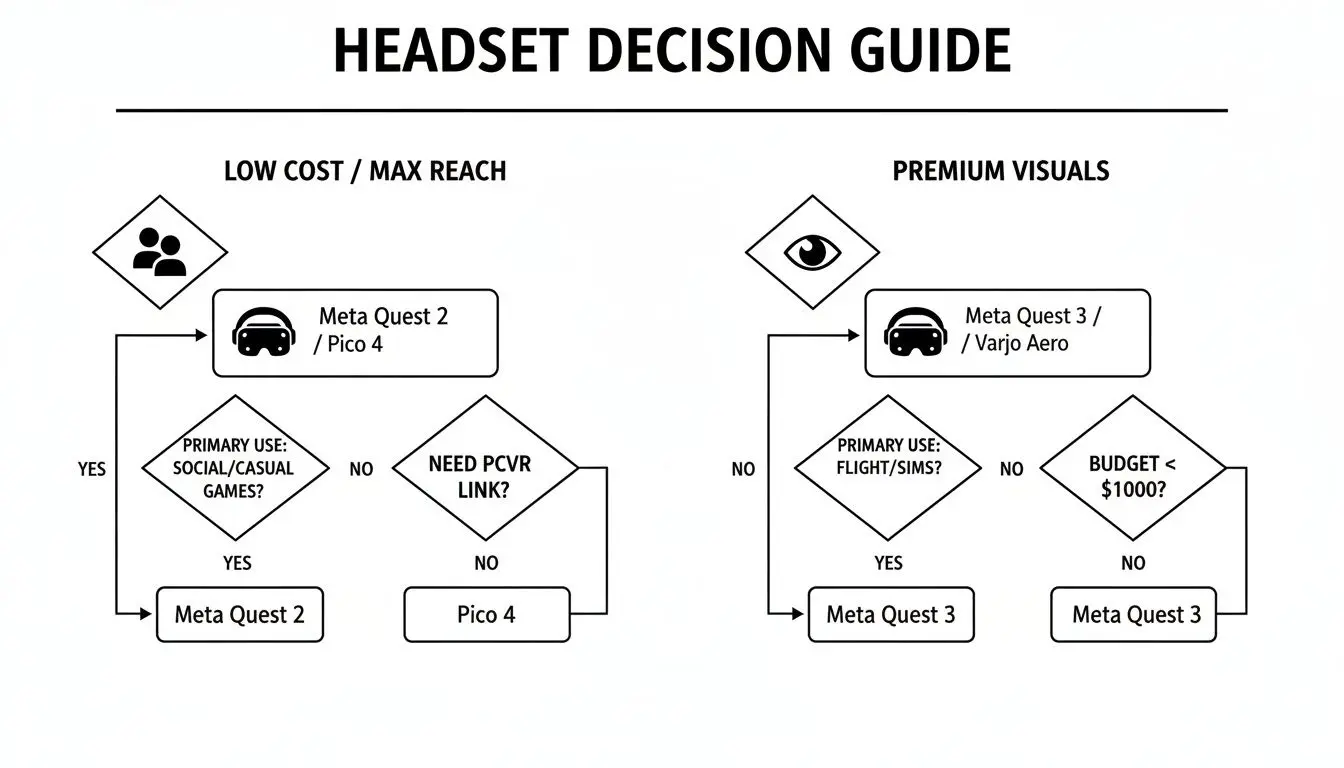
The flowchart simplifies things, showing how budget-focused, large-scale projects naturally lean towards the Quest 3S, while those demanding top-tier fidelity are a perfect match for the Quest 3. Crucially, because the Quest 3S packs the same powerful Snapdragon processor as its premium sibling, you aren't sacrificing core performance. You still get those smooth frame rates and the power to run demanding apps, ensuring a quality user experience no matter which you choose. The real value of the 3S is its ability to deliver 90% of the experience for a fraction of the cost, making it the engine for mass adoption.
Your final verdict should be guided by your business model. If you sell visual perfection, choose the Quest 3. If you sell accessible, scalable experiences, the Quest 3S provides a powerful and compelling business case that is hard to ignore.
This strategic thinking is vital as you plan your next move. For a deeper dive into the numbers, check out our UK studio's guide to Meta Quest 3 production and ROI. By aligning your hardware choice with your specific production needs and long-term ambitions, you can make a properly informed decision that will push your business forward.
Frequently Asked Questions
When deciding between the Meta Quest 3 and 3S, practical questions always come up, especially for professional teams. We've gathered some of the most common queries from businesses and developers to help you make a properly informed decision based on real-world production needs.
Can I Develop on a Quest 3S and Deploy on a Quest 3?
Yes, you absolutely can. Both headsets are built on the same core software and, crucially, share the same powerful Snapdragon XR2 Gen 2 processor. This shared foundation means any application you build on one device will be fully compatible with the other. This makes the 3S a fantastic, cost-effective choice for development teams. However, if your experience relies on pinpoint visual fidelity or the most nuanced hand-tracking, it's wise to run your final quality checks on a Quest 3. This last step ensures the user experience is exactly as you intended, particularly when it comes to the superior visual clarity its pancake lenses deliver.
Is the Quest 3 Price Justified for Enterprise Training?
That really comes down to the specifics of the training application. For simulations where seeing fine detail is non-negotiable, think medical procedures or operating complex machinery, the Quest 3’s edge-to-edge sharpness provides a real, tangible benefit. In these cases, the higher cost is easily justified because clearer visuals reduce mistakes and improve learning outcomes. On the other hand, for more general training modules like customer service drills or employee onboarding, the Quest 3S provides a virtually identical core experience for a much lower price. This makes it the go-to choice for large-scale deployments where your primary concerns are budget and scalability.
Which Headset Is Better for Location-Based VR?
For most location-based VR (LBVR) venues, the Quest 3S is the smarter strategic pick. Its lower price point allows operators to get more headsets for their budget, which directly translates to higher player throughput and a better return on investment. The performance for running the vast majority of games and experiences is identical. Plus, its controllers with the classic tracking rings can be seen as more durable in high-traffic environments where hardware is bound to take a few knocks. The premium Quest 3 really only makes sense if your attraction is a high-end, visual showcase where its enhanced clarity is a key selling point that can justify a higher ticket price.
Studio Liddell has been at the forefront of creating immersive XR experiences since the beginning. Whether you need a high-fidelity training simulation or a scalable location-based attraction, we can help you choose the right platform and build an experience with real impact. Learn more about our process at Studio Liddell.