Making a Mobile App: A UK Producer's Guide
You’ve got an app idea scribbled in a deck, a Figma board, or a notes app. It might be a customer tool, a branded experience, a game, an XR companion app, or something that sits between all of those. The hard part usually isn’t the spark. It’s deciding what to build first, what to leave out, which tech stack fits, and how to avoid spending months on something users don’t keep. That uncertainty is normal. Most clients don’t come in with a complete product plan. They come in with a business objective, a rough feature list, and a concern that they’ll either underbuild and miss the opportunity, or overbuild and waste budget. The opportunity is real. The UK mobile app development sector accounts for over 26% of the European mobile app market share, and UK app developers generated £4.2 billion in revenue in 2023, with a projected 12.5% CAGR through 2028 according to these UK mobile app development statistics. That tells you two things. First, making a mobile app in the UK isn’t a fringe decision. Second, quality matters because you’re launching into a mature, competitive market. A useful way to think about app production is as a studio process, not a coding task. The strongest projects move through strategy, prototyping, design, engineering, testing, launch, and live operations with the same discipline you’d use in animation, games, or broadcast work. If you want a practical walkthrough of that journey, this launch-ready product guide is a good companion read.
Your App Idea is Just the Beginning
The app idea that sounds sharp in a meeting often breaks apart the moment you ask basic production questions. Who is it for, exactly? What does success look like after launch? Does it need camera access, real-time sync, offline mode, login, subscriptions, AR, or just a clean utility flow? A loyalty app for a retail brand, a football companion app, and an XR education experience might all be called “an app”, but they have very different production realities.
Start with the job the app must do
A good app brief describes the user’s problem before it describes screens. If the first page of the brief is only features, the team usually starts too wide. That’s how projects drift into expensive extras that feel impressive in reviews but weak in actual use. For example:
- •A brand app often needs fast onboarding, clear messaging, and simple repeat use.
- •A game or playful companion app needs feedback loops, pacing, and satisfying interaction.
- •An XR or 3D experience needs technical planning early because performance, device support, and content optimisation affect everything downstream.
Practical rule: If you can’t explain the app’s core value in one sentence, the scope is still too loose.
Treat ambition and scope as separate things
Clients often worry that a smaller first release will make the product feel less serious. In practice, the opposite is usually true. A focused version looks more confident than a bloated one. That matters even more in creative and immersive projects. A 3D product visualiser with one polished interaction can outperform a larger app with weak frame rate, muddy navigation, and unfinished features. A children’s entertainment app with a tight loop and excellent art direction will usually land better than a sprawling content hub that feels cluttered. Here’s the producer’s lens that helps most at the start:
| Question | Good answer | Risky answer |
|---|---|---|
| Why does this app exist? | Solves one clear user or business problem | “It does a bit of everything” |
| What must version one prove? | A specific behaviour or market signal | “We’ll know it when we see it” |
| What makes it feel distinctive? | Brand, interaction, content, or utility | A long list of features |
| What can wait? | Nice-to-haves are named early | Everything is “essential” |
Making a mobile app gets easier once the project stops pretending to be the final product on day one.
From Idea to Actionable Blueprint
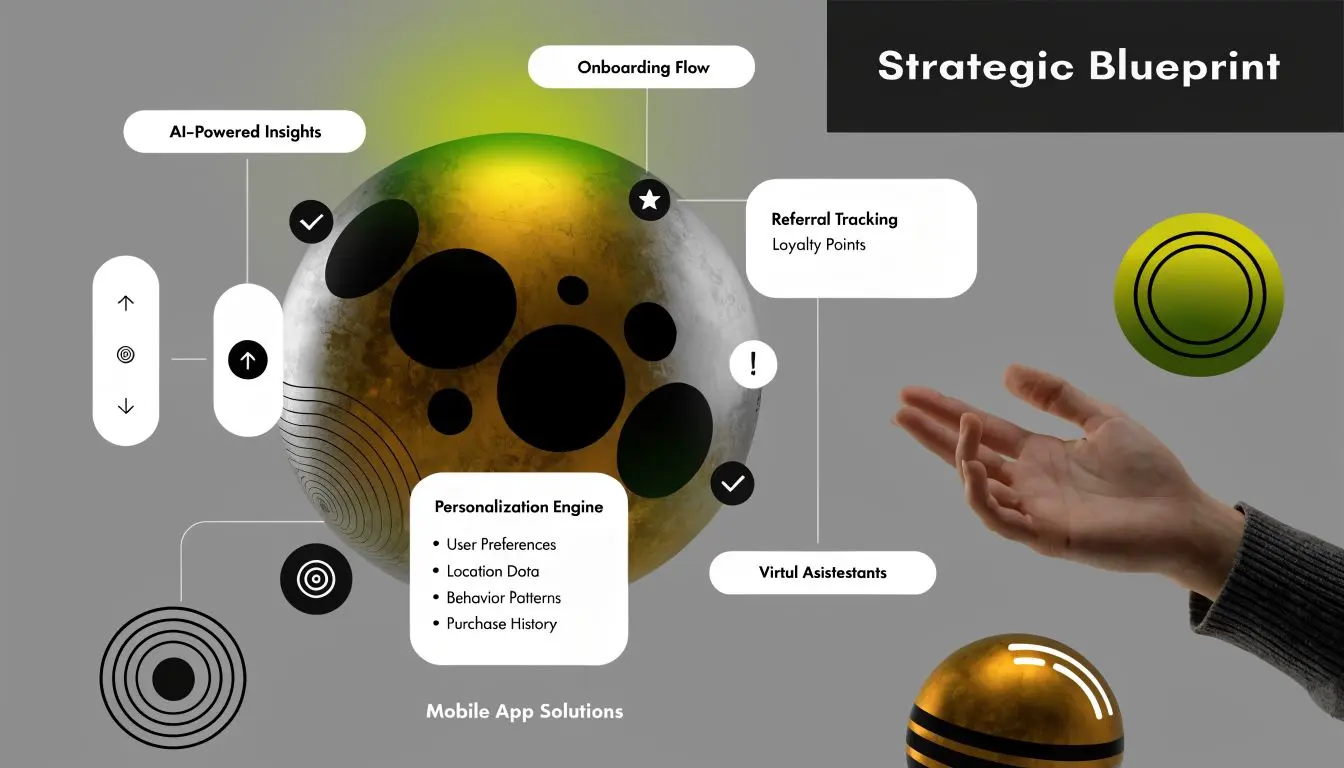
A strong build starts in pre-production. That means research, prioritisation, and deciding what version one needs to prove.
Research the audience you actually want
Most app briefs describe a broad market. Production gets sharper when you narrow it to real user groups. Don’t design for “everyone interested in sport” or “all parents”. Design for defined behaviours. That usually means identifying a few priority personas such as:
- •The frequent user who returns weekly and needs speed
- •The new user who needs instant clarity
- •The occasional user who forgets where things are
- •The premium or high-intent user who justifies deeper feature investment
For gaming, XR, and brand apps, audience definition changes interface decisions. A museum AR experience, for instance, may need low-friction entry and offline resilience. A fan engagement app can support richer progression and account-based features because repeat use is expected.
Build the MVP, not the fantasy roadmap
Data from UK tech reports indicates that 72% of apps launched with an MVP achieve market validation within 6 months, compared with 38% for full-featured launches, and feature bloat affects 65% of failed UK app projects, according to this MVP and app failure analysis. That’s why version one should answer a small set of business questions:
- Will users complete the key action?
- Will they come back?
- Does the concept justify further investment?
| Build now | Prepare next | Ignore for now |
|---|---|---|
| Core journey, login, analytics, basic content, key interaction | Personalisation, expanded content, social features, commerce extras | Nice animations with no function, speculative integrations, edge-case tools |
Cut anything from version one that doesn’t help prove demand, complete the core user journey, or support launch stability.
Turn the brief into a production-ready document
By the time the team starts design or development, the blueprint should answer:- •Core outcome: What the app must achieve
- •Primary users: Who version one serves first
- •Key platforms: iOS, Android, or both
- •Feature priority: Must-have versus deferred
- •Content needs: Copy, artwork, 3D assets, audio, video
- •Dependencies: APIs, CRM, accounts, moderation, analytics
- •Approval flow: Who signs off what, and when
That blueprint is what turns a promising idea into a manageable production.
Designing an Unforgettable User Experience
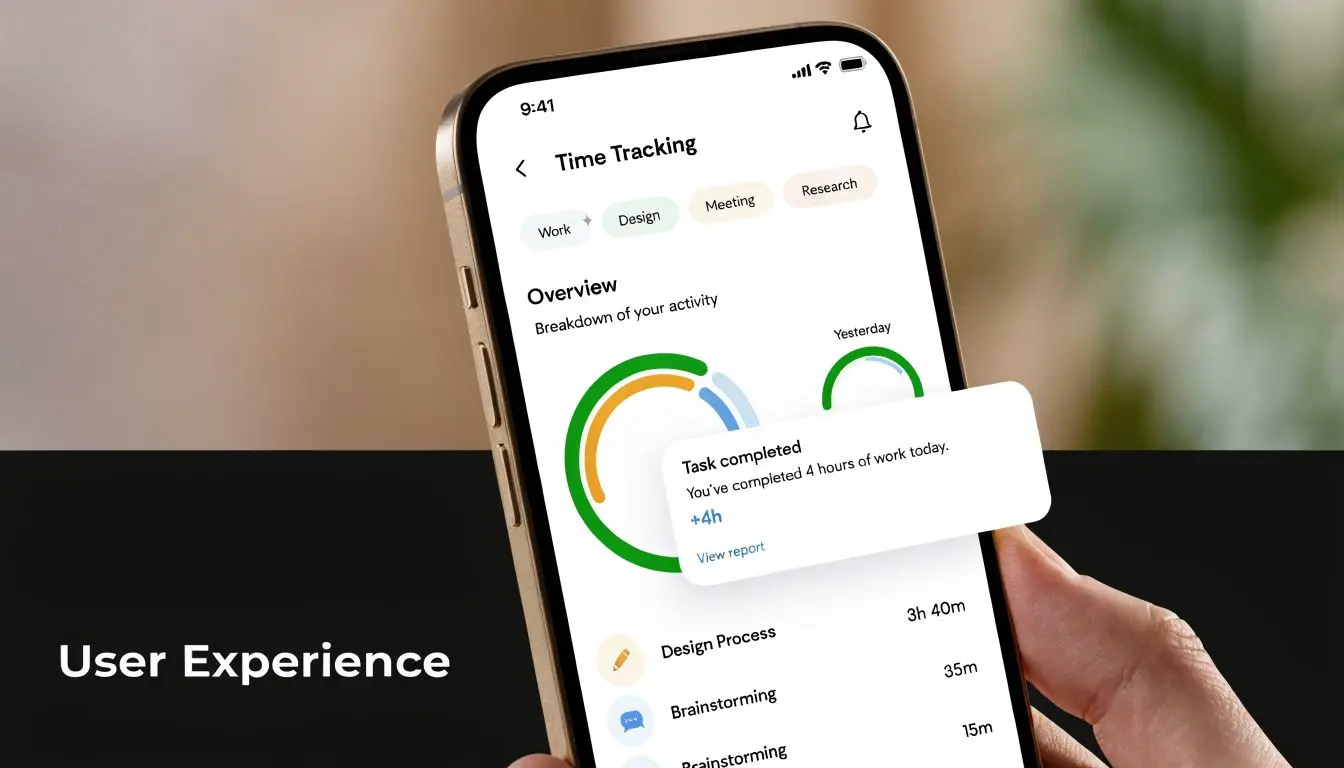
Users don’t keep apps because the roadmap was clever. They keep apps because using them feels clear, fast, and rewarding. British smartphone users average 4.6 hours daily in apps, representing 90% of their total mobile time, while 73% of apps are uninstalled due to poor UI/UX, according to these UK app engagement and UX figures. That’s the blunt reason UX deserves production-level attention from day one.
Good UX isn’t decoration
The baseline is obvious enough. Users need a clear structure, readable hierarchy, sensible navigation, and predictable controls. But apps that last usually add something else. They create confidence. Confidence comes from details like these:
- •Onboarding that gets to value quickly
- •Feedback that confirms actions immediately
- •Transitions that help orientation rather than showing off
- •Animation timing that supports the flow
- •Error states that explain what the user can do next
In game and XR adjacent work, this matters even more. If a 3D interaction feels laggy, if camera permissions appear at the wrong moment, or if a menu interrupts immersion, the app feels amateur no matter how strong the concept is.
Prototype the experience before you build the whole thing
Design should move from wireframes to clickable prototypes before engineering goes deep. That’s where you catch expensive mistakes early. A sensible sequence looks like this:
- Map the user flow
- Wireframe the key screens
- Prototype interactions
- Run practical review sessions
The user rarely says, “your information architecture is weak.” They just stop using the app.
Use motion with intent
Studios with experience in animation, games, and interactive storytelling usually have an edge here because they understand pacing. Motion should serve readability, reward, and mood. That can mean:- •A subtle success state in a finance app
- •Character-led feedback in a children’s app
- •Spatial transitions in an AR experience
- •Haptic and visual response in a branded game loop
The mistake is adding motion everywhere. If every screen moves, nothing feels important. Save emphasis for moments that matter.
Choosing Your App's Technical Foundation
Most app problems don’t begin in code. They begin in the wrong technical decision.
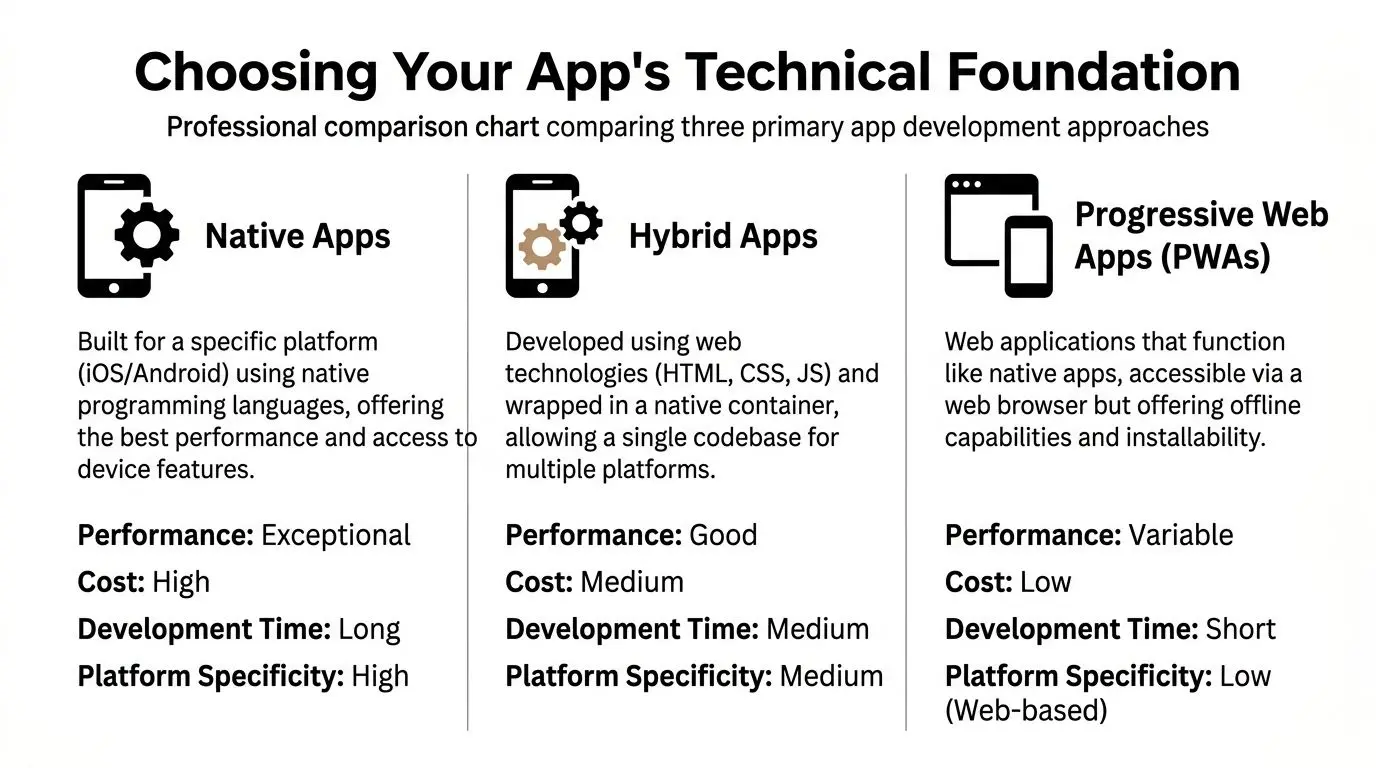
Native, cross-platform, or engine-led
The right answer depends on what the app needs to do, how polished it must feel, and how much complexity you want to carry long term.
| Approach | Best fit | Strengths | Trade-offs |
|---|---|---|---|
| Native | High-performance apps, platform-specific features, premium UX | Strong performance, deep device integration, refined platform behaviour | Separate codebases or more specialised teams |
| Cross-platform | Business apps, content products, MVPs needing both platforms | Faster shared development, easier maintenance for many features | Can need extra work for advanced interactions or platform nuance |
| Game engine | 3D, AR, XR, simulation, game-like branded experiences | Real-time graphics, interactive worlds, advanced animation pipelines | Heavier optimisation burden, not ideal for every standard app flow |
| PWA | Lightweight services, quick web-first access | Simple distribution, web reach, lower barrier to entry | Limited device-level capabilities compared with native |
The UK context changes the decision
Standard advice often defaults to iOS-first. That can be too simplistic in the UK. Standard guides often ignore UK-specific challenges like device fragmentation, with 42% Android market share and heavy Samsung and Honor use, plus rural connectivity constraints. For some UK education and entertainment verticals, an Android-first approach has shown 22% higher retention, according to this UK-focused look at app development pitfalls. That matters if you’re building:
- •heritage or education apps used outside major cities
- •family entertainment products used on older devices
- •event apps expected to work in poor signal conditions
- •public-facing tools where hardware consistency can’t be assumed
If your users are on mixed hardware and uneven connections, technical elegance on a flagship handset won’t save a weak deployment strategy.
What works for different app types
Here’s the practical version. Choose native if the app’s value depends on responsiveness, platform conventions, advanced camera features, deep hardware access, or premium feel. Finance, health, and high-touch consumer products often benefit here. Choose cross-platform when the product is feature-led rather than hardware-led. Internal tools, content apps, membership products, and service apps often fit well. Choose Unity or Unreal when the product relies on real-time 3D, game logic, AR, or immersive storytelling. That includes virtual product demos, interactive brand activations, educational simulations, and XR tie-ins. Studio Liddell works in this area for apps and interactive experiences that need that production model rather than a standard utility stack.
Team structure matters as much as framework choice
A good stack still fails with the wrong team shape. You need enough senior oversight to set architecture properly, and enough production discipline to avoid drift between design, backend, client, and QA. If you’re augmenting a team rather than hiring a full local studio, curated talent networks such as Hire LATAM developers can be useful for filling mobile, backend, or QA gaps without rebuilding your whole resourcing model. The strongest decision isn’t the one with the most fashionable framework. It’s the one your team can ship, maintain, and improve without fighting the stack every sprint.
Building an Efficient Production Pipeline
A good app team doesn’t rely on heroic late nights. It relies on a pipeline that exposes problems early.
The studio model that keeps work moving
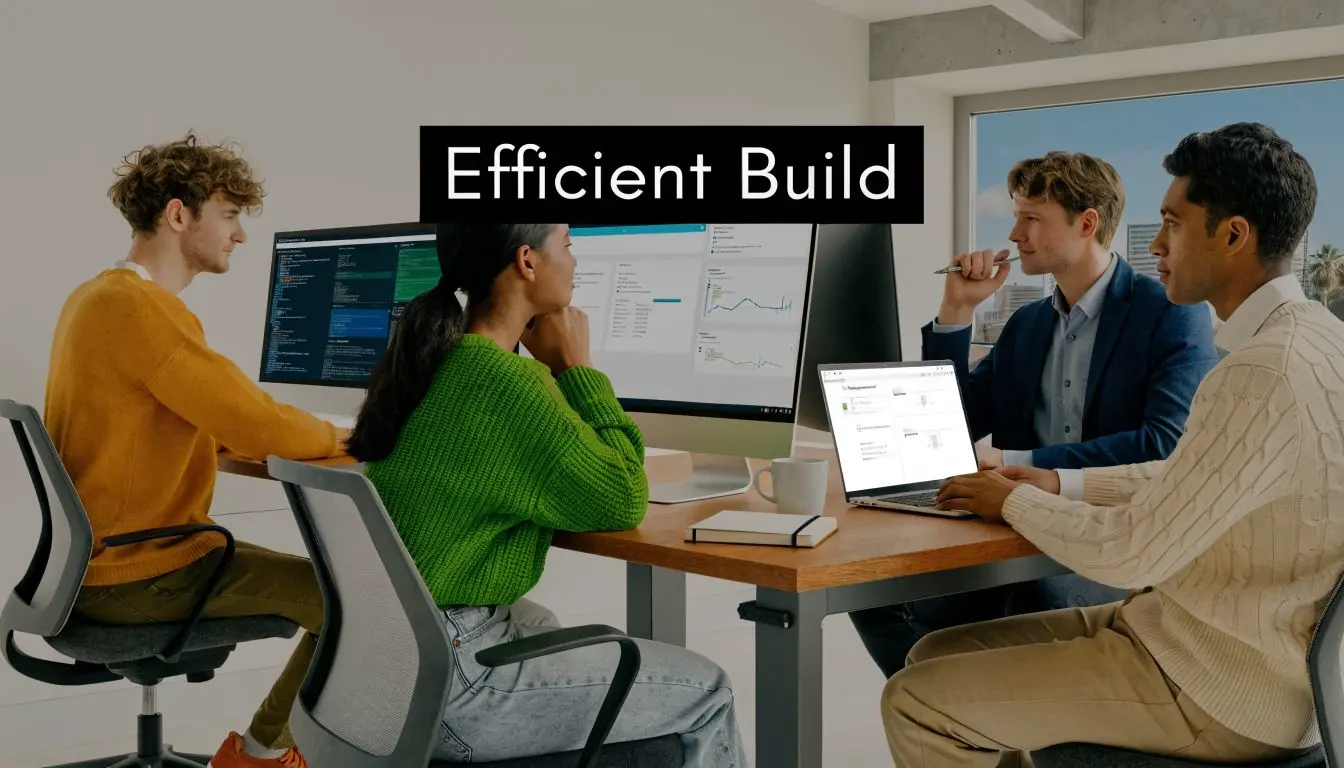
In complex app production, especially where design, code, 3D assets, audio, and stakeholder approvals all overlap, the workflow needs defined ownership. A practical setup usually includes:
- •Producer or product lead for scope, priorities, and approvals
- •UX and UI designers for flows, interface, and prototyping
- •Mobile developers for client build
- •Backend support where accounts, content, or integrations exist
- •QA embedded throughout, not added at the end
- •Creative specialists such as animators, technical artists, or sound designers when the app includes richer interactive media
That structure matters most on brand, gaming, and XR projects because assets and code evolve together. A visual decision can affect memory use. A design change can alter analytics requirements. A new feature can create moderation or legal implications.
Agile works when decisions are small and visible
The strongest sprint plans are narrow. Teams should define what’s being built, what “done” means, and what dependencies sit outside the sprint. A clean weekly rhythm often looks like this:
- Sprint planning with acceptance criteria
- Daily check-ins to unblock quickly
- Mid-sprint review to catch drift
- End-of-sprint demo with stakeholder feedback
- Retrospective to improve the next cycle
Automate what humans are bad at repeating
Build pipelines should handle packaging, automated tests, environment checks, and deployment steps consistently. Manual release routines create avoidable mistakes. Teams that are comparing partners or supplementing capability can also use curated roundups like Blocsys' recommended Web3 and AI companies to benchmark agency and specialist support options when the project needs adjacent expertise.A healthy pipeline makes quality boring. That’s a compliment.The best production systems don’t feel dramatic. They make delivery predictable.
Ensuring Quality Through Rigorous Testing
Apps don’t fail only because the idea was weak. They fail because the shipped product crashes, stalls, drains battery, mishandles permissions, or behaves inconsistently across devices. According to the 2026 UK Digital Economy Report, security and performance pitfalls claim 55% of app projects. Implementing a CI/CD pipeline and rigorous testing yields 92% bug-free deployments and can reduce user churn from crashes and slow performance by up to 40%, according to this analysis of mobile app testing and failure patterns.Test in layers, not as a final pass
A proper QA plan stacks several kinds of testing.- •Component and unit checks catch logic issues early
- •Integration testing confirms systems work together
- •Manual device testing reveals real-world UI and hardware problems
- •Security review covers data handling, auth, and storage
- •Performance testing looks at load time, memory use, frame rate, and failure under stress
- •User acceptance testing confirms the build meets the brief
For game-like and XR apps, testing has to go beyond standard forms and buttons. You need to verify scene loading, asset streaming, gesture response, session continuity, and degradation on weaker hardware.
Watch the usual failure points
Commonly, teams lose time in familiar places:
| Failure point | What it looks like in production |
|---|---|
| Scope-led testing | Only new features are checked, older flows break quietly |
| Weak device coverage | App works on a dev phone, fails on common user devices |
| Late security review | Permissions, storage, or compliance issues appear near submission |
| No peak-load thinking | Live events, promotions, or fan surges expose backend weakness |
A reliable release candidate should be dull in the best sense. It should be hard to break, easy to observe, and predictable across conditions.
Managing Launch, Maintenance, and Growth
Launch day is a handover into operations, not the finish line.
Prepare the release properly
Before submission, make sure the basics are production-ready:
- •Store listing assets such as screenshots, icon, copy, privacy details, and category choices
- •Analytics and crash reporting so the live product is observable from day one
- •Support routes including contact, moderation, and update ownership
- •Rollout plan for phased release, stakeholder comms, and issue triage
Initial acquisition matters too. If your team needs a practical post-launch reference for attracting users, Adwave's mobile app user guide is a useful overview of the basics around getting attention after release.
Plan for the app you’ll still own six months later
After launch, the work becomes rhythm: monitor, learn, update, repeat. Track where users drop, which flows get ignored, which devices struggle, and what the reviews are really telling you. Monetisation models vary by product. Subscriptions can work for utility and premium content. In-app purchases can suit games and extended experiences. Sponsored content or partner integrations can make sense for branded ecosystems. The right choice depends on behaviour, not fashion.
Accessibility and compliance can’t be an afterthought
Many teams still treat accessibility as a late checklist item. In the UK, that’s risky. Many guides overlook UK-specific legal duties like the Equality Act 2010. A 2025 Ofcom audit found only 28% of UK apps meet AA accessibility standards, and UK courts have levied significant fines, including £250,000 in one 2023 case, against companies with inaccessible apps, according to this accessibility compliance overview. That means accessibility should be built into:
- •navigation structure
- •colour and contrast choices
- •text sizing and touch targets
- •captioning and audio handling
- •screen reader support
- •motion sensitivity considerations
If the app is live, it's also a product you have to maintain legally and technically. OS changes, SDK changes, store policy changes, and user expectations don't stop.
If you're planning an app that needs more than a generic dev workflow, especially one involving strong design, branded interaction, 3D content, games, or XR, Studio Liddell can support the process from concept definition through production and delivery.