Interactive Learning Environments: What Works and Why
Your school has just taken delivery of a class set of headsets. What has it bought: a new way to learn, or a more expensive way to watch? Most purchasing conversations start with the hardware and finish with an engagement survey, which tells you whether learners enjoyed themselves but not whether they can now do something they couldn't do before. Interactive learning environments deserve a harder test than that. Two questions decide whether one is worth building: which learning behaviour does it change, and how much teacher time does it give back? Everything else, including how impressive the demo looks, is a delivery detail.
What Interactive Learning Environments Are
A learner works through a three-step equation and types an answer. The screen doesn't mark it wrong. It highlights the second line, where a negative sign vanished, then serves the same structure with new numbers. She tries again and gets it right, and her teacher sees the error pattern before the lesson ends. That loop is the whole definition. An interactive learning environment is any setting where a learner acts on a task, receives a response, and can adjust their attempt. A textbook is a map you read. An interactive environment is a practice pitch, where the ground reacts to every step you take. The diagram below traces that loop through a single maths problem.
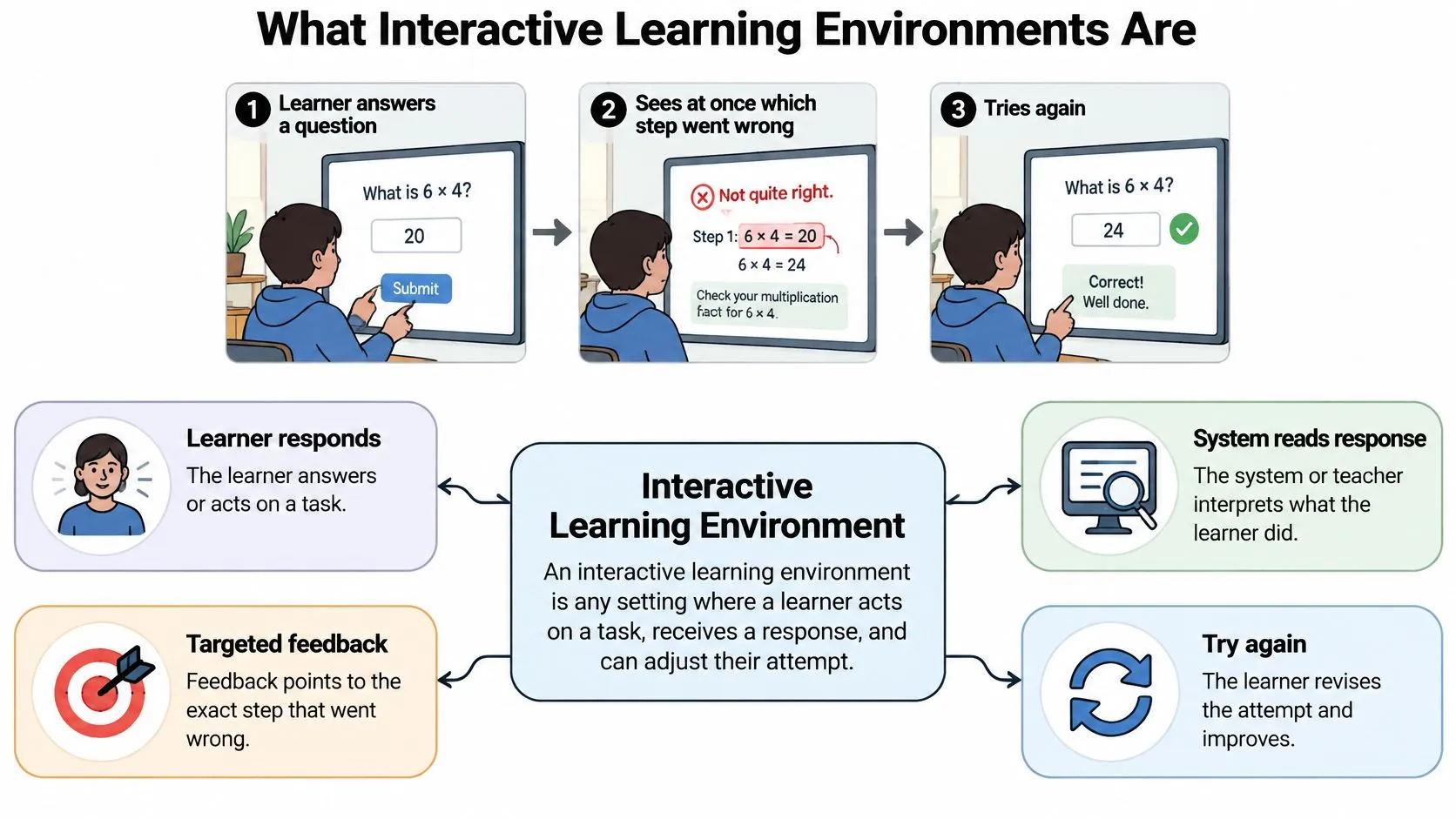
Most readers already use one form of this daily. The Department for Education's Technology in Schools survey for 2024 to 2025 found that 89% of teachers used interactive whiteboards to some extent in lessons they personally taught. Interactivity isn't an experiment reserved for specialist institutions. It's routine classroom practice.
Five formats schools and studios can already source
| Format | Typical setting | What the learner does | Main limitation |
|---|---|---|---|
| Browser or mobile app | Home, school or college device | Answers questions, sorts items and gets instant feedback | Depends on device access and bandwidth |
| Classroom display | Whiteboard or large screen, teacher-led | Whole class responds together and the teacher adjusts pace | Interaction limited to what the teacher can see and manage |
| Desktop simulation or game | Computer room or lab PC | Runs a scenario, makes decisions and sees consequences | Needs maintained hardware and regular updates |
| VR headset environment | Lab, studio or dedicated room | Moves through a 3D space and handles virtual objects | Set-up time, motion comfort and supervision |
| AR overlay | Phone or tablet used over real objects | Places or inspects digital content on real objects | Tracking accuracy depends on lighting and surfaces |
None of these rows describes exotic kit. They describe devices schools own, or that a production studio can build for and test against. The sector behind them is substantial rather than marginal. A Department for Education assessment of the education technology market in England reported that the EdTech sector grew by 72% in 2020 and was expected to reach £3.4 billion in value by the end of 2021. The same assessment identified virtual and augmented reality as technologies that let learners work in environments they wouldn't ordinarily be able to access, including simulated spaces and otherwise unreachable locations.
Practical rule: treat the format as a delivery choice, and the design as the thing you're actually buying.
For a sense of how the respond-and-retry loop runs inside a live timetable rather than a product demo, Queens Online School interactive lessons are a useful reference point. If you're commissioning visual content to sit inside that loop, our UK guide to animation for education covers the production side in more detail.
How Interaction Turns Into Learning
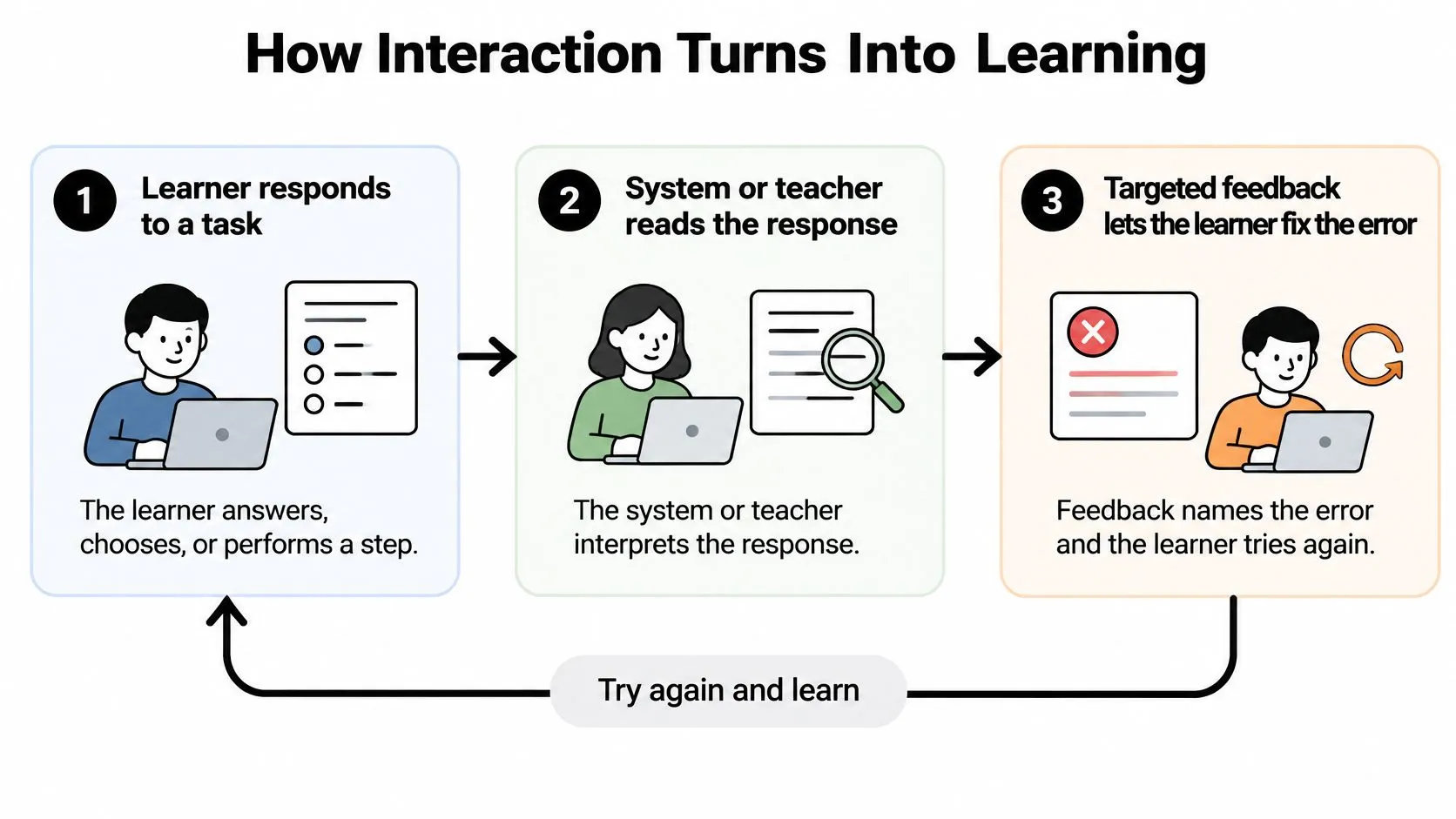
Think of a satellite navigation system. A poor one tells you your arrival time and nothing else. A useful one notices the wrong turn, recalculates immediately, and gets you back on route before the mistake compounds. Interactive learning works the same way, and it fails the same way when the recalculation is missing. The cycle has three linked steps, and each one can break independently:
- The learner responds to a task. They answer, choose, sort, or perform a step, which produces something observable rather than a private thought.
- The system or teacher reads that response. Software logs the answer and the time taken, or a teacher reads the room and the mini-whiteboards.
- Targeted feedback lets the learner fix the error. The feedback names the faulty step, and the learner attempts it again while the correct method is still in mind.
Where the evidence is strong
The Education Endowment Foundation's evidence review on digital technology is blunt about what drives gains. Interactive environments help when their design strengthens a defined teaching mechanism: increasing the quantity and quality of deliberate practice, improving the precision and speed of formative feedback, and helping teachers identify misconceptions through more accurate assessment. The mechanism comes first. The device is a way of delivering it. The same review warns that technology itself is unlikely to improve attainment, and uses one-device-per-pupil provision as its example of an intervention that doesn't automatically produce learning gains. Handing out hardware changes access, not teaching. There's a historical precedent worth sitting with. The EEF reports that earlier interactive-whiteboard adoption in England changed classroom practice, including lesson pace and questioning, but produced no clear attainment advantage over matched schools. Practice shifted. Results didn't follow automatically, because implementation training and pedagogical alignment decide whether a changed practice becomes a better one.The two-question test for any product
Ask a supplier two things and watch how comfortably they answer. First, name the learning behaviour the product targets: retrieval practice, explanatory questioning, adaptive difficulty, misconception diagnosis. Second, name the data it produces so a teacher can act on that behaviour. If the answer is a list of features (animation, badges, leaderboards, device support), you're being sold a delivery mechanism without a mechanism of learning attached. Gamification deserves particular scrutiny here, because points and streaks can extend time on task without extending purposeful practice. For a clear breakdown of the underlying loops and reward structures, gamified learning mechanics explained is a helpful primer, and our own piece on gamification in education looks at where those mechanics earn their place in a lesson.Compare learning against an equivalent non-digital activity, and track delayed retention, error correction and teacher assessment accuracy rather than session enjoyment.
Matching Animation, Apps and Immersive Tech to the Goal
Start from the goal, not the gadget. Animation shows change over time, so it suits processes. Apps give repeated low-stakes attempts, so they suit memory. Immersive environments earn their cost only when the target skill is spatial or embodied, because handling a virtual object couples perception and action more tightly than a flat screen can. Use this table as the decision spine, and let the final column act as your stop-loss.| Learning goal | Best-fit format | Why it fits | Check before committing |
|---|---|---|---|
| Retrieval and recall | Quiz app or adaptive question set | Repeated low-stakes answers strengthen memory | Check delayed retention, not only end-of-session scores |
| Explaining a process | Animated explainer or animatic | Motion shows sequence and cause over time | Check that learners can reproduce the process unaided |
| Procedural or spatial skill | VR or AR scenario | Embodied action matches the real task | Check against an equivalent non-immersive practice activity |
| Misconception diagnosis | Branching interactive activity | Wrong answers reveal the faulty mental model | Check the accuracy of teacher assessment against the data |
| Sustained practice | Game-based activity | Goals and rewards extend purposeful practice time | Check purposeful practice completed, not only time on task |
Why each pairing holds
Retrieval is cheap to serve and easy to measure, which is why a question set beats a headset for recall almost every time. An animated explainer earns its budget when the thing being taught has an order and a cause: a valve sequence, a supply chain, a chemical reaction. If learners can't redraw or narrate the process afterwards without the video running, the animation entertained rather than explained. Branching activities are underrated. A well-written wrong answer is a diagnostic instrument, because each distractor maps to a specific faulty model. That only works if someone reads the response data and acts on it.Where immersive evidence is thinner
A systematic review of immersive virtual reality in education found that most reviewed studies reported advantages over less immersive methods, while approximately half demonstrated a positive learning effect, with outcomes examined across cognitive, procedural and affective domains. The same review identified small samples, non-randomised designs, unbalanced participant groups and non-validated measures. That's promising, not settled. Immersion is most defensible when spatial presence or embodied action is the skill: navigating a laboratory procedure, manipulating a three-dimensional object, rehearsing a sequence of actions in the right order. So treat immersion as a hypothesis with a control condition attached. Every XR proposal should name the non-immersive equivalent it intends to beat, and how it'll know. Practically, that means specifying onboarding, motion comfort and a non-headset route at the same time as the headline experience. Our practical guide to the augmented reality classroom walks through those choices, and if you're assembling a lighter-weight toolset first, this round-up of best extensions for K, 12 educators is a sensible starting shelf.Whether Interactive Tools Reduce Teacher Workload
Here's the question most product pages skip: after the licences are paid, does anyone's week get shorter? The scoping report for the DfE-linked EdTech impact testbed records that full-time teachers in England worked an average of 50.1 hours per week in 2025, and that 38% of primary and secondary teachers said they spent too much time marking. Marking also topped the list of jobs teachers most wanted reduced, chosen by 22% of primary teachers and 27% of secondary teachers. So start there. If marking is the hours-eater, then a tool's workload claim should be measured against marking time first, against everything else second. A product that adds a dashboard, a login and a weekly report has added work, whatever it does for engagement.The consensus, and the caveat underneath it
The same report found that 61% of UK primary and secondary leaders and 43% of teachers said technology had reduced staff workload over the previous three academic years. Read that gap carefully. Leaders were noticeably more optimistic than the people marking the books, which suggests workload savings can look realer from the office than from the classroom. Before trusting any workload claim, ask whose week was measured. Device quality explains part of the divide. In the DfE's 2024 to 2025 technology survey, teachers whose devices were fit for purpose were consistently more likely to expect workload reductions than teachers working on equipment that was not:| Device | Fit for purpose | Not fit for purpose | Gap |
|---|---|---|---|
| Tablets | Most teachers expected workload reductions | Fewer than half expected them | Wider |
| Laptops | Most teachers expected workload reductions | Fewer than half expected them | Narrower |
Four questions to put to any interactive product
- •Does it remove repeated work? Setting the same style of question thirty times, or chasing completion, is the work you want gone.
- •Does it check answers automatically and correctly? Auto-marking that teachers then re-mark works like a dishwasher that needs every plate pre-washed: the machine runs, the labour stays.
- •Does it sit inside current school systems? Single sign-on and export into the gradebook you already use matter more than a bespoke analytics suite.
- •Is the feedback useful, or just more frequent? A comment that names the faulty step saves the teacher writing it. A notification that says "attempt completed" doesn't.
Measure both sides: teacher-hours saved per week alongside learner outcomes. Engagement claims that omit the first figure are only half an evaluation.
Making Interactive Learning Accessible to Every Learner
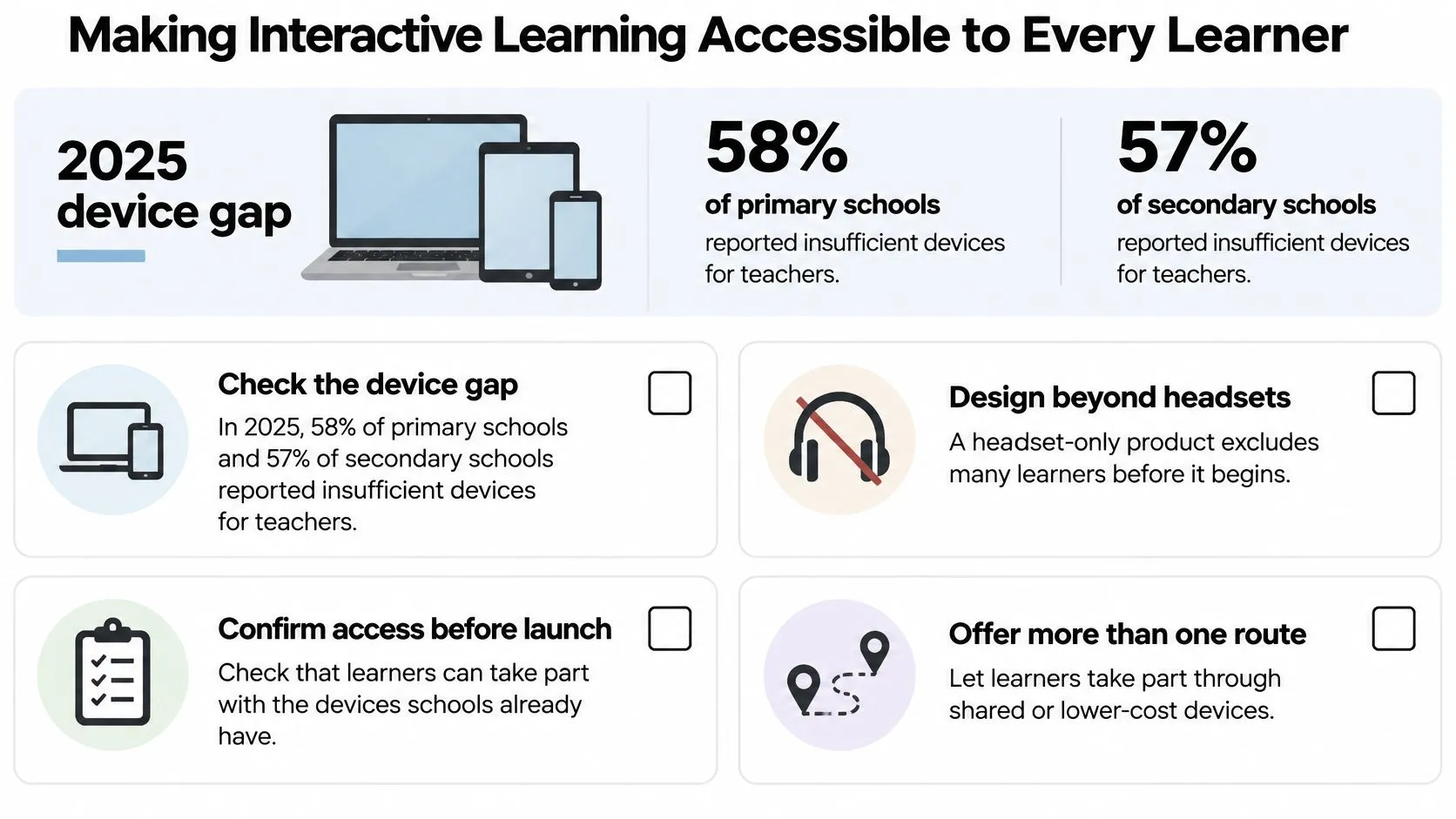
What changes for the learner who cannot use the default route? That question is a better test of an interactive environment than the richness of the scene or the novelty of the headset. Judge the product by the learning behaviour it changes and the teacher time it gives back, because access decides whether that behaviour can happen at all. Access is a material constraint, not an edge case. Written evidence submitted to Parliament by The Bell Foundation states that in 2025, 58% of primary schools and 57% of secondary schools reported insufficient devices for teachers. If the adults in the building are short of working devices, plan for shared and lower-cost routes rather than one device per learner. Think of the device plan as the door width of the classroom. A rich activity behind a narrow door still leaves people outside.
Language access is a design problem, not a translation problem
The same Bell Foundation evidence highlights opportunities for AI and EdTech to personalise language learning and give low-stakes practice to disadvantaged multilingual learners, including interactive ESOL activities and bilingual glossaries. Low stakes is the operative phrase. A learner still acquiring English will attempt more when a wrong answer costs nothing socially. The harder question is how to scaffold that learner without treating them as a translation task. A bilingual glossary helps with vocabulary. It does not help with a question whose difficulty is buried in an English idiom, or a timed task that penalises reading speed rather than subject knowledge. Write the plain-English version of every prompt first, then decide what needs glossing. That sequence keeps the subject goal visible. The language support works like training wheels, steady enough to help, but attached to the task the learner is meant to learn. Small early studies suggest perceived gains in engagement and active learning, while also raising implementation challenges. Treat that as a signal to test locally, not a settled result to bank on.
The inclusion checks, in order
- •Compare three versions: browser or mobile, classroom display, and headset. Ask what a learner loses in each, and whether the loss is the learning or just the spectacle.
- •Test the accessibility layer properly: captions on every audio asset, audio description where meaning lives on screen, dyslexia-friendly type and interaction targets, and multilingual scaffolding on key terms.
- •Confirm an offline or low-bandwidth mode: downloaded assets, cached questions, and a printable equivalent for the lesson where the wifi fails.
- •Report by learner group: participation and attainment split by language proficiency, device access and additional needs, rather than one overall engagement score.
Add a safeguarding check for anything shared or multiplayer. Who can message whom, who can meet whom in a virtual space, what personal data the product retains about child users, and who can see the interaction logs. These questions get far less attention than the visual demo, and they decide whether a rollout can proceed safely. A product may look impressive in a launch clip and still fail when a learner needs a second route into the same task. Accessibility is that second route, built before rollout rather than requested after complaints.
How to Build and Test an Interactive Learning Environment
A useful build plan works backwards from evidence. Start with the learning behaviour you want to see, then make the environment produce traces of that behaviour. It is similar to planning a science practical: the equipment matters, but the central design question is what the learner will do, record and explain afterwards.
- Name the competency. Write what the learner must be able to do, such as complete a laboratory sequence safely or explain a process unaided. Everything downstream is judged against that sentence.
- Choose the learning behaviour, then the format. Retrieval, explanatory questioning, adaptive difficulty or misconception diagnosis comes first, and the format follows from it.
- Plan the activity as shots or screens with timings. The BFI Network guide to animation production recommends breaking the script into a shot list with timings and asset descriptions before budgeting, and states that the animatic keeps both budget and timings under control. It also advises adding contingency for overruns, because a reliable budget needs a production schedule first.
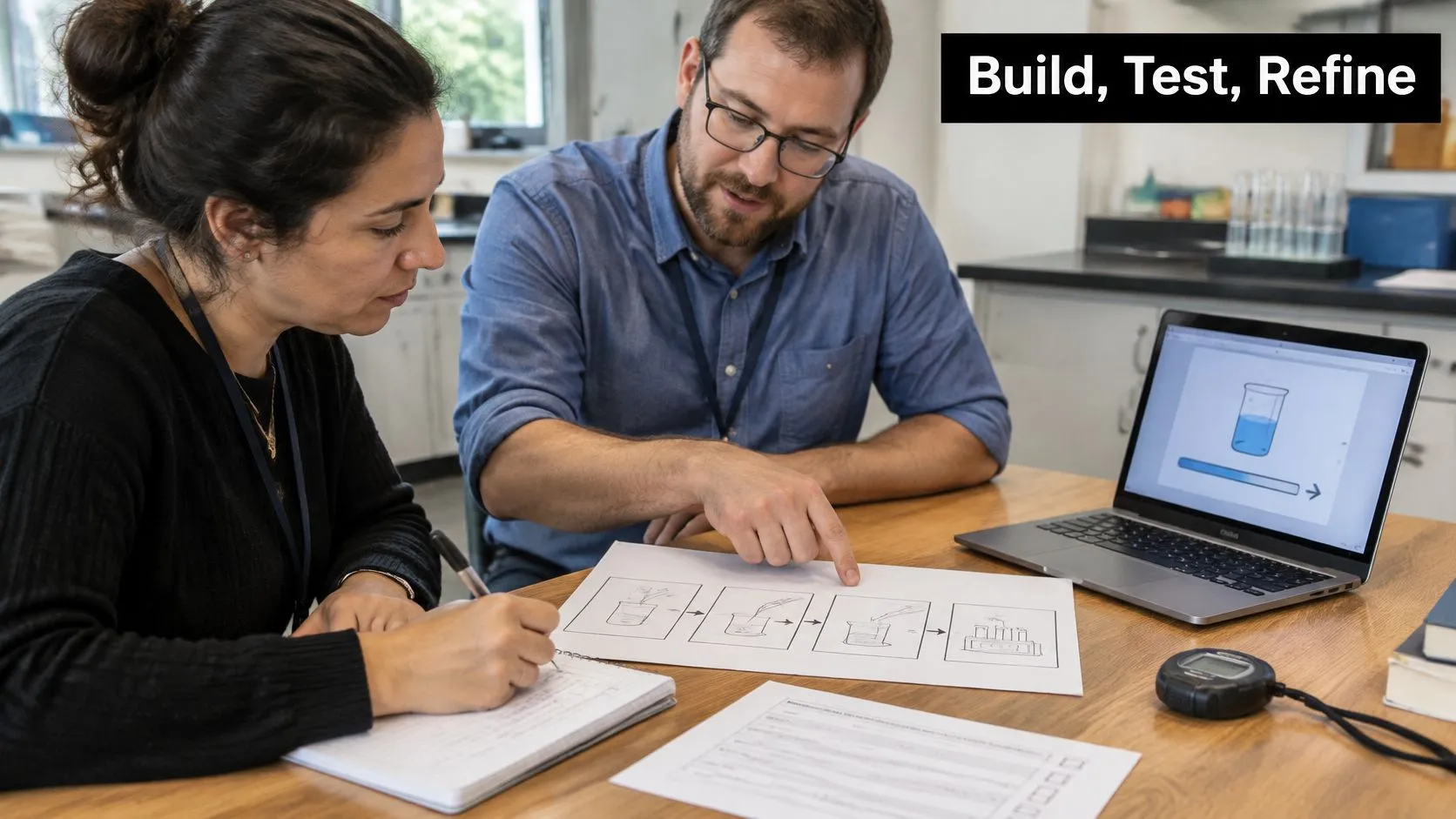
- Prototype at low fidelity and test small. Paper screens, a grey-box scene or a clickable animatic will expose a broken task loop before you pay for lighting and compositing.
- Log every interaction. Response, time taken, hints used, errors and retries. Without logs you have opinions rather than evidence.
- Run an equivalent control activity. Same competency, same practice volume, non-digital or non-immersive. This is the only way to know what the format added.
- Measure immediate performance and a delayed retest. A gain that disappears a fortnight later was not learning, and transfer to a slightly different task is the stronger signal.
- Specify accessibility, onboarding and motion comfort, with a non-headset alternative. Participation barriers are design defects, not user problems.
 A worked example shows why steps five to seven matter. The University of Glasgow's Edify project ran a VR laboratory with a Junior Honours Molecular Methods cohort during pandemic restrictions. Treat that kind of report as a useful prompt for stronger testing, not as proof by itself. Confidence is a genuine outcome, and it is also a self-report. Interaction logs, a matched control task and a delayed retest would turn an encouraging signal into a claim about capability. The same pattern applies in creative production: Studio Liddell's AI work runs from concept development to final output, with the studio guiding teams in integrating AI tools, so evaluation fields belong in the workflow early.
Ask for the logging schema before you approve the art direction. It's cheaper to add a data field than to rebuild a scene.
Choose the Format and Measure It Before You Build
Three decisions carry most of the weight. Pick the format from the learning goal rather than the demo reel. Test it against a non-immersive equivalent so you know what the format contributed. Check teacher time and device access before you scale anything, because a pilot that works in one well-equipped room tells you little about the rest of the estate. Then write a one-page brief with five fields. It's short enough to draft in a staff meeting and specific enough to price against.- •The learning goal, in one sentence. What the learner will be able to do afterwards, written as an observable action.
- •The learner group. Age, language, English proficiency and any additional needs, stated plainly rather than as "all abilities welcome".
- •The devices they have. Counted per room, not per school, with the network condition and who maintains them.
- •The measure of success. At least one delayed retest and one teacher-time figure, agreed before build starts.
- •The accessibility requirements. Captions, audio description, multilingual scaffolding, low-bandwidth mode and the non-headset route.
A brief with those five fields lets a studio or an in-house team scope, price and pilot on the same terms, and it makes competing proposals comparable instead of merely different. We work through consultation, hands-on development and ongoing support, so the brief stays a live document rather than a file that gets archived at kickoff. Write the brief first. Then arrange a short consultation to test your chosen format against it, and be willing to change the format if the test says so. --- If you've drafted that one-page brief and want a second opinion on whether animation, an app or an XR scenario fits the learning behaviour you've named, we can help you test it before anything gets built. Studio Liddell works across Virtual & Augmented Reality Animation, App Development, IP Development and Design & Motion, so the format follows the goal rather than the other way round. Visit Studio Liddell to bring your brief and book a scoping conversation.