Animation for Education: A UK Guide to Engaging Learners
You're probably dealing with a familiar problem. Lecturers have solid content, subject leads know their material, and the VLE is full of PDFs, slide decks, and recorded sessions. Yet students skim, tune out, or revisit material too late to make it useful. The issue usually isn't effort. It's format. That's why animation for education deserves serious attention from UK institutions. Used properly, it turns dense content into structured visual teaching assets that students can absorb faster, revisit more easily, and apply with less friction. Used badly, it becomes decorative noise. The difference comes down to format choice, curriculum fit, and production discipline. If you're commissioning educational animation, don't start with style. Start with the teaching problem, the learner stage, and the assessment outcome. Everything else follows from that.
Why Animation Is Transforming Modern Education
Most institutions don't need more content. They need clearer delivery. Students now move between lecture capture, Moodle or Canvas modules, mobile revision, and short bursts of self-directed study. Static documents still have a place, but they're weak at explaining motion, sequence, systems, and cause-and-effect. Animation handles those jobs far better because it shows process instead of describing it. That shift isn't marginal. The global animation market was valued at approximately $372.4 billion in 2021, and the educational animation segment was estimated at around £3 billion in 2023 and expanding at roughly 7% annually, signalling that educational organisations are already investing in animated media at scale across formal and informal learning settings, as outlined by educational animation market data.
Why the old format mix falls short
A text-heavy teaching pack usually fails in three places:
- •Abstract concepts stay abstract: Students read definitions without seeing the mechanism.
- •Procedural learning gets flattened: Steps that should be demonstrated become lists.
- •Attention breaks early: Learners postpone difficult material because the format asks too much upfront effort.
Animation solves that when it's built with a teaching purpose. A short visual sequence can break apart a process, reveal timing, focus attention, and remove irrelevant clutter. That matters even more for mixed-ability groups and learners who benefit from alternative routes into understanding. Inclusive delivery should also shape commissioning decisions. If your institution is thinking more broadly about learner support, it's worth taking time to learn about digital support for neurodiversity. The wider point is simple. Educational media shouldn't just look good. It should reduce barriers.
Practical rule: If a concept changes over time, moves through space, or depends on sequence, animation is usually the stronger teaching format.
Where institutions should focus first
Don't try to animate everything. Prioritise the material that students repeatedly struggle with:
- Threshold concepts that block progress in a module.
- Procedures that need consistent demonstration.
- Revision content where clarity and speed matter.
- Cross-cohort assets that multiple departments can reuse.
Boosting Engagement and Knowledge Retention
The strongest case for animation isn't aesthetic. It's instructional. In UK higher education, animated microlearning videos integrated into module content increased average student engagement time by up to 34% compared with equivalent static PDFs or text-heavy slides, based on a 2022 Jisc Digital Student Survey of 30 UK universities, as reported in this summary of UK higher education animation data. That result matters because engagement time isn't vanity. It's a practical indicator that students are staying with the material long enough to process it.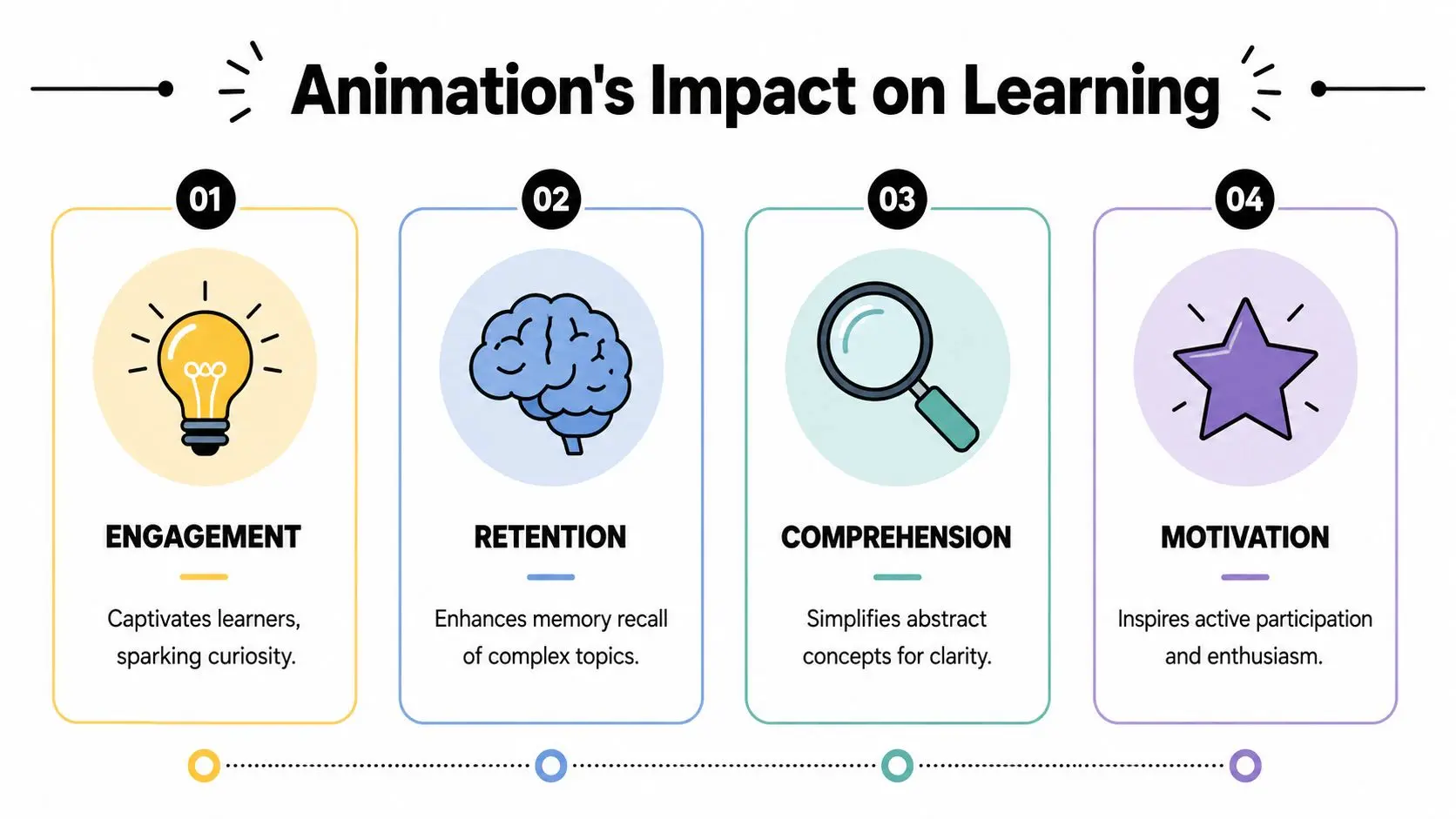
What actually improves learning
The biggest win comes from cognitive load control. Good educational animation doesn't throw movement at the learner. It narrows attention to one idea at a time, supports sequencing, and strips out irrelevant design detail. The same UK survey summary points to a clear production pattern. Animations worked best when they were 2 to 4 minutes long, optimised for 720p resolution for smooth playback on campus Wi-Fi, and embedded directly into the VLE. Learners also reported clearer conceptual understanding, especially in technical disciplines, when animations were paired with interactive questions. That has direct commissioning implications:- •Keep it short: One concept per asset is usually the right call.
- •Embed in context: Don't host the animation away from the learning activity.
- •Add retrieval points: A short quiz, prompt, or pause question turns passive viewing into active processing.
- •Design mobile-first: If it doesn't work on a phone, it won't be used consistently.
Don't confuse activity with comprehension
A flashy piece can hold attention and still teach very little. The assets that work are usually restrained. Clean framing. Clear narration. Deliberate motion. Strong visual hierarchy. No clutter. That's also why institutions should connect animation with broader teaching design rather than treat it as an isolated media purchase. If you're already exploring student participation models, gamification in education and learner engagement is a useful adjacent consideration because interaction design and visual explanation often work best together.
Animation works when it reduces decision fatigue for the learner. Every extra visual choice you force onto the screen competes with the concept you're trying to teach.
For classroom and seminar activity, animation also pairs well with structured discussion. If you want students to move beyond recall into interpretation and judgement, Model Diplomat's critical thinking advice offers useful exercises that fit neatly after a short animated explainer.
What to commission first
If you need quick educational impact, start with:
| Asset type | Best use | Why it works |
|---|---|---|
| Microlearning explainer | Difficult concept | Short duration keeps focus tight |
| Procedural walkthrough | Lab, maths, technical method | Sequence is easier to follow visually |
| Animated recap | Revision and retrieval | Supports repeated, low-friction review |
| Question-led animation | Flipped learning | Encourages active engagement |
The institutions that get value from animation for education don't commission isolated videos. They build small, reusable teaching units.
From 2D Explainers to Immersive VR Labs
A Year 10 pupil is revising electrolysis on a phone. An FE learner is practising a workshop procedure before assessment. A medical student needs to understand a structure in three dimensions. Those are three different teaching jobs, so they should not get the same animation format.
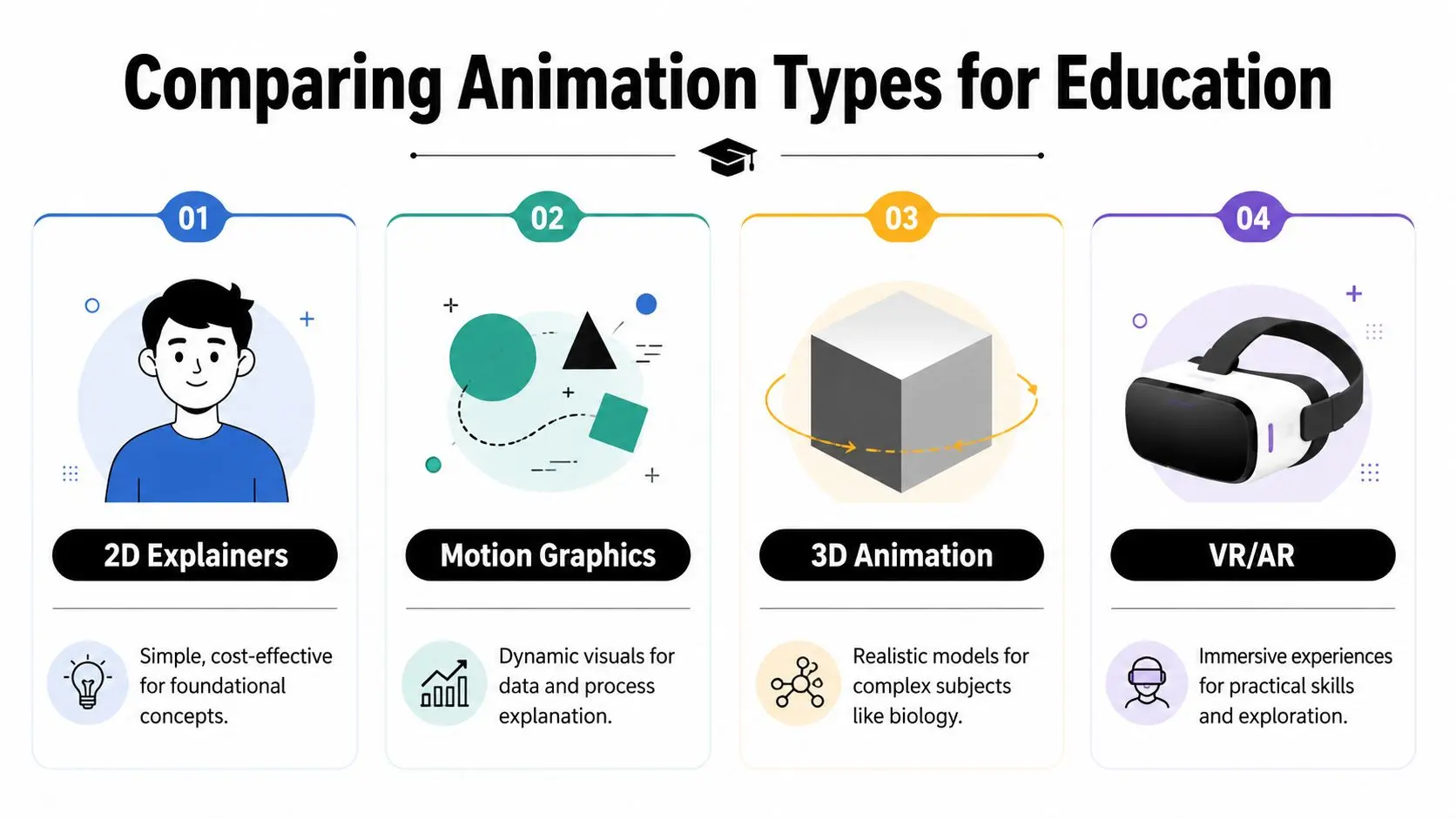
Four formats that solve different teaching problems
2D explainers should be your default starting point. They are fast to produce, easy to update, and effective for KS1 to KS4 concept teaching, revision, and step-by-step instruction. If the goal is clarity over spectacle, 2D usually gives the best return. Motion graphics suit subjects that depend on hierarchy, sequence, comparison, and systems thinking. Use them for timelines in history, policy flows in PSHE, cause-and-effect in geography, or process maps in business and health education. They help learners see relationships without overloading the screen with character action. 3D animation earns the extra spend when spatial understanding is the learning objective. Anatomy, engineering components, chemical structures, product internals, and built environments all benefit when students can see depth, rotation, and assembly clearly. Commission 3D for content that students must visualise accurately, not because it looks more advanced. VR and AR fit rehearsal-based learning. They work best where access is limited, mistakes are costly, or physical repetition is hard to arrange, such as lab induction, technical safety training, clinical simulation, and site familiarisation. If you are weighing immersive delivery against budget, hardware, and assessment fit, this producer's guide to virtual reality application development will help you scope it properly.
Educational Animation Format Comparison
| Format | Best For | Relative Cost | Typical Timeline |
|---|---|---|---|
| 2D Explainers | Core concepts, revision, procedural learning | Lower | Shorter |
| Motion Graphics | Data, systems, policy, process communication | Lower to medium | Shorter to medium |
| 3D Animation | Anatomy, engineering, product internals, spatial learning | Medium to higher | Medium to longer |
| VR/AR | Simulation, practical training, environment-based learning | Higher | Longer |
What I'd recommend by teaching context
- •KS1 to KS2: Use simple 2D animation with one clear objective per asset. Prioritise pace, repetition, and clean narration.
- •KS3 to GCSE: Use 2D for difficult concepts and motion graphics for comparisons, sequences, and revision summaries tied to exam specifications.
- •FE and apprenticeship training: Focus on procedural accuracy, replay value, captions, and clear visual sequencing. Learners need to practise the correct order of actions.
- •Higher education and professional training: Bring in 3D or XR for complex systems, simulations, and environment-based learning where accuracy and rehearsal matter.
Commissioning advice: Choose the format by learner task and curriculum stage. If students need to identify, compare, sequence, explain, or perform, the animation should support that exact behaviour.
Aligning Animation with UK Curriculum Goals
The most common mistake in animation for education is commissioning by topic instead of commissioning by curriculum outcome. If you're teaching within the UK system, your animation should line up with Key Stage expectations, GCSE assessment demands, FE competency development, or higher education module outcomes. A beautiful animation that doesn't support recall, application, comparison, or evaluation is wasted spend.

Match the asset to the learner stage
At primary level, simplicity wins. Use straightforward 2D visuals, slow pacing, and clear narration. Young learners need one teaching objective per sequence, not layered explanation. At secondary and GCSE level, assessment alignment becomes sharper. Revision assets should support retrieval and classification. Topic explainers should make difficult relationships visible. If students are expected to write extended answers, the animation should help them organise knowledge, not replace it. At FE level, procedural clarity matters more than visual flourish. The evidence is already strong here. A 2021 OfS-funded study of 15 UK FE colleges found that learners using 2D animated procedural videos scored 18% higher on average in post-test assessments than control groups, showing a clear connection between format choice and learning outcomes, according to this summary in Times Higher Education's discussion of animation in teaching.
A practical selection framework
Use these questions before you approve any concept art or script:
- •What is the actual learning objective? Recall, explanation, application, or performance?
- •What is the learner stage? KS1, KS2, KS3, KS4, FE, undergraduate, CPD?
- •What will students do after watching? Quiz, discuss, practise, revise, demonstrate?
- •What support needs must be considered? Captions, transcripts, readable typography, audio clarity?
- •What can be reused? Can one animation become lesson starter, homework recap, and revision asset?
Accessibility isn't optional
Good educational animation needs basic accessibility baked in from the start:
- Subtitles and transcripts for flexible access.
- Legible typography with strong contrast.
- Disciplined pacing so narration and screen action don't compete.
- Audio restraint so music never obscures explanation.
Buy animation the same way you'd buy curriculum resources. Judge it on learning fit, reusability, and accessibility first. Style comes after that.
The Animation Production Workflow Explained
Educational buyers often overcomplicate production in the wrong places and under-specify the parts that matter. The workflow itself is straightforward if the brief is clear.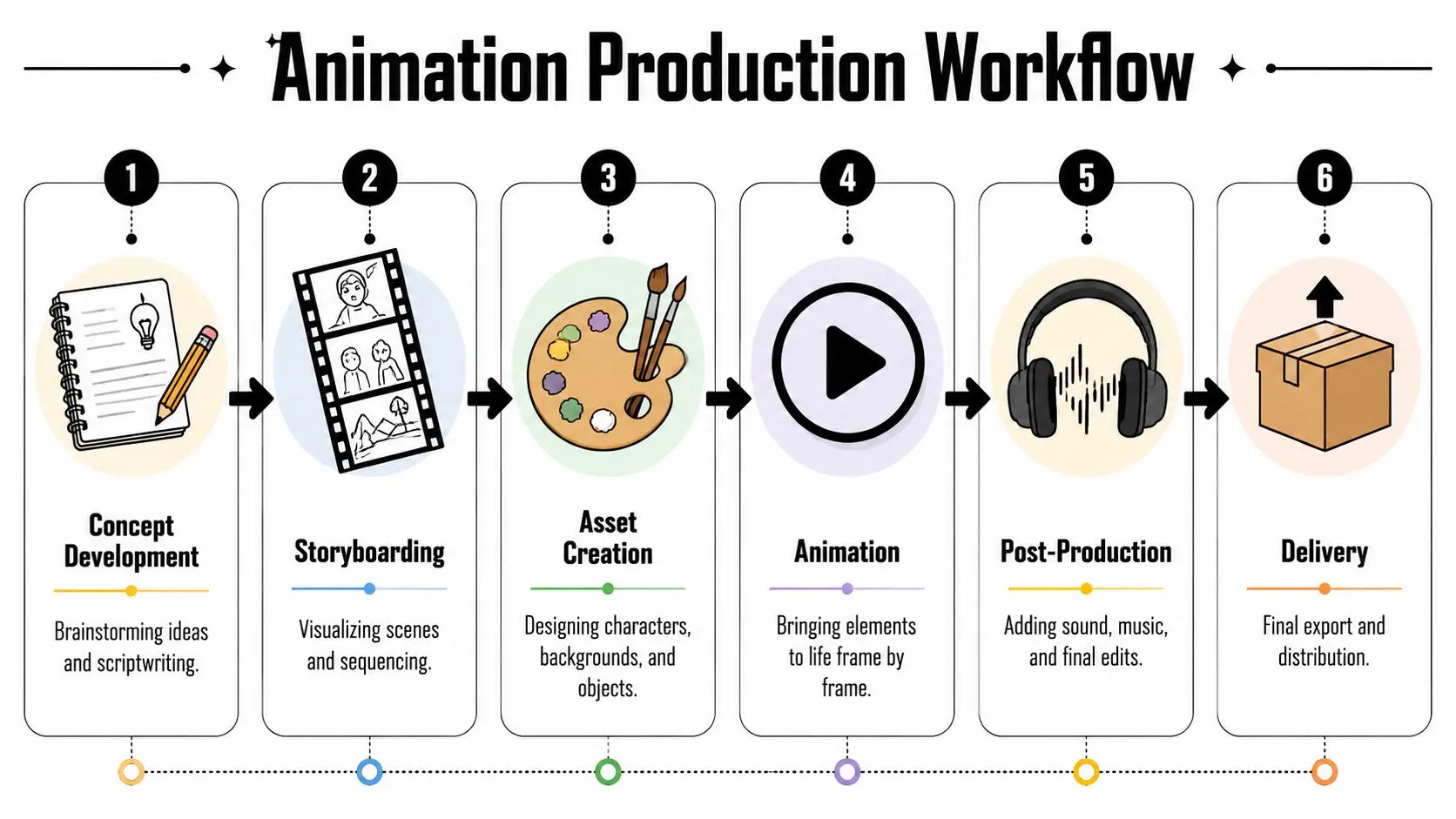
The stages that actually matter
1. Brief and learning goals Start with the teaching problem, audience, platform, and outcome. Not “we need a video”. Say what learners struggle with and what they should be able to do afterwards. 2. Script and content shaping In this phase, subject expertise meets production discipline. Strong scripts are concise, sequenced, and built around a single learning objective. Weak scripts sound like lecture notes read aloud. 3. Storyboard and previs Before animation begins, the studio should map shots, pacing, transitions, and teaching emphasis. During this stage, most costly ambiguity gets removed.From production to delivery
After approval, the workflow moves into asset creation, animation, sound, and finishing. In 2D, that may mean character design, icon systems, scene builds, and motion planning. In 3D, it usually involves modelling, rigging, texturing, lighting, and compositing. In XR, prototyping and interaction testing become central much earlier. Here's the sequence I'd expect from any competent supplier:- •Pre-production: Brief, script, storyboard, visual style.
- •Production: Asset build, animation, scene assembly, technical development.
- •Post-production: Voiceover, music, sound design, edit, quality control.
- •Delivery: Exports for VLE, classroom display, social cut-downs, transcripts, captions.
Where projects usually go wrong
Most delays come from three avoidable mistakes:
- •Too many stakeholders: Everyone wants sign-off, nobody owns the decision.
- •Late script changes: Rewriting after animation starts burns time and budget.
- •Undefined outputs: Teams commission one asset, then ask for six formats at the end.
Keep one academic lead, one project owner, and one sign-off route. Anything else slows production and muddies the teaching objective.
For institutions comparing providers, ask how they handle storyboard approval, version control, accessibility assets, and file delivery for Moodle, Canvas, or internal training platforms. That's more revealing than a shiny showreel.
How to Brief a Studio and Measure ROI
A weak brief creates expensive revisions. A strong brief cuts waste before production starts. If you want useful animation for education, write the brief like an operations document, not a creative wishlist. Define the learner, the module or programme context, the specific teaching challenge, and the required outputs. If your team needs a baseline, this guide to commissioning animation work in London is a practical starting point for framing scope and expectations.
What your brief should include
Give the studio the information they need to make sensible decisions:
- •Audience definition: Age, level, subject knowledge, delivery setting.
- •Learning objective: What should change after viewing?
- •Curriculum context: Module week, unit topic, assessment relevance.
- •Format needs: 2D, 3D, motion graphics, or immersive simulation.
- •Technical outputs: VLE format, captions, transcripts, screen ratio, audio requirements.
- •Approval process: Who signs off script, storyboard, and final delivery?
Leave out generic adjectives like “engaging” and “dynamic” unless you also explain what those mean in teaching terms.
Measure outcomes that matter
The ROI conversation shouldn't stop at whether staff liked the animation. Judge it against outcomes your institution already values:
| KPI | What to track |
|---|---|
| Learner engagement | Time spent with the resource, completion behaviour |
| Academic performance | Quiz scores, test outcomes, procedural accuracy |
| Retention | Recall over time, revision reuse, follow-up performance |
| Operational value | Reusability across cohorts, modules, or departments |
There's a solid evidence base for retention in professional learning too. A meta-analysis of animation-based training in practitioner education found that when animations were used as the primary instructional format, learners achieved better knowledge scores immediately after the intervention and at follow-up periods of up to four months. That's the kind of evidence institutions can use with procurement teams, heads of school, and programme directors. Animation isn't just a content cost. It can be a durable teaching asset with measurable instructional value.
A better way to think about budget
Don't ask, “How cheaply can we get this made?” Ask, “How many cohorts, modules, or delivery contexts can this asset support?” Reusable assets often justify their cost far better than one-off live sessions or static explainers that age quickly.
Taking the Next Step in Educational Innovation
Animation earns its place in education when it's tied to a teaching decision. Pick the right format. Keep the objective narrow. Build for the actual curriculum stage. Deliver assets students can revisit without friction. That's the practical case. There's also a blunt learning case. UK-based educational research indicates that learners typically recall only about 10 to 15 percent of information three days after reading it, whereas retention from the same information delivered through visual or animated formats can be several times higher, according to this summary on the shift toward educational animation and video-based learning.
What institutions should do next
If you're serious about improving learner attention and recall, act in this order:
- Audit problem topics where students consistently struggle.
- Choose one format that fits the learning task.
- Pilot a small set of reusable assets before scaling.
- Track performance and reuse, not just staff opinion.
If you're evaluating how animated content, 3D workflows, or XR experiences could support your curriculum, Studio Liddell is one production partner to consider for scoping the brief, format choice, and delivery requirements before commissioning begins.