How to Make a Game Trailer That Converts in 2026
You have a build that runs, a store page going live in nine weeks, and a marketing lead who has just asked for "the trailer". Nobody has agreed which platform it leads on, how long it should run, or what happens to the version that plays in a vertical feed with the sound off. That conversation is where most trailer problems begin. The edit is rarely the weak link. The brief is. What follows is the order I'd work in: fix one promise, plan the cuts by length, confirm the decisions before capture, build the master, test the opening, put accessibility on screen, and measure each channel on its own terms.
Why Your Trailer Has Seconds to Earn a Click
A player is scrolling a feed. Your trailer has roughly three seconds to show something worth stopping for. Miss that window and the rest of the edit never gets watched, however strong the third act is. The UK market makes that window expensive to waste. UK consumers spent approximately £7.6 billion on video games in 2024, a modest decline from £7.82 billion in 2023 and the first year-on-year fall since 2019, according to Ukie's market research. The mix matters more than the total. Boxed software fell 34% and represented only 4% of total spending, while digital console-game spending rose 3.5% and mobile-game spending rose 8.1%. That shift ends the assumption that a trailer supports a shelf. It is now part of the product's digital packaging, and it has to establish genre, audience, visual identity and gameplay promise in seconds. The audience is broad: 37.7 million people in the UK played video games in 2024, more than 55% of the population, per Allcorrect Games' UK market report.
A trailer built for a shelf does not survive a feed. Build it for the feed and it still works on a store page.
The mechanics of the opening deserve their own study, and ShipTeaser's breakdown of the three second hook is a useful companion for the pacing decisions that turn a scroll into a view. Before anyone opens an editor, settle two things: the single promise the trailer keeps, and the list of platforms it will run on. Cut lengths, capture list and export settings all follow from those.
Plan the Cut Lengths Before You Shoot
Start with two sentences on paper: who in the UK this trailer is for, and the one promise it keeps. Everything else is downstream. "UK gamers" is not a segment. 53% of UK gamers were male and 47% were female in 2024, according to Statista's UK video gamer demographics, which describes roughly everyone and therefore nobody in particular. Narrow it by platform, genre familiarity, age band, and whether the player already knows the game exists. Short cuts carry the discovery load. Ofcom's Online Nation 2022 report found that 58% of people aged 13-64 watched video-game-related content, and reported that 69% of online 15-17-year-olds and 65% of 18-24-year-olds watched short-form video daily in Q1 2022. Those figures decide where the vertical cut sits in the plan.
| Cut | Length | Format | Job in the funnel |
|---|---|---|---|
| Social discovery cut | 6-15 seconds | 9:16 vertical | Differentiator and gameplay in the first 1-3 seconds |
| Reveal cut | 30-60 seconds | 16:9, with 1:1 and 9:16 crops | Premise, core loop and escalating stakes |
| Full trailer | 60-120 seconds | 16:9 | YouTube, store pages and press, with one call to action |
Each cut has a job, and mixing them up is how campaigns end up with one mediocre film. The vertical cut earns a stop. It shows the differentiator and recognisable gameplay almost immediately, because anything later is only seen by people who were already staying. The reveal cut earns a wishlist: thirty to sixty seconds is enough to establish premise, demonstrate the core loop and raise the stakes without explaining the entire game. The full trailer answers questions for the store visitor, the journalist and the creator deciding whether to cover the game, and it finishes on one call to action. Two constraints apply to all three. Compose UI, characters and key text inside a central safe area so 9:16, 1:1 and 16:9 crops stay legible from a single master, and subtitle every cut rather than treating captions as a delivery afterthought. The long version earns its budget. In the same Ofcom research, more than half of surveyed adults aged 18-54 said watching game content significantly influenced their purchase decision. That justifies spending on the full trailer, not only the vertical edits. Close the planning session with a cut list. For each version, name the platform, the length, the aspect ratio and the one gameplay moment it must contain. If a cut can't name its moment, it doesn't need to exist.
Add Accessibility Information to the Trailer
Accessibility usually arrives at the end of the schedule as a caption file. Move it to the planning meeting and it changes what you capture and what you claim. RNIB's accessible gaming research, which involved more than 500 blind and partially sighted people, found substantial difficulty in discovering and playing games. 75% of surveyed developers had added some accessibility features, yet only 15% said they sufficiently understood the needs of gamers with sight loss. The same research recommends prominent accessibility information in promotional trailers and marketing materials. That gap is a selling opportunity rather than a compliance chore. A player who can't tell whether your game supports how they play has to guess, and guessing usually means not buying. The checklist below is the version I'd put in front of a capture team before the shoot, not after it.
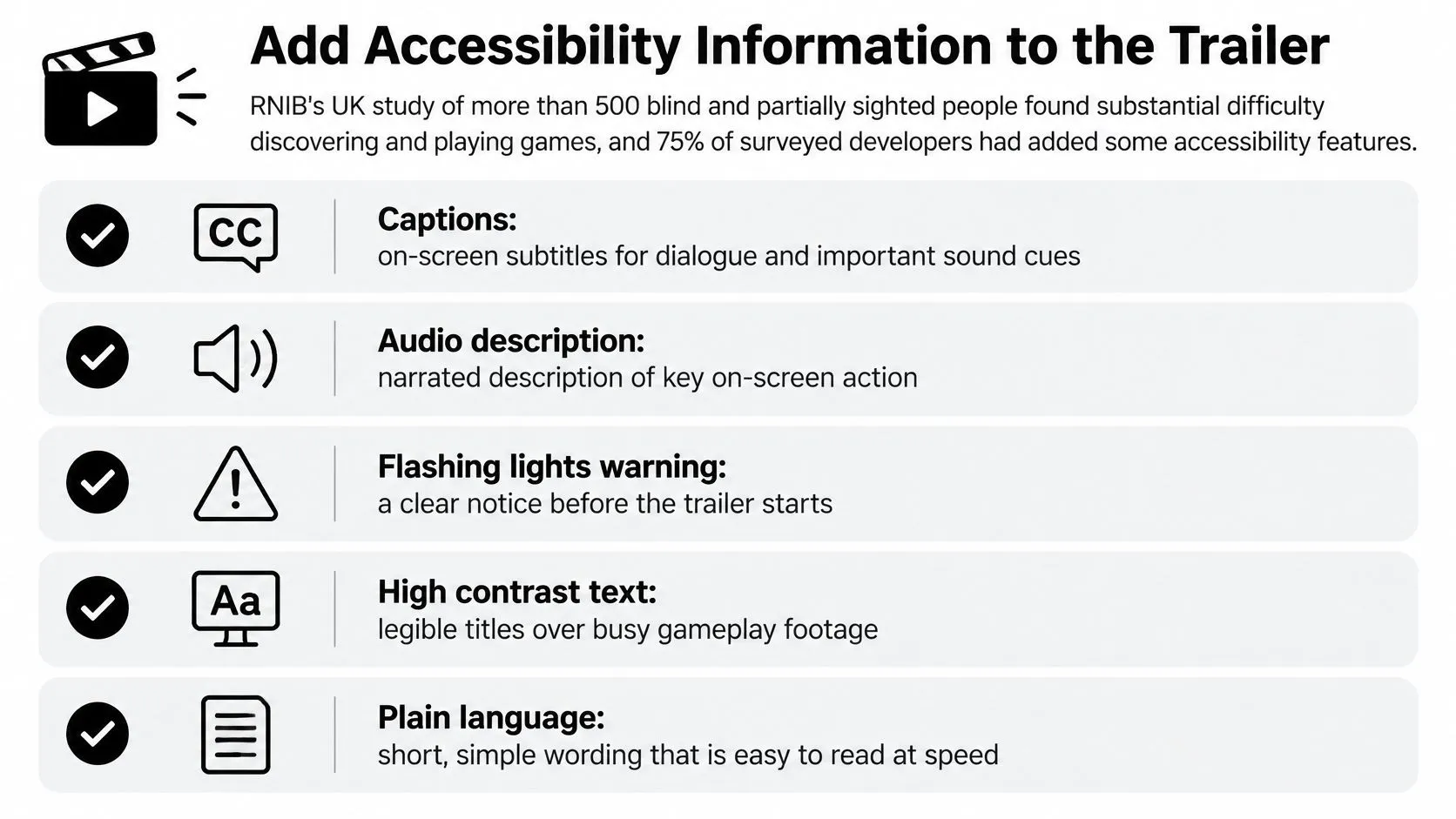
- •Captions for dialogue and key sound cues. Not speech alone. A cue for an off-screen threat matters as much as a line of dialogue.
- •Settings shown in context. Three seconds on the subtitle size slider or the colourblind preset does more than a paragraph on the store page.
- •Text that survives a phone. Titles set for broadcast legibility are unreadable at arm's length on a six-inch screen. Set the type, check it, then set it larger.
- •An audio-described variant when the story depends on visuals. Not every trailer needs one. Any trailer whose premise can't be understood from sound alone does.
- •Plain language in the end card. Short words, one idea per line, easy to read at speed.
Most releases can treat captions and a readable end card as the baseline. Produce a separate audio-described or sign-language version when the game's story or controls depend on that channel, or when a store listing asks for accessibility detail. State what's supported and what isn't, in the trailer and on the store page.
Draft end-card line: "Full captions and remappable controls. Colourblind modes for the HUD and puzzle elements. No audio description on this release."
Confirm Your Cut List Before Production Starts
Before the first frame is captured, confirm five decisions on a single page. Tick each one. Anything unticked becomes a reshoot.
- The segment and the promise. Who the trailer is for, in one line, and the single promise every cut keeps.
- The platform list. Console and PC storefronts, paid social, creator channels, press. Each one changes duration, aspect ratio and call to action.
- The three cut lengths, with aspect ratios and the one gameplay moment each must contain.
- The three openings to test. Gameplay-first, character-first and problem-first, plus the audience split each will run against.
- The accessibility versions. Which cuts get captions, which get audio description, and the sentence the store page will carry.
A missing decision does not disappear. It reappears in the edit as a reshoot.Once the five decisions are locked, the plan produces a modular campaign: one master, platform cuts, a clean gameplay file for creators and press, and a test log recording which opening ran where. Studio Liddell can take a finished cut list into production, alongside 2D and 3D motion graphics, logo animation, explainer videos and full-length motion graphic videos, and the team invites you to send the single promise and platform list through the studio's Contact Us page.
How to Make the Trailer Step by Step
The capture and edit follow a fixed order. Skipping a step doesn't save time; it moves the cost to the render. The five-stage shape of the work, from shot list to final check, is below.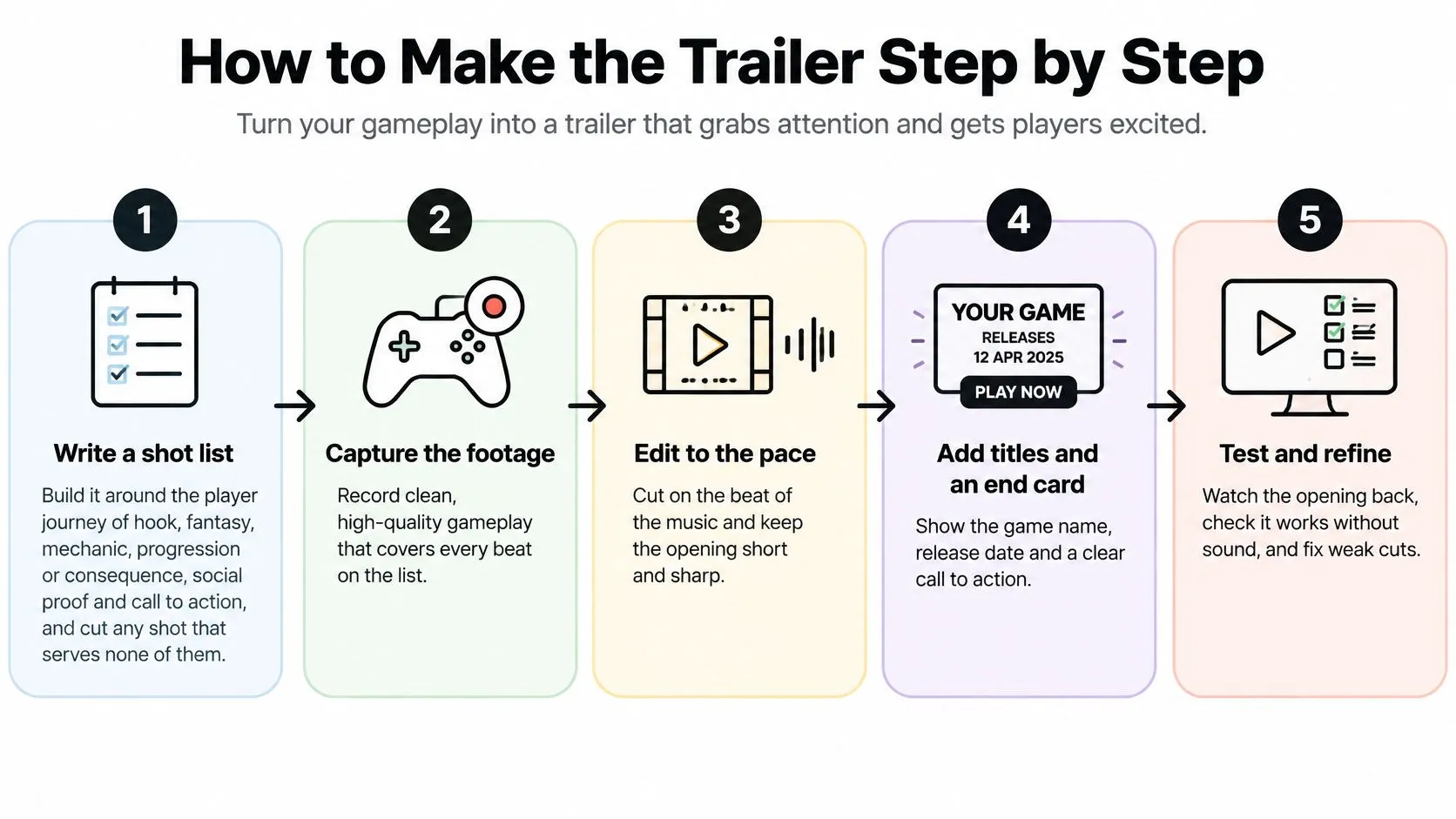
From shot list to first export
- Write the shot list around the player journey. Hook, fantasy, mechanic, progression or consequence, social proof, call to action. Every shot earns its place against one of those six. A shot that is beautiful and serves none of them is a shot you cut.
- Capture at the highest resolution and frame rate any channel needs. Shooting 1080p for a 4K storefront master means a second capture session, a second build and a second art pass.
- Record only mechanics the shipped build can reproduce. Debug cameras and staged set pieces are legitimate craft. Invented systems are not. A player who buys on a mechanic that isn't in the game becomes a refund and a review.
- Render a separate master for each destination. YouTube, store pages, paid social and broadcaster-style placements have different dimensions, durations and audio, and all of it exports as H.264 or H.265 MP4.
- Follow the broadcaster spec where a broadcast deliverable exists. The BBC Studios content delivery book specifies 1280×720 at 16:9 with a 2,500 kbps constant video bitrate, one keyframe exactly every 25 frames, and AAC-LC audio at 48 kHz and 128 kbps, with a 25p or 50i master plus a native-frame-rate version if the programme was made at another rate. The BBC's technical delivery standards set UHD at 3840×2160, delivered as 2160p/25 or 2160p/50.
The export settings that cause the most rework
- Set loudness to broadcast-safe before sign-off. EBU R128 guidance in the same BBC Studios book averages -23 LUFS with a ±0.5 LU tolerance and recommends a true peak of -3 dBTP. Fix the mix once, not four times, when the paid social version comes back too hot.
- Export a clean gameplay-only file for creators and press. No title cards, no end card, no captions. Creators need material they can talk over, and press need footage they can licence without writing round your marketing copy.
- Play every cut on a phone with the sound off. Confirm the title and hook still read, captions don't sit over the HUD, and the store name is legible in the last two seconds.
Measure Each Trailer by Where People Find It
A trailer can work as an awareness asset and still fail as a conversion asset. Attest's UK gaming consumer insights found that recommendations from friends and family influenced 43% of people trying a new game, with trailers or demos second at 35%, and online reviews and ratings at 33%. Treat those channels as different jobs. A feed view earns attention. A storefront view supports a decision. A creator placement borrows trust. Each needs its own score. Paid video still carries a large share of discoverability work. UK video-display advertising spend rose 20% to £8.3 billion in 2024, with video accounting for 64% of online-display spend, according to IAB UK's digital ad market figures. That scale makes creative reporting a production issue, not just a media issue. If several cuts run at once, one blended view count hides which opening, caption style or gameplay excerpt did the work.| Discovery context | Primary metric | Secondary metric | What it tells you |
|---|---|---|---|
| Social feed | 3-second retention | View-through rate and completion | Whether the hook holds |
| Storefront page | Click-through to store page | Wishlist or demo-start rate | Whether the cut supports the buying decision |
| Paid advert | Completion and click-through | Conversion by creative variant | Which opening earns the action |
| Creator recommendation | Demo starts | Assisted conversions | Whether the clean gameplay cut gets shared |
Test Openings and Fix Weak Cuts
A game trailer has a small proof window. UK programmatic video data recorded in the second half of 2022 shows 94.4% of desktop viewers and 91.6% of mobile viewers reaching the first quartile of an advert, per Statista's UK video completion and click-through data. Reaching the first quarter is only a delivery signal. The edit still has to make the game legible fast, especially for viewers who meet the trailer in a feed with sound off and no prior context. In gaming ads, short viewing windows are common. Treat the first three seconds as the part that earns the next three, not as a branding slot.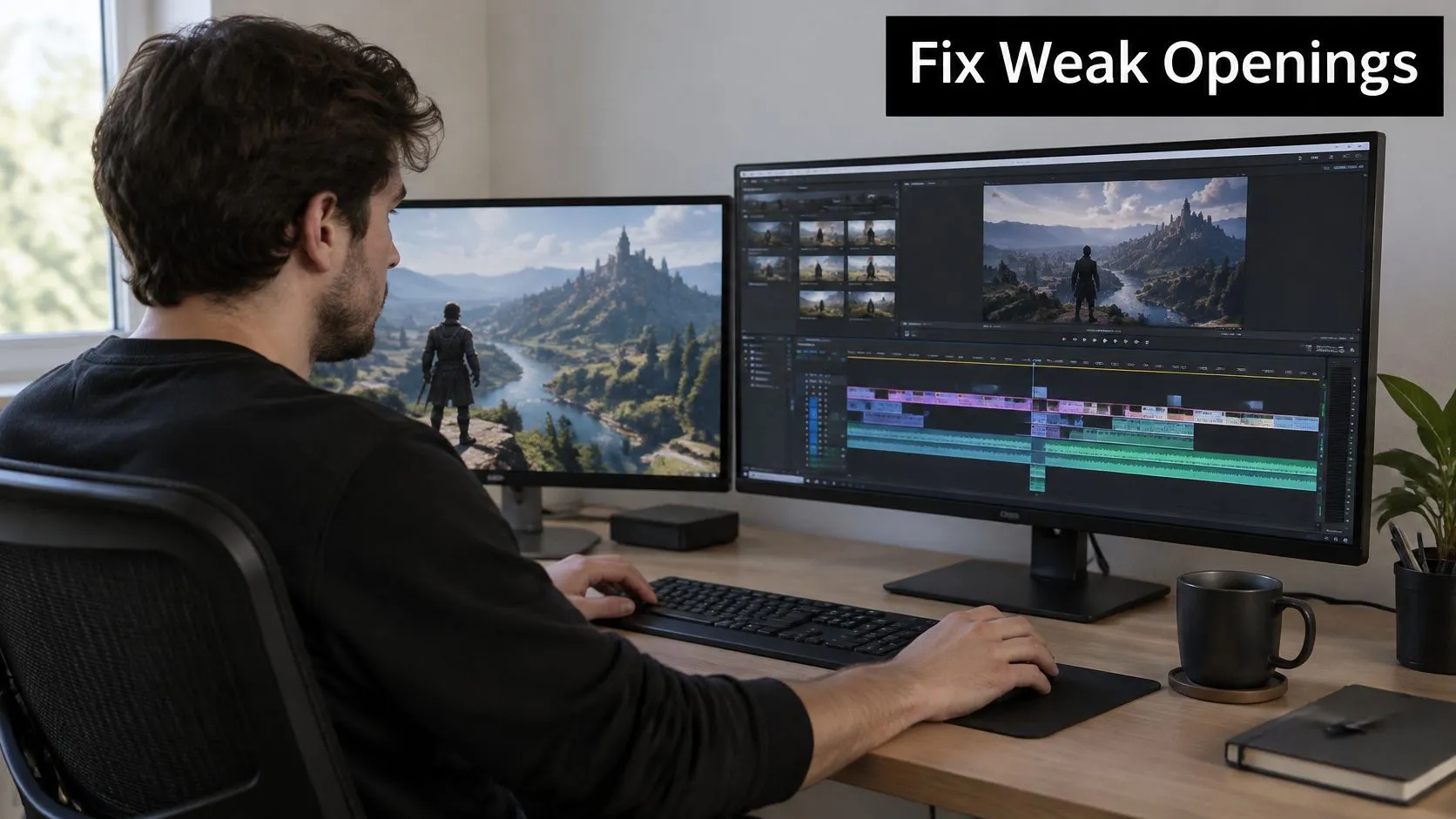 Test three openings from the same cut: gameplay-first, character-first and problem-first. Give each version a matched UK audience split, or the result will reflect traffic quality as much as creative quality. Keep captions, safe areas and contrast consistent across all three. If one version only works with sound on, it has not passed the test for silent viewing. Judge the winner on two measures: early retention and a downstream action such as a wishlist, a demo launch or a store click. The decision rule is simple.
Keep an opening only if it lifts both. Completed views are not sales.Most weak openings fail for plain editing reasons.
- •A logo in the first two seconds. The viewer has no context yet, so the mark has nothing to attach to. Put the logo after one clear mechanic, character beat or world-defining shot.
- •A camera move that hides the mechanic. A sweeping orbit can bury the one action the shot exists to show. Hold the frame steady through the beat that matters, then move once the action reads.
- •A fanfare that delays gameplay. Two seconds of music sting is two seconds without proof. Cut to the mechanic and let the audio land on it.
There is a fourth failure that is easy to miss: an opening built for one discovery channel and reused everywhere. A storefront visitor may accept a slower read because they arrived with intent. A feed viewer needs the game visible before the caption, interface or platform label does the work. Test the same opening in each context, and keep separate winners where the data supports it. That also gives accessibility decisions a place in the edit, because captions, contrast and visual clarity have to survive the first pass on mobile. Set the test plan before the first upload: three openings, one audience split each, a decision date, and one variable changed per cycle. Export each version at the delivery frame rate and codec used by the channel, since compression can soften fine UI detail and make fast cuts harder to read. Run the winning opening into the full trailer and keep the losing two for the next campaign. An opening that loses on a storefront can win in a feed. Studio Liddell is a creative production house that crafts original animation, immersive media and interactive experiences. Its services include 2D and 3D animation, motion graphics, logo animation, explainer videos and full-length motion graphic videos, with sound design and video production included in motion design work. If you have a project idea or need help bringing a vision to life, contact the studio through its Contact Us page.