A Guide to VR Headsets Pico for UK Business and Creators
Pico VR headsets are making serious waves for UK businesses and creative studios, offering some seriously high-performance hardware that's built with enterprise in mind. Think of them as the smart challenger brand that didn't just show up to compete on price, but to win on solid engineering and a business-friendly ecosystem.
Why Pico Is a Rising Star in the UK VR Scene
Imagine a new performance car brand pulling up in a market dominated by the usual giants. That's pretty much Pico's story in the professional UK VR space. While Meta's Quest has long been the default choice for many, Pico is quickly gaining ground by zeroing in on what developers, businesses, and creative studios actually need. These headsets aren't just consumer toys; they're robust tools built for getting real work done. This focus is clear in everything from the hardware to the software. Pico, for example, skips the mandatory social media logins and the consumer-first approach that can be a headache for professional rollouts. This makes their VR headsets a much more straightforward pick for corporate training, B2B product showcases, and large-scale public installations.
A Perfectly Timed Market Entry
Pico’s expansion into Europe wasn't an accident, it was a perfectly calculated move. In September 2022, parent company ByteDance launched the Pico 4 headset in the UK and several other European countries. With some aggressive pricing, starting at £379 for the 128GB model, it threw down a direct and very compelling challenge to the established players. You can get more insight into this strategic launch from Ampere Analysis. This launch happened just as the UK's appetite for immersive tech was exploding. The UK VR headset market, valued at USD 369.3 million in 2023, is on track to hit a staggering USD 1,967.9 million by 2030. This growth is being fuelled by the exact kind of powerful, standalone headsets Pico excels at making.
Pico's rise is a testament to understanding what the professional market needs: powerful, untethered hardware without the consumer-facing baggage. It’s about providing a reliable platform for creators and businesses to build upon.
Key Advantages for UK Creators
For creative studios and developers here in the UK, Pico brings some distinct advantages to the table, making it a genuinely attractive platform for building the next wave of immersive experiences. The fact that it's getting solid support from leading virtual reality development companies in the UK really underlines its viability. Here are a few key benefits:
- •Advanced Hardware: Many Pico models use "pancake optics," a clever design that makes the headsets slimmer and lighter without compromising on visual quality. This is a huge win for user comfort, especially during long sessions in either business or entertainment settings.
- •Open Development Ecosystem: Pico actively supports developers working with industry-standard tools like Unity and Unreal Engine. Their SDKs are well-documented, which makes it much easier for teams to build new content or port existing projects over to the platform.
- •Business-Focused Features: With the Pico Business Suite, companies can manage an entire fleet of headsets, control how content is distributed, and set up kiosk modes for public events. That level of control is absolutely essential for deploying VR securely and at scale in a business environment.
At the end of the day, Pico is proving itself to be more than just an alternative. It's fast becoming the go-to platform for professionals who demand performance, flexibility, and a clear focus on commercial and creative work.
Choosing the Right Pico Headset for Your Project
Picking the right Pico headset isn't a one-size-fits-all decision. The model you choose should feel like a natural extension of your project's goals, whether you're building an internal training module or a public-facing brand experience. While Pico offers a range of hardware, each headset is built with a specific purpose in mind. A developer creating a high-fidelity simulation for industrial training has completely different requirements from a marketing team planning a VR installation for an event. For most professional applications in the UK, the choice really boils down to two key models: the Pico 4 and its more powerful sibling, the Pico 4 Enterprise. They might look similar, but their capabilities are tailored for very different jobs. This flowchart gives you a quick visual guide to see if a Pico headset is the right starting point for your UK-based VR project.
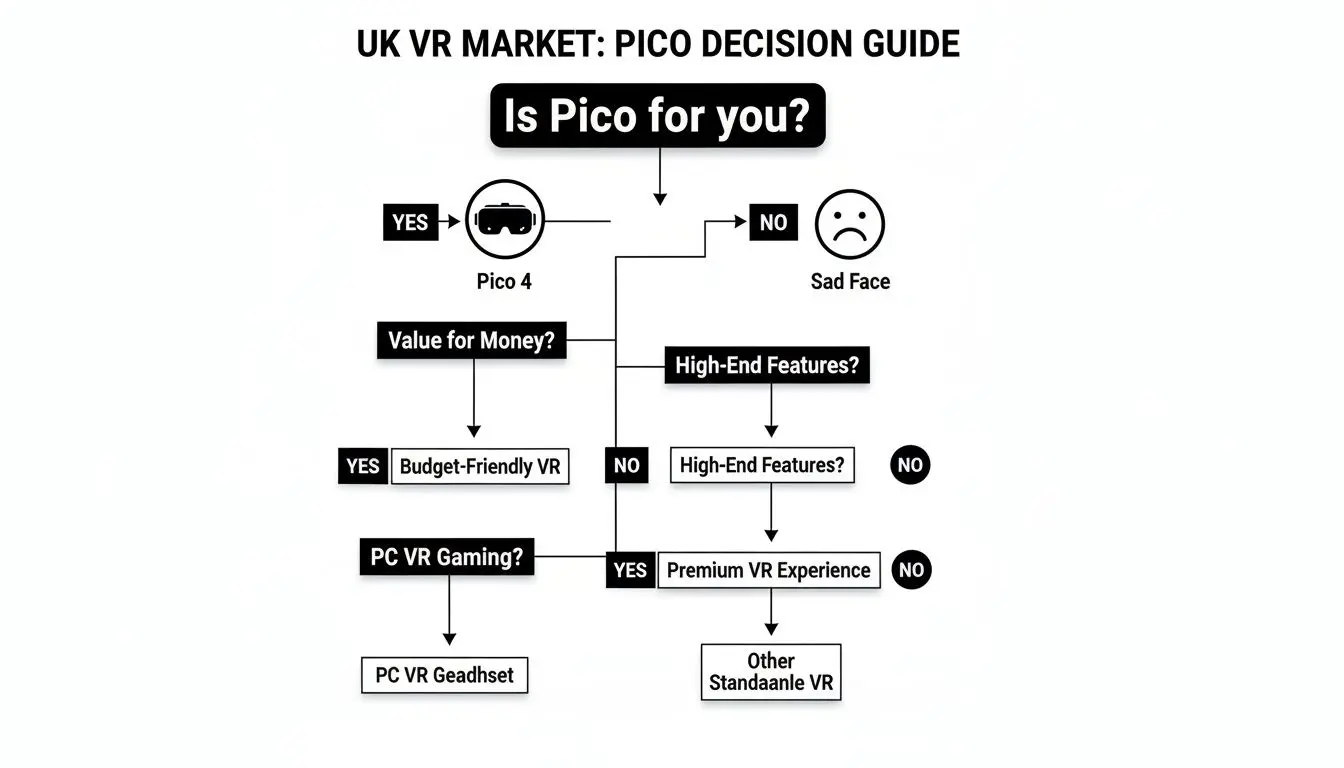
As you can see, for anyone needing powerful standalone hardware combined with a business-centric ecosystem, Pico makes a very compelling argument.
Pico VR Headset Model Comparison for Professionals (2026)
To get straight to the point, here’s a direct comparison of the specifications and ideal use cases for the two most relevant Pico headsets for professional work today.
| Feature | Pico 4 | Pico 4 Enterprise | Ideal Use Case |
|---|---|---|---|
| Display Resolution | 4K+ (2160 x 2160 per eye) | 4K+ (2160 x 2160 per eye) | Both offer excellent visual clarity for most applications. |
| Field of View | 105° | 105° | Provides a wide, immersive view suitable for all kinds of experiences. |
| Processor | Qualcomm Snapdragon XR2 | Qualcomm Snapdragon XR2 | The industry-standard chip ensures strong standalone performance. |
| Eye Tracking | No | Yes, with 60 Hz tracking frequency | Enterprise: Essential for user analytics, enhanced social avatars, and gaze-based interaction. |
| Face Tracking | No | Yes, for natural expression mapping | Enterprise: Critical for realistic social VR, meetings, and soft-skills training. |
| Device Management | Limited (Consumer-focused OS) | Pico Business Suite Integration | Enterprise: A must-have for managing headsets at scale, kiosk mode, and secure deployment. |
| Primary Market | Consumer / Prosumer | Enterprise, Education, Healthcare, and Industry | This is the core difference driving the feature set and support ecosystem. |
The table makes it clear: while both headsets share a high-quality foundation, the Enterprise model is built from the ground up for the unique demands of business and large-scale deployment.
Pico 4: The Versatile All-Rounder
Think of the standard Pico 4 as the talented workhorse of the lineup. It provides a brilliant baseline of performance that’s more than enough for a huge variety of professional jobs, from creative development to running immersive media. The 4K+ resolution and wide field of view mean you get sharp, compelling visuals that are perfect for most projects. Its real strength is the balance between cost and capability. It's an excellent, budget-friendly choice for:
- •Creative Prototyping: Lets developers and artists build and test concepts without needing a massive initial investment in hardware.
- •Immersive Marketing: Ideal for brand activations at trade shows or in pop-up events where deep enterprise features aren't required.
- •Small-Scale Training: Works well for individual learning or small team scenarios where you don't need to manage a large fleet of devices centrally.
The main thing to remember is its consumer focus. It simply doesn't have the specialised software and hardware features needed for more serious, large-scale business use.
Pico 4 Enterprise: The Specialist Tool
This is where Pico gets serious about business. The Pico 4 Enterprise takes all the good things from the standard model and adds a layer of critical features designed specifically for corporate, industrial, and educational settings.
The biggest upgrades are the integrated eye and face tracking. These aren't just gimmicks; they open the door to far more realistic social VR and give you concrete data on user behaviour in training simulations.
This model is purpose-built for professional environments from the ground up.
- •Advanced Training Simulations: Use eye-tracking to confirm a trainee is looking at the right safety indicators or following a complex procedure correctly.
- •Data-Driven User Research: For designers, eye-tracking offers objective, invaluable data on how people actually interact with a virtual product or environment.
- •Enhanced Social VR: Natural facial expressions are mapped to avatars, making virtual meetings, collaborative design sessions, and employee onboarding feel much more human.
Crucially, the Pico 4 Enterprise is designed to work with the Pico Business Suite. This allows for centralised device management, secure content deployment, and kiosk mode configurations. If you want to dig deeper into choosing the right hardware, you might find our buyer's guide to the modern VR headset for business helpful. For any organisation planning to deploy multiple headsets, these management features are non-negotiable for ensuring security and consistency.
Building Immersive Worlds on the Pico Platform
So, you’ve picked out the perfect headset. Now for the real work: turning your vision into a living, breathing virtual reality. Building for Pico isn't just about code; it's about crafting experiences that feel completely natural and run like a dream on standalone hardware. A solid grasp of the development workflow is absolutely essential here. Thankfully, Pico gets it. They've put a huge effort into creating an ecosystem that feels welcoming to developers by providing fantastic support for the industry's two giants: Unity and Unreal Engine. This means your team can stick with the tools they already know and love, which massively speeds up the process of getting content onto the Pico platform. This is especially good news here in the UK, where the VR scene is absolutely booming. The market for headsets like the Pico 4 is predicted to grow at a staggering 18.7% CAGR between 2025 and 2035. With so much growth in education, museums, and events, it's a golden opportunity for XR developers. You can explore the full findings on the UK VR market to see just how big the opportunity is.
Getting Started with the Pico SDK
Your main toolkit for any Pico VR project is the Pico SDK (Software Development Kit). This is the crucial bridge that lets you access all the unique hardware features of the headset, from its 6DoF controllers to its clever tracking sensors. Pico offers dedicated SDKs that plug straight into both Unity and Unreal Engine, making the whole integration process surprisingly smooth. The Pico Developer Centre has all the clear documentation and downloads you'll need for your specific engine version. This official support is a lifesaver. It means you can quickly get platform-specific features like controller inputs, boundary systems, and head tracking working without having to reinvent the wheel. The Pico SDK gives you everything you need to get going:
- •Pico XR Plugin: The core bit of magic that connects your game engine to the headset’s hardware.
- •Controller and Input APIs: Lets you map all the button presses, trigger pulls, and joystick wiggles to actual actions in your virtual world.
- •Tracking and Boundary APIs: Gives you access to the headset's position in the room and the guardian system that stops users from walking into walls.
- •Rendering and Performance Tools: A set of utilities to help you squeeze every last drop of performance out of the Snapdragon XR2 chipset.
Optimising for Standalone Performance
Here’s a crucial point: creating an experience for a standalone headset like the Pico 4 is a completely different ball game from developing for a PC-tethered rig. That Qualcomm Snapdragon XR2 chip is a little powerhouse, but its resources are finite. Performance is everything; a choppy frame rate is the fastest way to make someone feel motion sick.
The golden rule of standalone VR is hitting a high, stable frame rate. For Pico headsets, that means you're aiming for a rock-solid 72Hz or 90Hz. This gives you a tiny window of just over 11 milliseconds to render every single frame.
Hitting that target takes discipline. You have to think about optimisation from day one.
- Mind Your Polygons: Keep your 3D models lean. It's a classic rookie error to drop in a super high-poly model meant for a cinematic render and watch your frame rate grind to a halt.
- Slash Your Draw Calls: Every time the CPU tells the GPU to draw an object, that’s a "draw call," and each one has a cost. Combining several small objects into one larger mesh (known as "batching") is one of the most important optimisation tricks in the book.
- Keep Shaders Simple: Complex visual effects with layers of transparency, reflections, and fancy lighting are GPU-killers. You'll get much better results with simpler, optimised shaders built for mobile hardware.
- Optimise Your Textures: Use compressed texture formats. More importantly, make sure your texture sizes make sense. Slapping a 4K texture on a tiny object the user will barely see is a huge waste of memory and processing power.
For any developers looking to really get to grips with these techniques, our own guide on Unity VR development for high-performance experiences is packed with practical advice. If you build with these constraints in mind from the very start, your team can create incredible, comfortable experiences on any Pico VR headset.
Deploying and Managing Pico Headsets for Business
Getting your hands on a fleet of powerful Pico headsets is one thing, but keeping them all running smoothly is a completely different challenge. The real value for any business emerges when deploying VR at scale becomes simple, not a logistical headache. If you're planning on using more than just a couple of devices, having a solid management strategy isn't just a good idea, it's essential. This is where Pico's focus on business really shines. They get that to an IT department, a VR headset is just another endpoint that needs to be secured, monitored, and kept up-to-date. Think of it like managing all your company laptops or tablets; you need a central command centre to keep everything consistent, safe, and actually delivering a return on your investment. For any business rolling out multiple headsets, knowing how to handle them as part of your overall Information Technology Asset Management is the key to tracking and making the most of your hardware.
Introducing the Pico Business Suite
At the very core of this enterprise-ready system is the Pico Business Suite. This is your command centre for the entire fleet, built to give IT administrators precise control over every single headset. It’s what turns a box of individual devices into a cohesive, manageable network. The suite is built around Mobile Device Management (MDM), a concept that will be instantly familiar to any IT professional who’s ever managed company phones. It lets you configure devices in bulk, push software to them remotely, and roll out system-wide updates, all from one dashboard. This centralised approach tackles some of the biggest worries for businesses head-on:
- •Security: You can enforce security policies, control who has access, and even remotely wipe a headset if it gets lost or stolen.
- •Efficiency: Need to deploy a new app or an update? You can push it to hundreds of headsets at once, saving a massive amount of manual work.
- •Consistency: It guarantees that every user gets the exact same experience with the right software and settings, every single time.
Key Management Features for Enterprise
The Pico Business Suite isn’t just about basic control; it offers powerful tools designed for specific business scenarios, from public-facing exhibition stands to internal training programmes. These are the features that make Pico headsets a genuinely practical choice for serious corporate use. A brilliant example is Kiosk Mode. Picture setting up an interactive product demo at a trade show. Kiosk Mode lets you lock the headset into a single application, so users can’t wander off into the main menu or access anything else. It creates a flawless and tightly controlled experience for your brand. Another vital feature is Synchronised Content Deployment. When a new training module is ready to go, you can push it to every headset in your organisation with just a few clicks. This makes sure every employee gets the updated material at the same time, no manual downloads required.
The Pico Business Suite is designed for the real world of business operations. It’s not just about what the headset can do, but how easily an organisation can manage, secure, and scale its VR plans while protecting its investment.
Streamlining Your Deployment Workflow
With these tools in hand, rolling out a new VR programme becomes a structured and repeatable process. Whether you're using the built-in Pico Business Store or a third-party MDM platform like ArborXR, the entire workflow is designed to scale. For instance, when bringing new employees on board, their headsets can be pre-configured with all the necessary training apps before they even unbox them. Admins can group devices by department or location, allowing for customised content delivery. This level of organisation is what separates a small pilot project from a fully integrated enterprise VR solution. By providing these robust management tools, Pico proves it's a platform built not just for immersion, but for serious business.
Real-World Use Cases for Pico VR Headsets
Let's be honest, a VR headset's spec sheet only tells you half the story. The real test is what you can actually do with it. When we move past the numbers and into the real world, Pico VR headsets are proving to be more than just gadgets; they're becoming genuine tools for change across major UK industries. It's the blend of sharp visuals, wire-free movement, and business-focused features that makes them so well-suited for building applications that solve real-world problems. These aren't just for gaming. We're talking about tools used to train surgeons, take students on impossible field trips, and captivate huge audiences. Let's look at a few examples of how the right Pico hardware and software features come together to create these powerful experiences.
A Risk-Free Operating Theatre for Surgical Training
Picture a trainee surgeon getting ready for a complex spinal operation. The old way involved books, diagrams, and the rare, expensive chance to work in a cadaver lab. With a Pico 4 Enterprise headset, that whole learning curve gets a massive upgrade. The moment they put on the headset, they’re in a photorealistic virtual operating theatre. They can pick up virtual instruments with the pinpoint-accurate 6DoF controllers and work on a detailed 3D model of the human spine.
- •Hardware in Action: The 4K+ resolution is absolutely essential here. It makes sure every anatomical detail is perfectly clear. The headset’s lightweight and balanced design also means they can stay in there for long training sessions without getting tired or uncomfortable.
- •Software in Action: This is where it gets really clever. The Pico 4 Enterprise's eye-tracking offers up incredible feedback. An instructor can see exactly where the trainee is looking, making sure they’ve identified the right spot on a vertebra before making a virtual cut.
- •The Outcome: The trainee can run through the same procedure over and over in a completely safe, risk-free setting. They build muscle memory and confidence in a way that’s simply not possible with traditional training methods.
This scenario highlights how VR moves training from passive learning to active doing. Trainees don't just read about the procedure; they perform it, learning from mistakes without any real-world consequences.
Immersive Field Trips in the Virtual Classroom
Now, let's pop into a school. A history teacher wants to make the Roman Empire feel real for their class. Forget grainy textbook photos, the teacher breaks out a set of Pico 4 headsets, all managed through the Pico Business Suite. Each student puts on a headset and suddenly, they're not in a classroom in Manchester anymore. They're standing right in the middle of a stunningly accurate Roman Forum, bustling with life. They can wander through the streets, gaze up at the temples, and listen to a guided tour explaining the history of everything they see. The teacher can lead the experience as a single group or let students explore at their own pace. It creates a rich, unforgettable lesson that makes history feel immediate and alive. Tools like ThingLink XR are making it incredibly simple to create and share these kinds of educational tours on Pico devices.
Designing a High-Throughput Event Game
Let's switch gears to the fast-paced world of events and entertainment. A brand wants a splashy, high-energy game for its exhibition stand. The main goal? High throughput. They need to get as many people as possible through the experience quickly to avoid queues and maximise buzz. Using a handful of Pico 4 headsets, a developer creates a simple, addictive rhythm game. The headsets are completely standalone, so there are no wires for people to trip over, keeping the stand clean and safe on a hectic event floor. The wide field of view and high refresh rate mean the game feels incredibly smooth and immersive, even for people who've never tried VR before. By using Kiosk Mode in the Pico Business Suite, each headset is locked to run only the game. As soon as one person finishes, a staff member gives the headset a quick wipe down and hands it to the next person in line. They’re instantly in the game. This seamless flow is what makes or breaks an event activation, delivering a fantastic experience for visitors and a great return on investment for the brand. From a surgeon's hands to a student's field trip, these examples show that Pico headsets are far more than just hardware. They are the foundation for practical, powerful applications that are truly changing how we learn, work, and play.
Your Next Steps in Professional VR
So, you've seen what Pico's VR headsets can do. From their incredibly sharp displays and comfortable fit to the robust software ecosystem designed for professional use, the potential is clear. The journey from a great idea to a tangible, impactful VR experience is more straightforward than ever. These headsets aren't just another option; they're a seriously flexible and cost-effective starting point for the next wave of immersive content in the UK. It's time to turn that potential into a plan. The first, most crucial step is to sit down and map your project's goals against the features we've walked through. Are you looking to build risk-free training simulations, create a buzz with an unforgettable marketing event, or design entirely new worlds for entertainment?
Pico gives you the tools for all of this, and then some. The real question is, what does success look like for your organisation? Pinpoint that, and you can align it with the specific hardware and software that will get you there.
Getting from a high-level concept to a fully developed and deployed VR experience takes a partner who gets both the creative vision and the technical nuts and bolts. Whether your project needs detailed character animation, a complex training module with multiple outcomes, or a high-energy game for a public event, having the right expertise makes all the difference. If you're ready to see how Pico headsets could be the key to your next creative or business project, we're here to help. Our studio has the production pedigree to bring your vision to life and make sure your immersive experience delivers genuine impact. Book a production scoping call with our experts today.
Frequently Asked Questions About Pico VR
As businesses and creators get serious about VR, we see the same questions about Pico pop up time and again. Let's cut through the noise and give you some straight answers based on our experience in the field.
Pico vs Meta Quest for Business
When you’re choosing a headset for business, the hardware is only half the story. This is where Pico really carves out its niche against Meta Quest. Pico has built its platform with enterprise in mind from day one. You get a dedicated business-focused operating system and the Pico Business Suite, which makes managing a whole fleet of devices centrally a breeze. A huge sticking point for many companies with Quest is the mandatory personal social media account. Pico does away with this requirement entirely. Plus, its data privacy policies are generally a much better fit for corporate security needs, making it the go-to for deploying sensitive training modules or proprietary company software.
When it comes down to enterprise use, it's all about governance and scale. Pico's entire infrastructure is designed for secure, large-scale deployment. Meta's roots, on the other hand, are firmly planted in the consumer world.
The Content Ecosystem for Custom Apps
Pico’s content ecosystem is built for flexibility, which is exactly what you need when developing custom business apps. While there's a public-facing Pico Store for consumers, businesses get far more direct and secure ways to get their software onto headsets. You’ve got a few solid options for distributing your own proprietary apps:
- •Pico Business Store: Think of this as a private, walled-garden app store, accessible only to the managed devices within your organisation.
- •Direct Sideloading: A simple, no-fuss process for developers to install APK files directly onto headsets. Perfect for rapid prototyping and small-scale tests.
- •MDM Platforms: Pico plays nicely with third-party Mobile Device Management (MDM) solutions, letting you push your custom apps to your entire fleet remotely.
This level of control is absolutely critical for B2B work. It means you can manage your own software without ever needing to pass through a public review process.
Developing One App for Multiple VR Platforms
Yes, absolutely. Building one app that works on both Pico and other platforms like Meta Quest is not only possible, but it's often the smartest strategy to get the most out of your investment. The trick is to use a cross-platform engine like Unity or Unreal Engine. These powerful tools let you build a single core application that can then be adapted to run on different hardware. But don't be fooled by the "build once, deploy everywhere" dream, it's never quite that simple. You'll still need to account for differences in controller layouts, tracking systems, and any device-specific features, like the eye-tracking on the Pico 4 Enterprise. The real-world process involves creating a single codebase and then making small, targeted adjustments before compiling a separate version for each headset. And while focusing on high-end hardware is key, a broad awareness of the entire VR market, including simpler consumer devices like these virtual reality glasses, helps inform a smarter, more resilient development strategy. This ensures you end up with a polished, optimised experience on every single device.
Ready to see how Studio Liddell can bring your VR vision to life on the Pico platform? Book a production scoping call with our experts today.