Augmented Reality Project Planning: A UK Business Guide
The usual advice for an augmented reality project is to build an impressive demo and use it to win support. That's backwards. A convincing dinosaur, product configurator or digital overlay can secure enthusiasm without proving that anyone can use it reliably, that staff can support it, or that it improves the task. Start with the decision your business needs to make. Then commission enough design, engineering and testing to answer it, before committing to polished content and a live service.
What Your AR Project Must Prove First
A headset isn't a project brief. Neither is a request to make an exhibition more engaging. Name the person, the place and the moment where digital information over the physical world would help. Say a field technician needs to understand a pipe route before planning work. Or a visitor needs to see whether a configured product fits their available space. Those are different tasks, with different requirements for accuracy, interaction and support. The technician needs dependable alignment and authoritative information; the visitor may need a clear comparison and an easy hand-off to sales.
Apply the task test
Before choosing hardware, ask:
- •What changes? Name the action AR replaces or improves, not just what appears on screen.
- •What's the alternative? Identify a drawing, physical sample, video or existing interface you can compare it with.
- •Why build it? Establish whether expected use, commercial value or learning benefit justifies creating and maintaining it.
You can settle the initial answers in an afternoon, although validating them takes longer. If they remain vague, treat the proposal as a marketing experience, not an operational tool. That's a legitimate investment, but its success measures should reflect communication and audience response rather than assumed efficiency gains. Use a clear distinction between AR engagement, efficiency and return on investment when agreeing what the sponsor expects to buy.
Scope rule: Start with a task you can observe, not a collection of features you can demonstrate.
For the first release, constrain the task, location and device class. Skip multiplayer, elaborate character customisation and unrelated content branches unless they're essential to the outcome. Finish with a short signed brief containing the user, task, primary metric, comparison method and decision the pilot review will make. Include who can approve a change. Without that authority, every stakeholder can add a feature while nobody owns the resulting delay.
The Six-Phase Plan at a Glance
Use phases to control investment, not to create a ceremonial approval process. Each phase needs a tangible output, a named owner and a decision that can effectively stop further work. The visual below groups the journey from initial brief to launch. The delivery table separates discovery and experience design because those decisions need explicit approval before a prototype becomes a production commitment.
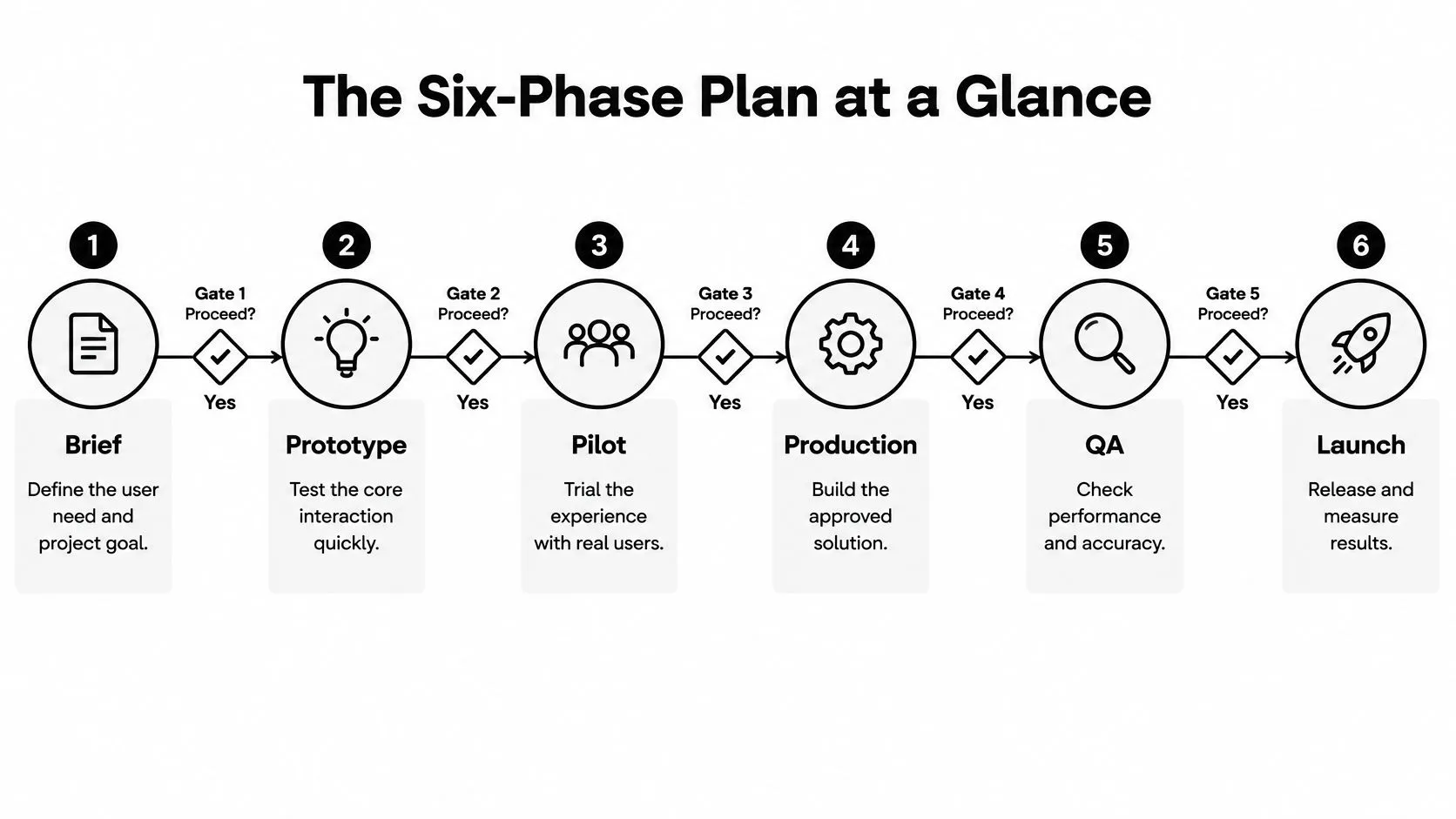
AR project phases, outputs and go/no-go gates
| Phase | Main output | Gate to pass |
|---|---|---|
| 1. Discovery | Defined user task and success metric | Stakeholders sign the task statement |
| 2. Experience design | Storyboard, interaction map and fallback modes | Walkthrough succeeds with target users |
| 3. Prototype | Low-fidelity interactive build | Tracking and lighting hold in the real space |
| 4. Pilot | Controlled test against a non-AR baseline | Primary task improves beyond normal variation |
| 5. Production | Engine build, content pipeline and asset specifications | Performance meets target devices |
| 6. Deployment and review | Live release, staff training and KPI reporting | Owner signs off support and update plan |
Make the gates consequential
Activities can overlap. A designer can refine the interaction while engineering investigates tracking, and artists can prepare representative assets before the pilot finishes. However, starting exploratory work isn't permission to finish an entire content library. A prototype that looks excellent in the studio but loses alignment at the venue hasn't passed. Record the failure, identify whether it needs a technical fix or a different interaction, and repeat the relevant test. Don't disguise unresolved tracking as a minor item for final QA. Attach evidence to each approval: an observed walkthrough, a device test report, pilot results or a signed support plan. A meeting where everyone likes the presentation isn't equivalent to acceptance. Copy the table into the project schedule and replace department names with accountable people. The producer should also record what happens after a failed gate: revise, narrow scope or stop. Stopping before full production is a useful outcome when the evidence says AR isn't the right solution.
Designing the User Task, Tracking and Fallbacks
The opening screen should tell users what to do before asking them to understand how AR works. Show a concrete action such as scanning an exhibit label, placing a product or selecting a component. Avoid an unexplained camera view with floating controls. Write the session as a sequence of user decisions. Specify where someone stands, what they hold, what they can touch and how they know they've finished. For public installations, include the person accompanying them, who may need to share the screen or help without taking over.
Design for the actual surroundings
Survey the location under operating conditions. Check changing daylight, reflective floors, blank surfaces, moving crowds and cluttered tables. A tracking approach that works against a textured studio floor may struggle against the exhibition's glossy plinth. Choose the tracking method around the task. An image target can provide a deliberate starting point; surface placement can suit a product demonstration; site-specific alignment needs its own validation. Don't ask users to perform repeated scanning movements without explaining what the system needs. When tracking fails, stop presenting uncertain placement as accurate. Offer a visible reset, guidance for reacquiring the target, and a route to complete the task without spatial alignment.
Make access equivalent
The Open University's immersive learning programme identifies universal design, accessibility and co-creation with learners from diverse backgrounds as important elements of inclusive XR. Apply that principle before interaction patterns become expensive to change. Provide captions, readable text, sufficient contrast and controls that don't rely on colour alone. Offer seated use where practical, avoid precision gestures as the only input, and provide alternatives to prolonged device holding. Audio should support comprehension without becoming the only way to receive an instruction. A fallback might be a rotatable model, illustrated sequence or camera-free product viewer. Preserve the same essential information and outcome, rather than offering excluded users a shortened promotional video. For privacy, map what the application captures, transmits and retains. Don't store camera imagery or spatial information because the technology makes it available. For younger audiences, agree age-appropriate notices, adult controls and staff responsibilities before testing. Before prototyping, have design and engineering sign off:
- •Task and first action: The user can identify the next step.
- •Environment: The tracking approach has a location test plan.
- •Access: Alternative inputs and a non-AR route are specified.
- •Data and safety: Capture, retention, permissions and movement risks have owners.
Choosing ARKit, ARCore, Unity or Unreal
Work backwards from audience devices and the required visual treatment. ARKit and ARCore provide platform-specific AR capabilities; Unity and Unreal are production engines. They aren't interchangeable choices at the same layer, even though buyers often encounter them on the same shortlist. A controlled iPad deployment can favour a native iOS approach. A public experience serving mixed phones needs a broader compatibility plan. Choose the delivery route before commissioning assets whose complexity assumes a powerful device.
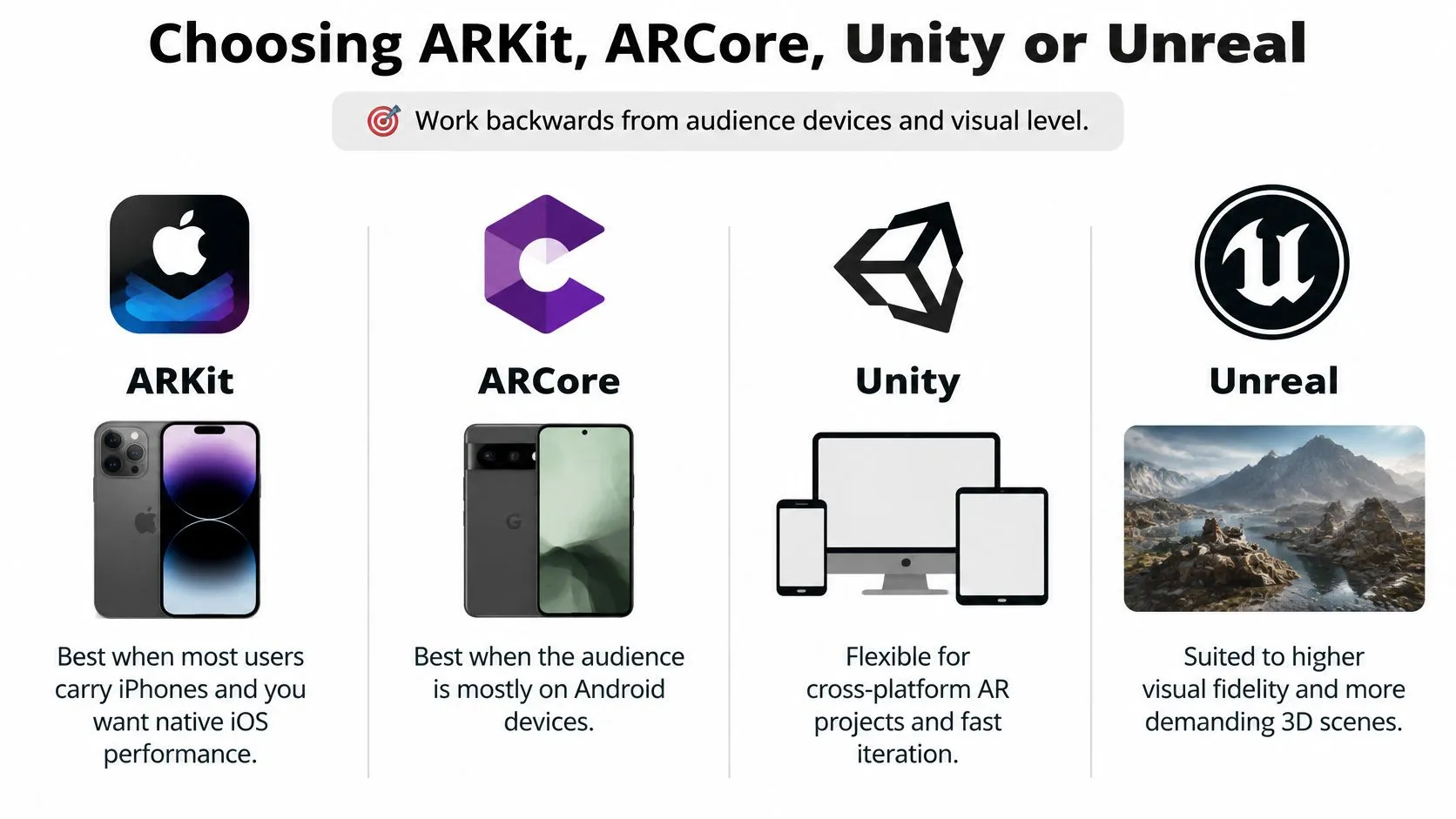
AR platform and engine options compared
| Option | Best for | Main trade-off |
|---|---|---|
| ARKit (native iOS) | iPhone and iPad audiences | iOS only, so Android users need a separate build |
| ARCore (native Android) | Android phone and tablet audiences | Tracking and performance vary across devices |
| Unity with AR Foundation | One team shipping to iOS and Android | Platform differences still need managing |
| Unreal Engine | Highest visual fidelity and headset work | Heavier builds and a steeper tooling curve |
| WebAR (browser) | Short campaigns with no app install | Limited tracking and lower performance ceiling |
Choose for distribution as well as rendering
Unity with AR Foundation can suit a team maintaining iOS and Android from a shared project. It doesn't remove the need to test permissions, supported features and tracking behaviour separately. For Android planning, check Google Play Services for AR compatibility considerations before promising broad availability. Unreal deserves consideration when the visual treatment and team's existing pipeline justify it. Don't select it solely because a desktop demonstration looks impressive. Prove that the intended mobile or headset build can sustain the scene, loading behaviour and interaction. WebAR is useful when an app installation would interrupt a short campaign. Browser capabilities and vendor implementations differ, so validate the specific tracking feature you need rather than accepting WebAR as a single capability set.
Let the place shape the platform
The University of Birmingham's account of Invisible Worlds describes an Alderley Edge experience using smartphones and tablets to present soundscapes, visualised characters and the hidden mine network beneath the site. The collaboration included the Institute of Historical Research at the University of London, the University of Lincoln, the National Trust and creative practitioners. The useful production lesson is the relationship between place, content and access. Historical interpretation supported the visit rather than requiring the site to become a technology demonstration. Test the shortlist on an older supported device and a current model. Include permission refusal, interrupted downloads and recovery after the application leaves the foreground. Choose the simplest stack that passes the intended experience, not the engine with the most ambitious showcase.
How to Prototype and Pilot Before Full Production
A polished demonstration can win approval while hiding the risks that derail deployment: unclear task ownership, unreliable tracking and a workflow no one can support. Prototype those risks first. Placeholder geometry, plain buttons and temporary narration are enough to test whether users can complete the task. Keep the pilot focused on observable behaviour, not reactions to the presentation.
Run the evidence sequence
- Define success. Specify the task and what counts as correct completion without help. Agree the scoring rules before testing.
- Interview intended users, including people who are less confident with technology. Ask how they handle the task now, not whether they like AR.
- Build only the interaction. Include the necessary prompts, placement and completion state. Leave decorative animation out.
- Test tracking, lighting, compatibility and accessibility at the intended location. Record the conditions as well as the handset model.
- Compare methods under controlled conditions. Give participants equivalent tasks using AR and the non-AR method. Counterbalance the order where practical, so practice does not favour either route.
- Compare completion, errors, duration, return use and perceived workload. Use consistent observations and logging for both methods.
- Set an evidence gate. Proceed only if the task improves reliably. Check results by device, age, ability and network conditions. Get qualified statistical advice if the investment decision depends on whether a small difference is meaningful.
| Metric | How to measure | What it tells you |
|---|---|---|
| Task completion rate | Logged or observed task success | Primary go/no-go measure |
| Error rate | Wrong actions logged per session | Where users get confused |
| Session duration | Logged time in the experience | Useful only alongside task success |
| Retention | Return use over a set period | Whether the experience is worth repeating |
| Perceived workload | Short post-session questionnaire | Fatigue and strain from the device |
| Baseline comparison | Same task done without AR | Whether AR adds any value at all |
Diagnose rather than average away failure
Log tracking loss, incorrect occlusion, latency and user confusion separately. Each points to a different fix: relocalisation, scene preparation, optimisation or clearer instructions. A single average can conceal a failure that affects one device or user group.A long session can mean fascination. It can also mean someone couldn't finish.Recruit beyond technically confident colleagues, and treat compliments as feedback, not proof of effectiveness. If the apparent gain is within normal variation, extend or redesign the test. If staff must continually intervene, count that assistance as part of the result rather than excluding it.
Running the Production Pipeline After a Go Decision
A passed pilot authorises a defined build, not unlimited expansion. Production needs reproducible assets, controlled releases and clear responsibility for technical accuracy.- Freeze the approved scope. Record the task, supported devices, interaction and fallback. Put additions through change control with an explicit impact on cost and acceptance testing.
- Set asset specifications covering polygon and texture budgets, naming, units, pivots and coordinate systems. Identify whether each model starts from CAD, BIM or a purpose-built mesh.
- Establish content approval. Assign owners for models, textures, narration and copy. Specify who approves technical claims and how live information reaches the application.
- Build in the selected engine against measured device performance. Profile rendering, memory and loading on the supported hardware rather than relying on editor playback.
- Prepare for alignment. Simplify imported geometry, verify scale and orientation, and preserve the reference points needed for tracking. Test the transformed asset, not merely the source model.
- Run release QA covering tracking recovery, occlusion, latency, permissions and fallback behaviour. Check that an interrupted session can restart safely.
- Transfer operational responsibility. Deliver build instructions, release notes, known limitations and a support and update plan to the deployment owner.
Workflow ownership is production work
UK construction research available through UCL describes AR use for MEP installation and inspection alongside technical and organisational barriers, including changes to BIM workflows. Its implementation findings make model preparation, alignment, interoperability and user acceptance practical deployment concerns, not optional finishing work. A visually clean model can still be unsuitable if nobody can confirm its revision or relationship to the physical installation. Require a technical sign-off before presenting spatial information as dependable. Don't let a compelling overlay become an unauthorised source of truth. If specialist capacity is needed, teams considering whether to hire developers from latin america through HireDevelopers.com should assess candidates against the actual stack and handover requirements. Use a bounded integration task, repository access controls and documented acceptance criteria; additional developers don't remove the need for an accountable technical lead.Connecting AR to Real Workflows and Devices
A live AR experience needs an owner who can correct information, approve releases and respond when it stops working. Allocate those responsibilities before launch, including who controls the model, textures, copy and support rota. For each external connection, document the source system, file format, authentication method and update frequency. Decide what the application displays when a catalogue is unavailable or a model revision hasn't been approved. Stale information must be recognisable, especially where someone might mistake an overlay for a current technical instruction.Select hardware for the working session
Device types for AR deployment| Device | Strength | Limitation |
|---|---|---|
| Smartphone | Already in staff and visitor pockets; lowest barrier | One hand busy; small screen for detailed work |
| Tablet | Larger view for demos and shared viewing | Heavy to hold for long; often needs a stand |
| Headset | Hands-free and fully immersive | Fatigue, battery drain, hygiene and higher cost |
Rehearse the service, not just the application
Give operators a short recovery guide and practise the common interruptions:- •Camera permission refused: Explain how to enable it or open the camera-free route.
- •Tracking lost: Clear uncertain placement and guide a safe reset.
- •Battery depleted: Provide a charged replacement or an alternative way to finish.
- •Content unavailable: Show an approved cached version or a clear unavailable state.
We completed an AR and VR project for Merck Pharmaceutical. That credential doesn't justify assuming that another organisation's systems, devices or operating conditions will be identical. At go-live, the operational owner should sign the training, update, and support arrangements. Include a withdrawal procedure so staff can disable an inaccurate experience rather than keeping it available just because it launched successfully.
Fund the Pilot First Then Decide on Production
Separate learning expenditure from production expenditure. Initially fund discovery interviews, the interaction prototype and a controlled pilot, including device access and time at the location. Release the production budget only when the agreed evidence supports it. Ask for later costs as distinct work packages: asset creation, engine development, integration, device testing, content maintenance and operator training. Include ownership and delivery assumptions alongside each line. A single bundled figure makes it harder to stop, revise or understand what ongoing operation will require. For budget preparation, use the UK business guide to augmented reality app costs to organise the questions, rather than treating an illustrative estimate as a quotation.
Budget for evaluation as well as content
The University of Exeter's account of Dinosaurs and Robots describes a programme valued at £5.6 million, developed with Innovate UK and partners including the Natural History Museum, Science Museum Group, Almeida Theatre, Magic Leap and Sky VR; Exeter received approximately £100,000 to examine intended and actual experiences of Dimension X: Dinosaurs. That's not a price benchmark for a business app. It demonstrates why immersive work can involve content specialists, production teams, institutions and independent evaluation. Behaviour and audience feedback deserve a budget alongside the experience itself.
Fund the evidence needed for a decision, then fund the solution the evidence supports.
At Studio Liddell, we offer virtual and augmented reality services. Our founding team has more than twenty years of experience across animation, interactive media and immersive storytelling, and we've developed IP and content for practically every platform, including game-engine-based projects using Unity or Unreal. Bring the signed task statement, pilot results, supported device list and fallback specification to a production scoping call. Those materials let the team discuss a deliverable solution rather than price an unresolved ambition. --- Studio Liddell combines animation, interactive production and immersive development to help turn an augmented reality project into a defined, testable build. Visit Studio Liddell to book a production scoping call, bringing your user task, deployment setting and any pilot evidence so we can identify the next practical decision.