What Is Personalized Content?
You know the moment already. You open a streaming app, a learning platform, or an email you didn't expect to care about, and the first thing on screen feels oddly relevant. A category is preselected, a lesson is surfaced at the right level, or a product block looks like it was chosen for your last click, not for a crowd. That feeling isn't magic. It's a chain of data, rules, timing, and delivery decisions working fast enough that the experience feels personal instead of generic. In the UK, that matters even more because 96% of households had internet access in 2024 and 99% of adults aged 16 to 44 were internet users, while digital ad spend reached £26.2 billion in 2024, up 13.2% year on year. That's a crowded digital environment, so relevance becomes the only way to stand out (ONS and IAB UK context). For marketers, educators, and production teams, the practical question isn't whether personalisation exists. It's how it works, where it helps, and where it can go wrong. The next few sections break it down in plain language, from the visible experience down to the data pipeline underneath.
Why Your Feed Already Knows You
You've probably felt it this morning already. A homepage showed the next episode you were likely to watch, a learning tool suggested the next lesson in a sequence, or an email arrived with a subject line that matched a recent browse. The interaction felt personalized because the system had enough clues to change what it showed you. That's the simplest way to understand personalised content. It's content that changes because the system has information about the person viewing it, rather than serving the same version to everyone. In the UK, that matters because consumers expect brands to adapt, with 65% of UK consumers saying companies should respond to changing needs and 72% saying treatment affects whether they buy from a company (Salesforce consumer research context). The hidden part is the decision. A site, app, or email platform looks at what you've done, what context you're in, and what it knows already, then chooses the next message, asset, or path. If that sounds familiar, it's because content teams already use similar thinking when they review analytics, as in using analytics to understand customer behaviour.
Practical rule: if the experience changes because the system has recognised you, your session, or your likely intent, you're already in personalisation territory.
That's the useful lens for the rest of this guide. You'll see the concept from four angles, the basic definition, the main types, where it earns its keep, and what the production stack looks like when a team ships it.
Defining Personalised Content Beyond the Buzzword
A visitor opens a learning platform and sees a module that matches their role. An XR experience swaps in a different branch because they already completed the basics. A follow-up email references the product path they just explored. The content feels customized because the system has changed what it serves in response to data. That is the practical meaning of personalised content. It is digital content that adapts to the person viewing it instead of remaining fixed for everyone. In a client briefing, that can mean a homepage banner, a learning module, a recommendation block, a CTA, or a follow-up email. In production terms, it means the system is not just publishing one asset, it is choosing among variants as the session unfolds. For producers and marketers, the more useful way to read it is as a real-time decision system. The pipeline takes behavioural signals, contextual signals, and sometimes historical profile data, then chooses what someone should see next. Behavioural data captures intent through clicks, dwell time, page views, search actions, and cart behaviour, while contextual data shows what the moment looks like, such as device, time, location, or traffic source (data types and collection).
Why that distinction matters
If personalisation is treated as a creative flourish, the result is usually shallow. A first name in a subject line is the classic example. It changes the surface, but it does not change the experience. If you treat it as a pipeline, each stage becomes visible. You can inspect data collection, decision logic, delivery, and feedback, the same way a studio checks storyboards, animation passes, and final render before signing off. That matters because weak input produces weak output, and a system that never learns from performance keeps repeating the same guess. For a useful example of how this idea works when the asset itself is video, Klap on video personalization shows the mechanics in a format that is not static. That pipeline view is also the one that maps best to animation, XR, and learning content. Those formats often involve branching paths, multiple language versions, modular scenes, or different levels of detail, so the challenge is not only creative, it is operational. The content has to be assembled, triggered, and delivered in the right sequence, which is why the plumbing matters as much as the idea.
The four types to keep in mind
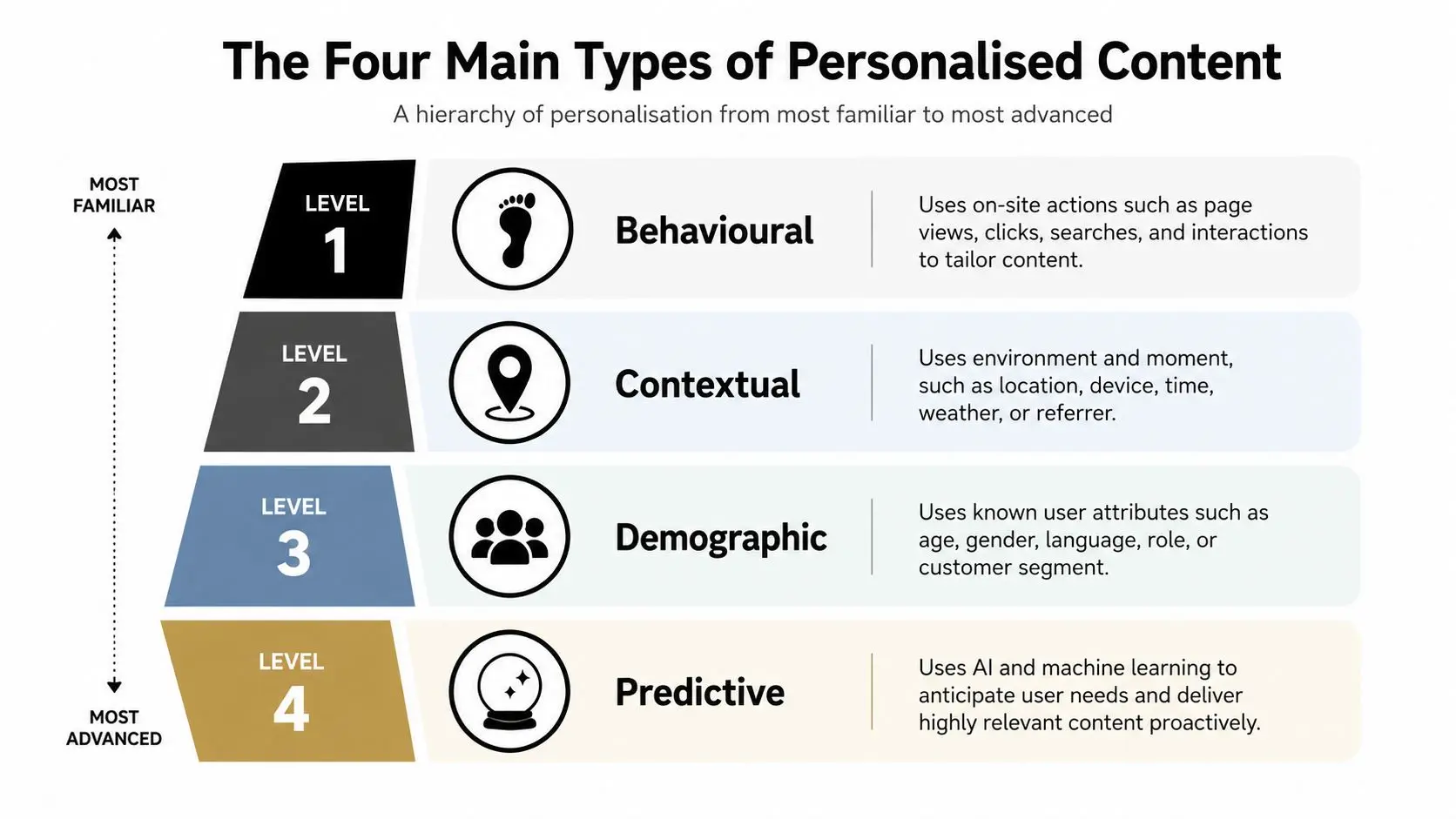
The simplest taxonomy is the one that asks what is driving the change. Behavioural personalisation reacts to what a user has done, contextual personalisation reacts to the moment, demographic personalisation uses known attributes, and predictive personalisation tries to anticipate the next move.
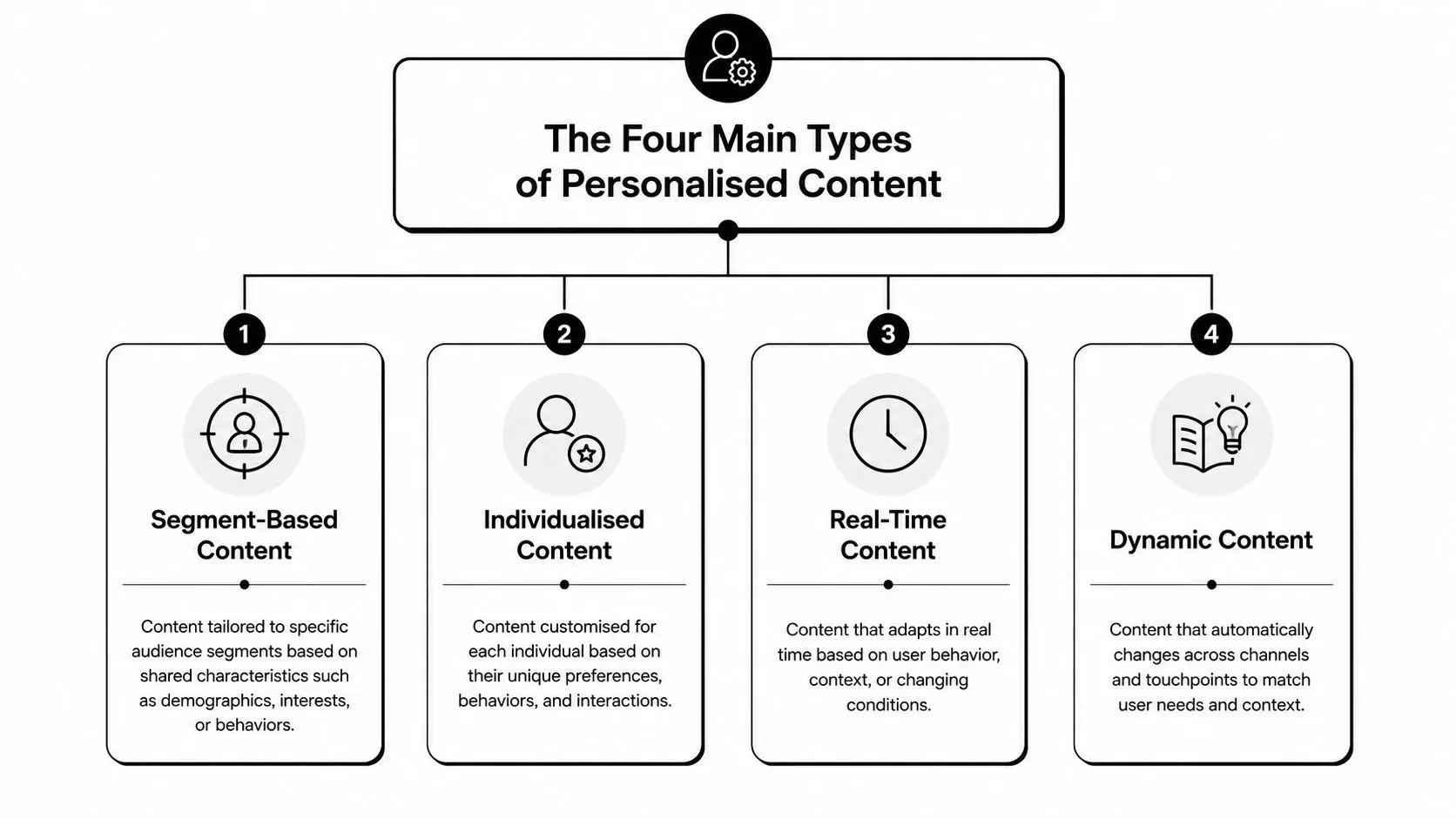
Seen that way, personalised content is not a vague buzzword. It is a structured system for matching the right version of an asset to the right person, at the right moment, using the signals available. Once that is clear, it becomes much easier to judge whether the content variants are good enough, whether the decision logic is sensible, and whether the added complexity is worth the effort.
The Four Main Types of Personalised Content
A client usually asks for a single answer, but personalised content works through a set of decision rules. The cleanest way to sort those rules is to ask four questions in order. What did the user do? That points to behavioural personalisation. What situation are they in? That points to contextual personalisation. Who are they? That points to demographic personalisation. What are they likely to want next? That points to predictive personalisation.
Behavioural and demographic personalisation
Behavioural personalisation is the most familiar layer because it follows the trail a user leaves behind. Someone watches three lessons on the same topic, then the next module appears in the same track. Someone reads two articles on the same product line, then the site surfaces a related case study. It responds because the user's own actions are being treated as evidence, the same way a producer treats a rough cut as feedback for the next edit. Demographic personalisation works from a wider lens. A system may show different content by role, region, age band, or organisation type. That approach works when the group boundary is meaningful, but it is weaker than behaviour when the user's intent is already clear and the label is only a rough proxy.
Contextual and predictive personalisation
Contextual personalisation changes with the moment. A mobile user gets a shorter summary, a visitor from a specific region sees local relevance, or a campaign adapts to the time they arrived. That matters when the system does not yet have much behavioural history, because the moment itself is carrying part of the signal. Predictive personalisation goes one step further. It uses models to forecast what someone is likely to engage with next, then serves the asset or route most likely to work. For a practical comparison of how content format changes with the channel, Klap on video personalization shows how decisioning can be applied to moving content, not just static pages.
Teams usually get stuck when they try to make one type do every job. Stronger setups combine the four, then let the context decide which signal deserves priority.
The right mix depends on the task in front of you. Behavioural signals tend to carry more weight once a user has shown clear intent. Contextual signals matter when the session is new or the moment is fragile. Predictive models help when the journey is broad and the content library is deep enough to support useful recommendations.
Where Personalised Content Earns Its Keep
For marketers, the obvious win is relevance that doesn't waste spend. A generic CTA asks the same thing of everyone, while a personalised CTA aligns with the user's stage or interest, and one benchmark reports 202% higher conversion rate for personalised calls to action than default ones, with a separate benchmark citing 42% higher view-to-submission rate (CTA benchmark context). That's why teams spend so much time on the final nudge, not just the headline. Email shows the same pattern. One benchmark reports 29% higher open rates and 41% higher click-through rates for personalised emails versus non-personalised ones, while another says personalised subject lines are 26% more likely to be opened and that personalised emails can generate six times higher transaction rates than non-personalised ones (email benchmark context). Those numbers matter because they connect personalisation to campaign performance, not just brand feel.
What changes by sector
In education and training, the gain is different. Adaptive pathways can reduce confusion by presenting the right level of explanation, the right order, or the right revision prompt. That's useful when learners come in with different starting points, especially in mixed digital environments where some people move quickly and others need more structure. In entertainment and XR, personalisation can keep the experience alive by matching content pace, story beats, or guidance to the user's behaviour. A game or immersive module that reacts to the participant's choices can feel more responsive, which helps completion and repeat engagement. A recent guide to tracking meaningful content performance is useful here because it reminds teams to measure the interaction, not just the impression.
Why budget holders should care
Relevance often improves media efficiency because fewer impressions get wasted on the wrong people, with the wrong message, at the wrong time. That doesn't mean every campaign needs deep modelling. It does mean that the return on personalisation is easiest to defend when the content path matches a real user job, such as buying, learning, or playing.
Short version: if the content changes the next action, it can change the metric you report.
That's the reason personalisation keeps moving from nice-to-have to operational priority. It doesn't just make things feel smarter, it gives teams a direct way to influence the numbers they already report.
The Data and Tech Stack Behind the Scenes
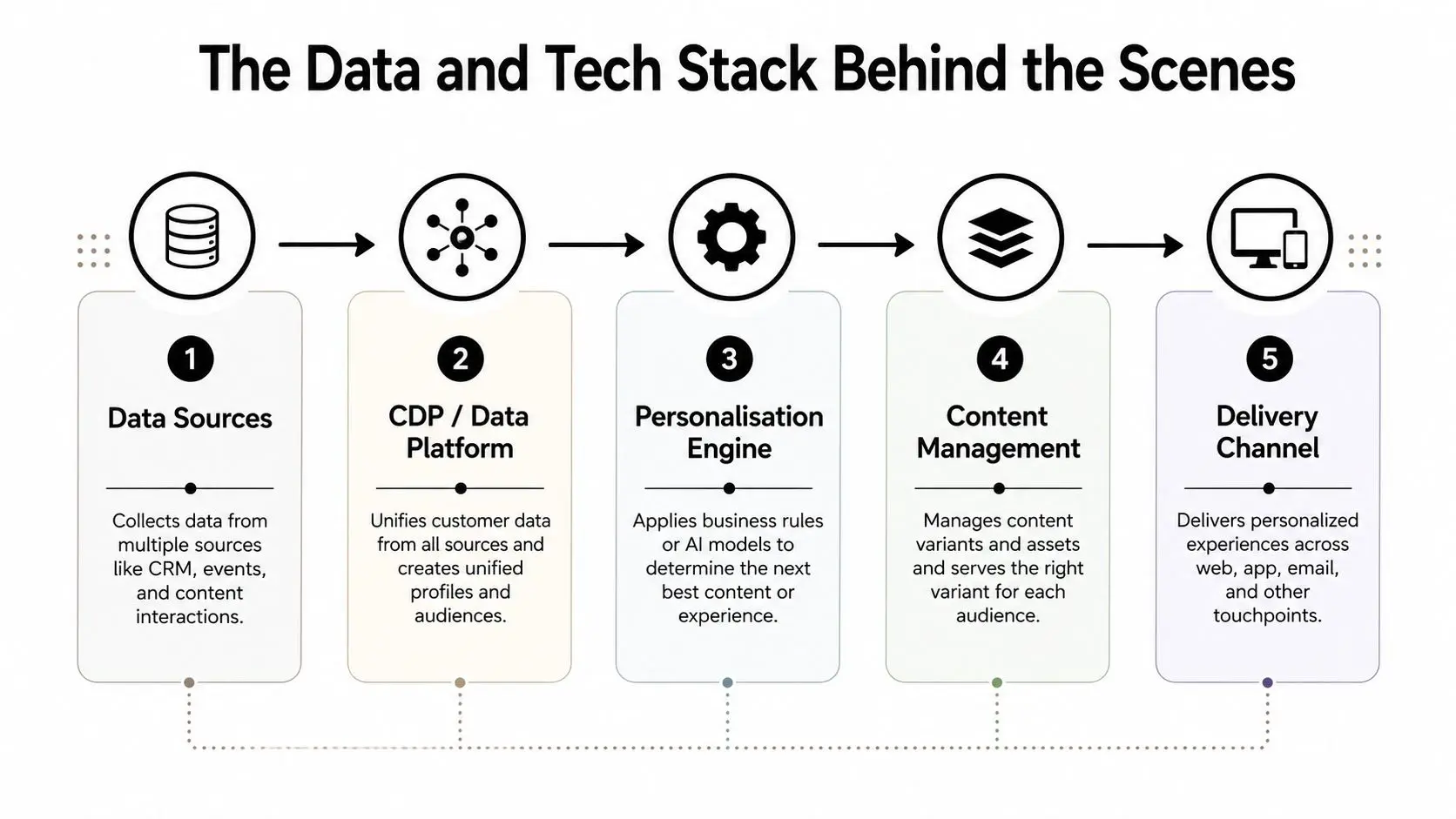
A personalised experience starts long before a viewer sees a screen or a learner opens a module. Work begins in the data layer, where the system collects signals that show who someone is, what they have done, and what they are likely to need next. The stack usually starts with first-party data. That includes CRM records, event streams, page views, content interactions, email behaviour, and consented profile data. If the organisation has them, zero-party inputs and second-party data can add extra depth, but the foundation is still the data the brand collected directly.
From data collection to decisioning
The next layer is the customer data platform or equivalent data layer. Its job is to unify identity, traits, and event history so the system can recognise the same person across sessions and channels. Without that unification, the decisioning layer works with fragments instead of a full picture. From there, a personalisation engine applies rules or model scores. A rule-based engine might swap a hero image based on segment or location, while a model-based engine scores propensity and recommends the next best piece of content. If you want to see how this connects to creative production, ad variations using image-to-image is a useful companion because it shows how teams can scale the creative side, not just the targeting side.
Where the content gets served
A content management layer then serves the selected variant. That could mean a CMS block, an email module, a recommendation slot, or a learning path component. The delivery channel is the last mile, web, app, email, or an immersive environment. The practical value of a data stack becomes clearer when teams need more than simple audience buckets. A related internal reference on vector databases is helpful for readers who want to understand how similarity search can support recommendation logic and content retrieval.
Why the feedback loop matters
The final step is the one many teams underbuild. Every impression, click, completion, and dwell event becomes feedback for the next decision. That loop turns a static campaign into a learning system.
Personalisation is only as smart as the signals you let it learn from, and only as useful as the content library you can deliver.
That is the part non-technical teams often miss. The model does not rescue weak content, and the CMS does not fix poor signals. The whole pipeline has to hold together if the experience is going to feel coherent.
Producing Personalised Content for Animation and XR
A personalised banner can be swapped after the page loads. A character scene, learning module, or immersive experience cannot be handled that casually. Once the asset moves into animation or XR, every variant has to fit the rest of the production without breaking timing, continuity, or performance. That is why teams working in these formats plan around modular assets, configurable scenes, and reusable motion states instead of a single locked edit.
Modular assets and variant planning
Characters, environments, overlays, and audio cues need to be built as parts that can be assembled, not treated as one finished file. The pipeline has to expect what may change by audience, language, learning level, or session context. If that structure was not planned from the start, each new branch turns into another round of editing, QA, and delivery, and the cost of personalisation rises quickly. Voice and dialogue add another layer. Personalised audio can make a lesson or experience feel more direct, but it also brings more script variants, timing work, and approval steps. In broadcast and XR production, the practical question is how much of the experience can be changed without forcing a full rebuild.
XR constraints change the brief
Standalone XR headsets impose hard limits. Draw calls, memory budgets, and performance overhead shape what can change in real time, so personalisation has to be accounted for in the design rather than added afterward. The brief has to match what the hardware can sustain. An adaptive learning module inside a mixed reality experience is a clear example. A learner answers a check-in prompt, the system routes them to a simpler or more advanced explanation, and the environment shifts just enough to support that choice without slowing performance. The flow depends on authoring discipline as much as software, because every branch still has to run inside the same experience. For producers working in Unity or Unreal, a producer's guide to development choices for XR and animation is a practical reference because it reflects the realities of real-time pipelines and variant-heavy content.
The production truth
Personalised content in animation and XR is not a post-production trick. It is a design decision made at the scripting, asset, and engineering stages. If the team waits until delivery, the system usually becomes expensive, fragile, or both. That is why the strongest projects plan for personalisation the same way they plan for localisation or accessibility. The variants may look optional from the outside, but the production architecture has to assume them from the start.
Measuring What Works and Avoiding the Common Traps
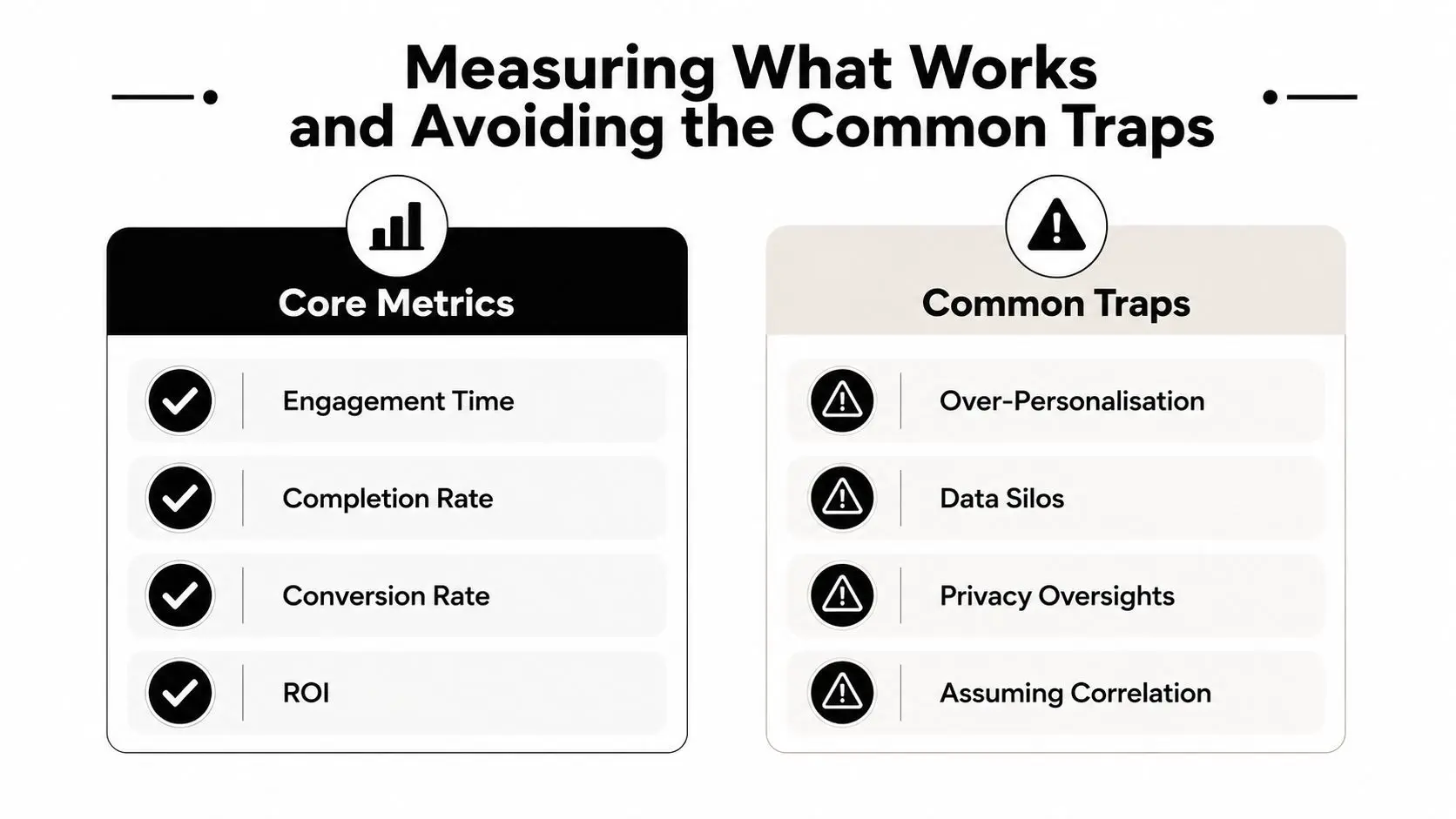
The first thing to measure is whether the experience changed behaviour. Engagement time, completion rate, conversion rate, and ROI are the obvious commercial metrics, while education teams may also care about learning outcomes and progression. The right metric depends on the job the content is supposed to do, not on whatever dashboard is easiest to open.
How to test the effect properly
A clean test isolates the personalisation layer. If you change the design, the messaging, and the recommendation logic at once, you won't know what caused the result. That's why test-and-learn setups usually compare a personalised variant against a controlled baseline, then keep the rest of the experience stable. A good measurement loop also needs clean attribution. If the user completes the task because the personalisation changed the next step, that's useful. If they would have converted anyway, the data will flatter the system and the team will overstate its value. For teams that want a tighter measurement vocabulary, tracking meaningful content performance is worth a look because it keeps the focus on outcomes that tie back to the content job.
The traps that hurt the most
The first trap is collecting data without consent or without a clear purpose. In the UK, that's not a small issue, because personalisation often depends on cookies, profiles, and behavioural data, and governance matters as much as creative quality. The second trap is over-personalising until the interface becomes opaque, where users can't tell why they're seeing what they're seeing. The third trap is treating demographics as a substitute for behaviour. A role or age band can help you get started, but it can't explain every live session. Accessibility is the fourth trap, because a personalised interface can still exclude users if it hides controls, reduces consistency, or makes content harder to use.
Guardrail: if a personalisation rule can't be explained to the team, tested cleanly, and justified to the user, it's too aggressive.
The last trap is budget reality. Every extra branch creates variant production, review, and maintenance work. Teams that ignore that cost often launch something clever and then struggle to keep it current. --- If you want help turning this idea into a working content system, Studio Liddell builds animation, XR, and interactive production pipelines that can support personalised experiences from the first concept stage onward. Visit Studio Liddell to talk through your brief and see how a production-led approach can make personalised content practical, measurable, and ready to ship.