What Is CGI in Animation: A Guide to Modern Digital Artistry
At its heart, Computer-Generated Imagery (CGI) is the craft of creating digital images, characters, and entire worlds using specialised computer software. It’s not just one single thing; think of it as a massive, versatile toolkit that gives artists the power to build anything from scratch, bringing to life ideas that a traditional camera could never hope to capture.
What CGI in Animation Really Means
It’s probably more helpful to think of CGI less as a cold, technical process and more like a form of digital alchemy. It’s the modern-day equivalent of sculpting, painting, and puppetry, all happening inside a digital workshop. Instead of working with clay and paint, artists use software to model characters, design textures, and orchestrate every single movement, frame by painstaking frame. This method gives creators absolute control over every last visual detail, from the slightest flicker of emotion on a character's face to the breathtaking, sprawling landscape of a fantasy kingdom. It's now the powerhouse of modern visual storytelling. In fact, computer-generated content accounted for an estimated 85% of the animation market share back in 2022. The UK's own animation industry, valued at around £1.7 billion, is a major player on the global stage, leading the charge in everything from beloved kids' TV shows to the visual effects in Hollywood blockbusters. You can discover more insights about the UK's thriving animation sector and its economic impact. Put simply, CGI is the bridge connecting imagination to the screen. It's the "how" behind the magic you see in animated films, video games, and stunning visual effects.
CGI allows you to tell any story you can imagine. The only real limit is the creativity of the artists and the power of the technology they have at their fingertips. It’s about transforming a blank digital canvas into a living, breathing world.
To give you a clearer picture of how this all comes together, let's break down the main stages of a typical CGI animation project. We've put together a quick overview table that makes it easy to understand each step.
Core Components of a CGI Animation Project
This table simplifies the complex CGI pipeline into a few core stages, using simple analogies to show what each step is really about.
| Stage | What It Is | Analogy |
|---|---|---|
| Modelling | Creating the 3D shape and structure of an object or character. | Digital Sculpting |
| Texturing | Applying colours, patterns, and surface details to the model. | Digital Painting |
| Rigging | Building a digital "skeleton" to allow the model to move. | Digital Puppetry |
| Animation | Bringing the rigged model to life with movement and performance. | Directing the Actor |
From sculpting the initial form to directing the final performance, each stage builds on the last, gradually bringing a static model to vibrant life.
How a CGI Animation Project Comes to Life
Creating CGI isn't a single magic button press. It's much more like running a highly organised digital assembly line. Every single project, whether it's a slick 30-second advert or a sprawling feature film, moves through a structured production pipeline. This deliberate process is what ensures the creative vision translates flawlessly to the screen, with every artist and technician working in perfect sync. To really get your head around it, think of it like building a digital actor completely from scratch. Each stage is a distinct step in bringing this "actor" to life, starting with its basic form and ending with its final on-screen performance. It’s this methodical journey that turns abstract ideas into the polished, moving images we all know. This diagram gives a great high-level view of that journey, breaking it down into three core phases: creation, animation, and finalisation.
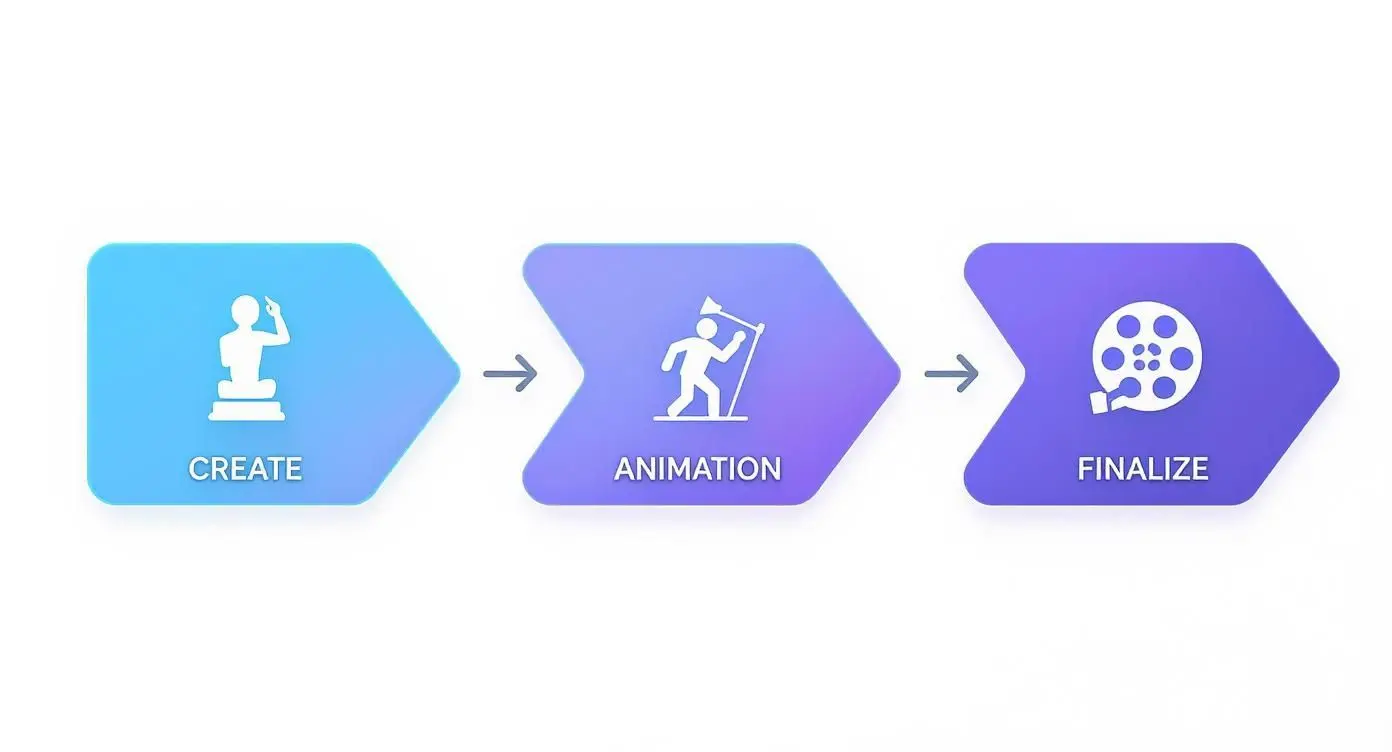
You can see how each major phase builds on the last, moving from creating static assets to directing a dynamic performance and, finally, delivering the polished result.
The Creation Phase: Building the Digital Actor
This first phase is all about construction. It's where we build the raw assets , the characters, objects, and environments that will fill your scene. This is the foundational work that everything else relies on.
- 3D Modelling: This is essentially digital sculpting. Using specialist software, artists create the three-dimensional shape of an object. For our digital actor, this is where we sculpt their body, face, and any props they might hold, defining their fundamental geometry.
- Texturing: A model with no texture is just a grey shape. It needs a surface. Texturing is like combining digital painting with costume and set design. Artists apply colours, patterns, and materials, like skin, fabric, or brushed metal, to the model's surface to give it a realistic or stylised look.
- Rigging: A static model is little more than a digital statue. To get it ready for movement, it needs a skeleton. Rigging is the highly technical process of building an internal, controllable skeleton and joint system for a 3D model. This turns it into a kind of digital puppet that animators can pose and move.
The Animation Phase: Directing the Performance
With a fully built and rigged digital actor, the performance can finally begin. This is where artists breathe life and motion into the static assets, telling the story one frame at a time. This stage is easily the most time-intensive part of the entire pipeline. The animators are the directors, choreographers, and actors all rolled into one, responsible for every single gesture, expression, and action. Their job is to make sure the character's movements feel believable and connect emotionally with the audience.A well-rigged model is an animator's best friend. The quality of the rig directly impacts the subtlety and range of the final performance. It's the unseen foundation that makes a character's emotional expression possible.Once the performance is locked in, the scene needs to be set. This is where lighting artists come in. Just like a cinematographer on a live-action film shoot, they illuminate the digital set, using digital lights to craft a mood, direct the viewer's eye, and make sure the CGI elements feel properly grounded in their environment.
The Finalising Phase: Assembling the Final Picture
The last leg of the journey involves pulling all the separate digital elements together into a single, cohesive image. This is where the technical wizardry and the artistry truly merge.- •Rendering: This is the heavyweight computing part. The computer calculates all the information in the scene, models, textures, lighting, and animation, to generate the final 2D images, or frames. It’s an incredibly processor-intensive task, sometimes taking hours just for a single frame to complete.
- •Compositing: The rendered frames are then brought into the final assembly stage. Compositors layer all the different visual elements together (characters, backgrounds, special effects) and perform final colour correction to create the polished, seamless shot you see on screen.
At Studio Liddell, we've been refining this pipeline for years, delivering broadcast-quality productions for partners like Sky Kids on projects such as BooSnoo. This end-to-end management means every stage, from sculpting the first model to compositing the final frame, is handled with the highest creative and technical standards.
Exploring the Tools and Techniques of CGI Artists
You could say CGI artists are modern-day magicians. But instead of wands and top hats, their tools are powerful software and sophisticated techniques, used to conjure entire digital worlds from scratch. The gear they use is the engine of their creativity, transforming complex code into the stunning visuals we see on screen. Getting a peek behind the curtain at these tools and methods reveals just how much raw artistry and technical wizardry goes into every single frame of CGI animation. A handful of software platforms really dominate the industry, each one a powerhouse for modelling, animating, and rendering.
- •Autodesk Maya: For a long time, Maya has been the undisputed king in film and television. It's legendary for its powerful character animation and rigging tools.
- •Blender: This free, open-source giant has exploded in popularity. It’s incredibly versatile, giving artists a complete pipeline from the first polygon to the final composite.
- •Cinema 4D: A firm favourite in the world of motion graphics, Cinema 4D is loved for its intuitive, user-friendly interface and how beautifully it plays with effects software.

The dizzying array of menus and viewports gives you a sense of the incredible depth of control artists have over every last detail in a 3D scene. If you're just starting out, our guide on the 12 best animation software for beginners can help you find a tool that fits.
Core CGI Animation Techniques
It's not just about the software, though. Artists rely on a whole toolbox of specific methods to breathe life and realism into their creations. The technique they choose usually comes down to the project's creative vision, budget, and deadline. Keyframe Animation This is the classic, hands-on approach. Think of it like traditional puppetry, but digital. Animators manually set crucial poses for a character or object at specific moments in time , the "keyframes". The computer then does the heavy lifting, smoothly filling in all the frames of motion in between. This method offers total artistic control, making it perfect for stylised or larger-than-life movements. Motion Capture (Mo-Cap) When you need hyper-realistic movement, you turn to motion capture. Actors don special suits covered in sensors that record their real-world performance with pinpoint accuracy. This data is then mapped directly onto a digital character, resulting in incredibly fluid and believable animation. It’s the secret sauce behind many of today’s most lifelike digital performances. Real-Time Rendering Game engines like Unreal Engine and Unity are completely changing how animation gets made. They allow artists to see a nearly finished version of their scene instantly, instead of waiting hours (or even days) for a traditional render to complete. This immediate feedback loop makes the creative process faster and more iterative, and it's becoming a cornerstone of everything from virtual production on film sets to interactive brand experiences.
Choosing the Right Animation Style for Your Brand
So, you understand what CGI is and what it can do. The next logical question is, is it the right tool for your project? Deciding on an animation style isn’t about picking the most advanced technology; it’s about choosing the perfect visual language for your brand’s story, message, and audience. Each method brings something unique to the table. CGI offers incredible depth, realism, and flexibility, making it a powerhouse for complex product visualisations or creating entire worlds from scratch. On the other hand, traditional 2D animation has a handcrafted charm and clarity that’s perfect for explainer videos or brand stories that need a friendly, approachable voice. Then there's stop-motion, which brings a tangible, quirky texture to the screen for a style that’s impossible to ignore. Making the right call means balancing your creative vision with the practical realities of budget and deadlines, all while considering the emotional chord you want to strike with your viewers.
Choosing Your Animation Style: CGI vs Traditional vs Stop-Motion
To make the choice a bit clearer, let's put these three styles side-by-side. This table breaks down the key differences, highlighting the distinct advantages and trade-offs of each to help you find the best fit for your goals.
| Attribute | CGI Animation | 2D Traditional Animation | Stop-Motion Animation |
|---|---|---|---|
| Aesthetic | Offers photorealistic depth, smooth motion, and complex, detailed worlds. Highly versatile for any visual style. | Characterised by clean lines, flat perspectives, and graphic simplicity. Excellent for clear communication. | Features a tactile, handcrafted look with unique physical textures and charmingly imperfect movements. |
| Workflow | A digital-only pipeline that allows for easy revisions to models, textures, and camera angles. | Typically involves digital drawing and illustration, which can be faster for simpler concepts and edits. | A physical, labour-intensive process requiring meticulous frame-by-frame manipulation of real-world objects. |
| Best For | Technical explainers, product showcases, feature films, and creating immersive, believable environments. | Explainer videos, brand storytelling, social media content, and character-driven narratives requiring charm. | Quirky adverts, unique brand films, and projects where a handcrafted, artisanal feel is a key objective. |
| Scalability | Highly scalable. Once digital assets are built, they can be easily reused, re-lit, and re-animated for new content. | Moderately scalable. Characters and assets can be reused, but creating new scenes still requires significant drawing. | Low scalability. Every new shot must be physically built and captured, making reuse of scenes difficult. |
This comparison shows there’s no single "best" option, only the best option for a specific job.
The most effective animation choice aligns perfectly with your brand’s personality. A sleek tech company might benefit from the precision of CGI, while a brand focused on organic products could connect better with the tactile feel of stop-motion.
Ultimately, your choice is a strategic one. Think about what will resonate most deeply with your target audience and communicate your message most effectively. CGI’s power lies in its versatility and depth, but the focused simplicity of 2D or the unique texture of stop-motion can be just as potent when used for the right purpose.
How CGI Is Used Across Different Industries
When you hear ‘CGI’, your mind probably jumps straight to Hollywood blockbusters and sprawling animated films. While that’s where it grabs the most headlines, its real impact now stretches far beyond the cinema. CGI has become a seriously versatile tool, changing how all sorts of businesses explain tricky ideas, train their people, and connect with customers. It’s now an essential asset for any industry needing to visualise the invisible or demonstrate things that are too complex, dangerous, or just plain expensive to film for real. This is where CGI moves from entertainment to indispensable problem-solver, delivering real, tangible value.
Technical and Engineering Visualisation
In sectors like engineering, architecture, and manufacturing, getting the details right is non-negotiable. Here, CGI is used to build incredibly detailed and accurate 3D models and animations of everything from complex machinery to massive infrastructure projects and product prototypes. These visuals aren't just glossy marketing fluff; they’re vital for getting stakeholders on board, validating designs, and making a compelling case to investors. For instance, our technical animation for the GeoEnergy NI project was key to explaining sophisticated geothermal technology. By making unseen processes clear and easy to grasp, CGI helped secure support and hammered home the project’s value. It perfectly bridges the gap between the tech experts and their non-technical audience.
Immersive Training and Simulation
Training and education is another area where CGI is making massive waves, especially when paired with Virtual Reality (VR) and Augmented Reality (AR). These immersive simulations create safe, repeatable, and seriously effective training environments for high-stakes professions. Think about the applications:
- •Medical Training: Surgeons can practice delicate procedures in a risk-free virtual theatre, honing their skills and decision-making before they ever step into a real one.
- •Safety Drills: Workers in high-risk industries like energy or construction can run through emergency scenarios over and over, learning the right response without any actual danger.
- •Equipment Operation: Trainees can learn to operate complex machinery on a perfect digital replica, cutting down wear and tear on the expensive real-world kit.
CGI in simulation isn’t just about making things look pretty. It's about building believable, interactive worlds where people can gain real confidence and competence through hands-on experience, something a textbook or lecture could never match.
The applications just keep growing, from interactive product configurators that let you customise a car in a showroom to compelling courtroom animations that bring evidence to life. It’s clear that the principles of CGI and animation are explained and applied for modern brands in countless ways beyond the silver screen. At its core, CGI’s power to make the abstract tangible makes it an indispensable tool for any modern business looking to communicate and innovate.
Getting Started with Your CGI Animation Project
Kicking off a CGI animation project might seem like a huge undertaking, but with a solid plan, it quickly becomes an exciting creative process. The single most important thing you can do at the start is put together a detailed creative brief. Think of it as the North Star for the entire project, it lays out your goals, who you’re talking to, the key messages you want to land, and the overall look and feel you’re after. A strong brief is what allows a studio to give you a realistic idea of timelines and costs. When it comes to the budget, a few key things will always move the needle:
- •Complexity: A single, highly detailed character or a complex, sprawling environment will naturally need more time in the modelling, texturing, and rigging stages.
- •Duration: It sounds obvious, but the longer the animation, the more work is involved. This is especially true for the animation phase itself, which is very hands-on.
- •Render Quality: Aiming for that super-realistic, photographic look with complex lighting and textures? That’s going to demand a lot more number-crunching and time from the computers than a more stylised, graphic approach.
Getting your head around these factors is the first step to having a productive chat with any potential studio partner. For a much deeper look into this, we’ve put together a full buyer's guide on how to choose an animation studio. It’s an investment that pays off. The global animation market is set to hit nearly £528.8 billion by 2030, with corporate and educational animation in the UK growing fastest of all. The reason is simple: it gets results. For instance, animated digital learning content often sees a 40% increase in viewer retention compared to static materials, according to recent industry analysis. You can learn more about the impact of animation statistics on engagement and see the data for yourself.
Common Questions About CGI Animation
To wrap things up, let's tackle some of the questions we hear most often when clients start thinking about a CGI animation project. Getting your head around these practical points is the best way to budget, plan, and set the right expectations for your production.
How Long Does a Typical CGI Project Take?
This is the big one, and the honest answer is: it varies hugely depending on what you need. A sharp, straightforward 30-second motion graphics piece might be turned around in 2-4 weeks. On the other hand, a more involved 3-minute animation led by a custom character could easily take 3-6 months from start to finish. The timeline really comes down to a few key things:
- •Asset Detail: How complex are the characters, objects, and environments we’re building?
- •Animation Complexity: Are we talking subtle facial expressions or big, explosive action sequences? The amount of movement matters.
- •Render Quality: Aiming for that slick, photorealistic look takes a lot of processing power and, naturally, more time.
Is CGI More Expensive Than Live-Action Video?
That's a common assumption, but it’s not always the case. A simple CGI explainer video can be much kinder to your budget than a live-action shoot that involves hiring a large crew, paying for locations, and casting actors. Of course, a blockbuster-style CGI scene with hyper-realistic effects can be more expensive. The real advantage of CGI lies in the complete creative control and scalability it offers. Digital assets, once created, can be reused and adapted for future projects, which often delivers better value in the long run.
What Is the Difference Between CGI and VFX?
It’s easy to get these two mixed up, but the distinction is quite simple.
CGI (Computer-Generated Imagery) is the umbrella term for any image created entirely in software. Think of a fully animated film like Toy Story , that's all CGI. VFX (Visual Effects) is the art of blending CGI with live-action footage. This is how filmmakers create scenes that would be impossible, dangerous, or just ridiculously expensive to film for real, like adding a dragon into a real-world landscape.
As you start to map out your own CGI animation project, it's crucial to clearly define what you want to achieve. Getting your core objectives and features down on paper is a massive help. You can learn more about crafting strong functional requirements to make sure your vision is perfectly understood from day one. Ready to see how CGI could bring your own project to life? At Studio Liddell, we have years of experience delivering studio-quality animation, guiding our clients from the first sketch to the final, polished render. Book a production scoping call with our team today