What Is 3D Computer Graphics? A Guide for Modern Businesses
At its core, 3D computer graphics is the art of creating three-dimensional images and animations inside a computer. The simplest way to think about it is as _digital sculpting and photography rolled into one_. Artists first build objects in a virtual space, arrange them just so, and then capture a final image from a chosen viewpoint.
Defining 3D Computer Graphics
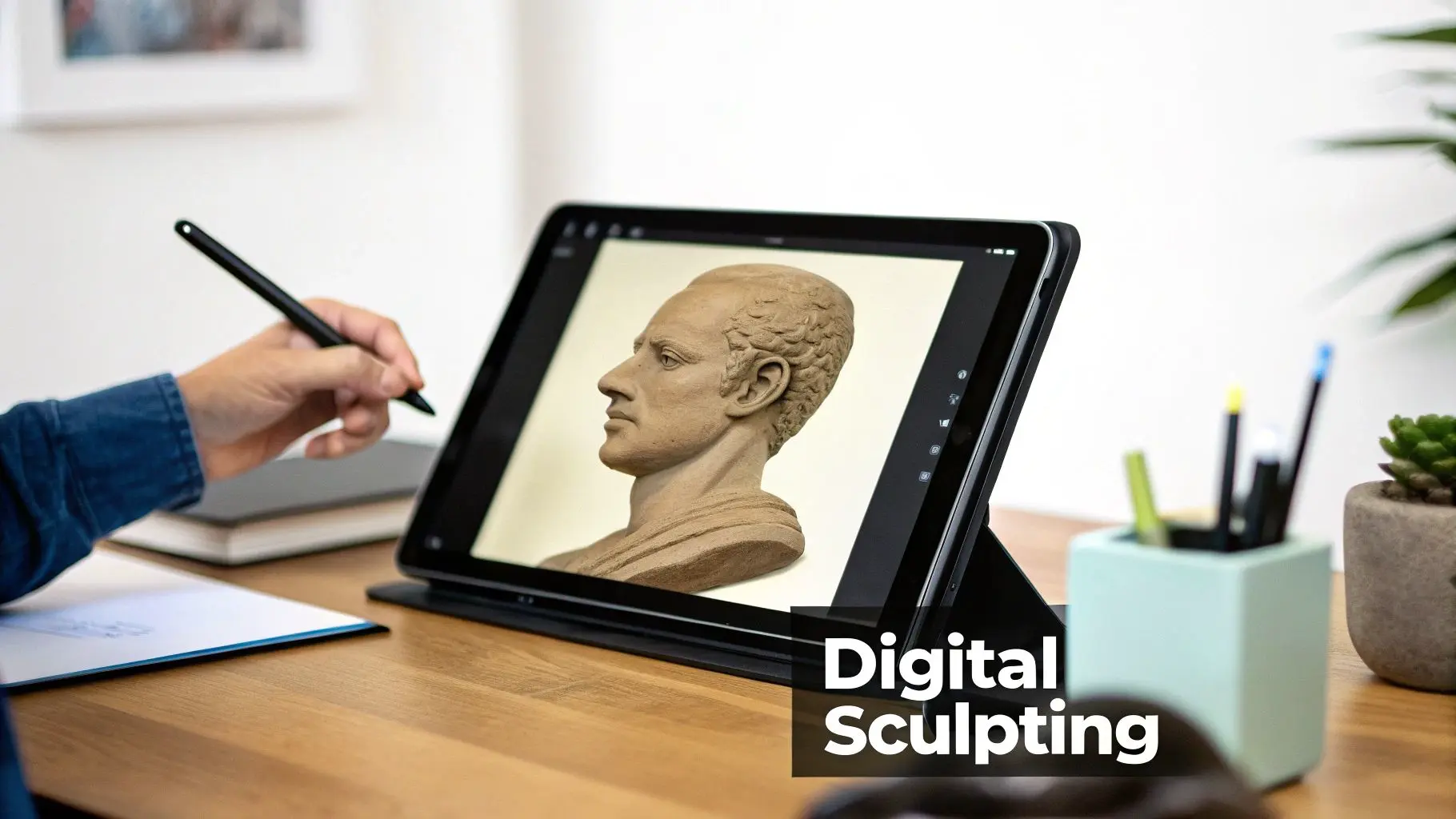
Unlike 2D graphics, which are completely flat like a drawing or a photograph, 3D graphics introduce the illusion of depth. This third dimension is what gives digital objects their height, width, and depth, making them feel solid and tangible. You can view these objects from any angle, spin them around, and shine virtual lights on them, just as you would with a real object. This technology is the engine behind so much of the visual media we see every day. It's the magic behind the breathtaking special effects in blockbuster films, the immersive worlds in video games, and the slick, photorealistic product visuals in advertising that bring ideas to life.
The Journey From Wireframe To Final Image
Creating a 3D image isn't a single step; it's a journey from an abstract concept to a polished, final render. The process involves several key stages, each one layering on more detail and realism. Let's break down the typical workflow.
The Core Stages of 3D Graphics Production
Here’s a quick overview of the key steps involved in bringing a 3D concept to life.
| Stage | Description | What It Achieves |
|---|---|---|
| Modelling | The foundational step where artists create the digital object's shape. This structure, a "wireframe," is a mesh of points and lines defining its geometry. | This is like sculpting with digital clay, it builds the fundamental form of the object. |
| Texturing | The wireframe is "painted" or wrapped with digital images to give it colour, patterns, and surface details like wood grain, metallic shine, or skin. | Adds surface realism and visual detail, turning a plain shape into something believable. |
| Lighting | Virtual lights are placed in the scene to cast shadows, create highlights, and set the overall mood of the environment. | Creates depth, atmosphere, and realism by mimicking how light behaves in the real world. |
| Rendering | The computer processes all the information, shape, textures, and light, to generate the final 2D image from the virtual camera's perspective. | This is the "photo shoot," where all the digital elements are combined into the finished picture. |
Each stage is crucial, transforming an idea into a visually compelling final product. For a deeper dive into the rendering side of things, feel free to explore our complete guide to CGI animation.
At its heart, 3D computer graphics is all about transforming mathematical data, points, lines, and polygons in a 3D coordinate system, into a visual representation that our eyes see as a real, three-dimensional scene.
The field has grown into a cornerstone of the UK's creative sector. To put it in perspective, the UK 3D rendering market alone generated USD 254.9 million in revenue in 2024, and it's projected to surge to over USD 1.1 billion by 2033. This incredible growth shows just how far 3D graphics have come, evolving from a niche tool into a powerhouse that drives animation, XR, and immersive brand experiences all over the world.
The Three Pillars of a 3D World
To really get your head around what 3D computer graphics is, it helps to break the whole process down into three fundamental pillars. Think of these as the distinct artistic and technical stages that all work together to build a convincing digital scene. It doesn’t matter if it’s an animated character, a product advert, or an entire virtual world, these pillars are the foundation. Each one builds on the last, adding layers of detail and realism until a simple shape is transformed into a lifelike object that feels like it truly belongs in its environment.
Pillar 1: Modelling
First up is modelling, which is all about creating the 3D assets themselves. This is basically digital sculpting. An artist uses specialised software to build the foundational shape or "skeleton" of every single object in the scene. They manipulate points (vertices), lines (edges), and surfaces (polygons) in a 3D space to construct everything from a simple cube to a complex creature. This process is always evolving. Today, we’re seeing new tools like AI character generators helping artists rapidly produce realistic or stylised digital beings. But no matter the tool, the goal is the same: create a clean, efficient "wireframe" mesh that perfectly defines the object's form. Imagine creating a car for a TV commercial. The modelling artist painstakingly crafts the chassis, wheels, and interior, making sure every curve and edge is a perfect match for the real thing. This digital blueprint is the essential first step before any colour or detail can be added.
Pillar 2: Texturing and Shading
Once an object is modelled, it’s just a colourless, featureless shell. The second pillar, texturing and shading, is where artists give this digital skeleton its skin. It’s all about defining its appearance and what it’s made of. This is a two-part process that truly brings the model to life.
- •Texturing: This involves wrapping a 2D image (called a texture map) onto the 3D model's surface. This map contains all the surface details, colour, patterns, the grain in a piece of wood, scratches on metal, or the weave of a character's clothing.
- •Shading: This defines how the object's surface reacts to light. Is it reflective like chrome, see-through like glass, or dull like rubber? Shaders are clever bits of code that simulate these material properties, telling the computer how light should bounce, absorb, or scatter when it hits the object.
Together, texturing and shading answer the most important question: "What is this thing made of?" A great texture and shader can make a simple sphere look like a rusty cannonball, a polished marble, or a fuzzy tennis ball.
Going back to our car example, a texturing artist would apply a texture for the glossy red paint, another for the bumpy black plastic of the dashboard, and a third for the metallic shine of the wheel rims. Shaders then make sure the paint reflects the world correctly while the tyres stay dull and non-reflective.
Pillar 3: Lighting and Composition
The final pillar is lighting and composition. We have our fully modelled and textured objects, so the last job is to arrange them in a scene and light them, just like a photographer or cinematographer would on a real-world set. This stage is absolutely crucial for setting the mood, guiding the viewer's eye, and creating a believable sense of reality. We place virtual lights strategically within the 3D scene. These can mimic any real-world light source, like the harsh, direct sun, the soft glow of a lamp, or the flat light of an overcast day. The placement, intensity, colour, and quality of these lights dictate where shadows fall, which details are highlighted, and the overall emotional tone of the image. Composition is all about placing the virtual "camera" to frame the shot. The camera's angle, choice of lens, and movement determine the final perspective. This is where storytelling really comes into play. A low-angle shot can make a character feel powerful and imposing, while a wide shot can establish a grand sense of scale. Ultimately, this is the pillar that turns a collection of digital assets into a single, compelling image.
Bringing a 3D Project to Life: The Production Pipeline
Creating a piece of 3D computer graphics isn't a single action; it's more like a carefully orchestrated assembly line. Every project, from a 30-second TV advert to a sprawling virtual reality experience, follows a structured production pipeline. This step-by-step process is what turns a creative vision into a polished final product, efficiently and without costly mistakes along the way. For any business looking to commission 3D work, understanding this pipeline is invaluable. It demystifies the whole process, clarifies timelines, and helps you see where key decisions and approvals need to happen. The entire journey is typically broken down into three main phases: pre-production, production, and post-production.
Phase 1: Pre-Production
This is the all-important planning and design stage where the project is mapped out before any major 3D work even begins. You can think of it as creating the architectural blueprint for a building , getting this right from the start prevents major structural issues later. Key activities in pre-production include:
- •Scripting and Storyboarding: The narrative gets locked in, and a sequence of drawings (the storyboard) is created to visualise each shot. This is where we set the pacing and composition.
- •Concept Art: Artists create detailed illustrations of characters, environments, and key objects. This isn't just about pretty pictures; it establishes the visual style and mood for the entire project.
- •Animatics: The storyboard panels are then timed out with rough audio and dialogue to create a basic animated version. It's the first real chance to get a feel for the flow and timing of the final piece.
Solid pre-production is the bedrock of a successful project. It gets everyone on the same page creatively and gives the production team a clear roadmap to follow. The diagram below shows the core workflow stages, illustrating how we get from a simple digital model to a fully realised visual.
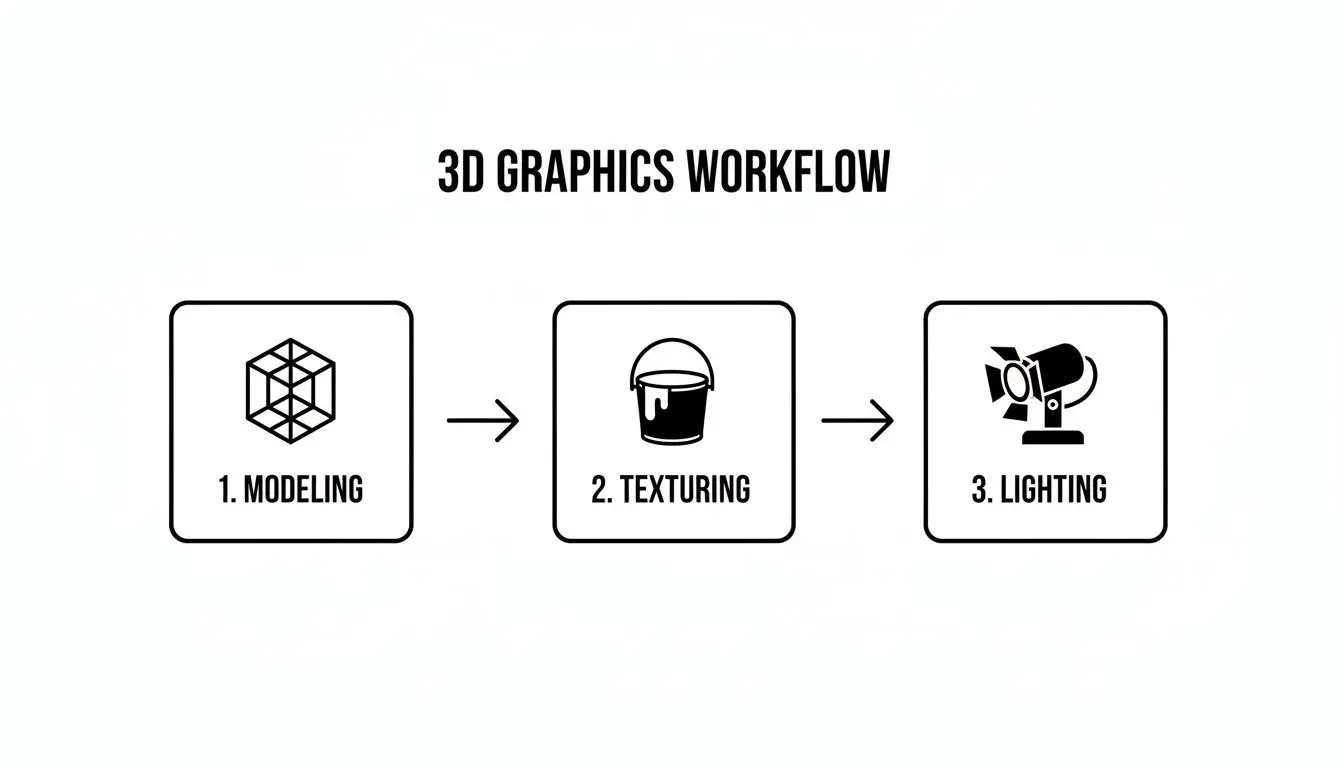
As you can see, each step, from building the initial wireframe in modelling to adding surface detail in texturing and setting the mood with lighting, builds upon the last to create a final, cohesive image.
Phase 2: Production
With the blueprint from pre-production signed off, the team dives into the main production phase. This is where the 3D world is actively built, animated, and detailed. It's the most labour-intensive part of the pipeline, bringing together a whole range of specialised artists. The core production steps are:
- Modelling: Based on the approved concept art, our artists build the 3D assets, characters, props, environments, you name it.
- Texturing and Shading: Surfaces are "painted" with textures and given material properties (like shiny metal or rough stone) to make them look believable.
- Rigging: For anything that needs to move, a digital skeleton or "rig" is built inside the model. This is what allows animators to manipulate and pose it.
- Animation: Animators bring the rigged models to life, creating every movement and performance, either frame by frame or by using motion capture data.
- Lighting: Just like on a real film set, virtual lights are placed in the scene to create mood, depth, and shadows, carefully guiding the viewer’s eye.
Phase 3: Post-Production
Once all the 3D scenes have been animated and lit, the project moves into post-production. This is where the final polish is applied, turning the raw, computer-generated images into a finished piece ready for the world to see.Post-production is where the magic really comes together. It’s the final stage where raw rendered footage is transformed into a seamless, cinematic experience through colour correction, visual effects, and sound design.Key post-production tasks include:
- •Rendering: This is where the computer processes all the 3D data from each scene, the models, textures, lights, and animation, to generate the final 2D image frames. It can be an incredibly time-consuming, processor-heavy task.
- •Compositing: Different visual elements, like rendered 3D characters and live-action backgrounds, are layered and blended together into a single, seamless shot.
- •Colour Grading: The colour and tone of the final footage are adjusted to ensure everything looks visually consistent and to enhance the emotional impact of the piece.
- •Sound Design and Editing: Finally, music, sound effects, and dialogue are all mixed and perfectly synced to the final picture.
From an initial sketch to the final rendered frame, this pipeline provides the structure needed to manage complex creative projects and deliver a high-quality outcome, every single time.
A Look Inside the Modern 3D Toolkit
Creating convincing 3D graphics isn't magic; it's a craft that relies on a powerful and highly specialised set of tools. Just as a sculptor needs their chisels or a painter their brushes, a 3D artist depends on a suite of software to bring digital worlds to life. This toolkit is a mix of creative applications for building the individual pieces and potent game engines for putting it all together into an interactive experience. Getting to grips with these tools gives you a window into how modern studios operate. It's how we turn a complex creative brief into a polished, professional result, and the software we choose directly shapes the workflow, visual quality, and ultimate capabilities of any project.
Core Software for Building the World
At the heart of any 3D pipeline are the applications used for the heavy lifting: modelling, texturing, and animation. These are the digital workshops where every character, prop, and environment is born.
- •Autodesk Maya: Long seen as an industry standard, especially in film and TV animation, Maya is famous for its robust character animation and rigging tools. It’s a deep, comprehensive environment for almost every step of the 3D production process.
- •Blender: As a powerful, free, and open-source alternative, Blender has absolutely exploded in popularity. It offers a complete workflow from start to finish, sculpting, modelling, rendering, and even video editing, making it an incredibly versatile choice for studios and freelancers alike.
- •Houdini: When it comes to complex visual effects (VFX) like fire, water, and explosions, Houdini is the undisputed champion. Its procedural, node-based workflow gives artists incredible control over dynamic simulations, allowing for the creation of breathtakingly realistic effects.
While these are the big names, the world of 3D software is vast. To get a better feel for the landscape, you might want to check out our guide on the best 3D animation software of 2024. This software ecosystem is a huge part of the UK's creative technology sector. In fact, the UK's Computer Aided Design (CAD) market, which is closely tied to 3D graphics, was valued at USD 617.5 million in 2024. Projections show this market expanding to over USD 1.2 billion by 2035, a clear sign of just how vital these 3D tools have become across every field from engineering to entertainment. You can discover further insights into the UK CAD market and the trends driving this growth.
Choosing the Right 3D Software
The "best" software really depends on the job at hand. A tool that's perfect for creating Hollywood-style explosions might not be the right choice for designing a mobile game. Here’s a quick look at where some of the major players shine.
| Tool | Primary Use Case | Industry Example |
|---|---|---|
| Maya | Character Animation & Film Production | Feature films from Pixar or DreamWorks |
| Blender | All-in-One Solution for Indie Creators | Independent animated shorts, game assets |
| Houdini | Complex Visual Effects (VFX) & Simulation | Creating the destruction in an action movie |
| Unity | Mobile Games & AR/VR Apps | Popular mobile games like _Pokémon GO_ |
| Unreal | High-Fidelity Games & Virtual Production | Graphically intense video games like _Fortnite_ |
Ultimately, most professional studios use a combination of these tools, picking the best one for each specific task in the production pipeline to achieve the highest quality result.
The Rise of Real-Time Engines
Beyond just creating the assets, modern 3D production now leans heavily on real-time engines to assemble and run interactive scenes. These platforms were originally built for video games, but they’ve become essential for everything from virtual reality training simulations to architectural visualisations. The two giants in this space are:
- •Unreal Engine: Famous for its jaw-dropping graphical fidelity, Unreal Engine excels at producing photorealistic visuals. Its powerful rendering features, like the Lumen global illumination system, make it a top choice for high-end games, virtual production for film, and immersive architectural walkthroughs.
- •Unity: Known for its flexibility and fantastic cross-platform support, Unity is a favourite for mobile games, AR/VR applications, and all sorts of interactive experiences. Its user-friendly interface and massive asset store make it an accessible yet powerful option for a huge range of projects.
Here is a look at the Unreal Engine interface, a powerful tool used to build many of today's most visually stunning interactive experiences. This interface shows the real-time viewport where artists can directly manipulate 3D models, lights, and environments, seeing the final result instantly.
Real-time engines have completely changed the game. They allow artists and clients to walk through a digital scene as it's being built, making decisions about lighting, layout, and atmosphere on the fly instead of waiting hours for a traditional render.
The Influence of AI-Assisted Tools
Finally, no modern toolkit is complete without mentioning the rapid integration of AI-assisted software. These tools aren't replacing artists. Instead, they’re acting as powerful assistants, automating repetitive tasks and speeding up complex workflows. From AI-powered texture generation to intelligent character rigging, these advancements are helping studios like ours deliver higher-quality work more efficiently than ever before. This fusion of raw artistic talent and smart technology is what defines the very edge of 3D computer graphics today.
How Businesses Win with 3D Graphics
It’s one thing to understand the tech behind 3D computer graphics, but the real magic happens when you see how it solves real-world business problems. More than just pretty pictures, 3D graphics are a seriously powerful tool for driving engagement, simplifying complexity, and making a genuine commercial impact. Think about it. You can create photorealistic product shots without a single expensive photoshoot. Or you can build immersive training simulations that prepare teams for risky situations in complete safety. At its core, the benefit is simple: 3D makes the abstract feel real and the complicated crystal clear. This incredible versatility is fuelling huge market growth. The UK’s computer graphics sector, which covers everything from 3D animation to immersive tech, is on track for a 6.5% compound annual growth rate. This follows Europe's already strong 24.3% share of the global market, proving just how essential 3D has become across animation, engineering, and AR/VR. This momentum isn't new; it’s been building since the 90s, and you can explore the full picture in these computer graphics market's future projections.
Film, Television and Gaming
Entertainment is where most of us first encounter 3D graphics. In film and TV, it’s the secret sauce behind everything from subtle digital touch-ups to mind-blowing, world-shattering special effects. For productions like our work on the _BooSnoo_ series for Sky Kids, 3D animation lets us build entire worlds and bring lovable characters to life in ways that would be completely impossible otherwise. And in the video game industry? 3D graphics are the very air it breathes. They are the foundation of the immersive, interactive worlds that captivate millions of players. Every sprawling landscape in an open-world epic and every detailed character model in a competitive shooter is a testament to the power of 3D artistry.
Advertising and Product Visualisation
For brands, 3D graphics open up a whole new playbook for showing off products. Forget the limitations of physical photography. Now, businesses can create perfect, endlessly customisable visuals of their products in any setting they can dream up. This is a game-changer for items that are tricky to photograph, like complex machinery or products still in the prototype stage. These visualisations are perfect for:
- •Marketing materials: Generate flawless images for websites, brochures, and social media without the logistical nightmare of a real photoshoot.
- •Product configurators: Let customers tweak colours, materials, and features in real-time on your e-commerce site, boosting both engagement and sales.
- •Animated adverts: Show a product in action with a dynamism that traditional video just can't match.
A well-crafted 3D render gives you total control over lighting and background, ensuring your product always looks its absolute best. To see exactly how this works, take a look at our guide to 3D motion graphics for modern brands.
By moving beyond the constraints of physical cameras and locations, 3D graphics give businesses complete creative control over how their products are presented to the world, leading to more compelling and effective marketing campaigns.
Architecture and Real Estate
In architecture and real estate, 3D graphics have become completely indispensable. Architects use them to create photorealistic "archviz" (architectural visualisations) that let clients and stakeholders walk through a building long before a single brick is laid. These virtual tours offer a true sense of space, scale, and materials that flat, 2D blueprints could never hope to convey. This technology helps push projects over the line for approval, guides interior design choices, and acts as a powerful marketing tool for selling properties off-plan. It beautifully bridges the gap between an idea on paper and a space you can actually live in.
Technical Training and Simulation
Beyond the glitz of marketing and entertainment, 3D computer graphics play a vital role in education and training. For industries where the work is complex or carries high risks, interactive 3D simulations provide a safe, repeatable, and incredibly effective way to train staff. Take our technical animation for _GeoEnergy NI_. We were able to show complex underground geological processes in a way that was clear, accurate, and easy for everyone involved to grasp. The same principle applies across the board:
- •Medical training: Surgeons can practise intricate procedures in a completely risk-free virtual environment.
- •Engineering: Technicians learn to assemble or repair complex machinery without needing expensive physical equipment on hand.
- •Safety drills: Employees can be trained to respond to emergencies, like a factory fire, in a controlled simulation they can run through again and again.
In every case, 3D graphics turn dense information into an interactive and memorable learning experience, improving skills and making workplaces safer. This ability to clarify, engage, and persuade is exactly how businesses win with 3D graphics.
Choosing the Right 3D Graphics Partner
Picking the right creative studio is probably the single most important decision you'll make when you decide to invest in a 3D graphics project. This isn’t just about finding a supplier. It’s about finding a partner who becomes a genuine creative and technical extension of your own team, someone to guide your vision from a rough idea into a finished reality. So, what should you be looking for? The first stop is always their portfolio. But don’t just look for pretty pictures. You need to dig deeper and find work that’s directly relevant to what you’re trying to achieve. A studio with a stellar track record in technical animation, for example, will already get the nuances of explaining complex products. On the other hand, one with broadcast TV experience will have the storytelling chops and character-driven pipelines nailed down.
Evaluating a Potential Studio Partner
A great portfolio gets a studio through the door, but it’s a transparent, collaborative process that guarantees a brilliant result. When you have those first chats, you should get a real sense that they’re listening and are genuinely invested in understanding your business goals. Here are a few key things to assess:
- •Technical Expertise: Are they comfortable with modern real-time engines like Unity and Unreal Engine? This is absolutely critical if your project is interactive, like a VR or AR experience.
- •A Clear Process: Can they walk you through their production pipeline in a way that makes sense? You should leave that conversation understanding the key stages, from briefing and storyboarding right through to final delivery and how feedback is handled.
- •Strong Communication: A good partner doesn’t just nod along. They ask smart, insightful questions that challenge and refine your ideas, making sure the final piece doesn't just look amazing but actually hits its strategic targets.
Preparing for Your First Conversation
To get the most value out of that initial scoping call, it really helps to come prepared with a brief project outline. It doesn’t need to be a 50-page document, just something that covers your main objectives, who you’re trying to reach, and any core messages you need to land.
When you choose a partner, you're investing in their experience. A studio with a long history has navigated countless production challenges and can anticipate problems before they arise, saving you time and budget.
Armed with a little bit of prep, you can have a much more productive discussion. It shifts the conversation from a simple price quote to a strategic exploration of how 3D computer graphics can deliver real, tangible value for your business.
Common Questions About 3D Computer Graphics
We've journeyed through the technology, the tools, and the incredible business value of 3D computer graphics. Now, let’s tackle some of the most common questions we hear from leaders who are thinking about diving into a 3D project. Here are some straight answers to help you move forward with confidence.
What's the Difference Between 3D Graphics and CGI?
That’s a great question, and it's easy to see why the terms get mixed up. Think of CGI, which stands for Computer-Generated Imagery, as the big umbrella. It covers any image, still or moving, that was created with computer software. Under that umbrella, 3D computer graphics is a major category of CGI. While CGI also includes 2D work like digital paintings for film backgrounds, the term has become almost synonymous with the 3D modelling, animation, and rendering work we've talked about. When you see a breathtaking, lifelike creature in a blockbuster film, you're seeing both CGI and 3D graphics working together.
How Much Does a 3D Animation Project Cost?
There's no single price tag, as the cost hinges entirely on the project's ambition. The budget is shaped by a few key ingredients. Here’s what drives the cost:
- •Complexity: A clean, stylised 3D logo reveal is a very different beast from a photorealistic character animation, which requires intricate movements and a richly detailed world.
- •Duration: A snappy 15-second social media ad will naturally have a different budget than a three-minute explainer video or an entire animated series.
- •Level of Realism: Chasing photorealism is a demanding process. It requires more intensive work at every stage, from hyper-detailed modelling and texturing to complex lighting setups and much, much longer render times.
A project's scope is the single biggest factor affecting its cost. A crystal-clear brief isn't just helpful; it's essential for an accurate budget. It helps us avoid scope creep and ensures your investment delivers exactly what you need it to.
How Long Does a 3D Animation Take to Produce?
Just like cost, the timeline is a direct reflection of the project's scope. A set of straightforward 3D product renders might be ready in a week or two. On the other hand, a 60-second animated commercial could take anywhere from 6 to 12 weeks from the first conversation to final delivery. That timeline isn’t just about production; it builds in crucial time for client feedback and approvals to make sure we’re all on the same page. For bigger undertakings, like an animated TV series or an interactive VR experience, production can easily stretch over several months.
Can 3D Graphics Be Used for More Than Just Animation?
Absolutely. While jaw-dropping animation is what often comes to mind, the power of 3D is incredibly flexible. We create all sorts of things with it. For instance, we use the same core skills to produce:
- •Stunning photorealistic images for print campaigns, billboards, and websites.
- •Interactive product configurators that let customers customise items on e-commerce sites.
- •Immersive VR and AR experiences for powerful training modules and marketing activations.
- •Architectural visualisations that bring buildings to life long before a single brick is laid.
The foundational skills of modelling, texturing, and lighting are the building blocks for all these outputs. It gives us the toolkit to create almost any visual asset a business could possibly need.
Ready to see how 3D graphics can bring your vision to life? At Studio Liddell, we've been turning ideas into world-class digital content since 2019. Book a production scoping call