How to Create Engaging Content That Actually Converts
A campaign can attract views and still leave the sales team with no enquiries, the educator with no completed lessons, or the event stand with no meaningful conversations. That usually isn't a problem of reach alone. The content may be answering a question the audience didn't ask, using a format that doesn't fit the moment, or offering no clear next step. How to create engaging content is a production question as much as a marketing one. It starts with knowing what people need, then carrying a clear idea through storytelling, format, delivery and measurement. That approach applies whether you're making an animated explainer, an interactive learning experience, a film for connected TV or an XR installation.
Why Audience Research Comes First
A video can earn views because its subject is familiar, its opening is arresting or the platform puts it in front of people. But if viewers don't understand what to do next, the view count won't tell you whether the content has worked. Before deciding on a format, identify the audience problem and the action that would show you've helped solve it. That action should be observable. It might be completing a lesson, exploring a product demonstration, requesting a meeting or choosing an option in an interactive scene. “Raise awareness” can be part of the ambition, but it's difficult to use as a production instruction unless you define what an audience member should understand, remember or do.
Research behaviour, not just profile
Demographics can help a team describe an audience, but behaviour often gives a sharper creative starting point. Ask what people are trying to achieve, what they already know, where they hesitate and what information would help them make a decision. Speak with representative users, and listen for the words they use to describe the problem. Those phrases can shape the script, on-screen language and calls to action. Consider a product film that attracts viewers but generates few product enquiries. Rather than immediately shortening it or adding more graphics, find out whether prospective customers understand the product's purpose and what they need before contacting the business. Those answers may point to a different opening, a clearer demonstration or a more useful next step.
Practical rule: Treat a view as exposure, not proof of participation.
Test the story before funding the full production
Develop two or three narrative treatments around the same audience need. One might open with the problem, another with a demonstration and another with a character facing a recognisable choice. Test rough storyboards, animatics or clickable prototypes with people who resemble the intended audience. Look for comprehension and behaviour, not just which version stakeholders say they prefer. A UK study of social-media-supported learning illustrates why the distinction matters: although 77.1% of Level 3 and 75.1% of Level 4 students accessed platforms regularly, just 56.2% and 12.5%, respectively, added content at least once; many mainly watched what others posted. For a content team, the lesson is to design a progression from viewing to response and contribution instead of assuming that an audience will participate without an invitation. For additional inspiration, this guide to viral-first content ideas can help generate starting points. Use audience evidence to decide which ideas deserve development.
Building a Content Brief That Guides Every Decision
A production brief should make the creative choices easier, not dictate every frame. If the audience, intended action and message are unclear, artists and developers have to resolve strategic questions while they're trying to solve craft problems. That's where avoidable revisions begin. Start with a compact statement of the audience problem and desired action. Then record the core message, why the proposed format suits the task, where people will encounter the content, and how you'll judge its effectiveness. Keep the outcome focused: a project can support several business goals, but the creative team needs a clear priority when trade-offs arise.
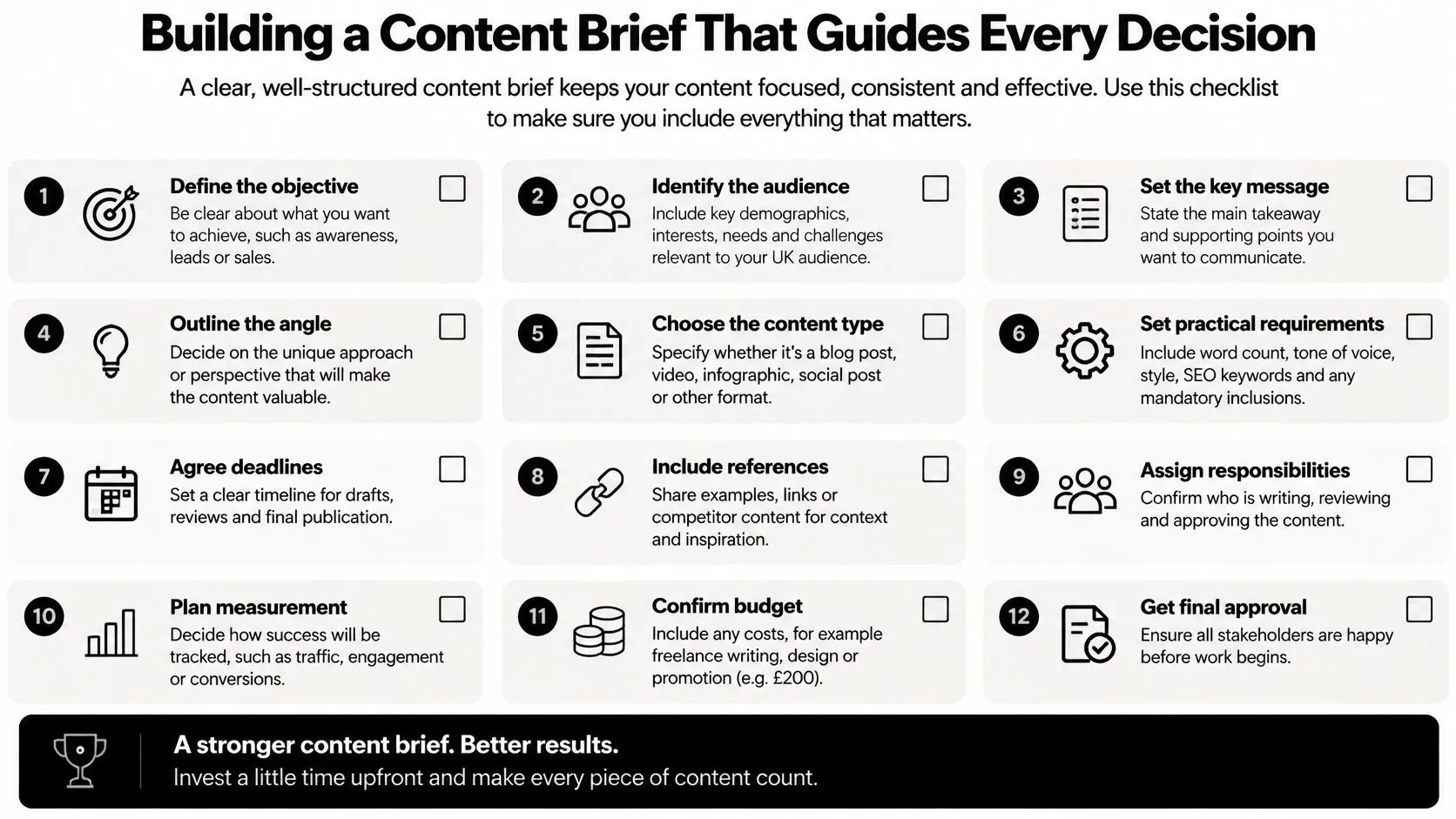
A working brief template
Use these fields before commissioning scripts, storyboards or prototypes:
- •Audience and situation: Who needs this, and what are they doing when they encounter it?
- •Problem and message: What question or obstacle does the content address, and what should the audience understand?
- •Action: What single response matters most?
- •Format and rationale: Why does animation, live action, motion graphics, XR or an interactive module suit the task?
- •Distribution and versions: Where will it appear, and what adaptations will each context require?
- •Measurement: Which audience behaviours will indicate progress?
From there, plan a sequence that moves people through the experience: hook, concise value delivery, interactive prompt and follow-up asset. For example, an animated introduction might establish a challenge, explain a key idea, invite the viewer to choose a response, then direct them to a deeper demonstration. Each piece has a role, so the content doesn't end at the first impression. Stakeholder alignment is easier when people agree on the action and measurement before production starts. A marketing lead may prioritise enquiries, while a subject-matter expert wants technical completeness. The brief can surface that tension early and establish what the audience must understand first. Teams comparing software to support the briefing process can consult this content brief generator tool comparison. A brief should still record human decisions about audience, message and creative intent. For a broader view of planning and acquisition, Studio Liddell's article on building a strategic content plan offers a related perspective.
Storytelling Frameworks That Hold Attention
An explanation holds attention when the audience can follow what's happening and see why it matters. In a short advertisement, that may mean opening on a visible problem and resolving it through the product. In a longer film, it may require a character, a clear objective and a change in understanding. The form varies, but the viewer needs a reason to stay. For a complex subject, don't begin by squeezing every fact into the opening. Establish a premise the audience can grasp, then introduce information in a deliberate order. A technical explainer might move from a familiar challenge to a visual metaphor, then to the mechanism behind it and finally to the practical benefit. Each beat should answer a question raised by the previous one.
Give the story a visual grammar
A recognisable visual system makes content easier to follow across scenes and versions. Choose how colour, typography, transitions and graphic elements communicate meaning, then use those choices consistently. In character animation, clear silhouettes and readable expressions help the audience understand intention. In motion graphics, a disciplined visual hierarchy can distinguish a process from an outcome. For broadcast, branded or social work, the opening must quickly establish what the audience is watching. That doesn't mean every film needs a loud hook. A striking image, a specific question or a character making a decision can all create momentum if the next beat pays off the promise. Design for the circumstances in which people view. Captions and clear on-screen typography support sound-off viewing, while strong composition and readable text help a story hold together on larger screens. Don't rely on dialogue alone to carry essential information if the visuals can make the idea legible.
If a viewer has to work out what matters before understanding what's happening, the story is making the wrong thing difficult.
The same principles carry into interactive and immersive work, though the audience's role changes. In a film, the director controls the sequence; in an interactive scene, the audience may choose where to look or what to do. A useful narrative still provides context, a clear next move and feedback that shows the choice mattered. Studio Liddell's approach to brand storytelling explores how clarity and trust can support that connection.
Choosing the Right Format for Your Message
The right format depends on the job, not on what's fashionable or easiest to commission. A live-action film can make a real person, place or demonstration feel immediate. Animation can show invisible processes, create characters and control a visual world. Motion graphics can clarify relationships between ideas, while XR and interactive learning give audiences a role beyond watching.
| Format | Strong fit | Trade-off to consider |
|---|---|---|
| Live action | People, places, demonstrations and documentary texture | Locations, schedules and real-world constraints shape what can be shown |
| 2D animation | Graphic ideas, stylised worlds and clear visual explanation | Visual simplicity still requires careful design and narrative development |
| 3D animation | Spatial subjects, designed characters and consistent camera control | Modelling, lighting and rendering add production considerations |
| Motion graphics | Data, brand systems, titles and process explanation | Abstraction can feel impersonal if the audience needs a human story |
| XR or interactive | Spatial exploration, practice and audience choice | Interaction needs a clear purpose, plus technical and deployment planning |
Choose by context and participation
Start with where the audience will encounter the work. A mobile clip needs quick comprehension and careful framing; a connected-TV film can support a more cinematic composition, but its text still needs to read at a distance. An exhibition experience must account for the physical space, available hardware and the time visitors are willing to spend. UK viewing habits make a one-size-fits-all video plan a poor assumption. Ofcom reported that YouTube represented 14% of all in-home viewing in 2024, and that 42% of YouTube viewing took place on a television set, according to its response on advertising and media markets. A core story may need a legible connected-TV version alongside compressed mobile edits, rather than a single master export used everywhere. Then ask how much participation the goal requires. If the audience needs to understand a message, a well-made film may be enough. If they need to practise a decision or explore a configuration, interactive content may be more appropriate. For inspiration on engagement tactics across formats, this SuperX content engagement guide offers another useful set of ideas. Format should serve the audience's task, not create interaction for its own sake.
Production Workflows That Deliver Quality on Time
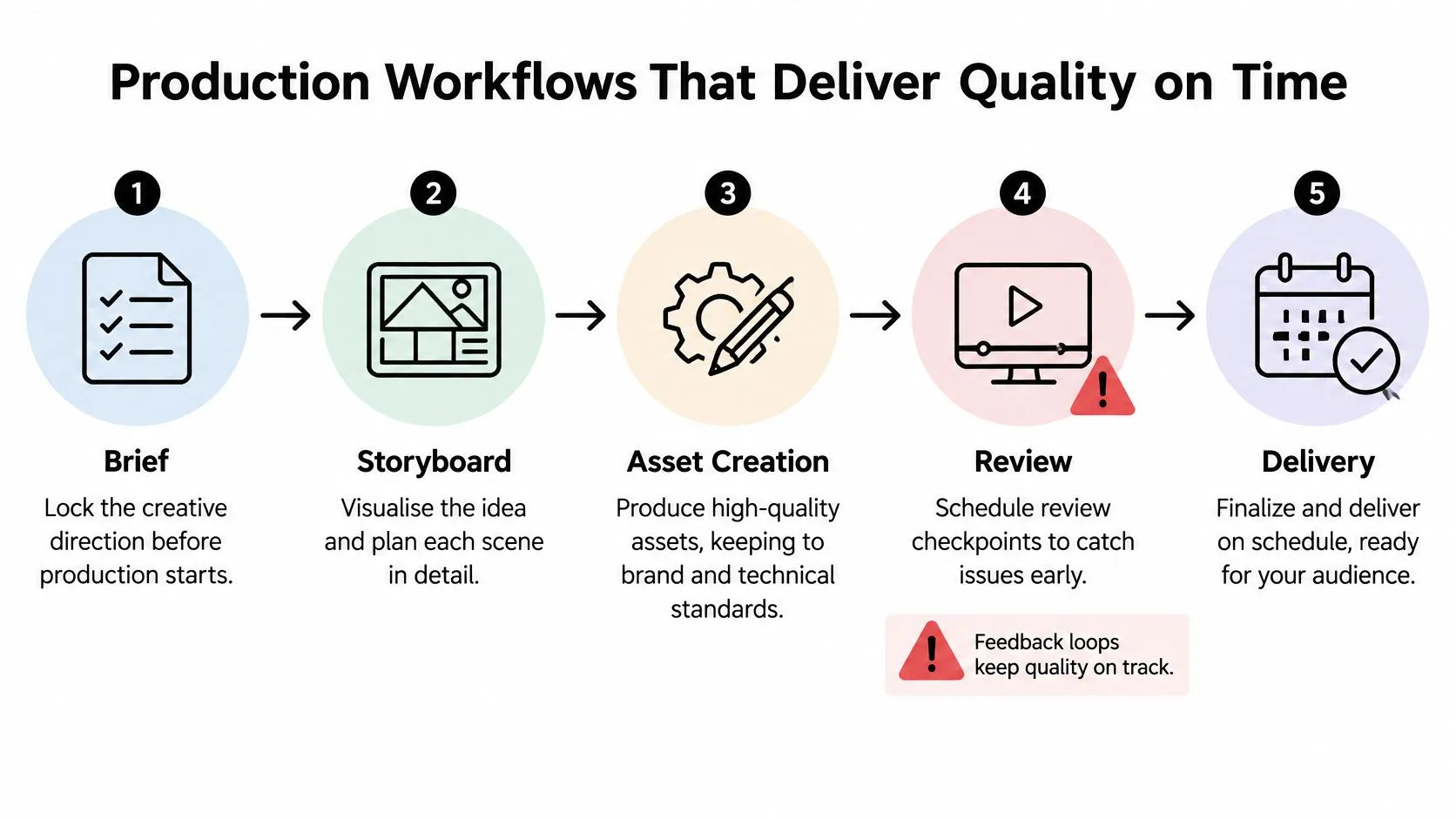
A strong idea can lose clarity through production if the team delays decisions about story, technical delivery or feedback. Build the workflow around approvals at the points where changes remain manageable. For animation, that usually means resolving the brief and visual direction before detailed asset creation, then using storyboards and animatics to test timing and sequence.
Lock the decisions in the right order
A practical sequence runs from brief to storyboard, asset creation, review and delivery. Confirm the audience, message and master format first. Next, use storyboards to check the narrative and animatics to judge pacing before investing in finished animation. For an XR project, prototype the central interaction early so the team can test navigation and audience understanding before building a polished environment. Set review points with named decision-makers and consolidated feedback. Conflicting comments from separate stakeholders can pull a scene in different directions. A producer should identify which feedback is essential to the audience goal and which is a preference, then record the decision so later stages have a stable reference.
Set delivery requirements before animation begins
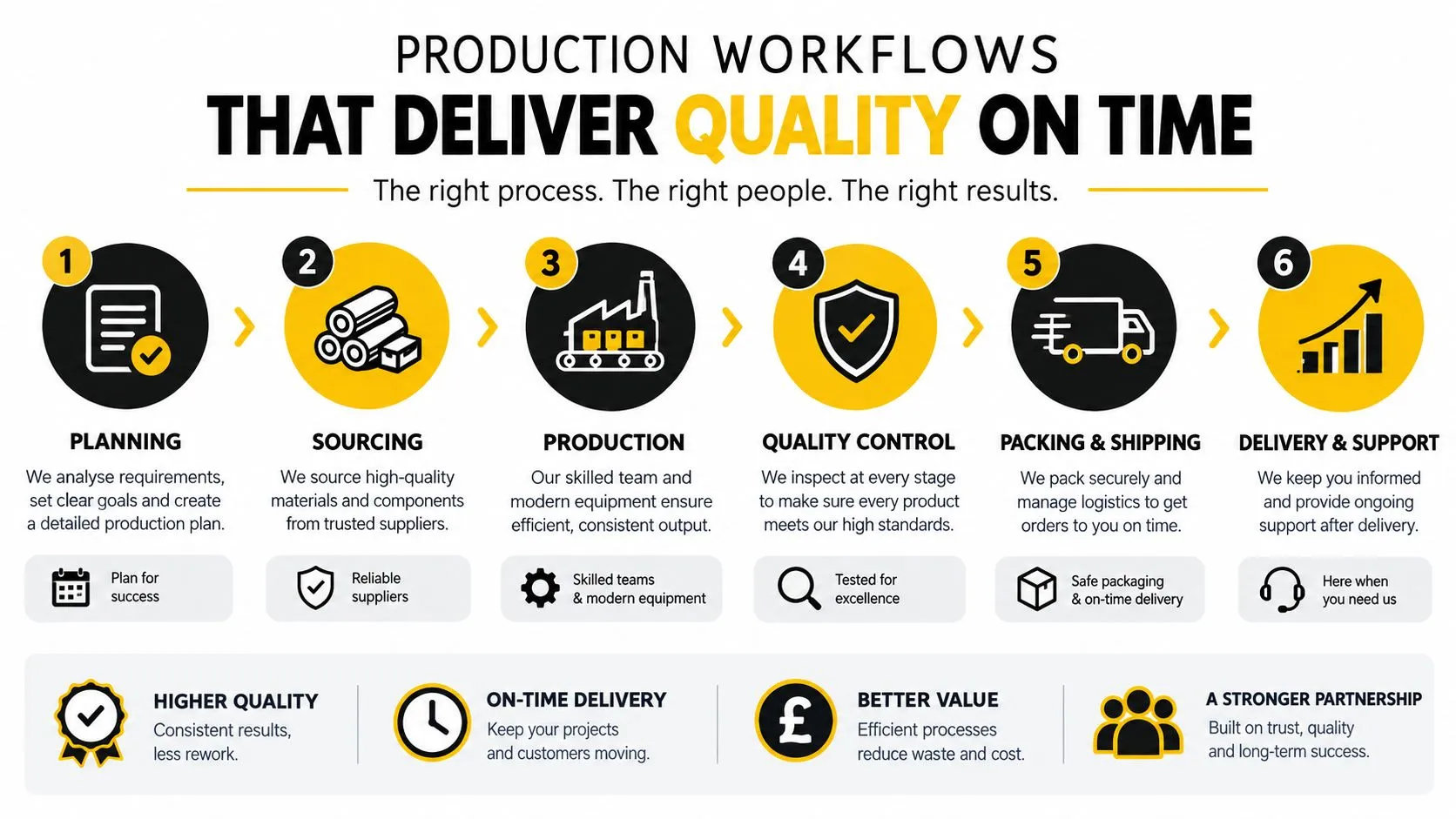
For BBC network delivery, motion graphics, title sequences and animated broadcast content have specified finishing targets of 1920 × 1080 pixels, a 16:9 aspect ratio and 25 frames per second with 50 interlaced fields, known as 1080i/25 with the top field first. BBC Studios guidance also states that a master frame rate should be either 25p or 50i, and that a native-frame-rate version may also be required when it differs. Check the destination's BBC delivery guidance before production begins, then plan titles, safe composition and any campaign cut-downs around the approved master format. Social versions often need different framing and pacing from a broadcast master. Plan those adaptations alongside the main delivery rather than asking the team to crop finished shots at the end. The change can affect layout, typography, character positioning and which visual information survives a tighter frame. Production documentation matters too. HMRC's description of a 3D digital-animation pipeline includes stages such as voice recording, storyboarding, animatics, modelling, layout, animation, compositing and effects in its animation production guidance. Clear stage definitions help a team scope work and understand where creative and technical responsibilities sit. A producer who settles these details early gives artists room to focus on the work, not on rescuing avoidable delivery problems.
Distribution Tactics That Amplify Your Reach
Distribution works best when it's designed into the content rather than bolted on after completion. A film intended for a connected TV, a mobile feed and an exhibition screen may share a core story, but each environment asks for different pacing, framing and audience behaviour. Build a modular story system: preserve the central idea, then adapt the opening, duration, captions and call to action to fit the channel. UK audiences use video as part of an established daily routine. Ofcom's Media Nations 2025 reporting found that people aged four and over watched an average of 4 hours and 30 minutes of video at home each day during 2024, across television, streaming, social platforms and other devices; the average was one minute lower than in 2023 (Ofcom Media Nations 2025). For a producer, that's a reason to consider where a story will compete for attention and whether its first moments make the premise clear, not a reason to assume that publishing more videos will automatically help.
Make participation easy to enter
A passive viewer won't necessarily become a contributor without a clear invitation. Design a progression that starts with a low-effort response, such as choosing between options, then offers a more involved next step, such as submitting a question or sharing an example. In learning, enterprise or entertainment work, each prompt should make sense within the experience rather than interrupting it. Online communication is also participatory by nature. Ofcom recorded 415 billion outgoing voice and video-call minutes through online communication services in the UK during 2024, a 4% increase, or 17 billion minutes, on 2023. Outgoing online messages reached 820 billion, up by 46 billion, or 6%, although those figures exclude reactions to earlier messages such as likes (Ofcom's Communications Market Report 2025). Content can meet that active environment with a response worth making, not just a generic request to engage. Moderation and trust belong in distribution planning. The same Ofcom report found that 36% of UK adult internet users had encountered something uncomfortable or upsetting online during the previous four weeks. Set clear participation rules, use accessible prompts and decide who will monitor responses before inviting an audience to contribute. A distribution calendar should also assign ownership for publishing, responding and adapting assets, so a promising campaign doesn't go quiet after launch.
Measuring Engagement with the Right KPIs
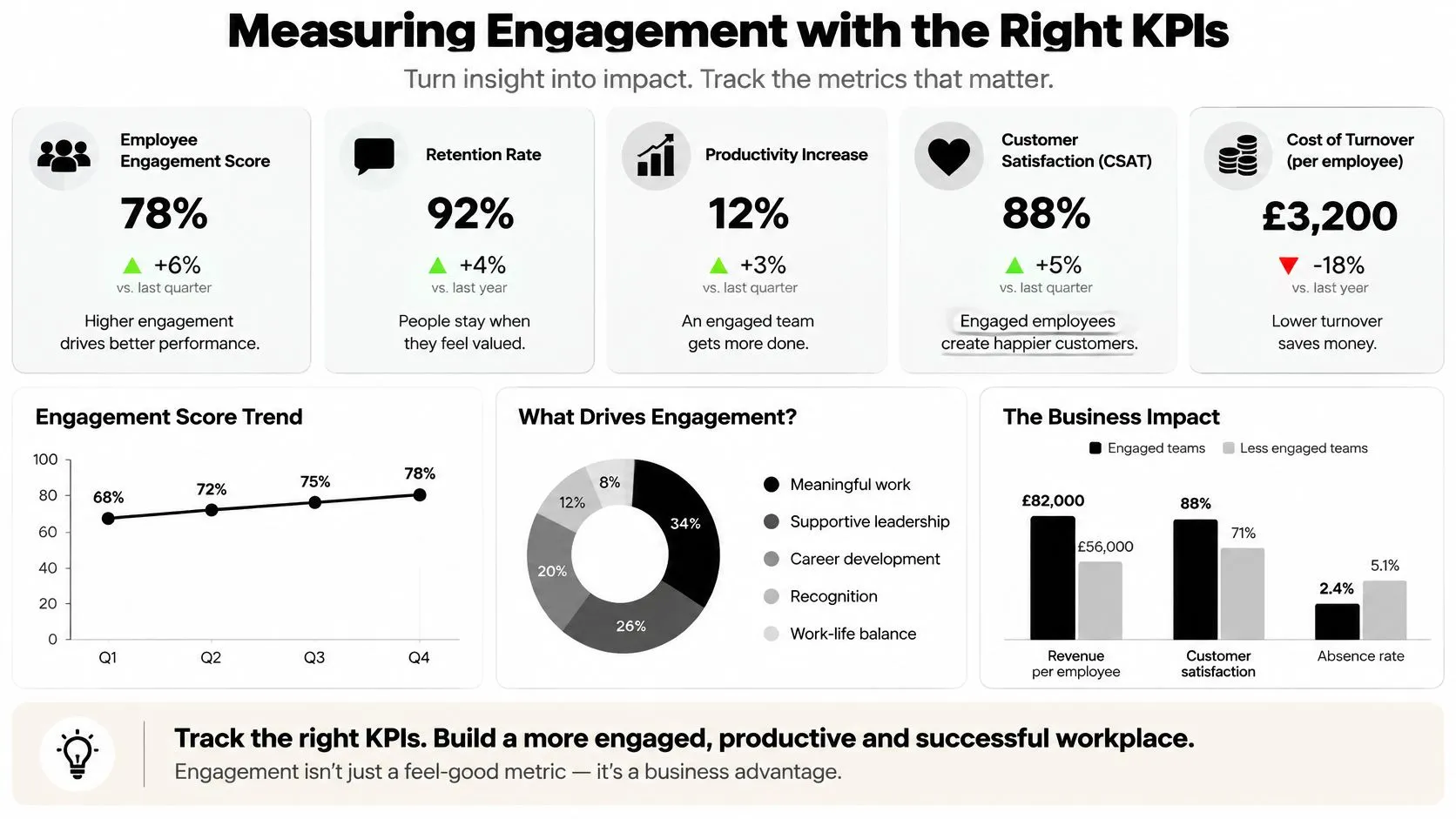
A report can show a large view count without revealing whether people understood, remembered or acted on the content. Choose measurements that match the intended behaviour, and keep exposure separate from meaningful engagement. For a film, that may mean studying how long viewers stay and whether they complete it; for an interactive experience, it may mean recording where people respond, contribute or return. Ofcom identifies subscriptions, views, watch time and likes as distinct engagement indicators for video-platform services in its public-service media review annex. Those signals answer different questions. A view indicates exposure under the platform's definition, while watch time describes continued viewing and a meaningful action shows whether the experience prompted a response.
Build a measurement loop
For video, track retention at 3 seconds, 25%, 50% and 100%. Compare completion and click-through rates by opening hook and distribution context. If viewers leave early, check whether the opening makes a promise the rest of the story fulfils. If they watch through but don't act, test whether the next step is clear and relevant before changing the whole film. For participation, record the movement between stages: viewers to responders, responders to contributors, and contributors to repeat participants. That separates easy actions from more demanding ones. In a learning module, for example, a completed lesson and a submitted response are different outcomes, so report them separately rather than rolling them into a single engagement figure. Use controlled creative tests to improve the next production cycle. Change one variable at a time, such as the opening image, duration or call to action, and judge each version against the behavioural outcome you selected. Keep a concise record of the question, the version tested, the audience context and the result. That gives producers and stakeholders a useful basis for deciding what to adapt, rather than letting a high reach number settle the discussion.
--- Studio Liddell produces animation, XR and interactive experiences, connecting audience research and creative development with production and delivery. If you're shaping content around a clear audience action, visit Studio Liddell to discuss the right format and workflow for your project.