Model Driven Apps: Build Your Bespoke Business Solutions
A lot of teams reach for model driven apps after the same failure pattern repeats a few too many times. Production tracking sits in one spreadsheet. Client comments live in email. Asset approvals happen in Teams chats. Someone keeps a private master sheet for deadlines because nobody trusts the shared one. Then a delivery date moves, an episode status is wrong, or feedback gets applied to the wrong version. That chaos isn't just administrative friction. In animation, XR, games, and enterprise review work, bad operational data creates real production risk. Artists pick up the wrong task. Producers report from stale information. Clients lose confidence because nobody can show a clean, current view of the work. Model driven apps matter when the problem isn't one missing feature. It's that the business has no reliable system for how data, process, ownership, and approvals fit together.
Beyond Spreadsheets and Scattered Data
A typical creative production stack grows by accident. A series starts with a tracker for episodes and shots. Then a second tracker appears for resourcing. Someone adds a form for feedback intake. Client approval notes get pasted into a deck because not every stakeholder wants to log into the same tool. By the time the project is properly underway, the team has built a workflow from habits instead of architecture.
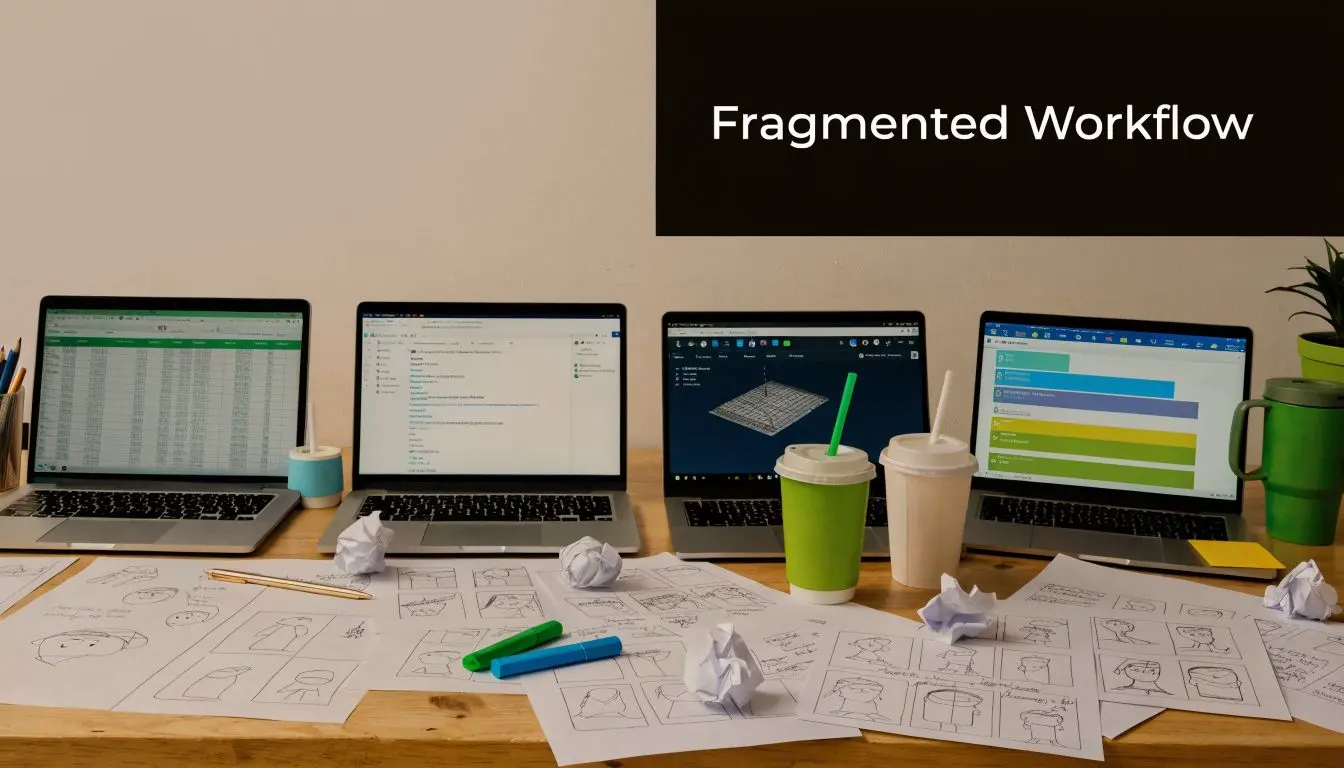
In practice, that means the same project is represented in five places. A producer sees one status. A coordinator sees another. The client’s latest note sits in an email thread nobody linked back to the asset record. When an animation pipeline involves characters, rigs, scenes, audio, review cycles, and delivery packages, that fragmentation becomes expensive very quickly.
Where the mess usually starts
It rarely starts with a bad team. It starts with tools that were fine for a small job.
- •Spreadsheets scale badly: they’re quick to create, but relationships between episodes, shots, assets, and approvals stay fragile.
- •Email obscures decisions: feedback is easy to send but hard to structure, search, and audit later.
- •Separate systems drift apart: resourcing, delivery, and creative review stop matching because nobody updates every tool at the same time.
The problem usually isn't that teams lack data. It's that they can't trust where the latest version of that data lives.
Model driven apps are useful because they force a different starting point. Instead of building around documents and improvised status fields, you build around the underlying records that run the work. Projects. Assets. Reviews. Clients. Milestones. Tasks. Risks. Approvals. That shift matters. Once the data model is sound, the app stops being a fancy front end and becomes a single operational system. For complex productions, that's the core value.
The Core Concept A Data-First Approach
Model driven apps, part of Microsoft Power Apps, are built for data-intensive processes and use no-code designers for tables, forms, and business process flows, which is why they suit structured operational work better than ad hoc tracking in Microsoft’s model-driven app overview. Understanding the idea comes faster if you stop talking about screens first. A model driven app is not a design-first product. It starts with the data model. You define the things your business manages and the relationships between them. The interface is then generated from that structure.
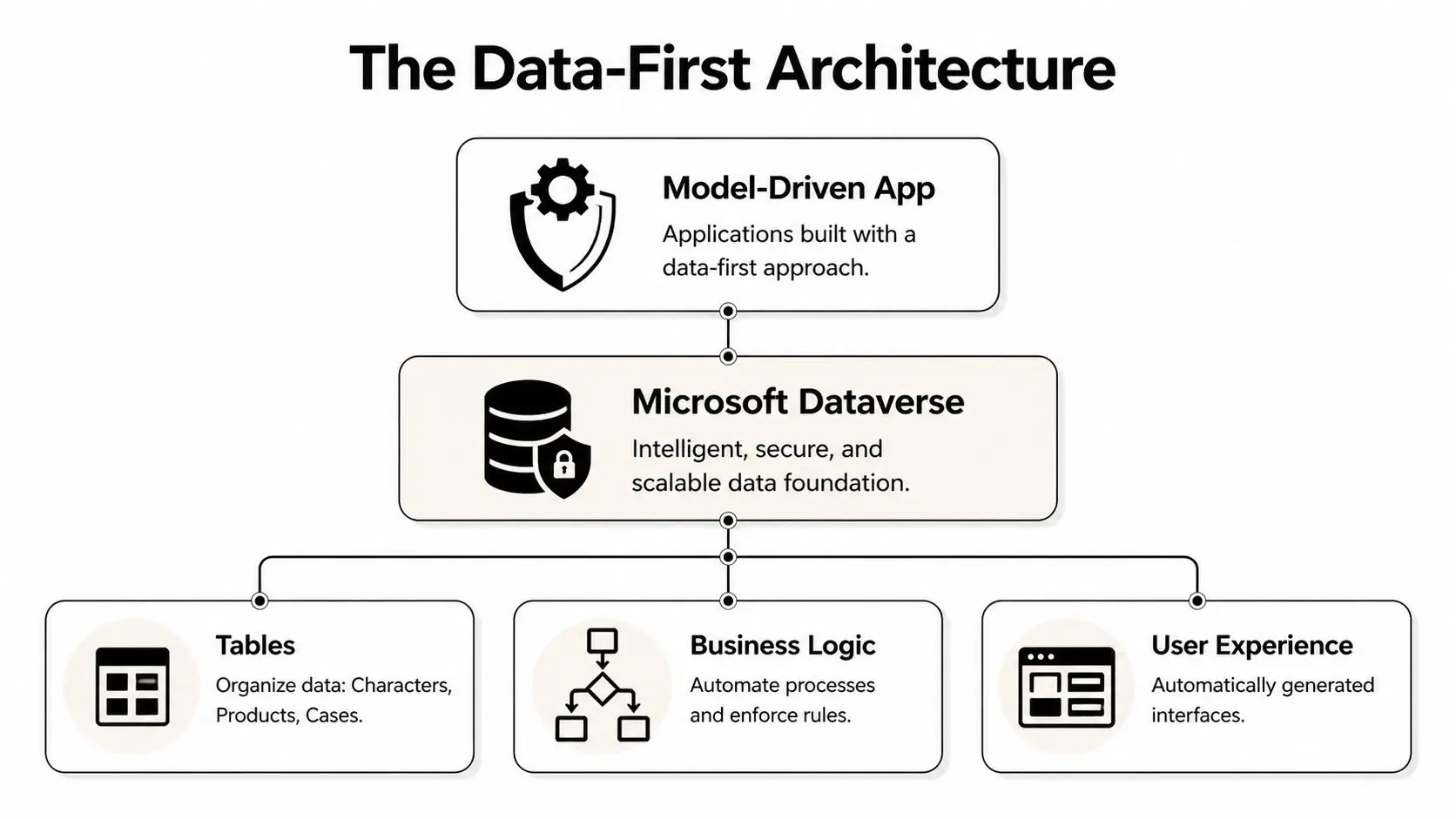
Start with records, not screens
For a creative pipeline, the first useful question isn't “What should the homepage look like?” It’s “What are the core entities?” That often includes:
- •Projects: client, scope, delivery dates, budget owner, status
- •Episodes or experiences: the production units sitting under the main project
- •Assets: models, textures, rigs, animatics, final renders, interactive builds
- •Reviews: feedback, approver, date, decision, linked version
- •Tasks and dependencies: who owns what, and what must happen first
Once those records exist in Dataverse, the app can generate forms to edit them, views to filter them, and navigation to move between them. That's why model driven apps feel structured from day one. The structure is doing the work.
Why Dataverse changes the conversation
Dataverse is the foundation that gives model driven apps their shape. If SharePoint lists are the quick way to organise lightweight operational data, Dataverse is the better fit when relationships, permissions, process logic, and long-term scale start to matter. This breakdown of understanding Dataverse and SharePoint scale is useful if you're deciding whether your current stack is still fit for purpose.
Practical rule: if your team needs to relate one record type to several others and enforce process rules around them, start with the data model before anyone asks for screens.
A producer building a project tracker for animation delivery might define one-to-many relationships between project and episode, episode and scene, scene and shot. A client review system might link one asset version to many feedback entries, but only one final approval. An XR deployment app might connect one site to many devices and many maintenance logs. That's the strength of model driven apps. They don't ask you to handcraft every interface from scratch. They ask you to define the business properly. When the business logic is clear, the app becomes easier to build, maintain, and trust.
Model-Driven vs Canvas Apps When to Choose Which
Teams frequently make the mistake of choosing the wrong tool. They hear “Power Apps” and assume every app type solves the same problem. It doesn’t. Model driven apps, canvas apps, and custom development each have a place, but they optimise for different constraints. Dataverse analytics can track active users, API calls, and workflow throughput, which makes the platform useful not just for building apps but for monitoring whether they’re being utilized effectively in this Dataverse analytics summary. That monitoring matters once an app becomes part of delivery operations rather than an internal experiment.
Use model driven when process is the product
If the work depends on structured records and repeatable steps, model driven apps are usually the better fit. Think production management, approval workflows, issue tracking, rights management, contract routing, or site installation logs. They're strong when:
- •Relationships matter: one client has many projects, one project has many assets, one asset has many reviews.
- •Governance matters: different users need different visibility and edit rights.
- •Consistency matters: everyone needs the same system behaviour across desktop environments.
A pipeline tracker for a multi-episode CGI series is a good example. You want producers, coordinators, and supervisors working from the same records, not from personalised spreadsheet logic.
Use canvas when the interaction is the point
Canvas apps are better when you need a very specific user interface or a narrow task flow. That might be a branded mobile app for quick on-set issue capture, a kiosk-style experience, or a simple approval button interface for a small stakeholder group. Canvas usually wins when:
- •Layout must be highly bespoke
- •The app solves one focused task
- •Mobile interaction drives the design
If a location team only needs to log headset condition, battery status, and venue notes from a phone, a canvas app can be cleaner and faster for that use case.
Use custom development when platform constraints are the problem
Sometimes neither low-code option is enough. If you need deep integration with proprietary rendering systems, specialist media processing, highly customised front-end behaviour, or platform features outside the normal model, custom development may be the right route. That doesn’t mean low-code was the wrong idea. It often means the right architecture is mixed.
| Criterion | Model-Driven App | Canvas App | Custom App (e.g. Pro-dev) |
|---|---|---|---|
| Core strength | Structured business data and governed workflows | Bespoke task-focused interface | Full technical flexibility |
| Best fit | Production ops, approvals, CRM-style processes | Mobile capture, simple utilities, branded micro-tools | Complex integrations and specialist features |
| UI control | Moderate | High | Highest |
| Data complexity | High | Low to moderate | Any, if budget and time allow |
| Speed to usable baseline | Fast when the data model is clear | Fast for narrow use cases | Slower, but broader possibilities |
| Typical risk | Overbuilding fields and process too early | Weak data structure under the surface | Cost, maintenance, and longer delivery |
If your first conversation is about pixel-perfect layout, you may be building the wrong app type. If your first conversation is about records, ownership, and process, model driven is usually in the right territory.
The simplest decision test is this. If the business can’t run the workflow reliably without strong relationships between records, choose model driven first. If the user experience is highly bespoke and narrow, choose canvas. If the workflow depends on technical behaviour neither can handle cleanly, bring in pro-dev.
Designing Your App Key Components and UX Rules
A good model driven app feels plain in the right way. It doesn’t fight the user with novelty. It gives them the exact records, fields, filters, and process stages they need to do the job without guessing where things live. The building blocks are straightforward, but each one carries design consequences.
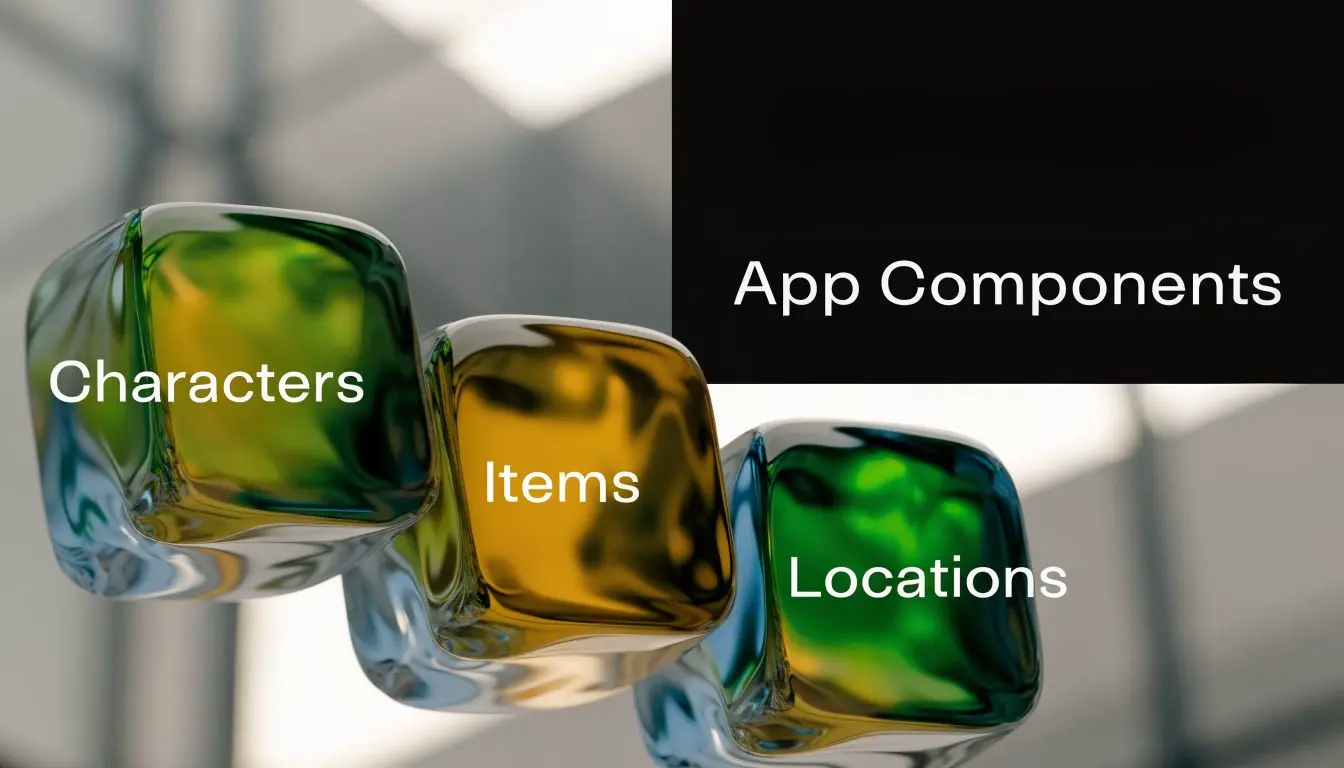
The four components that shape the app
Microsoft identifies App, Sitemap, Form, and View designers as core components, and notes that Copilot can auto-generate data models from prompts, cutting initial setup for data-heavy apps by 30-50%. The same architecture supports offline access by queuing changes and synchronising them after reconnection in Microsoft’s limits and configuration guidance. Those components map cleanly to production needs:
- •App: the container for the whole experience. This defines what users can access.
- •Sitemap: the navigation. This matters more than teams expect. If producers can't move quickly between projects, reviews, and asset lists, adoption drops.
- •Form: the single-record workspace. Users edit one project, one asset, or one approval in this space.
- •View: the filtered list. Good views do a lot of heavy lifting. “Shots awaiting client review” is often more useful than a dense dashboard.
UX trade-offs that are worth accepting
Teams used to bespoke front-end design sometimes resist model driven apps because the interface isn’t highly expressive. That’s a fair criticism if the app needs to feel like a polished consumer product. It’s not a strong criticism if the app is an internal operational tool. The trade is usually worth it because you get:
- •Predictable navigation: users learn one interaction pattern and apply it everywhere
- •Responsive behaviour across supported environments: less front-end inconsistency to manage
- •Faster iteration: fields, forms, and views can change without rebuilding the whole app
For teams still at the planning stage, high-fidelity thinking is still useful before you configure anything. This ThirstySprout guide on wireframes is a good reminder that even structured enterprise tools benefit from clear thinking about hierarchy, task flow, and what users need first. A practical design discipline is to sketch the form flow before adding fields. Most failed internal tools don’t fail because they’re visually plain. They fail because users must scroll through irrelevant data to find one decision point. This UK guide to designing an application is useful on that broader principle of shaping the app around user tasks rather than internal assumptions.
Keep forms short enough to support a decision. Everything else can sit in related views, tabs, or linked records.
Offline capability also changes the UX calculation. If a producer, supervisor, or site technician is moving between unreliable connections, queued changes and later synchronisation are more important than visual flourish. Operational continuity beats decoration every time.
Real-World Use Cases for Creative and Enterprise Projects
Generic CRM examples don't help much if your day-to-day work involves shot status, interactive builds, stakeholder approvals, and heavy media files. The interesting question is how model driven apps behave when the workflow is creative, multi-stage, and full of assets that don't fit neatly into a simple sales pipeline. A 2025 UK Digital Economy Council report noted that 68% of creative SMEs struggle with low-code app scalability for media-heavy workflows, especially around large binary data, according to this summary on model-driven app challenges for media-heavy businesses. That’s the part many glossy demos skip. Model driven apps can help, but only if the data architecture is thought through properly.
Animation pipeline manager
A strong model driven setup for animation treats production objects as related records, not loose documents. The core might include project, episode, sequence, shot, asset, review round, and delivery package. What works well is the control layer:
- •Shot records can carry status, owner, due date, dependencies, and linked asset versions.
- •Review records can capture client notes directly against the relevant item instead of leaving them in email chains.
- •Views can split work by discipline, such as layout, animation, lighting, or comp.
What doesn't work is trying to store every heavy production artefact as if the app itself were a full digital asset management platform. In most studios, the app should track the asset and its status while integrating with the storage location, not pretending to replace specialist content systems.
XR deployment and support tracking
For XR and immersive installations, model driven apps are useful when the critical challenge is operational visibility. One app can track venues, hardware kits, software versions, installation dates, maintenance visits, training logs, and incident reports. That’s particularly helpful when a project spans multiple sites and different stakeholders. A technician needs one view. A producer needs another. The client needs a reliable status summary. The same records support all three if the permissions and forms are designed properly. This is also the sort of problem space where businesses often start looking at tailored CRM solutions rather than off-the-shelf workflows, because service history, asset tracking, and client communication all overlap.
In creative operations, the app shouldn't try to become the media pipeline itself. It should become the control tower around that pipeline.
Enterprise review portal
Review and approval is where model driven apps can remove a lot of friction. Instead of collecting comments across email, PDFs, chat messages, and call notes, the app can attach feedback to the exact record under review. That might be a storyboard sequence, a motion test, a VR build, or a final campaign asset. The best versions of this pattern include:
- •Role-based access for internal teams, agency partners, and client stakeholders
- •Approval states that are explicit rather than implied
- •Auditability so nobody argues later about what was approved and when
In technically regulated or stakeholder-heavy work, that traceability becomes part of the value. It supports clearer communication and fewer approval disputes. A project environment such as Merck pharmaceutical work shows why structured review matters in sectors where clarity and sign-off discipline are essential. The trade-off is obvious. If the workflow includes very large media objects, bespoke rendering previews, or specialist review interactions, you'll probably combine the model driven app with other services rather than asking it to handle every experience natively.
Secure Integration and Successful Deployment
A model driven app can look complete in development and still fail at launch if security, deployment discipline, and integration choices are weak. Most problems here are not dramatic. They’re operational. The wrong people see the wrong records. A test change hits production too early. Notifications fire, but nobody trusts them because the underlying data isn’t clean.
Security roles first, convenience second
Dataverse security roles are where you decide who can read, create, edit, approve, or delete records. In a creative production context, that’s not administrative housekeeping. It protects the process. A few sensible patterns:
- •Junior contributors: can update task progress and attach notes, but can't alter approval outcomes.
- •Supervisors and producers: can move records through formal stages and edit planning fields.
- •Clients or external reviewers: should only see the records relevant to their project or review package.
If you want a broader operational checklist around protecting business apps properly, this guide to essential security for apps is a useful companion.
Use solutions like release containers
Solutions are the transport mechanism that moves your app components between environments. Treat them like release packaging, not as an afterthought. Build in development. Validate in test. Promote to production deliberately. That helps with:
- Change control: you know what moved and when.
- Rollback planning: you can manage updates more cleanly.
- Team coordination: makers and admins stop editing the live system directly.
Integrate where each tool is strongest
Model driven apps don't need to own everything. Good deployment often means connecting the app to surrounding services that already do a specific job well. Common choices include:- •Teams for notifications: prompt people when approvals or tasks need attention
- •SharePoint for document libraries: useful when documents must be organised outside the core record schema
- •Email and workflow automation: support reminders, escalations, and handoffs
The practical rule is simple. Keep structured operational data in the app. Keep heavyweight documents and specialist media workflows in systems designed for them. Integration works better than forcing one platform to carry every burden.
Building Your Strategic Advantage in 2026
Teams that adopt model driven apps well usually stop talking about “the app” after a while. They start talking about cleaner bids, better forecasting, fewer approval mistakes, and stronger client visibility. That’s the true outcome. The software matters because it changes how work is organised. For creative studios and enterprise project teams, the strategic gain comes from treating data as production infrastructure. Once projects, assets, approvals, and responsibilities sit inside a governed system, reporting becomes more credible and decisions become faster. Producers spend less time reconciling versions. Leads spot blockers earlier. Clients get clearer answers. Model driven apps aren't the right answer for every workflow. They are the right answer surprisingly often when the business problem is messy data, repeated process, and too many handoffs. In 2026, the advantage won't come from having more tools. It will come from having fewer gaps between the tools you already rely on.
If you're planning an operational tool for animation, XR, app delivery, or enterprise review workflows, Studio Liddell can help shape the process as well as the product. Book a conversation if you need a practical view on where model driven apps fit, where they don't, and how to turn a scattered workflow into a system your team will use.