Your Guide to Exceptional App Design in London
Choosing the right partner for your app design in London is more than a logistical decision; it's a strategic one that can define your business's trajectory. London stands as a world-class powerhouse for digital creation, merging a rich creative history with a buzzing tech scene. This makes it the perfect place for any business looking to build a truly exceptional mobile application.
Why London Is A Global Hub For App Innovation

London is no longer just a financial capital. It is an epicentre of digital creativity where groundbreaking ideas are constantly brought to life. The city's unique ecosystem provides a perfect storm of talent, investment, and market demand, making it one of the best places on the planet to design and launch an app. The scale of the UK app market provides a clear picture of the opportunities available.
UK App Market At A Glance
| Metric | Value/Statistic |
|---|---|
| Projected 2025 Market Size | £28.3 billion |
| Projected 2030 Market Size | £36.29 billion |
| 2023 London VC Investment | Over £10 billion |
This powerful environment is fuelled by serious financial backing. London alone attracted over £10 billion in venture capital in 2023, with a significant slice going into fintech, e-commerce, and creative sectors where high-quality app design is non-negotiable. This level of investment empowers studios to push boundaries, experiment with new technologies, and ultimately deliver better products, faster.
A Rich Pool of Diverse Talent
London is a magnet for top-tier creative and technical professionals from across the globe. This multicultural talent pool brings a vast range of perspectives, which is essential for creating apps with universal appeal. You’ll find designers with backgrounds in everything from broadcast animation to cognitive science, each contributing a unique way of solving problems. This diversity means studios can build specialist teams, whether your project needs:
- •UX strategists who genuinely understand the nuances of user psychology.
- •UI designers with a sharp eye for pixel-perfect, modern aesthetics.
- •Developers who are experts in native iOS/Android, cross-platform frameworks, or even real-time engines like Unity and Unreal Engine.
This concentration of world-class talent means you aren't just hiring a supplier; you're partnering with a team that has a deep, cultural understanding of what makes a digital product succeed on a global stage.
A Culture of Constant Innovation
The city thrives on a relentless drive to create what’s next. To get a better sense of this, it helps to look at the different definitions of innovation in business. It’s not just about adding new features; it’s about finding genuinely new ways to solve user problems, keep them engaged, and build sustainable business models around your app. This culture is evident in London's vibrant startup scene and the constant stream of industry events, meetups, and workshops. When you partner with a London-based studio, you tap directly into this forward-thinking mindset. We've explored this further in our deep dive on mobile application development in London. Ultimately, this ensures your app is built not just for today's market but with a strategic vision for the future, ready to adapt and scale as your business grows.
How To Define Your App's Vision And Core Needs
Every great app starts with a solid vision, not just a vague idea. Before you even start looking for an app design London studio, the real groundwork needs to be done in-house. It’s all about turning that initial spark into a clear, concrete brief that can guide the entire project. You don't need all the answers right now. The goal is simply to ask the right questions and build a strong framework. A well-defined vision stops budgets from spiralling, gets everyone on the same page, and gives a design agency the clarity they need to give you an accurate quote. Without it, you're essentially building on quicksand.
Identify Your Primary Business Objective
First things first: what is the single most important thing this app needs to do for your business? Are you trying to generate revenue, make your internal team more efficient, or get customers to engage more with your brand? Every single design choice will eventually lead back to this one core goal. Being fuzzy here is a recipe for a messy, ineffective app. Instead of a vague goal like "increase sales," aim for something specific, such as "drive a 20% increase in online orders from users aged 25-40 within the first year."
- •Revenue Generation: This could mean in-app purchases, a subscription model, or simply making it easier for people to buy your products.
- •Operational Efficiency: Maybe the app is for your internal team, designed to cut down on paperwork, automate tedious tasks, or improve communication.
- •User Engagement: The focus could be on building a community, offering valuable content, or fostering brand loyalty through daily use.
When a studio knows what success looks like to you, they can design an experience that gets you there.
Understand Your Target Audience Deeply
Here's a hard truth: you are not your user. To create an app that people genuinely want to use, you have to get out of your own head and into theirs. A financial planning app for a recent graduate will look and feel completely different from one built for someone nearing retirement.
A classic mistake is trying to build an app for "everyone." The most successful apps almost always start by serving a specific niche audience incredibly well. Focusing your efforts makes everything from design to marketing a whole lot easier.
Get to know your ideal users by creating a few user personas. These are semi-fictional profiles of your target customers. Give them names, jobs, and daily frustrations. What problems are they trying to solve that your app could help with? This simple exercise shifts the focus from features you think are cool to solutions your users actually need.
Outline Core Functionalities Using The MoSCoW Method
Once you know your goal and who you're building for, you can start listing out features. This is where things can get out of hand, quickly turning into a long, expensive wishlist. To keep the project focused and your budget in check, you need to prioritise, and the MoSCoW method is a brilliant framework for it. Go through your feature list and sort everything into one of four categories:
- Must-Have: These are the absolute essentials. Without them, the app is broken or useless. This is the core of your Minimum Viable Product (MVP).
- Should-Have: Important features that add a lot of value, but the app can launch without them. These are top candidates for the next phase of development.
- Could-Have: These are the "nice-to-have" features. They're good ideas but have a smaller impact on the core experience. Add them if time and budget allow.
- Won't-Have (This Time): This is a surprisingly important category. It explicitly defines what is out of scope for the first release, which helps prevent confusion and disagreements down the line.
This disciplined approach gives you a clear roadmap. It means you can launch a lean, effective MVP much sooner, get it into the hands of real users, and gather feedback before you invest in features that might not be as important as you thought. This is exactly the kind of clarity a professional app design London studio needs to build a winning product with you.
Evaluating Portfolios And Technical Expertise
Right, you’ve got your brief sorted. Now comes the fun part: sifting through potential partners. When you’re looking at an app design London studio, it's incredibly easy to be dazzled by slick visuals and forget everything else. But a truly great portfolio shows more than just a pretty face, it reveals strategic thinking and rock-solid technical skills. You need to dig deeper to see how they actually solve business problems. A portfolio should tell a story. Don't just flick through a gallery of screenshots. You’re looking for case studies that walk you through the entire journey: the initial challenge, the design process, and, crucially, the results. Did their work boost user retention? Drive revenue? Make a clunky internal system usable? Those are the metrics that matter, far more than a flashy interface. We like to break this evaluation down into three key areas: the portfolio, the strategy, and the tech.
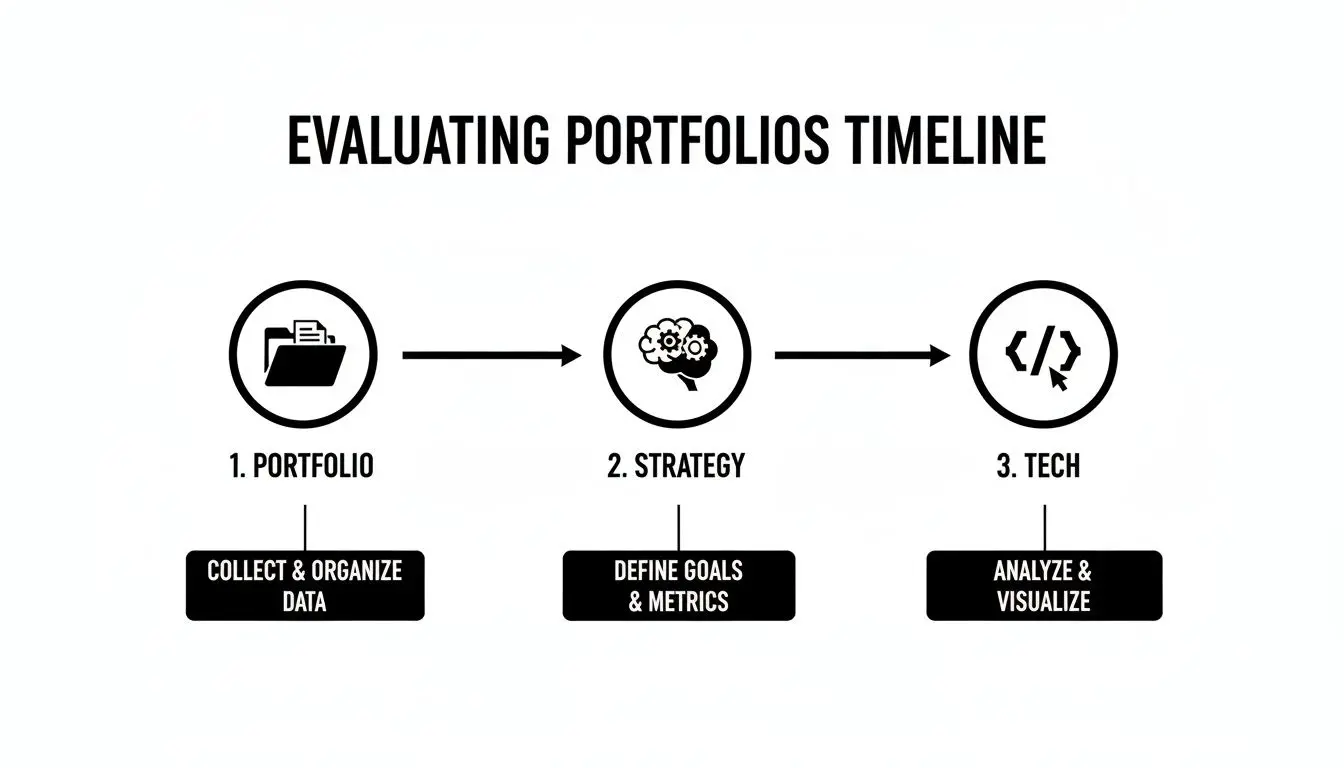
This process moves from the surface-level visuals right down to the technical foundations, giving you a complete picture of what a studio can really do.
Looking Beyond The Visuals
As you review a studio's work, ask yourself: does the design actually fit the app's purpose and its audience? A playful, animation-rich style might be perfect for a kids' game, but it would feel completely out of place for a serious fintech app. The best studios are chameleons, able to adapt their style to the unique needs of each project. Pay close attention to the user experience (UX) on display. Is the navigation obvious? Is information laid out logically? A great app feels effortless because a team has obsessed over every single tap, swipe, and interaction. You can usually spot this even in a well-presented case study.
A strong portfolio isn't just about showing off finished products. It's about demonstrating a repeatable process for turning complex problems into simple, elegant solutions that deliver measurable business value.
Don't hesitate to ask for a walkthrough of a relevant project. When you hear a designer explain the why behind their choices, you get a priceless glimpse into their problem-solving mind. If you want to dig deeper into this, our guide to designing a mobile app that wins users is a great place to start.
Vetting Technical Capabilities
The technology powering your app is every bit as critical as its design. An app that looks stunning but is slow, buggy, or can't scale is, frankly, a failure. You must make sure a studio's technical chops line up with your project's needs, both for now and for the future. Kick things off by asking about their go-to tech stack and their reasoning for it. There's no single "best" technology; the right choice is always dictated by your specific goals. Key Technology Stacks to Discuss:
- •Native (iOS/Android): This means building two separate apps using Swift for iOS and Kotlin for Android. It delivers the best performance and seamless integration with device features. It's the top-tier choice for demanding, high-performance applications.
- •Cross-Platform Here, you write the code once and deploy it across both iOS and Android. This can seriously reduce development time and cost, making it a fantastic choice for many apps. Just be aware it can have limitations for graphically intense projects.
- •Game Engines (Unity/Unreal Engine): If your project involves 3D models, augmented reality (AR), virtual reality (VR), or complex game mechanics, experience with these engines is non-negotiable. They’re built from the ground up for high-end graphics and real-time interaction.
A good studio won't just push their favourite tech. They'll listen to your needs and clearly explain the pros and cons of each approach for your project, guiding you to the best balance of budget, timeline, and performance. And don't forget to ask about their quality assurance (QA) and testing process, a bulletproof testing plan is the secret to a smooth, professional launch.
Understanding App Design Pricing And Project Timelines
Let's get straight to the two biggest questions every founder asks: 'How much will this cost?' and 'How long will it take?' Getting a handle on the costs and timelines for a professional app build is the first step to managing your own expectations and securing the right budget. When you start talking to an app design London studio, you'll quickly realise that pricing isn't a single, off-the-shelf number. It’s a direct reflection of your project's complexity, the features you need, and the depth of the partnership you're looking for.
Comparing App Pricing Models
To help you navigate those initial conversations, it helps to understand the most common pricing structures offered by app design studios. Knowing the pros and cons of each will help you choose the best fit for your project's scope and flexibility needs.
| Pricing Model | Best For | Pros | Cons |
|---|---|---|---|
| Fixed Price | Well-defined projects with a clear scope, like a Minimum Viable Product (MVP). | The budget is predictable, so you know the total cost from day one. | It’s inflexible. Any changes or new ideas often mean a new contract and added costs. |
| Time & Materials | Complex, long-term projects where features and requirements are likely to evolve. | Gives you total flexibility to adapt and pivot. You only pay for the time spent. | The budget can become unpredictable if the scope isn't managed tightly. |
| Retainer | Ongoing work after launch, such as adding new features, fixing bugs, and making improvements. | Guarantees the studio's availability and builds a strong, long-term partnership. | Might not be cost-effective if your workload is inconsistent from month to month. |
We often find a hybrid approach works best. A fixed-price model for the initial discovery and design phase provides cost certainty, which then shifts to a more flexible time-and-materials model for the development sprints.
What Really Drives The Cost Of App Design
When you're budgeting, it’s important to look beyond just the design and consider all the factors that influence overall mobile app development costs. The final figure is shaped by a few key elements.
- •Design Complexity: A simple app using standard UI elements is worlds away from one with bespoke animations, custom illustrations, and complex user journeys. The more custom, the higher the cost.
- •Tech Stack: Building two separate native apps (one for iOS, one for Android) typically costs more but delivers the best performance and user experience. Cross-platform frameworks like React Native or Flutter can be a more budget-friendly starting point.
- •Third-Party Integrations: Does your app need to connect with other services? Things like payment gateways (Stripe), mapping tools (Google Maps), or social media APIs all add development time and complexity.
- •Backend Development: If your app needs to manage user accounts, store data, or have an admin panel, it will require a custom backend. This is a significant part of any app build and a major factor in the total budget.
Investing in a quality app is a smart move, especially in a market as strong as the UK's. The UK mobile app market is expected to hit £28.3 billion in 2025 and is on track to reach a staggering £36.29 billion by 2030. That kind of growth shows that even when budgets are tight, a brilliant app remains a worthwhile investment.
A Typical Project Timeline From Start To Finish
While no two projects are identical, a professional app build follows a fairly predictable path. Knowing the key phases helps you plan for team involvement and set realistic launch targets.
A common myth is that an app can be whipped up in a few weeks. In reality, even a straightforward, well-run project usually takes 4-6 months from the initial workshop to App Store submission. More complex platforms can easily take 9-12 months or even longer.
Here's a rough breakdown of what that journey looks like:
- Discovery & Strategy (2-4 weeks): This is where we lay the foundation. Through workshops, market research, and user analysis, we'll define the core strategy, target personas, and feature priorities for your MVP.
- UX/UI Design (4-8 weeks): With the strategy set, our team gets to work on wireframes, the architectural blueprint of your app. From there, we move into high-fidelity mockups and interactive prototypes, giving you a real feel for the final product before any code is written.
- Development & QA (8-16+ weeks): This is usually the longest phase. Our developers build the app in focused "sprints," delivering testable versions every one or two weeks. At the same time, our Quality Assurance (QA) team is constantly testing to catch bugs and ensure everything works perfectly.
- Launch & Post-Launch (2-4 weeks): It’s time to go live! We handle the final preparations for the App Store and Google Play, manage the submission process, and support the launch. Afterwards, we shift our focus to monitoring performance, gathering user feedback, and planning for future updates.
If you'd like to dive deeper into what happens at each step, our guide to understanding the app development timeline breaks it all down for you.
Navigating The App Production Journey
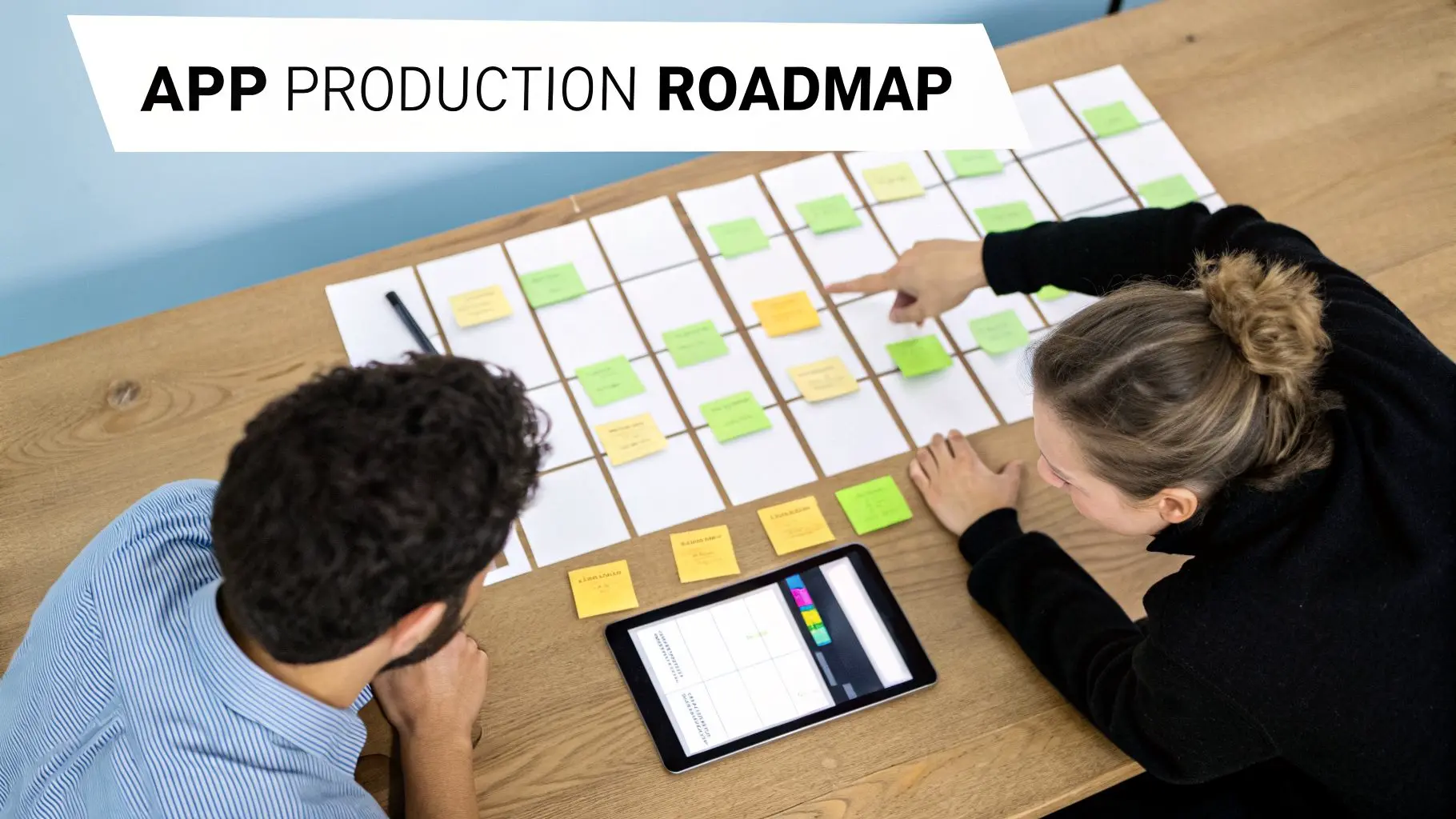
So, you've sifted through the portfolios, grilled the tech teams, and finally shaken hands with your chosen app design London studio. The real work starts now. For anyone new to this, the production phase can feel a bit mysterious, but a good studio will have a clear, structured process that turns your idea into a real, market-ready product. Knowing what happens and when is your superpower as a client. It helps you give the right feedback at the right moment, keeping the project on schedule, within budget, and, most importantly, true to your vision. Let's pull back the curtain on the entire process, from the first workshop to launching on the App Store.
The Foundation: Discovery And Strategy Workshops
Projects don't kick off with code or design; they begin with a conversation. The very first thing on the agenda is a discovery workshop, an intensive session where your key stakeholders and the studio's team get in a room and hash things out. This is where we stress-test your initial brief and transform it into a concrete plan of action. The objective here is simple: total alignment. We'll go back over your business goals, dive deep into who your users are, and map out their entire journey. It's a collaborative effort focused on answering "why" before we even touch "what" or "how." Getting this groundwork right from the start saves a lot of headaches and costly revisions down the line.
From Blueprint To Visuals: UX And UI Design
With a solid strategy locked in, the design team gets to work. This process is typically split into two connected phases: User Experience (UX) and User Interface (UI). First up is UX wireframing. You can think of wireframes as the architectural blueprints for your app. They're simple, black-and-white layouts that focus purely on structure, function, and flow. By stripping away all the visual noise like colours and fonts, we can focus on solving usability challenges and ensuring the user's path through the app is logical and intuitive. Once that blueprint gets your sign-off, the UI design phase kicks in. This is where the app's personality starts to shine through. UI designers add the visual layer, the colour palette, fonts, icons, and animations that create the final look and feel. What you get at the end of this stage is a set of high-fidelity mockups that look exactly like the finished product will.
Making It Real: Prototyping And Feedback
Static images can only show you so much. To get a proper feel for how the app works, the studio will build an interactive prototype. Using tools like Figma, they link all those polished mockups together. This lets you click through the entire app on your phone, just as an end-user would. This stage is a massive reality check. It's your opportunity to experience the flow, test out the navigation, and spot any awkward or confusing interactions long before any code is written.
Pro-Tip for Great Clients: When you’re reviewing a prototype, try to provide consolidated, actionable feedback. Instead of firing off a stream of separate emails, gather all your stakeholders' comments into one organised document. That clarity saves a huge amount of time and stops the design team from getting conflicting instructions.
Building The App: Agile Development Sprints
With the design approved and finalised, the development team rolls up their sleeves. Most modern studios, especially in a fast-moving city like London, run on an Agile development methodology. This isn't a process where the team disappears for three months and returns with a finished product. Instead, all the work is broken down into small, manageable pieces called sprints, which typically last one or two weeks. At the end of every sprint, the team delivers a working, testable part of the app. This iterative cycle has some major advantages:
- •You see constant progress: No more long, silent periods where you're left wondering what’s happening.
- •It's flexible: If a small adjustment is needed, it can be planned into the next sprint without derailing the whole project.
- •Bugs are found early: Testing is a continuous part of the process, not something tacked on at the end.
This rhythm of building, testing, and reviewing keeps the project firmly aligned with your goals and means no nasty surprises are waiting for you at the finish line. It’s a transparent and collaborative way of working that consistently produces a much higher-quality app.
FAQs About App Design in London
Got questions about getting an app designed in London? You're not alone. When you first step into the world of professional app design, it can feel like everyone's speaking a different language, full of terms like UI/UX, MVPs, and sprints. It’s easy to get bogged down in the jargon, especially when you have pressing questions about how much it will all cost and how long it will take. We get it. To cut through the noise, we’ve put together some straight answers to the most common questions we hear from businesses just like yours.
How Much Does It Cost To Design An App In London?
This is always the big one, and the honest answer is: it really depends. The cost of designing a professional app in London is tied directly to how complex your idea is. No two projects are the same. That said, here are some general price bands to give you a rough idea:
- •Simple App or MVP: For a streamlined app with just the core features and a clean, straightforward design, you should probably budget between £20,000 and £40,000. This gets your idea off the ground and into users' hands.
- •Complex, Feature-Rich App: If your vision includes custom animations, complex user journeys, a bespoke backend, and multiple integrations with other services, you’re likely looking at a range of £50,000 to £150,000+.
- •Enterprise or Specialised App: For large-scale corporate platforms or projects using advanced tech like AR/VR or sophisticated AI, the investment can easily go beyond £200,000.
These are just ballpark figures. The only way to get a firm number is by going through a proper discovery phase with a studio. This is where they’ll dig deep into your vision, map everything out, and give you a precise quote based on a solid plan.
How Long Does It Take To Develop An App?
Good things take time, and a professionally built app is no exception. It's a significant piece of work. While everyone wants a quick turnaround, a typical project will usually take somewhere between 4 to 9 months from start to finish. A project is generally broken down into a few key phases:
- Discovery & Design (4, 8 weeks): This is the foundation. It involves workshops, strategy sessions, creating the user experience (UX) wireframes, and then crafting the final visual design (UI).
- Development (12, 20 weeks): The longest part of the journey. This is where our developers get to work building the actual app, usually in two-week "sprints."
- Testing & Deployment (2, 4 weeks): Before launch, the app goes through rigorous testing to squash any bugs. We then handle the entire submission process to get it live on the app stores.
Of course, these timelines can shift. The app's complexity plays a huge part, as does the speed of feedback from your end. But even a simple app can rarely be properly built and launched in under three months, and highly ambitious platforms can take a year or more.
What Is The Difference Between UI And UX Design?
People often use UI and UX interchangeably, but they are two very different, equally important, disciplines. Getting the distinction is key to understanding what makes an app truly great. UX (User Experience) Design is all about the overall feel of the app. It's the strategic process of making it logical, useful, and satisfying to use. A UX designer is like an architect, mapping out the structure, the flow, and how a user will navigate from one screen to the next. It's the invisible framework that makes an app feel intuitive. UI (User Interface) Design is what you actually see and touch. It's the visual layer, the colours, the fonts, the buttons, icons, and animations. If UX is the skeleton, UI is the skin and clothes. It's the personality and aesthetic appeal that brings the experience to life.
You can't have a great app without excelling at both. A beautiful interface (UI) on a confusing app (bad UX) is useless, while a perfectly logical app (good UX) with a terrible interface (bad UI) will fail to engage anyone.
Do I Need A Separate Designer For iOS And Android?
In most cases, no. Any modern app design London studio worth its salt is well-versed in creating experiences that work beautifully on both platforms. While it's true that iOS and Android have their own distinct design languages (Apple's Human Interface Guidelines and Google's Material Design), a good designer doesn't start from scratch for each. Instead, they build a core design system that is true to your brand. This system is then cleverly adapted to fit the native conventions of each platform. The result? Your app feels perfectly at home on an iPhone, but also completely natural on an Android device. It's a smart, efficient approach that keeps your brand consistent and streamlines the whole process.
Ready to turn your app vision into a reality? At Studio Liddell, we combine years of creative expertise with cutting-edge technical skill to build apps that deliver real results. Book a production scoping call