Your Guide to AR App Development from Concept to Launch
Think of it like holding a magic lens up to the world, one that overlays useful, fun, or interesting digital information onto your real-world view. That’s the heart of augmented reality (AR) app development. It’s the craft of building applications that blend digital content, like 3D models, videos, and text, with a user's physical surroundings, usually through a smartphone or specialised glasses.
What is AR App Development and Why It Matters Now
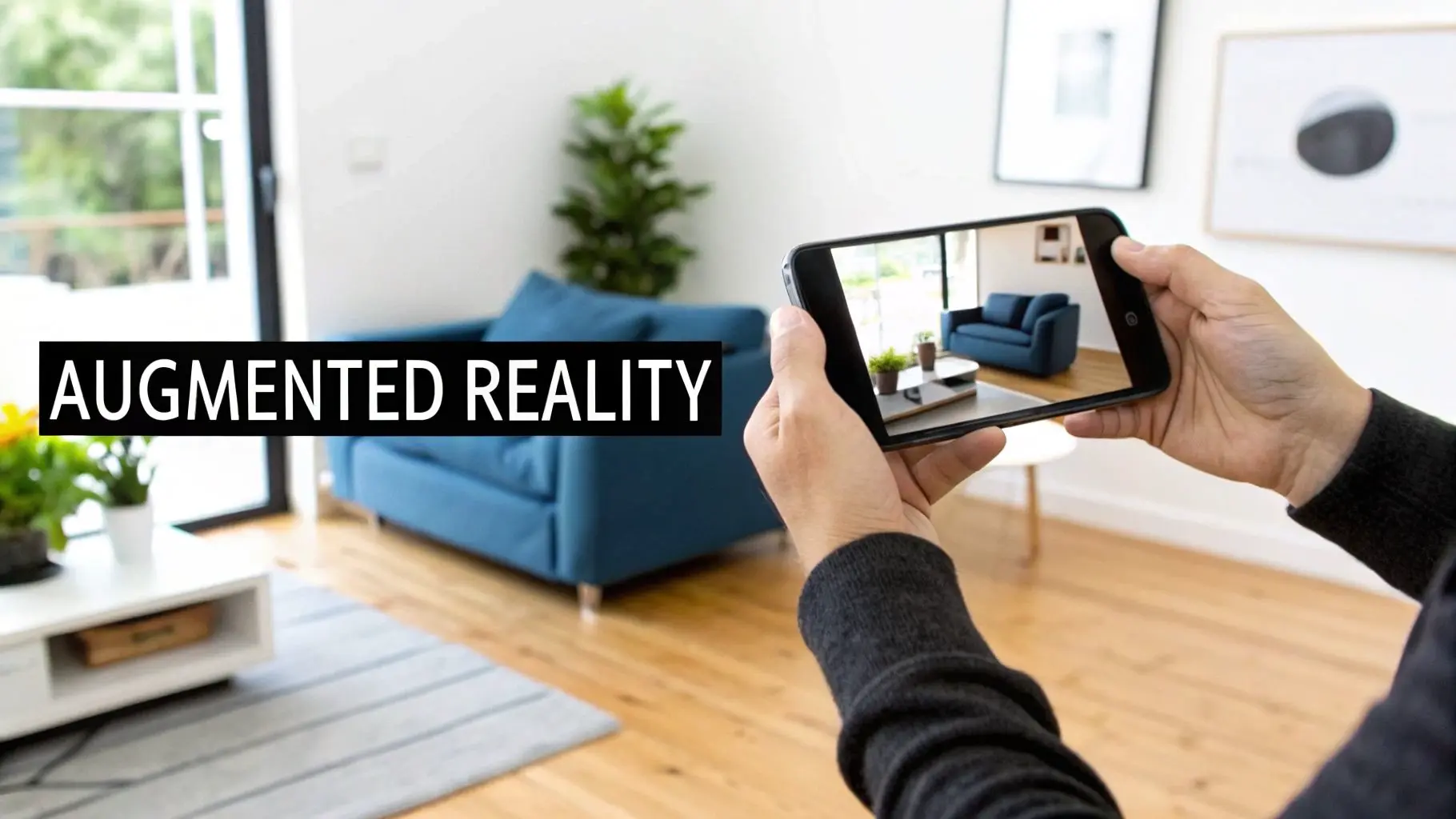
Augmented reality has moved far beyond being a futuristic gimmick; it’s now a practical and surprisingly powerful business tool. It completely changes how users interact with products and information by creating an interactive digital layer over their immediate environment. Instead of just looking at a picture of a sofa online, a customer can use an AR app to see exactly how that sofa would fit and look in their own living room. This technology is creating real, tangible value across a huge range of industries. The UK Augmented Reality (AR) market is on the verge of explosive growth, projected to climb from USD 4,131.2 million in 2024 to an incredible USD 25,763.2 million by 2030. While hardware has been a big part of the story, it’s the software sector that’s growing fastest, showing a massive demand for high-quality AR app development. You can read more about the UK AR market forecast on GrandViewResearch.com.
Moving Beyond Novelty to Utility
The first wave of AR was all about playful social media filters and simple games. Fun, but not exactly game-changing for most businesses. Today, the focus has shifted dramatically towards creating meaningful, utility-driven experiences that solve real problems and deepen customer engagement. The applications are getting more sophisticated and are being woven into day-to-day operations. For instance, businesses are putting AR to work to:
- •Create immersive product showcases: Letting customers visualise items like furniture, cars, or clothing in their own space before they commit to buying.
- •Deliver interactive training modules: Enabling technicians to see digital instructions overlaid on complex machinery, making repairs safer and more efficient.
- •Launch viral marketing campaigns: Crafting memorable, shareable experiences that connect brands with consumers in a completely new way.
By bridging the gap between digital content and the physical world, AR offers a uniquely intuitive way to communicate complex information and provide engaging, hands-on experiences.
Ultimately, AR app development is no longer about what might be possible tomorrow; it’s about what’s profitable and practical today. It offers a genuine competitive advantage by creating deeper connections with audiences and streamlining operations. As the technology becomes more accessible and powerful, its role in modern business strategy is only going to grow, making now the perfect time to explore what it can do for you.
Understanding the Core AR Development Technologies
Behind every slick augmented reality experience, there’s a powerful stack of technologies working together. Pulling off a great AR app development project isn't about finding one magic piece of software; it’s about choosing the right combination of platforms, frameworks, and engines to make your vision a reality. Getting your head around these core components is the first step to building an AR app that actually works for your business. The whole thing starts with the software development kits (SDKs) that the big mobile operating systems provide. These are the tools that handle the really complex stuff, like letting a device understand the physical world through its camera.
- •Apple's ARKit: This is the native framework for building AR on iPhones and iPads. It's brilliant at world tracking, plane detection (finding flat surfaces like floors and tables), and recognising images.
- •Google's ARCore: This is the Android equivalent, offering similar magic for a huge range of Android smartphones. It focuses on motion tracking, understanding the environment, and estimating light to make virtual objects look like they really belong in the scene.
Think of these platforms as the bedrock. They give developers a solid foundation to build apps that can reliably place digital content into a user's real-world space and let them interact with it.
Choosing Your Development Engine
While ARKit and ARCore handle the core tracking, you still need a game engine to actually build the app, render the 3D models, and manage what happens when a user taps the screen. Two big names dominate the AR development world: Unity and Unreal Engine. Unity is usually the first choice for mobile AR development. It's relatively lightweight, has a massive asset store full of ready-made components, and its support for cross-platform development is fantastic. This means you can build for both iOS and Android from a single project, which is a massive efficiency win. If you want to dive deeper, check out our guide on mastering Unity development for business and XR experiences. Unreal Engine, on the other hand, is famous for its jaw-dropping graphics and photorealistic rendering. It’s the powerhouse you turn to when visual quality is everything, think architectural visualisations or high-end product configurators. The trade-off is that it can be a bit more demanding on mobile hardware. This screenshot from Unity's website shows how their platform is geared towards building once and deploying across different AR devices. It really drives home Unity's focus on a unified workflow, letting creators target multiple AR platforms without having to start from scratch each time.
The Rise of WebAR
Beyond native apps, there's another major player on the scene: WebAR. This technology serves up augmented reality experiences directly through a mobile web browser, meaning users don't have to download a thing from the App Store or Google Play. It’s a frictionless approach that’s perfect for marketing campaigns, event activations, and any situation where you need people to jump in instantly.
WebAR lowers the barrier to entry for users, which can dramatically increase engagement rates for promotional or retail experiences. If a customer can access your AR product viewer with a simple QR code scan, they are far more likely to try it.
Ultimately, the choice between a native app (using ARKit/ARCore) and a web-based experience (WebAR) comes down to your specific goals. If you need a deep, feature-rich application that squeezes every drop of power from the device, a native app built with Unity or Unreal is the way to go. But for maximum reach and instant accessibility, WebAR is an incredibly powerful tool.
Comparing Key AR Development Platforms
To help you see how these technologies stack up, we've put together a quick comparison table. This should give you a clearer idea of which platform might be the best fit for your project's needs.
| Platform | Best For | Key Features | Primary Engine |
|---|---|---|---|
| ARKit (Apple) | Native iOS apps requiring deep device integration and high performance. | World tracking, plane detection, image recognition, face tracking, People Occlusion. | Unity, Unreal Engine |
| ARCore (Google) | Native Android apps with broad device compatibility. | Motion tracking, environmental understanding, light estimation, Cloud Anchors. | Unity, Unreal Engine |
| Unity | Cross-platform mobile AR, interactive experiences, and rapid prototyping. | Rich asset store, C# scripting, strong community support, versatile rendering pipeline. | N/A (It's the engine) |
| Unreal Engine | High-fidelity visuals, photorealistic rendering, and architectural visualisation. | Blueprints visual scripting, advanced lighting and material systems, unparalleled graphics. | N/A (It's the engine) |
| WebAR | Marketing campaigns, product viewers, and frictionless user access without app downloads. | Browser-based, no installation, QR code activation, broad reach. | A-Frame, 8th Wall, Zappar |
Each of these platforms offers a unique set of strengths. The key is to match the technology to your business objectives, target audience, and the kind of experience you want to create.
Mapping the AR Production Pipeline
Turning a brilliant idea into a slick, working augmented reality app isn't a chaotic sprint; it's a structured journey. A successful AR app development project follows a clear, multi-stage pipeline, guiding the concept from a napkin sketch to a polished, market-ready product. Understanding these stages demystifies the whole thing and makes sure every part of the project is planned, executed, and refined with precision. We can break the entire process down into four distinct phases, each with its own goals and activities. This methodical approach is the best way to prevent scope creep, keep the creative and technical teams on the same page, and deliver the project on time and on budget. Think of it as the blueprint for building experiences that work flawlessly and hit their business targets.
Phase 1: The Discovery and Concepting Stage
This first phase is all about strategy and making sure the idea has legs. Before anyone writes a single line of code or builds a 3D model, we have to nail down the project's core "why." It's a stage of deep collaboration between you and the studio to get perfectly aligned on the project's purpose and potential. Key activities here usually include:
- •Defining Business Goals: What, exactly, is this app meant to achieve? Are we trying to drive sales, make training more effective, or just get people talking about the brand?
- •Identifying the Target Audience: Who is going to be using this? What are their expectations and how comfortable are they with this kind of tech?
- •Creating User Stories: We map out how different people will actually interact with the app. This helps us decide which features are essential and which are nice-to-haves.
- •Technical Feasibility: This is where we make the big calls on the tech stack. Is a native app using ARKit or ARCore the right move, or would WebAR be a better fit?
This flowchart visualises the key decision points you'll face when choosing the right technology path for your AR project.
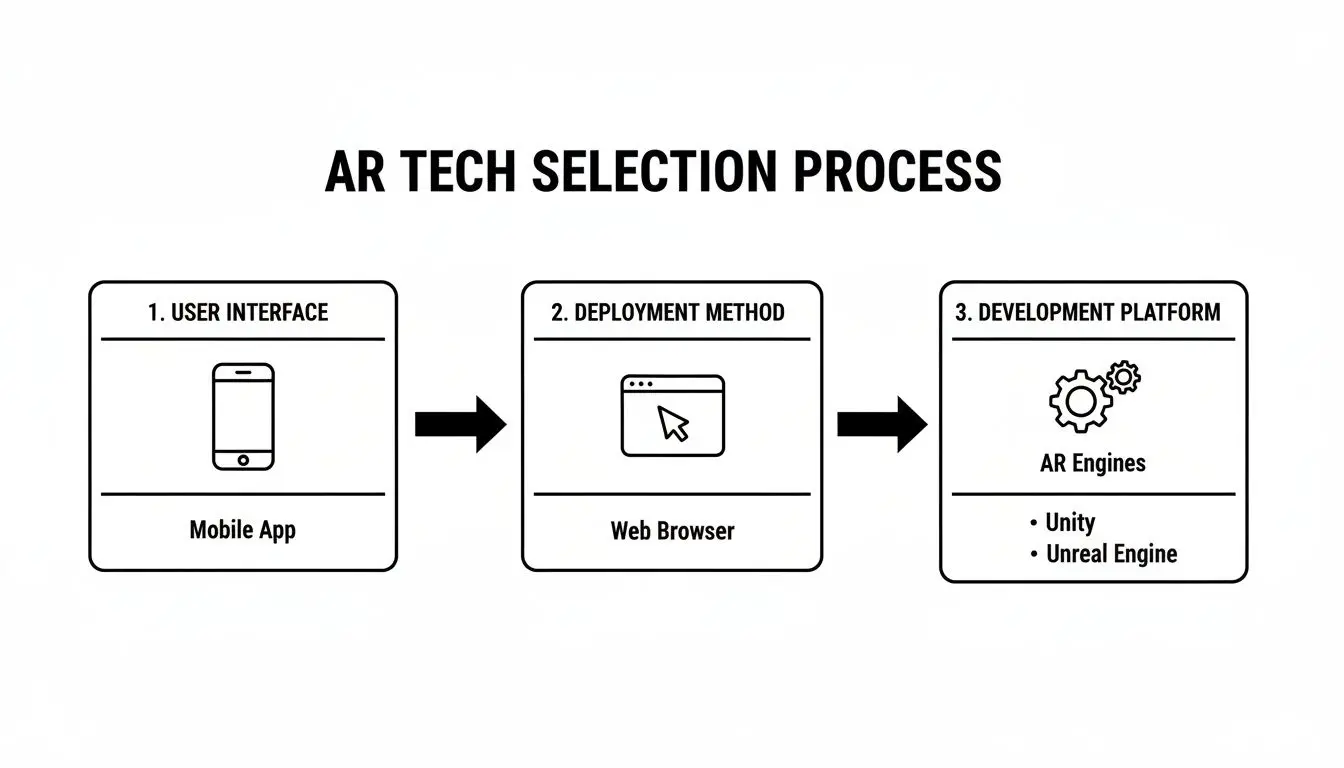
As you can see, choices about the user interface, how it will be deployed, and the development platform are all interconnected. Getting this right from the start sets the entire project's technical direction.
Phase 2: Pre-production and Prototyping
Once the strategy is locked in, pre-production is where the creative vision starts to become tangible. This stage is all about planning the user experience and visualising the app's look, feel, and flow. The goal is to create a solid blueprint for the production team to follow. Typical deliverables include wireframes that map out the user interface (UI), storyboards to sequence the user's journey, and style guides to define the visual aesthetic. Crucially, this phase often ends with a functional prototype.
A prototype isn't a polished app. It's a rough, interactive mock-up designed to test the core mechanics and user interactions. This step is absolutely vital for getting early feedback and making changes before you're too far down the line, saving a huge amount of time and money later on.
Phase 3: The Core Production Cycle
This is the big one, the longest and most intensive phase where the bulk of the development work happens. Guided by the blueprints from pre-production, our artists, animators, and developers work together to build the application, piece by piece. The key production tasks are:
- •3D Asset Creation: Our artists get to work designing, modelling, and texturing all the virtual objects that will pop up in the AR experience.
- •UI/UX Implementation: Designers build out the interactive menus, buttons, and on-screen graphics based on the wireframes.
- •Core Development: The programmers write the code that brings everything to life. They power the app's logic, integrate the AR frameworks like ARKit or ARCore, and make the 3D assets do their thing.
Phase 4: Testing and Deployment
The final phase is all about quality assurance (QA) and getting the app out into the world. We conduct rigorous testing across a whole range of devices to hunt down and fix bugs, optimise performance, and ensure the user experience is as smooth as possible. This means testing everything from tracking stability to graphical performance and general usability. Once the app is stable and polished, it’s time for deployment. This involves submitting it to the Apple App Store or Google Play Store, a process that includes preparing marketing assets and making sure we stick to each platform's guidelines. But the pipeline doesn't stop at launch; we always plan for post-launch support and updates to keep the app working perfectly and feeling fresh.
Assembling Your AR Development Dream Team
Building a great AR app isn't a one-person job; it's a team sport that requires the perfect mix of creative flair and solid technical chops. Think of it like a film crew, where specialists from different fields all pull together to create a single, cohesive experience. Putting that team together means understanding how to hire app developers with the right skills, as every single role is essential for taking a bold idea and turning it into a polished, working app. Behind every slick AR experience, you’ll find a dedicated team covering several core disciplines. These roles are deeply collaborative, with skills that overlap and complement each other right through the production pipeline. A top-tier studio team brings a diverse set of talents to the table, ready to handle everything from initial strategy to the final launch.
Core Roles in AR Production
A typical AR project needs a blend of management, design, artistry, and engineering. The exact lineup might change depending on the project’s scale, but five key roles form the backbone of most professional AR development teams.
- •Project Manager: The organiser and communicator. This is the person setting timelines, managing budgets, and making sure the entire team is on the same page and heading in the right direction. They are the central hub, translating client needs into clear, actionable tasks for the creative and technical crew.
- •UI/UX Designer: The user’s champion. They design the entire user journey, from how menus and buttons look (UI) to how the experience feels to navigate (UX). In AR, this job is especially tricky , they’re designing intuitive interactions for a 3D space, not just a flat screen.
- •3D Artist: The world builder. This artist creates all the virtual objects, characters, and environments that pop up in the augmented reality scene. Their job involves modelling, texturing, and optimising these assets so they look amazing without bogging down the app’s performance.
- •Unity/Unreal Developer: The engineer who makes it all work. This developer takes the 3D models and UI designs and writes the code that brings everything to life. They implement the core AR logic using frameworks like ARKit or ARCore and ensure the app is stable, interactive, and runs smoothly on different devices.
- •QA Tester: The quality gatekeeper. Before any app gets into public hands, the QA tester puts it through its paces. They meticulously test every feature on a range of devices, hunting down bugs, performance hitches, and usability problems to make sure the final product is solid and reliable.
The real magic happens when these roles collaborate. A 3D artist and a developer, for example, need to be in constant conversation to ensure a virtual object not only looks great but is also optimised to animate smoothly and interact realistically within the game engine.
It’s this collaborative spirit that separates a clunky project from a seamless AR experience. Each role is a vital piece of the puzzle, and their combined expertise is what ultimately delivers an app that is both technically robust and creatively brilliant.
Exploring Real-World AR Business Applications
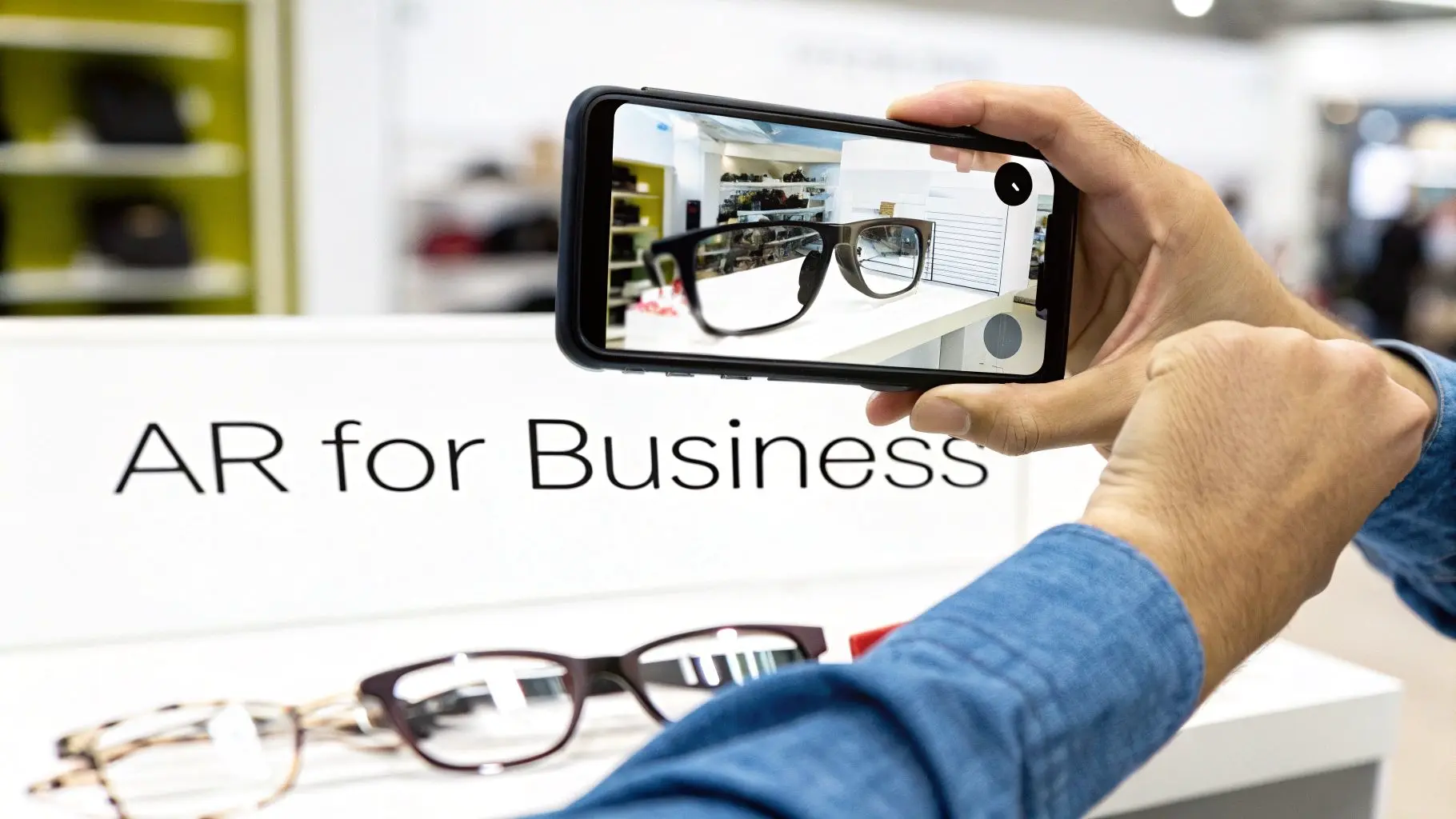
Okay, let's move away from the theory. The real magic of AR becomes clear when you see how it solves genuine, tangible business problems. This isn't just a gimmick; AR app development is delivering measurable returns across a huge range of sectors by completely changing how customers engage with products and brands. These applications are the bridge between the digital and physical worlds. They create experiences that aren't just cool to look at but are genuinely useful. From the shop floor to the exhibition hall, AR is proving its worth by making complex information easy to digest and decision-making much, much simpler.
Powering Retail and E-commerce
The retail world has jumped on AR, using it to tackle that classic problem of online shopping: "Will this actually work for me?" Virtual try-on experiences are the perfect example of this in action.
- •Fashion and Cosmetics: Apps that let you see how a pair of glasses, a shade of lipstick, or an outfit looks on you in real-time have been shown to increase conversion rates by up to 200%. This kind of immersive preview gives customers the confidence they need to click "buy".
- •Furniture and Decor: Major brands now let you place true-to-scale 3D models of their furniture right in your own living room. It’s a simple but powerful tool that helps you visualise layouts, check if that sofa will fit, and match styles, dramatically cutting down on product returns.
Transforming Exhibitions and Events
At a busy trade show or exhibition, grabbing someone's attention is half the battle. AR gives you a powerful way to make your stand more interactive and memorable, turning passersby into active participants. This is especially true for AR for exhibitions, where the goal is to increase dwell time and create a lasting impression. An AR experience can be designed to keep visitors at your booth for longer by overlaying product info, animations, or interactive demos onto your physical displays. Imagine a visitor pointing their phone at a piece of machinery to see a cutaway view of its inner workings. That’s a whole lot more engaging than just handing them a brochure. To learn more about this, check out our complete guide to augmented reality experiences.
By turning a standard exhibition booth into an interactive digital playground, AR not only boosts engagement but also provides valuable data on which products or features capture the most interest.
Enhancing Training and Maintenance
For complex industrial jobs, AR is an incredible training and support tool. Instead of digging through dense paper manuals, technicians can put on AR glasses or use a tablet to see digital instructions and diagrams overlaid directly onto the equipment they're fixing. This is the core of VR and AR training simulations, a sector where accuracy and compliance are paramount. This approach makes work safer by allowing for hands-free operation and cuts down on mistakes by giving clear, context-sensitive guidance right when and where it's needed. From assembling intricate components to carrying out routine maintenance, AR streamlines complicated processes and helps people learn faster. It’s a prime example of strategic AR app development delivering clear operational improvements.
How to Choose the Right AR Development Partner
Picking the right studio is probably the single most important decision you'll make when diving into augmented reality. This isn’t just about hiring someone to code. You’re looking for a partner who brings a potent mix of creative vision, deep technical know-how, and a battle-tested production process. Get this right, and your brilliant idea has every chance of becoming a polished, high-performing AR app that smashes its business goals. When you start looking around, your first stop should be the portfolio. You want to see a rich and varied body of work that shows off their skills in both high-end animation and real-time development. A partner with a strong footing in both worlds, like us here at Studio Liddell, instinctively knows how to build assets that are not only gorgeous but also meticulously optimised to run like a dream on mobile devices.
Evaluating a Studio’s Technical Expertise
A slick portfolio is a great start, but you need to dig deeper. Your potential partner needs to have serious, hands-on expertise with the core engines that bring AR to life, that’s primarily Unity and Unreal Engine. Don't be shy about asking them to walk you through specific projects. Why did they choose that particular engine? What challenges did they face? Their answers will tell you a lot about their strategic thinking and problem-solving chops. Whether you're building an in-house team or bringing in an external studio, knowing how to spot genuinely skilled mobile app developers is vital. Look for studios that champion a transparent production process. You should have a clear line of sight into every stage, from the initial brainstorming sessions right through to the final deployment. A studio's past work is the best predictor of future success, as you can see from a glance at our own projects. This range really highlights what a full-service studio can bring to the table, moving seamlessly from broadcast-quality animation to fully interactive XR experiences.
Key Criteria and Red Flags
The UK's app development scene is absolutely buzzing right now. With revenues projected to hit £32.3 billion in 2026 and more firms popping up all the time, it's a crowded market to navigate. To cut through the noise, focus on what really matters. A great partner will be intensely curious about your business objectives, not just the tech specs. They'll lay out a clear roadmap and keep you in the loop every step of the way.
So, what are the red flags? Be wary of anyone with a thin portfolio, vague answers about their process, or a reluctance to talk about the tricky problems they've solved on past projects. Finding the right cultural and technical fit is absolutely crucial for a successful AR app development project.
At the end of the day, you're searching for a creative and technical ally who is just as invested in your project's success as you are. To get a better feel for how we work, take a look at our dedicated app development services.
Common Questions About AR App Development
Whenever you're exploring new tech, the practical questions around investment and return on that investment are never far behind. To help you plan your own AR app development project with a bit more clarity, we've put together some straightforward answers to the questions we hear most often from businesses like yours. Getting a handle on these real-world concerns from the get-go is the key to aligning everyone's expectations and setting your project up for success.
How Much Does an AR App Project Usually Cost?
This is the big one, and the honest answer is: it varies hugely depending on what you want to achieve. A simpler, marker-based app could start in the region of £15,000. On the other end of the spectrum, a complex app with bespoke animations, backend systems, and multi-platform support could easily go north of £100,000. The main things that drive the cost are the number of custom 3D assets needed, the complexity of the animation, your choice of platforms, and any integrations with your existing business systems.
What Is a Realistic Timeline for AR Development?
You're typically looking at a window of 3 to 9 months for a complete AR app project. A quick proof-of-concept to test an idea might be turned around in 8-12 weeks. For a more feature-rich app, maybe for retail or industrial training, you should plan for 6-9 months from the first discovery call all the way to launch day. A big chunk of that time is often spent in the pre-production and asset creation stages , getting that foundation right is crucial.
How Do You Measure the ROI of an AR App?
Measuring the return on investment (ROI) isn’t just about the bottom line; it's about tracking performance against the specific goals you set out to achieve. The metrics you watch will depend entirely on what success looks like for you. For example, you might track:
- •User Engagement: How long are people spending in the app? How many times are they interacting with the AR features?
- •Conversion Rates: For a retailer, this is huge. How many people who use a virtual try-on feature go on to buy the product?
- •Lead Generation: At a trade show, how many qualified leads did the AR experience capture?
- •Training Efficiency: Are new staff getting up to speed faster? Are error rates dropping after using an AR training tool?
The single most important thing you can do is define your Key Performance Indicators (KPIs) before a single line of code is written. With that clarity, you can track success effectively and prove the value of your investment from day one.
Ready to bring your augmented reality vision to life with a partner that blends creative excellence with technical precision? Studio Liddell has been delivering award-winning digital experiences since 2019. Book a production scoping call with us today.