Animation Lip Sync Guide: Workflow from Audio to Delivery
You've got a scene on the timeline, the voice track is clean, and the character still feels dead from the nose down. The mouth moves, but the performance doesn't land, so every line sounds like it's been pasted onto the face instead of lived through it. That's the core problem with animation lip sync, it isn't about drawing more mouth shapes, it's about making the dialogue feel owned by the character. In practice, the fix starts long before you touch the controls. The strongest work treats mouth movement as part of acting, pacing, and camera read, not as a cleanup pass. UK studios have been building that approach for decades, from mechanical sync in puppetry to performance-led dialogue animation, and that history still shapes how production teams think about timing today, from Lip Synch in 1989 to earlier sound-era breakthroughs and later broadcast workflows Skwigly on Nick Park and Peter Lord Peter Lord on animation lip sync history.
The Core Philosophy of Animation Lip Sync
A weak lip sync usually doesn't fail because the mouth is wrong. It fails because the face is saying one thing while the body says another, or because the timing ignores the rhythm of the voice. If the dialogue is sharp but the head sits like a statue, the audience feels the disconnect immediately.
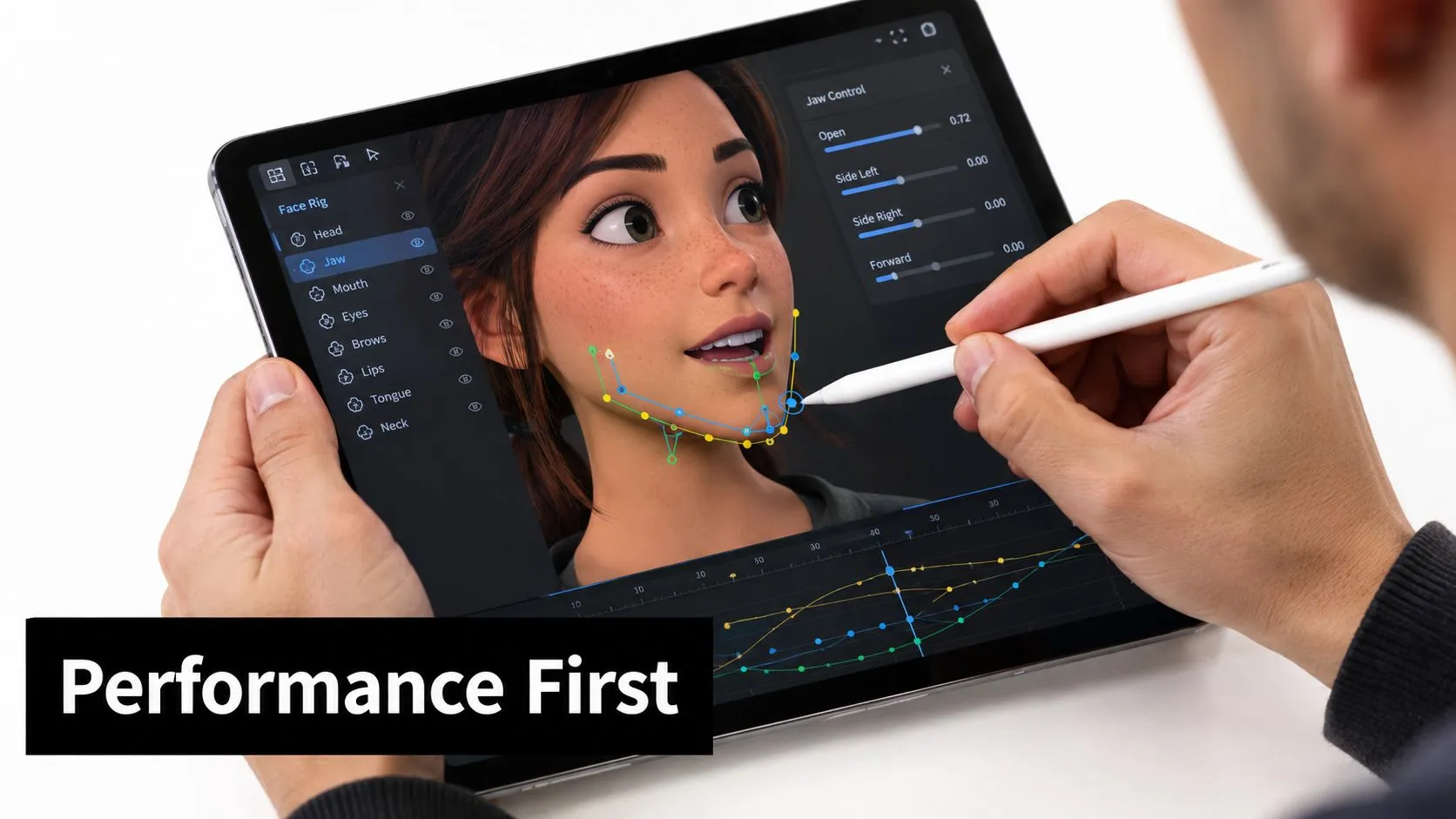
Performance comes first
The voice track is the performance reference, not a transcript to decorate. Listen for emphasis, breath, hesitation, and the places where the character is thinking before speaking. Those beats shape the mouth, but they also shape posture, eye direction, and when the head settles or shifts.
Practical rule: if the face is convincing with the audio muted for a few frames, the lip sync is usually on the right track.
That idea shows up in the best UK character work. Aardman's Lip Synch package in 1989 expanded on earlier real-voice experiments, and it mattered because the mouths were serving spoken performance rather than just keeping up with dialogue mechanically Skwigly on Nick Park and Peter Lord. That same logic still applies whether you're animating a cartoon lead, a puppet, or a real-time avatar. The common mistake is over-animating every syllable. You do not need a new pose for each sound. You need clean emphasis on the sounds that carry the word, and enough restraint that the speech still reads as human. The mouth should support the acting, not fight it.
Why realism still matters
Commercial tools can generate usable output, but realism alone doesn't solve performance. Industry review material notes that even available avatar lip sync can still be suboptimal for lip-readers compared with human speech, which is a reminder that visual believability and accessibility are not the same thing IBC Synthetic Humans Industry Review 2023.pdf). If the mouth looks smooth but the speaker is hard to read, the shot has still failed for part of the audience. The practical target is clarity. The character's intent should read quickly, the dialogue should feel anchored, and the mouth should never pull attention away from the line itself. That's why senior animators keep returning to the same habit, first understand the performance, then animate the mechanics.
Planning Your Audio and Mapping Phonemes
Start with the audio before you touch the timeline. Clean the track, remove obvious noise where you can, and listen to it more than once without looking at the transcript. You're not just hunting phonetic shapes, you're finding the line's emotional peaks and the exact moments where the speaker changes pace.
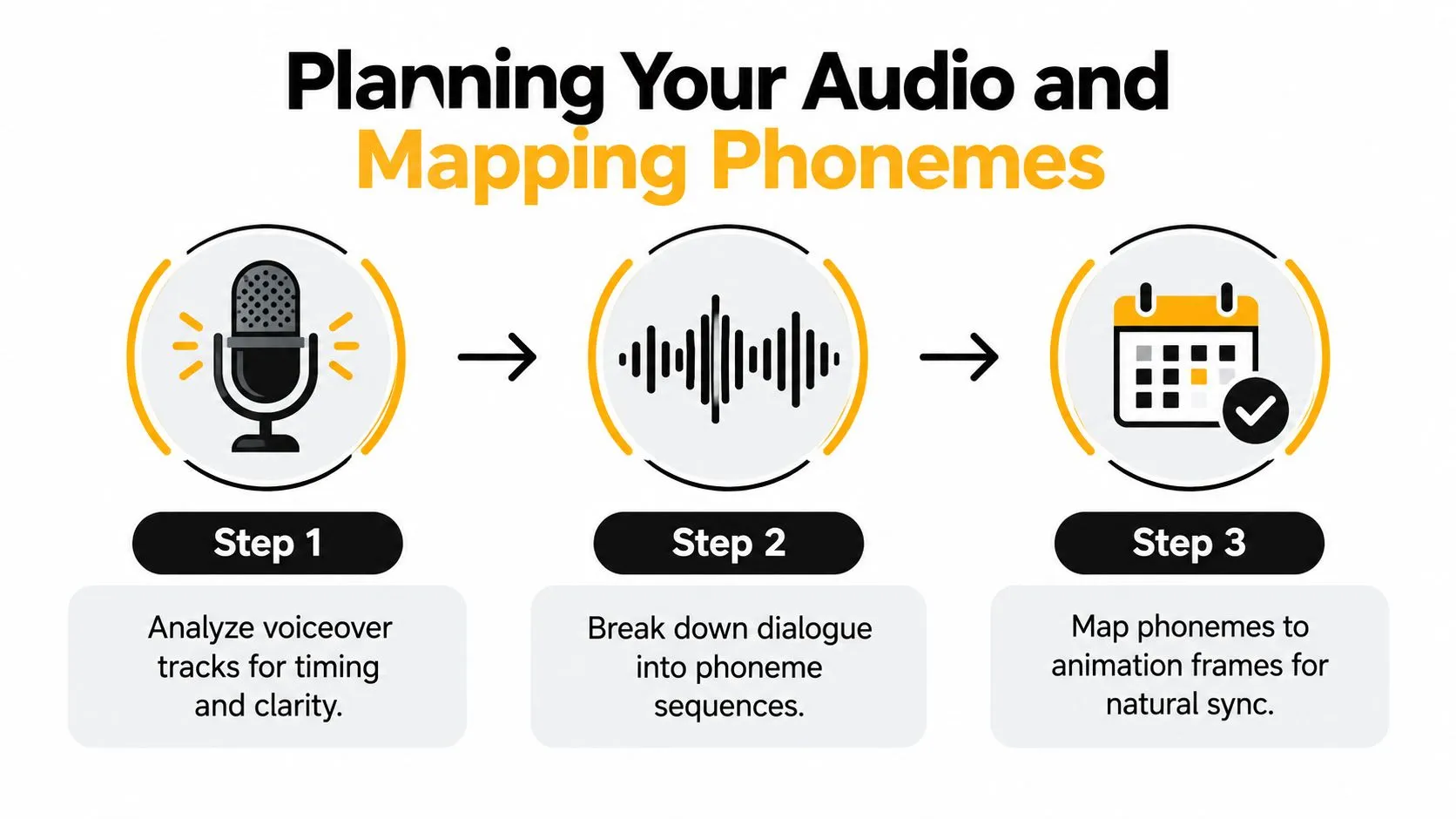
Break the line into usable beats
Write the dialogue out, then mark where the natural stresses sit. Don't mark every letter, because animation works from phonemes and visemes, not spelling. The sound of the word matters more than the word on paper, and the character's mouth should follow pronunciation, not typography. A good workflow is simple:
- Mark the accent beats. Identify the words the actor leans on.
- Group sounds into mouth families. Open vowels, closed-lip stops, teeth-contact shapes, and rounded consonants each need different treatment.
- Block the major changes first. Place the big transitions, then refine the in-betweens for flow.
The mouth should stay readable through motion, not freeze between sounds like a flipbook of isolated letters.
Build the viseme chart for the character
A viseme chart is only useful if it matches the character design. A human face, a stylised dog, and a puppet all turn the same sound differently. Teeth, lips, muzzle size, jaw range, and cheek volume affect how far you can push the mouth before it breaks the design. That's where UK production thinking gets practical. Teesside University's animation courses place lip sync alongside facial animation and motion-capture stages, which reflects how studios really work, as part of a broader performance pipeline rather than a standalone trick Teesside University animation courses_animation.cfm). The mouth chart has to fit the same broader rig and facial setup that will carry the rest of the shot. If you're working with a recorded voiceover, lock the audio first, then create a pass that shows where the visual emphasis must land. Here, timing notes matter more than artistic flourish. A strong map saves revision later because the animator already knows which syllables need support and which ones can be simplified.Match the chart to the performance
For a quiet line, the mouth can stay subtle and still read. For a shouted line, the jaw and cheeks may need stronger deformation, but only if the design supports it. Do not force every project into the same mouth language, because the face will start looking generic.Good production habit: keep a note on whether the character is speaking, shouting, or singing, because each one asks for a different mouth strategy.That's also where accessibility matters again. If the line has to be lip-read, clarity beats cleverness. Mouth closure, jaw separation, and visible consonants need to be obvious enough that the speech can be tracked without sound, which is why some teams test the result with the audio muted before the shot is signed off.
Rigging and Mouth Shape Strategies
If the rig is clumsy, the lip sync will fight you all the way through the shot. The biggest mistake junior artists make is assuming mouth shapes are just a set of poses. They're not, they're part of a deformation system, and that system has to survive timing, expression changes, and edit notes.2D and 3D don't solve the same problem
In 2D, the mouth is often drawn or keyed as part of the acting pass, so the challenge is consistency of design and timing across hand-drawn or cut-out poses. In 3D, the challenge is deformation control, because the rig has to move cleanly without collapsing the face or producing odd shading. The tools are different, but the core issue is the same, the mouth has to support speech without flattening the performance. A UK specialist facial-animation case study notes that real-time lip synch can be driven by viseme metadata from text-to-speech services, with one build using 15 viseme blend shapes for phonetic mouth movement and more than 60 blend shapes taken from a scanned subject to rig the face Flagship P Animation. Those numbers matter because they show the trade-off clearly, more shapes can give you finer control, but they also make setup and maintenance heavier.Build only the shapes the shot needs
Too few shapes and the mouth feels stiff. Too many shapes and the rig becomes slow to animate, harder to QA, and more fragile in downstream revisions. The right answer depends on the character design and the production target, not on a generic template. For broadcast work, clarity in movement usually beats facial complexity. For stylised work, a smaller shape set can be enough if the poses are strong. The shape library should support the character's identity, not overwrite it. A practical way to think about it is this:- •2D rigs suit faster pose changes and graphic styles, but they demand clean drawing discipline.
- •3D blend-shape rigs give you smoother transitions and easier interpolation, but they can expose bad topology and weak rigging fast.
- •Real-time avatars need the most disciplined balance, because the mouth has to read live and survive engine constraints.
Useful rule: if the mouth shape only looks good at one exact frame, the rig is doing too much work and the animator will pay for it later.
That's why UK workflow training tends to place facial animation together with the broader motion pipeline. The job isn't isolated sculpting, it's performance delivery through a rig that still behaves under review, retime notes, and export.
Keep the controls readable
If the animator has to fight the rig, the timing will degrade. Keep the controls direct, the mouth shapes obvious, and the deformer stack as simple as the project allows. That's true whether you're using a hand-built face rig or a production asset built for dialogue-heavy shots. For teams looking at production tooling and pipeline choices, Studio Liddell's own rigging guidance sits in the same family of practical trade-offs, especially when facial animation has to survive delivery pressure and revision passes AI character rigging guide. The point is not to chase maximum complexity. The point is to give animators a rig that can be trusted on the day.
Software Implementation and Timing
Different software packages don't change the principles of lip sync, but they do change where errors creep in. In timeline-based tools, the danger is over-relying on the graph or the scrubber and forgetting how the line really feels at playback speed. In real-time tools, the problem is often latency and pipeline discipline.
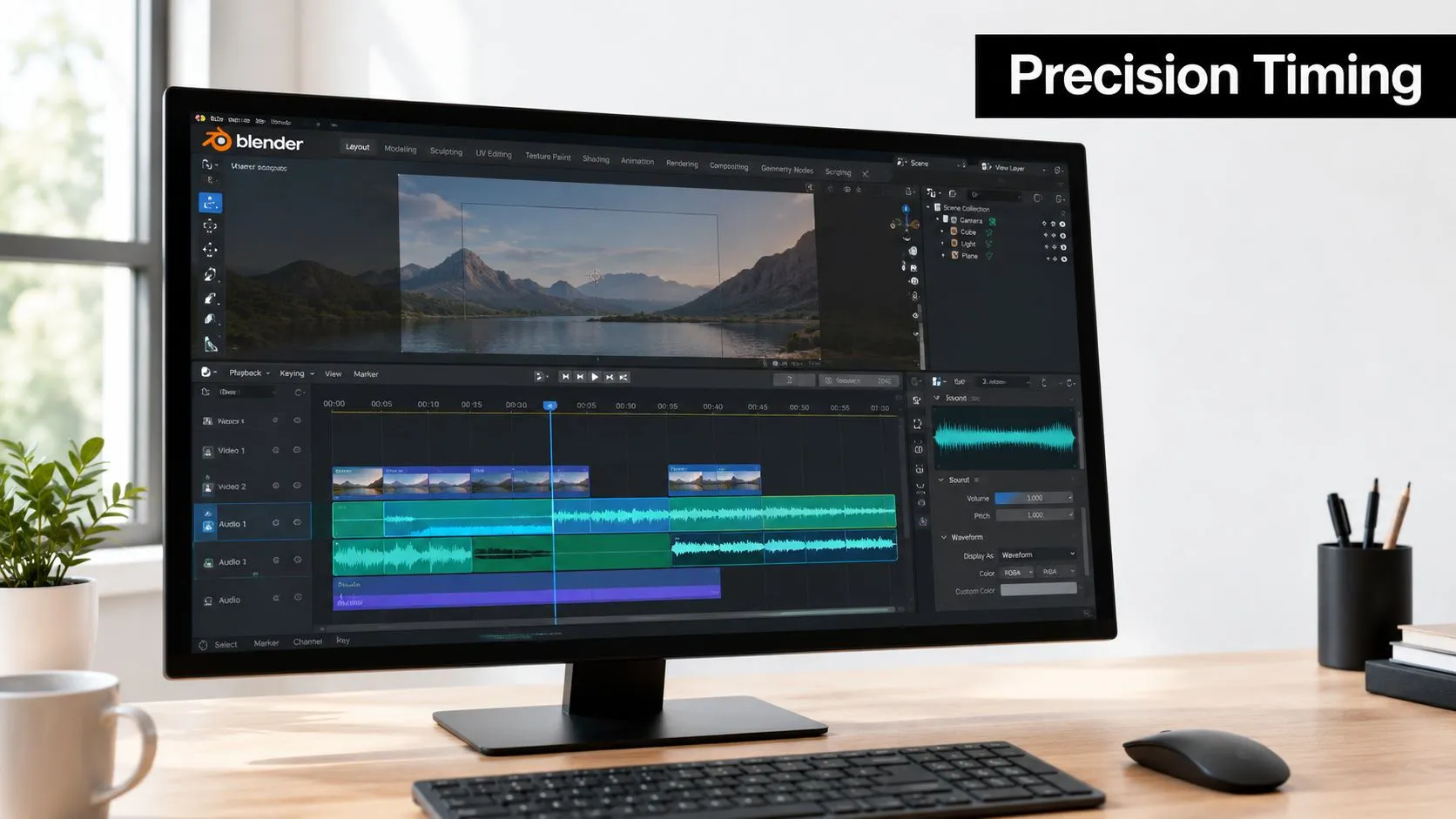
Tool choice should follow delivery needs
Maya and Blender are common choices for keyed character dialogue because they handle pose work and fine frame adjustment well. Toon Boom is useful for cut-out and 2D character rigs where mouth poses need to stay clean and editable. Unity and Unreal come into play when the dialogue has to run in-engine, in an event, a prototype, or a live experience. If the final output is a rendered shot, prioritise clean keyframes, easing, and animator control. If it's real-time, prioritise responsiveness, predictable audio handling, and a rig that won't drift when the scene gets complicated. That split changes how you test the work, not just how you build it. A useful reference on the wider sync problem is syncing audio with video for creators, because good timing discipline starts with knowing how audio and picture line up before you add facial nuance. If the base sync is off, the mouth work becomes repair work instead of performance work.
Timing checks should be boring
Most lip sync problems show up in review, not in first pass. The usual culprits are late closures on plosives, mouths snapping open too quickly on vowels, and a line that feels rushed because the holds are too short. Watch the shot at speed, then watch it frame by frame, because both views catch different errors. Adobe's streaming guidance notes that audience feeds often need about a frame or two of audio delay, roughly 60 milliseconds, because viseme calculation and video transmission add latency, and it also says that delay should be applied only for the audience feed while the animation machine itself gets undelayed audio Adobe Character Animator streaming tips. That's a broadcast workflow detail, but the underlying lesson applies more broadly, if you don't account for latency, your sync decisions can be misleading.
Cross-check the shot in context
Always review lip sync with the body animation, not in isolation. A mouth that looks technically correct can still feel wrong if the head pose, blink rhythm, or shoulder action don't support the line. The reverse is true too, a strong performance can hide slightly simplified mouth work if the timing and facial intent are there. For teams planning software around the whole pipeline, it helps to compare tools with the wider production stack in mind, including real-time platforms and offline animation packages Studio Liddell's 3D animation software guide. The software should make timing easier to judge, not harder to trust.
AI Tools, QA, and Final Delivery
AI lip sync tools are useful when they remove repetitive setup, not when they replace judgement. They can help block dialogue, generate rough viseme passes, or speed localisation work, but the animator still has to protect performance nuance and readable timing. That's especially true in UK production, where coverage around AI dubbing and mouth-movement sync is growing, yet the workflow is still treated as a pipeline problem rather than a solved button-press UK screen sector AI coverage.
Use automation where it actually saves time
Let AI handle the dull parts, then review the result like a human. If the generated pass is close, use it as a starting point. If the line has emotional pivots, custom timing, or stylised deformations, key the important parts by hand. A practical test is simple, if the automated output makes you spend more time fixing it than blocking it manually, it's the wrong tool for that shot. AI is strongest when the mouth pattern is predictable and the delivery is straightforward. It gets weaker when acting, shape design, and editorial rhythm all matter at once. For teams exploring avatar tools, free AI avatar generation can be useful for quick experiments, but it should sit at the roughing stage, not the final sign-off stage. The key job is to keep the animation readable after the automation has done its first pass.
QA the way a broadcaster would
Check the shot at normal speed first. Then mute the audio and check whether the mouth still reads as speech, because that catches missed closures and awkward transitions fast. After that, compare the mouth against the body and eyes, since lip sync that ignores the rest of the face tends to feel synthetic. Use a short delivery checklist:
- •Sync alignment: confirm the mouth hits the key sounds without drifting.
- •Design integrity: make sure the rig or drawing hasn't broken the character model.
- •Playback stability: review the shot in the actual target environment if it's real-time.
- •Export sanity: check that the final file keeps the timing you approved.
If a note can be spotted in the first five seconds of playback, it should be fixed before export, not after delivery.
Deliver the version that can survive handoff
Export settings should match where the asset is going, not whatever is convenient in the moment. A shot for editorial review needs clean timing and clear naming. A shot for real-time integration needs predictable frame timing and tested audio handling. A broadcast or platform handoff needs a version that survives compression, re-import, and another round of notes. That's the point where a production team earns its money. Not by making the mouth move, but by handing over a shot that still reads after export, review, and reuse. If you want a team that can build dialogue-driven animation, rig facial performance, or help plan a real-time pipeline around lip sync, visit Studio Liddell and talk to the studio about your project.