Animated Explainer Videos: Your Guide to Success
You've probably got one of these problems right now. Your product is strong, but it takes too long to explain. Your sales team gives one version of the story, your website gives another, and prospects still need a call before they grasp the value. Or you're selling something technical, regulated, abstract, or new, and plain copy isn't carrying the load. That's where animated explainer videos earn their keep. A good explainer doesn't just make things look polished. It compresses complexity into a sequence people can follow. Problem, mechanism, proof, outcome. In less than two minutes, buyers can understand what you do, why it matters, and what they should do next. That's useful on a landing page, in a pitch deck, inside onboarding, and anywhere your team repeats the same explanation over and over. From a production point of view, the format works because animation gives you control. You can show invisible systems, future states, software flows, medical processes, logistics, infrastructure, and abstract value propositions without being limited by cameras, locations, or physical prototypes. You decide what the viewer sees and in what order they understand it. That control cuts both ways. When businesses commission animated explainer videos without a clear message, realistic scope, or delivery plan, they usually end up with a stylish asset that doesn't move a commercial metric. The script rambles. The visuals decorate rather than clarify. The edit is too long. Accessibility gets bolted on at the end, if it gets considered at all. The businesses that get value from this format approach it like producers. They define the audience, choose the right animation style, align the script to a job the video needs to do, and plan distribution before production starts.
Introduction Explaining the Unexplainable
Most buyers won't give you much time. If your offer takes several paragraphs, a complex slide, or a specialist on the call to make sense, you've already introduced friction. Animated explainer videos solve that problem when they're built around clarity rather than decoration. The primary job isn't to “make a nice video”. It's to help someone understand a difficult idea quickly enough to take the next step. That could mean booking a demo, approving a budget, adopting a platform internally, or backing a technical project. In practice, the strongest explainer videos usually do three things well. They identify the confusion, simplify the mechanism, and make the outcome concrete. That applies whether you're selling software, engineering services, healthcare innovation, education, or a new consumer product.
Practical rule: If a viewer can't repeat your core message after one watch, the problem usually sits in the script and structure, not the animation technique.
Buyers often focus first on style. Should it be 2D, 3D, or motion graphics? That matters, but it's not the first decision. Before style comes message discipline. Who is this for? What do they already know? What's the one thing they must understand before they can act? The production decisions that follow, storyboard pace, visual metaphor, voiceover tone, subtitles, cut-downs, file formats, all get easier once that foundation is in place.
Why Your Business Needs an Animated Explainer Video
Animated explainer videos work because they improve comprehension and reduce drop-off at the point where buyers are deciding whether to keep paying attention.

On UK landing pages, businesses that feature animated explainer videos see an 80% increase in conversion rates compared with pages without video content, and viewers watch approximately 80% of an explainer video on average according to Kasra Design's UK explainer video statistics roundup. That combination matters. You're not only getting attention. You're holding it long enough for the message to land.
Where the commercial value shows up
The first use case is the obvious one. A landing page with a hard-to-explain product. If your service depends on process, integration, compliance, infrastructure, or technical differentiation, a short explainer can do the heavy lifting before a form fill or a sales conversation. The second is internal communication. Onboarding, policy changes, product training, and operational workflows often suffer because every manager explains them slightly differently. An animated video gives teams one organised version of the message. The third is sales enablement. When a rep sends a deck after a meeting, an explainer can help the buyer re-sell your solution internally. That's often where deals wobble. The person who understood your pitch now has to explain it to colleagues who weren't in the room.
Why animation works better than static explanation
Animation lets you show sequence, hierarchy, and cause-and-effect cleanly. You can reveal one idea at a time, isolate the important detail, and remove everything that distracts from the point. That's much harder in static diagrams or dense copy. It's also flexible across channels. The same core asset can support your homepage, outbound follow-up, paid social cut-downs, event screens, and investor or stakeholder presentations. If you're planning wider campaigns, practical guidance on video marketing strategies for SMBs can help you think beyond a single upload and towards a fuller content path.
A strong explainer often replaces repeated manual explanation. That saves sales time and sharpens the buyer journey at the same time.
What it's not good for
Not every message needs animation. If your offer is already obvious and highly visual in the physical world, live action or a product UI demo may be the better lead asset. Animation earns its place when the challenge is understanding, not just awareness. It also won't rescue weak positioning. If stakeholders disagree on what the product is, who it's for, or what the buyer should do next, the video will expose that confusion rather than hide it.
Comparing Popular Animation Styles
Choosing the style too early usually leads to the wrong brief. Start with the communication job, then match the medium to it.
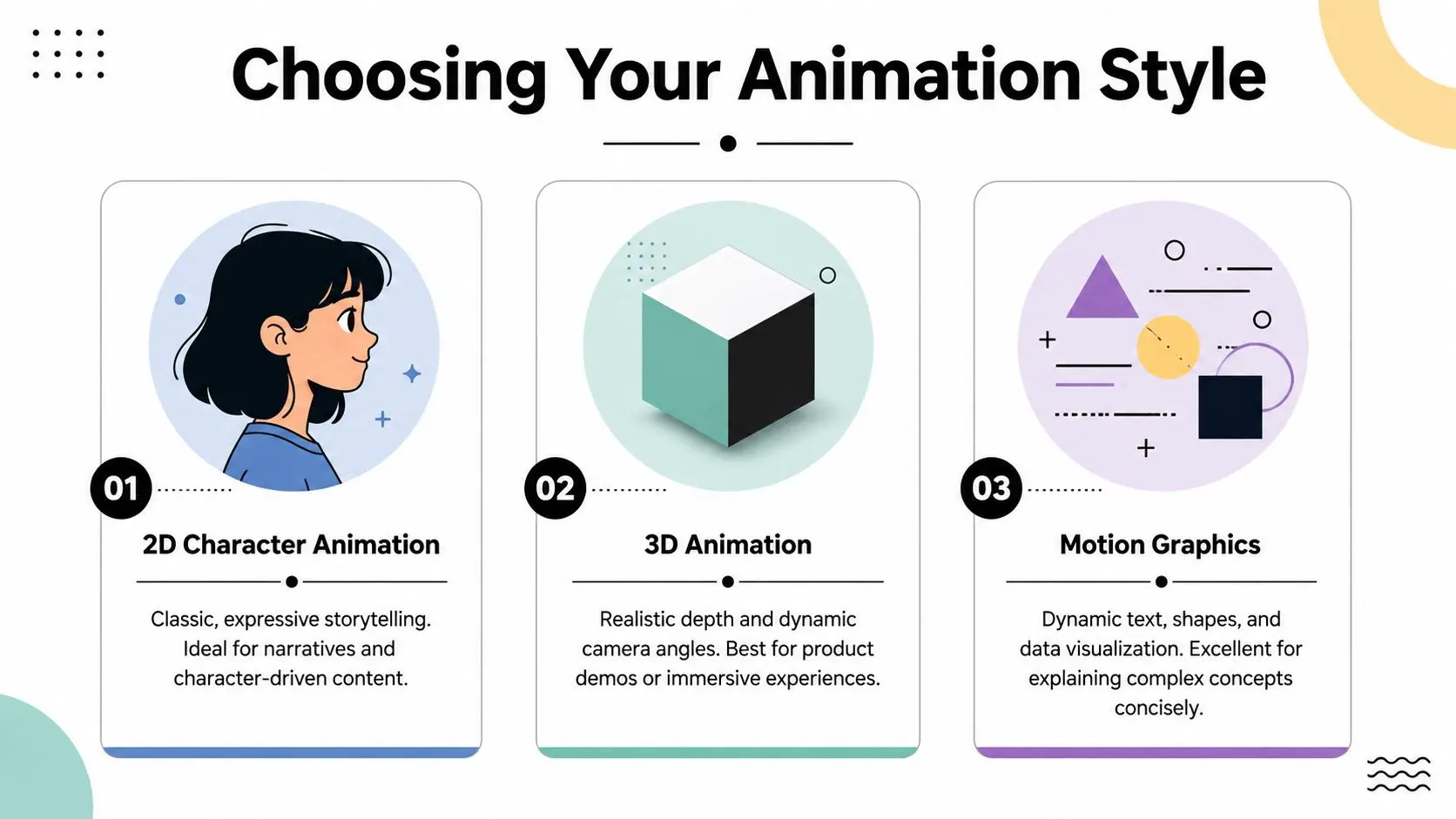
2D character animation
2D is often the most forgiving format for explainer work. It gives you personality, narrative warmth, and broad visual flexibility without the full production burden of 3D. It's especially useful when you need to humanise a service, show customer scenarios, or build empathy around a problem. For brand films, onboarding stories, healthcare communication, and educational content, 2D can carry a lot of meaning with relatively economical design choices. Stylisation is an advantage here. You don't need realism. You need recognisable actions and clear emotional beats. A common mistake is overcomplicating the character design. If every scene needs bespoke poses, props, and environment detail, cost rises quickly and revisions slow down.
3D animation
3D wins when depth, spatial understanding, product realism, or cinematic movement are part of the sell. If you're demonstrating machinery, architecture, packaging, manufacturing, engineering systems, or a product that doesn't yet physically exist, 3D can make the intangible feel tangible. There's a workflow trade-off. In the UK, a 60-second high-quality 3D animated explainer video typically requires 8 to 12 weeks from brief to delivery, whereas the same duration in 2D takes 6 to 8 weeks because 3D adds modelling, rigging, and rendering stages, as outlined by Educational Voice's UK animation production guide. That extra time isn't waste. It's the price of depth, lighting, texture, and camera control. But you should only pay for those benefits if they serve the message.
Motion graphics
Motion graphics sit in a different lane. They're less about character performance and more about information design. Text, icons, charts, interface elements, shapes, and transitions carry the story. This style works well for software explainers, financial products, professional services, data-heavy messaging, and B2B communication where speed and clarity matter most. It's often the right answer when you have strong brand guidelines and need a clean, modern piece that can be repurposed across multiple formats. It's also easier to version for different audiences or markets because you're usually editing modular graphic scenes rather than fully staged animated performances. For a practical view of where each route fits, Studio Liddell's article on 2D vs 3D animation is a useful reference point when you're balancing visual ambition against production realities.
Animation style comparison
| Style | Best For | Creative Feel | Relative Cost & Timeline |
|---|---|---|---|
| 2D character animation | Brand stories, education, onboarding, service explainers | Expressive, approachable, story-led | Moderate complexity, generally faster than 3D |
| 3D animation | Product demos, engineering, technical visualisation, immersive brand pieces | Dimensional, premium, cinematic | Higher complexity, longer lead time |
| Motion graphics | SaaS, finance, data-rich messaging, corporate explainers | Clean, precise, information-led | Often the most scope-efficient for concise explainers |
If your message depends on emotional identification, start by testing 2D. If it depends on spatial understanding, test 3D. If it depends on sequence and logic, motion graphics often outperform both.
The End-to-End Production Pipeline
A reliable explainer doesn't appear at the animation stage. It succeeds or fails much earlier, usually in the brief, the script, and the approval rhythm.
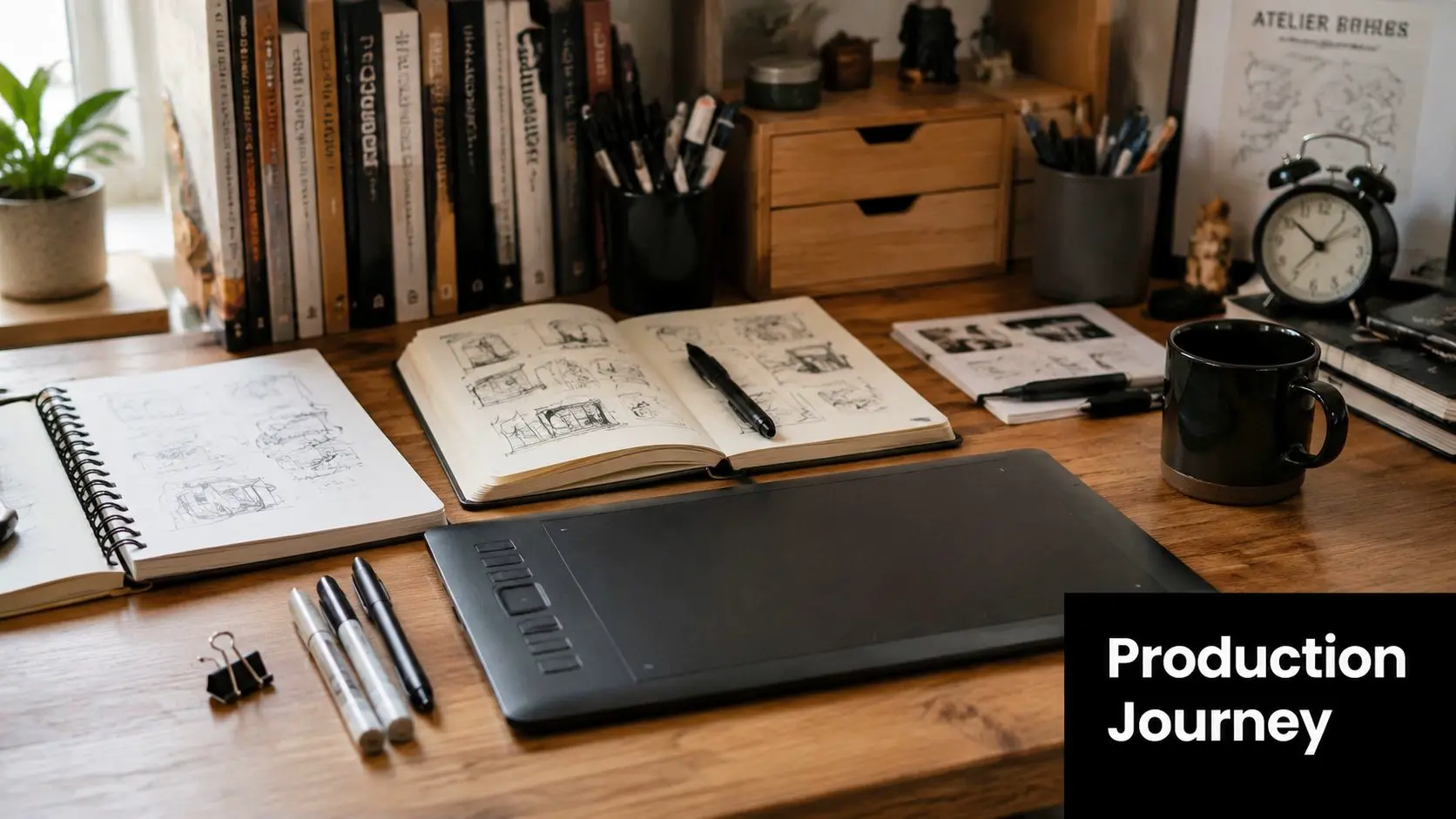
Brief and messaging
The brief should answer four things clearly. Who is the audience? What do they currently misunderstand? What must they understand after watching? What action should follow? If those answers are vague, production drifts. Teams start discussing style references before they've agreed on message hierarchy. That's where projects get longer, not better. Some businesses now test scripts or rough structures with lightweight AI tools before committing to full production. If you're exploring that route for early-stage ideation, Veo3 AI for animated videos gives a useful overview of how automated workflows fit into the process. The key is to use those tools for speed at the front end, not as a substitute for strategic script development.
Script and storyboard
A working script should be written for the ear, not the page. Short sentences. Clear transitions. No jargon unless the audience already uses it. Most weak explainers sound like brochures read aloud. Then comes the storyboard. Here, words turn into visual logic. We map what the viewer sees at each beat, what appears on screen, what moves, what stays static, and where emphasis sits. If the storyboard works, animation becomes execution rather than rescue. A complete walkthrough of that workflow appears in the animation production pipeline guide, which breaks the stages down in production terms.
Design, animation and sound
Once boards are approved, design development sets the visual language. That includes character style, colour palette, typography, transitions, iconography, and environment treatment. Good design systems make later revisions easier because the whole piece obeys a consistent visual rule set. Animation follows. Depending on style, that may involve keyframing, rigging, camera animation, simulation, lighting, rendering, and compositing. Sound comes in parallel or immediately after, usually voiceover, music, and effects. A surprising amount of clarity lives in timing and audio cues. Poor sound can flatten a strong visual piece.
Accessibility and delivery
Accessibility shouldn't be treated as a compliance afterthought. Under the UK's Accessibility Regulations (2018), public sector bodies must ensure video content is accessible, and a 2025 GDS report found that 42% of UK websites fail basic accessibility standards, as referenced in this accessibility discussion on animated explainer video series. Even where private sector requirements are less prescriptive, accessible delivery is a practical differentiator. That means planning for:
- •Subtitles from the start so they're accurate, timed properly, and readable on small screens
- •Voiceover clarity with sensible pacing and clean diction
- •On-screen text discipline so key information isn't lost in dense layouts
- •Colour contrast choices that hold up across devices
- •Audio description planning when essential action isn't conveyed by dialogue alone
Accessibility works best when producers build it into script, design, and delivery. Bolting it on late usually creates compromises you could've avoided.
Final delivery should also be channel-specific. A homepage master, social cut-downs, silent autoplay versions, sales-deck embeds, and event playback files often need different specs.
Budgeting for Your Animated Explainer Video
Cost is the question most buyers ask first, even if they don't always ask it directly. That's sensible. Animation has enough moving parts that “how much does a video cost?” isn't a single-price question. For UK SMEs, the pressure is real. A 2025 UK SME Digital Survey by the Federation of Small Businesses found that 68% of UK SMEs consider video marketing essential, while 74% cite cost as the primary barrier, according to Squideo's discussion of animation companies in the UK.
What actually drives the budget
Three factors set most of the budget. First, style complexity. Motion graphics usually need a different level of craft from character-driven 2D, and both differ from 3D work involving modelling, materials, lighting, and rendering. Second, duration. Longer isn't just more seconds. It usually means more scenes, more script approvals, more assets, and more review cycles. Third, decision-making structure. Projects with many stakeholders often cost more in practice because revision rounds multiply, feedback conflicts, and approvals stall.
How SMEs keep quality without overspending
You don't need an enterprise-sized budget to make effective animated explainer videos. You do need ruthless scope discipline. Here's what tends to work:
- •Keep the script tight: If the message doesn't fit comfortably into a concise structure, split it into a series instead of forcing one overloaded film.
- •Choose a style that matches the task: Motion graphics often handle product explanation more efficiently than full character animation.
- •Reuse design systems: Brand assets, icon libraries, UI captures, and templated end frames reduce bespoke build time.
- •Limit stakeholder rounds: Appoint one decision-maker or one consolidated feedback point on your side.
- •Plan repurposing upfront: A master asset that can become social cut-downs, sales snippets, and event edits stretches production value further.
A useful adjacent exercise is to compare production spend with distribution spend. If you're also planning paid placement, tools that help with budgeting video ads on Meta and TikTok can clarify how your media plan and creative budget should work together.
Where buyers often waste money
The most common waste isn't paying for quality. It's paying for complexity the audience doesn't need. A six-layer visual metaphor, multiple character groups, elaborate scene transitions, or highly detailed 3D environments may all be valid. But if the buyer only needs to understand a workflow, a product benefit, or a technical process, those extras can absorb budget without improving outcomes.
How to Choose the Right Animation Studio
Most studios can show a polished showreel. That isn't enough to make a buying decision.
What you're really buying is judgement. Can the team turn a business problem into a clear screen story, manage feedback without losing momentum, and deliver to the standard your audience expects?
What to inspect beyond the reel
Start with the portfolio, but don't stop at visual appeal. Look for range. Can the studio handle different communication jobs, not just one house style? Then look for consistency. Is the craft level stable across projects, or are only one or two hero pieces carrying the page? Next, examine process signals:
- •Brief handling: Do they ask smart questions about audience, objective, and distribution?
- •Script discipline: Can they simplify language without draining expertise out of the message?
- •Approval structure: Is there a clear route for reviews, sign-off, and change control?
- •Delivery thinking: Do they discuss captions, cut-downs, aspect ratios, and file use cases early?
A practical benchmark is a studio with broadcast and digital production experience, because those teams tend to understand QA, deadlines, and the consequences of late-stage changes. If you're comparing options, Studio Liddell's animation services page shows the sort of breadth worth checking for in any supplier, including 2D, 3D, and technical communication work.
Ask about hard projects, not easy ones
Any studio can make a neat sixty-second promo for a straightforward consumer product. The revealing question is how they handle complicated material. Technical products. Stakeholder-heavy approvals. Regulated sectors. Content with multiple audiences. That's where script clarity, visual hierarchy, and revision management matter.
“The right studio won't just ask what style you like. They'll ask what your audience is struggling to understand.”
A useful case to look for
One example of this kind of capability is GeoEnergy NI. According to Studio Liddell's work archive, the project distilled intricate technical information into clear, compelling visuals that were effective in securing stakeholder buy-in. That is the true indicator for explainer work. Not whether the animation is attractive in isolation, but whether people who need to approve, fund, or support the initiative come away with clarity. That same lens is useful when reviewing case studies from any studio. Look for evidence of translation. Complex input, clearer output, practical result.
Red flags during selection
Some warning signs show up early:
- •Spec work pressure: If a process depends on unpaid creative to prove capability, it often signals a weak discovery process.
- •Vague revision promises: “Unlimited changes” sounds generous until the schedule slips and accountability disappears.
- •No mention of accessibility: That usually means it's not embedded in the workflow.
- •Style-first selling: If the conversation starts and ends with visual references, the strategic work may be thin.
Distributing and Measuring Your Video Success
A finished video isn't the end of the job. It's the start of the performance phase. The first priority is placement. Put the explainer where buyer friction is highest. For many businesses, that's the homepage hero, a product landing page, a demo request page, sales follow-up emails, proposal decks, and trade show displays. If your audience needs repeated exposure, cut the master into shorter versions for social, outbound, or retargeting.
Where to distribute first
A simple rollout usually beats a broad but unfocused launch.
- •Website pages with intent: Product, service, and conversion pages usually deliver the clearest business signal.
- •Sales usage: Reps can send the video after discovery calls or include it in presentations.
- •Email nurture: A thumbnail and clear context often work better than dropping a video link without explanation.
- •Internal adoption: Training, onboarding, and stakeholder updates often benefit from the same core asset.
What to measure
View count is the weakest metric on its own. It tells you something was served, not that it worked. Track the indicators that show whether the explanation held up:
- •Audience retention: Are viewers staying with the piece long enough to reach the core message?
- •Click-through behaviour: Do they take the next step from the page or email where the video sits?
- •Conversion performance: Does the target page or campaign perform better after the video is introduced?
- •Sales feedback: Are reps using it, and does it reduce repeated clarification in calls?
- •Internal comprehension: For training or onboarding, do managers report fewer repeated questions?
A useful explainer should reduce confusion somewhere measurable. Sometimes that's direct conversion. Sometimes it's stakeholder alignment, shorter sales conversations, or cleaner onboarding. The metric depends on the job you gave the film in the first place. --- If you're weighing up animated explainer videos and want a grounded view of scope, style, and production fit, Studio Liddell can help you assess the brief and turn a complex message into a practical production plan.