A Complete Guide to 3D Computer Graphics
At its core, 3D computer graphics (often just called CGI) is the art and science of creating three-dimensional objects and scenes inside a computer. Think of it as a blend of digital sculpting and photography; we build entire virtual worlds from scratch and then “photograph” them to create the final images or animations you see everywhere.
From Digital Clay to Final Image
It helps to think of 3D computer graphics not as a single task, but as a structured creative pipeline. It’s a journey that takes an idea from a blank digital canvas all the way to a polished, final visual. Each stage builds on the one before it, turning abstract concepts into tangible results that can be photorealistic or beautifully stylised. This very process is the engine behind modern visual effects, video games, and animated films.
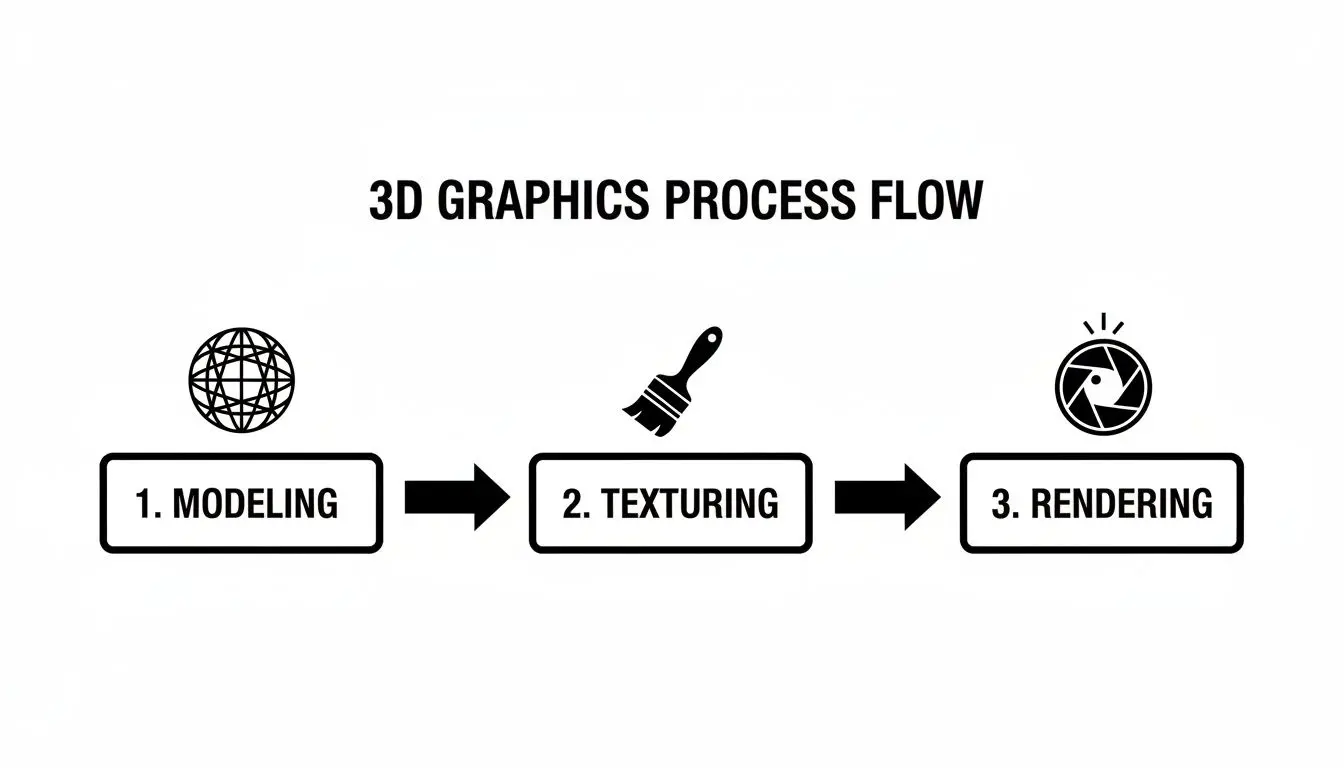
This workflow is what makes the magic happen. It all flows logically from one step to the next, forming a production line where the output of one stage becomes the input for the next.
Breaking Down the Core Pipeline
To really get to grips with how it all works, let's look at the main stages every 3D project goes through. We’ll use a simple analogy for each to make it easier to visualise. The Core Stages of a 3D Graphics Pipeline gives a high-level overview of these key phases, showing how we get from an initial idea to a final, rendered image.
| Stage | Objective | Analogy |
|---|---|---|
| Modelling | Create the digital shape of an object using points, lines, and faces. | Digitally sculpting with clay to form the basic structure. |
| Texturing & Shading | Apply colours, patterns, and surface properties (like glossiness or roughness). | Painting the sculpture and adding realistic materials like wood or metal. |
| Rendering | Calculate light, shadows, and reflections to generate the final 2D image. | Setting up studio lights and "taking the photograph" of the finished sculpture. |
This structured approach ensures that every detail, from the basic shape to the way light bounces off a surface, is accounted for before the final image is created.
Powering Modern Industries
This creative pipeline is the engine behind a massive and growing global industry. The gaming industry in the UK alone, projected to be worth £5.3 billion by 2025, is a huge driver of demand for 3D modelling and rendering. It's all part of a global 3D animation market valued at an enormous £21.58 billion in 2024, and it's still growing at a rate of 14.2%. You can read the full research about the computer graphics market for more details.
The real power of 3D computer graphics lies in its ability to make the impossible possible. It allows creators to visualise anything imaginable, from microscopic biological processes to epic alien worlds, with complete creative control. This capability is why it has become indispensable across so many sectors.
Building Your Digital World From Scratch
Every piece of 3D computer graphics, whether it’s a simple product shot or a sprawling cinematic universe, starts with the same fundamental building blocks. This is the stage where artists turn a blank digital canvas into a tangible, textured, and atmospheric world. It's a process that perfectly blends technical skill with artistic vision, laying the groundwork for everything that comes next. The journey begins by giving shape to ideas. This isn’t one single, monolithic task, but a series of distinct yet deeply connected steps. Each phase has its own unique purpose, building upon the last to create something cohesive and believable.
Digital Sculpting With Modelling
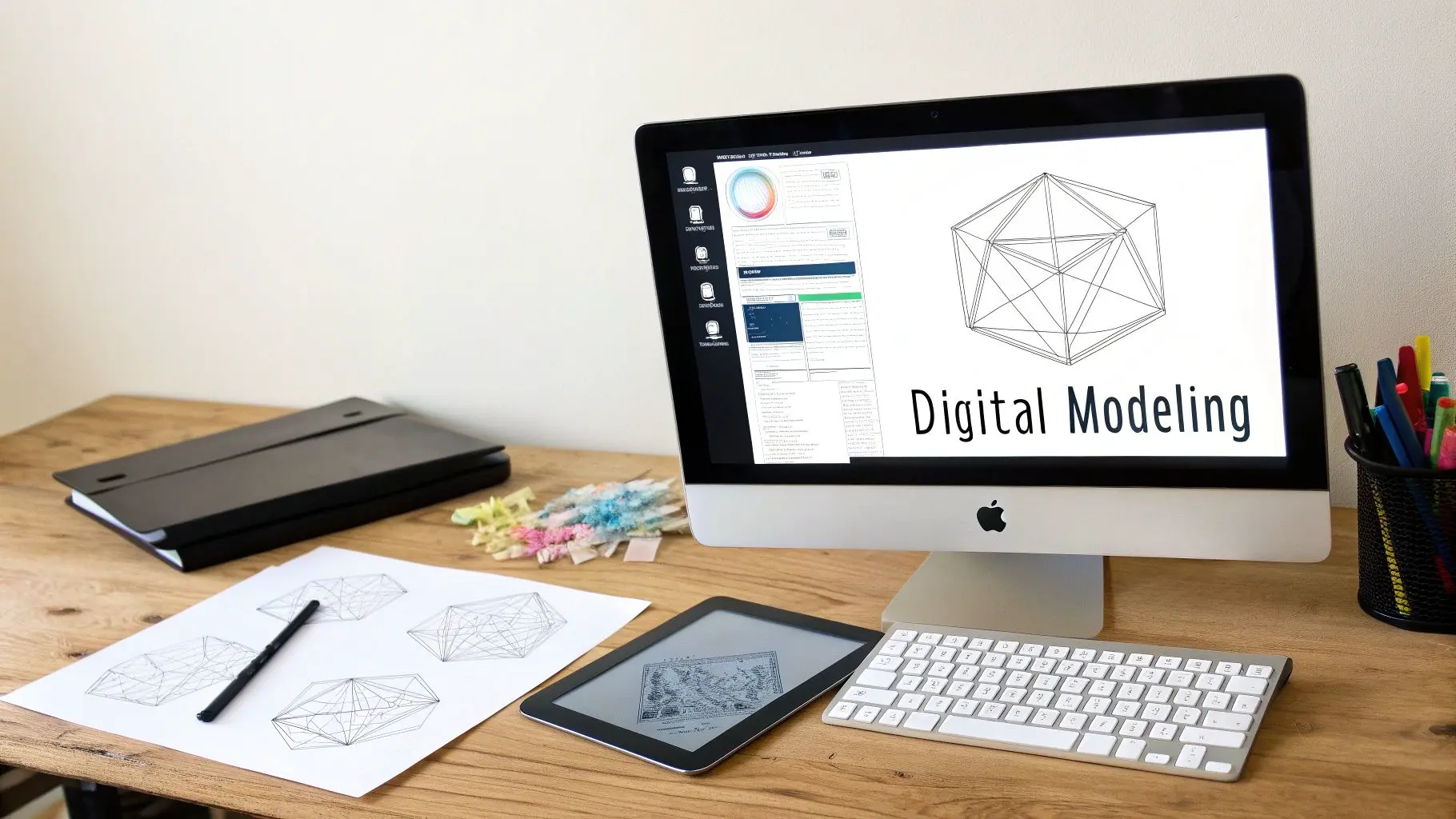
The very first step in bringing any 3D asset to life is modelling. Think of it as digital sculpting. Instead of clay, artists use specialised software to manipulate a mesh of vertices, edges, and polygons. The goal is simple: to construct the fundamental shape and structure of an object, be it a character, a vehicle, or an entire environment. This digital skeleton, often called a wireframe, defines the object's form. It’s a meticulous process where every single curve and angle is carefully crafted. While advanced techniques like procedural generation and photogrammetry can speed things up, the core principle is the same: giving form to the formless. New technologies are also constantly emerging to help with this foundational step. For instance, advanced techniques like AI model creation are making it easier to generate lifelike digital characters, offering a powerful starting point for any digital world.
Applying Colour And Texture
Once a model has its shape, it's essentially a blank, grey sculpture. The next stage, texturing and shading, is what breathes life, colour, and a sense of physical reality into it. This is like painting the sculpture and deciding exactly what materials it’s made from.
- •Texturing is the art of applying 2D images, known as textures or maps, onto the surface of the 3D model. These maps define everything from the base colour to intricate details like scratches, dirt, or the grain of a piece of wood.
- •Shading dictates how the model's surface reacts to light. Shaders are complex algorithms that simulate the properties of different materials. Is the surface metallic and reflective? Is it rough and matte like concrete, or maybe translucent like glass?
This combination of texturing and shading is what transforms a simple geometric shape into something that looks and feels like a real-world object. A well-textured model can tell a story all on its own, showing wear and tear that hints at its history.
A great texture doesn't just add colour; it adds character. It’s the subtle imperfections, the scuffs on a leather chair or the rust on a metal beam, that sell the illusion of reality and make a digital object feel grounded and believable.
Setting The Mood With Lighting
The final foundational step is lighting. Just like in photography or filmmaking, lighting is absolutely crucial for setting the mood, directing the viewer's eye, and revealing the form and texture of objects in the scene. Without light, even the most beautifully detailed model would be completely invisible. Artists place virtual lights within the 3D scene, carefully controlling their intensity, colour, and position. They use classic techniques like three-point lighting (key, fill, and back lights) to sculpt the scene with light and shadow. A scene can be made to feel dramatic and tense with harsh, high-contrast lighting, or soft and inviting with warm, diffused light. This process also involves calculating how light bounces around the environment, a phenomenon known as global illumination, which creates realistic indirect lighting and soft shadows. The software tools used for this are incredibly powerful; to learn more, check out our guide on the best 3D animation software available today. Together, these three pillars, modelling, texturing, and lighting, form the essential craft of building a digital world from nothing.
Bringing Your 3D Creations to Life
A beautifully textured and perfectly lit 3D model is a fantastic starting point, but it's movement that truly brings it to life. This is the stage where a digital sculpture becomes a character with a personality, and a static scene transforms into a story unfolding before your eyes. Animation, rigging, and rendering are the key processes that convert all that static potential into kinetic magic, creating the final visuals that audiences connect with. Think of this part of the process as taking a perfectly crafted marionette and finally putting it on stage to perform. Every single step from here on out is about motion, performance, and finalising the shot to deliver a polished, believable, and impactful final product.
Rigging: Building the Digital Skeleton
Before a character can even twitch a finger, it needs a skeleton. In 3D computer graphics, we call this process rigging. An artist meticulously builds a digital skeleton, a hierarchy of interconnected "bones", and a control system inside the 3D model. This rig essentially acts as a highly sophisticated puppet armature, giving an animator the controls they need to manipulate the character's body, limbs, and face in a natural, intuitive way. A good rig is the unsung hero of any great character animation. It needs to be flexible enough to allow for incredibly expressive performances but also smart enough to stop things from breaking, like an elbow bending the wrong way! If you want to dive deeper, you can learn about the secrets to bring your 3D characters to life in our detailed guide.
The Art of Animation
Once the rig is in place, the animators can work their magic. Animation is the art of creating the illusion of movement over time by posing the character at key moments. These poses, known as "keyframes," define the most important points of an action. The computer then helps fill in the gaps between these frames, a process called "tweening," to create smooth motion. There are a couple of primary ways animators generate this performance data:
- •Keyframe Animation: This is the traditional, hands-on approach where artists craft every single movement themselves. It's a meticulous process that gives them complete creative control over timing, weight, and style, making it perfect for stylised action that simply couldn't exist in the real world.
- •Motion Capture (MoCap): For a dose of pure realism, MoCap is the way to go. Actors wearing special suits covered in sensors perform the actions in a studio, and that movement data is captured and applied directly to the character's rig. This results in incredibly fluid, lifelike movements that are almost impossible to replicate by hand.
The choice isn't always one or the other; many high-end productions will actually blend both techniques to get the best of both worlds.
Rendering: Creating the Final Image
After all the modelling, texturing, lighting, and animation is done and dusted, there's one final, crucial step: rendering. This is where the computer effectively "takes a picture" of the entire virtual 3D scene from the camera's point of view. It's a hugely intensive process that crunches all the data, geometry, materials, shadows, reflections, and lighting, and flattens it into a final 2D image or a single frame of video. For many industries, powerful interior design rendering software is what turns a digital blueprint into a photorealistic image, and the core principles are the same everywhere from architecture to blockbuster films.
Rendering is the moment of truth. It’s where countless hours of artistry and technical setup converge into the final pixel, transforming a complex 3D dataset into the image that the end-user will actually see.
Real-Time vs. Pre-Rendered Graphics
The approach to rendering generally splits into two major camps, defined entirely by _when_ the final image is created.
- Pre-Rendering: This is the method used for films, high-end TV commercials, and visual effects. Each frame is rendered out individually, a process that can take minutes or even hours per frame. Because time isn't a factor during the rendering itself, artists can push for maximum visual quality with incredibly complex lighting and cinematic effects.
- Real-Time Rendering: This is the powerhouse behind video games and interactive experiences like VR and AR. The graphics have to be rendered on the fly, usually at 30 to 90 frames per second, so the world can react instantly to a player's actions. Game engines like Unity and Unreal Engine are masters of this, using all sorts of clever optimisations to produce stunning visuals with almost zero delay.
How 3D Graphics Drive Real-World Results
The technical wizardry behind 3D computer graphics is genuinely impressive, but its real worth is measured in the tangible results it delivers across countless industries. From Hollywood blockbusters to life-saving medical simulations, CGI is a powerful tool for solving complex problems, captivating audiences, and creating real business value. It’s all about turning abstract data and creative visions into visuals that connect, and that ROI goes far beyond pretty pictures. At its core, the strength of 3D is its power to make the impossible, possible. It gives creators a blank canvas to visualise absolutely anything they can imagine, from microscopic biological processes to epic alien worlds, all with complete creative control. This unique capability is precisely why it’s become so indispensable.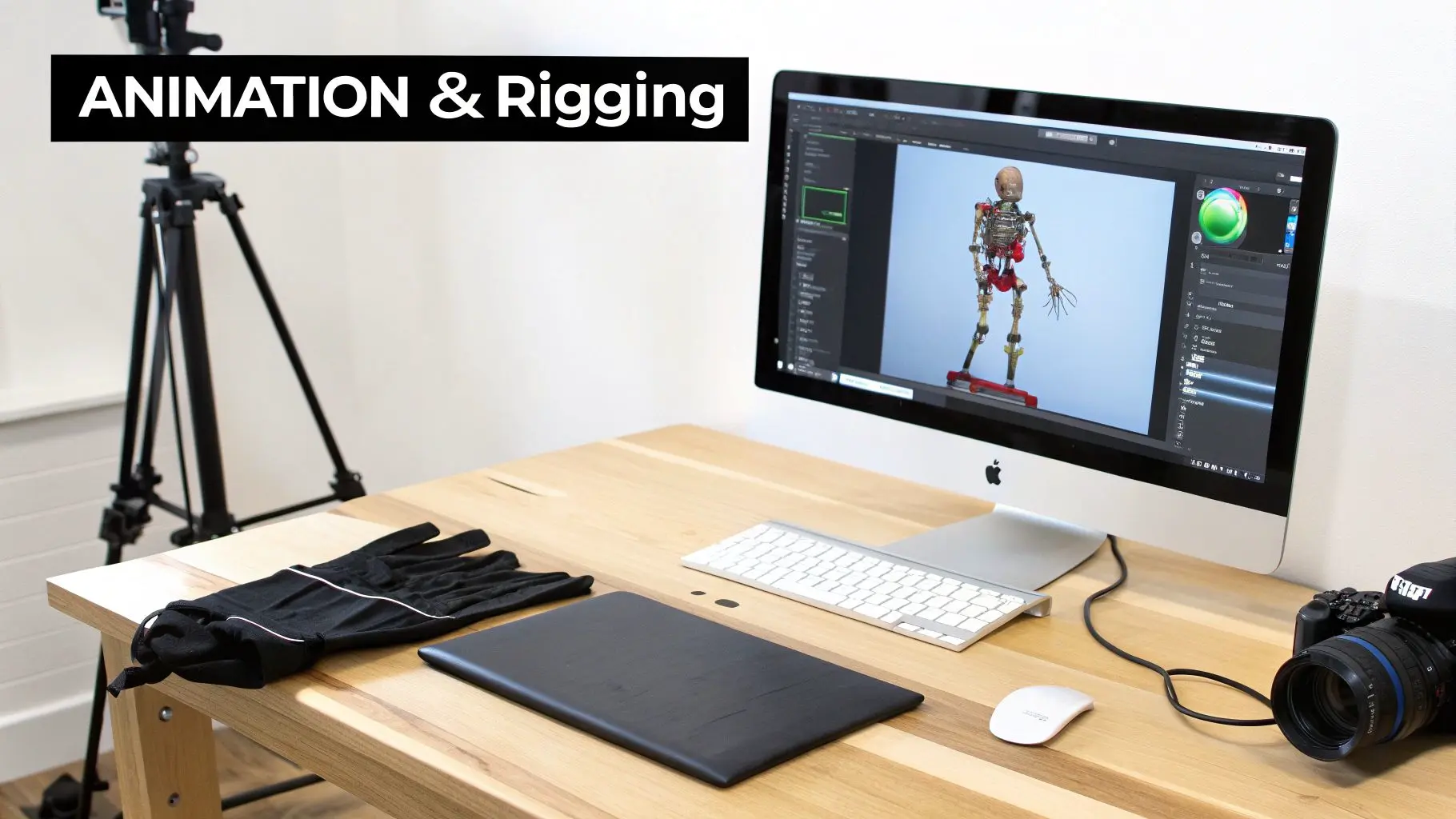
Entertainment and Media
In film and television, 3D graphics are the engine of modern storytelling. They’re the magic behind breathtaking visual effects that blend seamlessly with live-action footage, the building blocks for entire animated worlds, and the very soul of the characters we fall in love with. This gives directors and writers the freedom to tell stories that would be physically impossible or eye-wateringly expensive to produce in the real world. Then there’s the gaming industry, which is built entirely on real-time 3D graphics. These immersive, interactive worlds, from hyper-realistic racing sims to sprawling fantasy realms, keep players hooked for hours on end, driving a multi-billion-pound industry.Advertising and Marketing
For brands, 3D graphics open up a level of creative freedom that traditional photography and videography simply can't touch. Marketers can showcase products in their absolute best light, create stunning cutaway views to reveal intricate inner workings, and place items in perfect, stylised environments without the logistical nightmare of a physical shoot. This is a game-changer for products that are tricky to film, still in the prototype phase, or highly customisable. High-quality 3D visuals are proven to boost user engagement and conversion rates, making them a seriously powerful tool for any marketing department. You can learn more about how product animation services can skyrocket your sales in our dedicated guide.The ability to generate flawless, photorealistic imagery on demand gives brands an unprecedented advantage. It allows for rapid iteration, A/B testing of different visuals, and the creation of a perfect, aspirational product world that connects deeply with consumers.
Technical and Industrial Applications
But the use of 3D computer graphics goes far beyond creative industries, branching out into highly technical and specialised fields.- •Architecture & Real Estate: Architects bring designs to life with 3D visualisations, letting clients take virtual tours of buildings long before a single brick is laid. This helps secure stakeholder buy-in and spot potential design flaws early on.
- •Engineering & Manufacturing: Engineers build incredibly precise 3D models of complex machinery. These "digital twins" are perfect for stress testing, simulating assembly, and creating crystal-clear technical manuals.
- •Medical & Scientific Training: In the medical world, 3D graphics are used to create detailed anatomical models and sophisticated surgical simulators. This allows students and professionals to practise complex procedures in a safe, completely risk-free virtual environment.
These applications show just how versatile 3D graphics are, improving accuracy, cutting costs, and boosting safety across the board. The growth in these areas points to a bigger trend. Here in the United Kingdom, the computer graphics market is expanding steadily, fuelled by booming gaming and animation sectors, with projections showing a compound annual growth rate (CAGR) of 6.5% through to 2035. This expansion reflects just how deeply 3D visuals are being woven into the fabric of both entertainment and professional industries. The diverse uses of 3D graphics highlight their adaptability. Whether for creating immersive entertainment or solving complex engineering problems, the underlying technology serves vastly different goals. Here’s a quick comparison of how various industries put 3D to work.
Comparing 3D Graphics Applications Across Industries
| Industry | Primary Use Case | Key Technologies & Techniques |
|---|---|---|
| Film & VFX | Creating photorealistic special effects, digital characters, and full CGI environments. | High-poly modelling, photogrammetry, PBR texturing, ray-traced rendering, physics simulation. |
| Video Games | Building interactive, real-time worlds and characters that respond to player input. | Low-poly modelling, real-time rendering engines (Unreal, Unity), baked lighting, animation rigging. |
| Architecture | Visualising unbuilt structures for client approval, marketing, and design validation. | CAD integration, archviz rendering software (V-Ray, Corona), virtual reality (VR) walkthroughs. |
| Product Design | Prototyping, visualising, and marketing products before manufacturing begins. | Parametric modelling, 3D printing preparation, cutaway animations, photorealistic rendering. |
| Medical | Creating anatomical models for training, surgical simulations, and patient education. | Volumetric data rendering (from CT/MRI scans), interactive simulation, haptic feedback integration. |
As you can see, while the tools might be similar, the objectives and final outputs are tailored specifically to the needs of each sector. This flexibility is what makes 3D computer graphics such a powerful and enduring technology.
The Future of 3D Graphics and AI
The world of 3d computer graphics is moving at a blistering pace. New technologies are tearing up the old rulebook and reshaping production from the ground up. The single biggest shift? Artificial intelligence. What was once a sci-fi concept is now becoming a practical, everyday tool for creators across the industry. This fusion isn't just about doing things faster. It's about unlocking entirely new creative avenues and making high-end content creation more accessible than ever before. AI is becoming an indispensable creative partner, taking on the heavy lifting and pushing the boundaries of what’s visually possible.
AI Enhanced Production Workflows
Artificial intelligence is making its presence felt right across the 3D pipeline. We’re seeing a surge in generative tools that can whip up complex 3D models from a simple text description or a 2D sketch, slashing the initial modelling time. AI is also getting smarter about rendering, with algorithms that can intelligently predict and fill in visual information, dramatically cutting down the raw computing power needed for the final images. Beyond just creating assets, AI is smoothing out some of the most complex animation tasks:
- •Automated Rigging: AI algorithms can analyse a 3D model and automatically build a functional skeleton for animation. This used to be a painstaking process that could take an artist days, or even weeks.
- •Motion Synthesis: AI can generate believable character movements from high-level instructions, cleverly blending and adapting existing motion capture data to create fresh, unique performances.
- •Intelligent Denoising: During the rendering process, AI denoisers clean up visual imperfections in real-time. This gives artists faster previews and delivers pristine final renders in a fraction of the time.
Thanks to these AI-powered efficiencies, smaller teams can now take on projects that were once only possible for huge studios. It’s levelling the playing field for creating top-tier 3d computer graphics.
The goal of integrating AI isn’t to replace artists, but to empower them. It handles the repetitive, time-sapping tasks, freeing up creators to pour their energy into what really matters: the story, the performance, and the artistic vision.
The Rise of Real-Time Graphics on Mobile
Another huge driver of change is the explosion of real-time graphics on mobile devices. Today’s smartphones pack enough punch to run seriously sophisticated 3D applications, which is fuelling the rapid growth of Augmented Reality (AR) and Virtual Reality (VR). And this isn't just about gaming, it’s about finding completely new ways for businesses to engage customers and train their teams. This mobile revolution is opening up massive business opportunities. The UK mobile 3D graphics market is poised for dramatic expansion, with global forecasts showing a leap from $60.42 billion in 2025 to a staggering $233.36 billion by 2029. This growth is underpinned by the UK’s high smartphone adoption, part of a global trend that saw 6.2 billion connections back in 2021. You can dig deeper into the findings on mobile 3D graphics growth to understand its huge market potential. AR apps are already changing the face of retail, letting you see how a new sofa would look in your living room before you click ‘buy’. Meanwhile, VR is becoming a go-to tool for corporate training, providing safe, immersive simulations for everything from complex surgical procedures to operating heavy machinery. As mobile hardware gets even better, these interactive 3D experiences are only going to become more common and more impressive.
How to Choose the Right 3D Graphics Studio
Starting a 3d computer graphics project can feel like a massive undertaking, but the right creative partner can transform the experience from daunting to dynamic. The real secret? The groundwork you do before you even start searching for a studio makes all the difference. Your most valuable asset at this stage is a crystal-clear project brief. Think of it as the blueprint for your vision. It needs to spell out your goals, who you’re trying to reach, the visual style you’re after, and what you need delivered. This document doesn’t just help you get accurate quotes; it gives the entire project a solid foundation from day one.
Assessing a Studio’s Credentials
Once you have a list of potential studios, their portfolio is your first port of call. It’s easy to get wowed by a flashy showreel, but you need to dig deeper. Look for projects that echo what you’re trying to achieve. Do they have a track record in your industry? Does their work demonstrate not just technical skill but also a real flair for storytelling and artistry? A strong portfolio is one thing, but how they get there is another. Ask about their production pipeline, it tells you everything about their ability to juggle complex projects, hit deadlines, and handle feedback without breaking a sweat.
A great studio doesn't just execute your ideas, they become a strategic partner. They should be able to challenge your assumptions, offer creative solutions you hadn't considered, and guide you through the technical complexities of 3D production with confidence and clarity.
Asking the Right Questions
Before you sign on the dotted line, you need to have a proper conversation. Get a list of questions ready to make sure you’re both on the same page.
- •Communication: How often will we have check-ins? Who will be our main point of contact?
- •Feedback: What does your feedback and revision process look like? How many rounds are included?
- •Technical Fit: What software and tools do you use? Can you deliver files in the formats we require?
- •Budgeting: Can you provide a detailed cost breakdown? What could cause the budget to change?
Ultimately, you're looking for a blend of technical prowess, a collaborative spirit, and a transparent way of working. Do your homework, ask the tough questions, and you'll find a team that doesn't just meet your expectations but blows them out of the water, turning your vision into a stunning reality.
Your Questions, Answered
Diving into the world of 3D computer graphics can spark a lot of questions, especially when you’re figuring out if it’s the right fit for your project. To give you a head start, we’ve put together some of the most common queries we get from clients, with clear, straightforward answers.
What’s the Real Difference Between 2D and 3D Graphics?
Think of 2D graphics like a drawing on a flat piece of paper. It has height and width, but no depth, like a classic cartoon or your company logo. It’s all about lines and shapes on a single plane. 3D graphics, on the other hand, exist in a virtual space with length, width, _and_ depth. This extra dimension is what allows for realistic lighting, authentic shadows, and the ability to spin an object around and view it from any angle. It's the secret sauce behind lifelike characters, immersive virtual worlds, and detailed product visuals. While 2D is perfect for stylised, graphic work, 3D is the champion of realism and spatial depth.
How Long Does a Typical 3D Animation Project Take?
That’s the million-dollar question, and the honest answer is: it depends entirely on the complexity, style, and length of the final piece. A quick, snappy 3D logo animation might only take a couple of weeks. But a 60-second animated advert? You’re likely looking at 8-12 weeks from the initial concept to the final delivery. Bigger projects, like an entire episode for a TV series or a detailed VR training simulation, can easily stretch over several months. The stages that really shape the timeline are modelling, animating, and that all-important final render. We always map out a clear production schedule after our first chat to make sure everything aligns with your deadlines.
What Information Do You Need From Me to Get a Quote?
To give you a quote that’s genuinely useful, we first need to get inside your head and understand your vision. Don’t worry, you don’t need to have every detail figured out, but a good starting brief usually covers:
- •The Goal: What’s the ultimate purpose? Are you explaining a product, entertaining an audience, or training your team?
- •The Audience: Who are we talking to?
- •The Style: Are you picturing something photorealistic, stylised, or cartoonish? Any examples you love?
- •The Scope: What’s the final output? A 30-second video? A set of interactive models?
- •Existing Assets: Do you already have scripts, storyboards, brand guides, or product models we can use?
The more you can share, the sharper our initial estimate for the budget and timeline will be. But even a rough idea is the perfect launchpad for a great conversation.
Which Industries Get the Most Out of 3D Computer Graphics?
Honestly, it's hard to find an industry that _can't_ benefit from 3D. The entertainment sector, film, TV, and gaming, is obviously a huge one, using it to build worlds and tell incredible stories. Marketing and advertising lean on it heavily for eye-catching product showcases and adverts that simply can’t be ignored. But it goes so much further. Architects and engineers use 3D to visualise buildings before a single brick is laid. The medical and industrial sectors build sophisticated simulations for training and education. At its core, any business with a complex product, an abstract idea, or a compelling story to tell can use 3D computer graphics to connect with its audience in a much more powerful way.
Ready to bring your vision to life with stunning 3D graphics? Studio Liddell has been creating award-winning digital content since 2019. Book a production scoping call with our team to discuss your project.