Augmented Reality Cards Explained A Practical Guide
Imagine holding a business card that instantly plays a showreel, or a wedding invitation that unfolds a 3D map to the venue right before your eyes. This is the magic of augmented reality cards , physical, printed items that use your smartphone to reveal a hidden layer of digital content, creating a first impression that’s impossible to forget.
Bridging Print and Digital Worlds
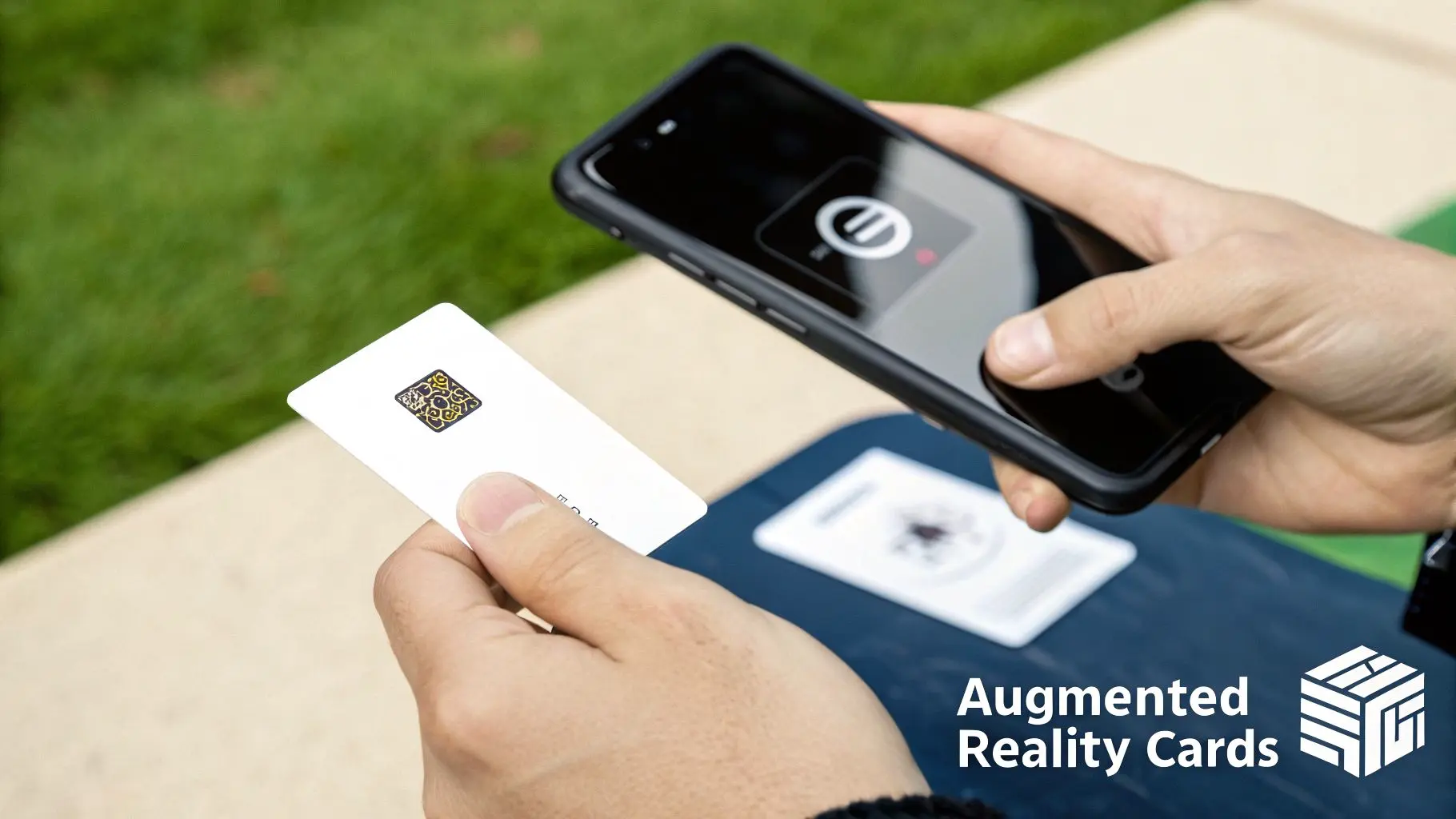
At their heart, AR cards are a brilliant mix of the tangible and the virtual. They take something familiar, like a postcard or a product tag, and turn it into a portal for dynamic digital experiences. When you point your phone’s camera at the card, it springs to life with videos, interactive 3D models, or animations layered directly onto your real-world view. This isn't just a clever gimmick; it’s a powerful communication tool that grabs attention in a way static print never could. Instead of just reading information, the user gets to actively uncover it, which forges a much deeper and more memorable connection.
The User Journey From Scan to Surprise
The whole process is designed to feel effortless, usually involving just a few simple taps. This accessibility is a huge reason for its growing popularity across so many sectors. A typical interaction goes something like this:
- •The Trigger: Someone receives a physical item, like a business card or an event ticket, designed with AR in mind. It often has a little prompt or a QR code to get them started.
- •The Scan: They open their smartphone camera or a web link and aim it at the card.
- •The Activation: The software on their device recognises the printed image as a unique marker.
- •The Experience: Instantly, the digital content appears on their screen, perfectly locked to the physical card, creating a genuinely surprising and immersive moment.
This simple yet effective journey makes AR cards a fantastic tool for driving engagement. For a closer look at what makes these interactions so powerful, check out our complete guide to augmented reality experiences.
Why AR Cards Are Gaining Traction
The appeal of AR cards is exploding because they solve a core marketing challenge: how to cut through the noise. In fact, the UK augmented reality market is projected to surge from roughly $4.13 billion to around $25.76 billion by 2030. That's a huge signal of the technology’s potential, fuelling its integration into retail, education, and marketing. To get a sense of how this technology is changing commerce, it's worth exploring topics like augmented reality (AR) shopping. The very same principle of enhancing physical products with digital layers is what’s making AR cards such a runaway success.
How The Technology Behind AR Cards Works
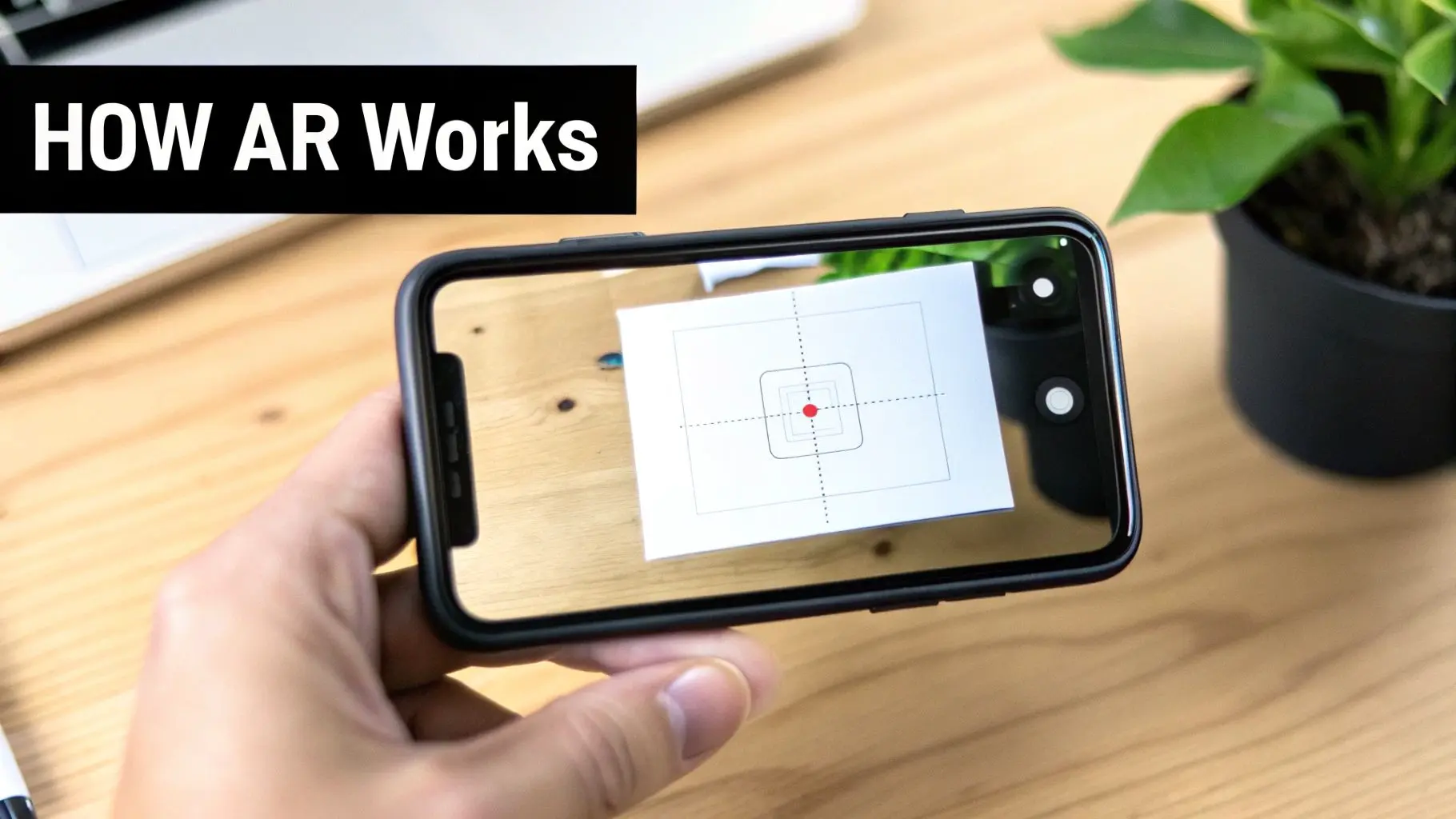
So, how does a simple printed card suddenly spring to life on your screen? It’s a clever bit of magic, blending sophisticated image recognition with instant 3D rendering. Think of your smartphone's camera as an intelligent 'eye'. When this eye sees an AR card, it’s not just looking at a picture. It’s actively searching for a specific pattern, a unique visual trigger it has been trained to recognise. Once it finds that trigger, the software kicks in. It overlays the digital content, whether that’s a detailed 3D model, a video, or an interactive animation, perfectly onto the card. The whole process happens in a flash, creating a seamless bridge between the physical card in your hand and the virtual world on your screen.
The Two Pillars Of AR Card Technology
At the heart of any AR experience, you’ll find one of two core approaches: marker-based or markerless AR. Getting your head around the difference is the first step in deciding which route is right for your project.
Marker-Based AR: The Card As The Key
This is the classic, go-to method for AR cards, and for good reason. The design printed on the card itself acts as a marker, a unique visual anchor point. When your phone's camera scans it, the AR app instantly recognises the image and knows exactly which digital experience to load. It's like a QR code but for 3D content. The card becomes the stage, and the AR content performs on it.
Markerless AR: Placing Content Anywhere
Markerless AR flips the script. Instead of looking for a specific image, it uses your phone's sensors to understand the world around it. It detects flat surfaces like a tabletop, a floor, or a patch of grass. This lets you place a digital object anywhere you like. While it's less common for the initial trigger of an AR card, it’s a brilliant secondary feature. Imagine scanning a card to unlock a stunning 3D model of a new car, which you can then place on your own driveway to see how it looks.
Choosing Your AR Technology: Marker-Based vs Markerless
To help you decide which AR approach is the best fit for your project's goals and user experience, here’s a clear comparison.
| Attribute | Marker-Based AR (Using the Card as a Trigger) | Markerless AR (Placing Objects in a Room) |
|---|---|---|
| How It Works | Recognises a specific image (the card) to launch the AR content. | Scans the environment to detect flat surfaces for placing digital objects. |
| User Experience | Simple and direct. Point your camera at the card, and the magic happens. | More interactive and exploratory. Users can place and move objects freely. |
| Best For | Product packaging, business cards, greeting cards, educational flashcards. | Virtual furniture placement, interactive product demos, large-scale models. |
| Key Advantage | High precision and stability. The content is securely "locked" to the card. | Creative freedom and a greater sense of immersion within the user's space. |
| Limitation | The physical marker must be visible to the camera at all times. | Less precise than marker-based; can be affected by lighting and surface texture. |
Ultimately, the best choice depends on what you want your audience to do. If the goal is a quick, reliable interaction tied to a physical item, marker-based AR is perfect. If you want to give users the freedom to explore a digital object in their own space, markerless AR is the way to go.
From Recognition To Rendering
The moment your device recognises the marker, the real work begins. The software engine, powered by platforms like Unity or Unreal Engine, renders all the digital assets in real-time. It calculates the right perspective, lighting, and scale to make the virtual objects look like they truly belong in your world. This entire sequence, from scanning the card to displaying the interactive content, happens in a fraction of a second. This speed is what makes the experience feel so smooth and believable. Thankfully, modern smartphones are more than powerful enough to handle these complex calculations, making high-quality AR widely accessible. This accessibility is a huge reason for the rise of technologies like WebAR, which allows users to jump straight into an AR experience without downloading an app first. It’s a fascinating area, and one we dive into when exploring the future of augmented reality with WebAR.
Putting AR Cards to Work in Your Industry
So, we've covered the theory, but where does the rubber meet the road? Let's look at how different industries are actually using augmented reality cards to grab attention, create deeper connections, and see real, measurable results. The beauty of this technology is its flexibility , it can turn something as simple as a business card into a fully interactive portfolio.
A New Chapter for Marketing and Sales
For anyone in marketing or sales, the biggest challenge is making a memorable impression. AR business cards smash this challenge by turning a routine networking exchange into an unforgettable moment. Imagine handing a potential client a card that, once scanned, brings your company’s logo to life in 3D, plays a short intro video, or lets them flick through your latest case studies. Instead of just telling someone what you do, you can show them. A card for a new piece of machinery could reveal a detailed 3D model that they can spin around and inspect from every angle, right there in their hand. It’s an immediate demonstration of innovation that creates a powerful brand moment, long after the meeting has ended.
By turning a simple business card into a portal for multimedia content, AR opens up a world of creativity for professional branding. It’s no longer just a bit of card; it's the start of an interactive conversation.
Shaking Up Retail and E-commerce
In the crowded world of retail, AR cards are becoming a secret weapon for keeping customers engaged. Tucked inside product packaging, these cards can trigger all sorts of valuable experiences. A customer who’s just bought a new coffee machine could scan an included card to watch a step-by-step setup guide, saving them from deciphering a dense instruction manual. This link between physical products and digital content isn't just a gimmick; it works. Research has shown that UK products featuring 3D or AR content see conversion rates rocket by up to 94% compared to those without. What's more, 63% of shoppers believe AR would genuinely improve their shopping experience, showing there's a real appetite for it. You can find more insights on AR's impact on shopping habits on sqmagazine.co.uk. These interactions can also unlock other creative ideas:
- •Virtual Try-Ons: A card with a makeup sample could let users virtually try on different shades.
- •Cross-Selling: An AR experience for a new gadget could suggest and display compatible accessories.
- •Brand Storytelling: Just look at wine brands like 19 Crimes, which famously use their labels to bring the characters on the bottle to life with AR.
Bringing Events and Invitations to Life
Event organisers are using AR cards to build a buzz and share key information in a completely fresh way. A wedding invitation could reveal a personal video message from the happy couple or a 3D animated map to the venue. For a corporate conference, an AR-enabled ticket could unlock the event schedule, speaker bios, and a direct link to register for workshops. This approach transforms static print into something dynamic and genuinely useful. It’s not just a nice surprise for attendees; it makes communication smoother by placing important info into an interactive format they're far more likely to engage with and remember.
Making Education and Training More Engaging
The potential for AR cards in education is massive. Complex topics that are tough to explain on a flat page can be brought to life with interactive 3D models. This hands-on method makes learning more intuitive and exciting for students of any age. Just think about these possibilities:
- •Biology: A student scans a flashcard of the human heart and suddenly sees a detailed, beating 3D model they can explore layer by layer.
- •Engineering: A card triggers an animation showing exactly how a complex engine works, with every part moving in perfect sequence.
- •History: An AR card of a historic landmark could launch a virtual tour or overlay old photographs onto a 3D model of the site as it stands today.
By turning learning into a visual, active process, AR cards help boost comprehension and memory. They change passive reading into an active exploration, giving educators a powerful new tool to explain tricky concepts with incredible clarity.
Your Step-by-Step AR Card Production Plan
Turning a brilliant idea into an AR experience that genuinely connects with people isn't magic; it's about following a clear, structured plan. This roadmap breaks down the entire production process into manageable stages, giving marketers, project managers, and creators a reliable framework to follow. Getting this right from the start is the difference between a flashy gimmick and a strategically effective tool.
Phase 1: The Strategic Foundation
Before you even think about 3D models or writing a single line of code, you need a rock-solid strategy. This is where you define the 'why' behind your project. It's so tempting to jump straight into the creative stuff, but skipping this step is a classic mistake that leads to impressive-looking AR that doesn't actually do anything for your goals. Start by setting clear, measurable objectives. Are you trying to keep people at your trade show stand for longer? Drive sales on your e-commerce site? Or maybe you just want to create a business card that nobody will ever forget. Your goal will shape every single decision that follows. Next, you need to map out the user's journey from start to finish.
- •Discovery: How will people even know there's an AR feature on the card? A simple icon or a short, punchy call to action is usually all it takes.
- •Activation: The moment they scan the card, what happens? Clear, simple instructions are absolutely vital here. Don't make them guess.
- •Interaction: What do you want them to do in the experience? Should they watch a video, spin a product around, or click a link to learn more?
- •Conversion: What’s the final action? This has to tie directly back to your original goal, like visiting a website, signing up for a newsletter, or adding a product to their cart.
Phase 2: Asset Creation and Curation
With your strategy locked in, it's time to gather the building blocks, both physical and digital. For the AR to feel seamless, these two sides of the coin have to work in perfect harmony. The physical card itself isn't just a piece of print; it’s a technical component. The printed image is the trigger, and it needs to be a ‘strong’ target for a device's camera to recognise it reliably. This means you should aim for designs with high contrast, plenty of detail, and unique shapes. Try to avoid things like symmetrical patterns, repetitive logos, or big empty spaces, as they can confuse the camera and make the tracking wobbly. At the same time, you'll be working on the digital content that will spring to life. This might involve:
- •3D Models: Creating or commissioning 3D models of your products, characters, or logos.
- •Video Content: Shooting or editing videos that will pop up when the card is scanned.
- •Animations: Designing eye-catching motion graphics or character animations.
- •Audio: Composing a soundtrack or finding the right sound effects to really sell the experience.
One of the most critical things to remember here is optimisation. Every digital asset has to be optimised for mobile performance. If your files are too big and uncompressed, the experience will be painfully slow to load, and you'll lose users before they've even seen the magic.
Phase 3: Technology and Development
This is where the magic really starts to happen, bringing your digital assets to life. The big decision you'll face here is whether to go with WebAR or build a custom native app. For most marketing campaigns, WebAR is the way to go. It lets people jump straight into the experience through their phone's browser, no downloads, no friction. It massively lowers the barrier to entry. On the other hand, a custom app might be the right choice for more complex experiences that need advanced features or have to work offline. If you're weighing up these options, our guide to augmented reality application development is a great place to get more detailed insights. Once you’ve picked a platform, the developers get to work. Using engines like Unity or Unreal Engine, they’ll integrate all the digital assets, program the interactions you mapped out in your strategy, and link everything to the image target on your physical card.
Phase 4: Testing and Deployment
The final phase is all about testing, testing, and more testing. You need to put the AR card through its paces on a wide range of devices and in different environments. See how it performs under various lighting conditions, bright sunlight, dim indoor light, standard office fluorescence, to make sure the tracking holds up. Be sure to test it on a mix of iOS and Android phones, including both older and newer models. This is your chance to find and squash bugs, fine-tune the performance, and smooth out any rough edges in the user experience. Once you’re completely happy that the experience is robust, intuitive, and ready for the real world, you can send the physical cards to print and get ready to launch your campaign.
Designing an AR Experience Users Will Love
Creating successful augmented reality cards is about so much more than just the technology. The real magic happens with thoughtful design and a user experience that feels completely seamless. It's the small, crucial details in both the physical card and the digital overlay that separate a fascinating interaction from a frustrating one. A great AR experience feels intuitive, responsive, and rewarding from the moment someone points their phone at the card. It all starts with that printed card. Think of it as the key that unlocks your digital world. Its design has a direct impact on how well the technology performs, because a smartphone camera needs to easily recognise and lock onto the image to keep the AR content steady. This is why the visual design of the card itself is so critical for reliable tracking.
Mastering the Print Design Essentials
To guarantee a smooth activation, the physical card needs to be what we call a ‘strong’ image target. This just means designing it with the camera's ‘eye’ in mind.
- •Embrace High Contrast: Designs with sharp differences between light and dark areas are far easier for a camera to "see" and track compared to those with soft, muted tones.
- •Prioritise Unique Detail: Complex, asymmetrical imagery with lots of distinct points and edges gives the software more data to hang onto. Steer clear of simple, symmetrical logos or large blocks of a single colour.
- •Avoid Repetitive Patterns: Things like grids or repeating motifs can confuse the tracking software, causing the AR content to flicker or drift. A unique, non-repeating design will always be more stable.
This process flow shows the core stages of creating augmented reality cards, from initial strategy to the final build.
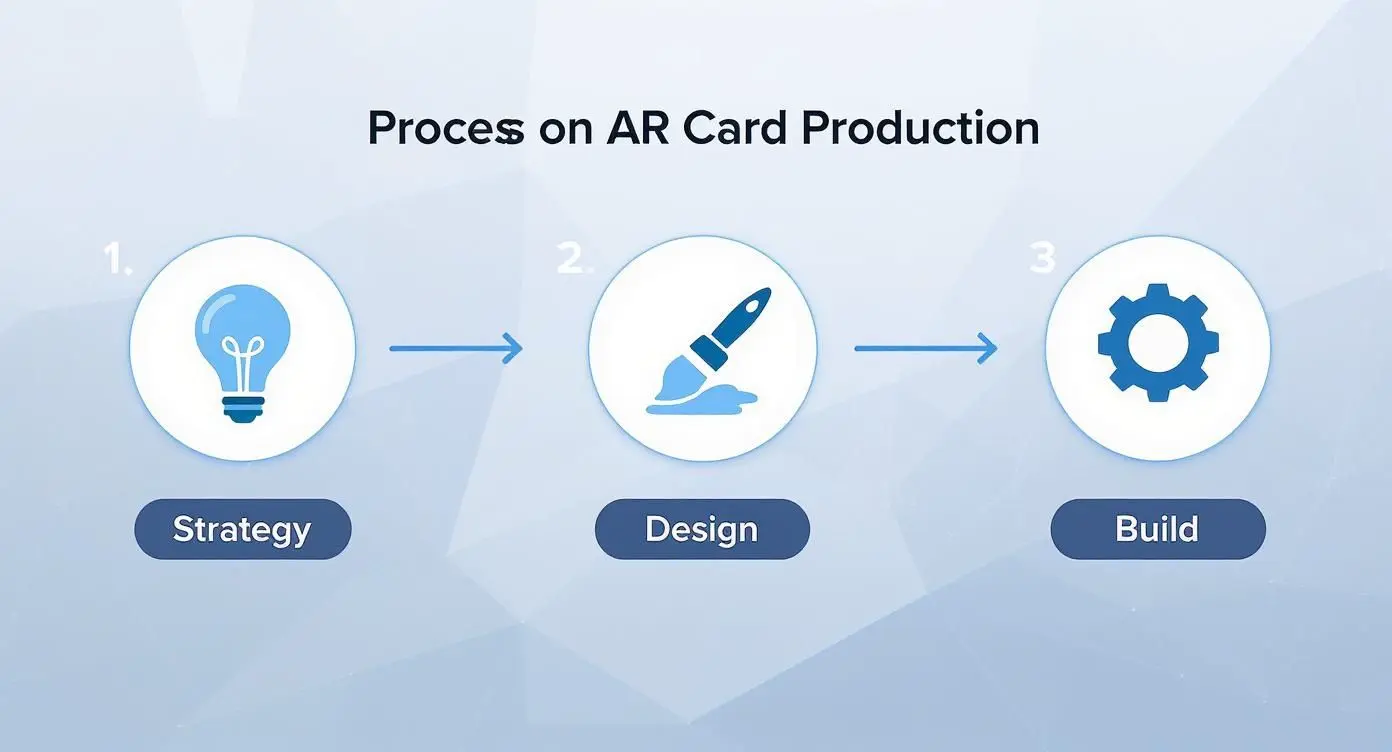
The infographic really highlights how a successful project needs to balance creative design with a solid technical foundation. Get that right, and the final experience will be both engaging and reliable.
Crafting an Intuitive Digital Interface
Once the user scans the card, the digital experience kicks in. This is where user interface (UI) and user experience (UX) design become absolutely essential. If people don't immediately understand what to do next, they’ll lose interest in a heartbeat. Those first few seconds are critical. You need to give people clear, simple on-screen instructions. A quick animated prompt showing a hand tapping the screen or a simple text overlay like "Tap to explore" can make all the difference. The aim is to eliminate any guesswork and guide the user naturally into the interaction.
A truly effective AR experience is one where the technology becomes invisible. The user shouldn't be thinking about the software; they should be completely immersed in the content you've created.
Performance is another deal-breaker. Mobile users expect things to happen instantly. Your digital assets, 3D models, videos, and textures, have to be carefully optimised to ensure they load fast. An experience that takes more than a few seconds to appear is likely to be abandoned before it even begins.
Guiding the User to Your Goal
Finally, a beautiful AR experience is only half the story; it also needs to be effective. Every AR interaction should have a purpose, and it's your job to guide the user towards that goal with a compelling call-to-action (CTA). Your CTA is the bridge between the 'wow' moment of the AR and a tangible business outcome. Make your CTA clear, visible, and easy to act on. Think about incorporating simple buttons right there in the AR scene that let users:
- •Learn More: Link out to a product page or a detailed article.
- •Watch a Video: Launch a full-screen product demo or brand story.
- •Shop Now: Take them directly to an e-commerce checkout.
- •Contact Us: Open a contact form or their email client.
By building in a clear next step, you transform your augmented reality card from a delightful novelty into a powerful tool that drives real engagement and measurable results.
Measuring the Impact of Your AR Campaign
Creating a memorable experience with augmented reality cards is a fantastic first step, but how do you prove it delivered real value? To move your AR campaign from a fun novelty to a core part of your marketing toolkit, you need to track its performance against clear business goals. This means focusing on the right key performance indicators (KPIs) to measure user engagement and its impact on your bottom line. The journey begins by looking beyond that initial "wow" factor and digging into the data. Your main goal is to understand exactly how people are interacting with your content once they’ve scanned the card.
Key Metrics for AR Card Campaigns
To build a complete picture of your campaign's performance, you need to track a handful of core metrics. These data points will show you not only if people are engaging, but how deeply they are engaging. Essential KPIs include:
- •Total Activations (Scans): This is your most basic metric. It tells you how many times the AR experience was launched, giving you a clear indicator of initial interest and reach.
- •Average Dwell Time: This measures how long, on average, a user spends interacting with your AR content. A longer dwell time suggests the content is compelling and holding their attention. Simple as that.
- •Interaction Rate: Are people just watching, or are they getting involved? This tracks the percentage of users who engaged with interactive elements, like tapping a button, rotating a 3D model, or playing a video.
- •Click-Through Rate (CTR): If your experience includes a call-to-action (CTA) button linking to a website or landing page, the CTR shows how many users took that next step.
Connecting Metrics to Business Goals
These numbers are only useful when they're tied to actual business objectives. For instance, a high number of activations combined with a long dwell time can directly contribute to increased brand recall. Similarly, a strong click-through rate on a "Shop Now" button provides a clear, undeniable link between the AR experience and sales conversions.
By tracking these specific interactions, you can start to build a clear narrative around your return on investment (ROI). You're no longer just saying the campaign was cool; you're proving it drove traffic, generated leads, or boosted sales.
When evaluating the full impact of your AR campaign, a deep understanding of how to credit various touchpoints is crucial, making understanding what attribution modeling is highly valuable. This framework helps you see how your augmented reality cards fit into the broader customer journey, allowing you to accurately measure their contribution to your overall marketing success and confidently invest in future projects.
Common Questions About AR Cards
Got a few more questions rattling around? Perfect. We’ve pulled together some of the most common queries we hear to give you the straight answers.
Do Users Need to Download an App?
Not necessarily, and that’s the beauty of it. While a dedicated app can be the right choice for really complex, high-fidelity experiences, most augmented reality cards these days are powered by WebAR. This technology is a game-changer. It lets people launch the whole experience straight from their phone's web browser. All they have to do is scan a QR code or tap a link on the card. This simple step removes the biggest hurdle, the app store download, making it far more likely that people will actually jump in and engage right away.
What Kind of Content Works Best?
The best content is always something that’s visually impressive and adds real value, something the physical card just can’t do on its own. The sky’s the limit, but we consistently see fantastic results with a few key types:
- •Interactive 3D Product Models: Let your customers spin, zoom in, and really get a feel for a product from every conceivable angle.
- •Architectural Visualisations: Take flat building plans and turn them into a living, breathing virtual tour.
- •Animated Characters: Create a brand mascot that doesn’t just sit on a page but actually comes to life and interacts with the user.
- •Instructional Videos: Show your product in action or offer a quick, easy-to-follow how-to guide that pops right off the card.
Ultimately, the goal is to pick content that elevates the card's message and creates a memorable, interactive moment that sticks with your audience.
What Is the Typical Cost to Create AR Cards?
This is a "how long is a piece of string?" question, as costs really do depend on the ambition of the project. A straightforward WebAR campaign, perhaps using a 3D model you already have, could start in the low thousands of pounds and be ready to go in just a few weeks. On the other end of the spectrum, a project that needs a custom-built native app, completely bespoke 3D animation, and advanced interactive features could take several months and come with a much larger price tag. The two biggest things that shape the budget are the complexity of the digital content and whether you opt for the quick accessibility of WebAR or the raw power of a native app. * At Studio Liddell, we specialise in creating unforgettable AR experiences that build a bridge between your print and digital worlds. Ready to see what’s possible? Book a production scoping call and let's start bringing your ideas to life.