10 Phone Applications Ideas for Your Business
A studio greenlights a new IP extension. A learning team needs staff to retain complex procedures. A brand wants a campaign people spend time with on mobile. In each case, the app brief usually fails for the same reason. It starts with features, screens, and launch checklists, instead of the experience that will justify a permanent place on someone's phone. Strong phone applications ideas for 2026 are built more like products with a world, a logic, and a reason to return. On mobile, that can take the form of animated learning systems, AR brand activations, XR training environments, interactive entertainment, or AI-assisted creative tools. The standard is higher now. Users expect apps to respond quickly, look polished, and give them something a browser page or static video cannot. The commercial case is still clear. Global mobile app revenue is projected to reach $935 billion in 2025, according to mobile app development statistics collected by TST Technology. Analysts at BuildFire's app statistics roundup also note sharp growth in generative AI app downloads and spending, which reflects a wider shift in user expectations toward adaptive, visual, immediate experiences. The opportunity sits at the intersection of concept and execution. This list moves beyond generic ideas to present concepts with production logic behind them. Each one is framed for teams commissioning serious digital products, especially enterprise, entertainment, and education clients that need high-end animation, XR, and AI production to do real work. The ten concepts below are designed with content pipelines, technical feasibility, audience retention, and commercial use in mind.
1. Interactive Educational Animation App
A student taps through a lesson on cell division, rewinds the sequence twice, answers one question incorrectly, then drags the chromosomes into the correct order on the third attempt. That is the point of this app idea. It treats animation as an interactive teaching system, not decoration. Animation works best in subjects where motion, scale, sequence, or spatial change carry the meaning. Science, heritage, language learning, and technical training all benefit because learners can see systems unfold instead of trying to infer them from static diagrams or dense text.
The stronger product model combines animated episodes, touch-based interactions, adaptive prompts, and short assessments inside one lesson flow. The content needs to be authored that way from the start. If teams bolt quizzes onto pre-existing video, they usually get watch time but weaker recall and lower return use. This concept is particularly strong for enterprise education clients, broadcasters, museums, publishers, and edtech teams that already own subject matter but need a delivery format with more impact. It also suits Studio Liddell's production strengths unusually well. High-end character animation, environment design, real-time 3D, and AI-assisted content pipelines can turn one curriculum into a repeatable product system with reusable assets, multiple lesson paths, and controlled production costs.
Where it works best
The strongest early versions start with one narrow learning objective and prove that the interaction improves understanding. Historical reconstruction is a good candidate because users can move through time, place, and point of view. Biology works well because processes such as circulation, infection, or mitosis are hard to explain without motion. Engineering and safety training also perform well because learners need to understand sequence, consequence, and physical relationships. The main production risk is scope. Teams often commission too much too early, including a wide curriculum, heavy game logic, account systems, and extensive reward mechanics before one lesson loop has been validated. That drives up cost, slows approvals, and makes iteration harder. A better brief looks like this:
- •Build around one high-value topic: Choose a subject where animation clearly improves comprehension, such as anatomy, machinery, or historical events.
- •Develop pedagogy and visuals together: Writers, animators, UX designers, and subject specialists should shape the lesson as one system.
- •Track replay, hesitation, and drop-off: Completion rate matters, but interaction data shows where understanding breaks down.
- •Design assets for reuse: Character rigs, environments, props, voice layers, and UI modules should support future lessons, languages, and formats.
Educational apps hold attention when pacing and pedagogy support each other. If the lesson drags, users leave. If the experience prioritises spectacle over clarity, they remember the scene and miss the concept. For teams exploring this route, a production partner with Animation Services experience can bridge curriculum design, visual development, and app-ready asset creation.
2. AR Brand Activation and Marketing App
A customer scans packaging at a launch event, points their phone at the product, and gets a reason to stay with the experience for another 20 seconds. That moment decides whether AR earns its place in the campaign or becomes an expensive visual extra.
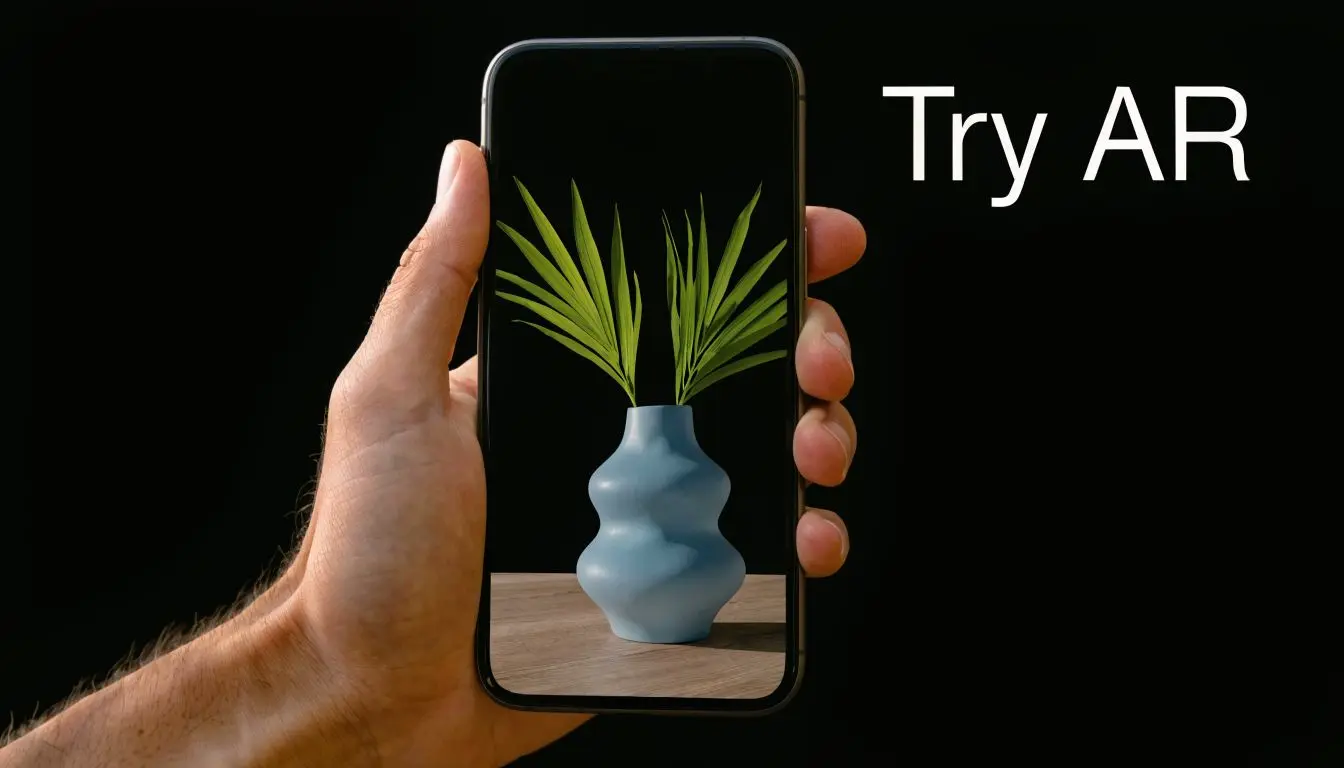
Strong AR marketing apps are built around one clear user action. Try on the item. Reveal hidden content. Place the product at home scale. Trigger a character performance. Access event-only rewards. The interaction needs to make sense in under a few seconds, especially in retail, live events, and entertainment campaigns where attention is already fragmented. The reference points are familiar for a reason. Snapchat Branded Lenses, Instagram effects, IKEA Place, and virtual try-on tools succeed because the payoff is obvious and immediate. Users do not need a tutorial. They see the value, test it quickly, and decide whether to share, save, or buy. For enterprise and entertainment clients, the production question is rarely "can AR do this?" The better question is whether the concept justifies custom assets, tracking logic, and approval cycles. A campaign built around high-end animation, spatial sound, character performance, or reactive 3D product storytelling can justify that investment. A flat promotion with an AR badge attached usually cannot.
Build the system, not just the stunt
One-off activations create avoidable waste. New assets get rebuilt. Interaction logic gets rewritten. Analytics break from campaign to campaign. Legal and brand review starts from zero each time. A better approach is a modular production kit. That means reusable 3D templates, approved UI patterns, configurable scene logic, analytics events, and asset variants for different products or markets. Studio teams with animation, XR, and AI production under one roof are well placed here because the same character rig, environment build, or product model can feed mobile AR, event screens, social cutdowns, and spatial installations. The practical rule is simple.
Practical rule: If the AR layer can be removed without hurting the campaign, you probably don't need AR.
The strongest concepts usually include:
- •A low-friction entry point: QR access, browser-based AR, or a lightweight install path.
- •A hero asset with production value: Stylised characters, cinematic product models, animated packaging, or environment overlays worth framing on camera.
- •A measurable business action: Share, register, redeem, book, purchase, or dwell long enough to qualify the interaction.
This is also where production quality has direct commercial value. Poor tracking, weak lighting integration, or generic 3D assets make the brand feel cheap. Well-directed AR can do the opposite. It can make a product launch feel premium, turn a venue installation into social content, and give sales or marketing teams an asset system they can reuse instead of rebuilding from scratch. For exhibition, retail, and event-led concepts, VR & AR production work becomes relevant because the same asset pipeline can support both a handset experience and a wider spatial campaign.
3. VR Gaming and Entertainment Platform
This idea only works if you're honest about what “platform” means. Launching a broad entertainment platform on day one is often the wrong choice. Developers should launch one excellent repeatable experience, then build outward from there. In immersive entertainment, a weak first title doesn't just underperform. It makes the whole platform proposition feel unnecessary. The strongest starting point is a focused genre. Rhythm games, social party play, guided narrative experiences, fitness-led play, and location-based companion experiences all suit mobile-connected VR ecosystems better than sprawling mechanics copied from console design. Beat Saber and Rec Room endure because their core loops are obvious within minutes.
Comfort first, spectacle second
Studios sometimes overvalue visual complexity and undervalue comfort. That's backwards. If users feel disoriented, fatigued, or confused by input, no amount of art direction rescues the session. The job is to shape interactions around head movement, hand intent, readable environments, and short loops that reward return visits. For content strategy, episodic structure is underrated. Teams with television or series production discipline often adapt well here because they already understand cadence, cliff-hangers, worldbuilding, and asset reuse. A recurring cast, modular environments, and live-service updates can sustain a VR product better than a giant launch build that burns budget upfront. A few production trade-offs matter early:
- •Native immersion vs mobile accessibility: Fully immersive headset content can feel premium, but companion mobile layers widen reach.
- •Stylised art vs photorealism: Stylisation often performs better on constrained hardware and ages better creatively.
- •Solo novelty vs social replayability: Shared experiences create stronger retention if moderation and safety are designed properly.
A VR entertainment app shouldn't imitate flat-screen content. It should give the user a role, a point of view, and a reason to move.
Real-time engines, performance optimisation, and interactive storytelling must be designed together in this context, rather than handed off in sequence.
4. AI-Powered Content Creation Assistant App
A brand team is six hours from launch, needs cutdowns for three regions, two aspect ratios, revised supers, and a legal-safe variant for paid media. That is the moment an AI content assistant either proves its value or gets closed after one test.

The strongest version of this app is not a generic prompt box for churning out average assets. It is a controlled production layer for marketers, producers, educators, and in-house creative teams who need faster first drafts without sacrificing brand standards. For a studio with capabilities in animation, XR, and AI production, that opens a more interesting opportunity. Build a mobile tool that generates usable pre-production and campaign content, then routes higher-value work into premium motion, interactive, or real-time pipelines. That distinction matters commercially. Enterprise clients do not just want speed. They want approved visual systems, audit trails, rights-aware asset use, and outputs that can move into real production without being rebuilt from scratch.
Build the app around production constraints
Good creative apps are opinionated. They define what users can make, how far they can customise it, and where human review steps in. That is how quality stays consistent. A practical feature set includes:
- •Brand-safe generation: approved type, colour systems, logos, tone-of-voice rules, character kits, and motion presets
- •Multi-format drafting: social edits, product explainers, storyboard frames, lesson clips, pitch animatics, and campaign mockups
- •Editable timelines: scene order, pacing, copy, framing, captions, and music cues must stay adjustable
- •Review and approval flow: comments, version history, legal checks, and sign-off states
- •Escalation to studio production: advanced jobs can pass into animation, VFX, XR, or AI-assisted finishing rather than stalling inside the app
Studio Liddell's angle can stand apart from standard utility apps. The app idea is stronger if it does not stop at text-to-image or text-to-video. It should connect rough ideation to broadcast-grade design systems, character pipelines, real-time environments, and localisation workflows that enterprise and entertainment clients already pay for. For teams assessing the current tool stack, this VibeCodingList showcase of AI video tools gives a useful snapshot of how crowded the category has become.
The business case is straightforward. Reduce the time spent on repetitive first-pass creative, then reserve senior artists and directors for concept development, polish, and high-impact execution.
There are trade-offs, and they need to be designed early. More automation speeds up output but can flatten the work creatively. Tighter brand controls protect consistency but reduce experimentation. Richer export options improve handoff into After Effects, Unreal, or editorial systems, but they add product complexity. The right balance depends on who the app serves. A broadcaster, a museum, and a consumer brand will not need the same generation rules, approval model, or asset library. That is why this app category works best as a guided creative system, not an AI novelty. If it can help users produce on-brand drafts, repurpose existing assets, and hand off clean files into a higher-end production process, it becomes useful fast. If it only produces flashy demos, teams will abandon it after the first real deadline.
5. Corporate Training and Onboarding XR App
A new technician walks into a live facility on day one. The site is noisy, the equipment is expensive, and nobody wants a training mistake made around active machinery. That is where a well-designed XR onboarding app earns its budget. It gives teams a safe place to practise procedures, recognise hazards, and make decisions before they step into the actual environment. This category works best where the cost of error is high or access to hands-on training is limited. Healthcare, utilities, logistics, engineering, manufacturing, and heritage operations are strong fits. Phone-based AR can handle orientation, guided walkthroughs, and environment recognition. Headsets or tablets can then carry the heavier simulation work for specialist roles.
Build around decisions under pressure
Corporate training often gets purchased like an e-learning package and used like a policy archive. That structure keeps procurement comfortable, but it rarely changes behaviour on the floor. Better training starts with a situation. A new hire identifies a fault. A supervisor spots a safety breach. A field engineer has to choose the next step with incomplete information. The app should place the user inside that moment, ask for an action, and show the consequence quickly. That production model suits Studio Liddell's strengths particularly well. High-end animation can clarify invisible processes inside machinery or medical systems. XR layers can turn a flat procedure into spatial instruction. AI can adapt difficulty, surface common errors, or localise content across regions without rebuilding every module from scratch. For enterprise clients, that means one product can serve onboarding, refresher training, and compliance updates instead of splitting each need into a separate tool. A practical feature set usually looks like this:
- •Short session design: Training has to fit shift patterns, site downtime, and real attention spans.
- •Role-specific pathways: New starters, managers, maintenance staff, and contractors need different scenarios and permissions.
- •In-scenario assessment: Competency should be measured through actions, timing, and judgement, not only a quiz screen at the end.
- •Device flexibility: Start on mobile for reach, then extend to tablet or headset where depth justifies the extra production cost.
- •Analytics that matter: Track hesitation points, repeat mistakes, and failed decision branches so the training team can improve the content.
Compliance needs the same level of planning as creative execution. Accessibility, data handling, audit trails, user permissions, and content version control should be part of the product architecture from the start. In regulated sectors, that planning often determines whether the app gets rolled out company-wide or stalls after a pilot. There are trade-offs. Richer simulation improves realism, but it raises production time and QA complexity. More cinematic onboarding increases engagement, but only if the interaction model stays clear. Mobile-first delivery reduces deployment friction, but smaller screens can limit spatial depth for technical tasks. The right answer depends on the job being trained, the devices already in circulation, and how often the underlying procedures change. The strongest apps in this category do more than digitise training manuals. They turn expertise into repeatable, measurable practice. That is the difference between content employees complete once and a system operations teams keep using.
6. Interactive Streaming Entertainment Platform
A viewer taps a choice at the end of a scene. The next moment needs to feel earned, not bolted on. That is where many interactive streaming products lose their audience. The interface works, but the story logic collapses, the branches feel thin, and the production budget gets spread across too many low-impact paths. The stronger model is closer to series development than app feature planning. Start with a premise that can support participation, then define a small number of decisions that truly change tension, character alignment, pacing, or outcome. For Studio Liddell, high-end animation, AI-assisted content systems, and XR extensions can work together. A mobile platform can begin with premium animated episodes, then expand into second-screen interactions, character-based AI touchpoints, or spatial companion experiences when the audience and business model justify the extra build. Structure drives cost. Every branch affects script versioning, asset reuse, voice sessions, edit logic, localisation, QA coverage, analytics events, and platform performance. A clever narrative map can keep production efficient by reusing environments, reserving bespoke animation for decisive moments, and designing branches that converge without feeling repetitive. A weak map does the opposite. It inflates content volume while reducing dramatic payoff. This format suits entertainment brands that already have worlds, characters, and repeat-viewing value. Children's media is an obvious fit, but it also works for sports entertainment, music content, franchise extensions, and enterprise-funded audience experiences where participation increases retention. The app is not only a content player. It becomes a programmable viewing product with measurable audience behaviour. Useful planning principles include:
- •Keep branching legible: Users should understand why a choice matters before they make it.
- •Reserve complexity for key moments: Five meaningful decision points usually outperform dozens of minor interactions.
- •Design replay into the content model: Alternate scenes, hidden routes, and collectible outcomes can justify return sessions.
- •Plan monetisation early: Subscription, sponsored episodes, ticketed premieres, and premium story paths each shape product design differently.
- •Instrument the narrative carefully: Track completion, drop-off, replay paths, and decision patterns, but do not let analytics flatten the writing.
The commercial test is simple. Users need to grasp the experience from the first screen and feel the payoff within the first session. If the concept requires too much explanation, the product is carrying unnecessary friction. The best interactive streaming apps combine disciplined story architecture with production realism. That is what turns branching entertainment from an expensive experiment into a repeatable content platform.
7. Heritage and Museum Virtual Experience App
A visitor stands in front of a ruined wall, points a phone at the site, and sees the missing architecture restored at full scale. A school group opens the same app from home and gets the same story through guided animation, spatial audio, and a teacher-friendly remote tour. That is the core value of this app category. It turns collections, sites, and archives into usable experiences for on-site visitors and audiences who may never reach the building. This concept suits museums, historic estates, cultural institutions, tourism boards, and brand archives with strong visual material. It also fits the way Studio Liddell approaches production. High-end animation, XR design, and AI-assisted content systems can turn dense source material into experiences people can follow, remember, and share. The opportunity is not "put the archive on mobile". It is to build a clear interpretive product around the moments that benefit from reconstruction, narration, and interaction.
Design for interpretation, not digitisation
The strongest heritage apps focus on context. Users need help understanding why an object mattered, how a place changed, or what can no longer be seen with the naked eye. That usually means combining a few production modes rather than relying on one. Animated reconstructions can show lost environments and historical processes. AR can align those reconstructions to a gallery object or physical site. Audio can handle nuance without forcing users to stare at the screen. AI can support personalisation, search, and multilingual access, but it needs tight editorial control. In this category, historical accuracy is part of the product. Restraint matters. A full 3D build for every artefact is expensive and rarely necessary. Production effort should go where motion, scale, or missing context changes understanding. A ruined chamber, an industrial machine in operation, a battle sequence, or a vanished streetscape can justify premium treatment because the medium adds something a wall label cannot. A practical product mix usually includes:
- •On-site mode: AR reveals, orientation maps, family trails, and room-by-room interpretation
- •Remote mode: virtual field trips, curriculum-linked journeys, and access for international or mobility-limited audiences
- •Programme layer: temporary exhibitions, anniversaries, citywide events, and sponsor-backed cultural campaigns
The commercial case is stronger than many institutions assume. A well-scoped app can extend exhibition life, support ticketed digital access, strengthen education programmes, and create reusable content assets for marketing, fundraising, and partnerships. It also gives curatorial teams a format for testing new narratives before committing to a larger physical build.
Heritage apps fail when they treat archives as content inventory instead of shaped experiences. Access alone does not hold attention. Interpretation does.
For institutions planning this kind of work, Our Work is the kind of portfolio section worth reviewing because heritage storytelling depends heavily on visual craft, interaction design, and production discipline.
8. Animation Marketplace and Creator Toolkit
This idea looks attractive because it can combine software revenue, marketplace fees, and community growth. It also fails quickly if curation is weak. A creator marketplace filled with inconsistent assets, vague licensing, and poor previews becomes unusable fast, especially for professionals who need dependable inputs. The better approach is to start narrower. Don't build a marketplace for “all animation”. Build one for a defined production lane. Motion graphics packs for brand teams. Stylised 3D environment kits for educators. Character rigs for indie studios. Social-first animation templates for agencies.
Curate like a studio, not a file dump
The core value isn't just access to files. It's confidence that the assets are useful, legal, and production-ready. That means proper previews, technical standards, naming conventions, compatibility notes, and clear commercial terms. A creator toolkit provides significant value here. Instead of only selling assets, the app can include assembly tools, template customisation, preview rendering, and export options. A marketer could browse a title sequence pack, swap copy, adjust colourways, preview the motion, and send it into production without opening a full desktop pipeline. What usually makes this work:
- •A review gate: Human approval keeps quality consistent.
- •Context around the asset: Show use cases, not just thumbnails.
- •Education baked in: Tutorials, workflow notes, and project examples increase repeat use.
If you're speaking to working animators or in-house creative teams, About the studio team matters because creator tools sell trust before they sell convenience.
9. Live Shopping and Interactive Commerce App
A viewer joins a product drop on their phone during a commute. They see the host, rotate the item in 3D, compare finishes, check scale against real-world references, and buy before the segment ends. That flow works because the app reduces hesitation at the exact point where interest turns into intent. Live commerce performs best when the product needs demonstration, not just discounting. Categories such as furniture, beauty, consumer tech, collectibles, fashion accessories, and premium merch benefit from close inspection, variant switching, and contextual storytelling. A static product page rarely handles those jobs well on its own. For Studio Liddell's kind of client, the opportunity is bigger than adding a checkout button to a stream. The stronger concept is a produced commerce experience that combines broadcast pacing, high-end animation, XR product views, and AI-driven personalisation. Enterprise brands can use it to launch configurable products. Entertainment clients can turn limited-edition drops into scheduled events. Education and cultural organisations can sell exhibition merchandise through guided live showcases that feel curated rather than transactional.
Build it like a broadcast product
Conversion rises when the session is tightly directed. Product order, on-screen graphics, timed offers, moderation rules, host prompts, and latency control all affect trust. If the stream feels improvised, viewers hesitate. If the presentation is clear and well-paced, they move faster. The app experience should support three layers at once. The first is the live show itself. The second is interactive product exploration, including 3D rotation, material swaps, feature callouts, and configuration logic. The third is commerce infrastructure, with checkout, inventory visibility, saved lists, and replay chapters that keep selling after the event ends. Useful product decisions include:
- •Interactive product demos: 3D models, exploded views, scale references, and animated feature highlights
- •Producer and host controls: cueing, SKU switching, offer timing, moderation tools, and fallback assets
- •Post-event monetisation: clipped replays, chapter-based product browsing, abandoned cart reminders, and wishlist follow-up
There is a real production trade-off here. Richer visuals improve confidence, but they also raise the burden on asset preparation, rendering performance, and live ops. Teams need product models that are accurate enough to sell the item and light enough to run smoothly on mobile. That balance matters more than visual excess. People do not buy because a stream is live. They buy because the format answers objections quickly, shows the product clearly, and makes the next step easy. Done well, this app sits between content studio, commerce platform, and XR product demonstrator. That makes it a strong fit for brands that already invest in premium visuals and want those assets to drive measurable sales, not just awareness.
10. Metaverse and Virtual World Experience App
A fan watches a trailer, scans a poster, or joins a live event on their phone. Instead of landing on a static microsite, they enter a persistent world that remembers progress, rewards participation, and gives them a reason to come back next week. That is the commercially useful version of a metaverse app. The term still carries baggage, so the product strategy needs to stay concrete. Mobile virtual worlds work best when they are built around a defined audience and a repeatable behaviour. Studio Liddell's advantage here is not producing a vague digital universe. It is building high-fidelity worlds, character systems, live event assets, and AI-assisted content pipelines that turn existing IP, brand campaigns, and learning programmes into ongoing experiences. The phone should be the entry point, not a stripped-down companion. It needs to handle identity, progression, social presence, and real-time content updates well enough to stand on its own. XR extensions can add depth later, but the core value has to work on mobile first or adoption drops fast. Start with one reason to gather. A film release can host timed quests and collectible drops. A sports property can run a social arena tied to fixtures, highlights, and sponsor moments. An education client can build a persistent exploratory world where learners return for challenges, guided discovery, and live sessions. Production discipline matters here. Persistent worlds are expensive to maintain if every asset is handcrafted and every update needs engineering support. The stronger model is a modular world system: reusable environments, event templates, avatar logic, moderation tooling, and analytics tied to retention. That keeps the visual standard high without turning every activation into a full rebuild. A few product decisions separate a promising concept from an expensive demo:
- •Design around recurring events: scheduled drops, missions, watch parties, and seasonal updates create repeat visits
- •Build moderation and identity early: account systems, reporting, permissions, and safety controls are required for any social space
- •Use scalable content pipelines: modular assets, AI-supported localisation, and flexible world templates reduce update costs
- •Tie the world to a business model: sponsorship, premium access, digital collectibles, ticketing, or education licensing
The strongest versions of this app are not trying to replace the internet. They extend a franchise, a venue, a curriculum, or a fan community into a persistent digital space with clear production logic and measurable return. That makes the category far more credible for enterprise, entertainment, and education clients than the headline term suggests.
Top 10 Mobile App Ideas: Feature Comparison
| Solution | Implementation Complexity 🔄 | Resource Requirements ⚡ | Expected Outcomes ⭐📊 | Ideal Use Cases 💡 | Key Advantages |
|---|---|---|---|---|---|
| Interactive Educational Animation App | 🔄 High, 3D CGI + adaptive learning systems | ⚡ High, animators, curriculum SMEs, backend infrastructure | ⭐📊 Strong engagement & retention; recurring subscription revenue | 💡 Schools, EdTech platforms, curriculum modules | High visual engagement; scalable licensing; recurring revenue |
| AR Brand Activation & Marketing App | 🔄 Medium, WebAR pipelines & cross-device testing | ⚡ Medium, 3D assets, front-end dev, analytics | ⭐📊 Increased campaign engagement; measurable ROI & conversions | 💡 Brand campaigns, product launches, experiential marketing | Low consumer friction (no install); social shareability; measurable metrics |
| VR Gaming & Entertainment Platform | 🔄 High, XR optimisation, multiplayer & comfort design | ⚡ High, XR devs, content production, hardware & cloud testing | ⭐📊 Deep session times; multiple monetisation paths (IAP/subs) | 💡 VR gamers, immersive storytelling, episodic experiences | Immersive engagement; strong retention; narrative depth |
| AI-Powered Content Creation Assistant App | 🔄 Medium, AI model integration & creator UX | ⚡ Medium, High, compute, ML engineers, templates | ⭐📊 Increased creator productivity; scalable SaaS revenue | 💡 Marketers, creators, small businesses needing visual assets | Democratizes production; scalable; leverages proprietary AI |
| Corporate Training & Onboarding XR App | 🔄 High, compliance, LMS integration & customisation | ⚡ High, enterprise sales, custom content, device support | ⭐📊 Improved competency & retention; reduced training costs | 💡 Manufacturing, healthcare, utilities, large enterprises | Strong B2B revenue; demonstrable ROI; enterprise partnerships |
| Interactive Streaming Entertainment Platform | 🔄 High, branching narratives & complex production | ⚡ High, writers, animators, interactive backend | ⭐📊 Longer watch times; subscription & viral potential | 💡 Serialized interactive shows, kids/family entertainment | Differentiates from linear streaming; social engagement |
| Heritage & Museum Virtual Experience App | 🔄 Medium, High, accurate 3D reconstruction & research | ⚡ Medium, historians, 3D modellers, museum partnerships | ⭐📊 Broader access & institutional adoption; educational impact | 💡 Museums, heritage sites, school groups, cultural tourism | Institutional alignment; preservation & educational value |
| Animation Marketplace & Creator Toolkit | 🔄 Medium, platform + creator toolchain & licensing | ⚡ Medium, platform dev, moderation, partner integrations | ⭐📊 New creator revenue streams; network effects on growth | 💡 Independent creators, small studios, agencies | Scalable asset distribution; community-driven growth |
| Live Shopping & Interactive Commerce App | 🔄 Medium, High, live streams, checkout & logistics | ⚡ High, commerce integration, brand deals, hosts | ⭐📊 High conversion potential; direct sales & engagement spikes | 💡 Fashion, tech, home goods, influencer commerce | Blends entertainment with commerce; high conversion rates |
| Metaverse & Virtual World Experience App | 🔄 Very High, persistent worlds, scalability & moderation | ⚡ Very High, large content teams, ops, legal & moderation | ⭐📊 Potential for diverse revenue (events, commerce) but adoption uncertain | 💡 Branded virtual events, social hubs, long-term communities | Frontier positioning; multiple monetisation avenues; network effects |
From Idea to Interactive Reality
The most useful phone applications ideas aren't isolated features. They're systems with a clear audience, a creative point of view, and a delivery model that can survive contact with the world. That means knowing who the app is for, what behaviour it should encourage, what content it needs to stay alive, and what production trade-offs the team can sustain. Across all ten concepts, the same pattern shows up. The strongest apps combine one compelling core interaction with disciplined execution. Educational apps need pedagogy and visual clarity. AR campaigns need a reason to exist beyond novelty. Training apps need scenario design and compliance thinking. Interactive entertainment needs story architecture, not just branching technology. Commerce apps need trust, not merely transactions. Virtual worlds need social purpose, not buzzwords. A lot of weak app planning happens because teams jump from idea to build too quickly. They choose a tech stack before deciding what must be real-time, what can be templated, what content cadence they can maintain, or where human oversight still matters. In practice, those questions shape whether the product launches cleanly and whether it still feels relevant six months later. The other major shift is creative expectation. Users now expect apps to feel responsive, personalised, and visually coherent. They're comparing your product not just with direct competitors, but with the best interfaces, best recommendation systems, and best visual experiences they use anywhere on their phone. That doesn't mean every app needs cinematic polish. It does mean every serious app needs a point of view. If one of these ideas fits a real business problem, start with a production lens. Define the smallest version that proves the behaviour. Test the interaction before scaling the content library. Build asset systems, not just screens. Protect the user experience from feature creep. That's usually where commercially sound apps separate themselves from expensive prototypes. For teams that need high-end animation, XR thinking, or app concepts grounded in production realities, Studio Liddell is one relevant option to explore. The fit is strongest when the brief calls for storytelling, real-time content, branded worlds, or visually demanding interactive experiences.
If you're shaping an app concept that needs more than generic development, talk to Studio Liddell. A focused scoping conversation can help turn an early idea into a practical roadmap for animation, XR, AI-assisted production, and launch-ready interactive experiences.